
Where Flight Simulation Enthusiasts Gather from Around the World!
AVSIM Library - Search Results

| Category: Flight Simulator X - AFCAD Files | |
| MRLB - Daniel Oduber Quiros International Airport / Liberia, Guanacaste, Costa Rica |

|
Images related to this file:
File Description:
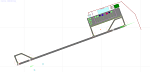
MRLB - Daniel Oduber Quiros International Airport / Liberia, Guanacaste, Costa Rica.
This airport update was made with the latest version of ADE (Airport Design Editor) and made for FSX as a replacement for the stock (default) airport. I found that most stock airports in FSX lack a decent amount of character and realism and I've tried to fix that a little bit. The stock airport file for the Liberia airport was sub par to say the least. There were absolutely no parking spots for commercial aircraft and no terminal buildings.
I've done major reworking to this airport and added the brand new terminal, which opened several months ago, I hope you enjoy. Below is a list of changes/additions. All these enhancements are as close to the real airport as I can get with stock library objects. I've used satellite images, terminal photos and maps throughout the whole process so building locations are as accurate as possible. Happy landings in Costa Rica!
Features:
*Greatly expanded parking apron
*Old terminal building added with GA parking area
*Brand new terminal building added with its 4 jetways and 3 additional ramp parking spots
*Parking lots with static vehicles
*Small current construction area
*Road that connects the airport to the main highway w/ static vehicles
*Hilton Garden Inn hotel south of runway 25
*Static vehicles and GA aircraft on the ramp
*Fire station
*Birds in the vicinity of the airport
| Filename: | MRLB__Daniel_Oduber_Quiros_International_Airport__.zip |
| License: | Freeware |
| Added: | 12th July 2012, 16:35:27 |
| Downloads: | 883 |
| Author: | Jaison Diaz |
| Size: | 7.63 KB |
| Category: Flight Simulator 2004 - Miscellaneous Files | |
| Nick's Prop Dust v2.0 with Nick's ALL WET for Watercraft! |
|
File Description:
This package is an all new release of my original prop dust FX. This gauge/effects package automatically senses the terrain the aircraft is in contact with or flying over and changes the prop dust and water FX for the aircrafts prop/rotor wash based on dirt, dry mud or clay, snow, rain, water, ice, sand, gravel and short grass. In addition the real time surface conditions are also sensed. In example: a dry asphalt or concrete runway will produce no prop dust/wash; however, the same runway with snow/rain conditions present will automatically produce a throttle controlled snow/rain blowing effect. FX files and gauges are included for large and small, single engine, multi-engine, amphibians, helicopters, seaplanes and massive scale military and commercial land/water transports. This package requires manually editing/adding lines in the aircraft.cfg and panel.cfg files. The README files include very complete and comprehensive instructions with a quick and easy copy/paste file for all the Microsoft prop aircraft and 13 other popular aircraft. I have also provided a QUICK REFERENCE file for current Nicks Prop Dust users for the new seaplane gauge and new FX location formulas. Nick's ALL WET is wild splashing and spraying bow/skid water FX designed for amphibians, seaplanes and boats which includes water droplets on the 2D and VC windshield as the plane barrels through the water on takeoff and landing. There is an option to install Nick's ALL WET without the main dust FX package. ENJOY! from Nick Needham
| Filename: | Nicks_Prop_Dust_v20_with_Nicks_ALL_WET_for_Watercr.zip |
| License: | Freeware, limited distribution |
| Added: | 1st October 2005, 05:22:11 |
| Downloads: | 8,447 |
| Author: | Nick Needham |
| Size: | 2.88 MB |
| Category: Flight Simulator X - Scenery | |
| Toulouse Blagnac (LFBO) v1 |
|
File Description:
This is an addon scenery for FSX of the Toulouse Blagnac Airport LFBO. It has been made using the excellent freeware tool Airport Design Editor for the layout. I have used Sketchup from Google and Model Converter X to design the buildings of the airport.
You will find all the terminals of LFBO and the control tower, as well as the Airbus facilities of the A380 Lagardere plant North East of LFBO, the A380 delivery center Henry Ziegler North West of LFBO, and some buildings of the Airbus facilities in Blagnac, West of LFBO. All buildings have photo textures, most of them taking with my camera, as I am working in the area. All buildings include night textures. You have two landing pads for helicopters like in reality South East of LFBO.
I used google earth for some items position, but the current view not being up to date, I used my knowledge of the area to correctly position the taxiways, parkings, gates and building position.
I used the FSX generic buildings for the other missing buildings, however they have the size and position which corresponds as far as possible to the position of the real buildings. The surroundings of the airport not being too realistic with Ultimate Terrain X or with FSX, I have modified the landclass of the surroundings to make them look more in accordance with reality. I have changed the parking assignment to make sure that the usual traffic will park on the parkings E, F D AB, V and U.
| Filename: | Toulouse_Blagnac_LFBO_v1.zip |
| License: | Freeware |
| Added: | 21st December 2011, 13:09:29 |
| Downloads: | 23,277 |
| Author: | Jose Mauriz |
| Size: | 34.72 MB |
| Category: Flight Simulator 2004 - Scenery | |
| KLBB - Lubbock Preston Smith Intl - Texas V3.0.1 |
|
Images related to this file:
File Description:

Lubbock is another one of those little known, neglected airports that populate the
FS world. Avery simple airport, LBB somewhat feels like a little DFW. There is a very DFW-ish main terminal with fewer than
10 gates and plenty of space to grow. The only mainline service is courtesy Southwest, but several RJ's freqent Lubbock
several times per day along with the big freighters. This airport was built from the ground up with excellent detail,
and because of the sparse traffic, frame rates are excellent as well.
V2.0 Update:
Recently, Lubbock has moved their east-west runway 8/26 roughly 1000 feet to the East so as to eliminate runway incursions
by separation from the north-south runway 17R-35L. Version 2.0 reflects this modificaton. Several taxiways have been removed
or modified, and airport fencing has been altered to reflect the change.
V3.0 Update:
This update fixes some major errors mainly on the West side of the airport. The cargo ramp and some of the GA parking had been
found to be located in the wrong positions. They have been relocated and rebuilt to match GoogleEarth images. Also, the afcad
has been updated to line up with these changes along with airline parking updates at the main terminal. All the jetways have
been replaced with more accurate representations, and they have also been adjusted to match their current real world positioning.
v3.0.1 update:
There was a missing scenery library that has been added to the download, so now the jetways will appear if they had not before.
| Filename: | KLBB__Lubbock_Preston_Smith_Intl__Texas__V301.zip |
| License: | Freeware |
| Added: | 18th May 2013, 07:39:35 |
| Downloads: | 1,556 |
| Author: | FRFStudio.net / William Morgan |
| Size: | 8.17 MB |
| Category: Flight Simulator X - Scenery | |
| FSX-DTTJ-Djerba |
|
File Description:
Well it starts like always, I can't find a usable freeware airport in this
case for the DTTJ Djerba-Zarzis so I'll build it myself again.........
well what can I say here it is built as real as possible with many details
with the standard scenery after a lot of work ..........
So fly to Tunisia to the island of Djerba, of course with an Airbus A321 or
a Boeing 737. There you change to a helicopter or a smaller plane and
look around the area...Tip: Zarzis is near the port a helipad......
Installation:
copy the folder DTTJ Djerba Scenery into the addon folder of the FSX,
start the FSX go to settings, scenery library, add area, press OK, then
you can already start.............
Extras: to be able to see people, I deliver the file 3DPeoble_Lib, copy it
into the Addon Scenery folder and activate it in FSX as described during
the installation and you can already see people......
the same applies to all files that are supplied to see more details in the
FSX folder Addon Scenery copy individually and activate in FSX you
should have already activated one of these files! You don't need to install
it again! EZ-Scenery-Object Files ( for extra buildings and accessories )
...... RCJ-Neoplan............( Buses ). airport_restaurants_ss_fsx..........
( extra building ) Parking lots_large_ss_Fsx.Bgl........( vehicles and
parking lots) Lightobj.bgl......lights and light poles......... more about it on
my youtube channel https://www.youtube.com
/channel/UC7vHXQMa3hhU2iGtODXlkHw/videos
Support:Questions and help on my YouTube channel or by email to
[email protected] And now have fun In Djerba Jamaica
| Filename: | FSXDTTJDjerba.zip |
| License: | Freeware |
| Added: | 18th September 2023, 14:53:38 |
| Downloads: | 410 |
| Author: | Wagner Ewald alias Jamaika |
| Size: | 84.97 MB |
| Category: Flight Simulator X - Aircraft Repaints, Textures and Modifications | |
| Agusta Westland EH-101 v2 - Updated |
|
Images related to this file:
File Description:
FSX Agusta Westland EH 101 v2 Updated. The EH101 one of the world's best helicopters, but Microsoft did not put much effort into this model and it lacked a lot of stuff. The helicopter has been reworked to make it more like the real world aircraft. Reworked the aircraft configuration flight dynamics to stabilize the engine surging that occurs with the default aircraft. Reworked the air file to make the aircraft handle more realistically. Added a couple of landing lights on the rear struts found on the Asian and S.O.P. operators of aircraft. Added heat and exhaust effects to all three engines. Added new reflective strobes that double flash off body of aircraft. Added two working radars that will track aircraft. First the pilot's radar has tracking for aircraft only. Second the co-pilot's Radar has tracking for airports, land mass terrain following, aircraft, NDBs, VORs, airport ID. Added radar controls for both systems within the VC. Added easy to read MFD and PFD screens. Moved engine read gauges to lower level. Added Helmet Mount Display (HMD or HmountD) with mouse clickable switches with ground speed that will read in negative (reverse) flight and useable timer. Added radios (default Extra 300). Added pop-up GPS. Added pop-up door control gauge, for quick access to aircraft. Added pop-up light switch. Added switch-able vocal ground proximity warning system with fire alert, rotor low / high alert, under carriage alert, altitude alert Added auto-hover gauge. Added pop-up radar control for ground track system.
| Filename: | Agusta_Westland_EH101_v2__Updated.zip |
| License: | Freeware |
| Added: | 22nd August 2013, 22:49:01 |
| Downloads: | 1,693 |
| Author: | David Robles |
| Size: | 118.15 MB |
| Category: Flight Simulator X - Scenery | |
| FSX-LPMA-Funchal-Madeira |
|
File Description:
FSX-LPMA-Funchal-Madeira
well it starts as always, i can't find any usable freeware airport in this case for
the LPMA Madeira Funchal so I'll build it myself again...............well what can i
say here it is after a lot of work as real as possible with a lot of details with the
Default scenery built ..........So fly to Madeira with an Airbus A321 or a Boeing
737, of course There youchange to a heli or a smaller plane and see each other on
the premises at......
Installation:copy the folder LPMA-Madeira Scenery into the addon folder of the
FSX, start the FSX go to settings, scenery library , add area, press ok , after that
you can already start............
Extras:
to be able to see people I deliver the file 3DPeoble_Lib with you can also put it in
the Copy the addon folder and activate it in FSX as described during installation
and you'll see you people..............
the same applies to extra vehicles and extra buildings with the supplied files
ObjLib-Large-Car-Parking-FSX and you'll see more vehicles...........
Airport_Restaurants_ss_fsx.BGL + RCS_Cobus3000.BGL
! You don't need these extras if you already have them!
Extra bonus:
especially for the LPMA-Madeira, I'm adding the Airport AI Enhancer program so
that you can create your own AI traffic.........
more about it on my Youtube channel
https://www.youtube.com/channel/UC7vHXQMa3hhU2iGtODXlkHw/videos
Support:
Questions and help on my Youtube channel or by email to [email protected]
now have fun in Madeira Funschal
Jamaika
| Filename: | FSXLPMAFunchalMadeira.zip |
| License: | Freeware |
| Added: | 18th September 2022, 21:19:38 |
| Downloads: | 1,887 |
| Author: | Ewald Wagner |
| Size: | 71.29 MB |
| Category: Prepar3D V1-4 - Aircraft Repaints, Textures and Modifications | |
| Cessna 421 advanced physics |
|
File Description:
C421C advanced physics
Modification for the Alabeo C421 C Golden Eagle
Version: tested for P3DV4; should work also with P3DV5 (and probably FSX)
1. Why I developed the advanced physics version
I was asked via this forum, via PMs and also by e-mails to provide a modified version of the Alabeo C421C which can be used for serious multi-engine training. It should have accurate type specific performance for both AEO (all engine operative) and OEI (one engine inoperative), the latter for either a windmilling prop at various speeds and for a feathered engine. Feathering should work as realistic as possible.
Thus, I developed an advanced physics version of the Alabeo C421C. It shows realistic physics for negative thrust (prop drives engine). This is necessary for OEI training and more realistic idle power simulation.
2. Modified files
Modification includes “c421.air†and “aircraft.cfg†files. Data is based on real world Cessna 421C, N100L, 421C-0313.
Aircraft data, equipment list, checklist and other documents for N100L,
as well as some images of C421C, registration N100L, can be found here, too.
Unfortunately, due to copyrights, I can’t upload the full files and can’t provide the AFM and other copyright protected documents.
3. How to install
To update “c421.airâ€:
- Copy the original Alabeo C421 to another aircraft folder, e.g. “C421C advanced physicsâ€.
- Use AirEd (freeware) and open the original “c421.airâ€.
Open AirEd a second time and open “modifications advanced physics c421.airâ€.
Copy the modified tables 511 and 512 to the original .air file
(right click in modification file -> copy -> right click on original file -> replace from clipboard)
To update “aircraft.cfgâ€:
Just copy the modifications to the corresponding position in the original file.
4. Legend of modifications
Modifications in aircraft.cfg:
- Basic Empty Mass (actual mass for N100L 5,154 lbs inserted; most C421C are more heavy, ours is on diet)
- correct basic data for engines + props
- engine friction included (necessary for all negative thrust scenarios)
- flaps lift + drag scalar adjusted (split flaps)
- 2 vacuum pumps
- VMO = 151 KIAS; VNE= 240 KIAS
- cabin: max. differential pressure: 5.0 psi
Modifications in c421.air:
- implemented negative thrust scenarios in prop thrust and efficiency curves (tables 511 + 512); adjusted thrust curves for high TAS at high ALT
5. Side effects of modifications:
- more realistic engine starting:
starting the engine needs the throttle to be 2 cm above idle (see checklist) for the first 15 seconds
- if you start the engine and don’t retard the prop to medium RPMs immediately, you will overstress engine and prop. So be careful when doing an air start, you might lose the prop and the aircraft. (In the real aircraft, these effects are less severe, but you have to avoid high RPMs until the engine is warmed up and have to avoid rapid change of RPM.)
6. Additional Notes:
- Basic aircraft data as published by the manufacturer, like range and service ceilings, especially OEI, are based on MTOM.
- The use of high payloads close to MTOM and higher ambient temperatures are making for a more challenging OEI training.
- In the sim, climb power is too low compared to full power (about 65 % instead of 75 %). I have to find a way to adjust that.
- I have buttons for engine failure under the mixture (see images)
- Seat Position is, like in many Aircraft, higher than as per Default by the sim. For the C421C and me being 5 ft 7 in, that's about 7 clicks arrow up.
| Filename: | Cessna_421_advanced_physics.zip |
| License: | Freeware |
| Added: | 20th March 2021, 01:09:34 |
| Downloads: | 191 |
| Author: | Andreas Kunzi |
| Size: | 18.06 KB |
| Category: Flight Simulator X - AFCAD Files | |
| Dave's Aerodrome Airport (7NJ9), NJ |
|
File Description:
Located 01 miles SW of Cedarville, New Jersey on 43 acres of land, Dave's Aerodrome Airport is a private turf field 2000' with a 600' displaced threshold on Runway 12. Each runway has a clear 20:1 approach slope, but in the case of Runway 12 be sure to aim for a landing past the hangar! There are power lines running along the road at the runway threshold that are not just there for decoration - come in too low and FSX will register a crash. In real life they have red balls on them - unfortunately I have no way of adding those in the sim at this time. So be on the lookout while on approach. Also take note that it is a right pattern for Runway 12 and a left pattern for Runway 30. The windsock is located next to the hangar and is not lit. There are no lights at this airport so daytime VFR operations only are suggested. No services are offered for transient aircraft. There is no hard-surfaced runway, you will be landing on bare terrain so set your mesh complexity slider as high as it will go for the best effect.
Scenery constructed with use of satellite images/streetview/aerial photos - the author has not been there in person.
This scenery is meant to be used in conjunction with MegaScenery Earth New Jersey/Delaware 005. It is not required, but apron use is minimized to allow satellite scenery to show through as much as possible, and objects are placed based on the MSE textures - lack of it may make scenery look out of place.
| Filename: | Daves_Aerodrome_Airport_7NJ9_NJ.zip |
| License: | Freeware |
| Added: | 16th February 2011, 15:36:42 |
| Downloads: | 211 |
| Author: | Drew Sikora |
| Size: | 1.02 MB |
| Category: Orbiter - Miscellaneous Files | |
| Edwards AFB Upgrade 1.1 |
|
File Description:
This upgrade replaces Edwards Air Force Base upgrade 1.0. This is an upgrade to, and requires, Slat's Edwards AFB add-on.
Included in this release:
• Five new high-definition surface tiles (for a total of eleven!), covering the area around Rogers Dry Lake, the main base and the north and south bases, including the town of Boron, CA.
• Edwards AFB ILS and VOR frequencies
• Several main flightline hangars
• Edwards tower camera view
• Mesh resolution increased 800%!
• Scenarios to fly several previously-released X-planes at Edwards AFB
• Support for X-33 VentureStar; placement of the VentureStar base in the correct place, just north of Haystack Butte.
Scenarios are included for the following aircraft, all tested/flown at the real Edwards AFB:
• X-15 rocketplane and B-52 dropship
• SR-71 "Blackbird"
• SR-71 with drone
• X-34 lifting body and Lockheed L-1011 Stargazer dropship
• X-36 thrust vector prototype
• X-38 Crew Recovery Vehicle
• X-33 VentureStar
• Shuttle Training Aircraft
(STA control surfaces patch)
• Space Shuttle Enterprise
| Filename: | Edwards_AFB_Upgrade_11.zip |
| License: | Freeware |
| Added: | 18th November 2003, 16:32:31 |
| Downloads: | 4,492 |
| Author: | John Wilson |
| Size: | 2.81 MB |


© 2001-2026 AVSIM Online
All Rights Reserved
Privacy Policy |