
Where Flight Simulation Enthusiasts Gather from Around the World!
AVSIM Library - Search Results

| Category: Flight Simulator 2004 - Aircraft Repaints, Textures and Modifications | |
| Matsakoni Airlines Virtual 7B37-600 (MAV 2008 Livery) |

|
File Description:
Textures only for PMDG Boeing NG 737-600 in Matsakoni Airlines Virtual new colours for 2008, registration SX-BLJ. Matsakoni Airlines was founded in early 2002 and HQ¢s is based on Ioannis Kapodistrias Int airport (LGKR), Corfu island.
Affiliates and hubs on other major Greek and European cities are planned for the fiscal year 2008. Eletherios Venizelos Athinai Int airport (LGAV) is MAV's hub since Aug'07, London Stansted (EGSS) is our new Hub in the U.K and Makedonia int (LGTS) is the main hub for MAV Cargo flights.
A classic virtual operator connecting the Greek islands to major European and over worldwide cities on a daily base with scheduled and non-scheduled flights.
Matsakoni Airlines is operating aircraft types as follows:
Airbus A340/330, A306, Á318/9/2/1, Boeing B773, B763, B747, B737, B727 for medium to long range flights, also B747F, B73Q and B72Q for cargo flights.
Matsakoni is servicing domestic flights and operates BAE B463, Fokker 100, ATR-72/45, DH8C and Beechcraft B1900.
We maintaining a fly-on-demand fleet, ranging from business jets like the ERJ-145 for V.I.P. and corporate flights, down to the Beechcraft BE-58 and Cessna 206/172 for a low-cost transport that meets your needs.
Matsakoni Airlines wishes you a pleasant flight, Enjoy!
| Filename: | Matsakoni_Airlines_Virtual_7B37600_MAV_2008_Livery.zip |
| License: | Freeware, limited distribution |
| Added: | 20th April 2008, 19:09:09 |
| Downloads: | 123 |
| Author: | Dimitris Pastarmatzis |
| Size: | 7.85 MB |
| Category: Flight Simulator 2004 - Aircraft Repaints, Textures and Modifications | |
| Matsakoni Airlines Virtual Boeing 747-400 Pax (MAV Deluxe 09 Livery) |
|
File Description:
Textures only for PMDG Boeing B747-400 in Matsakoni Airlines Virtual new colours for 2009 (Deluxe), registration SX-DDR. Matsakoni Airlines was founded in early 2002 and HQ¢s is based in Ioannis Kapodistrias Int airport (LGKR), Corfu island.
Affiliates and hubs on other major Greek and European cities are planned for the fiscal year 2009. Eletherios Venizelos Athinai Int airport (LGAV) is MAV's hub since Aug'07, London Stansted (EGSS) is our new Hub in the U.K and Makedonia int (LGTS) is the main hub for MAV Cargo flights.
A classic virtual operator connecting the Greek islands to major European and over worldwide cities on a daily base with scheduled and non-scheduled flights.
Matsakoni Airlines is operating aircraft types as follows: Airbus A340/330, A306, Á318/9/2/1, Boeing B773, B763, B747, B737, B727 for medium to long range flights, also B747F, B73Q and B72Q for cargo flights. Matsakoni is servicing domestic flights and operates BAE B463, Fokker 100, ATR-72/45, DH8C and Beechcraft B1900.
We maintaining a fly-on-demand fleet, ranging from business jets like the ERJ-145 for V.I.P. and corporate flights, down to the Beechcraft BE-58 and Cessna 206/172 for a low-cost transport that meets your needs.
Matsakoni Airlines wishes you a pleasant flight, Enjoy!
| Filename: | Matsakoni_Airlines_Virtual_Boeing_747400_Pax_MAV_D.zip |
| License: | Freeware, limited distribution |
| Added: | 18th March 2009, 17:57:45 |
| Downloads: | 161 |
| Author: | Dimitris Pastarmatzis |
| Size: | 6.63 MB |
| Category: Flight Simulator X - Aircraft Repaints, Textures and Modifications | |
| Korean Airlines Boeing 747-8i/8B5i (HL7630) |
|
Images related to this file:
File Description:

Korean Airlines Boeing 747-8B5/i (HL7630). REPAINT ONLY FOR FSX PMDG 747-400 expansion pack -8i/-8f
This livery is still fictional but I tried to collect as much data as I could from the -400 model as well as the concept/
previews of the -8i model. The real Korean 748i is still unpainted but is sitting in storage at Paine Field.
Features:
1. Korean Airlines Logo (New Livery with correct positions in referenced to the aircraft concepts).
2. Accurate placement of the SkyTeam Logo.
3. Korean text below the first class windows.
4. Studied and averaged precise sky blue color for fuselage.
5. Grey Stripe also averaged for closest match.
6. Grey Engine colors.
7. Korean Airlines Logo on the engines (accurate placement and removed engine warnings).
8. Studied design to create the "Closest" experience to the real thing.
9. White window door frames.
9. Boeing 747-8i decal above the last set of 8 windows (in Boeing font and accurate dark blue color).
10.Registration on the tail in accurate position, spacing, font, and color.
11.Korean Air logo flipped correctly (right side) and Flag included on top.
12.Added dirt textures to tail and aft belly.
13.Registration in accurate place on wing (color and font also studied and accurate).
14.Registration included on bottom of the wing as well.
| Filename: | Korean_Airlines_Boeing_7478i8B5i_HL7630.zip |
| License: | Freeware, limited distribution |
| Added: | 25th December 2014, 22:32:47 |
| Downloads: | 896 |
| Author: | Rohan Patel |
| Size: | 11.21 MB |
| Category: Flight Simulator X - Original Aircraft | |
| Airbus A318 FD Special Version V3 - Light Pack |
|
Images related to this file:
File Description:

This is the new version of my Airbus A318 with the Panel in V3 opened on the A321 - here in a light pack version, included is 1 livery only (Frontier Airlines NR807 Painted by Derek Mayer & Steve Mac Bee of PA Team).
This light pack contains only the user manual in english version (and low resolution). If you want the french version of this manual, use the "zipdrive" function with the complete pack of this aircraft (search by name file "pa318fd_v3.zip"). This light version has been made by request for all those with low download speeds and limits.
The original complete pack is available HERE (filename: pa318fd_v3.zip)
I remind you that this aircraft is based on the Project Airbus A318, with an ehanced panel based on the work of stefan Liebe.
This latest development can see the more realistic Airbus available as freeware. With a new version of the panel, the aircraft has a 100% cold & dark Status at the start of a flight, a real fuel system management with all valves, piumps and crossfeed work, the complete Bleed circuit with X-bleed, a real engines manual startup procedure like the real aircraft. I have also ehanced the navigation display with TCAS function in ARC and NAV mode; There is also the engines failure procedure to work (fire, oil leaks....) and many improved function that I cannot describe here. The aircraft comes with user manual in English and in French, and it is essantial to read it before you fly.
All the functions of the V2 have been kept and improved, like the vertical navigation gauge, the terrain radar map on the navigation display, the autolanding function, the SFCC.
This version is only in CFm engines, but with real engine data (CFM56-5B9) and custom HD sounds. Now, the Fly By wire works in 2 modes: "Normal Law" and "Direct Law". I put 300 hours into the development of this panel and I hope that you will like it.
Please, note that this panel is the v3.05 version, witch fixes the bugs of the first version that came with the A321 (there is an update panel for the A321).
So, It seems that this aircraft works with PREPAR3D
Francois Dore
| Filename: | Airbus_A318_FD_Special_Version_V3__Light_Pack.zip |
| License: | Freeware, limited distribution |
| Added: | 14th July 2012, 15:34:06 |
| Downloads: | 6,727 |
| Author: | Francois Dore, Project Airbus |
| Size: | 64.88 MB |
| Category: Flight Simulator 2004 - Scenery | |
| Nenana Municipal Airport PANN in Alaska |
|
Images related to this file:
File Description:
Nenana is a village on the river of the same name around 40 miles west of Fairbanks, which is the second largest urban area in Alaska after Anchorage. Nenana, as a result of this proximity, is served by road and railway and unlike other Alaskan villages is not reliant on air cargo for necessities. The current population is just under 400, which is way down from its peak of 5,000 in the 1920's when gold was being mined and the railroad being built. Nenana's main claim to fame is as the starting point for the 1925 mushing delivery to Nome of the serum to combat an outbreak of diphtheria. Any Nenana Municipal Airport history is difficult to find, even the date of construction. It has two runways 3L-21R and 3R-21L, the first being asphalt and just under 5,000 feet with PAPI at both ends, the second grass and 1,800 feet. Both are lit. It also has a further water runway similarly aligned and 3,000 feet long. Maintenance is available and there is also fuel at the end of the northern apron, close to the crashed and stripped DC4 that sits among other unwanted items that are too large to make it worth the cost of moving them off the site. There are no regular scheduled flights to the airport, with air taxi or owner operated being in the majority. The scenery, in addition to the terrain, town, bridges, and airport items also modifies the terrain in an area further south where FS9 depicted as a city an Air Force base that is mainly concerned with radar and communications and in fact has very few buildings. The AI includes some Beavers on floats that were used in previous BC scenery with the kind permission of FSAddon. As I have already posted them I have not included them again here. The float plane AI uses the same radio frequency as the land based planes, but they fly to PANX and not to PANN as FS9 has problems with getting floats and wheels separated. Or maybe I just haven't worked out how to cope with FS9. A note here about my scenery making. There will not be many more to follow this as I am almost at the end of the photos I either took or found for scenery purposes, plus I expect to move on from FS9 at some point during next year.
| Filename: | Nenana_Municipal_Airport_PANN_in_Alaska.zip |
| License: | Freeware, limited distribution |
| Added: | 2nd December 2019, 18:12:42 |
| Downloads: | 155 |
| Author: | Roger Wensley |
| Size: | 7.36 MB |
| Category: Flight Simulator 2004 - Miscellaneous Files | |
| Nick's LightFix |
|
File Description:
The concept and the base textures for this package are from Mark Poole and his original light replacement releases. Mark's original Nav Light package has a really good concept and uses light textures which create sharp lens flairs or bursts. I found the lens flair in his packages to be a bit too large and out of scale for my display and taste. Also, I wanted to have an easy way to replace all the FS9 lights in one shot with little or no configuration file editing. With that in mind, this package was created. This release will automatically replace ALL the Flight Simulator aircraft and airport lights with more realistic ones along with better distance visuals of slower flashing radio tower/smoke stack and ground beacons. It also includes replacement lights in scale for the PMDG 737, 747 and for all Project Opensky aircraft offered on their site. It works automatically with Ultimate Traffic and other AI add-ons which use the default Microsoft aircraft lights. I added a diffused halo effect to Mark's original airport_lighting_v2 texture which gives a more realistic look in cloudy or weather conditions and enhances the dynamic directional brightness of the lights. In addition to the navigation lights, I have also created aircraft beacons and strobes which will also install automatically . A restore package is included allowing to you to revert back to default FS9 texture and FX files.
ENJOY!
From Nick Needham
[email protected]
| Filename: | Nicks_LightFix.zip |
| License: | Freeware, limited distribution |
| Added: | 4th April 2006, 21:47:56 |
| Downloads: | 19,322 |
| Author: | Nick Needham |
| Size: | 1.55 MB |
| Category: Flight Simulator X - AFCAD Files | |
| Somerset Airport (KSMQ), NJ |
|
File Description:
Located 03 miles N of Somerville, New Jersey on 210 acres of land, Somerset is a public airport with one asphalt and two grass runways, the longest of which is 2733' in length. The turf runways have no hard surfaces and you will be landing on terrain so have your mesh set as high as possible - both runways are still selectable in the ATC window for landing/takeoff announcements. AI aircraft will not use them. The helipad is a start location in front of the main terminal if a parking location is not wanted to begin helicopter flights. Parking is divvied up into three categories - GA_SMALL spots will accommodate aircraft with wingspans no greater than 40 feet. GA_MEDIUM spots will accommodate aircraft with wingspans no greater than 60 feet. GA_LARGE spots are named to identify locations suitable for starting in a glider if you wish to do so. They can also accommodate aircraft with wingspans no greater than 60 feet. In addition to tie downs, there are 13 hangars open for parking in various locations - they can be identified by GA_DOCK. Only the N Parking hangar can accommodate aircraft with wingspans no greater than 60 feet - all other hangers are suitable only for aircraft with wingspans no greater than 40 feet. Several of the hangars have attendants - look beside the doors for the NAV2 frequency to set for opening them. AI aircraft will only spawn on the north tarmac/hangars (largely to prevent AI traffic crossing the runway on taxi). All objects and static aircraft in the immediate vicinity of parking and taxiways have collision disabled. If your aircraft has a wingspan greater than 40 feet it is NOT recommended that you taxi down the middle taxiway leading to the main tarmac from N Parking as you will not clear the hangars - go either via the NW taxiway past the grass tie downs (NW Parking) or around East to the next taxi way on the other side of the east hangars (E Parking) which has more wing clearance. Fuel is available on both tarmacs north and south of the runway by stopping on the asphalt in front of the tanks/pump.
Scenery constructed with use of satellite images/streetview/aerial photos - the author has not been there in person.
This scenery is meant to be used in conjunction with MegaScenery Earth New York 005. It is not required, but apron use is minimized to allow satellite scenery to show through as much as possible, and objects are placed based on the MSE textures - lack of it may make scenery look out of place.
| Filename: | Somerset_Airport_KSMQ_NJ.zip |
| License: | Freeware |
| Added: | 27th September 2011, 01:15:53 |
| Downloads: | 306 |
| Author: | Drew Sikora |
| Size: | 1.47 MB |
| Category: Flight Simulator X - Original Aircraft | |
| JELAIR - Maersk Air, Boeing 737-2L9 (OY-MBZ) - version 3 |
|
Images related to this file:
File Description:

This aircraft (for FSX, with update-patch #2) is a simulated replica of Maersk Air's 'Pocket Rocket' OY-MBZ (a Boeing 737-2L9 a.k.a. 737-200/Advanced) anno 1989. It is designed for a screen-resolution of 1280x1024. Other resolutions have not been tested. It will NOT work correctly in FS2004 (FS9). It has been tested on Windows XP (32bit) and Windows 7 (64bit) only. It is designed to be as realistic as possible, and flight-experience from the real aircraft, as well as large amounts of documentation, have been used to get it as accurate as possible. It has a fairly advanced panel with many systems simulated, such as a passenger oxygen system, a cabin pressure system, anti-skid brakes, EPR control of each engine (with the possibility of asymmetric thrust), IVSI with TCAS, Sperry SP177 autopilot with working CWS and level-change button, active yaw-damper, Quality-of-flight index (so you can see how well you operate the aircraft), windshield wiper, custom flight-computer, automatic Vspeeds for takeoff and landing, takeoff trim calculator, master caution system, PAX simulator (if you make a mistake they may die), a JT8D-17 engine with slow spin-up time (do not idle it on approach). It features a relatively realistic random-failures/error simulation which will trigger, or de-trigger, any of a variety of possible failures/errors (from small gauge-errors to large engine-failures or cabin de-compression). The chance of a failure/error is very low (you may never even get one, but they can happen, so stay alert), maybe less than 1 percent chance per 24 hours of flight-time. It features engine-management simulation, so overheating an engine will cause it to fail (now you actually need to pay attention to the EGT during engine-startup, and have your finger ready at the fuel-cutoff switch just in case you need to save the engine from heat-damage). It features sounds recorded from the actual aircraft (OY-MBZ).
This is the third release of this JELAIR addon. A very big thank you to all the following very talented people that participated directly or in-directly in the production of this add-on: Original Model by Erick Cantu, Original Panel by Pablo Contouris, Original Panel BMP by Bob Scott, Original Panel Gauges by Ken Mitchell, Doug Dawson, Pierre Fasseaux, SPanel, www.FS2X.com, Original Sound by Christoffer Petersen, Original Textures by Henry William, FDE, various modifications and adjustments for aircraft type, as well as additional gauges and sounds by JELAIR
| Filename: | JELAIR__Maersk_Air_Boeing_7372L9_OYMBZ__version_3.zip |
| License: | Freeware |
| Added: | 16th April 2011, 13:52:24 |
| Downloads: | 7,035 |
| Author: | Erick Cantu, Pablo Contouris, Bob Scott, Ken Mitchell, Doug Dawson, Pierre Fasseaux, Christoffer Petersen, Henry William, Jacob Larsen |
| Size: | 80.51 MB |
| Category: Flight Simulator 2004 - Scenery | |
| PAMR (Merrill Field, Anchorage), 5HO (Hope), 9Z9 (Lawing) - Alaska, USA |
|
Images related to this file:
File Description:
This stand-alone combined V2 version of Merrill Field 2016 includes: windsocks, a parked Fedex 727 that was recently donated to the University of Alaska, some missing taxiway lights, and small corrections to the apron layout. It also includes Hope 5HO and Lawing 9Z9. The 2016 version of Merrill Field PAMR dealt with a spectacular malfunction reported by one recent downloader; see the two screenshots. Merrill Field is in Anchorage Alaska, between Anchorage International to the southwest and and Elmendorf Air Force Base to the north. It caters for general aviation and is the land equivalent of the Lake Hood float plane base, with fuel and numerous maintenance facilities, and several hundred parking spots for small planes. There are three runways, and the longest is 4,000 feet of 100 feet wide asphalt, the second 2,635 feet of asphalt 75 feet wide, and the third 2,000 feet of 60 feet wide gravel. The first two have runway lights. It is a controlled airfield with a relatively new control tower to cater for the numerous flights and to coordinate with Elmensdorf and Anchorage International, the latter also controlling flights from Lake Hood and the adjacent gravel strip Z41 (see my Lake Hood scenery). The gravel runway at Merrill Field is not connected with active taxiways to the rest of the airfield; this avoids you being ordered to land on it when flying a plane too large to do so. The enclosed layout shows the runways and the taxiways complete with their assigned letters to help you find your way around, but note that this shows the current gravel runway with its wandering magnetic headings, not the ones prevailing when I made Merrill. The signage on the airfield is not total. The main taxiways are signed and each entry to a runway has a runway sign, but intermediate taxiways to or from a runway are not; if you have turned off the runway at the first possible exit you could then whether it is R or T is, I suppose, irrelevant. Try not to turn onto Merrill Field Drive at an intersection, this is a road that runs through the field. There are almost 50 buildings on the field and threequarters of them have been modelled from photographs specifically for this scenery; some of them were modelled from photos that were of not very good quality, but when the photos were taken I wasn't thinking that I would ever model the field. Which explains why there are buildings I had no photos of at all, of any sort of quality.
| Filename: | PAMR_Merrill_Field_Anchorage_5HO_Hope_9Z9_Lawing__.zip |
| License: | Freeware, limited distribution |
| Added: | 26th February 2016, 09:54:17 |
| Downloads: | 758 |
| Author: | Roger Wensley |
| Size: | 22.64 MB |
| Category: Flight Simulator X - Miscellaneous Files | |
| Boeing 737NGX Checklist |
|
Images related to this file:
File Description:
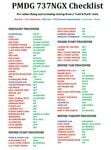
There are already some great checklists for the PMDG NGX done by others but what I've found with these checklists is that I find them to include many steps that I normally don't perform on every single flight, things like testing all fire bells and whistles etc.
So for this reason I decided to first setup the cockpit in a cold & dark state which corresponds to how the flightdeck should look like for every single switch in the cockpit according to the Boeing doc that came with the NGX after running both the shutdown and secure flows and then from this state make a checklist including all the phases of the flight from preflight at the origin to securing the a/c at the destination.
Since I'm doing all my flying online I have also included items such as filing your flightplan, asking ATC for push and engine startup clearence etc. Not fully realistic to include those kind of items in a checklist but the main purpose of this checklist will be to serve as a memory note how to perform a correct flight online in the NGX. Being used to the company of a FS2Crew FO this checklist will be there to help not forgetting about any steps during all the phases of the flight.
If you just like me have been looking for a simple checklist that will help you remember all the normal steps performed on a normal flight I hope you'll enjoy this checklist!
| Filename: | Boeing_737NGX_Checklist.zip |
| License: | Freeware |
| Added: | 18th September 2011, 17:40:11 |
| Downloads: | 8,490 |
| Author: | Richard Asberg |
| Size: | 37.91 KB |


© 2001-2026 AVSIM Online
All Rights Reserved
Privacy Policy |