
Where Flight Simulation Enthusiasts Gather from Around the World!
AVSIM Library - Search Results

| Category: Flight Simulator X - Original Aircraft | |
| Airbus A359ULR |

|
Images related to this file:
File Description:
Sinapore Airlines is the launch customer for the A359ULR. The aircraft is configured in a two-class layout, with 67 Business Class seats and 94 Premium Economy Class seats. She is designed for long range flights of over 9,700 nm. Fuel has been increased at the expense of souls on board. The primary use will initially be for routes between WSSS and KJFK (or KLGA), but many others of similar distance can be added later. The flight number on this aircraft reflects the first flight from KJFK-WSSS which is only 8,275 nm (Contrary to media reports of over 9,000 nm) and about 17.5 hours duration (see You Tube video on this flight). The aircraft follows normal flight rules with a higher flight level and longer range. Almost everything is computer controlled and monitored throughout the flight, from take-off to landing. Two of Four pilots monitor the flight at all times, and shift changes occur on a schedule that allows appropriate rest for the crew. The passengers enjoy accommodations unlike provided in any other aircraft or flight, with plenty of meal servings and entertainment options. To see the seating chart, enter the Airbus A359ULR Singapore Airlines folder and click the icon named “SeatGuru Seat Map Singapore Airlines Airbus A350-900 ULR.html†and the seating map will appear. The model here has ground servicing animation. Please review the ReadMe_FSX.txt document for further info on this. Read A359ULR details.txt for aircraft details. Model Design and Panel by: Camil Valiquette; Sounds: Unknown Author and modified by Douglas E. Trapp; Auto Smoke Effects by Richard Wisman, modified by Douglas E. Trapp; Real World Aero/Engine Dynamics and Modifications by: Douglas E. Trapp, Irving, Texas, [email protected], December 2018. The use of this model, and the configuration of such, is designed for free educational purposes, and protected by the Free Use Act: (https://www.law.cornell.edu/uscode/text/17/107). This model and/or aspects of such cannot be used for monetary purposes!
| Filename: | Airbus_A359ULR.zip |
| License: | Freeware |
| Added: | 2nd December 2018, 00:56:21 |
| Downloads: | 1,006 |
| Author: | Douglas E Trapp |
| Size: | 31.63 MB |
| Category: Prepar3D V1-4 - Utilities | |
| AIFlow SimConnect Utility for P3D v4 |
|
Images related to this file:
File Description:
AIFlow v1.1 is a simconnect utility designed to ease AI congestion and go-arounds at the airport the user is departing from and arriving at. AIFlow does this by enforcing spacing minimums between arriving AI aircraft resulting in more orderly arrival patterns. AIFlow also supports spacing spacing minimums between the AI aircraft and the USER’s aircraft when the user is flying (during all phases of the user's flight). For added realism, AIFlow adds landing effects (e.g., micro bank and pitch corrections that scale up during crosswind conditions) to the AI on short final approach. The user can also briefly squawk 1234 in their aircraft to temporarily suspend landings so that the user can find a slot to depart a busy runway. AIFlow is designed to compliment the default P3D AI program and thus is fully compatible with any AI-related program that is compatible with the default AI program (e.g., AIG, Ultimate Traffic Live, Radar Contact, etc.). AIFlow is targeted to Prepar3D version 4.5 or 5.0, specifically SimConnect Version 4.5.0.0 or later. AIFlow operates externally via simconnect and thus makes no changes to the P3D sim. NEW for v1.1: (1) detect and correct AI performing poor approaches (e.g., dive-bombing, descent into terrain) under control of the P3D AI engine, (2) user can specify minimum and maximum AI approach speeds in terminal area, (3) prevent AI from stopping on runway when user landing, (4) AI plane spotting mode only, (5) external database fallback in case simconnect fails to provide local airport data, (6) adjustable in-sim message level, (7) periodic read of .ini file to tweak parameters more easily, (8) AIFlow starts minimized. FIXES for v1.1 include: sequencing in heavy AI traffic would sometimes cause excessive go-arounds, going around AI would sometimes improperly hold, changing AI spacing from default value did not have any effect, sometimes user aircraft would get controlled, .ini file would sometimes get confused reading parameter values having whites spaces.
| Filename: | AIFlow_SimConnect_Utility_for_P3D_v4.zip |
| License: | Freeware |
| Added: | 3rd July 2020, 23:57:52 |
| Downloads: | 2,014 |
| Author: | Roland Foster |
| Size: | 1.18 MB |
| Category: Flight Simulator 2004 - Miscellaneous Files | |
| Flight dynamics Douglas DC-3 V7.0 |
|
File Description:
This Corrected Aircraft.cfg VERSION.7 dated OCTOBER 13th, 2003 Features the Following....
1. The DC-3 will now not level itself out on a coordinated turn
(This was the biggest issue and is now fixed)
2. Flaps now have a little more drag when used.
(Will realistically slow down for landings and you
wont roll down the runway so much)
3. Differential braking now has a little more power.
(Will realistically allow for tighter turns during taxi)
4. The DC-3 itself now has a little more power.
(Default version is underpowered and used up too much runway,
and.. Default version cruise speed was a little low).
5. Corrected Manifold pressure from 47" to 48" full power
(Default version had it slightly wrong)
6.Fuel is now down to 200 per tank
(Default has version was a little over)
7. All control surfaces, ailerons, rudder and elevators now have delay
(There is a certain lag time when flying a DC-3 and it now shows
with these corrections which delays your input to the controls)
8. Elevator trim is now fixed
(To much play in the default elevator trim , it is now fixed with
less play and also has a delay/lag effect)
9. Rudder trim now with delay/lag
10. Aileron trim now with delay/lag
11. Fuel Flow is now fixed, the DC-3 will burn 90 GPH instead of the original 118 GPH
12. Increased power scalar very slightly for correct cruise airspeed
13. Manifold pressure will decrease 1" MAP per 1,000 feet after 2,000 feet Altitude
13.Exactly 140 kias on full tanks at 9,000' ASL
14. Added Strobe Lights to the wings
15. Adjusted steering (just a tad) for better taxiing
16.Prop (rpm) and Power (map) throttles interact correctly
Took off some delay with ailerons and rudder
Removed some drag and pitch up from the flaps
Added more brake power to the differentials
17. Added a working NAV light to the Nose
I have also added a corrected DC-3 reference sheet". In the zip there are two aircraft.cfg's.. one is modified if you are already using the add-on for special effects.
| Filename: | Flight_dynamics_Douglas_DC3__V70.zip |
| License: | Freeware |
| Added: | 13th October 2003, 19:43:08 |
| Downloads: | 4,569 |
| Author: | Trev Morson |
| Size: | 16.58 KB |
| Category: Flight Simulator X - Scenery | |
| Freeware Project Kobe X (RJBE) Japan |
|
Images related to this file:
File Description:
Freeware project KOBE X (RJBE) Japan. Contains fully detailed airport with custom ground polygons. Accurate 3d model and texture of all the building of the airport including the terminal, control tower, hangars, bridge and many more. Please note that this project was my initial experience in many fields of scenery design so take it as it is and enjoy flying in Japan. The design is never done but I think it was ready to be released. Still have some work to do with the animated jetways and night lighting for my next "payware" project (KSAN, San Diego Intl). It's going to be far better than this freeware.
You can download the world of ai installer and install the All Nippon Airways package and maybe the JAL too. The jetways are not animated but you can park a 747 in gate 1, a 767 in gate 5 and a 737 in gate 6 and be perfectly aligned with the jetway door.
Also I've not try this scenery in a less powerful computer than mine. I run a Windows 7, I7-950 @ 3.8 GHz and a GTX 570. So don't get mad if you're having bad performances :). With all sliders in the "display settings" set to max I've around 20 fps in the virtual cockpit of the level-d 767. You'll get a nicer airport with also the global texture resolution set to max, water effects set to High 2.x and traffic to ultra-high. Do not turn on Ground scenery shadows as it will make a shadow for the entire airport (ground poly).
I've some tutorial on my YouTube channel (n170toga) on how to make fsx sceneries if you are interested. Don't forget to subscribe there and have updates for the upcoming scenery. Please review this airport if you like as I will learn a lot for my next
project and it's only going to be better.
This scenery is a freeware and should be considered as a freeware. Arigato, Sagga Toure (Devinci), Devinci Design and Development (3De)
| Filename: | Freeware_Project_Kobe_X_RJBE_Japan.zip |
| License: | Freeware |
| Added: | 12th June 2011, 08:28:51 |
| Downloads: | 6,653 |
| Author: | Sagga Toure |
| Size: | 66.48 MB |
| Category: Flight Simulator X - Original Aircraft | |
| C-17 Globemaster III/ER |
|
Images related to this file:
File Description:

The C-17 Globemaster III/ER is a heavy cargo aircraft used by several foreign militaries, but primarily the U.S. Air Force. She is designed to do many things that other cargo aircraft cannot, based on her unique design. This version incorporates the extended range fuel tanks. The real world aircraft can actually use reverse thrust in flight, up to 100% reverse power, during descents or on the ground. It is also the only heavy aircraft in the world with a wing efficiency factor over 1.0, which is theoretically impossible, but true. All of the dynamics in this model are correct down to the inch, so she does almost everything the real aircraft does. Some things are not possible in FSX, including reverse thrust while in flight, but full flaps/slats employed in a steep descent will adequately simulate this effect without damage to the model while in flight. The landing gear are authentic and capable of heavy loads. The weight and balance is authentic. The fuel tanks are authentic. The aircraft name, tail number, location, and callsign are authentic. The calculated range(s) listed are all authentic, understanding that most public data released is based on average range, at average altitude, and normal payload missions. The sound is authentic. The engine dynamics are authentic. The panel used is the best I could find, is fairly authentic, and requires some pre-flight study before flight. All-in-All the aircraft is very simple to fly, but requires some study to operate correctly, so I recommend all simmers watch as many "You Tube" videos, read as many authentic sites, and study as much as possible about this aircraft before operation. Model by: Bob Chicilo, Sound by: Devyn Silverstein, Panel by: Phillip Wallaert, Auto Smoke Effects by Richard Wisman/Douglas E. Trapp, Real World Aero/Engine Dynamics and modifications by: Douglas E. Trapp, FS Flight Dynamics Engineer, [email protected], July 2018, FOR EDUCATIONAL USE ONLY. This aircraft is designed for educational use protected under the Fair Use Doctrine:
(http://www.expertlaw.com/library/intellectual_property/fair_use.html). It cannot be sold or bundled for sale, and such will never be approved by me or the original authors. FREEWARE DISTRIBUTION ONLY!!! Douglas E. Trapp, [email protected], July 2018
| Filename: | C17_Globemaster_IIIER.zip |
| License: | Freeware |
| Added: | 14th July 2018, 17:41:34 |
| Downloads: | 775 |
| Author: | Dougals E. Trapp |
| Size: | 13.5 MB |
| Category: Flight Simulator 2004 - Utilities | |
| FlightSim Manager v2.6.1 |
|
File Description:
Compatible with both FS2002 and FS2004
FlightSim Manager is a great tool for managing add-ons to Microsoft Flight Simulator. Using easy to Wizard - FSM can install aircraft, panels, textures and scenery directly from distribution ZIP files you may have downloaded, with proper uninstallation of add-ons. From an easy to use Aircraft editor to add or remove aircraft variants, to an comprehensive Hangar management allows you to manage and configure your add-ons off your live FS installation.
You can now create Virtual Fleets, and enable/disable the complete fleet with ease. For serious pilots, FSM also offers a complete Logbook.
Lan View feature allows you to create virtual cockpits with multiple monitor support, using networked PCs.
With FSM, you can create Texture Sets - i.e.. different Tree Sets, and you can install any set with a single click, capture screenshots from Flight Simulator, Benchmark with log, launch it with Random Splash Screens, and fly from anywhere in the world using an map view.
You can also control Flight Simulator with speech commands using FSM. It also supports auto-saving flight, warning sytem, and custom event sounds.
Finally with a comprehensive Diagnostic Tools and Repository feature, FSM keeps your FS installation clean. Apart from the usual Missing and unused gauges, FSM can also locate Aircraft problems, Missing and unused effects, Scenery Problems with a LandClass File relocate feature - say bye-bye to all the memory leaks.
You can find the latest version from: http://www.ranainside.com/
To provide you - the user with the best Freeware FS-Addon, I need your help... if you have any suggestions, recommendations or problem using this software, please contact me through our Forum at: http://softwares.ranainside.com/forum/
You may not distribute the original archive/setup utility of the program(s) to anyone else, any Bulletin Board System, Portable Media or any web-site unless EXPRESS PERMISSION FROM THE AUTHOR is granted. You may not sell, lease, rent, or include this program or its original archive by any media without EXPRESS PERMISSION FROM THE AUTHOR. You are not required to pay for this program in any way, shape or form, but you are not licensed to distribute this program or its original archive for any financial gain.
| Filename: | FlightSim_Manager_v261.zip |
| License: | Freeware, limited distribution |
| Added: | 15th September 2004, 12:51:52 |
| Downloads: | 5,440 |
| Author: | Rana Hossain |
| Size: | 4.43 MB |
| Category: Flight Simulator X - Original Aircraft | |
| B-2A Spirit Stealth Bomber |
|
Images related to this file:
File Description:
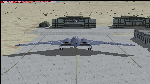
The B-2A Stealth Bomber is the most sophisticated aircraft on the planet. She is essentially a “Flying Wing†platform with no V-Tail, and is controlled by pre-programed flight computers stationed in various positions within the crew cabin and wings. There is one main computer that controls the aircraft, with two redundant back-up computers assigned to it in case of failure. All additional computers are assigned to functions involving flight control, system monitoring, data communications, and radar. Engine and Aerodynamic effects are controlled by these computers which serve several actuators and ailerons, including the spoilerons, which further compensate for the lack of a V-Tail. In theory, and because of these computers, the aircraft is “Stall-Proofâ€. The only way it can stall is if the computers fail. There is no way she can be flown without the computers active. The REAL aircraft does almost everything based on pre-programed data, other than taxi to the runway (although this is also possible to program). Before each flight, the Mission is designed and then assigned to the Mission Flight Box (Portable Computer) which is then carried by the Commander to the aircraft, and the data from the box is “transferred†to the main on-board computers. Because of this, the B-2 cannot be flown until the box is ready for the mission, and pilots cannot simply jump in and fly her, with the exception that the data is transferred via satellite. Everything is pre-planned, and this takes several hours. Once the data is on-board, the taxi can begin. When lined-up on the runway, all the pilot needs to do is push a button or three. Everything else is computer controlled until landing. The aircraft CAN be flown manually with basic data inputs into the main computer systems, but even in that case it is not conventional. If a pilot wants to turn right, he sets the data to turn to a certain degrees of heading. The same with climb and descent, speed increase or decrease. A pilot cannot over-ride the computers in any case, so steep banks, climbs, or descents cannot be forced. There is a lot of space for the two member crew within the cockpit, but there is also a space reserved for one observer. This additional seat is known as “Suicide Position†because there is no ejection seat for that observer. In the event of a mishap, the observer can try to bail-out through the ejection hatches after the pilots, or can try the exit ramp door, or the bomb bay as an exit route. The odds of escape for the observer are very small, but he has a parachute as reassurance. Otherwise, what the crew does during missions is only a guess, since they really don't have to do anything unless an alarm goes off. Since the plane flies so smooth, we can only imagine what sort of things they may dream-up to entertain themselves during a long flight. High altitude flights are conducted at night mainly due to the obvious contrail such a flight will exhibit during the day with such hot engines. The engines are encased in a heat absorbing shield material (still exhaust exists), and the rest of the plane is coated with Radar absorbant material, with the additional low profile effect of the aircraft design itself. If it can be seen by the ground or a fighter, it can be attacked by fighters or the ground. During daytime flight they will stay below the contrail level, and monitor the radar systems in preparations for counter-measures. If a fighter can visually observe them, the fighter may be able to shoot them down with bullets from behind, but not likely with missiles because of the sophisticated counter-measures available. On Radar the aircraft appears the size of a pigeon, until about 8 to 10 miles away, which would be too late to counter from the ground, so most attacks are either done at night or during the day at very low altitude. Upon landing the aircraft is automated down to about 200 feet AGL, when the pilot takes command. All she/he does at this point is allow her to glide down and contact the runway, and retard the engines. Brakes are used to slow, then the computers are turned off, and the pilot can control the throttles, nose gear, and brakes. The Commander watches for obstructions, mainly, and communicates with the tower and ground crew. Everything in this model has been reconfigured to meet realistic standards, without any tricks or flight tuning, and following real world aerodynamic principals and available data, including MOI. The panel requires study before use, but very realistic. The sounds are very authentic. There is no other model offered anywhere that compares to what you have now available in front of you. Please read and study the Readme.txt file within the main folder before attempting to fly this 2.2 Billion Dollar aircraft. Yes, that's correct ... $2,200,000,000 each! The use of this model, and the configuration of such, is designed for educational purposes, and protected by the Free Use Act: (https://www.law.cornell.edu/uscode/text/17/107). The Authors will not approve redistribution for monetary purposes. Original aircraft design by Alphasim; VC Adaptation, panels and gauges by Philippe Wallaert; Sound by Ruggero Osto; REAL WORLD Engine/Aerodynamics, data and effects by Douglas E. Trapp ([email protected]) June 2018
| Filename: | B2A_Spirit_Stealth_Bomber.zip |
| License: | Freeware |
| Added: | 2nd June 2018, 17:16:30 |
| Downloads: | 1,038 |
| Author: | Douglas E. Trapp |
| Size: | 14.81 MB |


© 2001-2026 AVSIM Online
All Rights Reserved
Privacy Policy |