
Where Flight Simulation Enthusiasts Gather from Around the World!
AVSIM Library - Search Results

| Category: Flight Simulator 2004 - AI Flight Plans | |
| Alitalia Cargo Winter 2008/2009 |

|
File Description:
Winter 2008/2009 schedule for Alitalia Cargo, based on week Nov. 10, 2008 to Nov.16, 2008. Contains all scheduled MD-11F flights.
| Filename: | Alitalia_Cargo_Winter_20082009.zip |
| License: | Freeware, limited distribution |
| Added: | 11th November 2008, 19:04:32 |
| Downloads: | 1,184 |
| Author: | Federico Permutti |
| Size: | 13.45 KB |
| Category: Flight Simulator 2004 - Aircraft Repaints, Textures and Modifications | |
| Qatar Amiri Flight Business Jet Boeing 747-8 |
|
Images related to this file:
File Description:
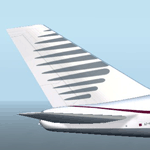
This is a repaint of Qatar Amiri Flight for the SkySpirit2012 - Boeing 747-8I model FS2004. Textures only. All very frame friendly. Enjoy!
| Filename: | Qatar_Amiri_Flight_Business_Jet_Boeing_7478.zip |
| License: | Freeware |
| Added: | 26th July 2015, 21:36:37 |
| Downloads: | 400 |
| Author: | Alejandro Magadan |
| Size: | 4.12 MB |
| Category: Flight Simulator X - Aircraft Repaints, Textures and Modifications | |
| British Airways 'Ndebele Martha' World Tail Boeing 747-436 (G-BNLJ) |
|
Images related to this file:
File Description:

British Airways 'Ndebele Martha' World Tail Boeing 747-436 (G-BNLJ) repaint for the PMDG 747 Base Pack (All Sims) - By Goldstar Textures
| Filename: | British_Airways_Ndebele_Martha_World_Tail_Boeing_7.zip |
| License: | Freeware |
| Added: | 29th June 2017, 07:33:42 |
| Downloads: | 2,028 |
| Author: | Alex Farmer |
| Size: | 107.72 MB |
| Category: Flight Simulator 2004 - AI Flight Plans | |
| JAL - Japan Airlines, March 2011 |
|
Images related to this file:
File Description:

Comprehensive Japan Airlines flight plans for the week of March 27, 2011. Contains all Japan Airlines flights and JAL Express flights. 99.9% accurate.
| Filename: | JAL__Japan_Airlines_March_2011.zip |
| License: | Freeware |
| Added: | 10th March 2011, 22:22:39 |
| Downloads: | 495 |
| Author: | Jeremy Crowther |
| Size: | 28.92 KB |
| Category: Prepar3D V1-4 - Scenery | |
| Progetto Maldive |
|
File Description:
The Atolls of the Maldives are numerous and some atolls are also uninhabited. The most famous atolls are: The Male Atoll and Baros island N4.18.26 E73.20.91 with the VRMM airport, the Gan atoll N0.41.36 E73.9.27 with the VRMG airport, Hanimardhoo Atoll N6.44.56 E73.10.06 with the VRMH airport, the Kaadedhahoo atoll N0.29.21 E72.59.41 with the VRMT airport and the Kadhdhoo N1.51.30 E73.31.15 with the VRMK airport. The aforementioned airports have been improved and the most important resorts have been created on the islands of Baros, Gan, Hanimaadhoo, Kaadedhahoo and Kadhdhoo, and small ports have been created with ships and boats with Google Maps report. I remember that all the islands can be easily visited by seaplanes in their respective tiny ports. Good VFR flight.
Within the downloaded package you will find readme files for scenery installation. Good fly VFR. Pasquale Marrulli.
| Filename: | Progetto_Maldive.zip |
| License: | Freeware |
| Added: | 29th January 2018, 18:38:35 |
| Downloads: | 328 |
| Author: | Pasquale Marrulli |
| Size: | 8.56 KB |
| Category: Flight Simulator X - Panels | |
| New Mini Panel FSX |
|
File Description:
Construction by Mikael Seedorff
[email protected]
January 2008
Here is a brand-new Mini Panel for FSX only. Whats new ?. This panel is for 4-engine, 3-engine, 2-engine and 1-engine aircraft. All works pretty well for all this panel-type. I have also added a new Elevator-Trim and Flaps Indicator.
For those of you who don't know What a Mini Panel is I will try to explain. When you are flying ordinary you will have your panel in front of you. Now click W and you will see that Mini Panel which the aircraft is programmed for. Normally you can't use the shown instrument for anything. This new Mini Panel has all what you need and is made for flying purpose, particularly in Takeoff/Landing situations. Because of the small size you can have a maximum view over the area all the time. I hope you will enjoy this panel.
| Filename: | New_Mini_Panel_FSX.zip |
| License: | Freeware |
| Added: | 11th January 2008, 13:31:53 |
| Downloads: | 1,723 |
| Author: | Mikael Seedorff |
| Size: | 10.55 MB |
| Category: Flight Simulator X - Panels | |
| Mini Panel FSX, Fixed & Improved |
|
File Description:
Construction by Mikael Seedorff. July 2008. This time I have added figures to make it easier to choose Speed and Head holding when in Panel Off-mode (W) for FSX.
This Mini Panel is for 4-engine, 3-engine, 2-engine and 1-engine aircraft. All works pretty well for all these panel-type. For those of you who don't know What a Mini Panel is I will try to explain. When you are flying ordinary you will have your panel in front of you in the socalled Panel mode. Now click W and you will be in Panel Off mode seeing that Mini Panel which the aircraft is programmed for. Normally you can't use the shown instrument for anything. This new Mini Panel in Panel Off mode has all what you need for flying purpose, particularly in Takeoff/Landing situations. Because of the small size you can have a maximum view over the area all the time. I hope you will enjoy this panel.
| Filename: | Mini_Panel_FSX_Fixed__Improved.zip |
| License: | Freeware |
| Added: | 19th July 2008, 13:12:49 |
| Downloads: | 1,165 |
| Author: | Mikael Seedorff |
| Size: | 13.85 MB |
| Category: Flight Simulator 2004 - Panels | |
| Minipanel, Fixed & Improved |
|
File Description:
Construction by Mikael Seedorff
[email protected]
July 2008.
This time I have added figures to make it easier to choose Speed and Head holding when in Panel Off-mode (W) for FS2004.
The panel is for 4-engine, 3-engine, 2-engine and 1-engine aircraft. All works pretty well for all these panel-type.
For those of you who don't know What a Minipanel is I will try to explain. When you are flying ordinary you will have your panel in front of you also called Panel view. Now click W and you will have Panel Off view. Now you will see that Minipanel which the aircraft is programmed for. Normally you can't use the shown instrument for anything. My Minipanel has all what you need and is made for flying purpose, particularly in Takeoff/Landing situations. Because of the small size you can have a maximum view over the area all the time. I hope you will enjoy this panel.
| Filename: | Minipanel_Fixed__Improved.zip |
| License: | Freeware |
| Added: | 19th July 2008, 18:28:33 |
| Downloads: | 611 |
| Author: | Mikael Seedorff |
| Size: | 15.04 MB |
| Category: Prepar3D V1-4 - Scenery | |
| CYYC - Calgary International Airport - Alberta, Canada |
|
File Description:
Prepar3D Scenery--Calgary International Airport (CYYC), Alberta, Canada. This is Ray Smith's file CYYC_RS_FSX.ZIP, modified with his permission. This airport update is for CYYC with two optional files made only for Prepar3D, one version with the crosswind runways operating where all four runways will be used for takeoff and landing and one version as the default runway operation. Assigned parking as per their website with extra parking. The Calgary Airport Authority will be implementing concourse name and gate number changes, these are now updated to this plan, the new IFP international concourse under construction with many of the buildings added, the new runway 17L/35R now included with ILS also added for it, taxiways and taxi signs updated to the latest charts, Barlow Trail NE removed, lighted helipad, extra fuel trucks, support vehicle roads rebuilt and many other scenery improvements, airport views are from inside the new control tower (when in tower view) and the old control tower dismantled. By Robert Catherall.
| Filename: | CYYC__Calgary_International_Airport__Alberta_Canad.zip |
| License: | Freeware |
| Added: | 8th October 2015, 21:56:51 |
| Downloads: | 1,291 |
| Author: | Robert Catherall |
| Size: | 900.21 KB |
| Category: Flight Simulator 2004 - Scenery | |
| Missing Texture AS 350 Blackcomb |
|
File Description:
There have been some reports of FS9 messages popping up requesting the texture "AS 350 Blackcomb" to be added to the Homer texture folder, or to the Medicine Hat texture folder. This is probably to do with my transfer of all FS9 files from one laptop that had died to a new one. Presumably "all" wasn't quite what I achieved.
This message seems to appear after installing Fort Nelson scenery, but that is probably just a coincidence and Fort Nelson probably has nothing to do with it.
If you get the message put this folder in the texture folder of whichever scenery you are directed to. I stress that I mean "THE FOLDER" and not just the contents of the folder.
| Filename: | Missing_Texture_AS_350_Blackcomb.zip |
| License: | Freeware, limited distribution |
| Added: | 28th January 2022, 22:59:15 |
| Downloads: | 42 |
| Author: | Roger Wensley |
| Size: | 356.2 KB |


© 2001-2026 AVSIM Online
All Rights Reserved
Privacy Policy |