
Where Flight Simulation Enthusiasts Gather from Around the World!
AVSIM Library - Search Results

| Category: Orbiter - Orbital Stations | |
| Maxwell Base |

|
File Description:
Maxwell Base on the Surface of Venus. Kelly Wilcox made this addon awhile ago. It added a cloud layer and atmosphere, surface base, and orbital station. Kelly wanted me to re-publish his addon here minus the cloud texture and surface texture, due to the recent Venus High Res addon. Thanks Kelly for a place to land on Venus! Seth Hollingsead TIP: To take off from the Maxwell Base it's best to take off from the external view. The high pressure will cause the craft to spin while in cockpit view. Also DON'T USE TIME ACCEL till you get to a minimum of 1MPa.
| Filename: | Maxwell_Base.zip |
| License: | Freeware |
| Added: | 18th December 2002, 17:07:57 |
| Downloads: | 1,269 |
| Author: | Kelly Wilcox |
| Size: | 3.01 KB |
| Category: Flight Simulator 2004 - Aircraft Repaints, Textures and Modifications | |
| Nordstar Boeing 737-800 |
|
File Description:
TDS Boeing 737-800 Nordstar Airlines VQ-BNG & VQ-NQT .Developed by Tenkuu Developers Studio (TDS). Model features high resolution textures, dynamic flexing wings, nose gear steering, rudder lock, ground spoilers, low speed aileron locks at high speed, fully animated control surfaces, fully independent suspension, trim animation, opening passenger doors, rolling wheels, animated thrust reversers with reverser block doors, detailed textures, full night lighting, ground service vehicles and more. Model design by Hiroshi Igami. Flight dynamics design by Nick Wilkinson and David Biggar. Master textures by Kyle Schurb. Texture Only, for use you need de TDS 737-800 base model previously installed. Texture by Fernando Rodriguez
| Filename: | Nordstar_Boeing_737800.zip |
| License: | Freeware |
| Added: | 30th June 2017, 17:37:01 |
| Downloads: | 226 |
| Author: | Fernando Rodriguez |
| Size: | 23.01 MB |
| Category: Flight Simulator 2004 - AI Aircraft | |
| British Airways A380-841 G-XLEA |
|
Images related to this file:
File Description:

British Airways A380-841 G-XLEA - TFS_A380 // Final Version will be updated once active in the fleet.
Flightplans may be available on AVSIM/Flightsim.com.
This works for both FS9 and FSX. Tested in FSX. FS9 model used.
For FSX users; You may have to UNCHECK "Aircraft casts shadows on the ground" under the Aircraft - Exterior Settings in FSX
to make any FS9-based model visible during the day!
Texture quality; 32Bit with alpha. FSX Native: DDS DXT5 with alpha. FS9 Native: BMP DXT3 with alpha.
FSX Light Fix included in the DDS night texture.
Included repaint is for the following model; TFS_A380 from 'The Fruit Stand'.
| Filename: | British_Airways_A380841_GXLEA.zip |
| License: | Freeware, limited distribution |
| Added: | 20th January 2013, 18:03:25 |
| Downloads: | 2,745 |
| Author: | Stephan Faessler / ImpulseAI |
| Size: | 2.58 MB |
| Category: Flight Simulator 2004 - Scenery | |
| Pete & Sid's Scenery UT Updates |
|
File Description:
Re-upload. These are Ultimate Terrain scenery fixes for six airports in the Pete & Sid's Scenery collection. These are all airports that had problems with misplaced lakes or rivers. PSS Volume 1: Bettles, Ft. Yukon, Northway. PSS Volume 2: Galena-Pitka, Kotzebue-Wien Memorial, St. Mary's. These fixes were made using Sbuilder. I've also included a modifed texture file to fix one that has been reported by some people to cause the scenery to go blurry. If you don't have Pete & Sid's Scenery but are using my new or old hanger scenery objects to make your own scenery, you should install this texture fix.
| Filename: | Pete__Sids_Scenery_UT_Updates.zip |
| License: | Freeware |
| Added: | 8th December 2011, 09:02:17 |
| Downloads: | 447 |
| Author: | Sidney Schwartz |
| Size: | 849.04 KB |
| Category: Flight Simulator X - Miscellaneous Files | |
| Xenon Lights 3.0 |
|
File Description:
FSX Xenon Lights 3.0 (complete package). The third version of the "Xenon Lights" now for the Flight Simulator FSX. Realistic xenon lights with complete newly designed textures, now in four different grades of detail and brightness. This texture pack adds a special realistic xenon light for all aircraft, offering a much better view to the runway or taxiway. This texture package changes the default lights from FSX to the modern xenon look. Easy installation manual and previews and textures for restoring back to the FSX default lights are included. (Each of the previous versions of the xenon files had more than 13000 downloads on flightsim.com). By Dirk Kurze.
| Filename: | Xenon_Lights_30.zip |
| License: | Freeware, limited distribution |
| Added: | 2nd March 2007, 20:55:45 |
| Downloads: | 17,764 |
| Author: | Dirk Kurze |
| Size: | 5.66 MB |
| Category: Flight Simulator 2004 - Scenery | |
| KISP - Islip MacArthur Airport version 1.1 |
|
Images related to this file:
File Description:

New scenery for Islip/MacArthur Airport. This is a complete, ground up remake for the Long Island airport. Served mainly by Southwest Airlines, this mainline airfield is chock full of rich history and significance. It is also one of those neglected airports that could use some FS attention. The scenery is 100% accurate and very realistic. You will enjoy the experience.
Update: There was a typo in the readme file in the original download concerning correcting a texture issue with the terminal windows. If you have already downloaded version 1.0, and you are having no texture issues, you do not need this update. Only the readme file has been updated.
| Filename: | KISP__Islip_MacArthur_Airport_version_11.zip |
| License: | Freeware |
| Added: | 6th September 2012, 07:48:50 |
| Downloads: | 1,468 |
| Author: | FRF Studio / William Morgan |
| Size: | 23.27 MB |
| Category: Prepar3D V1-4 - Utilities | |
| Flightplan Visualizer 1.12 |
|
Images related to this file:
File Description:
Flightplan Visualizer (FV) version 1.12.0. Copyright 2018-2019 by Pelle F. S. Liljendal ([email protected]), all rights reserved.
FV comes with 540 pre-imported Commercial AI flightplans (+380 BizJet flightplans are available as a separate download). However you are able to import additional (AI) flightplans yourself. Once imported these (AI) flightplans can be visualized on a map-view, and the user will be able to search accross all these. Hence you can use the program as inspiration as to which routes to fly. E.g. you can search across all imported flightplans to find all flights in an A321 flying into/out from LDDU, or simply to look for all flights in a Boeing 747-8F.
Simply run the included installer to install the software. The program will be installed into "C:\Program Files (x86)\Flightplan Visualizer" and all datafiles will be installed into: "C:\Users\[UserName]\AppData\Roaming\FlightplanVisualizer". The program comes with a full manual explaining everything, and a 3 page quick manual to get you started. The first 3 times you run the program the quick manual will automatically open. The forum is hosted here: https://forum.aerosoft.com/index.php?/forum/919-flightplan-visualizer/
Version 1.12 Contains the following changes: ⦠Ability to automatically check for available program-updates. The actual download of the new installer is still a manual process, but the program will at least list the download-URL. However You cannot see this feature in action until the next version will be released ;-) Updated the flightplan file-format to accommodate changes in the latest versions of (AI) flightplans. The program remains backward compatible and can still read older flightplans, however these might “miss†some (at this time) non-essential information. As a result all “Wi18-19†and “Su19†(and a few “Su18) flightplans have been re-imported and have been bundled with the version 1.12 installer, using the new file-format. Added new "Generate redirection report" button to the redirection edit form. Pressing this button will generate- and display a report of all active pseudo airports and redirections per flightplan. Added new menu-item to re-process all flightplans, according to specified airport-redirections. The "UserAirportRedirect.xml" file bundled with the installer have been updated, based on output from the new "Generate redirection report". These updated airport-redirections have been used to re-process/update all flightplans bundled with the installer. Buttons have been added to the "Leg Info" which allows you to transfer data for a particular leg/flight from FV to SimBrief in order to kick-start your "paper work" for a flight to fly. The "Leg Info" form also got buttons to show decoded METAR/TAF, and the raw METAR/TAF is also embedded in the text copied to the clipboard (when pressing the appropriate button). In settings you can now speficy the path of the folder holding the files that MakeRunway generates (if not specified it will use the UserData folder). Once set to the folder where MakeRunway generates its files (e.g. the P3D folder), you only have to run MakeRunway, you no longer have to copy the 3 files to the UserData folder. A few new traffic-charts were added to the "Airport Info" form (traffic per: region, sub-region and country), and a combo-box was added to switch between inbound- and outbound-traffic. The "Nearby Airport" form that can be opened from the "Flightplan Import" form now have an extra comment-column with information about the non-pseudo/pseudo airports. The comment column on the airport tab-sheet of the "Flightplan Import" form now also contains more info about non-pseudo/pseudo airports. The Generic Randomizer form got a new button called "Pick random flight", which will display info for a flight, randomly picked from all flights for the selected flightplan, or last search. In the "Search legs" form, you can now enter multiple ICAO-codes (separated by comma) to search for flights to/from these (e.g. search for all flights to/from EBLG or ELLX, by entering "EBLG,ELLX"). If you press SHIFT while clicking the airport browser button, the selected airport will be added to the comma separated list. If you do not hold SHIFT, the list will only contain the newly selected airport. Added support for using FS Global Real Weather (FSGRW) as a Weather provider for METAR-messages (FSGRW does not support TAF-messages). To use FSGRW you must go to settings and specify a full path (including filename) of the file generated by FSGRW. When editing a flightplan the user will be warned if trying to close the form, if changes were made. The menu-item to generate report with all defuct-/obsolete flightplans have been removed from the main-menu, but can now be generated using a button on the "Enable/disable flightplans" form. Now all applicable authors are shown when hoovering the mouse over the flightplan combo-box when a search is active. In previous versions the "Edit" buttons next the flightplan combo-box (on the main form) was only active when a flightplan was selected. Now its also active when "[Last Search]" is selected. However it will instead launch the "Search Legs" form, where you can then edit the criteria of the search. A few airports and airlines have been added/updated in the data-files bundled with the updated installer to accommodate the additional bundled flightplans. The Beluga XL Freighter was added as well as many of the other aircraft were updated with various changes. Added support for a bunch of military aircraft: A6/AE6, A10, C5, C17, E2, E3, EF2000, F14, F15, F16, F18, F22, F35, F111, F117, JAS39, KC10, KC135, MiG 21/23/25/27/29/31, Mirage III/5/2000, Rafale, SU 17/20/22/24/25/27/30/32/34, V22. New "Exclude military aircraft" setting have been added (defaults to true). When true military aircraft will not be shown (can be changed in the settings form). Added new menu-item to load/display current log-file. FV tend to be somewhat memory-hungry while (re)loading all active flightplans, and you might see a peek in memory consumption. But from this release and forward it will try to free up most of the memory once all flightplans have been loaded. Minor changes to the "Enable/disable flightplans" form, to make it more responsive, and added a progressbar that is visible while flightplans are being moved, copied or deleted. Fixed: issue when trying to import a flightplan zip-file containing multiple "Flightplan_XXX" files. If the same zip contains multiple sets of matching files (Flightplan, Aircraft and Airport) the user will now be presented with a combo-box from where the user can pick which set of files to import (only the flightplan-file will be shown). Fixed: The file "f5.csv" was missing from previous installers. Fixed: issue with pseudo-airports when using the "Nearby airports" tab-sheet in the Airport Info form. Fixed: Saving a flightplan that was edited, it would try to save it in the (flightplan) [ROOT] folder even if it was loaded from a sub-folder. Now it will always try to save it in the same location with the same filename. If you want it saved elsewhere/with another filename use the "Save As" button in stead. Imported flightplans will still be saved to the [ROOT] flightplan folder. Fixed: Pressing ENTER in the Flightplan import/edit-form while the comments-field had focus, would close the form (saving the flightplan). Fixed: Result-viewer will no longer display with all text selected. Fixed: METAR/TAF decoder will no longer display with raw-message selected. Fixed: In some cases the program needed to be restarted if changes were made to the weather-provided data in the settings-form. Installer: Comes with +30 new pre-imported (Summer 2019) flightplans of which some are replacements of obsolete flightplans (from previous installers), and 2 of the "old" flightplans have been marked as defunct.
Pelle
| Filename: | Flightplan_Visualizer_112.zip |
| License: | Freeware, limited distribution |
| Added: | 23rd August 2019, 17:15:13 |
| Downloads: | 195 |
| Author: | Pelle Liljendal |
| Size: | 30 MB |
| Category: Flight Simulator X - Aircraft Repaints, Textures and Modifications | |
| FSX FA-18 2024 Aerodynamic Performance Upgrade |
|
Images related to this file:
File Description:
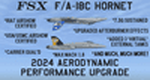
This is a performance mod/upgrade for the FSX Acceleration/Steam FA-18 Hornet. This will also work with both the "Sludge Hornet" and with the "Combat" add-ons. The inspiration for this "Upgrade" came from the YouTube vids of the AWESOME Swiss and Finnish F-18C Hornet Demos at RIAT RAF Fairford! After seeing those, I went to work modifying the "aircraft.cfg" and "FA-18.air" files and got the "old" FSX Hornet to fly like a NEW jet! Think of it like fixing up an old sports car, putting in a new engine, suspension, and when you're done it drives better than when it was new! I've made the upgrade instructions easy and it should only take just a couple minutes to complete. THEN your FSX FA-18 Hornet will look and fly like the ones in those videos!! And it won't just be great at airshow flying, it will also fly smooth and stable around the carrier, and will be LOTS of fun "free flying" through the mountains at 500ft and 500kts! I've also included new/upgraded afterburner textures, and a Shockwave exterior light upgrade. And as a BONUS, I've included BOTH the Swiss J-5011 and Finland HN-411 RIAT Airshow repaint textures.
| Filename: | FSX_FA18_2024_Aerodynamic_Performance_Upgrade.zip |
| License: | Freeware |
| Added: | 16th January 2024, 14:26:37 |
| Downloads: | 135 |
| Author: | Daniel Gregory |
| Size: | 7.29 MB |
| Category: Flight Simulator 2004 - AI Aircraft | |
| Caribbean Airlines Boeing 737-800 9Y-MBJ and 9Y-TJR |
|
Images related to this file:
File Description:

Caribbean Airlines Limited operating as Caribbean Airlines is the national airline of Trinidad and Tobago. Caribbean Airlines Limited operates both Caribbean Airlines and Air Jamaica brands and as such is also the flag carrier to Jamaica through its brand, Air Jamaica. Source Wiki.
Flightplans may be available on AVSIM/Flightsim.com.
This works for both FS9 and FSX. Tested in FSX. FS9 model used.
For FSX users make sure you have UNCHECKED "Aircraft casts shadows on the ground" under the Aircraft - Exterior Settings in FSX to make any FS9-based model visible during the day!
Texture quality; FSX Native: DDS DXT5 with alpha. FS9 Native: BMP DXT3 with alpha.
FSX Light Fix included in the DDS night texture.
Custom Light Map. Custom Shadows, Highs, Weathering as usual...
Included repaint is for the following model; AIA_737_800_winglet from AI Aardvark. Non-Reflective, Winglet SD Model.
Model is available on AVSIM and FlightSim.com or on the author/developers site.
You need the basekit for this to work!!
Do make sure you copy the texture folder(s) in the respective folder.
| Filename: | Caribbean_Airlines_Boeing_737800_9YMBJ_and_9YTJR.zip |
| License: | Freeware, limited distribution |
| Added: | 22nd July 2012, 15:11:58 |
| Downloads: | 753 |
| Author: | Stephan Faessler / ImpulseAI |
| Size: | 2.88 MB |
| Category: Flight Simulator X - Aircraft Repaints, Textures and Modifications | |
| Deer Valley Flying Club Curtiss Jenny JN4D |
|
Images related to this file:
File Description:

Works in both FSX and FS2004 - Aircraft: Curtiss Jenny JN4D Texture Set. Manufacturer Default FS2004 Microsoft aircraft
Livery: Deer Valley Flying Club or DVFC. Created by: Ford Tri-Motor Project Team. Web address: http://www.ford-tri-motor.net
Representing: DVFC or Deer Valley Flying Club - Now in their 11th year, Deer Valley Flying Club is dedicated to flight simulator enthusiasts with a focus more on General Aviation rather then Airline Operations - They are NOT a VA. This is one of over 50 NEW Curtiss Jenny texture sets now available for free at the Ford-Tri-Motor Project site. Accessable via the "Other Aircraft" button on the web site. http://www.ford-tri-motor.net or direct link http://www.ford-tri-motor.net/curtiss-jenny.htm The site also has a copy of the open source Microsoft Default aircraft + a 3 texture pack for Both FS2004 and FSX. Also 2 different Paint Kits available for those that want to experiment with their own repaints. And of course Over 50 other FREE repaints for your entertainment.
| Filename: | Deer_Valley_Flying_Club_Curtiss_Jenny_JN4D.zip |
| License: | Freeware, limited distribution |
| Added: | 22nd August 2014, 16:53:28 |
| Downloads: | 44 |
| Author: | Garry J. Smith and Edward C. Moore |
| Size: | 1.42 MB |


© 2001-2026 AVSIM Online
All Rights Reserved
Privacy Policy |