
Where Flight Simulation Enthusiasts Gather from Around the World!
AVSIM Library - Search Results

| Category: Flight Simulator X - Aircraft Repaints, Textures and Modifications | |
| The Netherlands Government Douglas C-47 (PH-PBA) as operated from 1946 - 1947 and 1947 until 1960 |

|
Images related to this file:
File Description:
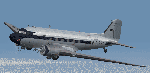
This download contains two liveries for the C-47 as owned and flown The Netherlands Government and is applicable for the Douglas C-47 V3 version by Manfred Jahn, Jan Visser and their team. This aircraft was once active in the II World War and thereafter stored in Germany. In 1946 it came in ownership with the Netherlands Government and was regularly flown by his RH Prince Bernard of The Netherlands and has flown for the Royal household for some years. In the first year it flew under its military registration and later it became registered as the well known PH-PBA. Requires "DOUGLAS_C-47_V3_12_BETA.ZIP" to be installed on your system in advance.The textures are based on the original textures from Jan Visser and have been modified by Emile Lancee.
| Filename: | The_Netherlands_Government_Douglas_C47_PHPBA_as_op.zip |
| License: | Freeware |
| Added: | 8th November 2016, 23:18:13 |
| Downloads: | 223 |
| Author: | Emile Lancee |
| Size: | 33.55 MB |
| Category: Flight Simulator X - Scenery | |
| Sicogon Airport with AirSwift Winter 2018/2019 FlightPlan and AI OSP ATR 72-600 AirSwift repaint textures |
|
Images related to this file:
File Description:

Sicogon Airport ICAO: RPIC with Photoreal Scenery. Comes with my own AirSwift Winter 2018/2019 Flightplan for OSP ATR 42-500 and OSP ATR 72-500/600 and AirSwift textures for OSP ATR 72-500. REQUIRES THE OSP AI MODELS of ATR 42-500 and ATR 72-500 for traffic.
| Filename: | Sicogon_Airport_with_AirSwift_Winter_20182019_Flig.zip |
| License: | Freeware, limited distribution |
| Added: | 3rd March 2019, 22:51:22 |
| Downloads: | 277 |
| Author: | Aeron M. Tumanut |
| Size: | 10.08 MB |
| Category: Flight Simulator 2004 - Miscellaneous Files | |
| Project Opensky - Boeing 737-800 Winglet, Non-Winglet, Business Jet 2 FDE, Manual, Scenarios and Effects Package |
|
File Description:
This package may NOT BE ALTERED, MERGED, REEDITED, REDISTRIBUTED OR UPLOADED AS PART OF ANY PAYWARE OR FREEWARE PACKAGE. LEGAL IMPLICATIONS EXIST with the air carriers which helped me develop this package. READ THE MANUAL FOR BEST OPTIMIUM SETTINGS AND FAQ. This new 737-800 package inclues: - Correct 737-800 performance and feel based on airline FAA Level D simulators and documentation. - Use of MSFS payload and fuel editor. - Use of MSFS flight planner and Navigation Log for flight/fuel planning. - Use of true 737-800 landing gear footprint as default gear points. - 1 Easy to fly 737-800 FDE, many realistic version of 737-800 variants. - First appearance of true 737-800 BBJ2 specific FDE. - New physical contact point definitions. - New scenario to experience 737-800 true feel and flightplan. New effects. The FDE included for this series are copyrighted by Project Opensky and Warren C. Daniel. They may not be merged, altered and/or used for other uploads to any other aircraft without Authors permission.
| Filename: | Project_Opensky__Boeing_737800_Winglet_NonWinglet_.zip |
| License: | Freeware, limited distribution |
| Added: | 2nd February 2006, 00:08:13 |
| Downloads: | 7,632 |
| Author: | Warren C. Daniel |
| Size: | 2.61 MB |
| Category: Flight Simulator 2004 - Scenery | |
| Port Hardy CYZT in British Columbia, Canada |
|
Images related to this file:
File Description:
Port Hardy airport is on the coast of Vancouver Island in BC, at the far northern end and 5 miles east of the town. The town and the airport are both gateways to local touristic attractions such as Cape Scott Provincial Park, the North Coast and BC Marine Trails, and kayaking, caving, surfing, fishing, camping, and scuba diving (and I discovered just how big orca are). Fishing, logging, and mining have been important and to an extent still are for the town population of just over 4,000. The airport, along with the ferries, connects Port Hardy to the rest of the west coast with Pacific Coastal Saab 340 or Beechcraft 1900C flights to and from Vancouver at least twice a day. There are also Grumman Goose amphibious flights to local float bases such as Port McNeill, Alert Bay, Whaletown, Surge Narrows, Echo Bay, and Minstrel Island. These are all included in the AI and previously posted. There are three runways: 11-29 of 5,000 feet with ILS on 11 and righthand circuits on 29, 07-25 of 4,000 feet with righthand circuits on 25, and 16-34 with a much shortened 3,500 feet on 34 due to a displaced threshold. There is a control tower but it is not manned 24 hours a day; a "mandatory frequency" (MF for short and a Canadian invention) is used by the tower when it is manned, and when there is no tower response the aircraft continues to announce intentions and position. Something I have been meaning to explain to those who query it, is that in real life as well as in FS9 helicopters at a mixed use airport or airfield will act as if they are planes and join downwind, turn on base and then finals, "land" along the runway and then use the taxiway to the parking. This means all aircraft are doing the same thing and an orderly queue avoids collisions. This is one of a series connected in some way with Pacific Coastal airline destinations, the first being Bella Coola. There is AI available for Pacific Coastal online.
| Filename: | Port_Hardy_CYZT_in_British_Columbia_Canada.zip |
| License: | Freeware, limited distribution |
| Added: | 11th November 2018, 16:48:50 |
| Downloads: | 237 |
| Author: | Roger Wensley |
| Size: | 19.26 MB |
| Category: Microsoft Flight Simulator (2020) - Utilities | |
| FSTramp v8.84 for MSFS, FSX(-SE), Prepart3D, X-Plane (Win) |
|
Images related to this file:
File Description:
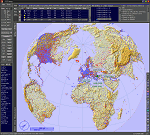
This add-on is an EXE application for Microsoft Flight Simulator and a DLL module for all other simulators. The DLL variant is activated via hotkeys or the simulator menu add-ons or plugins. Window size and layout are configurable for one or more screens. To avoid dazzling, the brightness of the entire application is customizable. Primarily it is a flight management system (FMS) with automatic control from start to landing. This also includes the observance of SID, STAR and Approaches in unmatched quality. The flight plan required for the FMS can be created manually or automatically, interactive changes and additions during the flight are possible. The basis of the flight planner is the 3D world map and the search function for airfields and navigation aids. The FMS by FSTramp relies on the autopilot of the aircraft. In case of incompatibility, the autopilot integrated in FSTramp will be used. This allows FSTramp to control almost all aircraft from airport to airport. The altitude profile of the flight plan, SID, STAR and approach is taken into account. This means that FSTramp extends the often incomplete airport procedures to and from the runway so that they can be flown completely automatically. During the fully automatic flight, the autopilot values ​​for HDG, ALT, VSPEED, SPD and MACH can be manually overridden. This is e.g. useful for being able to react to the instructions of the tower in the final approach without completely stopping the automatic flight. The rotating or north pointing 3D world map with numeric display of the terrain elevation under the mouse arrow is another special feature. It does not need an internet but is synthesized from included height profiles of the globe. The Data of continents, mountains and rivers are included in the setup. Airspaces, Airways, Waypoints and SID, STAR and Approaches are also included in the setup, but can be updated by installing additional AIRAC cycles. Airfields and navigation stations are taken from the simulator. NVIDIA: If the frame rate of the simulator drops sharply about 20 seconds after FSTramp's visibility, the power management of the GPU slows down prematurely. In the NVIDIA Control Panel, change the 'Manage 3D settings - Power management mode' option to 'Adaptive'.
| Filename: | FSTramp_v884_for_MSFS_FSXSE_Prepart3D_XPlane_Win.zip |
| License: | Shareware, time limited |
| Added: | 7th July 2023, 04:35:12 |
| Downloads: | 111 |
| Author: | Helge Schroeder |
| Size: | 358.21 MB |
| Category: Prepar3D V5 - Utilities | |
| FSTramp v8.84 for Prepart3D 2-6, MSFS, FSX(-SE), X-Plane (Win) |
|
Images related to this file:
File Description:
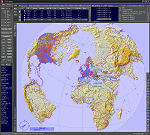
This add-on is an EXE application for Microsoft Flight Simulator and a DLL module for all other simulators. The DLL variant is activated via hotkeys or the simulator menu add-ons or plugins. Window size and layout are configurable for one or more screens. To avoid dazzling, the brightness of the entire application is customizable. Primarily it is a flight management system (FMS) with automatic control from start to landing. This also includes the observance of SID, STAR and Approaches in unmatched quality. The flight plan required for the FMS can be created manually or automatically, interactive changes and additions during the flight are possible. The basis of the flight planner is the 3D world map and the search function for airfields and navigation aids. The FMS by FSTramp relies on the autopilot of the aircraft. In case of incompatibility, the autopilot integrated in FSTramp will be used. This allows FSTramp to control almost all aircraft from airport to airport. The altitude profile of the flight plan, SID, STAR and approach is taken into account. This means that FSTramp extends the often incomplete airport procedures to and from the runway so that they can be flown completely automatically. During the fully automatic flight, the autopilot values ​​for HDG, ALT, VSPEED, SPD and MACH can be manually overridden. This is e.g. useful for being able to react to the instructions of the tower in the final approach without completely stopping the automatic flight. The rotating or north pointing 3D world map with numeric display of the terrain elevation under the mouse arrow is another special feature. It does not need an internet but is synthesized from included height profiles of the globe. The Data of continents, mountains and rivers are included in the setup. Airspaces, Airways, Waypoints and SID, STAR and Approaches are also included in the setup, but can be updated by installing additional AIRAC cycles. Airfields and navigation stations are taken from the simulator. NVIDIA: If the frame rate of the simulator drops sharply about 20 seconds after FSTramp's visibility, the power management of the GPU slows down prematurely. In the NVIDIA Control Panel, change the 'Manage 3D settings - Power management mode' option to 'Adaptive'.
| Filename: | FSTramp_v884_for_Prepart3D_26_MSFS_FSXSE_XPlane_Wi.zip |
| License: | Shareware, time limited |
| Added: | 7th July 2023, 04:35:26 |
| Downloads: | 43 |
| Author: | Helge Schroeder |
| Size: | 358.21 MB |
| Category: Flight Simulator X - Utilities | |
| FSTramp v8.84 for MSFS, FSX(-SE), Prepart3D, X-Plane (Win) |
|
Images related to this file:
File Description:
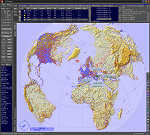
This add-on is an EXE application for Microsoft Flight Simulator and a DLL module for all other simulators. The DLL variant is activated via hotkeys or the simulator menu add-ons or plugins. Window size and layout are configurable for one or more screens. To avoid dazzling, the brightness of the entire application is customizable. Primarily it is a flight management system (FMS) with automatic control from start to landing. This also includes the observance of SID, STAR and Approaches in unmatched quality. The flight plan required for the FMS can be created manually or automatically, interactive changes and additions during the flight are possible. The basis of the flight planner is the 3D world map and the search function for airfields and navigation aids. The FMS by FSTramp relies on the autopilot of the aircraft. In case of incompatibility, the autopilot integrated in FSTramp will be used. This allows FSTramp to control almost all aircraft from airport to airport. The altitude profile of the flight plan, SID, STAR and approach is taken into account. This means that FSTramp extends the often incomplete airport procedures to and from the runway so that they can be flown completely automatically. During the fully automatic flight, the autopilot values ​​for HDG, ALT, VSPEED, SPD and MACH can be manually overridden. This is e.g. useful for being able to react to the instructions of the tower in the final approach without completely stopping the automatic flight. The rotating or north pointing 3D world map with numeric display of the terrain elevation under the mouse arrow is another special feature. It does not need an internet but is synthesized from included height profiles of the globe. The Data of continents, mountains and rivers are included in the setup. Airspaces, Airways, Waypoints and SID, STAR and Approaches are also included in the setup, but can be updated by installing additional AIRAC cycles. Airfields and navigation stations are taken from the simulator. NVIDIA: If the frame rate of the simulator drops sharply about 20 seconds after FSTramp's visibility, the power management of the GPU slows down prematurely. In the NVIDIA Control Panel, change the 'Manage 3D settings - Power management mode' option to 'Adaptive'.
| Filename: | FSTramp_v884_for_MSFS_FSXSE_Prepart3D_XPlane_Win.zip |
| License: | Shareware, time limited |
| Added: | 7th July 2023, 04:35:43 |
| Downloads: | 130 |
| Author: | Helge Schroeder |
| Size: | 358.21 MB |
| Category: Prepar3D V1-4 - Utilities | |
| AIFlow SimConnect Utility for P3D v4 |
|
Images related to this file:
File Description:
AIFlow v1.1 is a simconnect utility designed to ease AI congestion and go-arounds at the airport the user is departing from and arriving at. AIFlow does this by enforcing spacing minimums between arriving AI aircraft resulting in more orderly arrival patterns. AIFlow also supports spacing spacing minimums between the AI aircraft and the USER’s aircraft when the user is flying (during all phases of the user's flight). For added realism, AIFlow adds landing effects (e.g., micro bank and pitch corrections that scale up during crosswind conditions) to the AI on short final approach. The user can also briefly squawk 1234 in their aircraft to temporarily suspend landings so that the user can find a slot to depart a busy runway. AIFlow is designed to compliment the default P3D AI program and thus is fully compatible with any AI-related program that is compatible with the default AI program (e.g., AIG, Ultimate Traffic Live, Radar Contact, etc.). AIFlow is targeted to Prepar3D version 4.5 or 5.0, specifically SimConnect Version 4.5.0.0 or later. AIFlow operates externally via simconnect and thus makes no changes to the P3D sim. NEW for v1.1: (1) detect and correct AI performing poor approaches (e.g., dive-bombing, descent into terrain) under control of the P3D AI engine, (2) user can specify minimum and maximum AI approach speeds in terminal area, (3) prevent AI from stopping on runway when user landing, (4) AI plane spotting mode only, (5) external database fallback in case simconnect fails to provide local airport data, (6) adjustable in-sim message level, (7) periodic read of .ini file to tweak parameters more easily, (8) AIFlow starts minimized. FIXES for v1.1 include: sequencing in heavy AI traffic would sometimes cause excessive go-arounds, going around AI would sometimes improperly hold, changing AI spacing from default value did not have any effect, sometimes user aircraft would get controlled, .ini file would sometimes get confused reading parameter values having whites spaces.
| Filename: | AIFlow_SimConnect_Utility_for_P3D_v4.zip |
| License: | Freeware |
| Added: | 3rd July 2020, 23:57:52 |
| Downloads: | 2,024 |
| Author: | Roland Foster |
| Size: | 1.18 MB |
| Category: Flight Simulator 2004 - Miscellaneous Files | |
| Active Approach - PHNL (Honolulu Intl Honolulu, Hawaii) |
|
File Description:
As most know the Approach and Final (VMC) for AI Traffic in FS9 is a straight in type landing and does not always consider high terrain at airports. This is do to the way that the coding is written in FS9 and it puts limits on IFR arriving aircraft. If you open runways at certain airports the AI Traffic will fly directly through a mountain once it is established on Final for a runway. What you will see with my file is a different type approach used for the way I control AI Traffic in FS9. No longer do the AI Planes use a straight in approach when landing to the west at PHNL. My new AI Aircraft Approach coding for FS9 now uses a base leg approach so AI Traffic does not fly through the mountains. The Honolulu Control Tower will clear all AI Traffic (IFR FP) landing either on 26L and 26R as a straight in landing even though the offset to final is 30 degrees from the runway center line. The Control Tower will instruct the AI Planes landing on either 22L or 22R to fly a left base leg which is greater then a 45 degree offset and then the AI Planes will turn on a short 1.5 mile final. The left base approach to 22L and 22R runways is a 65 degree offset from the runway center line. My testing shows excellent behavior of the FS9 default models, PAI models and the Aardvark planes of all sizes to execute this new type of visual approach that I am now writting code for which supersedes the FS9 default straight in ATC hard code approach. Read the text file for all the default scenery enhancements (plus Jetways) added to PHNL along with a full understanding of how the new Approaches work *** 3rd Party Scenery Designers Special APProach bgl and a FS2004 Default Scenery AFCAD included ***
| Filename: | Active_Approach__PHNL_Honolulu_Intl__Honolulu_Hawa.zip |
| License: | Freeware, limited distribution |
| Added: | 16th March 2005, 04:10:43 |
| Downloads: | 5,606 |
| Author: | Jim Vile |
| Size: | 134.3 KB |
| Category: Flight Simulator 2004 - Aircraft Repaints, Textures and Modifications | |
| KLM Douglas DC-3 pre-war |
|
Images related to this file:
File Description:
Re-upload. FS2004 KLM Douglas DC-3 pre-war textures.
Before and after World War II, KLM was a major European operator of the Douglas DC-3. The first DC-3, PH-ALI 'Ibis', entered service with KLM in October 1936. This made KLM the first operator of the DC-3 in Europe.
22 others would join before Nazi-Germany invaded the Netherlands on 10 May 1940 and occupied the country for five dark years. Those DC-3's present at Amsterdam-Schiphol, if not destroyed by bombs, were impounded by the Germans. Other DC-3's that happened to be elsewhere out of reach of the enemy found their way either to the Dutch East Indies where they served on the KNILM routes until the Japanese invasion in February 1942, or to England where they were leased by BOAC for the London (later Bristol) to Lisbon service.
Both PH-ALI 'Ibis' and PH-ARW 'Wulp' moved to England. Unfortunately they did not survive World War II. The 'Wulp' was destroyed in November 1940 when Bristol got bombed by
the German Luftwaffe. The 'Ibis' was shot down by Junkers Ju-88's on 1 June 1943 over the Bay of Biscay.
The repaints of PH-ALI and PH-ARW are based on the templates Mark Beaumont created for the MAAM-SIM Douglas DC-3 (passenger version), which were based on Jan Visser's original textures. These are textures only. You will require MAAM-SIM's great donationware Douglas R4D/DC-3 package. Repaints by Maarten Brouwer.
| Filename: | KLM_Douglas_DC3_prewar.zip |
| License: | Freeware, limited distribution |
| Added: | 12th June 2010, 01:16:55 |
| Downloads: | 666 |
| Author: | Maarten Brouwer |
| Size: | 10.05 MB |


© 2001-2026 AVSIM Online
All Rights Reserved
Privacy Policy |