
Where Flight Simulation Enthusiasts Gather from Around the World!
AVSIM Library - Search Results

| Category: Flight Simulator 2004 - Scenery | |
| Bethel: Yukon Area |

|
Images related to this file:
File Description:
This presumes you have already installed Bethel PABE, Bethel Local Airfields, and Bethel St Mary's. In the Yukon River area of Alaska to the north of Bethel and to the south around the equally wide (but shorter) Kuskowim River there are small villages, served by flights from both Bethel PABE and St Mary's PASM. These villages are dependent upon fishing for survival, and in this flat and very wet terrain are equally dependent upon the gravel runways that link them to the outside world. There are no surfaced roads, and the rivers and their tributaries wind into the distance and are impractical delivery routes except from nearby places. In an area 300 miles by 200 miles most places cannot be described as "nearby". This post is of the small villages, including those previously posted; I had missed on picking up some terrain conflicts between nighttime grass and town textures. They are corrected here and included along with new airfields. Bethel and St Mary's are also reposted to include the further enlargement of parking for the increased number of small AI aircraft. These smaller airfields vary in quality; some have runway signage but most do not, and while some have two or even three hangars/garages/terminal buildings on the apron there are others who have none at all. The 39 small airfields included here are as listed:
Akiak AKI, Akiakchak Z13, Alakanuk AUK, Anvik PANV, Atmautluak 4A2, Cape Romanzof PACZ, Chefornak PACK, Chevak VAK, Eek EEK, Emmonak PAEM, Goodnews GNU, Grayling KGX, Holy Cross HCA, Hooper Bay PAHP, Kako 9AK2, Kalskag KLG, Kasigluk Z09, Kipnuk PAKI, Kongiganak PADY, Kotlik KOT, Kwethluk KWT, Kwigillingok A85, Marshall MLL, Mountain Village MOU, Napakiak WNA, Napaskiak PKA, Newtok PAEW, Nightmute IGT, Nunapichuk 16A, Pilot Station 0AK, Quinhagak PAQH, Russian Mission RSH, Scammon Bay SCM, Shageluk SHX, Sheldon Point SXP, Toksook Bay OOK, Tuluksak TLT, Tuntutuliak A61, Tununak 4KA.
I am currently going through the airfields again to check if further modifications are required, and I am also adding a few new ones. As I am going to be updating my computer I am posting now, complete or not, and I will post an update later of further additions.
| Filename: | Bethel_Yukon_Area.zip |
| License: | Freeware, limited distribution |
| Added: | 3rd May 2019, 17:20:53 |
| Downloads: | 170 |
| Author: | Roger Wensley |
| Size: | 6.3 MB |
| Category: Flight Simulator 2004 - Aircraft Repaints, Textures and Modifications | |
| Louisiana State Police Texture Updates Bell/Textron 430 |
|
File Description:
FS2004 Bell/Textron 430 Helicopter Louisiana State Police Updates
This package contains 2 revised texture sets for: N810SP & N918SP which are based here in Baton Rouge.
These fixes add the gold stripe on the tail and reflect the readjusted bottom
gold cheat stripe and a few more small tweaks that make the textures more accurate.
There is a well known member of the FS Community that is also painting up more LSP Bell430s.I believe that his will feature 430s from LSP Troop I,B and C.
Giving you all more N#'s to fly based on your preference of which Troop you want to fly for.So keep an eye out for more LSP Bell 430s in the near future!!
As always....Enjoy!!
**P.S.***
I am finishing up on a custom scenery to compliment these repaints.
The scenery will feature a large photoreal terrain area of the Independence Park area here in Baton Rouge wich houses on its grounds the following:
Louisiana State Police Headquarters,Louisiana Statepolice Training acadamy,various State Gov't offices such as Dept. of Motor Vehicles,Louisiana State Office of Emergency Managment,State fire Marshals Offices,e.t.c.....
The main Helipad is set up as a runway..rwys 9-27 which feature their own ILS systems with outermarkers,an NDB,Fictioal Airport Designation of 1LSP.Trees,Military Landing Zones,resturants,minmalls,gas stations along the perimeter,the main Fire House/Fire Station for that area.the Main branch of the Public Library and the big school bus transfer area on the west side.Street lights along the roadways,and much more.With minimal impact of FPS.
This will be a great add-on tool for the real LSP and AIr Med pilots who fly into this place everyday.Now you guys/gals can practice approaches in inclement weather conditions without fear of ruining a 5 million dollar chopper,all the while honing your IMC skills.
This scenery will integrate seemlessly with the upcoming release of KBTR v2.
The screenshots in this archive are from KBTRv2 Beta and the 1LSP beta sceneries!!
Keep an eye out at the BSMP forum for updates and preview screenshots... www.bsmp.co.nz
| Filename: | Louisiana_State_Police_Texture_Updates_BellTextron.zip |
| License: | Freeware |
| Added: | 25th May 2008, 19:00:07 |
| Downloads: | 358 |
| Author: | Joe DeGregorio / Alan Devins / Rory Kelly / Keith Devins |
| Size: | 2.96 MB |
| Category: Flight Simulator 2004 - Utilities | |
| F1 View Module |
|
File Description:
The F1_View module is a very basic tool that implements mouse-based zooming, panning, and eyepoint adjustments, including the ability to move your eyepoint beyond the limits imposed by Flight Simulator (this feature is good to stroll about virtual cabins of larger aircraft).
This module requires a wheel-mouse (a center wheel that also acts as a center mouse button).
/QUOTE
This application is provided for free by Flight1 and can even be placed on your own website for download providing you follow the guide lines set down in the agreement.
For those who are interested, you can find it HERE http://atr.flight1.net/ , look under:
Quick Links to our ATR Project Areas...
• Accessory Downloads
which can be found about half way down the page you are initially viewing.
and a bit more info from the readme:
Modes of Operation:
Rolling the mouse wheel forward means rolling the wheel away from the user.
Rolling the mouse wheel backward means rolling the wheel towards the user.
Virtual-cockpit:
Wheel forward moves you forward and wheel backward moves you back.
CTRL+forward moves right and CTRL+backward moves left.
SHIFT+forward moves up and SHIFT+backward moves down.
CTRL+SHIFT+forward zooms out and CTRL+SHIFT+backward zooms in.
While in Pan Mode (when mouse wheel is pressed and held down) inside the Virtual Cockpit:
Moving the mouse to the left rotates the view to the left.
Moving the mouse to the right rotates the view to the right.
Moving the mouse forward, away from the user, rotates the view up.
Moving the mouse backward, towards the user, rotates the view down.
Cockpit view:
CTRL+SHIFT+forward zooms the exterior view out and CTRL+SHIFT+backward zooms it in.
Tower view:
CTRL+SHIFT+forward zooms the view out and CTRL+SHIFT+backward zooms it in.
Spot view:
Wheel forward moves the view distance forward, and wheel backward moves the distance back.
CTRL+forward rotates the eyepoint right, and CTRL+backward rotates the eyepoint left.
SHIFT+forward moves the eyepoint down, and SHIFT+backward moves the eyepoint up.
CTRL+SHIFT+forward zooms out and CTRL+SHIFT+backward zooms in.
Note: View distance is different from view zoom.
While in Pan Mode (when mouse wheel is pressed and held down) in spot view:
Mouse left/right rotates the eyepoint right/left.
Mouse up/down moves the eyepoint up/down.
Top-down view:
CTRL+SHIFT+forward moves the view distance out and CTRL+SHIFT+backward moves it in.
Note: In this mode you can move your view all the way to outer space and back in.
| Filename: | F1_View_Module.zip |
| License: | Freeware |
| Added: | 8th May 2005, 04:27:45 |
| Downloads: | 15,464 |
| Author: | Flight1 |
| Size: | 725.3 KB |
| Category: Flight Simulator X - Original Aircraft | |
| B-2A Spirit Stealth Bomber |
|
Images related to this file:
File Description:
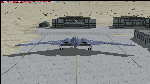
The B-2A Stealth Bomber is the most sophisticated aircraft on the planet. She is essentially a “Flying Wing†platform with no V-Tail, and is controlled by pre-programed flight computers stationed in various positions within the crew cabin and wings. There is one main computer that controls the aircraft, with two redundant back-up computers assigned to it in case of failure. All additional computers are assigned to functions involving flight control, system monitoring, data communications, and radar. Engine and Aerodynamic effects are controlled by these computers which serve several actuators and ailerons, including the spoilerons, which further compensate for the lack of a V-Tail. In theory, and because of these computers, the aircraft is “Stall-Proofâ€. The only way it can stall is if the computers fail. There is no way she can be flown without the computers active. The REAL aircraft does almost everything based on pre-programed data, other than taxi to the runway (although this is also possible to program). Before each flight, the Mission is designed and then assigned to the Mission Flight Box (Portable Computer) which is then carried by the Commander to the aircraft, and the data from the box is “transferred†to the main on-board computers. Because of this, the B-2 cannot be flown until the box is ready for the mission, and pilots cannot simply jump in and fly her, with the exception that the data is transferred via satellite. Everything is pre-planned, and this takes several hours. Once the data is on-board, the taxi can begin. When lined-up on the runway, all the pilot needs to do is push a button or three. Everything else is computer controlled until landing. The aircraft CAN be flown manually with basic data inputs into the main computer systems, but even in that case it is not conventional. If a pilot wants to turn right, he sets the data to turn to a certain degrees of heading. The same with climb and descent, speed increase or decrease. A pilot cannot over-ride the computers in any case, so steep banks, climbs, or descents cannot be forced. There is a lot of space for the two member crew within the cockpit, but there is also a space reserved for one observer. This additional seat is known as “Suicide Position†because there is no ejection seat for that observer. In the event of a mishap, the observer can try to bail-out through the ejection hatches after the pilots, or can try the exit ramp door, or the bomb bay as an exit route. The odds of escape for the observer are very small, but he has a parachute as reassurance. Otherwise, what the crew does during missions is only a guess, since they really don't have to do anything unless an alarm goes off. Since the plane flies so smooth, we can only imagine what sort of things they may dream-up to entertain themselves during a long flight. High altitude flights are conducted at night mainly due to the obvious contrail such a flight will exhibit during the day with such hot engines. The engines are encased in a heat absorbing shield material (still exhaust exists), and the rest of the plane is coated with Radar absorbant material, with the additional low profile effect of the aircraft design itself. If it can be seen by the ground or a fighter, it can be attacked by fighters or the ground. During daytime flight they will stay below the contrail level, and monitor the radar systems in preparations for counter-measures. If a fighter can visually observe them, the fighter may be able to shoot them down with bullets from behind, but not likely with missiles because of the sophisticated counter-measures available. On Radar the aircraft appears the size of a pigeon, until about 8 to 10 miles away, which would be too late to counter from the ground, so most attacks are either done at night or during the day at very low altitude. Upon landing the aircraft is automated down to about 200 feet AGL, when the pilot takes command. All she/he does at this point is allow her to glide down and contact the runway, and retard the engines. Brakes are used to slow, then the computers are turned off, and the pilot can control the throttles, nose gear, and brakes. The Commander watches for obstructions, mainly, and communicates with the tower and ground crew. Everything in this model has been reconfigured to meet realistic standards, without any tricks or flight tuning, and following real world aerodynamic principals and available data, including MOI. The panel requires study before use, but very realistic. The sounds are very authentic. There is no other model offered anywhere that compares to what you have now available in front of you. Please read and study the Readme.txt file within the main folder before attempting to fly this 2.2 Billion Dollar aircraft. Yes, that's correct ... $2,200,000,000 each! The use of this model, and the configuration of such, is designed for educational purposes, and protected by the Free Use Act: (https://www.law.cornell.edu/uscode/text/17/107). The Authors will not approve redistribution for monetary purposes. Original aircraft design by Alphasim; VC Adaptation, panels and gauges by Philippe Wallaert; Sound by Ruggero Osto; REAL WORLD Engine/Aerodynamics, data and effects by Douglas E. Trapp ([email protected]) June 2018
| Filename: | B2A_Spirit_Stealth_Bomber.zip |
| License: | Freeware |
| Added: | 2nd June 2018, 17:16:30 |
| Downloads: | 1,038 |
| Author: | Douglas E. Trapp |
| Size: | 14.81 MB |
| Category: Flight Simulator X - AFCAD Files | |
| Atlantic City International Airport (KACY), NJ |
|
File Description:
Located 09 miles NW of Atlantic City, New Jersey on 5000 acres of land, Atlantic City International Airport is a major airport serving the southern portion of New Jersey. It is also one of the main gateways for tourists looking to vacation in nearby Atlantic City, famous for its boardwalks and casinos. This airport has been very heavily modeled with many surrounding buildings and all aprons properly placed. Gates are all properly located and labeled according to the terminal chart (there are, however, no jetways like in the default scenery). General Aviation parking is available in its proper area � all aircraft in the parking area (middle of the tarmac) have collision disabled. If you select Military Cargo parking you will start on one of the helipads in the Coast Guard section. If you select Military Combat parking you will start next to the line of F-16s on ready-alert over on the Air National Guard tarmac. You can also start on a helipad north of the airport. This airport also features completely custom taxiway line and edge lighting. Because this airport uses ATC, it suffers the same bug as my KEWR airport, which is that you cannot receive taxi in directions from ATC � to gate, parking or fuel. Almost all arriving AI aircraft will also disappear from the taxiway after radioing in to ATC and failing to receive taxi instructions to the gate/parking. All traffic and instructions taxiing out works fine. All gate parking spaces have fuel, as well as the military parking and north helipad. GA aircraft can get fuel by taxiing over to the fuel station north of the GA tarmac. Taxiing onto a closed runway (marked with an �X�) will cause a crash. Broken-down taxiways are not good for your undercarriage!
Scenery constructed with use of satellite images/streetview/aerial photos - the author has not been there in person.
This scenery is meant to be used in conjunction with MegaScenery Earth New Jersey/Delaware 003. It is not required, but apron use is minimized to allow satellite scenery to show through as much as possible, and objects are placed based on the MSE textures - lack of it may make scenery look out of place.
| Filename: | Atlantic_City_International_Airport_KACY_NJ.zip |
| License: | Freeware |
| Added: | 1st February 2011, 10:28:53 |
| Downloads: | 1,355 |
| Author: | Drew Sikora |
| Size: | 5.12 MB |
| Category: Flight Simulator 2004 - Scenery | |
| PABR - Barrow - Alaska, USA |
|
Images related to this file:
File Description:
The town of Barrow is in the far north of Alaska, and is best known in flying circles as the place where Wiley Post crashed his floatplane on takeoff and killed himself and Will Rogers. The crash was some 15 miles south of Barrow and was "assisted" by the mismatched fuselage, wings, and floats that had been assembled to create the floatplane. The Barrow population is largely Inupiat and totals some 4,400. The downtown area of Barrow is immediately north of the airport. The second and largest part of Barrow is further north past a string of lagoons and is locally called Browerville. To the northeast along the coast is the smallest part around what used to be the Naval Arctic Research Lab, and is now a college. To the east of this are the DEW buildings, plus two large navy hangars and the gravel runway that was used to serve the DEW station. The PABR runway is aligned 06-24 in FS9 and is 7,100 feet long and 150 feet wide, built on top of a gravel base and surround that copes with the underlying permafrost. There is PAPI at both ends and an ILS and approach lights on 06; 06 circuits are to the right. The airport notes include a warning that the apron is not a standard width and that large planes that are enroute to the far end of the runway will not be able to taxi past a plane parked at the gate and should use the runway as a taxiway, then turn and takeoff. FS9 AI cannot cope with that, so the apron here is wider. There are, in real life and the AI, daily flights by Air Alaska (three at least) and Era (several, and which is now called Ravn, hence the new hangar door motif) and air cargo flights by Northern Air Cargo and Everts, plus GA. The buildings have been made with photographic textures or textures made from reference photos. I decided that while 500+ scenery objects was probably ok for most people the required 900+ to "make" the town of Barrow would likely not be. The auto-generated FS9 town objects could not be left as Barrow with trees would not look at all like reality; I have "faded" the density of the town buildings into the distance from the airport.
| Filename: | PABR__Barrow__Alaska_USA.zip |
| License: | Freeware, limited distribution |
| Added: | 17th May 2016, 09:32:36 |
| Downloads: | 972 |
| Author: | Roger Wensley |
| Size: | 15.12 MB |
| Category: Flight Simulator X - Original Aircraft | |
| Boeing 787-942 VIP-BBJ |
|
Images related to this file:
File Description:
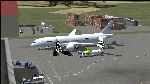
Boeing 787-942 Boeing Business Jet (VIP), AKA "DreamJet", is the Corporate version of this aircraft, modified for individual client specs. The range is extended beyond the normal 787-9 due to additional fuel tanks, a lot less payload weight, and more powerful and efficient engines. The Cabin Pressure is decreased to 6,000 ft, allowing for higher Flight Levels than normal. The tail number on this model can be changed to match the user's preference, since it is not apparent on the exterior (No Airline Call used on Private Aircraft).
This is a huge aircraft and normally seats about 300 passengers, but there are only 48 (including Pilots/Attendants) on this plane. A lot of space remains for luxuries that are well beyond any Business Jet of any kind other than the 747 or A380. Some of these luxuries include automated beds that are hidden in the floorboard and activated by the attendants when requested, and each of these includes a privacy barrier. There is one Large Screen TV with stereo surround sound with theater seating in the fore section, and separate small screen monitors located at every assigned seat (including flight data relay of all positioning and aircraft data viewable). The kitchen is fully equipped with 935 lbs of various food and drinks, with one attendant being a Master Chef. There is a automated Dance Floor that can be activated in the theater area, after the seating chairs are automatically stored below deck. The crew also experiences luxury as the pilots have a twin-bed sleeping area with a private kitchen (2 sleep while 2 fly), as do the attendants (fore and aft upper deck) with twin beds and private kitchens. The aircraft is also more luxurious in that it has 6.000 ft of pressure continuous to 47,000 ft, and has a very low interior noise level. There are also many added safety features that provide for survival in the event of a mishap, making it possible to survive a water crash for several days through the use of 6 inflatable skiff-rafts with engines, radios, and supplies. All attendants are trained and certified Registered Nurses, and they have 25 lbs of medications and supplies stored in the aft. Some of these features add to the empty weight, so the MTOW is the same as a normal aircraft of this design for commercial use (the gear are also modified for these accommodations).
This aircraft is designed for educational use protected under the Fair Use Doctrine:
(http://www.expertlaw.com/library/intellectual_property/fair_use.html)
It cannot be sold or bundled for sale, and such will never be approved by me or the original authors. FREEWARE DISTRIBUTION ONLY!!!
Model design and paint by: Camil Valiquette;
Sound by: Emil Serafino;
Engine/Aerodynamics and Details by: Douglas E. Trapp, ([email protected]) May 2018
| Filename: | Boeing_787942_VIPBBJ.zip |
| License: | Freeware |
| Added: | 20th May 2018, 16:58:42 |
| Downloads: | 877 |
| Author: | Douglas E Trapp |
| Size: | 77.99 MB |
| Category: Flight Simulator X - Scenery | |
| RAF Keevil |
|
File Description:
The airfield was built on a site previously ear-marked for the purpose in the mid-1930s. Consisting of 3 long concrete
runways the airfield was used by the Royal Air Force and the United States Army Air Forces Eighth and Ninth Air
Forces.
In 1942 Keevil airfield was provided to the USAAF and it was assigned USAAF designation 471 (KV). Squadrons based at
the unit transported military freight and supplies using C-47 and C-53 aircraft.
RAF Fighter Command use
Short Stirlings of Nos. 196 and 299 Squadrons RAF lining the runway at RAF Keevil on the evening of 5 June 1944 before
emplaning paratroops of the 5th Parachute Brigade Group for the invasion of Normandy With the departure of the
Americans, the RAF used Keevil beginning in March 1944 for 196 and 299 Squadron Short Stirling glider tugs of No. 38
Group RAF arrived followed by a large number of Horsa gliders, crewed by Army pilots of the Glider Pilot Regiment.
The RAF Stirling aircraft were crewed by RAF, RCAF, RAAF, RNZAF and SAAF personnel and were engaged in SOE and SAS
drops. largely in France, and in glider towing. Their involvement in the Normandy invasion of France and Operation
Market-Garden is well remembered by Keevil and Steeple Ashton villagers. Casualties of army and air force personnel
were heavy and a number of aircraft were lost.
With the end of military control, Keevil airfield is virtually complete with all of its runways, perimeter track and
many of the hardstands still in place. It is used occasionally for British Army and RAF exercises. The airfield is
still frequently used by the RAF for training purposes such as air drops and parachuting, the gate is always locked
and access is restricted to authorized key holders only. Ref ~ http://www.wdrcfc.org.uk/wp/about-2/clubrules/
Since 1992 it has been home to the Bannerdown Gliding Club, an RAF Gliding and Soaring Association Club, affiliated to
RAF Brize Norton since the closure of nearby RAF station at Lyneham. The airfield is also used as a motorsport circuit
for various events. It is also the home of the Warminster and District Radio Control flying club.
In September 1994 the Keevil Society, organised by Paul Vingoe, held a Commemorative Day to mark the 50th anniversary
of the D-Day and Arnhem operations and to dedicate a memorial to all who served at Keevil, especially those who flew
from there and lost their lives.
Source:Wikipedia
| Filename: | RAF_Keevil.zip |
| License: | Freeware |
| Added: | 5th February 2017, 19:55:43 |
| Downloads: | 174 |
| Author: | Terry Boissel |
| Size: | 24.39 KB |
| Category: Prepar3D V1-4 - Scenery | |
| KLVN - Airlake Airport - Lakeville, MN, USA |
|
File Description:
KLVN - Airlake Airport beta version .4 - by Jason Boche
This is an update of the default P3Dv4.5 KLVN airport. Aside from the original 12/30 runway, everything else at this airport has been completely ripped and replaced.
Enhancements include:
-Extended runway on each end to depict current configuration
-Accurate taxiways including Hamburg Ave. and buildings representing the current general aviation hangars
-Added navigational equipment on the field
-Added a few asphault and dirt service roads
-Added FBO and other buildings as close as I could match them
-Added some general aviation aircraft, civilians, vehicles at the FBO and hangars, and two fuel trucks
-Moved fuel station to where I believe it is currently according to Google maps with 100LL fuel trigger functional
-Moved the windsock to accurate location
-Moved the beacon to accurate location
-Moved GA parking spots
-Added trees around FBO and beacon
-Added utility poles
-Added a few square miles of Lakeville city, farm, and residential land class and autogen according to Google maps. This is probably the biggest improvement. It now looks like people live, work, and shop north/northwest of KLVN.
-Reworked the runway 12/30 blast pads to what I believe is the "proper" method. Instead of freehand polygon asphault, they are now actual runway extensions on both ends with yellow chevron markings
-Reworked the land class on the southwest end of the airport where I believe hangar expansion is intended. Prior to this, there was a sharp contrast between where the KLVN airport boundary ended and where generic farm landclass began which was right in the middle of the southwest taxiways and it looked bad. Now that whole region is grass and looks to be part of the airport parcel.
-Minor building adjustments west of the FBO to better match actual placement.
-Fixed a gap on the southeast end of Hamburg ave taxiway where it rounds the corner for the rwy 30 hold short line
-Randomized the directional facing of some of the cars parked at GA hangars
-Renumbered the parking spots 1-4 with #5 being the refueling spot
-Reversed the start direction of parking spots 1-3.
-Pulled the refueling parking "start" spot back because on start the engine cowling & prop were too far forward inside the fuel pump equipment
-Added an autogen exclusion to the rwy 12 short final due to trees popping up on short final path.
-KLVN tower viewpoint 25 meters above FBO.
-Removed the perimeter fence around the entire field
| Filename: | KLVN__Airlake_Airport__Lakeville_MN_USA.zip |
| License: | Freeware |
| Added: | 13th May 2020, 17:18:40 |
| Downloads: | 84 |
| Author: | Jason Boche |
| Size: | 14.81 KB |
| Category: Flight Simulator X - AFCAD Files | |
| KLVN - Airlake Airport - Lakeville, MN, USA |
|
File Description:
KLVN - Airlake Airport beta version .3 - by Jason Boche
This is an update of the default FSX KLVN airport. Aside from the original 12/30 runway, everything else at this airport has been completely ripped and replaced.
Enhancements include:
-Extended runway on each end to depict current configuration
-Accurate taxiways including Hamburg Ave. and buildings representing the current general aviation hangars
-Added navigational equipment on the field
-Added a few asphault and dirt service roads
-Added FBO and other buildings as close as I could match them
-Added some general aviation aircraft, civilians, vehicles at the FBO and hangars, and two fuel trucks
-Moved fuel station to where I believe it is currently according to Google maps with 100LL fuel trigger functional
-Moved the windsock to accurate location
-Moved the beacon to accurate location
-Moved GA parking spots
-Added trees around FBO and beacon
-Added utility poles
-Added a few square miles of Lakeville city, farm, and residential land class and autogen according to Google maps. This is probably the biggest improvement. It now looks like people live, work, and shop north/northwest of KLVN.
-Reworked the runway 12/30 blast pads to what I believe is the "proper" method. Instead of freehand polygon asphault, they are now actual runway extensions on both ends with yellow chevron markings
-Reworked the land class on the southwest end of the airport where I believe hangar expansion is intended. Prior to this, there was a sharp contrast between where the KLVN airport boundary ended and where generic farm landclass began which was right in the middle of the southwest taxiways and it looked bad. Now that whole region is grass and looks to be part of the airport parcel.
-Minor building adjustments west of the FBO to better match actual placement. Will only be shown on high scenery detail.
-Fixed a gap on the southeast end of Hamburg ave taxiway where it rounds the corner for the rwy 30 hold short line
-Randomized the directional facing of some of the cars parked at GA hangars
-Renumbered the parking spots 1-4 with #5 being the refueling spot
-Reversed the start direction of parking spots 1-3.
-Pulled the refueling parking "start" spot back because on start the engine cowling & prop were too far forward inside the fuel pump equipment
-Added an autogen exclusion to the rwy 12 short final due to trees popping up on short final path.
-KLVN tower viewpoint 25 meters above FBO.
-Removed the perimeter fence around the entire field
| Filename: | KLVN__Airlake_Airport__Lakeville_MN_USA.zip |
| License: | Freeware |
| Added: | 22nd November 2013, 23:26:10 |
| Downloads: | 225 |
| Author: | Jason Boche |
| Size: | 446.33 KB |


© 2001-2026 AVSIM Online
All Rights Reserved
Privacy Policy |