
Where Flight Simulation Enthusiasts Gather from Around the World!
AVSIM Library - Search Results

| Category: Fly! II - Scenery | |
| Internacional del Caribe Airport SVMG Venezuela |

|
File Description:
This the Internacional del Caribe (SVMG)Isla de Margarita/Venezuela for Fly2, TerraModels Scenery Development System by Allen Kriesman and Biber Salsa models were used to create the scenery. No custom models were created for this airport.
| Filename: | Internacional_del_Caribe_Airport_SVMG_Venezuela.zip |
| License: | Freeware |
| Added: | 7th November 2002, 22:30:11 |
| Downloads: | 233 |
| Author: | Cesar Cedraro |
| Size: | 361.55 KB |
| Category: Fly! II - TerraModels | |
| Montreal Mirabel 1.2 |
|
File Description:
Contains airport scenery for Quebec Montreal (Mirabel).
Requires Terramodels Texture Pack, Version 2.1 or greater.
Requires also Biber Salsa's models (biberall.zip)
This scenery will overwrite previous files.
Corrects problem with klm747.smf, control tower and
apron area.
| Filename: | Montreal_Mirabel_12.zip |
| License: | Freeware |
| Added: | 4th February 2004, 04:21:23 |
| Downloads: | 138 |
| Author: | Robert Pelletier |
| Size: | 233.7 KB |
| Category: Flight Simulator 2002 - AFCAD Files | |
| Edinburgh International Airport |
|
File Description:
This is an afcad file for the scenery Edinburgh Airport, made by Iain Gallacher (see for download site of the scenery and afcad install instructions in the README file). All real life parking spots will be installed.
| Filename: | Edinburgh_International_Airport.zip |
| License: | Freeware |
| Added: | 7th December 2003, 00:38:57 |
| Downloads: | 317 |
| Author: | Jeroen van Schoneveld |
| Size: | 5.26 KB |
| Category: Flight Simulator 2004 - Flight Plans | |
| Sabena Summer 2001 Light version |
|
File Description:
For those who still miss Sabena, they are gone in reality but here they are for Flight Simulator 2002 and 2004. This file includes also AFCAD files for Brussels Airport(EBBR) for default scenery and addon scenery.
| Filename: | Sabena_Summer_2001_Light_version.zip |
| License: | Freeware |
| Added: | 27th December 2003, 01:52:47 |
| Downloads: | 627 |
| Author: | Robby Uyttendaele |
| Size: | 481.84 KB |
| Category: Flight Simulator 2004 - Scenery | |
| El Formosa - Taiwan Scenery Project, Part 11 Patch 3 |
|
Images related to this file:
File Description:
New RCTP terminal one building. Updated light effects to correct missing light issue when approaching to airport. Scenery of Taichung city and all light towers of nation Taiwan. Requires el Formosa - Taiwan Scenery Part 1.
| Filename: | El_Formosa__Taiwan_Scenery_Project_Part_11_Patch_3.zip |
| License: | Freeware, limited distribution |
| Added: | 22nd March 2013, 06:06:27 |
| Downloads: | 3,302 |
| Author: | Rudolf Liu, Formosa Group |
| Size: | 23.23 MB |
| Category: Flight Simulator 2004 - Scenery | |
| Wellington International and City |
|
File Description:
The 'Real New Zealand' Wellington International and City scenery previously available as payware is now offered here as freeware.
Includes a custom-built airport and city, based on a photo scenery which covers the greater Wellington area.
| Filename: | Wellington_International_and_City.zip |
| License: | Freeware, limited distribution |
| Added: | 31st March 2012, 04:17:09 |
| Downloads: | 6,057 |
| Author: | Robin Corn, Ian Warren |
| Size: | 81.79 MB |
| Category: Prepar3D V1-4 - Scenery | |
| KILE, Killeen Texas airport |
|
Images related to this file:
File Description: Instructions: There are 3 folders in this package; effects, scenery and texture.
Create a subfolder under the C:\Program Files (x86)\Lockheed Martin\Prepar3D v3\Scenery folder and call this new folder KILE.
Place the scenery and texture folders (with their associated contents) under this newly created KILE subfolder.
Place only the contents (not the folder) of the effects folder in the P3D effects folder often located at C:\Program Files (x86)\Lockheed Martin\Prepar3D v3\Effects.
Now start up P3D.
On the menu at the top of the P3D screen click on World > Scenery Library > Add Area. This will bring up the Add Scenery Area dialog box. Click the Browse button and browse to find the newly created KILE folder. It should be located at C:\Program Files (x86)\Lockheed Martin\Prepar3D v3\Scenery. Once you select the KILE folder, click the OK button. This will place that folder in the P3D scenery library. You will notice that the library is organized by priority starting at 1. I have my KILE scenery set as #4 priority but I am not sure if it needs to be that high. I did notice during design that sometimes my ground texture at the airport would act strange and I found that by setting KILE to a higher priority, it fixed that. As a last step make sure the checkbox to enable the scenery is checked and click OK.
You should now have the new KILE scenery available to use.
This package covers KILE, Killeen Texas airport. It is a city owned public use airport located 3 miles east of Killeen Texas. It has one runway that is 5,495 x 100 feet.
Almost 100 custom objects are included in this package. They include:
All hangers and buildings on the airport grounds made from on site photos.
Several buildings surrounding the airport grounds.
All taxiway and runway signs.
All taxiway, runway and approach lighting.
ILS antenna, localizer, etc.
Fuel tanks and parking T's.
Night lighting where appropriate.
Currently I am using the default land class instead of photo real because I couldn't find any photo real that suited my needs.
I welcome your feedback good or bad. Currently this airport is only for P3D. I may create an FSX version if I have enough requests. I started learning to make 3d objects and airports last year and I am learning something new every day. I hope you enjoy!
I plan on improving the night lighting for the runway lights, runway end lights, taxiway lights, etc. to make them more visible from a distance at night. I also want to replace the stock P3D vehicles with my own design and a few other things to come in an updated version down the road.
| Filename: | KILE_Killeen_Texas_airport.zip |
| License: | Freeware |
| Added: | 11th May 2017, 19:54:19 |
| Downloads: | 492 |
| Author: | Shannan Landreth |
| Size: | 23.83 MB |
| Category: Combat Flight Simulator 1 and 2 - Aircraft | |
| F6F-5 29 VF-11, USS Hornet |
|
File Description:
F6F-5 29 VF-11, USS Hornet, October 1944. Flown by Lt. James S. Swope. Copied from photo on page 217 of "The Blue Devils." This skin is for the fdg2 F6F-5 Model, only. By revev. Enjoy!
| Filename: | F6F5_29_VF11_USS_Hornet.zip |
| License: | Freeware |
| Added: | 18th June 2006, 01:14:41 |
| Downloads: | 48 |
| Author: | Evan G. Butterbrodt |
| Size: | 1.27 MB |
| Category: Flight Simulator 2004 - AI Aircraft | |
| Czech Republic Air Force MIG-29's |
|
File Description:
These are some Czech Republic AF textures for the following.textures only.
MIG-29A 9 textures base model by Sergey 'sib2217' Bunevitch
MIG-29UB 1 textures base model by Sergey 'sib2217' Bunevitch
| Filename: | Czech_Republic_Air_Force_MIG29s.zip |
| License: | Freeware |
| Added: | 25th January 2009, 13:13:52 |
| Downloads: | 681 |
| Author: | Mark Walsh |
| Size: | 3.83 MB |
| Category: Miscellaneous Files - Demos from Commercial Vendors | |
| Russia Airforce, Mikoyan MiG-29, Codename "FULCRUM" |
|
Images related to this file:
File Description:
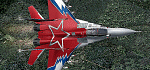
The Mikoyan MiG-29 is a 3th generation jet fighter aircraft designed for an air superiority role in the Soviet Union. Developed in the 1970s by the Mikoyan design bureau, it entered service with the Soviet Air Force in 1983, and remains in use by the Russian Air Force as well as in many other nations.Nato reporting name for the MiG-29 is "Fulcrum", which was unofficially used by Soviet pilots in service. It was developed to counter new American fighters such as the F-16 Fighting Falcon, and the F-15 Eagle. Panel, Gauges, model, sound and textures by Author Andreas Meyer.
| Filename: | Russia_Airforce_Mikoyan_MiG29_Codename_FULCRUM.zip |
| License: | Commercial demo |
| Added: | 4th April 2010, 06:50:09 |
| Downloads: | 122 |
| Author: | Andreas Meyer |
| Size: | 4.82 MB |


© 2001-2026 AVSIM Online
All Rights Reserved
Privacy Policy |