
Where Flight Simulation Enthusiasts Gather from Around the World!
AVSIM Library - Search Results

| Category: Flight Simulator X - Scenery | |
| Frankfurt Main Airport (EDDF) v8 - Manual installation |

|
Images related to this file:
File Description:
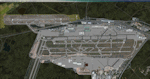
This major update represents EDDF in the July 2015 timeframe.
This version includes further expansion of the Terminal 3 area now in use as extended apron parking, with new J and K ramps for airline, general aviation and cargo aircraft, new apron night lighting, vehicular traffic/roadways as well as support for 70+ airlines coded for AI traffic.
In addition, this update features some brand new taxiways and updated airport navaids including use of the secondary 3.2 degree ILS approach paths for the Northwest runway.
For visual improvements, a new sound wall for the northern perimeter is included along with improvements in landclass to match Orbx FTX Global and inclusion of an optional 200Mb ground photo scenery layer providing even more realism.
Extended compatibility is also provided for P3D and GSX v1.9 (Ground Services for FSX) with the latter providing customized service vehicle parking for each parking position across the whole airport and in some cases, custom GSX pushback operations have been introduced at selected gates. The associated GSX airport .ini file is supplied in this package.
Last of all, more flexibility is delivered. This new scenery now comes supplied with 3 separate .BGL files - the standard .BGL AFCAD file together with the exclusions file ( _CVX) and the separate airport objects file ( _OBJ) so that the airport AFCAD can continue to be updated independently from the airport objects and exclusion files by users wishing to modify the airport layout to their own needs.
Default FSX scenery is required.
Please consult the readme and the comprehensive help manual prior to installation and for more information.
| Filename: | Frankfurt_Main_Airport_EDDF_v8__Manual_installatio.zip |
| License: | Freeware |
| Added: | 5th August 2015, 18:49:53 |
| Downloads: | 7,199 |
| Author: | Mark Aldridge |
| Size: | 230.24 MB |
| Category: Flight Simulator X - Scenery | |
| Frankfurt Main Airport (EDDF) v8 - Auto installer |
|
Images related to this file:
File Description:
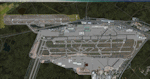
This major update represents EDDF in the July 2015 timeframe.
This version includes further expansion of the Terminal 3 area now in use as extended apron parking, with new J and K ramps for airline, general aviation and cargo aircraft, new apron night lighting, vehicular traffic/roadways as well as support for 70+ airlines coded for AI traffic.
In addition, this update features some brand new taxiways and updated airport navaids including use of the secondary 3.2 degree ILS approach paths for the Northwest runway.
For visual improvements, a new sound wall for the northern perimeter is included along with improvements in landclass to match Orbx FTX Global and inclusion of an optional 200Mb ground photo scenery layer providing even more realism.
Extended compatibility is also provided for P3D and GSX v1.9 (Ground Services for FSX) with the latter providing customized service vehicle parking for each parking position across the whole airport and in some cases, custom GSX pushback operations have been introduced at selected gates. The associated GSX airport .ini file is supplied in this package.
Last of all, more flexibility is delivered. This new scenery now comes supplied with 3 separate .BGL files - the standard .BGL AFCAD file together with the exclusions file ( _CVX) and the separate airport objects file ( _OBJ) so that the airport AFCAD can continue to be updated independently from the airport objects and exclusion files by users wishing to modify the airport layout to their own needs.
Default FSX scenery is required.
Please consult the readme and the comprehensive help manual prior to installation and for more information.
| Filename: | Frankfurt_Main_Airport_EDDF_v8__Auto_installer.zip |
| License: | Freeware |
| Added: | 5th August 2015, 18:50:05 |
| Downloads: | 15,650 |
| Author: | Mark Aldridge |
| Size: | 232.05 MB |
| Category: Flight Simulator 2004 - AFCAD Files | |
| 113 AFCAD Files. FINAL RELEASE |
|
File Description:
M and K Studios is Very Proud to present our final release... However, not so final, we have descided to release this package, in order to anticipate and build off for our next release.... Includes over 113 AFCAD Files.... These files took over 2 months to complete and each airport was manually and painstakingly put together. Airports like KDEN (Denver) now have Runway 34L/16R, it is a 16000X200 FT Runway, that we designed with accurate Taxiways and with FULL Autoland, LAND3 ILS Certified Runway. Even better, each airport below has accurately parking spots aligned with their respective gates, EVEN BETTER THAN THAT. each airport has accurate Airline and parking spot placing in accordance with the FAA Database... The following airports below are the airports included in this file.... KABQ KADW KAFW KIAD KALB KAPA KBDL KBGR KBIL KBKL KBOI KBTL KBUR KCAE KCHS KCLE KCLT KCMH KCRP KCWF KCYS KDAL KDAY KDEN KDFW KDPA KDTW KEDW KELM KELP KEWR KFTW KFWA KGRR KGSO KGTF KHND KHPN KHWD KIAD KIAH KICT KILG KIND KIWA KJFK KLAN KLAS KLAX KLFT KLGA KLGB KLNK KLSV KLTS KLZU KMCN KMCO KMHR KMHT KMIA KMKE KMMU KMOT KMSP KMSY KMTN KNIP KOAK KOKC KONT KORD KPDX KPHL KPHX KPIT KPNS KPTK KPWM KRBD KRDU KRIV KSAF KSAN KSAT KSAV KSDF KSEA KSFO KSJC KSMF KSNA KSTP KSYR KTEB KTOL KVGT KVNY KCVG KMDW KBNA KMEM KSTL KTPA KDAB KPBI KATL KDCA KIAD KBWI KPHL KLGA KCHS KRNO KSLC... If that isnt alot of airports i dont know what is.... thank you for your download..... Thanks you. By Kylan Walters, Marcus Mosby, Our Beta Team, and the rest of the Team... (Origonal File Held 3274 Downloads in all)
| Filename: | 113_AFCAD_Files_FINAL_RELEASE.zip |
| License: | Freeware |
| Added: | 2nd August 2007, 03:18:05 |
| Downloads: | 25,921 |
| Author: | By: Kylan Walters |
| Size: | 3.88 MB |
| Category: Flight Simulator X - Scenery | |
| Carnes Farm |
|
Images related to this file:
File Description:
These are the files that I talked about in the Prepar3d forums. I created these objects for Fs9, then upgraded them to the scenery SDK for FSX. They were created 10 years ago in GMAX, and I have used them successfully ever since in Prepared 1.4 as well.
For some reason the individual farmhouse and other objects that I created are not showing up in Prepar3d version 2.0.
That's where you guys come in! These files are free to use in anyway you want as long as proper attribution is given, but, I would like you guys who have both Prepar3d 1.4 and 2.0 to try them out in both and report back to me as to whether you have the same problems that I do. That's your only fee. And I'd like you guys to give it a shot in both, or all four( I am not sure that they will work in FS9 anymore, but try it out. Unfortunately I can't recompile my FSX SDK Files back to FS9 if it doesn't work).
What's included:
1. Photo real scenery of Barbourville, 10 miles to the north west of stinking Creek where we live, and;
2. Photo real scenery of the farm area and stinking Creek, upon which I have placed my GMAX objects;
A. The farm house.Carnes Farm From the Bridge at 500 AGL.jpg
B. The barn, shed and the RV in back of the farmhouse.
C. A two-story long structure the top of which is an apartment but the bottom of which is a re-creation of Mama Carne's store, along with all the real wood floors shelves and original contents.. It is also o n Google earth in 3-D as it is here with further description .
... A little note on Gmax.. Mama Carne's store was one the first structures that I built in Gmax. It was just a box. Later, I added the true architectural features that you see including the steps and rails which took about as long to create as it would have to Saw and fit and hammer the real rails, risers and steps.
D. K-6, my little 2300 foot strip for runways 03 and 21. It has VOR - (117.55), ILS(110.1), and NDB(222).
E. Gerald Bingham's house, 1/4 mile up Warriors Path North from us.( mostly dirt road with gravel topping).
F. Dewitt Baptist Church.
Off property Knox county
G.Escoe's Store and Post Office complete with great prices for gas at the included pumps.
Escoes.jpg
H. Rex allen's killer corner...sheds and farm equipment on the sharpest bend on Stinking Creek...my son went off it with a flat tire, unscathed, but more than several have lost their lives on that curve... there may be several iterations of the sheds...just delete or rename the wrong ones...I was experimenting with ModelConverterX, Arno Gerretsen's wonderful model and object scenery tool.
I. sitting on top of the Barbourville Photo real scenery Barbourville PhotoReal over the shopping center.jpg is the Barbourville P3D Shopping Center2.jpg shopping center all the stores and all the storefronts ... it's on 25 E. as you head into Barbourville.
Recreated, is the entire shopping center with the now outmoded Wal-Mart sign. Probably my magnum opus.
note on the Gmax scenes.
All of the scenery was either directly measured and if not practical for a such a long measuring device, walked off, as in the Stinking Creek Bridge and shopping center. All of the objects were then photographed, in 360° where possible and saved as texture for inclusion in the Gmax model.
Enjoy!
...oh... how do you get there? Wellllll.... situate yourself at Middlesboro (1a6), and tune your Nav radio to K-69's VOR, 117.55, take off and climb to 3500 feet...grinnnnn
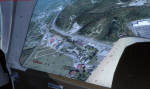
Welcome to Knox County Kentucky!
| Filename: | Carnes_Farm.zip |
| License: | Freeware |
| Added: | 2nd December 2013, 05:34:20 |
| Downloads: | 453 |
| Author: | Chas Honce |
| Size: | 91.13 MB |
| Category: Flight Simulator 2004 - Scenery | |
| Cordova Smith PACV & Municipal CKU in Alaska US |
|
Images related to this file:
File Description:
Cordova is on the south coast of Alaska, around 150 miles east of Anchorage and 45 miles south of Valdez. The town is mainly built on a small but relatively flat area between the east side of Prince William Sound and Eyak Lake, and has a population of around 2,350 in 2010, the approximate date of this scenery.
The Municipal Airfield CKU is on the north side of Eyak Lake to the east of Cordova, with the runway that is 1,800 feet of unlit gravel squeezed between the lake and the road that runs around the lake. The hangars and parking aprons are reached by taxiing across, and to some extent along, the road. Float planes are also taken from the lake to an apron to the west of the runway.
Cordova Airport PACV (named in the real world "Merle K. (Mudhole) Smith", and I will leave you to research this) is known as Cordova Smith in FS9 and is 10 miles to the east of the town on relatively flat ground between mountains to the north and the sea to the south. The runway is 8,080 feet of lit asphalt aligned 09-27 with ILS on runway 27 and VASI on both ends. The aprons are to the north side of the runway and are reached by back-taxiing; there are no taxiways parallel to the runway. The main apron serves Alaska Air via the western of two taxiways. The GA parking and hangars are mainly reached by using the eastern taxiway, though there is in fact a connecting taxiway between the two (for GA, but definitely not for airliner use). The taxiway further to the west serves the separated Alaska Coastguard apron and hangar, which is mainly for helicopter use. There is a nominally grass runway 1,900 feet long and aligned 16-34 to the south of the main runway; in fact it appears to be more gravel than grass. I have left this inactive as otherwise AI Alaska Air planes would be attempting to use this when the wind made it seem like a good idea.
The AI includes Alaska Air (twice a day) and also Coastguard helicopters, along with GA.
| Filename: | Cordova_Smith_PACV__Municipal_CKU_in_Alaska_US.zip |
| License: | Freeware, limited distribution |
| Added: | 22nd January 2022, 21:53:03 |
| Downloads: | 145 |
| Author: | Roger Wensley |
| Size: | 16.93 MB |
| Category: Flight Simulator X - Scenery | |
| Rybachiy Submarine Base "The Hornet's Nest" |
|
Images related to this file:
File Description:
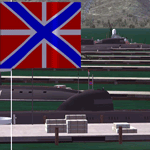
Rybachiy Nuclear Submarine Base, NATO reporting name "The Hornet's Nest." This scenery is specific to the Aerosoft addon "Kamchatka - the Lost Continent." You are welcome to use it, regardless, but in testing, only half the peninsula showed with the Aerosoft scenery inactive.
Rybachiy has a long and chequered past as the home of the Soviet Pacific submarine fleet. It launched the ill fated K-129 in 1968 and is the final stop for submarines before being "disposed" of, a process that includes either sinking the nuclear core, or interring it indefinitely on a floating platform.
I more or less copied the state depicted in Wikimapia, it shows the docks relatively clear of excess retired subs and 10 or 12 Grumble launchers at the SAM site, which is no longer the case. I wonder who's buying up the retired SA-10's..
The odd looking torpedo on the loading dock is the 240 mph, super-cavitating VA-111 Shkval, which is essentially a rocket engined defensive weapon. A consequence of the presumed and persistent superiority of Western underwater acoustics, it is understood that the enemy would "get the drop." In such a circumstance, the crew would load a Shkval and fire it in the direction of the approaching torpedo, which would force the attacking sub to sever the control wire to avoid being hit.
Elsewhere, at the SLBM dock, you can see the R-29 Vysota being loaded. It is being advertized as a launch platform for low orbit satellites, besides MIRV's, of course. The SLBM dock is removed from the main base. Steer north of west from the docks, or use Wikimapia to find it.
This is an edit and enhancement of a scenery addon already published by Blaunarwal. He did an excellent job adding detail to Yelizovo, Petropavlovsk-Kamchatsky and Avachinskiy Bay. I contacted him and asked if he would collaborate and edit his AI boat traffic to match the docks I moved and he graciously agreed. I tried to arrange the files so it would be equally easy to install to the previous version or as an original.
| Filename: | Rybachiy_Submarine_Base_The_Hornets_Nest.zip |
| License: | Freeware, limited distribution |
| Added: | 18th August 2013, 19:32:26 |
| Downloads: | 780 |
| Author: | Rick Keller |
| Size: | 198.88 MB |
| Category: X-Plane - Original Aircraft | |
| Spruce Goose for X-Plane 6.4/6.51 (hk-1/H-4 Hercules) |
|
File Description:
Spruce Goose v1.0 for X-Plane copyright (c) by Robert App, January 2003. History of the "Goose" - Officially designated the HK-1 (this project started out as a join venture between Hughes Aircraft and Kaiser) and later designated the H-4 Hercules after Kaiser was unable to work with Howard. It was and still remains the largest (physical dimensions wingspan and length) aircraft ever built, with the largest radial engines ever built by the West (28 cylinder, 3000 HP). The plane had to be constructed mainly of wood due to the shortage of strategic metals caused by WWII. The plane became known as the "Spruce Goose" or "Flying Lumberyard" despite the fact that the wood frame and skin were constructed mainly of laminated poplar; it also involved "sandwich" construction. The plane was flown briefly on a trial taxiing run but Hughes never allowed the plane to be flown again. Speculation has always been rampant that the design was flawed and the plane could not have met the original specification requirements. The X-Plane model is as accurate as is possible with limited plans available to me. The main wing is an X-Plane standard symmetrical high lift airfoil as opposed to the high lift asymmetrical foil section used in the actual plane. The main wing angle of attack has been adjusted to emulate the asymmetrical foil as closely as possible.
Flight Testing the Goose - I have spent many hours testing the plane on X-Plane which with few exceptions provides a very accurate flight model. The published landing speed (79 mph) pretty well verifies the takeoff speed of 52 to 55 knots (k/hr x 1.15 (approx.) = mph). In straight flight the plane is difficult to stall since the nose quickly drops and increases speed if a stall develops with a significant loss of altitude. The plane has a range on 14000 gallons of fuel and takeoff weight of 350,000 Lbs of well over 3000 nautical miles. San Diego to Wake Island via Midway Attol is a piece of cake with lots of fuel to spare at 350,000 lb GW. The plane is flyable at a GW of over 410,000 lb but climb rate is very sluggish (max 400-600 fpm) and loss of speed due to excessive side slip can cause a fatal stall, in straight flight the plane is difficult to stall. So far my conclusion is that with todays materials and jet engines (which may be a future project) this aircraft could probably be competitive in performance with todays planes. With aluminum alloys that were available during its construction its performance would probably have exceeded the initial requirements.
| Filename: | Spruce_Goose_for_XPlane_64651_hk1H4_Hercules.zip |
| License: | Freeware, limited distribution |
| Added: | 31st January 2003, 05:19:19 |
| Downloads: | 1,739 |
| Author: | Robert App |
| Size: | 1.69 MB |
| Category: Prepar3D V1-4 - Utilities | |
| Flightplan Visualizer 1.15 |
|
Images related to this file:
File Description:
Flightplan Visualizer (FV) version 1.15.0. Copyright 2018-2020 by Pelle F. S. Liljendal ([email protected]), all rights reserved.
FV comes with 738 pre-imported Commercial AI flightplans (+380 BizJet flightplans are available as a separate download). However you are able to import additional (AI) flightplans yourself. Once imported these (AI) flightplans can be visualized on a map-view, and the user will be able to search accross all these. Hence you can use the program as inspiration as to which routes to fly. E.g. you can search across all imported flightplans to find all flights in an A321 flying into/out from LDDU, or simply to look for all flights in a Boeing 747-8F.
Simply run the included installer to install the software. The program will be installed into "C:\Program Files (x86)\Flightplan Visualizer" and all datafiles will be installed into: "C:\Users\[UserName]\AppData\Roaming\FlightplanVisualizer". The program comes with a full manual explaining everything, and a 3 page quick manual to get you started. The first 3 times you run the program the quick manual will automatically open. The forum is hosted here: https://forum.aerosoft.com/index.php?/forum/919-flightplan-visualizer/
Version 1.15 Contains the following changes:
- As a first, you can now import flightplans even if one or more aircraft-types cannot be automatically detected during import. These will instead be assigned to a dummy-type during import, however you need to manually assign substitute aircraft-type(s) before being able to save the imported flightplan. If/when the program gets support for the aircraft-type(s) that were missing during import, the substitute aircraft-types can either be re-detected manually or by using the "Re-process aircraft/airport-redirects" menu-item.
- Added a combo-box that can be used to filter the flightplans that are shown in the flightplan combo-box on the main-form (e.g. enter "west" to see only flightplans containing "west" in the name). Hovering the mouse over this new filter combo-box will show examples of the more complex filters (e.g. filter by provider, author, season, year, and so on).
- In version 1.14 user-airlines were added, and these could be accessed via a menu-item on the main-form. However in version 1.15 you can now also add user-airlines from the import-flightplan form, so you don't have to abort a pending import, and go to the main form in case you find you are missing a user-airline.
- Added MRU-lists (Most Recent Used) to the browser-forms used to search for: Airport, Aircraft and Airline. The text-edit in the top of these forms have been replaced by a combo-box holding up to 20 items (in chronological order, with the most recent at the top).
- Added a new chart to the Airport Info form showing: "Daily flights per international/domestic/same state".
- Added Utilization-pct to the fleet report (both total for the entire fleet, and per aircraft). The Utilization-pct is also visible for the displayed schedule (for a single aircraft) in the Leg-Info form. This value tells the pct of time the aircraft spends servicing the schedule (the remaining time the aircraft "sits at the gate", including the time spend loading/unloading passenger and cargo, loading fuel, being serviced by ground-crew and what not).
- On the main-form, renamed menu-item "Re-process airport-redirects" into "Re-process flightplans".
- Distance from selected airport to mouse-position on main-map moved from the bottom of the form to the upper/right-corner of the form (where info of selected airport is listed).
- Using the (right-click) context-menu on the main-form airports can now be toggled (on/off) as being favorites.
- A few minor changes were made to the default leg search criteria. If you have saved your own default, you should go to the leg search form, press-and-hold SHIFT while clicking the "Reset" button (to reset to "factory default"), then set the criteria to your perferences, and finally press the "Save Reset" button to re-save your preferences.
- Added MRU-list (Most Recent Used) to fuel-density combo-box on Unit Conversion form. If empty, the list will be preloaded with the values 0.7850 (old default), 0.8040 (often used as a standard for Jet-A), 0.8200 (often used as a standard for Jet-A1). The user is still able to enter another value.
- The values used in the unit-conversion form are saved with the settings file, so each time you open the form will contain the values entered last time you used the form.
- Tweaked the method for calculated flight-time. In previous version the same parameters were used for calculating flight-time for all flights. Now these parameters are dependant on distance, resulting in calculated flight times that are closer to those used in the flight-plans (based on statistic-data from +700.000 AI flights).
- Some of the aircraft have been marked as "Retro", and in settings you can choose to exclude the "Retro" (they are enabled by default).
- Improved (Boeing) aircraft-type detection when importing flightplans using non-standard naming, such as "B744F" in stead of "747-400F" or "B736" in stead of "737-600".
- Updated all libraries in use to the latest versions, and addressed some minor issues with the map.
- Fixed: Newer versions of MyRwy are outputting airport elevation as a floating point value (e.g. "629.92") whereas older versions were outputting it as an integer value (e.g. "630"). In previous versions of FV the floating point value "629.92" was wrongly read as an elevation of 62992 ft. The program can now both handle floating point and integer values, hence can be used with both old- and new versions of MkRwy.
- Fixed: When adding new user-airlines in version 1.14, callsign was being set to the name of the airline, in stead of the entered callsign. If you added any user-airlines in version 1.14, you should edit these with version 1.15, and set the callsigns again.
- Fixed: If a Leg search was active (combo-box in bottom of main-form showing "[Last Search]") and all flightplans were disabled in "Enable/Disable -flightplans" the program would shut-down with an exception.
- Fixed: The list of the airline-codes (gate-tab on Airline-Info form) started with a comma, however comma should only be used to separate the items when multiple airline-codes were associated with the same gate (3rd party scenery only).
- Fixed: In some cases the cruise-speed was not shown correctly in the Aircraft search form.
- Fixed: Some of the menu-items for launching the (YouTube) tutorial-videos were missing the tool-tip text ("Hold SHIFT to copy url to clipboard").
- Fixed: About-box can now be closed with ESC, like most other forms.
- Fixed: potential issue reading xml-data, perhaps with a the benefit of a slightly better performance.
- Data: Added support for flightplans using "retro" aircraft types such as: Aerospatiale SE-210 Caravelle, British Aerosapce ATP/BAC One Eleven, Concorde, DC-3, DC-4, DC-6, DC-8, De Havilland Comet, Fokker F28, Hawker Siddeley HS 121 Trident, Ilyushin Il-18/20/22/24/86, Lockheed Constellation/L-188 Electra, Shorts SC-5, Tupolev TU-134, Vickers VC10/Viscount, and thanks to user Aucery Lockheed 1011.
- Data: Support for additional aircraft-types added as well: BN-2A Trislander, CASA C-212/C-235, CubCrafters XCub, DHC-2 Beaver/Turbo-Beaver, DHC-3 Otter, DHC-5 Buffalo, Diamond DA-42/62, Extra EA-300, Honda HA-420, ICON A5, NAMC YS-11, Mooney, Mudry CAP 10, Pilatus PC-6/PC-24, Piper Cub/Super Cub, Robin DR-300/400, Shorts SC-7, Tecnam P2012/P2006T
- Data: Some of the aircraft-types, for which multiple ICAO/IATA-codes exists, were split into two (one for Pax and one for Freight), e.g. Convair 580, DC-9-10/30/40, and Il-96. As a result you should execute "Re-process flightplans" (found in the "Flightplan" menu), and "Re-detect all" aircraft.
- Data: A few missing aircraft IATA/ICAO codes were added, and some "behind the screen" data for multiple aircraft were updated as well.
- Data: A few Airlines were added/updated (a big THANK YOU to Bruce Nicholson for the assistance keeping these data up-to-date).
- Flightplans: The good people over at AIG (Alpha India Group) have once again been VERY busy since the last release, hence the installer comes with 298 new/updated pre-imported flightplans, bringing the total of flightplans bundled with the installer to 738.
- Flightplans: A few flightplans were bundled with the program in duplicates (2 slightly different names, or 2 different seasons). These duplicates have been marked as obsolete, and have been removed from the installer. Using the "Select all obsolete flightplans" menu-item in "Enable/disable-flightplans" you can mark these flightplans and move them to the "Disabled" folder, from where they can be deleted.
Pelle
| Filename: | Flightplan_Visualizer_115.zip |
| License: | Freeware, limited distribution |
| Added: | 20th March 2020, 17:08:52 |
| Downloads: | 377 |
| Author: | Pelle Liljendal |
| Size: | 28.9 MB |


© 2001-2026 AVSIM Online
All Rights Reserved
Privacy Policy |