
Where Flight Simulation Enthusiasts Gather from Around the World!
AVSIM Library - Search Results

| Category: Flight Simulator 2002 - Panels | |
| Boeing 737-400 V.4 |

|
File Description:
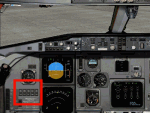
In this new version, new Boeing clock, Fuel, altimeter, vertical speed, altitude and RMI gauges are added. This panel was rearranged from existing panels. All the main gauges (throttle quadrant, radio stack, overhead panel) are displayed on the main panel. Landing, taxi, logo, panel, strobe, bcn and nav light switches, pitot heat, yaw damper, wing ice, oil temp and exhaust gas temp gauges, no smoking and seatbelt switches, auto start and engine start buttons can all be viewed on the overhead panel that is on the main panel.
Fly in 1024 resolution or higher.
| Filename: | Boeing_737400_V4.zip |
| License: | Freeware |
| Added: | 5th July 2003, 20:10:49 |
| Downloads: | 3,343 |
| Author: | By Targan UNUTMAZ |
| Size: | 2.65 MB |
| Category: Flight Simulator 2002 - Flight Plans | |
| 51RTWest |
|
File Description:
An FS2002 GPS flight Plan by the Ancient Brit. The 51st in a series of Round the World flight plans for the FS2002 default scenery. Depart Vagar (EKVG) The Faroes runway 31 and arrive 1 hour 33 minutes later at Reykjavik (BIRK) runway 20, Iceland. If you missed out on seeing the Lesser Spotted Haggis during 49RTWest, now is your chance to meet the Ice Maiden.. The flight briefing (Word and text) is for the default B737-400; it contains climb, cruise, top of descent and fuel loading details, waypoint timings and destination details.
| Filename: | 51RTWest.zip |
| License: | Freeware |
| Added: | 13th March 2003, 19:09:24 |
| Downloads: | 576 |
| Author: | Denis Egan |
| Size: | 20.76 KB |
| Category: Flight Simulator 2004 - Aircraft Repaints, Textures and Modifications | |
| FFS Saab 340 MFD Modification |
|
File Description:
This modification of the payware Flight Factory Simulations Saab 340 will allow you to view the Cruise Power settings on your MFD just like the real aircraft. Upon reaching your cruise altitude, you can select the appropriate page with either Anti-Ice on /off for your selected altitude. This will allow you to select the max power for Cruise just like the real aircraft without fumbling through charts or manuals. This is Version 2 with the fix of 10 lines per page instead of 11 so that all the settings are displayed
| Filename: | FFS_Saab_340_MFD_Modification.zip |
| License: | Freeware |
| Added: | 17th September 2006, 14:48:17 |
| Downloads: | 1,630 |
| Author: | Benny Miller /Cruise Power Settings Pages |
| Size: | 39.43 KB |
| Category: Flight Simulator 2002 - Panels | |
| Boeing 757 Panel Version 1.1 |
|
File Description:
FS2002 Boeing 757 Panel (As Real As It Gets). The most realistic 757 panel available. Designed and Programmed by a 757 pilot. Systems include: Hydraulic, electric, APU, IRS, pneumatics, anti-ice, FIRE, Standby systems and more. All systems were custom programmed to work together. Includes full overhead, pedestal, start panels and a FMC that contains real 757 performance data. Includes a SIM panel so you can practice engine failures and fires on takeoff or in flight and various system failures. Includes a Virtual First Officer to make call outs for you.
| Filename: | Boeing_757_Panel_Version_11.zip |
| License: | Freeware, limited distribution |
| Added: | 29th January 2003, 23:18:05 |
| Downloads: | 53,794 |
| Author: | Lonny Payne |
| Size: | 14.28 MB |
| Category: Flight Simulator X - Gauges | |
| DA Fokker 70 Panel Controller V2 |
|
Images related to this file:
File Description:
This release covers the changes to the panel.cfg file after updating the DA Fokker to the latest release.
After flying the DA Fokker 70 and 100 for a while, I realised that not all FS pilots would have access to a programmable joystick that would enable them to assign a button to operate the various pop-up panels in the Fokker, so I thought that a gauge mounted on the flight panel that centralised the controls for the pop-up windows may be a handy addition. After adding the gauge you will be able to access the following pop-up panels using the mouse from one centralised position on both the Pilot Flying and First Officer the panels. From left to right the pop-up panels are as follows.. The Upper Row Includes the Overhead Upper, Overhead Lower, Pedestal Forward. Pedestal Middle and Pedestal Rear... The Lower Row Includes the Radio Stack, CDU, Doors and Ground Power, Secondary Annunciator Panel, Enlarged Left Hand MFDU Also included are instructions on how to add the Groundhandling gauge by Rob Barendregt to the Doors and Ground Power panel of the Fokker.
| Filename: | DA_Fokker_70_Panel_Controller_V2.zip |
| License: | Freeware |
| Added: | 2nd April 2010, 19:35:25 |
| Downloads: | 1,801 |
| Author: | Jim Hodkinson |
| Size: | 365.81 KB |
| Category: Flight Simulator 2004 - Miscellaneous Files | |
| Repackage of "Working Wipers" |
|
Images related to this file:
File Description:
--Repackage of "Working Wipers" for FS2004. Original package by Guy De Smet.--
Several simmers, who were having issues attempting to install the "Working Windshield Wipers" package requested I re-do the package with clearer instructions. This re-do includes the following changes:
1. New comprehensive (hopefully easier to understand) instructions;
2. Setups for the default Cessna 172 and Boeing 737-400;
3. Conversion of the "gauge" to a .cab file;
4. Sample screenshots.
A copy of the original package is also included. Please unzip this archive to a temporary folder and follow the detailed instructions. Original gauge by Guy De Smet. Re-packaged for your flying enjoyment by David "Opa" Marshall.
| Filename: | Repackage_of_Working_Wipers.zip |
| License: | Freeware |
| Added: | 10th July 2010, 20:26:19 |
| Downloads: | 904 |
| Author: | Guy De Smet, David "Opa" Marshall |
| Size: | 291.98 KB |
| Category: Flight Simulator 2004 - Flight Plans | |
| OB-11 Richmond KY (Old) |
|
Images related to this file:
File Description:
FS2004 Flight Plan for OB-11 Richmond KY (Old) IFR high speed low altitude military training route. This is the fifth in a series of flight plans I have uploaded. These are great routes for B-52, F-111, B-1B, B-2 A6, A4, Vulcan and any fighter or bomber enthusiasts. Of course you can fly the route with any aircraft of your choice. Included in this package is a gauge by Karol Chlebowski for TFR flying at very low altitude. This gauge will greatly enhance your ability to fly these challenging routes and is a great companion of the flight plans. Another option to download Version 2.0 of my FS2004 mini panel which has all this functionality and more.
| Filename: | OB11_Richmond_KY_Old.zip |
| License: | Freeware |
| Added: | 27th July 2011, 23:03:13 |
| Downloads: | 67 |
| Author: | Bill McClellan |
| Size: | 93.31 KB |
| Category: Flight Simulator X - Gauges | |
| FLTInfo V2 |
|
Images related to this file:
File Description:
This gauge has been developed for FSX Flight Simulator SP2 or SP1. It should also work with Acceleration, but this is not guaranteed by the author.
The gauge provides flight information for the pilot regarding the destination airport in terms of frequencies, runway conditions, altitude, bearing and distance, and basic information about the flight plan like current travelled miles and a estimated calculation about the Top Of Descent (TOD ) decision point.
This Version 2 includes 3 additional information pages for the runway layouts of the destination and the departure airport, and a page which provides graphical information about the terrain level relative to the aircraft on the selected flight plan.
For more information and installation instructions see the documentation inside the zip file.
| Filename: | FLTInfo_V2.zip |
| License: | Freeware, limited distribution |
| Added: | 12th October 2012, 18:05:11 |
| Downloads: | 1,553 |
| Author: | Dietmar Loleit |
| Size: | 853.38 KB |
| Category: Flight Simulator 2004 - Panels | |
| POSKY 757-200/300 See and Click More Gauges in Virtual Cockpit |
|
File Description:
POSKY 757-200 and 757-300 are great planes to fly. But the Virtual Cockpit has some limitations, due to the design of the model itself.
These set of instructions can`t modify this... but you can have a few more gauges in the Virtual Cockpit if you follow them.
Add this gauges to your Virtual Cockpit
--- Fuel Status Gauge (remain, used, flow, etc) this gauge came in a freeware panel By John J Schumacher
--- Switch Nav/GPS
--- Pitch Trim indicator
--- Beacon-nav-light switch
--- Nose-light switch
--- Strobe-light switch
--- Taxi-light switch
--- Pitot Heat switch
--- DeIce switch
--- Throttle Display Toggle
--- Avionics Display Toggle
--- GPS Display Toggle
--- Autobrake
| Filename: | POSKY_757200300_See_and_Click_More_Gauges_in_Virtu.zip |
| License: | Freeware |
| Added: | 1st February 2004, 02:46:40 |
| Downloads: | 2,985 |
| Author: | Gerardo Valdivia |
| Size: | 231.04 KB |
| Category: Flight Simulator 2002 - Panels | |
| Boeing 737-800 Control Panel Auto Install |
|
File Description:
This is an auto install file for my 737-800 Panel Version #2 to eliminate some install confusion. This file places all the gauges, sounds files, bmp's, and panel cfg alias in their proper places reducing the installation time and maximizing your flight time enjoyment.
NEW FEATURES TO THIS VERSION:
New features to this version include crew announcements with seat belt and No Smoking gauge on toggleable overhead panel (please use from left to right-order of useage) with warning gauges and wind speed/directional gauge. The AFG HGS Version 2 is included. Default UTC Clock/Sim Speed has been added. Custom toggle for the AFG HGS has been added to main panel for easier useage. Some interior views have been added as well.
| Filename: | Boeing_737800_Control_Panel_Auto_Install.zip |
| License: | Check within download |
| Added: | 9th January 2003, 18:06:07 |
| Downloads: | 3,723 |
| Author: | Tom Dennis |
| Size: | 6.72 MB |


© 2001-2026 AVSIM Online
All Rights Reserved
Privacy Policy |