
Where Flight Simulation Enthusiasts Gather from Around the World!
AVSIM Library - Search Results

| Category: Flight Simulator 2004 - Panels | |
| DC3 Photo-real Modern, Re-built Panel |

|
File Description:
This panel is made from a photograph of a modern day DC3. It features a unique 1950's-1960's style radio array mounted on top of the panel. The default King Air Radio gauge has been modified to work with it. The full version includes all working gauges, including VOR, ILS, the compact King Air autopilot, a repostioned GPS, and the default DC3 pop up windows for electrical, engine, and other controls. This shareware version, for evaluation purposes, is limited in gauge functions, color blending, and visibilty. It also includes the Right and Forward-Right cockpit views for evaluation of the full set of 7 inside views. The full set includes cargo and passenger options, from two different DC3 aircraft in use today (see screen shots). Also included as freeware, is the modified DC3 MDL file by Clive Ryan (dc3_mdl.zip), with permission. This will switch off the default virtual cockpit, so it does not conflict with the internal views. Or, if you know how to hex-edit, you can modify your own default MDL file, by following Clive's tutorial, which is included (only recommended for advanced users). You can also install only the panel, without using the modified mdl file. Includes choice of 1024x768 or 800x600 image resolution sets. By Will Fisher
| Filename: | DC3_Photoreal_Modern_Rebuilt_Panel.zip |
| License: | Shareware, limited functionality |
| Added: | 3rd December 2004, 22:21:38 |
| Downloads: | 2,524 |
| Author: | Will Fisher |
| Size: | 3.36 MB |
| Category: Flight Simulator 2004 - Miscellaneous Files | |
| Nick's Prop Dust with Control Gauges |
|
File Description:
Prop aircraft users are in for a real treat. This gauge/effects package automatically senses the terrain the aircraft is in contact with or flying over and changes the dust and water effects for the aircrafts prop/rotor wash based on dirt, dry mud or clay, snow, rain, water, ice, sand, gravel and short grass. In addition the real time surface conditions are also sensed. In example, a dry asphalt or concrete runway will produce no dust, however, the same runway with snow conditions present will automatically produce a throttle controlled snow blowing effect. The 25 included effects files and 5 gauges have been tuned to reflect a realistic representation of the dust/mist produced by different types of aircraft taking off or touching down on different terrains and surface conditions. The effects are properly influenced by cross wind conditions and reverse pitch is also supported. Effects files and gauges are included for large and small, single engine, multi-engine, amphibians, helicopters and massive scale military and commercial transports. It requires editing/adding lines in the aircraft.cfg and panel.cfg files. The README files include very complete and comprehensive instructions including a quick and easy copy/paste file for all the Microsoft prop aircraft and tutorial on making custom gauges from the ones provided.
By Nick Needham
| Filename: | Nicks_Prop_Dust_with_Control_Gauges.zip |
| License: | Freeware |
| Added: | 8th December 2003, 17:07:07 |
| Downloads: | 7,298 |
| Author: | Nick Needham |
| Size: | 1.22 MB |
| Category: Flight Simulator 2004 - AFCAD Files | |
| La Guardia |
|
File Description:
A high quality AFCAD2 file the New York La Guardia (KLGA) scenery by Shehryar Ansari. This file features assigned gates for all airlines that currently serve LGA. In order to ensure only 'mainline' aircraft use the jetbridges, a new 'Express' apron for Dash 8 and RJ size aircraft is provided near the Central Terminal and also adjacent to the US Air and Delta Terminals. An extensive GA parking area has also been added to the west side of the airport and includes 4 Helipads. A tower view is provided for the airport and both runways are also in use to maximize traffic flow. The Marine Terminal (Delta Shuttle) and US Airways (Shuttle) areas now have seperate parking codes. The txt for these codes is included in this zip, to add to your 'ParkingSpecs' document. Every available space at this airport has been used to provide a total of 140 parking positions, comprising 42 gates for regional jets, 59 gates for mainline aircraft, 4 Cargo Ramps and 35 GA ramps. A very easy to use tutorial explaining how to make AI Delta Shuttle aircraft use only the Marine Terminal and US Air Shuttle aircraft only use the US Shuttle Terminal is included. This package also includes screenshots showing the effects that this file has on your AI traffic. Requires the excellent scenery addon LGA2004.zip by Shehryar Ansari. This file is not recommended to be used with the default FS airport.
| Filename: | La_Guardia.zip |
| License: | Freeware |
| Added: | 1st February 2005, 04:51:36 |
| Downloads: | 8,785 |
| Author: | Lee Brompton |
| Size: | 4.2 MB |
| Category: Flight Simulator 2004 - Miscellaneous Files | |
| Nick's AI Jet Exhaust With Control Gauge |
|
File Description:
Hanging around the airport watching the A-I traffic and chasing A-I jet aircraft just got a little more interesting. Enjoy watching your entire A-I jet fleet as they display engine heat shimmer effects -after- push-back from the terminal and during taxi to the active runway. All the A-I traffic take off displaying a lite, expanding, frame-rate friendly and nicely scaled high throttle heat/exhaust trail FX which remain with the A-I aircraft during its entire flight. To top off the show, the A-I aircraft that are throttled down and landing display no exhaust from the engines! This package also comes with a gauge that allows pilot throttle control of the taxi heat shimmer/full-throttle exhaust FX for the jet aircraft being flown in the sim by the user. This package does NOT interfere with the logo, taxi or wing lights of any aircraft and comes with 5 all new exhaust effects files which can be applied to just about any size private, commercial or military jet. It requires editing/adding lines in the aircraft.cfg and panel.cfg files. The README files include very complete and comprehensive instructions including a quick and easy copy/paste file for all the Microsoft jet aircraft and tutorial on making custom gauges from the one provided. This package completely replaces my original *Nick's Jet Smoke* package and any/all updates for it.
By Nick Needham
| Filename: | Nicks_AI_Jet_Exhaust_With_Control_Gauge.zip |
| License: | Freeware, limited distribution |
| Added: | 22nd December 2003, 21:16:01 |
| Downloads: | 29,959 |
| Author: | Nick Needham |
| Size: | 894.61 KB |
| Category: Flight Simulator X - Original Aircraft | |
| American Airlines Boeing 787-900 |
|
Images related to this file:
File Description:
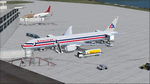
The Boeing 787 is one of the most sophisticated aircraft ever designed, and I have worked on several FS models from even before the real aircraft was ever built. I have accumulated so much data relating to this plane that I can now incorporate real world dynamics for it based on extremely realistic information. The aircraft offered here has been modified to offer all of that realism. In the real world, the 787 is flown primarily with autopilot controls, and this model is no different. It doesn't take a lot to fly this plane, and if I were to be offered the challenge I think I'd be up and flying within a few minutes, in a real 787. Because of this, I offer no advise other than normal flight rules.
If you are new to FSX, please learn through the on-board tutorials. I am not a tutor. I do not have anything to do with cosmetics. I do not design panels. All I do is help educate you about the realism of aircraft design. You can look at the aircraft.cfg and the .air file (Airfile Editor Required) to see what I've done in comparison to the original model, but I will not really help you with tutorial related issues. If you find something you think is wrong, let me know. Otherwise, enjoy this model and fly her like the real thing.
Everything I've done here is for educational purposes without any expectation of any monetary gain, and offered publicly for free. What I offer here is protected by the Fair Use Doctrine of International Copyright Law, and you are free to study this as follows:
https://www.law.cornell.edu/uscode/text/17/107
All persons involved with this and the original design are credited, unless they are unknown and have offered no credit details.
Model Designer: Camil Valiquette
Sound: Emil Serafino
Panel: Marco Spada
Real World Dynamics, Effects and Data: Douglas E. Trapp, [email protected]
July 2017
| Filename: | American_Airlines_Boeing_787900.zip |
| License: | Freeware |
| Added: | 15th July 2017, 16:46:49 |
| Downloads: | 863 |
| Author: | Douglas E. Trapp |
| Size: | 41.65 MB |
| Category: Flight Simulator X - Scenery | |
| Freeware Project Kobe X (RJBE) Japan |
|
Images related to this file:
File Description:
Freeware project KOBE X (RJBE) Japan. Contains fully detailed airport with custom ground polygons. Accurate 3d model and texture of all the building of the airport including the terminal, control tower, hangars, bridge and many more. Please note that this project was my initial experience in many fields of scenery design so take it as it is and enjoy flying in Japan. The design is never done but I think it was ready to be released. Still have some work to do with the animated jetways and night lighting for my next "payware" project (KSAN, San Diego Intl). It's going to be far better than this freeware.
You can download the world of ai installer and install the All Nippon Airways package and maybe the JAL too. The jetways are not animated but you can park a 747 in gate 1, a 767 in gate 5 and a 737 in gate 6 and be perfectly aligned with the jetway door.
Also I've not try this scenery in a less powerful computer than mine. I run a Windows 7, I7-950 @ 3.8 GHz and a GTX 570. So don't get mad if you're having bad performances :). With all sliders in the "display settings" set to max I've around 20 fps in the virtual cockpit of the level-d 767. You'll get a nicer airport with also the global texture resolution set to max, water effects set to High 2.x and traffic to ultra-high. Do not turn on Ground scenery shadows as it will make a shadow for the entire airport (ground poly).
I've some tutorial on my YouTube channel (n170toga) on how to make fsx sceneries if you are interested. Don't forget to subscribe there and have updates for the upcoming scenery. Please review this airport if you like as I will learn a lot for my next
project and it's only going to be better.
This scenery is a freeware and should be considered as a freeware. Arigato, Sagga Toure (Devinci), Devinci Design and Development (3De)
| Filename: | Freeware_Project_Kobe_X_RJBE_Japan.zip |
| License: | Freeware |
| Added: | 12th June 2011, 08:28:51 |
| Downloads: | 6,660 |
| Author: | Sagga Toure |
| Size: | 66.48 MB |
| Category: Prepar3D V1-4 - Utilities | |
| Flightplan Visualizer 1.15 |
|
Images related to this file:
File Description:
Flightplan Visualizer (FV) version 1.15.0. Copyright 2018-2020 by Pelle F. S. Liljendal ([email protected]), all rights reserved.
FV comes with 738 pre-imported Commercial AI flightplans (+380 BizJet flightplans are available as a separate download). However you are able to import additional (AI) flightplans yourself. Once imported these (AI) flightplans can be visualized on a map-view, and the user will be able to search accross all these. Hence you can use the program as inspiration as to which routes to fly. E.g. you can search across all imported flightplans to find all flights in an A321 flying into/out from LDDU, or simply to look for all flights in a Boeing 747-8F.
Simply run the included installer to install the software. The program will be installed into "C:\Program Files (x86)\Flightplan Visualizer" and all datafiles will be installed into: "C:\Users\[UserName]\AppData\Roaming\FlightplanVisualizer". The program comes with a full manual explaining everything, and a 3 page quick manual to get you started. The first 3 times you run the program the quick manual will automatically open. The forum is hosted here: https://forum.aerosoft.com/index.php?/forum/919-flightplan-visualizer/
Version 1.15 Contains the following changes:
- As a first, you can now import flightplans even if one or more aircraft-types cannot be automatically detected during import. These will instead be assigned to a dummy-type during import, however you need to manually assign substitute aircraft-type(s) before being able to save the imported flightplan. If/when the program gets support for the aircraft-type(s) that were missing during import, the substitute aircraft-types can either be re-detected manually or by using the "Re-process aircraft/airport-redirects" menu-item.
- Added a combo-box that can be used to filter the flightplans that are shown in the flightplan combo-box on the main-form (e.g. enter "west" to see only flightplans containing "west" in the name). Hovering the mouse over this new filter combo-box will show examples of the more complex filters (e.g. filter by provider, author, season, year, and so on).
- In version 1.14 user-airlines were added, and these could be accessed via a menu-item on the main-form. However in version 1.15 you can now also add user-airlines from the import-flightplan form, so you don't have to abort a pending import, and go to the main form in case you find you are missing a user-airline.
- Added MRU-lists (Most Recent Used) to the browser-forms used to search for: Airport, Aircraft and Airline. The text-edit in the top of these forms have been replaced by a combo-box holding up to 20 items (in chronological order, with the most recent at the top).
- Added a new chart to the Airport Info form showing: "Daily flights per international/domestic/same state".
- Added Utilization-pct to the fleet report (both total for the entire fleet, and per aircraft). The Utilization-pct is also visible for the displayed schedule (for a single aircraft) in the Leg-Info form. This value tells the pct of time the aircraft spends servicing the schedule (the remaining time the aircraft "sits at the gate", including the time spend loading/unloading passenger and cargo, loading fuel, being serviced by ground-crew and what not).
- On the main-form, renamed menu-item "Re-process airport-redirects" into "Re-process flightplans".
- Distance from selected airport to mouse-position on main-map moved from the bottom of the form to the upper/right-corner of the form (where info of selected airport is listed).
- Using the (right-click) context-menu on the main-form airports can now be toggled (on/off) as being favorites.
- A few minor changes were made to the default leg search criteria. If you have saved your own default, you should go to the leg search form, press-and-hold SHIFT while clicking the "Reset" button (to reset to "factory default"), then set the criteria to your perferences, and finally press the "Save Reset" button to re-save your preferences.
- Added MRU-list (Most Recent Used) to fuel-density combo-box on Unit Conversion form. If empty, the list will be preloaded with the values 0.7850 (old default), 0.8040 (often used as a standard for Jet-A), 0.8200 (often used as a standard for Jet-A1). The user is still able to enter another value.
- The values used in the unit-conversion form are saved with the settings file, so each time you open the form will contain the values entered last time you used the form.
- Tweaked the method for calculated flight-time. In previous version the same parameters were used for calculating flight-time for all flights. Now these parameters are dependant on distance, resulting in calculated flight times that are closer to those used in the flight-plans (based on statistic-data from +700.000 AI flights).
- Some of the aircraft have been marked as "Retro", and in settings you can choose to exclude the "Retro" (they are enabled by default).
- Improved (Boeing) aircraft-type detection when importing flightplans using non-standard naming, such as "B744F" in stead of "747-400F" or "B736" in stead of "737-600".
- Updated all libraries in use to the latest versions, and addressed some minor issues with the map.
- Fixed: Newer versions of MyRwy are outputting airport elevation as a floating point value (e.g. "629.92") whereas older versions were outputting it as an integer value (e.g. "630"). In previous versions of FV the floating point value "629.92" was wrongly read as an elevation of 62992 ft. The program can now both handle floating point and integer values, hence can be used with both old- and new versions of MkRwy.
- Fixed: When adding new user-airlines in version 1.14, callsign was being set to the name of the airline, in stead of the entered callsign. If you added any user-airlines in version 1.14, you should edit these with version 1.15, and set the callsigns again.
- Fixed: If a Leg search was active (combo-box in bottom of main-form showing "[Last Search]") and all flightplans were disabled in "Enable/Disable -flightplans" the program would shut-down with an exception.
- Fixed: The list of the airline-codes (gate-tab on Airline-Info form) started with a comma, however comma should only be used to separate the items when multiple airline-codes were associated with the same gate (3rd party scenery only).
- Fixed: In some cases the cruise-speed was not shown correctly in the Aircraft search form.
- Fixed: Some of the menu-items for launching the (YouTube) tutorial-videos were missing the tool-tip text ("Hold SHIFT to copy url to clipboard").
- Fixed: About-box can now be closed with ESC, like most other forms.
- Fixed: potential issue reading xml-data, perhaps with a the benefit of a slightly better performance.
- Data: Added support for flightplans using "retro" aircraft types such as: Aerospatiale SE-210 Caravelle, British Aerosapce ATP/BAC One Eleven, Concorde, DC-3, DC-4, DC-6, DC-8, De Havilland Comet, Fokker F28, Hawker Siddeley HS 121 Trident, Ilyushin Il-18/20/22/24/86, Lockheed Constellation/L-188 Electra, Shorts SC-5, Tupolev TU-134, Vickers VC10/Viscount, and thanks to user Aucery Lockheed 1011.
- Data: Support for additional aircraft-types added as well: BN-2A Trislander, CASA C-212/C-235, CubCrafters XCub, DHC-2 Beaver/Turbo-Beaver, DHC-3 Otter, DHC-5 Buffalo, Diamond DA-42/62, Extra EA-300, Honda HA-420, ICON A5, NAMC YS-11, Mooney, Mudry CAP 10, Pilatus PC-6/PC-24, Piper Cub/Super Cub, Robin DR-300/400, Shorts SC-7, Tecnam P2012/P2006T
- Data: Some of the aircraft-types, for which multiple ICAO/IATA-codes exists, were split into two (one for Pax and one for Freight), e.g. Convair 580, DC-9-10/30/40, and Il-96. As a result you should execute "Re-process flightplans" (found in the "Flightplan" menu), and "Re-detect all" aircraft.
- Data: A few missing aircraft IATA/ICAO codes were added, and some "behind the screen" data for multiple aircraft were updated as well.
- Data: A few Airlines were added/updated (a big THANK YOU to Bruce Nicholson for the assistance keeping these data up-to-date).
- Flightplans: The good people over at AIG (Alpha India Group) have once again been VERY busy since the last release, hence the installer comes with 298 new/updated pre-imported flightplans, bringing the total of flightplans bundled with the installer to 738.
- Flightplans: A few flightplans were bundled with the program in duplicates (2 slightly different names, or 2 different seasons). These duplicates have been marked as obsolete, and have been removed from the installer. Using the "Select all obsolete flightplans" menu-item in "Enable/disable-flightplans" you can mark these flightplans and move them to the "Disabled" folder, from where they can be deleted.
Pelle
| Filename: | Flightplan_Visualizer_115.zip |
| License: | Freeware, limited distribution |
| Added: | 20th March 2020, 17:08:52 |
| Downloads: | 378 |
| Author: | Pelle Liljendal |
| Size: | 28.9 MB |


© 2001-2026 AVSIM Online
All Rights Reserved
Privacy Policy |