
Where Flight Simulation Enthusiasts Gather from Around the World!
AVSIM Library - Search Results

| Category: Flight Simulator 2004 - Gauges | |
| Integrated Simavionics: Dreamfleet 727 GNS Edition 1.0 |

|
File Description:
Here's probably the best addition to your favorite Trijet! The Dreamfleet 727 sure is one of the best simulated classic airliners out there for Flight Simulator, but being a classic, it also brings some problems when flown in a modern air traffic environment. Radio navigation alone just won't do it anymore, especially if you fly online with real controlers. A "go direct XXX" instruction can easily turn into a nightmare - nowadays technology offers some things to ease the workload and increase safety, and it's time to use these means wherever possible.
Boeing 727 jets are still being flown in almost all parts of the world, mostly as freighters, and almost all of them have been updated with modern avionics, ranging from small GPS devices up to full blown glass cockpits with flight management computers.
Thanks to Ernie Alston and his "Integrated Simavionics", you will now be able to equip your fleet of Dreamfleet 727 aircraft with a GNS, allowing not only detailed flight planning but also access to many informations that will very useful during your flights. In case you haven't already done so, now would be a good time to pick up the manuals that came with the "Integrated Simavionics Package" to learn about the many new possibilities you will gain by adding the GNS to your cockpit. The gauges will be added both to the 2D and 3D cockpits!
Another benefit you get with this package: the Virtual Cockpit textures will now appear in a much higher resolution, providing crisp and clear instruments and a much better look! Note that this is only enabled with the GNS-equipped cockpits.
| Filename: | Integrated_Simavionics_Dreamfleet_727_GNS_Edition_.zip |
| License: | Freeware |
| Added: | 6th December 2007, 16:08:58 |
| Downloads: | 3,618 |
| Author: | Nick "MeatWater" Schreger |
| Size: | 793.25 KB |
| Category: Flight Simulator 2002 - AFCAD Files | |
| ScotFlight AFCADs and Flightplans V1.0 |
|
File Description:
AFCADs, flightplans and aircraft for the newly released ScotFlight commercial scenery by VisualFlight
The newly released ScotFlight scenery by Visual Flight (www.visualflight.co.uk) is a beautiful rendition of the Scottish landscape and landmarks. It contains many new airports which were not included in the default FS2002 and I have had the pleasure of beta testing it for the last 4 months or so.
My freeware add-on package is in 4 parts:
1) AFCAD files for all of the airfields and airports included in the ScotFlight scenery. This will allow the smaller airfields to appear on the FS2K2 GPS unit and all will be listed in the World/GOTO menu.
2) EditVoice files for the new airfields so you will hear the correct names on the radio. (optional)
3) General Aviation flightplans for all of the airports, which can be added using TTools v1.3.3 by Lee Swordy.
4) Scheduled airline flightplans for flights to/from Scottish airports and small islands. Including 99.9% COMPLETE UK flightplans for Eastern Airways and 15 (yes fifteen!) individual BAe Jetstream J41 models, courtesy of Tom Woods, to use as AI traffic on the Eastern Airways routes. Plus directions where to get other suitable aircraft for, ScotAirways, BA Loganair, EasyJet and Highland Airways. Many thanks to Tom for his hard work repainting all the registrations for the Eastern fleet!
PLEASE READ THE INSTALLATION INSTRUCTIONS CAREFULLY! Anyone with the AFCAD and TTools programs by Lee Swordy should have no problem installing these files but, it needs care and attention to get them right.
Special thanks to:
Lee Swordy (AFCAD and TTools)
Tom Woods (The Eastern Airways fleet)
Daniel Parrot (For a great Eastern ERJ135 and ScotAirways ATR42)
Mike Holland (GA Maker)
Lars Møllebjerg (EditVoice)
Iain Gallacher,Iain Murray and John Farrie of VisualFlight for their great scenery and approval of my add-on package.
| Filename: | ScotFlight_AFCADs_and_Flightplans_V10.zip |
| License: | Freeware, limited distribution |
| Added: | 14th March 2003, 16:29:06 |
| Downloads: | 1,042 |
| Author: | David (The Fid) Fidler |
| Size: | 4.94 MB |
| Category: Flight Simulator 2004 - Scenery | |
| St Michael Island in Alaska-St Michael 5S8 and Stebbins WBB |
|
Images related to this file:
File Description:
St Michael Island is 50 miles southwest of Unalakleet, an island that in fact appears to be a cape and a firmly attached piece of the mainland. On the island there are two villages, St Michael on the northeast corner and Stebbins on the northwest. St Michael has a new airfield that is west of the village by around a mile or so, with a gravel runway 4,000 feet long. The old and now closed airport was known as SMK, and is now readily identifiable by the new red-roofed school building that occupies the centre of the runway. The new airfield now has an icao code of PAMK, but FS9 does not readily accept icao code changes so we are stuck with the original code it was given, 5S8. The SMK icao of the old airport will still show on your gps as if I deleted it the runway would also have to be deleted, and a substitute and unsatisfactory gravel apron made to impersonate a runway. Stebbins is 5 miles west of St Michael and next to the shore, a smaller village than St Michael with around 250 inhabitants. The airfield is at the southern end of the village and has a gravel runway that is 3,000 feet long. The icao code is WBB. There is no AI included here as it was already included in the post of Shaktoolik. There is a correction here for Shaktoolik, which I now find should have had a blue garage, not a red one; I wrongly named a photo. A note here about my scenery making. This is post number 501 and there will not be many more to follow this as I am almost at the end of the photos I took or found for scenery purposes. There is a limit to what can be located online and I have already been making use of the little there is; eg Unalakleet. So, if you are near an airfield (preferably Canadian or Alaskan) and have a camera..... Let me know.
| Filename: | St_Michael_Island_in_AlaskaSt_Michael_5S8_and_Steb.zip |
| License: | Freeware, limited distribution |
| Added: | 1st August 2019, 16:45:58 |
| Downloads: | 93 |
| Author: | Roger Wensley |
| Size: | 3.88 MB |
| Category: Flight Simulator X - Scenery | |
| Kiwi360 (KiwiFruit Country)- Custom buildings, helipad, Hi Res photoreal, Aerius R22 Repaint. Te Puke, New Zealand |
|
File Description:
Kiwi360 (formally know as Kiwifruit Country) is a theme park based around the Kiwifruit (AK.A Chinese Gooseberry or Zespri- The trade name) which is a major export of New Zealand grown predominately in the Bay of Plenty Region. The park is situated about midway between Tauranga and Whakatane, about 5km east of the township of Te Puke.
The Bay of Plentys sunny climate ensures good growing conditions for the delicious fruit and has also spawned a mini tourist industry of tours of the orchards and sorting/packing/coolstores. These include tourist flights by Aerius (http://www.aerius.co.nz ) using a Robinson R44 helicopter.
This scenery was made after a visit when carrying out a GPS survey: I took a few photos and whacked it up. It isn't perfect but will be useful for flights in small helos (I.e. Robinson R22, R44 or Hughes 300/269).
It includes the famous giant Kiwifruit slice, the helipad next to it; the main Kiwi 360 building; a large coolstore/packhouse and the backpackers next to the park. It also includes a lot of library objects (especially trees- If these are adversely affecting performance, you can disable this bgl)
This is placed on a high resolution aerial photo provided by Environment Bay of Plenty.
The scenery also has reflection maps and night maps for those who like getting up at the crack of dawn or simulating frost protection work (although I don't believe the pad is certified for night operations in real life).
The download also includes a repaint of the default Robinson R22 in the colours of ZK-HJZ (in actual fact an R44) kindly provided by James Eden from the ARNZ Forums (see the readme for the .cfg entry to add this repaint)
This helipad isn't in controlled airspace but Tauranga Tower is nearby and will need to be called before entering their airspace (above 2500ft LL for the CTA or within about 10nm of Tauranga for the CTZ) Radio procedures are carried out on Christchurch Information 125.5 for flight following/planning.
| Filename: | Kiwi360_KiwiFruit_Country_Custom_buildings_helipad.zip |
| License: | Freeware, limited distribution |
| Added: | 29th June 2008, 06:05:29 |
| Downloads: | 2,455 |
| Author: | Tim Barnes, James Eden |
| Size: | 11.63 MB |
| Category: Flight Simulator X - Missions | |
| Discover FSX Flights (FMCH - FMCZ) 160 NM |
|
File Description:
Flight 12 (FMCH - FMCZ)
With all the many airports and various terrains on FSX, I have decided to contribute to the wonderful FSX flight community by providing pre-selected
Flight plans which i have created using pre-selected VOR's , NDB's and way points, with careful selection of realistic departure and arrival tracks.
Weather your flying commercial Jets, or props or cargo, I am sure there is something here for you..check it out (Just place the included PLN file in your
saved routes folder) and Load it from the FSX flight planner and it will show up on your aircraft GPS and Flight Managment display, Pilots are strongly
recommended to adhere to altitude and speed restrictions, as that will make the flight more comfortable for both pilots and passengers, and will allow for
the enjoyment of the scenery and flight. I have included a Paint version of the flight plan with notes. The route is designed to be as as realistic as
possible, so pilots and aircraft are expected to follow strict departure and arrival stations.
Included here is my first flight : (Prince Said Ibrahim international / Comoros islands (FMCH) - Pamandazi / mayotte (FMCZ) (169 - nm)
Recommended departure time (05:00 AM DAwn)
Recommended Aircraft CantuEMB120.zip by Mr.Eric Cantu availabe at Avsim.com
recommended Weather (fair on departure) (grey and rainy on arrival)
Recommended call sign (Yankee 1 Foxtrot)
Flight number 12
Flight Time 33 minutes
Situation orientation (Fictional) : A struggling Morani based aviation company makes its bucks on a single boeing 707 servicing mombasa,
as well as two Embraer120 servicing the adjacent islands and airports, Flight 12 is a twice a week flight to Pamandzi (160 nm South of Morani / 30 mins hop)
Due to the timing of the flight (4:45 AM), its infamous with the pilots and passangers who despise getting this flight,but work is work and life goes on.
The residents of Dzaoudzi (arrival airport)
always look forward for flight 12's arrival as it brings home relatives, friends, the once in a while tourists as well as mail and supplies.
Your the captain of this flight today , Flight 12 to Pamandzi is now boarding, please display your boarding slips at the door and walk directly to the
aircraft.Goodmorning captain, coffee?
| Filename: | Discover_FSX_Flights__FMCH__FMCZ__160_NM.zip |
| License: | Freeware |
| Added: | 24th September 2007, 13:06:33 |
| Downloads: | 3,498 |
| Author: | Ali Zied |
| Size: | 375.37 KB |
| Category: Flight Simulator X - Aircraft Repaints, Textures and Modifications | |
| Boeing 747-8i Delta Northwest |
|
File Description:
FSX Boeing 747-8i Delta Northwest with advanced VC by Alejandro Rojas Lucena and VC Texture Upgrade by Enrique Cornejo. This gives the b747 a payware Virtual Cockpit look! It even has a pilot jacket hanged in the rear of the cockpit (besides the right jumpseat).
The panel.cfg and the aircraft.cfg have been assembled and edited by the Flightsim Workshop Team. Now you can pop up "My icons" window in the Virtual Cockpit to easily reach the following windows: GPS, avionics, map, ATC, Climb/Radio Altimeter/Spoiler switch, auto-break switch, throttle quadrant, clock, descentometer, kneeboard and overhead panel.
The aircraft has new engine views (from both wings) and new Virtual Cockpit interior views from the left, right and central jump seats.
The Delta Northwest texture is wonderful and it has a unique paintscheme by Mcphat Studios with a repaint by Enrique Cornejo which also includes details such as some stains caused by humidity and other details just like a real aircraft.
This aircraft uses the Project Opensky FSX Boeing B747-800 Model OSX748V4_GENX(MDL), and includes the gauge window Posky Utility to view the main stairs, ground cargo servicing, etc. The engine sounds are edited like the real ones with cockpit ambient, so you can enjoy a pleasant flight. The Flight Management Computer (FMC) is fixed and looks like a payware instrument. The VC includes FMC, Primary Flight Display (PFD) and Multi-Function Display (MDF) displayed in the correct size.
The virtual cockpit also has an Engine-Indicating and Crew-Alerting System also known as EICAS, Ground Proximity Warning System (GPWS), working wipers, cabin lights, fire suppression, avionics switch, fuel crossfeed, and you can identify those intruments in the overhead panel because they are bordered with color lines. You can also find landing lights switches, taxi light switch, engine generators, APU generator, battery switch, starter switches, de-ice switch, general lights switches which are a great work of Alejandro. So now the whole cockpit and texture upgrade with all these improvements looks better than a payware version. The clock numbers are now in orange which makes them look better and easily recognizable.
Assembled and edited for FSX by Enrique Cornejo.
| Filename: | Boeing_7478i_Delta_Northwest.zip |
| License: | Freeware |
| Added: | 13th January 2013, 01:24:18 |
| Downloads: | 1,960 |
| Author: | Enrique Cornejo |
| Size: | 78.71 MB |
| Category: Flight Simulator X - Aircraft Repaints, Textures and Modifications | |
| Boeing 747-8i Delta Northwest |
|
File Description:
FSX Boeing 747-8i Delta Northwest with advanced VC by Alejandro Rojas Lucena and VC Texture Upgrade by Enrique Cornejo. This gives the b747 a payware Virtual Cockpit look! It even has a pilot jacket hanged in the rear of the cockpit (besides the right jumpseat).
The panel.cfg and the aircraft.cfg have been assembled and edited by the Flightsim Workshop Team. Now you can pop up "My icons" window in the Virtual Cockpit to easily reach the following windows: GPS, avionics, map, ATC, Climb/Radio Altimeter/Spoiler switch, auto-break switch, throttle quadrant, clock, descentometer, kneeboard and overhead panel.
The aircraft has new engine views (from both wings) and new Virtual Cockpit interior views from the left, right and central jump seats.
The Delta Northwest texture is wonderful and it has a unique paintscheme by Mcphat Studios with a repaint by Enrique Cornejo which also includes details such as some stains caused by humidity and other details just like a real aircraft.
This aircraft uses the Project Opensky FSX Boeing B747-800 Model OSX748V4_GENX(MDL), and includes the gauge window Posky Utility to view the main stairs, ground cargo servicing, etc. The engine sounds are edited like the real ones with cockpit ambient, so you can enjoy a pleasant flight. The Flight Management Computer (FMC) is fixed and looks like a payware instrument. The VC includes FMC, Primary Flight Display (PFD) and Multi-Function Display (MDF) displayed in the correct size.
The virtual cockpit also has an Engine-Indicating and Crew-Alerting System also known as EICAS, Ground Proximity Warning System (GPWS), working wipers, cabin lights, fire suppression, avionics switch, fuel crossfeed, and you can identify those intruments in the overhead panel because they are bordered with color lines. You can also find landing lights switches, taxi light switch, engine generators, APU generator, battery switch, starter switches, de-ice switch, general lights switches which are a great work of Alejandro. So now the whole cockpit and texture upgrade with all these improvements looks better than a payware version. The clock numbers are now in orange which makes them look better and easily recognizable.
Assembled and edited for FSX by Enrique Cornejo.
| Filename: | Boeing_7478i_Delta_Northwest.zip |
| License: | Freeware |
| Added: | 13th January 2013, 01:02:31 |
| Downloads: | 990 |
| Author: | Enrique Cornejo |
| Size: | 78.26 MB |
| Category: Flight Simulator X - Original Aircraft | |
| TU-95MS Bear H |
|
Images related to this file:
File Description:
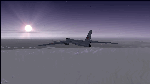
The Russian Air Force 37th Air Army operates the TU-95MS (TU-95M 55 Bear H) from the 182th TBAP unit based in Zavitinsk and 6213 BKHUAT based at Engels Air Base in the Moscow Region. It's use is primarily in maritime operations. She carries cruise missiles even if only used for submarine comms. Her initial design is a competitor with the B-52, but uses 4 Turboprop engines with 8 contra-rotating props. She can fly about as far as, but not as high as the B-52, nor can she fly as fast. She is often monitored off the coast of Alaska and easily met with F-22 Raptors every time. She is also often met by NATO fighters near European borders. Since 45,000 feet is about the highest she can cruise, most fighters can meet her. Her real danger is the cruise missiles which, if launched, have a range more than 1,500 nm and can pinpoint any directed target using GPS ground control. She is normally flown in formations of 3 or more, but sometimes only 2 are observed. She is not designed to fly fast over low terrain, like the B-52, but can do-so if necessary, and dangerously. The aircraft has not seen any major improvements or modifications since the cold war era, and several have crashed due to lack of maintenance. It is currently unknown how many are in service condition. Since much is unknown about this aircraft, yet enough is known to re-create an authentically working model, I have done-so here. Every bit of the aircraft.cfg file and associated .air file has been re-worked to match what known data can offer, and known aerodynamic formulas can equate. The most difficult aspect is the Turboprop aspect, since Turboprop engines do not work like jet engines in any way. Luckily for the simmer, there is no need to adjust feathering or anything like that would be necessary in a normal Turboprop because these engines are self-adjusting. Even though they meet the full known specs of the real engines, I have actually worked all the math to make them actual Turboprop engines (not pseudo-jet engines). That may sound exciting, but you must remember that she is a prop-driven aircraft, and not a jet. Even though you can fly her like a jet, the engines do not adjust like a jet. All aspects have been configured to meet realistic standards, including the MOI factors, weight/balance (including payload positions), gear locations, aircraft dimensions, light positions, engine smoke locations and operations, and weight. I did not simply throw this together, but have been perfecting her for many years. Original Modeler/Sounds: Vladimir Zhyhulskiy (2006); Panel: Marco Spada; Auto Smoke Effects: Richard Wisman; Aero/Engine Dynamics, effects, and details: Douglas E. Trapp, FS Flight Dynamics Engineer, [email protected], November 2018. The use of this model, and the configuration of such, is designed for free educational purposes, and protected by the Free Use Act: (https://www.law.cornell.edu/uscode/text/17/107). This model and/or aspects of such cannot be used for monetary purposes!
| Filename: | TU95MS_Bear_H.zip |
| License: | Freeware |
| Added: | 3rd November 2018, 23:28:41 |
| Downloads: | 742 |
| Author: | Douglas E. Trapp |
| Size: | 42.71 MB |
| Category: Flight Simulator X - Aircraft Repaints, Textures and Modifications | |
| Virgin Galactic Boeing 747-8i |
|
Images related to this file:
File Description:
FSX Boeing 747-8i Virgin Galactic with advanced VC by Alejandro Rojas Lucena and VC Textures Upgrade by Enrique Cornejo, founder of the Flightsim Workshop Project. This gives the b747 a payware Virtual Cockpit look and now with green leather tapestry on the sides of the seats. It even has a pilot jacket hanged in the rear of the cockpit (besides the right jumpseat). The panel.cfg and the aircraft.cfg have been assembled and edited by the Flightsim Workshop Team. Now you can pop up "My icons" window in the Virtual Cockpit to easily reach the following windows: GPS, avionics, map, ATC, Climb/Radio Altimeter/Spoiler switch, auto-break switch, throttle quadrant, clock, descent meter, kneeboard and overhead panel. A new feature in My Icons Window I added is a new Pitot Heat switch with ON and Off features, (XML gauge by Enrique Cornejo). cold weather, the Pitot Heat switch works just like in real life, so if its turned off the air speed indicator will stop working, so make sure you turn the Pitot Heat switch on before taking off!
The autopilot ON switches have green lights which make them look more realistic. Center ATC identification in this aircraft is "Boeing 747". We have also fixed the position of the strobe lights so when the aircraft is flying they are in the right place, so turn on the strobe lights switch after take off. The cockpit view from the pilots seat is now more comfortable because the distance between the cockpit and the seat is longer.
The aircraft has new engine views (from both wings) and new Virtual Cockpit interior views from the left, right and central jump seats. The brakes has a differential brake system to make smoother turns in ground. The Virgin Galactic Spaceship texture is wonderful and it has a unique paint scheme by Enrique Cornejo which also includes details such as some stains caused by humidity in the fuselage and the wing flaps and other details just like a real aircraft. Real smoke in the four engines, just select key, more cabin views, realistic cockpit and engines sound & more realistic night VC lights and fuselage night textures, in the VC just select key and reset the overhead Instrument panel light dim switch in the overhead panel. The aileron parameters have also improved, so now the right and left turns are smoother. This aircraft uses the Project Opensky FSX Boeing B747-800 Model OSX748V4_GENX(MDL), and includes the gauge window Posky Utility to view the main stairs, ground cargo servicing, etc. The engine sounds are edited like the real ones with cockpit ambient, so you can enjoy a pleasant flight. The Flight Management Computer (FMC) is fixed and looks like a payware instrument. The VC includes FMC, Primary Flight Display (PFD) and Multi-Function Display (MDF) displayed in the correct size. The virtual cockpit also has an Engine-Indicating and Crew-Alerting System also known as EICAS, Ground Proximity Warning System (GPWS), working wipers, cabin lights, fire suppression, avionics switch, fuel cross feed, and you can identify those instruments in the overhead panel because they are bordered with color lines. You can also find landing lights switches, taxi light switch, engine generators, APU generator, battery switch, starter switches, de-ice switch, general lights switches which are a great work of Alejandro. So now the whole cockpit and texture upgrade with all these improvements looks better than a payware version. The clock numbers are now in orange which makes them look better and easily recognizable. Assembled and edited for FSX by Flightsim Workshop Founder Enrique Cornejo. 78 MB
| Filename: | Virgin_Galactic_Boeing_7478i.zip |
| License: | Freeware |
| Added: | 21st February 2013, 18:56:28 |
| Downloads: | 1,940 |
| Author: | Enrique Cornejo |
| Size: | 77.73 MB |
| Category: Prepar3D V1-4 - Utilities | |
| Flightplan Visualizer 1.16 |
|
Images related to this file:
File Description:
Flightplan Visualizer (FV) version 1.16.0. Copyright 2018-2020 by Pelle F. S. Liljendal ([email protected]), all rights reserved.
FV comes with 765 pre-imported Commercial AI flightplans (+380 BizJet flightplans are available as a separate download). However you are able to import additional (AI) flightplans yourself. Once imported these (AI) flightplans can be visualized on a map-view, and the user will be able to search accross all these. Hence you can use the program as inspiration as to which routes to fly. E.g. you can search across all imported flightplans to find all flights in an A321 flying into/out from LDDU, or simply to look for all flights in a Boeing 747-8F.
Simply run the included installer to install the software. The program will be installed into "C:\Program Files (x86)\Flightplan Visualizer" and all datafiles will be installed into: "C:\Users\[UserName]\AppData\Roaming\FlightplanVisualizer". The program comes with a full manual explaining everything, and a 3 page quick manual to get you started. The first 3 times you run the program the quick manual will automatically open. The forum is hosted here: https://forum.aerosoft.com/index.php?/forum/919-flightplan-visualizer/
Version 1.16 Contains the following changes:
- First of all a big THANK YOU to AIG (Alpha India Group) for allowing me to add features to both download their flight-plans (actually a feature suggested by Kai Kamjunke who is one of the developers of AIG AIM and other AIG tools) and access their list of defunct/renamed flightplans. While giving thanks, I also want to thank all (AI) aircraft-model creators, repainters and those who create all the flightplans ... our virtual sky would not be the same without your hard and dedicated work.
- Added new form to download or install AIG flightplans (downloaded directly from the AIG-servers). The form will identify all flightplans that are newer than those already installed or flightplans that are not currently installed. You can simply double-click a flightplan and it will be directly installed without the need to first download the file, and then choose to import this file.
- Both the new flightplan download- and the enable/disable flightplan- form contains a button which download- and show a list of defunct/renamed flightplans (obtained directly from the AIG forum).
- If you create a user-Airline while importing a flight-plan, when you return to the import-form you will be asked if you want to use that newly created flightplan (saves you from having to open the airline-browser and search-for/select that user-airline).
- Added Flightplan-, Airline- and Aircraft-filter to the top of the leg-search form to filter the items shown in the listviews.
- The "Select All" and "Select None" buttons now only (de)select visible items (if a filter is active there might be more items not displayed). However holding SHIFT while pressing these buttons, ALL items will be (de)selected no matter if they are shown or not.
- Replaced the two airport entry fields (in the leg-search form) with filter combo-boxes (MRU) so you can now enter a filter-text to filter which airports to include (the default filter is usign ICAO-codes so the old functionallity is preserved).
- Added filters to search for legs with specific flight-numbers and/or served by aircraft with specific registrations.
- When setting up a filter, sub-elements of the same type can now be separated by "/" so you only have to enter the type-name once (e.g. "country=dnk/nor/swe"). The pipe-char ("|") can be uses in stead if you prefer (e.g. "country=dnk|nor|swe").
- Now both "?" and "%" can be used as a single char wildcard in the filters ("?" is a DOS wildcard, whereas "%" is a SQL-wildcard).
- Added "#" as a wildcard for a single numeric value (0-9) in filters.
- Added "@" as a wildcard for a single alpha value (A-Z) in filters.
- Improved detection of invalid filter-text, which changes the text-color into red, to indicatet that the filter is invalid.
- The ISO3 country-code is now visible in the country combo-boxes in the leg-search form (these codes can be used in the airline- and airport- filters).
- Likewise 3-char Region- and Sub-region -codes have been added to their respective combo-boxes (these codes can also be used in the airline- and airport- filters).
- Saving the leg-search criteria will no longer require the input to be validated. E.g. you can now save the criteria where no aircraft have been selected. If you want to make sure that the criteria is valid for a search, please perform a search before you save the criteria.
- Flightplan-filter added to the "Re-process flightplans" form.
- Aircraft-filter added to the "Choose favorite aircraft-types" form. Also a few extra columns were added to the aicraft list-view.
- The Decode-METAR/TAF form now allows the user to manually enter METAR/TAF messages, and the form can now be opened directly from the main-menu (in case you optain METAR/TAF from other sources and need to decode it).
- Added a new button to the Randomizer form which lets you pick a random route (there is already a button to pick a random flight). The difference is the statistical chance of the chosen route.
- Added 2 columns to the runways listview in the Airport-info form showing head/cross-wind based on selected wind-direction/speed (automatically updated from the obtained METAR report).
- When accepting the result of a leg-search the previous used criteria (if different) are now archived. So you are able to load the 5 last used search criteria.
- The Result-viewer form now have a "Top-most" check-box. When checked that form will be shown on top of all other windows. This allows you to have this form shown on top of other forms (e.g. if you need to enter data from a metar-message into the FMC in the simulator).
- Many of the result-viewer forms now opens non-modal, meaning it can be displayed next to the window form where it was opened and you can switch between the two (you might need to use the new "Top-most" check-box for the best result). When closing the form from where the result-viewer was opened, the result-viewer will be closed as well.
- Likewise the Unit Conversion form also got the "Top-most" check-box in case you want to display this window on top of another program (e.g. if you have paper-work with weight based on kg and you need to enter the weights into a FMC/MCDU that only accepts lbs (or vice versa).
- The "Copy to clipboard" buttons on the METAR/TAF-decode form, and the Leg-Info form have been replaced by a "Show Report" button in stead. This new button will in stead show the text in the Result-viewer form (if you need to, it can be clipped to the clipboard from there).
- Below the (left/right) list-views in the "Enable/disable flightplans" form you now find a label showing two numbers. The 1st number shows the number of items (flightplans) shown in the list-view, and the 2nd number (in the parentheses) shows the number of selected items.
- When importing a flightplan where the aircraft-type can not be detected, the "lines" assigned to the "DUMMY AIRCRAFT" are now all automatically selected. So it is easy to just hit the "Change Aircraft type" button in case there is just a single, or multiple that should have the same type assigned.
- Hoovering the mouse over the gate-markers in the Airport-info form, the tool-tip now contains the GPS-position of the gate. Likewise editing the gate the caption of the edit window contains the GPS-position.
- Added airport size to "FS Comment" column in the "Nearby Airports" form.
- Added line-breaks to the METAR/TAF tool-tips displayed in the Leg-info form (line-breaks also included in the report).
- Fixed: There was a nasty bug in the "Legs" tab-page of the Airport-Info form where the same time-zone was used for both departure- and destination-airport when showing the departure-/destination-times as local times, even if departure- and destination-airports were in different time-zones.
- Fixed: The value of the "Calculated flighttime" check-box in the leg-search form was not set to the loaded value.
- Fixed: If one of your user-airlines had a blank callsign, it would list all airlines with a blank callsign as alternatives. Now it will only try to match non-blank callsigns.
- Fixed: The METAR/TAF decoder was not able to correctly detect a fraction visibility if following variable wind (e.g. "210V290 3/8SM").
- Fixed: Some of the combo-boxes in the leg-search form were enabled for text-entry, where the user should only be able to pick a value.
- Fixed: If "[None]" was selected and you executed a leg-search the "Edit" button remained disabled when you returned to the main form.
- Data: While testing some of the new filters I saw a few erros in the aircraft data (e.g. a few freight aircraft had a non-zero passenger count and other minor issues like that), which were fixed.
- Data: Thanks to Bruce Nicholson for bringing it to my attention that DC-9-15F was not being detected in version 1.15. Now all the DC-9 sub-variants should be detected correctly (e.g. 9-11/12/13/14...51 both pax and freight). The same better sub-variant detection was added to the DC-8's and DC-10's as well.
- Data: Thanks to Aucery for bringing it to my attension that some of the (BizJet) aircraft were not being detected, or not being detected correctly. The King Air 250/300 should now be detected correctly as are Hawker-700/1000, Mitsubishi MU-300, IAI Astra Jet 1125, Cessna T210/T303, and Dornier 328JET/PROP.
- Flightplans: All new/updated flightplans have been added to the installer, and all obsolete have been removed. A total of 765 active flightplans are bundled with the installer.
Pelle
| Filename: | Flightplan_Visualizer_116.zip |
| License: | Freeware, limited distribution |
| Added: | 2nd May 2020, 23:15:38 |
| Downloads: | 318 |
| Author: | Pelle Liljendal |
| Size: | 29.27 MB |


© 2001-2026 AVSIM Online
All Rights Reserved
Privacy Policy |