
Where Flight Simulation Enthusiasts Gather from Around the World!
AVSIM Library - Search Results

| Category: Flight Simulator X - Panels | |
| F111 Panel.V1.1 |

|
Images related to this file:
File Description:

FSX Alphasim F111 Panel.V1.1 Features for FSX It includes a New VFR and IFR panel and updates to the virtual cockpit. New panel night lighting New virtual cockpit for the FB-111A cockpit with old Avionics package. I have cleaned up some of the gauge graphics. I have made improvements to the virtual cockpit cleaning up the graphics, and repositioned some gauges for a better fit to the panel. Terrain Following Radar added. Traffic Radar presented as Threat Warning Scope. More realistic afterbunner colors. Antenna graphics added to FB-111A nose side panels. New 'Sleepy Time Gal' and 'Spirit of the Seacoast' graphics. Now with install program.
| Filename: | F111_PanelV11.zip |
| License: | Freeware |
| Added: | 18th February 2007, 19:03:41 |
| Downloads: | 1,352 |
| Author: | Steve Hess |
| Size: | 7.52 MB |
| Category: Flight Simulator 2004 - Gauges | |
| VREF_A320 |
|
File Description:
VREF_A320 is a gauge that allowing to have the reference speed during takeoff and landing OF YOUR AIRBUS A320.
This FS2004 gauge displays the Vspeeds (V1,Vr,V2,f,s,o), and landing reference speeds (Vs, Vls, Vref, Vapp)with full flaps configuration.
Click on the icon at the ground and in base of the aircraft's weight you will see the TakeOff Vspeeds that you can insert in your FMC.
Click on the icon in flight and in base of the aircraft's weight you will see the Landing reference Vspeeds that you can insert in your FMC.
The Reference speeds are only calculated for your Airbusa A320.
| Filename: | VREF_A320.zip |
| License: | Freeware |
| Added: | 14th January 2010, 00:23:16 |
| Downloads: | 853 |
| Author: | Carlo Chiappisi |
| Size: | 1.27 MB |
| Category: Flight Simulator 2004 - Gauges | |
| 4thHand: Landing gear computer |
|
File Description:
FS2004 Gauge: 4thHand- This landing gear computer will automatically raise and lower retractable gear. It has analog adjustments to tailor both gear-up and gear-down functions to the needs of various aircraft. Once set to the preferences of the pilot, 4thHand cycles through the takeoff and landing phases without further attention. It will remains active for an entire FS session and continue to do its job regardless of the number of takeoff/landing cycles. A push-to-test diode display keeps the pilot informed on which mode the computer is in. Panel or separate window installation with 4thHand icon gauge. By Glenn Copeland
| Filename: | 4thHand_Landing_gear_computer.zip |
| License: | Freeware |
| Added: | 10th April 2006, 18:14:43 |
| Downloads: | 4,285 |
| Author: | Glenn Copeland |
| Size: | 132.78 KB |
| Category: Flight Simulator 2004 - Gauges | |
| Go Around an autopilot enhancer |
|
File Description:
FS2004 Gauge: GoAround, an autopilot enhancer for fixed wing aircraft. If your go-around procedure resembles a tailless kite in a thunderstorm, then upgrade your autopilot with this tiny, but powerful add-on. This wave-off wonder will provide co-piloting assistance as it reconfigures the aircraft from an approach to a go-around. After applying power and setting the autopilot to circuit altitude and heading, the gauge cleans the aircraft of all extended surfaces as it sequences through timed routines designed to cause a minimum lose in lift. GoAround is useable at very small sizes and can be installed on any panel. By Glenn Copeland.
| Filename: | Go_Around_an_autopilot_enhancer.zip |
| License: | Freeware |
| Added: | 28th August 2006, 02:36:24 |
| Downloads: | 2,498 |
| Author: | Glenn Copeland |
| Size: | 131.81 KB |
| Category: Flight Simulator 2004 - Gauges | |
| Simulated Aircraft Bubble Sextant Chart (addon) |
|
File Description:
This is an add-on to the "dc3_bbsx.zip" Simulated Aircraft Bubble Sextant Gauge. While the simulated sextant determines the elevation to the star, it requires drawing lines of position on a chart to ascertain the latitude and longitude of the fix. The Global Navigation Charts (GNC) at scale 5,000,000:1 are suitable but not generally available for this purpose. This gauge simulates small sections of the proper chart, and automatically places the LOP from the sextant on the chart in the proper orientation. It includes installation and operating instructions, and an example flight description. Install the "dc3_bbsx.zip" first, if it hasn't been installed already.
| Filename: | Simulated_Aircraft_Bubble_Sextant_Chart_addon.zip |
| License: | Freeware, limited distribution |
| Added: | 17th March 2008, 04:15:43 |
| Downloads: | 1,183 |
| Author: | Dave Bitzer, Mark Beaumont |
| Size: | 907.27 KB |
| Category: Flight Simulator 2004 - Gauges | |
| ComGold Radio |
|
File Description:
FS2004 Gauge: ComGold Radio. This deluxe, state-of-the-art radio contains a full array of displays including active and standby frequencies for Com1, Com2, Nav1, Nav2, ADF1, and transponder code. Frequencies are entered directly into both active and standby memories of all radios using CG's numeric keypad. Values can be entered into the radios or transponder both automatically or manually. ID's of active nav frequencies are displayed if signal strength is sufficient. Signal strength is animated accurately using data based on numerous attenuation tests. Gauge provides automatic checking for erroneous data entry. Panel or window installation. Uses existing radio icon when replacing default radios.
| Filename: | ComGold_Radio.zip |
| License: | Freeware |
| Added: | 29th March 2006, 04:29:35 |
| Downloads: | 5,212 |
| Author: | Glenn Copeland |
| Size: | 188.29 KB |
| Category: Flight Simulator X - Gauges | |
| Music Radio Tuner |
|
Images related to this file:
File Description:
This gauge was designed to play music by tuning radio frequencies. It's not meant to be realistic, but only to provide pure fun.
With the supplied sample sound package, it is intended to be used in Aerosoft's Huey X, but it can be used in any other FSX aircraft, with user favourite playlist.
The sound package includes music samples from the Vietnam War era, so much attached to the Huey by movie soundtracks, Vietnam War footage, and other hit records from the late sixties.
| Filename: | Music_Radio_Tuner.zip |
| License: | Freeware, limited distribution |
| Added: | 11th August 2013, 22:38:37 |
| Downloads: | 464 |
| Author: | Joao Martins |
| Size: | 86.74 MB |
| Category: Flight Simulator 2004 - Gauges | |
| Boeing-style HSI gauge for the CIVA 1.50 INS (V1.1 corrected) |
|
File Description:
(V1.1--mag deviation errors corrected)
Boeing-style HSI gauge and INS/VNAV selector switch which permit integrated HSI display of INS nav data in addition to standard VOR/LOC/DME data. Designed specifically for version 1.50 of the freeware CIVA Delco Carousel INS gauges, available separately from www.simufly.com.
Works as a drop-in replacement for the Ready for Pushback B747-200 panel with the new version of the CIVA INS. Designed for FS2004 -- may or may not work in FSX.
| Filename: | Boeingstyle_HSI_gauge_for_the_CIVA_150_INS_V11_cor.zip |
| License: | Freeware, limited distribution |
| Added: | 28th May 2007, 18:56:18 |
| Downloads: | 4,372 |
| Author: | Bob Scott |
| Size: | 159.22 KB |
| Category: Flight Simulator X - Gauges | |
| Advanced Radar System 4 (ARS4) |
|
Images related to this file:
File Description:
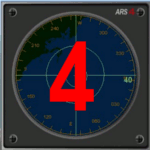
This gauge has been developed for FSX Flight Simulator SP1 or SP2. It
has also been tested with Microsoft Acceleration also, but compatibility is not guaranteed by the author.
This new Advanced Radar System (ARS 4) includes significant new features,
functions and displays for FSX AI traffic. The new key features are:
1)AI traffic display for air targets and boat/ship targets.
2)Auto landing on carrier if the carrier is part of the scenery MECOPS.
3)Allows switching between air target display and boat target display.
4) Provides for air and boat display to optionally insert airport and/or basic terrain display on the screen.
5)Different screen presentations for air and boat targets.
6)Simplified installation procedure.
7)The A2A re-fuel function remains the same as in the ARS2 version.
8)The auto tracking function remains the same as well as in the ARS2 version.
All displays for air, or boat/ship traffic, can be selected in a range of 5, 10, 20, and 40 miles.
For installation and additional information look at the ARS4 documentation inside the zip file. For copyrights and credits please look at the documentation for this gauge.
| Filename: | Advanced_Radar_System_4__ARS4.zip |
| License: | Freeware |
| Added: | 5th March 2013, 15:53:52 |
| Downloads: | 3,808 |
| Author: | Dietmar Loleit |
| Size: | 1.18 MB |
| Category: Flight Simulator 2004 - Panels | |
| Streamlined panel for Grumman Goose G-21 |
|
File Description:
This panel streamlines the cockpit and virtual cockpit (VC) views in Lynn and Bill Lyons' Grumman Goose G-21 (cc9g21f2.zip). Why mess with perfection, you might ask? I like the Goose a lot: it's elegant, versatile, and has great views for VFR sightseeing. But on my system, the virtual cockpit's a bit sluggish. There's nothing wrong here with the airplane: it's just what happens when you try to run a complex piece of software on old hardware. Rather than give up, I decided to reduce the number of gauge objects, first in the cockpit (which I don't use very much anyway) and then in the virtual cockpit (which is where you should be flying this great old bird anyway). I also eliminated some of the hotspots. With fewer gauge objects, there are more system resources left over for the sim. The result, on my system, is smoother flying. While I was at it, I also replaced the magnetic compass with a VOR gauge. I know that's unrealistic, but that's what I did.
| Filename: | Streamlined_panel_for_Grumman_Goose_G21.zip |
| License: | Freeware |
| Added: | 13th November 2005, 23:12:02 |
| Downloads: | 1,237 |
| Author: | David Wilson-Okamura |
| Size: | 3.5 KB |


© 2001-2026 AVSIM Online
All Rights Reserved
Privacy Policy |