
Where Flight Simulation Enthusiasts Gather from Around the World!
AVSIM Library - Search Results

| Category: Flight Simulator X - Scenery | |
| Silloth Aerodrome plus Great Orton |

|
File Description:
RAF Station Silloth is a former Royal Air Force station located 1 mile (1.6 km) north-east of Silloth, Cumbria, England and 6.7 miles (10.8 km) south-west of Kirkbride, Cumbria. The station was used by RAF Coastal Command during WW2.
I designed this scenery primarily for my own pleasure using Airport Design Editor and FSX SDK. I use FSX Acceleration and Horizon VFR photo scenery but it should work with standard FSX SP2.
This scenery depicts the airfield as closely as i can get it with the available information. I have modelled all of the Airfield buildings as closely as I could with the information available to me and this was done using Sketchup, the models were then converted for use in FSX using Model converter X.
It is not 100% accurate and no claim is being made by the author that it is. I have depicted the buildings in wartime camo.
All the buildings can be used as as you wish. My only request is that if you should design better textures for them that you let me have a copy, my textures are pretty basic.
Some buildings have night lighting, lights and smoke effects, these should be in your FSX effects files already.
I have not yet completed the Domestic Site but i may do this in the future...(I've hit the buffers for now though!!)
Included in this scenery pack is the Satellite Airfield RAF Great Orton. Built in 1943 to accommodate the larger bombers now being used by the RAF. This airfield is very sparse as i am unable to get much info about it.
Runways, Taxiways, Watch Office and Ground Signals are all that is included in this scenery pack, along with Sloped flattens, crosswind runways and AGN files.
I have included this as a destination for the Bristol Beaufort AI aircraft that i have included with the scenery.
The Bristol Beaufort AI is a freeware model from Alphasim and is used with their permission. I have altered the model textures and aircraft file and it works well enough as AI.
I have used other scenery libraries within this scenery (mainly to depict the village of Silloth) and these will need to be downloaded from the appropriate sources and activated within FSX.
| Filename: | Silloth_Aerodrome_plus_Great_Orton.zip |
| License: | Freeware |
| Added: | 6th December 2015, 22:32:18 |
| Downloads: | 490 |
| Author: | Mark Byers |
| Size: | 357.87 MB |
| Category: Flight Simulator 2004 - Scenery | |
| PABR - Barrow - Alaska, USA |
|
Images related to this file:
File Description:
The town of Barrow is in the far north of Alaska, and is best known in flying circles as the place where Wiley Post crashed his floatplane on takeoff and killed himself and Will Rogers. The crash was some 15 miles south of Barrow and was "assisted" by the mismatched fuselage, wings, and floats that had been assembled to create the floatplane. The Barrow population is largely Inupiat and totals some 4,400. The downtown area of Barrow is immediately north of the airport. The second and largest part of Barrow is further north past a string of lagoons and is locally called Browerville. To the northeast along the coast is the smallest part around what used to be the Naval Arctic Research Lab, and is now a college. To the east of this are the DEW buildings, plus two large navy hangars and the gravel runway that was used to serve the DEW station. The PABR runway is aligned 06-24 in FS9 and is 7,100 feet long and 150 feet wide, built on top of a gravel base and surround that copes with the underlying permafrost. There is PAPI at both ends and an ILS and approach lights on 06; 06 circuits are to the right. The airport notes include a warning that the apron is not a standard width and that large planes that are enroute to the far end of the runway will not be able to taxi past a plane parked at the gate and should use the runway as a taxiway, then turn and takeoff. FS9 AI cannot cope with that, so the apron here is wider. There are, in real life and the AI, daily flights by Air Alaska (three at least) and Era (several, and which is now called Ravn, hence the new hangar door motif) and air cargo flights by Northern Air Cargo and Everts, plus GA. The buildings have been made with photographic textures or textures made from reference photos. I decided that while 500+ scenery objects was probably ok for most people the required 900+ to "make" the town of Barrow would likely not be. The auto-generated FS9 town objects could not be left as Barrow with trees would not look at all like reality; I have "faded" the density of the town buildings into the distance from the airport.
| Filename: | PABR__Barrow__Alaska_USA.zip |
| License: | Freeware, limited distribution |
| Added: | 17th May 2016, 09:32:36 |
| Downloads: | 971 |
| Author: | Roger Wensley |
| Size: | 15.12 MB |
| Category: Flight Simulator X - AFCAD Files | |
| Robert J. Miller Air Park Airport (KMJX), NJ |
|
File Description:
Located 05 miles SW of Toms River, New Jersey on 232 acres of land, R.J. Miller Air Park is a public asphalt strip 5949' in length. The airport buildings and immediate surrounding area have been included, magnetic variation adjusted, PAPI properly placed, taxiway lines drawn accurately, beacon properly placed, lit winsock and wind tee (both functional). The parking available has been matched to the current configuration of the airport, which is still undergoing renovation. Not included is the under-construction building just to the south of the terminal and the additional large hangar just north of the already-existing one. Taxiway lighting could not be seen in aerial photos - complete liberty on behalf of the author was taken when placing taxiway lights. Helipad is lit at night although the real world pad is not. Tiedown parking is available on the main tarmac in three sections: Southwest, Northeast, and regular Parking which is in the middle. RAMP_GA_SMALL parking spots are for aircraft with wingspans no greater than 40 feet. RAMP_GA_MEDIUM parking spots are for aircraft with wingspans no greater than 60 feet. RAMP_GA parking spots are occupied/blocked by static objects and should not be chosen as a start location (although collision detection with all such objects has been disabled). There are 4 open hangars - three to the Southwest are for RAMP_GA_SMALL aircraft while the Northeast one is for RAMP_GA_MEDIUM aircraft or smaller. All hangar parking spots are labeled DOCK_GA. A hangar on the main tarmac and a hangar on the tarmac to the south and west removed from the airport have attendants that can be called on NAV2 - this appears to be FS9 only. Both hangars have undecorated interiors and no parking spots to start from. There is only one helipad to start on but helicopters can also start in any RAMP_GA_MEDIUM location with no problem. Fuel for aircraft/helicopters is available by stopping next to the fuel pumps (not the fuel tank) at the north end of the main tarmac. The helipad will supply fuel when landed on.
Scenery constructed with use of satellite images/streetview/aerial photos - the author has not been there in person.
This scenery is meant to be used in conjunction with MegaScenery Earth New Jersey/Delaware 002. It is not required, but apron use is minimized to allow satellite scenery to show through as much as possible, and objects are placed based on the MSE textures - lack of it may make scenery look out of place.
| Filename: | Robert_J_Miller_Air_Park_Airport_KMJX_NJ.zip |
| License: | Freeware |
| Added: | 4th August 2011, 21:45:08 |
| Downloads: | 372 |
| Author: | Drew Sikora |
| Size: | 2.22 MB |
| Category: Flight Simulator X - Scenery | |
| St. Helena, Ascension, and Tristan da Cunha Islands |
|
Images related to this file:
File Description:
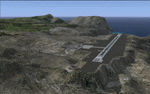
This project was begun to add the new airport (FHSH) to St. Helena Island and eventually was expanded to include a complete remake of Ascension Island (FHAW) and Tristan da Cunha (with an optional airport FHTC) and Gough Island with the actual weather station heliport (FHGH). Tested in both the default FSX/Acceleration and with FTX Global/Vector, accurate coastlines, lakes, road data, and SRTMGL1 (30m) mesh, as well as corrected landclass are provided based on the latest available satellite imagery. Flight plans are provided for the proposed commercial service to St. Helena, and some additional GA and military flights to the island are added as well.
The FSX St. Helena (FHSH) airport was created by aligning master plans for the airport with current satellite data and by studying many of the pictures that have been posted as the airport has taken shape. The official opening of the real airport on May 21, 2016, has been pushed back for more field tests due to challenging crosswinds. The Ascension Island (FHAW) airport was updated after I realized that Ascension could receive commercial service as a result of the new St. Helena airport. The entire airfield is redesigned to allow the volcanic terrain to display properly. The airbase, towns, BBC Atlantic relay station, and numerous satellite dishes, radomes, and wind turbines now appear in their real-world locations. Since I was already in the region, I added the Tristan da Cunha Islands (including Inaccessible, Nightingale and Gough Islands) and the Gough Island weather station maintained by the South African National Antarctic Programme. I also added an optional airport (and flight plans) to Tristan da Cunha (FHTC), which can be easily enabled/disabled. The FHTC airport is placed on the only part of the island that appears to be free of people or farmland, and the area is just long enough to accommodate a pared-down version of the St. Helena airport.
Updates were created or rebuilt in a manner which carefully aligns airport data with current satellite imagery. Scenery was created using Airport Design Editor X v1.67.5684, SBuilderX 3.13, and the FSX Object Placement Tool. Scenery objects were added and modified from stock FSX scenery to resemble as closely as possible the actual airports. The animated flag model is by Dietmar Loleit, the FSX apron lights included are from the set created by Jim Dhaenens, and the animated wind turbines and radomes are from the freeware package by Ray Porter.
| Filename: | St_Helena_Ascension_and_Tristan_da_Cunha_Islands.zip |
| License: | Freeware |
| Added: | 1st May 2016, 11:23:05 |
| Downloads: | 6,074 |
| Author: | Carlyle Sharpe |
| Size: | 10.52 MB |
| Category: Flight Simulator 2004 - Scenery | |
| Fort Nelson CYYE in British Columbia, Canada |
|
Images related to this file:
File Description:
Fort Nelson is close to the Peace River in the northeast corner of British Columbia, around 70 miles from the northern border, 90 from the eastern border, and 80 miles east of the Rockies. The wartime construction of the Alaska Highway actually started from Fort Nelson, as there was already a road from Fort St John (which is close to Dawson Creek) north to Fort Nelson. The airfield was part of this construction effort and after the wartime ferrying of planes to Russia it was used by the US Army Air Force and then by the Canadian Air Force. Fort Nelson flourished with the oil and gas exploration of the 1950's and the following years, and this continued to grow until the collapse of the oil price in 2014.
The town of Fort Nelson became the capital of the Northern Rockies Regional District when it was founded in 2009, and as a result the official name of the Fort Nelson airport is the Northern Rockies Regional Airport. The date for this scenery is around 2016, by which time the economic fortunes of the town were in decline. Five times per day flights by Central Mountain Air were starting to be reduced in number to the current (in 2022) one per day and none on Sunday; in the AI included here there are two flights per day. The main resident users of the airport are four helicopter companies, the helicopters presumably used for maintenance trips to whatever parts of the oil and gas fields that are still in use in the surrounding area.
There are two runways, the main one is aligned 03-21, 6,400 feet long and 200 feet wide, with ILS at the southern end and PAPI at the northern. The second runway (a narrower rebuild on a previously existing runway) is aligned 07-25 and 77 feet wide, and is without any lights. These are the alignments as per the original build of FS9 and not as per the approximate 2016 date of the buildings; I had a problem at a very late stage in making this scenery which prevented me from continuing with some final details.
On YouTube there is a series of posts by Angle of Attack showing the preparation and then the flight of an old Cessna 172 from Homer to Oshkosh for the installation of modern instruments. Interesting for me as they visit or fly over airfields I have made (Homer, Merrill, Tok Junction, Burwash, Silver City, Haines Junction, Watson Lake, Fort Nelson, and Grande Prairie) but in the winter so it all looks very different.
| Filename: | Fort_Nelson_CYYE_in_British_Columbia_Canada.zip |
| License: | Freeware, limited distribution |
| Added: | 23rd January 2022, 20:11:18 |
| Downloads: | 186 |
| Author: | Roger Wensley |
| Size: | 28.35 MB |
| Category: Flight Simulator X - Original Aircraft | |
| FedEx McDonnell Douglas MD-11F (N604FE) |
|
Images related to this file:
File Description:
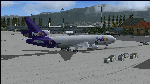
The Boeing MD-11F aircraft, N604FE, named "Hollis" is based out of Memphis, TN and can fly both Domestic and International Routes. The MD-11F (53 built) are the Freight transport aircraft version and were the second variant on offer at launch in 1986, and was the last and longest (1988-2000) manufactured version. 22 MD-11F's were delivered between 1991 and 2001 to FedEx. According to Flight Aware, she flies mainly domestic routes daily. The aircraft is almost identical to the DC-10F, although BOEING modernized their model with a longer fuselage and more powerful engines, giving her a longer range and higher service ceiling. Most flights are at full payload, and those disclude the center long-range fuel tanks, and involve flights ranging between 2,000 and 4,500 nm. I've been dealing with several versions of this aircraft for many years, actually since the first offered on CompuServe for FS98 in the '90s, and through time have found many aerodynamic details that were required in order to make her fly realistically. The Internet slowly added the details I needed, and then came the testing. Needless to say, I've flown many versions, including this one, for way too many hours, and added and corrected things along the way. This version is the best I've ever done, and I've worked on her for about a year before this upload. Everything is aerodynamically correct, and the engines (and their placement) are beyond anything ever presented by anyone with anything like this previously. I even fixed the gear to be 100% authentic in placement and use. I tried to fix the lights, but the textures are from FS2004, so I did the best I could. I chose this aircraft because it is actually in service today, and because the painter did a great job in making her look authentic. She now flies in FSX just as she does in reality, but you are better advised to study this on your own, rather than take my word. Aircraft ratings by manufacturers are based on simple standards, and very conservative. FSX is a virtual “WIND TUNNEL†when realistic aerodynamics are employed, so we can see what aircraft are capable of if we do it all right. Sorry to say, no one ever builds a free aircraft for upload with the correct engine/aerodynamics employed. In fact, I don't think anyone, other than myself, has ever put that much effort into it. So, keep this in mind. What you have now is real. It is Free. Now learn from it. READ THE MD11Readme.txt document before any operation after unzipping this. Tri-Engine Sound by B.G. Hany; Textures by Bradley McCoy; Panel by Marco Spada; Real World Engine/Aerodynamics by Douglas E. Trapp, [email protected], June 2018. This aircraft is designed for educational use protected under the Fair Use Doctrine: (http://www.expertlaw.com/library/intellectual_property/fair_use.html) ... It cannot be sold or bundled for sale, and such will never be approved by me or the original authors. FREEWARE DISTRIBUTION ONLY!!!
| Filename: | FedEx_McDonnell_Douglas_MD11F_N604FE.zip |
| License: | Freeware |
| Added: | 1st July 2018, 02:41:02 |
| Downloads: | 1,474 |
| Author: | Douglas E. Trapp |
| Size: | 121.26 MB |
| Category: Flight Simulator 2004 - Scenery | |
| Prudhoe Bay area on Alaska North Slope US |
|
Images related to this file:
File Description:
The Prudhoe Bay area of the Alaska north slope is dominated by all the equipment and machinery that is necessary for the extraction of oil and its transfer by the pipeline that reaches south to Valdez. Prudhoe Bay airport is now closed, and its replacement just to the south is Deadhorse PASC, with numerous storage, maintenance, and accomodation areas immediately to the north of the apron, and others adjacent to the road between the two. The runway is just under 6,500 feet with approach lights at both ends and ILS on 04 (true heading of 75 degrees). This scenery reflects the overall situation in 2011 and oil production facilities and buildings are included here. The airport buildings and those close to the airport are replicas of the real life buildings; while as distance increases the accuracy fades somewhat there are everywhere replica trucks and cross country vehicles that are true to life. Deadhorse handles around 7,000 passengers per month as staff are rotated in and out on Alaska Air and ERA flights and by oil company private flights. There are also freight flights to complement the trucking effort up the Dalton Highway. The Alaska Airlines terminal building and ERA (the red buildings nearby) are at one end of the apron, while at the other end is a very large and new green terminal, storage, hangar building built by the airport authority. All of the airport components, runways, taxiways, and aprons, are built up on a gravel base to raise them above the surrounding terrain that floods with melting snow, freezes, or dries out, according to the seasons. There are other new airstrips included here that serve the oil industry. Around 33 miles to the east is Badami PABP airport servicing a subsiduary oil producing area, with 5,000 feet of gravel runway. Some 28 miles to the west of Deadhorse is Ugnu-Kuparuk UBW with just over 6,000 feet of gravel (gravel in 2011, it is now asphalted) servicing oil production by Conoco Phillips, which uses 737's to fly staff in and out. A further 32 miles west is Alpine AK15 with 5,400 feet of gravel and also served by the Conoco Phillips 737's. To the south of Alpine and connected by road is the village of Nuiqsut. To the north of Alpine and reachable only by air in the delta of the Sagavanirktok River is CD-3, an oil collection and pump station area with another gravel runway of 3,000 feet. Other airstrips that were prviously posted are now updated, Nuiqsut and Oliktok. I experimented, but decided against trying to reproduce the several hundred miles of pipelines. The are new AI aircraft, and there are notes regarding downloading. There is a new "cement" texture (not its name, but used as that by SBuilder) for the built up gravel bases. It is slightly darker than the original but not so much that any previous use will be spoilt. You may wish to download my "Alaska Frozen Rivers and Lakes" which freezes lakes and the northern sea and makes them landable on wheels.
| Filename: | Prudhoe_Bay_area_on_Alaska_North_Slope_US.zip |
| License: | Freeware, limited distribution |
| Added: | 19th December 2017, 00:38:06 |
| Downloads: | 583 |
| Author: | Roger Wensley |
| Size: | 28.54 MB |
| Category: Prepar3D V1-4 - Utilities | |
| Flightplan Visualizer 1.12 |
|
Images related to this file:
File Description:
Flightplan Visualizer (FV) version 1.12.0. Copyright 2018-2019 by Pelle F. S. Liljendal ([email protected]), all rights reserved.
FV comes with 540 pre-imported Commercial AI flightplans (+380 BizJet flightplans are available as a separate download). However you are able to import additional (AI) flightplans yourself. Once imported these (AI) flightplans can be visualized on a map-view, and the user will be able to search accross all these. Hence you can use the program as inspiration as to which routes to fly. E.g. you can search across all imported flightplans to find all flights in an A321 flying into/out from LDDU, or simply to look for all flights in a Boeing 747-8F.
Simply run the included installer to install the software. The program will be installed into "C:\Program Files (x86)\Flightplan Visualizer" and all datafiles will be installed into: "C:\Users\[UserName]\AppData\Roaming\FlightplanVisualizer". The program comes with a full manual explaining everything, and a 3 page quick manual to get you started. The first 3 times you run the program the quick manual will automatically open. The forum is hosted here: https://forum.aerosoft.com/index.php?/forum/919-flightplan-visualizer/
Version 1.12 Contains the following changes: ⦠Ability to automatically check for available program-updates. The actual download of the new installer is still a manual process, but the program will at least list the download-URL. However You cannot see this feature in action until the next version will be released ;-) Updated the flightplan file-format to accommodate changes in the latest versions of (AI) flightplans. The program remains backward compatible and can still read older flightplans, however these might “miss†some (at this time) non-essential information. As a result all “Wi18-19†and “Su19†(and a few “Su18) flightplans have been re-imported and have been bundled with the version 1.12 installer, using the new file-format. Added new "Generate redirection report" button to the redirection edit form. Pressing this button will generate- and display a report of all active pseudo airports and redirections per flightplan. Added new menu-item to re-process all flightplans, according to specified airport-redirections. The "UserAirportRedirect.xml" file bundled with the installer have been updated, based on output from the new "Generate redirection report". These updated airport-redirections have been used to re-process/update all flightplans bundled with the installer. Buttons have been added to the "Leg Info" which allows you to transfer data for a particular leg/flight from FV to SimBrief in order to kick-start your "paper work" for a flight to fly. The "Leg Info" form also got buttons to show decoded METAR/TAF, and the raw METAR/TAF is also embedded in the text copied to the clipboard (when pressing the appropriate button). In settings you can now speficy the path of the folder holding the files that MakeRunway generates (if not specified it will use the UserData folder). Once set to the folder where MakeRunway generates its files (e.g. the P3D folder), you only have to run MakeRunway, you no longer have to copy the 3 files to the UserData folder. A few new traffic-charts were added to the "Airport Info" form (traffic per: region, sub-region and country), and a combo-box was added to switch between inbound- and outbound-traffic. The "Nearby Airport" form that can be opened from the "Flightplan Import" form now have an extra comment-column with information about the non-pseudo/pseudo airports. The comment column on the airport tab-sheet of the "Flightplan Import" form now also contains more info about non-pseudo/pseudo airports. The Generic Randomizer form got a new button called "Pick random flight", which will display info for a flight, randomly picked from all flights for the selected flightplan, or last search. In the "Search legs" form, you can now enter multiple ICAO-codes (separated by comma) to search for flights to/from these (e.g. search for all flights to/from EBLG or ELLX, by entering "EBLG,ELLX"). If you press SHIFT while clicking the airport browser button, the selected airport will be added to the comma separated list. If you do not hold SHIFT, the list will only contain the newly selected airport. Added support for using FS Global Real Weather (FSGRW) as a Weather provider for METAR-messages (FSGRW does not support TAF-messages). To use FSGRW you must go to settings and specify a full path (including filename) of the file generated by FSGRW. When editing a flightplan the user will be warned if trying to close the form, if changes were made. The menu-item to generate report with all defuct-/obsolete flightplans have been removed from the main-menu, but can now be generated using a button on the "Enable/disable flightplans" form. Now all applicable authors are shown when hoovering the mouse over the flightplan combo-box when a search is active. In previous versions the "Edit" buttons next the flightplan combo-box (on the main form) was only active when a flightplan was selected. Now its also active when "[Last Search]" is selected. However it will instead launch the "Search Legs" form, where you can then edit the criteria of the search. A few airports and airlines have been added/updated in the data-files bundled with the updated installer to accommodate the additional bundled flightplans. The Beluga XL Freighter was added as well as many of the other aircraft were updated with various changes. Added support for a bunch of military aircraft: A6/AE6, A10, C5, C17, E2, E3, EF2000, F14, F15, F16, F18, F22, F35, F111, F117, JAS39, KC10, KC135, MiG 21/23/25/27/29/31, Mirage III/5/2000, Rafale, SU 17/20/22/24/25/27/30/32/34, V22. New "Exclude military aircraft" setting have been added (defaults to true). When true military aircraft will not be shown (can be changed in the settings form). Added new menu-item to load/display current log-file. FV tend to be somewhat memory-hungry while (re)loading all active flightplans, and you might see a peek in memory consumption. But from this release and forward it will try to free up most of the memory once all flightplans have been loaded. Minor changes to the "Enable/disable flightplans" form, to make it more responsive, and added a progressbar that is visible while flightplans are being moved, copied or deleted. Fixed: issue when trying to import a flightplan zip-file containing multiple "Flightplan_XXX" files. If the same zip contains multiple sets of matching files (Flightplan, Aircraft and Airport) the user will now be presented with a combo-box from where the user can pick which set of files to import (only the flightplan-file will be shown). Fixed: The file "f5.csv" was missing from previous installers. Fixed: issue with pseudo-airports when using the "Nearby airports" tab-sheet in the Airport Info form. Fixed: Saving a flightplan that was edited, it would try to save it in the (flightplan) [ROOT] folder even if it was loaded from a sub-folder. Now it will always try to save it in the same location with the same filename. If you want it saved elsewhere/with another filename use the "Save As" button in stead. Imported flightplans will still be saved to the [ROOT] flightplan folder. Fixed: Pressing ENTER in the Flightplan import/edit-form while the comments-field had focus, would close the form (saving the flightplan). Fixed: Result-viewer will no longer display with all text selected. Fixed: METAR/TAF decoder will no longer display with raw-message selected. Fixed: In some cases the program needed to be restarted if changes were made to the weather-provided data in the settings-form. Installer: Comes with +30 new pre-imported (Summer 2019) flightplans of which some are replacements of obsolete flightplans (from previous installers), and 2 of the "old" flightplans have been marked as defunct.
Pelle
| Filename: | Flightplan_Visualizer_112.zip |
| License: | Freeware, limited distribution |
| Added: | 23rd August 2019, 17:15:13 |
| Downloads: | 195 |
| Author: | Pelle Liljendal |
| Size: | 30 MB |


© 2001-2026 AVSIM Online
All Rights Reserved
Privacy Policy |