
Where Flight Simulation Enthusiasts Gather from Around the World!
AVSIM Library - Search Results

| Category: Flight Simulator 2004 - Original Aircraft | |
| Boeing VC-25A (747-2G4B) v2 |

|
Images related to this file:
File Description:
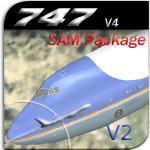
Project Opensky is extremely pleased to release the VC-25A variant of the 747-200 V4 series!!! This package includes both 82-8000 and 92-9000 variants of the VC-25A. ***THIS IS VERSION 2 OF THE ORIGINAL RELEASE!!!*** Updates from V1: Photoreal gear rims and tires, custom fan blade textures w/ transparent effects, changed color [blue], "spick-n-span" wings [they're clean], polished aluminum surfaces, pistine & clean-cut appearance overall. Fly her with PRIDE!!! Alternante FDE by Nick Peterson [POSKY] also included [installed by default. More details in the Package]. Model Features include fully animated control surfaces, fully independent suspension, main gear steering, trim animation, opening passenger doors, opening cargo doors, dynamic flexing wings, animated tilting bogies, rolling wheels, animated thrust reversers, fully reflective textures ( each part has different degree of reflection based on material ), accurate flight dynamics ( accurate FDE with full profiles for wheels, tires, struts, leading/trialing struts, engine types ... Tested by real pilots.), newly re-defined individual part damage profiles, accurate spoiler animation, detailed textures, full night lighting, visible landing lights from the cockpit, reflective cockpit windows, crash effects, transparent nav light lenses, newly re-defined individual part damage profiles. Also--VC-25A-specific exits have been modeled along with the functioning of the air-to-air refueling probe at the nose of the plane and specific antenna locations for both schemes of the VC-25A. Model Designer Hiroshi Igami. Flight Dynamics Designer Brandon D. Henry | Warren C. Daniel. Tested by Project Open Sky Members. Master textures by Corey Ford. VC-25A Textures by Brandon D. Henry.
| Filename: | Boeing_VC25A_7472G4B_v2.zip |
| License: | Freeware, limited distribution |
| Added: | 20th February 2010, 02:17:29 |
| Downloads: | 4,333 |
| Author: | Project Opensky | Brandon D. Henry |
| Size: | 13.16 MB |
| Category: Flight Simulator 2004 - Scenery | |
| Fort Smith CYSM in Northwest Territories, Canada Revised |
|
Images related to this file:
File Description:
This is an updated version to remove an incomplete static Beaver reported by Graeme (thanks Cobber) and to include other modifications that I made for my own version since posting the original; different taxiway lights, revised aprons, and in particular the revised AI that I mentioned in the original 2011 post. This is complete and can be installed as-is, or used to modify an existing post by changing the original folder contents. Fort Smith is just north of the border between Alberta and Northwestern Territories, midway between Lake Athabasca to the southeast and Great Slave Lake to the north west. You might stop there when flying between Yellowknife or Hay River to La Ronge or Saskatoon. It looks as if it is ex-military and these are the remains of what were once 10,000 feet of asphalt runways. The main runway is now 11/29 and 6,000 feet long, and the secondary one is 1,800 feet of mostly gravel. There is an airline based at the field, Northwestern Air, and fuel is available at a self service point. The town of Fort Smith is two miles east of the airfield, on the bank of the Slave River and where there are some rapids that require a portage to get around them. Before aviation came along the river was a major route to the north and all those furry animals, which was why the Hudson's Bay Company established an outpost there in 1872. Today it has a population of 2,400 and the main activities are government administration of much of the Northwest Territories, education, and tourism.
| Filename: | Fort_Smith_CYSM_in_Northwest_Territories_Canada_Re.zip |
| License: | Freeware, limited distribution |
| Added: | 23rd January 2019, 19:14:44 |
| Downloads: | 143 |
| Author: | Roger Wensley |
| Size: | 7.16 MB |
| Category: Flight Simulator X - AFCAD Files | |
| Dave's Aerodrome Airport (7NJ9), NJ |
|
File Description:
Located 01 miles SW of Cedarville, New Jersey on 43 acres of land, Dave's Aerodrome Airport is a private turf field 2000' with a 600' displaced threshold on Runway 12. Each runway has a clear 20:1 approach slope, but in the case of Runway 12 be sure to aim for a landing past the hangar! There are power lines running along the road at the runway threshold that are not just there for decoration - come in too low and FSX will register a crash. In real life they have red balls on them - unfortunately I have no way of adding those in the sim at this time. So be on the lookout while on approach. Also take note that it is a right pattern for Runway 12 and a left pattern for Runway 30. The windsock is located next to the hangar and is not lit. There are no lights at this airport so daytime VFR operations only are suggested. No services are offered for transient aircraft. There is no hard-surfaced runway, you will be landing on bare terrain so set your mesh complexity slider as high as it will go for the best effect.
Scenery constructed with use of satellite images/streetview/aerial photos - the author has not been there in person.
This scenery is meant to be used in conjunction with MegaScenery Earth New Jersey/Delaware 005. It is not required, but apron use is minimized to allow satellite scenery to show through as much as possible, and objects are placed based on the MSE textures - lack of it may make scenery look out of place.
| Filename: | Daves_Aerodrome_Airport_7NJ9_NJ.zip |
| License: | Freeware |
| Added: | 16th February 2011, 15:36:42 |
| Downloads: | 211 |
| Author: | Drew Sikora |
| Size: | 1.02 MB |
| Category: Flight Simulator X - AFCAD Files | |
| KEGE - Eagle County Regional - Eagle, Colorado USA * FIX * |
|
File Description: KEGE - Eagle County Rgnl - Eagle, CO, USA version 1.1 by Jason Boche
This is an update of the default FSX KEGE airport.
Enhancements include:
-Runway 7/25 lengthened to current, displaced threshold and markings added
-Blast pads added
-Updated taxiways to current
-PAPI lights moved to right/north side of runway 25
-Updated LOC frequency for runway 25 to 109.75
-Moved and added additional LOC antennea to the west end of runway 7
-Tower moved and model replaced
-Realistic terminal parking spots 1-10
-Asphalt and concrete aprons added/updated, ground lighting updated
-Asphalt, concrete, and gravel roads added
-Many bulidings updated
-All applicable runway signs updated
-Added airport, civilian, and construction vehicles
-Airport perimeter fencing updated
-Runway demolition fencing added
-National Guard helipads added
-GA refueling moved to the north end of the field
Please provide any feedback and suggestions to me at the email address listed
in the readme.txt. Thank you.
Acknowledgements:
Airport Design Editor (ADE -Freeware) - Jon Masterson.........http://www.scruffyduck.org.uk/
This also has a download centre for many other ADE files.
Please visit here for more information...........http://www.airportdesigneditor.co.uk
Any questions relating to ADE can be answered at www.fsdeveloper.com/forum......look
for Airport Design Editor author
Ray Smith for providing so many freeware airports and airport updates which
inspired me to give ADE a try.
Jason Boche
| Filename: | KEGE__Eagle_County_Regional__Eagle_Colorado_USA__F.zip |
| License: | Freeware |
| Added: | 30th November 2013, 10:42:48 |
| Downloads: | 1,476 |
| Author: | Jason Boche |
| Size: | 373.01 KB |
| Category: Flight Simulator 2004 - Scenery | |
| 9A8 - Ugashik, PAII - Egegik, AK96 - Bartletts, AK36 - Coffee Point , Alaska, USA |
|
Images related to this file:
File Description:
All four of these depend heavily on fishing but two of them only spring into existance during the salmon catching-and-canning season. Grant Air run scheduled flights to the two permanent settlements, and there are irregular scheduled flights and charters to the others according to demand. Ugashik is a permanent settlement 60 miles northeast of Port Heiden, stretched out along the east bank of the Ugashik River. There are two canneries, one old and collapsing and the other newer and functioning. The population is given as 12, though during the season this increases significantly. The (newer) airfield is at the northern end of the village with a gravel runway 3,500 feet long aligned 06-24. Egegik is the second permanent settlement, 45 miles north of Ugashik and 40 miles southwest of King Salmon, on the east bank of the Egegik River. The town is on a corner of land, with a population of around 110 and two operating canneries. The airport is a mile and a half south of the town with two gravel runways, 12-30 at just under 5,600 feet and 03-21 with 1,500 feet; both are lit. On the other side of the Egegik River are more canneries and two airfields, both of which have two runways but are otherwise entirely without facilities or luxuries such as lights. They are called Bartletts (named for the cannery it serves) and Coffee Point (named for the location). The shacks of the seasonal fishermen are strung out along the coast and a lot of the salmon fishing is by net, laid by a small boat and later pulled ashore for emptying. Only one cannery on the west shore has a docking facility for unloading boat-caught fish.
| Filename: | 9A8__Ugashik_PAII__Egegik_AK96__Bartletts_AK36__Co.zip |
| License: | Freeware, limited distribution |
| Added: | 3rd April 2015, 18:06:49 |
| Downloads: | 1,134 |
| Author: | Roger Wensley |
| Size: | 4.98 MB |
| Category: Flight Simulator 2004 - Aircraft Repaints, Textures and Modifications | |
| Air Anatolia Airbus A300b4-204 Virtual |
|
File Description:
SGA A300B4-203 Air Anatolia With Setup - SGA is dedicated to providing our users with exclusive features, accuracy, and frame rate friendly models. In keeping up with our traditions, we offer the below features that are standard to all our aircraft, as well as a few GROUND BREAKING NEVER BEFORE SEEN features that are EXCLUSIVE to SGA! Detailed and accurate model recreating the A300B4 in all its prestige. Full compliment of animations including accurately deploying spoilers. Accurate flap animations that model their real counterparts faithfully. Full and accurate lighting, 3D engine fans
Detailed landing gear with accurate retraction sequence. Opening cargo and passenger doors. Fully deploying thrust-reversing doors as soon as you enter reverse thrust! You no longer have to hold down the F2 key to get full deployment, nor do you get the jerky animations that you do with our previous aircraft. AN SGA EXCLUSIVE! Automatically extending landing lights, no gauges required! AN SGA EXCLUSIVE! Tilting trucks on the landing gear that remain level with the ground during rotation (takeoff)! AN SGA EXCLUSIVE! And a soon to be added feature, TRUE dynamic flexing wings. Our wings are no longer linked to the landing gear, as are so many other aircraft out there. Instead our wings behave and act like the real things! Watch them flex up as you gain speed during takeoff! Grit your teeth during those hard landings as the wings flex down from the impact! And best of all, watch them flex when you encounter turbulence in flight! All of this with silky smooth animations!
(Look for this feature and more in our upcoming DC-10 update) AN SGA EXCLUSIVE! Animations:
Shift + E: Main Cabin Door, Shift + E + 2: Forward Passenger Door, Wing Fold (Must assign a key): Cargo Doors and Galley Service Doors
| Filename: | Air_Anatolia_Airbus_A300b4204_Virtual.zip |
| License: | Freeware |
| Added: | 2nd September 2007, 17:30:57 |
| Downloads: | 984 |
| Author: | Semih Cop |
| Size: | 2.97 MB |
| Category: Flight Simulator X - Utilities | |
| FS Remote version 1.0 |
|
File Description:
Email: [email protected]
Name: Hans Elzer
Current version 1.0
Version 1.0 contains various little bug fixes plus Fuel management in the Engines dialog
FS-Remote a utility for remotely controlling FSX
The Zip file contains:
* Readme text file
* .NET 2.0 FS-Remote executable
* Configuration file for FS-Remote
* Document file in MSWord format
What you need to run FS-Remote:
* .NET 2.0 or 3.0 installed on the computer where you want to run FS-Remote
* FSUIPC4 (registered) on the computer where you run FSX
* WideClient (FSUIPC4 FSWide remote) if you want to run FS-Remote on a remote computer
It does what the title says FS-Remote controls FSX remotely through FSUIPC.
Just take a look at the (word) document that is contained in the zip file and look at some screen shots.
It can view and control the following items in FSX through FSUIPC:
* Aircraft - Control aircraft switches like Lights, Doors, Pushback, De-Ice and Jetway plus call fuel truck
* Auto Pilot - Control auto pilot switches plus reset altimeter and heading indicator instruments
* Radio - Control radio stack switches and push buttons plus view navigation status information
* Attitude - View attitude information and warnings plus convert and view various items in feet, meter, knots, mph and km/p
* Engines - Control engines auto start and stop plus fuel management
* Weather - not implemented jet (next version)
* Environment - View the local date, time and position environment information
* Date Time - Control and view the flight simulator date and time
* Message - View and send messages to flight simulator message bar
* FPS - View real-time flight simulator frames per second FPS rate
* About - View version information about FS-Remote, FSUIPC4 and FSX
Hope that you like it.
| Filename: | FS_Remote_version_10.zip |
| License: | Freeware |
| Added: | 9th September 2007, 15:26:14 |
| Downloads: | 1,439 |
| Author: | Hans Elzer |
| Size: | 353.2 KB |
| Category: Flight Simulator X - Utilities | |
| FSRemote 2.0 |
|
File Description:
Current version 2.0
Version 2.0 contains a new more graphical interface
Version 1.0 contains various little bug fixes plus Fuel management in the Engines dialog
FS-Remote a utility for remotely controlling FSX
The Zip file contains:
* Readme text file
* .NET 2.0 FS-Remote executable
* Configuration file for FS-Remote
* Document file in MSWord format
What you need to run FS-Remote:
* .NET 2.0 or 3.0 installed on the computer where you want to run FS-Remote
* FSUIPC4 (registered) on the computer where you run FSX
* WideClient (FSUIPC4 FSWide remote) if you want to run FS-Remote on a remote computer
It does what the title says FS-Remote controls FSX remotely through FSUIPC.
Just take a look at the (word) document that is contained in the zip file and look at some screen shots.
It can view and control the following items in FSX through FSUIPC:
* Aircraft - Control aircraft switches like Lights, Doors, Pushback, De-Ice and Jetway plus call fuel truck
* Auto Pilot - Control auto pilot switches plus reset altimeter and heading indicator instruments
* Radio - Control radio stack switches and push buttons plus view navigation status information
* Attitude - View attitude information and warnings plus convert and view various items in feet, meter, knots, mph and km/p
* Engines - Control engines auto start and stop plus fuel management
* Weather - not implemented jet (next version)
* Environment - View the local date, time and position environment information
* Date Time - Control and view the flight simulator date and time
* Message - View and send messages to flight simulator message bar
* FPS - View real-time flight simulator frames per second FPS rate
* About - View version information about FS-Remote, FSUIPC4 and FSX
Hope that you like it.
| Filename: | FSRemote_20.zip |
| License: | Freeware |
| Added: | 9th November 2007, 22:24:52 |
| Downloads: | 1,674 |
| Author: | Hans Elzer |
| Size: | 620.8 KB |
| Category: Flight Simulator 2004 - Scenery | |
| CPR5 - Woodstock - Ontario, Canada |
|
Images related to this file:
File Description:
This is the first of a south Ontario series. Woodstock is a town with a population of around 38,000, located 50 miles west of Lake Ontario. The airfield is 3 miles west of the town, with a single grass runway just over 3,000 feet long and 100 plus feet wide, aligned 05/23 in FS9 (in fact it is now 06/24 due to the magnetic north wandering off during the last 10 years). There have been at different times varying amounts of gravel mixed in with the grass on both runway and taxiway; the majority surface by far is grass and I have left it all as such, as there is no visually convincing way to mix the two without unreal sharp edges. The apron is on the northern side of the runway, and is now modified in shape to maximise the area available for crops. There are 10 "T" hangars and a small clubhouse in a single long building. There is no fuel, runway lighting, or taxiway or apron lights so usage is effectively restricted to daylight hours. To the east of CPR5 and on the edge of the town is a private airstrip with 2,800 feet of asphalt runway; I have added this as a visual reference, along with several large grain silos on the other side of the road. Hidden in plain sight amid the surrounding farmland, the first sighting of CPR5 is actually always of the adjacent and far more visible buildings just to the east of the apron, which are owned by a company that deals with everything to do with boats, up to and including fishing gear. These have been included. As ditches cannot be effectively duplicated in FS9 I have included some fences which do not exist in real life, to give some needed visual clues.
| Filename: | CPR5__Woodstock__Ontario_Canada.zip |
| License: | Freeware, limited distribution |
| Added: | 8th July 2015, 13:36:05 |
| Downloads: | 184 |
| Author: | Roger Wensley |
| Size: | 5.57 MB |
| Category: Flight Simulator X - Aircraft Repaints, Textures and Modifications | |
| Iris F-16D Viper Aerodynamic Performance Modification and Repaint Texture Package |
|
Images related to this file:
File Description:
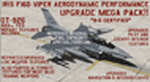
This performance modification and repaint texture package is for the IRIS "Pro Series" F-16D Viper. The performance modifications will upgrade ALL FOURTEEN (14) of your Iris F-16D/CFT models and make them fly like real F-16's! Think of this as an AWESOME tune-up job for your IRIS F-16D's...you'll be amazed at how GREAT your jets fly after this! Go from the runway to 40,000 feet in 90 seconds at Mach 1+, then reach a max Mach of 2.05. Go from 200-600 kts in under 30 sec. Pull 9g (sustained) turns in the CAT-1 jets and 7g turns in the CAT-3 jets. Perform precise aerobatic maneuvers and enjoy smooth "fly by wire"-like control! I also increased the internal fuel capacity to now hold 1,044 gallons (7,000lbs) like the real jet, and adjusted the weight and balance figures for the fuel and weapon loads. But I didn't stop there...I ALSO made a bunch of "visual" upgrades for the Iris F-16D/CFT jets as well! I repainted some of the "COMMON" texture files so now the buttons on the ICP pad look more used/worn, the Annunciator/Warning lights are now easier to read (ie, "MASTER CAUTION"), upgraded the ACESII ejection seat, reduced the amount of "pilot reflection" on the interior canopy glass in the "Virtual Cockpit" for a MUCH clearer view, painted pilot textures for either Desert Tan or OD Green flight suits (you choose!), PLUS repainted/upgraded the "LIVE" weapon textures and ALSO painted textures for "INERT" blue weapons (you choose!). The installation for both the "Aerodynamic Performance Modification" and the cockpit, pilot & weapon texture upgrades are quick and easy, and you'll find the installation instructions in those folders.
| Filename: | Iris_F16D_Viper_Aerodynamic_Performance_Modificati.zip |
| License: | Freeware |
| Added: | 8th February 2024, 04:01:21 |
| Downloads: | 138 |
| Author: | Daniel Gregory |
| Size: | 9.46 MB |


© 2001-2026 AVSIM Online
All Rights Reserved
Privacy Policy |