
Where Flight Simulation Enthusiasts Gather from Around the World!
AVSIM Library - Search Results

| Category: Flight Simulator X - Scenery | |
| KCAE - Columbia South Carolina Metropolitan Airport - South Carolina, USA |

|
Images related to this file:
File Description:
Columbia South Carolina Metropolitan Airport for FSX. Several improvements have been made to the default airport, including replacing the default terminal with new buildings modelled in FSDS, correctly numbering and coding gates using Airport Design Editor 1.67.5684, creating a new vehicle network, adding ample GA parking, changing the tower view to the roof of the control tower, adding a new static UPS truck modelled in FSDS in three different color schemes, placing static aircraft created using Static Aircraft Model Maker, and including the option of having all runways open to AI traffic.
Also included are Jim Dhaenen's excellent ramp lights and a set of GA flight plans made using AI flight Planner using all FSX default aircraft to liven up the GA area. Please read the README FIRST.txt and installation.txt files to insure proper installation of all files.
| Filename: | KCAE__Columbia_South_Carolina_Metropolitan_Airport.zip |
| License: | Freeware |
| Added: | 20th December 2015, 16:35:16 |
| Downloads: | 1,357 |
| Author: | Patrick Finch |
| Size: | 3.72 MB |
| Category: Flight Simulator X - Miscellaneous Files | |
| DX10 Shader Fixers V3.2.2 |
|
File Description:
DX10 Shader Fixes V3.2.2 (replaces v3.2.1). These are a set of shader fixes for DX10 Preview mode in FSX. The patch should not effect DX9 in any way. It addresses the following bugs in the DX10 preview:
1) Flashing runways/taxiways
2) Yellow/white runway markings transparency
3) Opaque chain fences
4) Progressive Taxi markings missing
5) Missing night scenery/semi-transparent dusk scenery (often misdescribed as missing night textures)
6) Some addon cars with black headlights
7) Softer VC shadow
8) Eliminates false sun on VC roof and side wall
Also included are an optional replacement water shade, aircraft lights package and an optional replacement background texture. This can replace the light blue DX10 uses and is close to what DX9 uses in the same circumstances.
| Filename: | DX10__Shader_Fixers_V322.zip |
| License: | Freeware, limited distribution |
| Added: | 21st December 2012, 22:25:51 |
| Downloads: | 57,532 |
| Author: | Steve Parsons |
| Size: | 430.01 KB |
| Category: Flight Simulator 2004 - Original Aircraft | |
| Qantas Boeing 747-400/ER |
|
Images related to this file:
File Description:

Qantas Project Opensky 747-400/ER V4. Model Features include fully animated control surfaces, fully independent suspension, main gear steering, trim animation, opening passenger doors, opening cargo doors, dynamic flexing wings, animated tilting bogies, rolling wheels, animated thrust reversers, fully reflective textures ( each part has different degree of reflection based on material ), accurate flight dynamics ( accurate FDE with full profiles for wheels, tires, struts, leading/trialing struts, engine types ... Tested by real pilots.), newly re-defined individual part damage profiles, accurate spoiler animation, detailed textures, full night lighting, visible landing lights from the cockpit, reflective cockpit windows, crash effects, transparent nav light lenses, newly re-defined individual part damage profiles. Model Designer Hiroshi Igami. Flight Dynamics Designer Warren C. Daniel. Tested by Project Open Sky Members. Master textures by Corey Ford/Yosuke Ube. Repaint by Ryan Chadwick
| Filename: | Qantas_Boeing_747400ER.zip |
| License: | Freeware |
| Added: | 27th November 2009, 02:06:56 |
| Downloads: | 1,814 |
| Author: | Ryan Chadwick- POSKY |
| Size: | 13.72 MB |
| Category: Prepar3D V1-4 - Scenery | |
| KILE, Killeen Texas airport |
|
Images related to this file:
File Description: Instructions: There are 3 folders in this package; effects, scenery and texture.
Create a subfolder under the C:\Program Files (x86)\Lockheed Martin\Prepar3D v3\Scenery folder and call this new folder KILE.
Place the scenery and texture folders (with their associated contents) under this newly created KILE subfolder.
Place only the contents (not the folder) of the effects folder in the P3D effects folder often located at C:\Program Files (x86)\Lockheed Martin\Prepar3D v3\Effects.
Now start up P3D.
On the menu at the top of the P3D screen click on World > Scenery Library > Add Area. This will bring up the Add Scenery Area dialog box. Click the Browse button and browse to find the newly created KILE folder. It should be located at C:\Program Files (x86)\Lockheed Martin\Prepar3D v3\Scenery. Once you select the KILE folder, click the OK button. This will place that folder in the P3D scenery library. You will notice that the library is organized by priority starting at 1. I have my KILE scenery set as #4 priority but I am not sure if it needs to be that high. I did notice during design that sometimes my ground texture at the airport would act strange and I found that by setting KILE to a higher priority, it fixed that. As a last step make sure the checkbox to enable the scenery is checked and click OK.
You should now have the new KILE scenery available to use.
This package covers KILE, Killeen Texas airport. It is a city owned public use airport located 3 miles east of Killeen Texas. It has one runway that is 5,495 x 100 feet.
Almost 100 custom objects are included in this package. They include:
All hangers and buildings on the airport grounds made from on site photos.
Several buildings surrounding the airport grounds.
All taxiway and runway signs.
All taxiway, runway and approach lighting.
ILS antenna, localizer, etc.
Fuel tanks and parking T's.
Night lighting where appropriate.
Currently I am using the default land class instead of photo real because I couldn't find any photo real that suited my needs.
I welcome your feedback good or bad. Currently this airport is only for P3D. I may create an FSX version if I have enough requests. I started learning to make 3d objects and airports last year and I am learning something new every day. I hope you enjoy!
I plan on improving the night lighting for the runway lights, runway end lights, taxiway lights, etc. to make them more visible from a distance at night. I also want to replace the stock P3D vehicles with my own design and a few other things to come in an updated version down the road.
| Filename: | KILE_Killeen_Texas_airport.zip |
| License: | Freeware |
| Added: | 11th May 2017, 19:54:19 |
| Downloads: | 491 |
| Author: | Shannan Landreth |
| Size: | 23.83 MB |
| Category: Flight Simulator X - Scenery | |
| LJLJ - Jozef Puchnik International Airport - Ljubljana, Slovenia |
|
Images related to this file:
File Description:
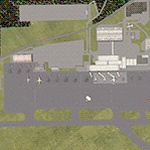
Decent representation of Slovenian airport named after Jozef Pucnik,
located near the village Spodnji Brnik, some 15 miles north of Slovenia's capital Ljubljana.
The scenery is packed with many features: custom landclass in the walley underlying the approach paths to both runways(12 and 30),
custom airport layout as found after last reconstruction of aprons and taxiways, corrected approaches (so IFR AI traffic in case of a missed approach to runway 30 is no longer turning right crashing into the 8000ft mountains just North of the airport). All airport buildings are placed into their correct
locations and shapes, even if only default generic buildings and library objects were used.
You will also notice airport has 3 runways(AFCAD on steroids),when there is actually
only one in reality and only one is also visible in the simulation.
This was done in order to enable different categories of AI aircraft using different intersections
for departure and the only way possible to recreate this was to use overlayed runways of different lenght.
There are also some surprises hidden in the scenery, but we will leave them for you to discover.
Music titles used in the scenery are published with kind permission of the author, Mr.Slavko Avsenik.
Released as freeware but with limited distribution.
LJLJ2012 by SST - Slovenia Scenery Team
| Filename: | LJLJ__Jozef_Puchnik_International_Airport__Ljublja.zip |
| License: | Freeware, limited distribution |
| Added: | 10th June 2012, 15:30:05 |
| Downloads: | 3,464 |
| Author: | SST - Slovenia Scenery Team |
| Size: | 11.35 MB |
| Category: Flight Simulator X - Utilities | |
| AI Aircraft SID and STAR Controller - Version 1.4B <b>for FSX, FSX Steam and P3D</b> |
|
Images related to this file:
File Description:
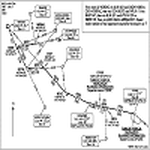
The AIController utility automatically vectors FSX, FSX-Steam or Prepar3D Artificial Intelligence (AI) aircraft through predefined Standard Instrument Departures (SIDs), jet routes, Standard Instrument Arrivals (STARs) (or alternatively generic traffic patterns), and/or final approaches. AIController automatically selects the most appropriate SID, jet route or STAR for each AI aircraft. AIController also lands arriving AI using published, custom or automatic final approach procedures, then provides taxi service to parking. The user can customize the procedures to fine tune AI arrival and departure patterns at each airport, such as specifying landing runways on-the-fly.
AIController optionally enforces spacing minimums between arriving AI aircraft by commanding speed changes and/or commanding the AI to hold at waypoints, thus reducing go-arounds. AIController can also enforce spacing minimums between the AI aircraft and the user's aircraft.
A stand-alone, windows based AI traffic monitoring program (AIMonitor.exe) is also included to provide the user with a graphical front-end. A converter (SIDSTARConverter) is included to automatically convert SID and STAR files from standard, aircraft format to the format used by AIController.
AIController requires an installed FSX or P3D SimConnect and can be run on a networked computer. The latest, registered version of FSUIPC ver. 4.9x (or later version) is also required.
| Filename: | AI_Aircraft_SID_and_STAR_Controller__Version_14B_b.zip |
| License: | Freeware |
| Added: | 18th July 2015, 00:11:26 |
| Downloads: | 14,166 |
| Author: | Roland Foster |
| Size: | 16.23 MB |
| Category: Flight Simulator 2004 - Scenery | |
| Airstrips of Central Germany |
|
Images related to this file:
File Description:

Another selection in my Airstrips of Western Europe project, herewith 80+ small airfields in central Germany, each enhanced with taxiways, parking spaces, buildings etc. and aprons as appropriate, to further facilitate the generation of lightweight AI traffic in the area, without overloading the more major airfields.
Again, there's no photo-realism here, just a selection of basic 'generic' buildings, more or less accurately sized and placed to reflect the airfield layout as seen on on-line satellite imagery and aerial photography. These buildings have minimal effect on frame-rates, so are ideal for this kind of job. The airfields are aligned as well as possible with the roads etc. in UT Europe and the Genesis Europe mesh, but should mostly be fine in a default installation or other configuration.
As before, the files for each airfield can be easily identified by the ICAO code, even if the airfield names vary slightly, so you can pick and choose and mix and match to suit any sceneries you already have, should you so wish. There is no requirement for any other download. Each airfield will exist as a stand-alone entity should you only want a few of them.
Please read the rest of this "blurb" in the included text file. There may be some details of note or interest.
| Filename: | Airstrips_of_Central_Germany.zip |
| License: | Freeware |
| Added: | 26th February 2025, 19:22:06 |
| Downloads: | 109 |
| Author: | Chris Eve |
| Size: | 1.14 MB |
| Category: Flight Simulator 2004 - Panels | |
| FS Announcement Panel v3.1: AUTOMATIC SCS Tu-134 Edition |
|
Images related to this file:
File Description:
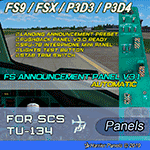
The update will add a photorealistic 2D Tupolev Tu-134 FO Electrical Panel with fully functioning SPU-7B Interphone Mini Panel used to listen to VOR / ADF Morse Code signals and select COM-1 or COM-2 radios for ATC communications. It is also designed to choose from up to 4 pre-installed landing announcements and is ready for using Pushback Panel v3.0.
FSAP v3.1 Features:
☑ Landing announcement preset
☑ Pushback Panel v3.0 ready
SCS Tu-134 v2.0 (FS9 / FSX) Features:
☑ SPU-7B Interphone Mini Panel
☑ Lights Test button
☑ STAB Trim switch
The panel also has Pax Sign switches and other Tu-134 buttons and switches.
IMPORTANT: Both FS Announcement Panel v3.0: AUTOMATIC and v3.1 Update are required and should be installed prior to installing the SCS Tu-134 Edition.
Tupolev Tu-134 FO Electrical Panel Review: https://youtu.be/8ZVsTMpWzw8
FSAP v3.0 REVIEW: https://youtu.be/ohqpI3j7tds
| Filename: | FS_Announcement_Panel_v31_AUTOMATIC_SCS_Tu134_Edit.zip |
| License: | Freeware, limited distribution |
| Added: | 27th July 2019, 03:01:24 |
| Downloads: | 142 |
| Author: | Gene Churumov |
| Size: | 3.86 MB |
| Category: Flight Simulator 2004 - Aircraft Repaints, Textures and Modifications | |
| British Airways "City of Manchester" Boeing 747-236B (G-BDXC) |
|
Images related to this file:
File Description:
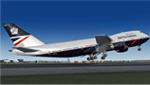
Project Opensky 747-200 V4, With reflective textures. Model Features include fully animated control surfaces, fully independent suspension, main gear steering, trim animation, opening passenger doors, opening cargo doors, dynamic flexing wings, animated tilting bogies, rolling wheels, animated thrust reversers, fully reflective textures ( each part has different degree of reflection based on material ), accurate flight dynamics ( accurate FDE with full profiles for wheels, tires, struts, leading/trialing struts, engine types ... Tested by real pilots.), newly re-defined individual part damage profiles, accurate spoiler animation, detailed textures, full night lighting, visible landing lights from the cockpit, reflective cockpit windows, crash effects, transparent nav light lenses, newly re-defined individual part damage profiles. Model Designer Hiroshi Igami. Flight Dynamics Designer Warren C. Daniel. Tested by Project Open Sky Members. Master textures by Corey Ford. This colour scheme was used for the privatisation of British Airways in 1984.
| Filename: | British_Airways_City_of_Manchester_Boeing_747236B_.zip |
| License: | Freeware |
| Added: | 4th January 2014, 19:24:00 |
| Downloads: | 1,705 |
| Author: | Stephen Groom | Project Opensky |
| Size: | 21.38 MB |
| Category: Flight Simulator X - Scenery | |
| KCLL Easterwood Airport College Station Texas USA |
|
Images related to this file:
File Description:
Easterwood College Station Texas Airport for FSX. Several improvements have been made to the default airport. The default terminal building has been replaced with one created in FSDS; aircraft gates have been correctly coded using Airport Design Editor 1.70.6042; a new airport vehicle network has been built to prevent airport vehicles from entering the taxiways; extra fuel trucks have been added throughout the airport; the tower view has been changed to display from the roof of the control tower; all taxiway signs are correctly placed and all taxiway designators are correctly named; there is the option to open all runways to AI traffic; optionally, a set of GA flight plans is included using all default FSX aircraft to liven up the GA area; and Jim Dhaenen's excellent ramp lights are also included. Please refer to the README.txt file to insure proper installation of all files.
| Filename: | KCLL_Easterwood_Airport_College_Station_Texas_USA.zip |
| License: | Freeware, limited distribution |
| Added: | 25th November 2017, 16:08:22 |
| Downloads: | 442 |
| Author: | Patrick Finch |
| Size: | 1.09 MB |


© 2001-2026 AVSIM Online
All Rights Reserved
Privacy Policy |