
Where Flight Simulation Enthusiasts Gather from Around the World!
AVSIM Library - Search Results

| Category: Flight Simulator X - Aircraft Repaints, Textures and Modifications | |
| air algerie livery of wilco a340-300 |

|
File Description:
air algerie leased an a340-300 from hifly
The Airbus A340 is a long-range, wide-body passenger airliner that was developed and produced by Airbus. In the mid-1970s, Airbus conceived several derivatives of the A300, its first airliner, and developed the A340 quadjet in parallel with the A330 twinjet. In June 1987, Airbus launched both designs with their first orders and the A340-300 took its maiden flight on 25 October 1991. It was certified along with the A340-200 on 22 December 1992 and both versions entered service in March 1993 with launch customers Lufthansa and Air France. The larger A340-500/600 were launched on 8 December 1997; the A340-600 flew for the first time on 23 April 2001 and entered service on 1 August 2002.
Keeping the eight-abreast economy cross-section of the A300, the early A340-200/300 has a similar airframe to the A330. Differences include four 151 kN (34,000 lbf) CFM56s instead of two high-thrust turbofans to bypass ETOPS restrictions on trans-oceanic routes, and a three-leg main landing gear instead of two for a heavier 276 t (608,000 lb) MTOW. Both airliners have fly-by-wire controls, which was first introduced on the A320, as well as a similar glass cockpit. The later A340-500/600 have a larger wing and are powered by 275 kN (62,000 lbf) Rolls-Royce Trent 500 for a heavier 380 t (840,000 lb) MTOW.
The shortest A340-200 measured 59.4 m (195 ft), and could cover 12,400 km / 6,700 nmi with 210–250 seats in 3-class. The most common A340-300 reached 63.7 m (209 ft) to accommodate 250–290 passengers and had a 13,500 km / 7,300 nmi range. The A340-500 was 67.9 m (223 ft) long to seat 270–310 over 16,670 km / 9,000 nmi, the longest-range airliner at the time. The longest A340-600 was stretched to 75.4 m (247 ft), then the longest airliner, to accommodate 320–370 passengers over 14,450 km / 7,800 nmi.
As improving engine reliability allowed ETOPS operations for almost all routes, more economical twinjets have replaced quadjets on many routes. On 10 November 2011, Airbus announced that the production reached its end, after 380 orders had been placed and 377 delivered from Toulouse, France. By the end of 2021, the global A340 fleet had completed more than 2.5 million flights over 20 million block hours and carried over 600 million passengers with no fatalities. The A350 is its successor; the McDonnell Douglas MD-11 and the Boeing 777 were its main competitors. Lufthansa is the largest operator and the largest customer with 34 A340 aircraft in its fleet.
| Filename: | air_algerie_livery_of_wilco_a340300.zip |
| License: | Freeware |
| Added: | 29th May 2022, 17:02:17 |
| Downloads: | 166 |
| Author: | moussa cherif baya |
| Size: | 10.55 MB |
| Category: X-Plane - Original Aircraft | |
| Spruce Goose for X-Plane 6.4/6.51 (hk-1/H-4 Hercules) |
|
File Description:
Spruce Goose v1.0 for X-Plane copyright (c) by Robert App, January 2003. History of the "Goose" - Officially designated the HK-1 (this project started out as a join venture between Hughes Aircraft and Kaiser) and later designated the H-4 Hercules after Kaiser was unable to work with Howard. It was and still remains the largest (physical dimensions wingspan and length) aircraft ever built, with the largest radial engines ever built by the West (28 cylinder, 3000 HP). The plane had to be constructed mainly of wood due to the shortage of strategic metals caused by WWII. The plane became known as the "Spruce Goose" or "Flying Lumberyard" despite the fact that the wood frame and skin were constructed mainly of laminated poplar; it also involved "sandwich" construction. The plane was flown briefly on a trial taxiing run but Hughes never allowed the plane to be flown again. Speculation has always been rampant that the design was flawed and the plane could not have met the original specification requirements. The X-Plane model is as accurate as is possible with limited plans available to me. The main wing is an X-Plane standard symmetrical high lift airfoil as opposed to the high lift asymmetrical foil section used in the actual plane. The main wing angle of attack has been adjusted to emulate the asymmetrical foil as closely as possible.
Flight Testing the Goose - I have spent many hours testing the plane on X-Plane which with few exceptions provides a very accurate flight model. The published landing speed (79 mph) pretty well verifies the takeoff speed of 52 to 55 knots (k/hr x 1.15 (approx.) = mph). In straight flight the plane is difficult to stall since the nose quickly drops and increases speed if a stall develops with a significant loss of altitude. The plane has a range on 14000 gallons of fuel and takeoff weight of 350,000 Lbs of well over 3000 nautical miles. San Diego to Wake Island via Midway Attol is a piece of cake with lots of fuel to spare at 350,000 lb GW. The plane is flyable at a GW of over 410,000 lb but climb rate is very sluggish (max 400-600 fpm) and loss of speed due to excessive side slip can cause a fatal stall, in straight flight the plane is difficult to stall. So far my conclusion is that with todays materials and jet engines (which may be a future project) this aircraft could probably be competitive in performance with todays planes. With aluminum alloys that were available during its construction its performance would probably have exceeded the initial requirements.
| Filename: | Spruce_Goose_for_XPlane_64651_hk1H4_Hercules.zip |
| License: | Freeware, limited distribution |
| Added: | 31st January 2003, 05:19:19 |
| Downloads: | 1,739 |
| Author: | Robert App |
| Size: | 1.69 MB |
| Category: Flight Simulator X - Scenery | |
| RAF Elvington |
|
File Description:
The station was originally a grass airfield within No. 4 Group. In the early 1940s the airfield was entirely reconstructed with three hardened runways replacing the grass. It re-opened in October 1942 as a station for 77 Squadron RAF and along with RAF Melbourne and RAF Pocklington was known as No "42 Base". The squadron had a strength of approximately 20 aircraft and initially used the twin engined Armstrong Whitworth Whitley medium bomber although this was quickly replaced by the Handley Page Halifax four engined heavy bomber which was being introduced. No 77 Squadron suffered heavy losses during its time at Elvington with over 500 aircrew killed, missing or taken prisoner and almost 80 Halifaxes lost as it played a major part in the Battle of the Ruhr and the bombing of Berlin.
In May 1944 No 77 Squadron posted to the newly opened nearby RAF Full Sutton and was replaced at Elvington by two French squadrons, numbers 346 "Guyenne" and 347 "Tunisie" who both played a leading part in the bombing of Germany. Elvington was the only airfield in the United Kingdom used by the remainder of the Free French Forces, they also flew Handley Page Halifax heavy bombers until they moved to Bordeaux in October 1945 where they became the basis for the new air force of liberated France. In September 1957 a memorial was unveiled in Elvington village dedicated to the two French squadrons. While they were at RAF Elvington nearly half of the squadrons' members were killed.
After the war the 400-acre (1.6 km2) airfield was transferred to No 40 Group under the control of Maintenance Command until 1952 when it was greatly enlarged and extended for use by the United States Air Force.
United States Air Force use
The United States Air Force (USAF) built a new 3,094 m (10,151 ft) runway, which was the longest in the north of England, and a huge 19.8 hectares (49 acres) rectangular hardstanding apron as well as a new control tower to turn Elvington into a "Basic Operation Platform" which would have operated as a Strategic Air Command (SAC) dispersal airfield. After spending £4 million the airfield never became operational as a SAC base and was abandoned by the US Air Force in 1958.
Other uses
In the early 1960s the Blackburn Aircraft Company, now part of British Aerospace used the runway for test flights of the Blackburn Buccaneer. Elvington retained its status as an RAF relief landing ground and was used by the RAF flying training schools at RAF Church Fenton and RAF Linton-on-Ouse until the airfield was finally closed in March 1992.
Present day
The airfield is now owned by Elvington Park Ltd. The adjacent buildings and control tower have been restored, and serve as the Yorkshire Air Museum which has many varied and rare aircraft and exhibits, including a complete Halifax bomber. Elvington is also a popular motorsports venue for motorcycle racing.
Source:Wikipedia
| Filename: | RAF_Elvington.zip |
| License: | Freeware |
| Added: | 10th April 2017, 22:08:13 |
| Downloads: | 167 |
| Author: | Terry Boissel |
| Size: | 220.79 KB |
| Category: Flight Simulator X - Scenery | |
| RNAS Henstridge (HMS Dipper) |
|
File Description:
Royal Naval Air Station Henstridge or RNAS Henstridge (HMS Dipper) is a former Fleet Air Arm base located 7 miles (11 km) west of Shaftesbury, Dorset (Now Somerset) and 12.4 miles (20.0 km) east of Yeovil, Somerset in South West England.
The main part of the land (355 acres) was purchased in August 1941, after which building of the airfield and the marsh lane accommodation site commenced, it was commissioned on April 1, 1943 as HMS Dipper, principally as number 2 naval fighter school, on the 11th September 1942, another 18 acres was acquired at the adjoining gibbs marsh area for an aircraft repair and maintenance site. The design and lay-out of the airfield was quite unique, having 5 runways, 2 of these being east west lay-out (07-25) both 1000 yards long, the northern runway incorporated a dummy deck landing strip, complete with under-ground arresting gear with four above ground arrestor wires, which was a duplicate of that installed on HMS Implacable for training of aircraft carrier landings, these mainly being carried out with the Seafire, a naval version of the spitfire with folding wings. The site also had its own cinema and stage hall
March 1952 the airfield became inactive and was placed under care and maintenance, during 1953 Air whaling (now Bristow group) used the facilities for repairs to the whaling fleet of helicopters until moving out in June 1958.June 1957 it was finally closed as a naval establishment, from 1958-1960 the entire site was sold off. 27 June 1980 the BBC purchased the whole site and applied for planning permission to erect at the airfield a shortwave radio station consisting of 21 self-supporting towers holding aerial arrays and ancillary buildings on a 300-acre site. The station would transmit overseas radio services to Eastern Europe, the Soviet Union and perhaps South America the application failed and the BBC sold the land during January 1987 The airfield is also the home of the wessex strut, a general aviation club formed in January 1977, which holds an annual fly in and other events their first fly-in was on 17 April 1977 and attracted 107 aircraft. As of today the only usable runway is the north 07-25 runway, extant with the concrete dummy deck, and the underground machinery chamber, it is also the home to a large number of light aviation enthusiasts aircraft as well as the Yakolevs aerobatic display team and the Dorset and Somerset air ambulance
The current airfield is operated by EGHS and is an unlicensed airfield. The only usable runway is 07/25 tarmac/concrete 750 mts long x 6 mtr wide. Henstridge radio can be contacted on 130.250 MHz, it can be found at the south eastern stub of the Yeovilton MATZ
Source:Wikipedia
| Filename: | RNAS_Henstridge_HMS_Dipper.zip |
| License: | Freeware |
| Added: | 9th February 2017, 22:14:54 |
| Downloads: | 165 |
| Author: | Terry Boissel |
| Size: | 4.53 MB |
| Category: Flight Simulator 2004 - Scenery | |
| Ketchikan PAKT in southern Alaska plus float planes 5KE and the town |
|
Images related to this file:
File Description:
This is Ketchikan PAKT in southern Alaska, 45 miles north of the Canadian border and 220 miles south of Juneau. It is the closest major Alaskan airport to the lower 48 and most flights from or to Seattle pass through Ketchikan en route. The airport is on the southern side of the stretch of water known as The Narrows and the town is on the northern side, with ferries connecting the two. The town side was somewhat modified as part of one of the three Misty Fjords sceneries, so there were already some marinas and docked cruise liners etc before I started this. In addition, Ketchikan Airport had been partly made way back in 2006, and further modified in 2007; I say "partly" as there is in fact no way to accurately make PAKT within the limitations of FS9 as there is a 50 or 60 feet difference in elevation between runway and apron, and the taxiways are actually ramps up from the apron to the ends of the runway. This has a knock-on effect on the float plane and ferry docks on the water below the airport. I can see why the Misty Fjord sceneries avoided it. This scenery retains the original buildings from the Alan Wright scenery. It also includes the modification made by John Hinson, who created the second taxiway to the western end of the runway; FS9 had not included this as the original airport started operations with only one taxiway in place. There are new vehicles on the apron (fuel etc), new apron markings and some parking modifications to enable AI with Boing 737, DC6, Beechcraft 1900, and GA, plus runway and taxiway signage, windsocks, some car parking, freight items, etc. There is a road and covered bridges down to the docks and ferry, and the town side of the water has been modelled to include other float plane docks along with waterfront buildings, including the ship repair facility with it's dry dock (actually a floating dock that lifts ships out of the water) and the Alaskan Ferry Terminal wharf etc. The ferry forms a part of the AI, generously permitted by FSAddon and originally a part of the payware Tongass Fjords package, as are the AI aircraft also included here. There are new waterside buildings that stretch from the ship repair yard, past the shopping plaza and onward to the stationary cruise liners (that were part of the Tongass payware scenery) including float docks for the float plane companies that are based in Ketchikan, plus a new AI liner. The AI is a further adaptation of the already posted CF36 AI and PAKN AI, as listed in the AI folder. Due to the surrounding hills there may be some interference with AI float aircraft, depending on the wind direction, though I have watched succesful Beaver landings with the wind from the east. The combined AI for float planes creates a float plane take off or landing at, on average, 20 minute intervals; this is still well short of the actual busy summertime period.
| Filename: | Ketchikan_PAKT_in_southern_Alaska_plus_float_plane.zip |
| License: | Freeware, limited distribution |
| Added: | 12th February 2017, 23:27:59 |
| Downloads: | 1,235 |
| Author: | Roger Wensley |
| Size: | 47.11 MB |
| Category: Flight Simulator X - Aircraft Repaints, Textures and Modifications | |
| Consolidated PBY-5A VB-126 #20 |
|
Images related to this file:
File Description:
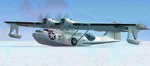
A repaint for the Aerosoft PBY-5a Catalina in the colors of PBY-5a #20 (BuNo 7277) of VB-126 as it looked during a rescue operation on the Greenland ice cap in 1943. On 5 november 1942, a C-53 en route from Iceland to Greenland was reported missing off Greenland's east coast. Four days later, a B-17F, en route for England was aked to to keep a lookout for the missing plane, but it crashed on the ice cap. The crew of suffered only minor injuries, and they soon received food and other supplies that were dropped on the ice. Unfortunately, they had landed in a heavily crevassed part of the icecap, making an evacuation difficult. On 28 november, a USCG Grumman Duck, flown by Lt Pritchard, managed to make a wheels-up landing on the ice and brought out two of the crew. The next day, a ground rescue team arrived on the dite as well, and things looked good....
One crew member and a rescuer died when their sled disappeared in a crevasse, and later the same day, Lt. Pritchard's Duck disappeared as well, with a crew of three. On 6 december, an attempt was made to evacuate the B-17's navigator, Lt. O'Hara, who suffered from gangrene in his feet. One member is the rescue party fell into an crevasse, and the motorsled they were using broke down, so the men had to dig in and wait for help. The days continued until over christmas, but morale was kept high with airdrops whenever the weather permitted. A rescue by sled became impossible however due to bad conditions and heavy snows. Lt.Col Balchen, who had used a PBY the previous summer to rescue the members of the B-17 'My Gal Sal' (currently under restoration in Ohio) of the ice, and was now in charge of the rescue operation, proposed to try the same here. The last summer, the PBY landed on a melt water lake on the icecap however, this time he wanted to belly land the PBY, and nobody knew if the hull could withstand such a battering. In the meantime, a ski-equipped T8P1 aircraft tried the same, but dispappeared over the east coast. The crew members were found five days later in a rubber dinghy. The Navy finally gave permission to try an attempt with the PBY. and two PBY-5a"s were send to airfield BW-8, to wait for the right weather. On 5 febuary 1943, Lt Bernard Dunlop succesfully bellylanded BuNo 7277 / 20 (the above paintjob) at the motorsled camp, and the three survivors were taken on board. It has frozen solid in the ice, but after two hours of hard labor, the crew managed to free the PBY and it took off. Now only the three crew members still at the original site needed to be rescued. A ground rescue party was sent to the wreck to transport the survivors to a spot where the PBY could land, but bad weather prevented any flying until 17 march. On that day, Lt. Dunlop landed on the ice, dropping off Lt.Col Balchen and the rescue party, who reached the wreck the following day. The weather closed in again until finally, on april 5th, Lt Dunlop landed his PBY for the third time on the ice cap. All hands were taken on board, but after five attempts to take off, the starboard engine caught fire. The blaze was extinguished, but repairs were necessary. The next day, they managed to take off, but without the rescue party, to lighten the load. 149 days after their crash, the B-17 crew was finally clear of the ice. It wasn't until 18 may that the last member of the rescue party was finally evacuated, making this a six and a half month rescue operation...
Repaint by Jan Kees Blom, based on the paintkit by Aerosoft
| Filename: | Consolidated_PBY5A_VB126_20.zip |
| License: | Freeware |
| Added: | 13th July 2018, 20:33:17 |
| Downloads: | 139 |
| Author: | Jan Kees Blom |
| Size: | 10.19 MB |
| Category: Flight Simulator X - Aircraft Repaints, Textures and Modifications | |
| Virgin Galactic Boeing 747-8i |
|
Images related to this file:
File Description:
FSX Boeing 747-8i Virgin Galactic with advanced VC by Alejandro Rojas Lucena and VC Textures Upgrade by Enrique Cornejo, founder of the Flightsim Workshop Project. This gives the b747 a payware Virtual Cockpit look and now with green leather tapestry on the sides of the seats. It even has a pilot jacket hanged in the rear of the cockpit (besides the right jumpseat). The panel.cfg and the aircraft.cfg have been assembled and edited by the Flightsim Workshop Team. Now you can pop up "My icons" window in the Virtual Cockpit to easily reach the following windows: GPS, avionics, map, ATC, Climb/Radio Altimeter/Spoiler switch, auto-break switch, throttle quadrant, clock, descent meter, kneeboard and overhead panel. A new feature in My Icons Window I added is a new Pitot Heat switch with ON and Off features, (XML gauge by Enrique Cornejo). cold weather, the Pitot Heat switch works just like in real life, so if its turned off the air speed indicator will stop working, so make sure you turn the Pitot Heat switch on before taking off!
The autopilot ON switches have green lights which make them look more realistic. Center ATC identification in this aircraft is "Boeing 747". We have also fixed the position of the strobe lights so when the aircraft is flying they are in the right place, so turn on the strobe lights switch after take off. The cockpit view from the pilots seat is now more comfortable because the distance between the cockpit and the seat is longer.
The aircraft has new engine views (from both wings) and new Virtual Cockpit interior views from the left, right and central jump seats. The brakes has a differential brake system to make smoother turns in ground. The Virgin Galactic Spaceship texture is wonderful and it has a unique paint scheme by Enrique Cornejo which also includes details such as some stains caused by humidity in the fuselage and the wing flaps and other details just like a real aircraft. Real smoke in the four engines, just select key, more cabin views, realistic cockpit and engines sound & more realistic night VC lights and fuselage night textures, in the VC just select key and reset the overhead Instrument panel light dim switch in the overhead panel. The aileron parameters have also improved, so now the right and left turns are smoother. This aircraft uses the Project Opensky FSX Boeing B747-800 Model OSX748V4_GENX(MDL), and includes the gauge window Posky Utility to view the main stairs, ground cargo servicing, etc. The engine sounds are edited like the real ones with cockpit ambient, so you can enjoy a pleasant flight. The Flight Management Computer (FMC) is fixed and looks like a payware instrument. The VC includes FMC, Primary Flight Display (PFD) and Multi-Function Display (MDF) displayed in the correct size. The virtual cockpit also has an Engine-Indicating and Crew-Alerting System also known as EICAS, Ground Proximity Warning System (GPWS), working wipers, cabin lights, fire suppression, avionics switch, fuel cross feed, and you can identify those instruments in the overhead panel because they are bordered with color lines. You can also find landing lights switches, taxi light switch, engine generators, APU generator, battery switch, starter switches, de-ice switch, general lights switches which are a great work of Alejandro. So now the whole cockpit and texture upgrade with all these improvements looks better than a payware version. The clock numbers are now in orange which makes them look better and easily recognizable. Assembled and edited for FSX by Flightsim Workshop Founder Enrique Cornejo. 78 MB
| Filename: | Virgin_Galactic_Boeing_7478i.zip |
| License: | Freeware |
| Added: | 21st February 2013, 18:56:28 |
| Downloads: | 1,940 |
| Author: | Enrique Cornejo |
| Size: | 77.73 MB |
| Category: Flight Simulator 2004 - Scenery | |
| Gander CYQX in Newfoundland Canada |
|
Images related to this file:
File Description:
Gandeer is on the east coast of Canada and is the closest North American airport to Europe on the great circle route. In the early days of transatlantic flight, and in fact into the 1960's, this made it very important as a refueling stop either before the ocean hop or just after. Since then it's importance as an airport has faded somewhat as planes now fly directly to the larger city destinations. It is still an active air force base for ocean patrol and search and rescue planes, and military flights are around half of the total flights into and out of the airport. The main attractions of the airport now are the long runways and the cheaper landing fees, and there are some cargo flights and cheap charter passenger flights. This version of Gander is based upon a forgotten-about video taken in October 2010. By then the two longer runways, 13-31 at 8,900 feet and 03-21 at 10,200 feet (though in FS9 this is still designated 04-22, as it had been in 2003) had been closed (one at a time) and totally resurfaced. The third runway 09-27 (3,500 feet in 2003) was closed and starting the process of being broken up, along with associated aprons. This was part of a long process of demolition of some of the older buildings, aprons, and taxiways as they became unused with the fall in the number of daily flights. I have made it clear which of the 2010 taxiways and aprons were still in use by showing them as asphalt, while those in the process of decaying disuse or removal are in the darker tarmac texture; this is somewhat realistic as when asphalt aprons are "ploughed" for removal the darker underside becomes visible. In the renovation process of taxiway repairs only the centre strip of the taxiways was repaired and this is marked by new and closer edge lines. One end of the closed runway was still being used in 2010 for access and parking. There is a warning note in the April 2010 edition of the NAV CANADA Flight Supplement that states "surface rut on Gander Flight Training's private taxiway" (written with extremely shortened words). The Gander layout page is included here, showing that in the Spring of 2010 a much-shortened version (1,875 feet) of the 09-27 runway was still in use; my version is for late 2010 and after that runway was closed. The older buildings (and some of them are now 70 years old or more) are built in concrete and flat roofed with bitumen water proofing; hence the almost black roofs. The terminal building is one of these, though it has been enlarged by the inclusion of a hangar that is now used as the main terminal space. Almost all of the buildings are correctly replicated here. The main GA parking area is to the east of 03-21 where there are two large hangar buildings. One of them is for maintenance and the other is for a large FBO called Gander Aviation. There are other FBO's on the airport, closer to the terminal. These are Irving and Woodward, both to the west, and Allied to the south. There is a further FBO at the eastern end of the apron, name unknown. Shell, who only did refueling, were next to Woodward in 2010 but left, I believe, in 2012. The large red building behind Woodward and Shell is for the maintenance of all airport equipment (from luggage trolleys, snow clearers, de-icing trucks etc to air conditioning, radar, and radios). Most of the remaining buildings are for the air force base, though there are some private companies (such as Universal Helicopters) and even a small private cottage.
| Filename: | Gander_CYQX_in_Newfoundland_Canada.zip |
| License: | Freeware, limited distribution |
| Added: | 29th April 2020, 19:15:01 |
| Downloads: | 677 |
| Author: | Roger Wensley |
| Size: | 29.37 MB |
| Category: Flight Simulator 2004 - Scenery | |
| Stephenville CYJT in Newfoundland Canada |
|
Images related to this file:
File Description:
Stephenville is on the east coast of Canada, and the airport was an American base from 1941, when it was built, until 1966. It was named the "Ernest Harmon Airforce Base" and I will leave that for you to research if you wish to know more. Operating in my version (around 2010?) as a civilian airport, it's main features are a long 10,000 feet 09-27 runway (with ILS on 27) and acres of empty space. The runway was one of those designated as an emergency space shuttle landing runway if required. There is a shorter 20-02 runway (3,000 feet) that is not maintained during the winter (and which would be closed in 2018). The revised perimeter fence of the airport now encloses less than half of the original area, with the northern parts replanned as an industrial park. The attached screenshot from Google Earth shows this, and also that the main operating part of the airport is at the western end of the main runway, with only one hangar connecting to the runway from the eastern end. Like Gander, the airport is still shrinking, with taxiways and aprons not maintained (particularly in the winter) or even formally closed, and flight numbers falling. Until the early 1990's Stephenville was serving most of western Newfoundland and Air Canada, for instance, was one of the airlines that flew there. Deer Lake took over this task for western Newfoundland when the Provincial Government so decided. Stephenville remains as a port of entry, and planes with a total of 30 or less passengers can still be serviced there. My version is a mixture that cannot be precisely dated. For instance, I know there was a large hangar there until 2013 but as I do not have any photos to make it I have shown only the concrete square where it formerly stood. So 2008 or 2013, or somewhere in between? I have the airport being served by Provincial Airlines and also by Porter, though in fact Porter only flew there during the Summer months; I say "flew" as right now all flights are of course almost totally non-existent. As with Gander, I have made it clear which of the taxiways and aprons are still in regular use by showing them as asphalt, while those in the process of decaying disuse or removal are in the darker gravel or tarmac textures; this is somewhat realistic as when asphalt aprons are "ploughed" for removal the darker underside becomes visible. I have also shown the areas that now form part of the Industrial Park as cement, as this better matches the Ultimate Terrain road texture. It may seem odd that the new Canadian Coastguard hangar is not properly served by an asphalt taxiway instead of sitting on an apron that is not cleared in the winter, but it caters (mainly?) for helicopters. The original coastguard hangar is the large and decrepit one in the northeastern corner of the airport. Almost all of the buildings within the original perimeter of the airport are fairly accurately replicated here, whether still in use (Road Maintenance Department, Garbage Disposal, Armour Trucking Company, etc) or vacant (including the very strange atom-bomb-proof buried shelter) or still part of the airport (the east side of the main apron with Shell to the north, then the terminal, the Marine Institute, etc). The AI included here (a revised Gander AI) is for daily flights by Provincial Airlines, Porter, and some charter planes and GA. You will see, once the scenery is installed, that like Gander there two scenery folders called "Scenery summer" and "Scenery winter". Obviously in August you will want the summer scenery and you get this by editing the folder name down from "scenery summer" to just "scenery" and FS9 loads the summer ground textures. If FS9 decides that there is snow on the ground then you need the winter textures which do not show the aprons or taxiways that do not receive winter maintenance. One thing you must NOT DO is to edit both folders down at the same time.
| Filename: | Stephenville_CYJT_in_Newfoundland_Canada.zip |
| License: | Freeware, limited distribution |
| Added: | 24th June 2020, 18:01:58 |
| Downloads: | 235 |
| Author: | Roger Wensley |
| Size: | 43.78 MB |
| Category: X-Plane - Utilities | |
| X-Camera 2.2.1 |
|
Images related to this file:
File Description:
The X-Camera 2.1.1 plugin for X-Plane 9 and 10 is a replacement camera system that lets you define multiple view categories and multiple views within those categories that are associated with specific aircraft. X-Camera is similar to EzDok for FSX only for X-Plane. Watch this short X-Camera demo on YouTube: https://www.youtube.com/watch?v=PgOxG8ejq9A
Each view can have options:
- TrackIR:
Each view can enable or disable the TrackIR input. If the view is out the cockpit window having TrackIR enabled is desirable. However, if the view is a close-up of an instrument panel then having TrackIR disabled is probably the better choice since the view will be stable making it easy to click on cockpit controls with the mouse. We also support LinuxTrack on Linux and Mac systems.
- HeadShake:
If the HeadShake plugin from SimCoders is installed then the view can accept input from HeadShake. Similar to the TrackIR feature you will likely want this enabled for certain views but disabled for views on instrument panel close-ups where a stable camera makes it easier to use a mouse to control cockpit knobs and switches. The HeadShake plugin must be at version 1.3 or higher for the integration to work.
- Scenic Flyer:
If the Scenic Flyer plugin from Digital Avionics is installed then the view can choose to display either the Scenic Flyer Glass panel or GA panel.
- Smooth Transition:
When this option is enabled the camera with smoothly transition from one view to another over approximately half a second. When the option is off the view will transition immediately.
- Views can be controlled in a number of ways:
> Each view can be positioned by using keyboard keys or a control panel
> The camera'™s X, Y, Z, Heading, and Pitch can all be adjusted for each view
> Views can be assigned to a HotKey or JoyStick button for easy selection
> HotKey or JoyStick button can be used to navigate to next or previous views
> The views for a specific aircraft can be saved to a CSV file for easy editing
- Walk Mode:
Any view'™s camera can be placed in Walk Mode. While in this mode the camera can be walked or floated around using keyboard input. If you ever played the video game asteroid that is what walk mode is like. The mode is particularly useful for pre-flight inspections of your aircraft. You can create a external view and after selecting that view you can "Walk" the camera around checking out your landing gear, props, etc.
- Linear Transitions and Auto Advance:
Linear transitions allows you to define a transition between two adjacent cameras in category. This capability, in conjunction with the auto advance feature, allows you define fairly sophisticated animations that can be used for automated Pre-flight inspections, scenery viewing, and cool transitions affects that can be used when creating flight videos. All the transitions in our YouTube video were done with X-Camera.
- Bezier Curve Transitions:
Bezier curve transitions allows you to define a transition between three or more adjacent cameras in a category. This capability, in conjunction with the auto advance feature, allows you define fairly sophisticated animations that have an ultra smooth movement between the curve control points.
- Many Unique Camera Attributes:
Tracking Cameras - Camera Leveling - Smooth Camera Joining - Auto Advance to the Next Camera - Individual Zoom and Field of View Setting - External Cameras - Free Cameras - Target Following Cameras - Cineflex Cameras - Automatically Generate Unique Orbit and Fly-By Animations
X-Camera can create unique orbit and fly-by camera sequences by providing a few key parameters
- Airport Cameras:
You can define a set of free cameras associated with an airport. You can create up to 2,000 cameras per airport. X-Camera can also automatically populate airport cameras by reading the airport scenery files and creating cameras at runways, starting locations, taxiway signs, and airport viewpoints. You can map a joystick button to quickly switch between your aircraft camera set and the nearest camera at the nearest airport.
- Target Following Cameras:
Targets are locations defined by a latitude, longitude, and elevation in meters. Target following cameras are a special type of external camera that is attached to your plane and it has the ability to track a selected target. You can also view the target reciprocal which as a view from the target back to you plane.
X-Camera Tutorial Videos: There is also a four part series of tutorial videos that will help you get started with X-Camera. You can access them from the X-Camera Tutorial Page: https://www.stickandrudderstudios.com/x-camera-tutorial-videos/
The full manual is included in the zip file you can also view it here: https://www.stickandrudderstudios.com/downloads/User_Guide.pdf
| Filename: | XCamera_221.zip |
| License: | Shareware, limited functionality |
| Added: | 27th January 2017, 15:14:21 |
| Downloads: | 478 |
| Author: | Mark Ellis |
| Size: | 4.61 MB |


© 2001-2026 AVSIM Online
All Rights Reserved
Privacy Policy |