
Where Flight Simulation Enthusiasts Gather from Around the World!
AVSIM Library - Search Results

| Category: Flight Simulator X - Scenery | |
| Airport update for Chicago O'Hare Intl Airport (KORD), Illinois, USA |

|
Images related to this file:
File Description:
This updated version reflects the changes taking place at the airport with two optional files and made only for FSX users, not made or suitable for use in P3D: There is one version with the Crosswind runways operating where all 8 runways will be used for takeoff/landing and one version as the default airport runway operation: Runway 9C/27C and its taxiways now added with ILS approaches included for it, runway 9R/27L now at its new extended length and the ILS approaches corrected for it, the runway reconfiguration is now complete, the new extension and gates added to terminal 5, all aprons, taxiways and taxi signs updated to the latest charts, assigned parking as per their website where possible with extra parking including 2 gates for the A380 (gates M9 and M19), extra fuel trucks, support vehicle roads rebuilt and many other scenery improvements and objects added, airport views are from inside the central control tower (when in tower view), there is also a file for the nearby airport Chicago Executive formally Palwaukee Municipal (KPWK) which uses the same frequency as the KORD ILS for rwy 9C/27C, this bgl file for KPWK has the ILS frequency for Rwy 16 corrected to 109.75, so as not to cause a conflict at KORD, please view the readme before installation.
| Filename: | Airport_update_for_Chicago_OHare_Intl_Airport_KORD.zip |
| License: | Freeware, limited distribution |
| Added: | 22nd January 2022, 01:59:01 |
| Downloads: | 52,758 |
| Author: | Ray Smith |
| Size: | 5.95 MB |
| Category: Flight Simulator X - Aircraft Repaints, Textures and Modifications | |
| Douglas C-47 (X-1) Dutch Air Force |
|
Images related to this file:
File Description:
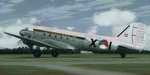
This folder contains a repaint for version 3.14 of the Douglas C-47 by Manfred Jahn and colleagues in the colors of X-1 of the Dutch Air Force. The Dutch Air Force received her first Dakota's in 1952, although they owned one in 1946, but that crashed near Katwijk the same year and was destroyed. That one carried the registration X-1, but that is not the subject of my paint... The Air Force later leased one C-47 from the KLM, gave it the military registration X-2, but it kept its civil registration, PH-TBV, on the tail. Later they leased a few more, and clearly they liked them, because they bought a few more in 1952. The first one was taken on charge in 1952 and was numbered X-1 as depicted in this repaint. The makers badge with its construction number was missing however, and nobody seems to know where this aircraft came from. The logbook mentions the aircraft was 'found'. There was a rumour that the aircraft had been used by refugees from the east and landed at Valkenburg airfield without registration. About a year later, in
the aircraft made an emergency landing near Valkenburg after taking off for a relief flight for the flooded areas in the south of the Netherlands on 6 februari 1953 and was written off.Repaint by Jan Kees Blom for Manfred Jahn's C-47 version 3.14, based on the paintkit by Gman5250.
| Filename: | Douglas_C47_X1_Dutch_Air_Force.zip |
| License: | Freeware |
| Added: | 15th August 2018, 11:31:34 |
| Downloads: | 198 |
| Author: | Jan Kees Blom |
| Size: | 10.57 MB |
| Category: Flight Simulator 2004 - Scenery | |
| Anaktuvuk PAKP Runway and Taxiway Lighting in Alaska |
|
Images related to this file:
File Description:
Anaktuvuk is in Alaska, and this posting adds proper runway and taxiway lighting to the scenery, as shown in the screenshots. There will be runway and taxiway lights visible during the day and at night there will be lit lights that properly illuminate the runway for landing, and at a lower level of brightness the taxiways. Put the bgl's into the existing scenery folder of your previous Anaktuvuk PAKP installation and say yes to replace the existing bgl's that have the same names. Instal the Library objects once and for all by placing the CONTENTS of the Lighting Library scenery folder in your static objects scenery folder and the CONTENTS of the texture folder in the static objects texture folder (which is how I install scenery objects libraries). Alternatively, put them in the scenery and texture folders of your Add on scenery folder, or even in the main scenery and texture folders. They just have to be in related scenery and texture folders that are always active when FS9 is running. If you do all this and there are no textures to the lights then put the library textures into the Anaktuvuk texture folder too; FS9 has done some strange things while I was making scenery so I would never rule out a possibility.
There will be further retro upgrades to other recent scenery that was posted with temporary lighting. Say thank you to Greg Putz for making the lighting.
| Filename: | Anaktuvuk_PAKP_Runway_and_Taxiway_Lighting_in_Alas.zip |
| License: | Freeware, limited distribution |
| Added: | 25th November 2019, 17:52:18 |
| Downloads: | 136 |
| Author: | Roger Wensley |
| Size: | 699.17 KB |
| Category: Flight Simulator X - Panels | |
| Project Black Panels v6.3 |
|
Images related to this file:
File Description:

Looking for a functional all-in-one panel? This package might be worth a look then. With a consistent layout for all instrumentation except aircraft type specific gauges (like engine displays and controls), this package offers panels for nearly all possible aircraft types. These IFR compatible 2D panels use the proper autopilot system for the aircraft type and have all the bells and whistles in easy reach; including an upgraded PFD, backup gauges, full IFR gauges (including ADF), fuel request, jetway toggle, engine startup and shutdown ability, a speed reduction system with auto spoilers, auto reverse thrust and auto taxi after landing, automatic gear, a true auto-smoke gauge that works with any aircraft having an engine smoke system, ground handling and popups like a custom exits control gauge, flight information computer and a TCAS radar plus much more. No attempt was made to replicate an actual aircraft panel, these were designed to allow flight of any aircraft in any location or situation without having to figure out how to use a different panel for each plane, and to assure all the necessary controls are present.
v6.3 is a Major Upgrade with a cleaner, more uniform look and tons of updated graphics, along with a load of new and improved features, including a functional TOGA system and, for piston engine aircraft, an Auto-Takeoff system. Complete package, no previous version required.
Support & Updates for this package can be found here:
http://www.thecurrentpage.com/?page_id=2686
| Filename: | Project_Black_Panels_v63.zip |
| License: | Freeware, limited distribution |
| Added: | 18th June 2010, 01:50:04 |
| Downloads: | 1,857 |
| Author: | Don Janusz |
| Size: | 28.84 MB |
| Category: Flight Simulator 2004 - Sounds | |
| Bombardier/Canadiar Regional Jet GE CF34-series Soundpack |
|
File Description:
This sound is intended for use on Project Opensky's models, but they'll work pretty good I am sure on Wilco/Feelthere models and other freeware and payware planes. After month's of hard precision work, I present to you my new realistic and accurate CRJ General Electric CF34-3B and CF34-8C soundpack for Microsoft Flight Simulator 2004 and x. This sound more specifically replicates the sound of the CF34-3C1 which powers CRJ-100 and CRJ-200s, however the CF34-8C sounds extremely similar to the -3B1 with a few minor differences. Also the interior sounds are mainly from a passenger perspective. Once you load your aircraft with these sounds, you'll hear the APU System and Fans in the cabin. You hear the humming sound of the CF34 at idle after you have started the engines. You spool up the engines at takeoff then hear the buzzsaw-like sound of the CF34 engine's fans. Once you lift off and put up the landing gear you will hear a chime from the cabin. It features realistic cockpit sounds like the autopilot deactivation sound, stall buzzer, overspeed beeper, gear up warning sound buzzer, flaps, rolling, and touch-down. I am sure that if you are a frequent Canadier/Bombardier Regional jet aircraft flyer, or if you're a pilot or flight crew onboard a CRJ aircraft, that you'll pretty impressed by these sounds. Give this soundpack a try, I am sure you won't be disappointed!
| Filename: | BombardierCanadiar_Regional_Jet_GE_CF34series_Soun.zip |
| License: | Freeware |
| Added: | 17th May 2010, 00:02:01 |
| Downloads: | 8,858 |
| Author: | Adam Murphy - Skyhigh Sound Systems |
| Size: | 86.12 MB |
| Category: Flight Simulator 2004 - Scenery | |
| Tongass Remote Airfield v2 - for Tongass Fjords |
|
Images related to this file:
File Description:
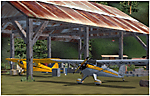
Tongass Remote Airfield v2 - for Tongass Fjords (FS9)
"Tongass Remote Airfield" v2 (RATR) Alaskan bush flying scenery (Fictitious).
This airstrip is for Flight Simulator 2004 and for the "Tongass Fjords" (FS9) addon by Holger Sandmann & Bill Womack; you must have "Tongass Fjords" (FS9) for this to work. Version 2 is a detailed, stand alone, remake of the first version, see PDF file.
Field history and description:
In the early days this area was well known to prospectors and hunters. A small mine was established and later abandoned. Around the late 40s a crew was contracted to clear a small landing area to gain easier access for hunters and campers. Due to the extreme remoteness of this area that clearing took several years. The last phase was the approach, clearing by hand a descending glide slope through just the tops of the tall trees. There is now just enough room for a very experienced pilot to get in and out of this field. The airfield is 26 miles north of Petersburg Alaska (PAPG). This is a tricky narrow approach with a left hand dogleg and then an immediate right hand dogleg turn just before the final approach. Not much time to set up your approach; also, it's a very short runway. For experienced pilots only, and make sure that your life insurance is up to date. Good luck.
| Filename: | Tongass_Remote_Airfield_v2__for_Tongass_Fjords.zip |
| License: | Freeware, limited distribution |
| Added: | 22nd March 2010, 13:16:16 |
| Downloads: | 626 |
| Author: | Jay Langham |
| Size: | 6.18 MB |
| Category: Flight Simulator X - AFCAD Files | |
| Stallone Airport (9NJ5), NJ |
|
File Description:
Located 01 miles SE of Harrisonville, New Jersey, Stallone Airport is a private turf strip 1350' in length. However it should be noted that the actual length from the road to the trees on the opposite end of the runway is actually only around 900'. It is tightly hemmed in by trees so if you are landing on Runway 29 you may want to use Slew to turn your plane around to remove the risk of bumping into a tree instead. If you land on Runway 11 you can cross the road to turn around in the field opposite the runway. The windsock can be seen from both runways. Power lines run along the heights of the trees as well for the Runway 29 approach, on the same side as the trees though so not really any additional worry there. No transient services are available. There is no hard surface runway so make sure your terrain mesh slider is set as high as possible for a suitably bumpy ground experience.
Scenery constructed with use of satellite images/streetview/aerial photos - the author has not been there in person.
This scenery is meant to be used in conjunction with MegaScenery Earth New Jersey/Delaware 004. It is not required, but apron use is minimized to allow satellite scenery to show through as much as possible, and objects are placed based on the MSE textures - lack of it may make scenery look out of place.
| Filename: | Stallone_Airport_9NJ5_NJ.zip |
| License: | Freeware |
| Added: | 5th April 2011, 07:34:54 |
| Downloads: | 170 |
| Author: | Drew Sikora |
| Size: | 332.91 KB |
| Category: Flight Simulator 2002 - Utilities | |
| Alert!! Lite v1.0 |
|
File Description:
Alert!! Lite is the freeware version of Alert!! Pro, which will be available at the end of May.
Alert!! Pro is a professional pilot fault monitoring system and complex failure generator expansion pack for Flight Simulator 2002.
The program tries to satisfy the dream of almost all virtual pilots, to simulate the failure of various systems and instruments in player’s aircraft as close to real-life as it can be. For first time in Flight Simulator, pilots can try for example what happens when extracting landing gears or flaps over the allowed speed.
With using Alert!! Pro airplanes must be operated within operational limits, otherwise the plane can suffer serious damage or can even lead to crash. With this program we created the real hard simulator flight which stands closer to reality than anything before. This is the dream of all virtual pilots.
Alert !! Pro is simulating runway condition according to weather conditions, so brake effects are depending on the condition of the runway.
Alert!! Lite and Alert!! Pro damage modelling is a complex system in the program, so damages will have effects on each other. For example an engine explosion shall cause the failure of flight controls too.
The program can create and handle many kind of failures. Player can set the frequency and even properties of various failures in an user-friendly interface.
Visite our website for more information: http://www.flytechsoft.com
| Filename: | Alert_Lite_v10.zip |
| License: | Freeware, limited distribution |
| Added: | 13th May 2003, 12:26:28 |
| Downloads: | 4,755 |
| Author: | FlyTech Software |
| Size: | 2.83 MB |
| Category: Flight Simulator 2004 - Miscellaneous Files | |
| Nick's AI Jet Exhaust With Control Gauge |
|
File Description:
Hanging around the airport watching the A-I traffic and chasing A-I jet aircraft just got a little more interesting. Enjoy watching your entire A-I jet fleet as they display engine heat shimmer effects -after- push-back from the terminal and during taxi to the active runway. All the A-I traffic take off displaying a lite, expanding, frame-rate friendly and nicely scaled high throttle heat/exhaust trail FX which remain with the A-I aircraft during its entire flight. To top off the show, the A-I aircraft that are throttled down and landing display no exhaust from the engines! This package also comes with a gauge that allows pilot throttle control of the taxi heat shimmer/full-throttle exhaust FX for the jet aircraft being flown in the sim by the user. This package does NOT interfere with the logo, taxi or wing lights of any aircraft and comes with 5 all new exhaust effects files which can be applied to just about any size private, commercial or military jet. It requires editing/adding lines in the aircraft.cfg and panel.cfg files. The README files include very complete and comprehensive instructions including a quick and easy copy/paste file for all the Microsoft jet aircraft and tutorial on making custom gauges from the one provided. This package completely replaces my original *Nick's Jet Smoke* package and any/all updates for it.
By Nick Needham
| Filename: | Nicks_AI_Jet_Exhaust_With_Control_Gauge.zip |
| License: | Freeware, limited distribution |
| Added: | 22nd December 2003, 21:16:01 |
| Downloads: | 29,957 |
| Author: | Nick Needham |
| Size: | 894.61 KB |
| Category: Flight Simulator 2004 - Flight Plans | |
| Military Base Tour - South Asia |
|
File Description:
“Military Base Tour – South Asia” (MFSA) continues the MILITARY FLIGHTS SERIES which includes “Military Flight Plans” (MF), “Military Flight Plans – Europe” (MFE) and “Military Base Tour – West Asia” (MFWA). In this segment there are 20 new flight plans in South Asia, starting in Kuwait, and moving on through India, Sri Lanka, Diego Garcia, Bangladesh, Bhutan, Myanmar, Thailand, Vietnam, Cambodia and ending in Singapore. The landing and takeoff at Paro, Bhutan is particularly memorable. A complete Flight Briefing is provided for each flight. Also included are a MFSA ITINERARY and a “Military Flights Master Itinerary” which lists each flight in all four segments of the Series to date. There are a total of 87 flight plans, starting in the US, going down through Cuba & Central America, back to the US and Canada, and then over to Europe, West Asia and now this South Asia segment. The final segment, “Military Base Tour – Pacific Rim” is under construction and will return the series to Andrews in Washington D.C. and make the SERIES a “Round the World” trip. It is suggested that the pilot set up a new file Folder (or file in an existing Folder) to unzip the file “mfsa_flights.zip” to and store the .PLN and Flight Briefing files. The .PLN file can then be copied to the “Flight Simulator Files” to set up the flight, and the briefings printed and available for quick reference during the flight.
| Filename: | Military_Base_Tour__South_Asia.zip |
| License: | Freeware |
| Added: | 20th November 2004, 00:07:13 |
| Downloads: | 1,747 |
| Author: | John Resch |
| Size: | 232.89 KB |


© 2001-2026 AVSIM Online
All Rights Reserved
Privacy Policy |