
Where Flight Simulation Enthusiasts Gather from Around the World!
AVSIM Library - Search Results

| Category: Flight Simulator 2004 - Utilities | |
| Scenery Align |

|
File Description:
Power tool for directly editing scenery.cfg to manage your sceneries. Drag-and-drop assist to move scenery directories and create scenery.cfg entries. Re-numbers and re-layers scenery.cfg to facilitate manual editing. Switch scenery groups between high-altitude flights, and VFR flights with photoreal scenery, and switch fs9.cfg files for corresponding graphics settings. Programmable buttons allow quick access to scenery.cfg and six other files/directories/websites of your choice (such as your scenery directory, active and alternate fs9.cfg, scenery.cfg, Avsim). Backup support for all operations. Can be linked to Transfer_Undo for a complete installation tool.
| Filename: | Scenery_Align.zip |
| License: | Freeware, limited distribution |
| Added: | 13th March 2005, 02:43:58 |
| Downloads: | 2,585 |
| Author: | Richard Bixler |
| Size: | 300.08 KB |
| Category: Flight Simulator 2002 - AFCAD Files | |
| More Northern Canadian Airfields |
|
File Description:
Created missing AFCAD files for Northern Canadian airfields, so you can populate with AI traffic.
You can download commuter Canadian Airlines that frequent these airports, like Air Creebec, Calm Air and Wasaya Air from Rick Piper's site http://www.btinternet.com/~rick.piper/page_9.htm
More airfields in the area to come. Requires AFCAD by Lee Swordy. If you have AFCAD's newer versions you can just drop in the AFCAD installer screen and you are done. Enjoy!
CYRJ, Roberval, Quebec, Canada
SU2, Chisasibi, Quebec, Canada
CYTS, Timmins, Ontario, Canada
CYVO, Val-d'Or, Quebec, Canada
| Filename: | More_Northern_Canadian_Airfields.zip |
| License: | Freeware |
| Added: | 15th December 2002, 21:57:23 |
| Downloads: | 874 |
| Author: | Alex Feldstein |
| Size: | 6.06 KB |
| Category: Flight Simulator 2004 - Scenery | |
| Offutt Air Force Base, Omaha, Nebraska (KOFF) |
|
File Description:
FS2004 Scenery - Offutt Air Force Base (Offutt AFB, KOFF) is a U.S. Air Force installation near Omaha in Sarpy County, Nebraska. It is the headquarters of the U.S. Strategic Command, the Air Force Weather Agency, and the 55th Wing. Its legacy includes the construction of the first two bombers to drop atomic bombs and nearly 30 years as the aerial command center for the U.S. in case of nuclear war during the Cold War. The population was 8,901 at the 2000 census. Created with Instant Scenery. Many aircraft included with permission. By John B. Loney, Jr.
| Filename: | Offutt_Air_Force_Base_Omaha_Nebraska_KOFF.zip |
| License: | Freeware, limited distribution |
| Added: | 27th May 2008, 04:39:17 |
| Downloads: | 1,941 |
| Author: | John B. Loney, Jr. |
| Size: | 10.28 MB |
| Category: Flight Simulator 2004 - AFCAD Files | |
| Nagpur VANP |
|
File Description:
This AFCAD is for the stock airport of VANP in Nagpur, India. It consists of 9 Gates and 10 Ramps. I have used satellite pics and other charts that I could find on net. I can say it is highly accurate and can handle loads of AI Traffic. All airlines which operate at this airport are assigned gates randomly. In the zip folder, you will find 2 AFCADS. One is only the airport.
The second one is with the roads that were visible in the pics that I have used. Drop me comments or requests for other AFCADS at [email protected]
| Filename: | Nagpur_VANP.zip |
| License: | Freeware |
| Added: | 12th October 2007, 18:24:33 |
| Downloads: | 444 |
| Author: | Salman Khan |
| Size: | 105.14 KB |
| Category: Flight Simulator X - Utilities | |
| AxisViewer 23.7.6 |
|
Images related to this file:
File Description:
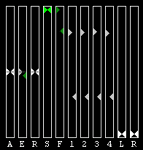
Detailed user manual included. For each aircraft control surface selected, AxisViewer will show the position of the joystick axis attached to the control surface, and the actual position of the control surface according to FSX/P3D. The benefits are: * Positive feedback on Control Surface Position. Ever ask yourself "Self, just what is that autopilot/autothrottle doing, anyway?!" * Allow you to manually adjust the Axis Positions to match the Control Surface Positions, so that you don't get a nasty surprise (for example, sudden change in thrust) when the autopilot and/or autothrottle is disengaged. * Verification of joystick functioning and range of motion. * Clear indication of when "dead zones" are entered. You will see the Control Surface Position "snap" to a particular value as the Axis Position approaches the dead zone.
| Filename: | AxisViewer_2376.zip |
| License: | Freeware, limited distribution |
| Added: | 3rd August 2023, 19:00:13 |
| Downloads: | 58 |
| Author: | William Ruppel |
| Size: | 45.45 MB |
| Category: Prepar3D V5 - Utilities | |
| AxisViewer 23.7.6 |
|
Images related to this file:
File Description:
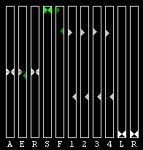
Detailed user manual included. For each aircraft control surface selected, AxisViewer will show the position of the joystick axis attached to the control surface, and the actual position of the control surface according to FSX/P3D. The benefits are: * Positive feedback on Control Surface Position. Ever ask yourself "Self, just what is that autopilot/autothrottle doing, anyway?!" * Allow you to manually adjust the Axis Positions to match the Control Surface Positions, so that you don't get a nasty surprise (for example, sudden change in thrust) when the autopilot and/or autothrottle is disengaged. * Verification of joystick functioning and range of motion. * Clear indication of when "dead zones" are entered. You will see the Control Surface Position "snap" to a particular value as the Axis Position approaches the dead zone.
| Filename: | AxisViewer_2376.zip |
| License: | Freeware, limited distribution |
| Added: | 3rd August 2023, 19:00:25 |
| Downloads: | 16 |
| Author: | William Ruppel |
| Size: | 45.45 MB |
| Category: Prepar3D V1-4 - Utilities | |
| AxisViewer 23.7.6 |
|
Images related to this file:
File Description:
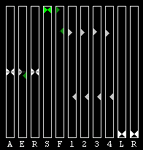
Detailed user manual included. For each aircraft control surface selected, AxisViewer will show the position of the joystick axis attached to the control surface, and the actual position of the control surface according to FSX/P3D. The benefits are: * Positive feedback on Control Surface Position. Ever ask yourself "Self, just what is that autopilot/autothrottle doing, anyway?!" * Allow you to manually adjust the Axis Positions to match the Control Surface Positions, so that you don't get a nasty surprise (for example, sudden change in thrust) when the autopilot and/or autothrottle is disengaged. * Verification of joystick functioning and range of motion. * Clear indication of when "dead zones" are entered. You will see the Control Surface Position "snap" to a particular value as the Axis Position approaches the dead zone.
| Filename: | AxisViewer_2376.zip |
| License: | Freeware, limited distribution |
| Added: | 3rd August 2023, 19:00:39 |
| Downloads: | 47 |
| Author: | William Ruppel |
| Size: | 45.45 MB |
| Category: Microsoft Flight Simulator (2020) - Utilities | |
| AxisViewer 23.8.27 |
|
Images related to this file:
File Description:
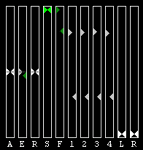
MSFS 2020 Version. Detailed user manual included. For each aircraft control surface selected, AxisViewer will show the position of the joystick axis attached to the control surface, and the actual position of the control surface according to the simulator. The benefits are: * Positive feedback on Control Surface Position. Ever ask yourself "Self, just what is that autopilot/autothrottle doing, anyway?!" * Allow you to manually adjust the Axis Positions to match the Control Surface Positions, so that you don't get a nasty surprise (for example, sudden change in thrust) when the autopilot and/or autothrottle is disengaged. * Verification of joystick functioning and range of motion. * Clear indication of when "dead zones" are entered. You will see the Control Surface Position "snap" to a particular value as the Axis Position approaches the dead zone.
| Filename: | AxisViewer_23827.zip |
| License: | Freeware, limited distribution |
| Added: | 28th August 2023, 14:54:07 |
| Downloads: | 54 |
| Author: | William Ruppel |
| Size: | 49.32 MB |
| Category: Flight Simulator 2004 - Scenery | |
| Complement T. Agramont's Madeira v1.0 |
|
Images related to this file:
File Description:
Addon for the scene of Madeira of Toni Agramont (madeira_271158.zip) To download in this same Web! Realised to
give a little him more realism, with AFCAD of LPMA near the reality and adapted to its scene,
can be used with the Mesh of Raimondo Taburet (file: srtm3mad.zip http://www.hangartaborno.com).
In Funchal one has gotten up the arches and houses on foot of head 05, slab that holds with columns of head 23,
illumination in the retaining wall of the arches and in the highway and some Rwy12 objects that heighten a little
plus the landscape. Without Rwy12 it will also work but we strongly encourage libraries installed base.
In Porto Santo there are including his military zone, the name of the airport in the ground and Also
Rwy12 objects.
Readme.txt for the correct installation.
| Filename: | Complement_T_Agramonts_Madeira_v10.zip |
| License: | Freeware |
| Added: | 15th March 2011, 00:00:53 |
| Downloads: | 4,685 |
| Author: | Jordi Reco |
| Size: | 1.98 MB |
| Category: Miscellaneous Files - Miscellaneous Files | |
| Mozaika |
|
File Description:
This is game for traning coordination and orientation .
You can just take and put Mozaika.exe in any place(drive) you want.
Double click on Mozaika.exe and game will run.
Or you can use instalation program InstallMozaika.exe
It will make icons and shortcuts for you.
Your task is to made big picture from small picture-fragments.
You click on fragment, move it ( DON'T hold left mouse button),
click again to drop fragment in place you want.
You can use 8,2,6,4 buttons to move all fragments(not one) up,dawn,right,left.
You may find it usefull in some situations.
To exit from game(games) use Esc button on your keybord
| Filename: | Mozaika.zip |
| License: | Freeware |
| Added: | 13th June 2006, 05:22:04 |
| Downloads: | 133 |
| Author: | Anufriyev Aleksandr Aleksandrovich |
| Size: | 1.1 MB |


© 2001-2026 AVSIM Online
All Rights Reserved
Privacy Policy |