
Where Flight Simulation Enthusiasts Gather from Around the World!
AVSIM Library - Search Results

| Category: Flight Simulator 2004 - Scenery | |
| Kuujjuarapik CYGW in northern Quebec, Canada |

|
Images related to this file:
File Description:
Kuujjuarapik is in northern Quebec at the southern end of Hudson Bay, 90 miles east of James Bay and on the north shore of the Great Whale River; Kuujjuarapik means Small Great River in Inuktitut. Once again the Hudson Bay trading post that opened (in 1820) was the catalyst for the establishment of first a seasonal encampment and then the beginnings of a town in the late 1930's.
The two adjacent villages that now form the town have a total population (mainly Cree and Inuit) of around 1,500. When the Quebec hydo-electric project was under construction in the early 1980's a large portion of the Inuit population voted to move to a new settlement called Umiujaq (my post) 100 miles to the north.
The airport is to the west of the town, between the town and the sea. The gravel and sand runway (which I have made as gravel as there is no convincing way to mix the two) is 5,500 feet long, 150 feet wide, and aligned 17/35, which is approximately parallel to the coast. There is fuel available, both 100LL and JetA, delivered by truck. The AI included here is for Air Inuit and Wasaya, with Air Inuit making three flights per day plus a fourth flight by the Air Inuit Twotter C-GNDO that is based at the airport, and private flights by various aircraft. Yes, there really is a golf course to the south of the airport, and the last thing to note is that Kuujjuarapik has a mandatory radio frequency and that taking into consideration the scheduled flights I have included the tower radio frequency that makes this a controlled airport in FS9.
| Filename: | Kuujjuarapik_CYGW_in_northern_Quebec_Canada.zip |
| License: | Freeware, limited distribution |
| Added: | 16th February 2013, 00:33:20 |
| Downloads: | 306 |
| Author: | Roger Wensley |
| Size: | 2.8 MB |
| Category: Flight Simulator X - Scenery | |
| KLGB Long Beach Modernized Terminal |
|
File Description:
DOWNLOAD THIS VERSION AND NOT ANY OTHER ONES BY ROHAN PATEL
THIS IS THE AIRPORT AFTER ALL MODERNIZATION PROJECTS HAVE BEEN COMPLETED
DOWNLOAD THIS VERSION AND NOT ANY OTHER ONES BY ROHAN PATEL
The airport I chose is Long Beach Airport. This airport has been around for many years and has had everything from the Air Force One to the 787 Dreamliner land here! The airport is located between downtown Los Angeles and Orange County and offers a great landing for tourists that do not want to land in the fifth busiest airport in the world, Los Angeles International.
The reason why I decided to create this airport was because it is my home airport and I am located only about five miles from it. Also, there is no good freeware FSX scenery for this airport.
Features included!:
- Modern Terminal with correct gate placements
- changed and edited roads and other buildings around airport
- added the jetBlue offices on the airport
- Cars added (all over the place!!!)
- trees added near drop off (California Palm trees)!
- baggage cars and other airport cars added.
- buses and car parking lots added
- "spring street" flight schools and private terminal added.
- Vehicles, AI aircraft, grave yard aircraft, and many other static joys throughout the airport!
- "Runup" aircraft near runway 34R.
- Boeing C-17 facility (no aircraft C17 there)
- updated taxi ways and heliports
- Airport Service vehicle roads updates and made with help from Google Earth.
- Accurate fence, jetblast fence, and boarders of airport.
- Cargo terminals added for ups and dhl
- Private (gulfstream and other private) jet spots added.
- Flight Schools such as Long Beach Flight Academy (one I go to!!!) accurately made.
- New taxi ways and terrain
- Aflite fuel truck spaces added
- Correct runway lengths of 25L
- More items you just need to see to believe!!!
Distribution limits (MUST CONTACT ME FOR REDISTRIBUTION).
| Filename: | KLGB_Long_Beach_Modernized_Terminal.zip |
| License: | Freeware, limited distribution |
| Added: | 14th December 2012, 01:37:48 |
| Downloads: | 2,589 |
| Author: | Rohan Patel |
| Size: | 3.98 MB |
| Category: Flight Simulator 2004 - Aircraft Repaints, Textures and Modifications | |
| TAROM Boeing 737-38J (YR-BGC) 'Constanta' for Traffic 2004 |
|
File Description:
TAROM B.737-38J YR-BGC C/N 27181-2662"Constanta".
This is my new serie of TAROM for the Just Flight Traffic 2004.
YR-BGC"Constanta" is one of the four type B.737-38J operated by TAROM, the Fifth plane
(YR-BGD) is operated as Presidential plane and the Government of Romania.
TAROM((Transporturile Aeriene Romane) is the official airline of Romania and was
founded after the war in 1946 as Transporturi Aeriene Romana Sovietica (TARS)
with a fleet of Lisunov Li-2.The airline had operated soviet jet types longtime
(Ilyushin IL-62, IL-18, Tu-154´s)but after the restructuration in the early 90´s
is today composed with 6 ATR-42-300 and 9 B.737-300 and 700 series(models B.737-38J,B.737-78J and one B.737-36Q).
All 707´s and soviet types are now stored and out of service.The two A310(introduced in 1992)and tasked
to flight the New York services or Charter flights in the summer time are now in reserve and also out of service
or saled the fleet of ROMBAC 1-11(BAC 1-11 build under licence by Romaero.The main hub of TAROM is located at Otopeni Intl.airport(Bucarest).
TAROM served national destinations(Cluj,Constanta,Tirgu Mures,Timisoara,Satu Mare,Oradea,Iasi,etc)and International destinations(Wien,Frankfurt,Munchen,Brussels,Paris CDG,London HTR,Rome FCO,
Budapest,Athens,Thesaloniki,Sofia,Chisinau,Madrid,Larnaca,Tel Aviv,Amman,Beirut,Cairo,Istanbul,Amman)
I have included a serie of 64 TAROM flights, all served with the B.737-300´s and ATR42-500's.
Also included a new complete revised AirFile for the 737-300 type(23-04-04).
| Filename: | TAROM_Boeing_73738J_YRBGC_Constanta_for_Traffic_20.zip |
| License: | Freeware |
| Added: | 25th April 2004, 02:06:08 |
| Downloads: | 266 |
| Author: | Daniel Nole |
| Size: | 427.37 KB |
| Category: Orbiter - Spaceships | |
| Explorer 1 Add-on for Orbiter |
|
File Description:
Explorer 1 was the first satellite launched by the United States when it was sent into space on January 31, 1958. Following the launch of the Soviet Union's Sputnik 1 on October 4, 1957, the U.S. Army Ballistic Missile Agency was directed to launch a satellite using its Jupiter C rocket developed under the direction of Dr. Wernher von Braun. The Jet Propulsion Laboratory received the assignment to design, build and operate the artificial satellite that would serve as the rocket's payload. JPL completed this job in less than three months.
The primary science instrument on Explorer 1 was a cosmic ray detector designed to measure the radiation environment in Earth orbit. Once in space this experiment, provided by Dr. James Van Allen of the State University of Iowa, revealed a much lower cosmic ray count than expected. Van Allen theorized that the instrument may have been saturated by very strong radiation from a belt of charged particles trapped in space by Earth's magnetic field. The existence of these radiation belts was confirmed by another U.S. satellite launched two months later, and they became known as the Van Allen Belts in honor of their discoverer.
Explorer 1 revolved around Earth in a looping orbit that took it as close as 354 kilometers (220 miles) to Earth and as far as 2,515 kilometers (1,563 miles). It made one orbit every 114.8 minutes, or a total of 12.54 orbits per day. The satellite itself was 203 centimeters (80 inches) long and 15.9 centimeters (6.25 inches) in diameter. Explorer 1 made its final transmission on May 23, 1958. It entered Earth's atmosphere and burned up on March 31, 1970, after more than 58,000 orbits. The satellite weighed 14 kilograms (30.8 pounds).
| Filename: | Explorer_1_Addon_for_Orbiter.zip |
| License: | Freeware |
| Added: | 27th September 2004, 16:24:14 |
| Downloads: | 1,258 |
| Author: | Jim Williams |
| Size: | 565.57 KB |
| Category: Flight Simulator X - Aircraft Repaints, Textures and Modifications | |
| FSX/P3D TAI DC-3 1962 |
|
Images related to this file:
File Description:
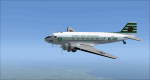
This is a repaint of the DC-3 in TAI (Transports Aeriens Intercontinentaux) colors. The freeware DC-3/C-47 v3 by Manfred Jahn is needed for this repaint. In 1946 the French government allowed the creation of some independent air carriers. On June 1 of that year TAI (Transports Aeriens Internationaux) was formed, and was based in Orly, France. Flights began on July 1, with a Junkers Ju-52. The following year they purchased 7 ex KLM DC-4s, along with 3 Bristol 170 freighters. In 1954 DC-6Bs started to replace the DC-4s. Their route network serviced mainly Africa, the Far East, the French Pacific territories, and Australasia. Prior to 1956 their network wa mainly in Africa, and Asia. On May 6, 1960, a partnership was formed with Air France, whereby TAI flew the South Pacific leg of the state carrier’s around the world service via New Caledonia and Tahiti. Later, on September 4 1960, TAI began a Douglas DC-8-32 service from Paris to Darwin via Athens, Teheran, Karachi, Bangkok, Phnom Penh, and Saigon, and on September 12, it inaugurated a route from Sydney to Los Angeles via Noumea, Nandi, Papeete, and Honolulu with the DC-8. On September 14 1961, TAI agreed, in principle, to a future merger with Union Aeromaritime de Transport (UAT). The two airlines integrated their schedules in 1962 and the amalgamation of TAI and UAT was completed on October 1, 1963, resulting in a new airline: UTA (Union de Transports Aeriens). This DC-3, F-BGXN, flew for TAI from 1956 to 1959. Textures are DXT5. This repaint was tested on FSX-SE and should work on FSX & P3D v1-3.
| Filename: | FSXP3D_TAI_DC3_1962.zip |
| License: | Freeware |
| Added: | 19th March 2019, 17:01:24 |
| Downloads: | 187 |
| Author: | Ted Giana |
| Size: | 8.29 MB |
| Category: Flight Simulator 2004 - Scenery | |
| Dallas Ft. Worth KDFW / DFW, version 3.2 |
|
Images related to this file:
File Description:

Thank you for downloading this scenery. This is an extensive upgrade to the default Dallas/Ft. Worth International airport. The brand new Terminal D is added and in use now at DFW. FRF's rendition of this terminal is in no way photoreal or exact as it is in real life. The basic shape and dimensions are correct,but due to the limitations of the building blocks available to me at the time, We were not able to design the curved roof and some other architectural details of the actual building. The gates are generally accurate and I have seen no parking problems so far. The original main terminals remain with new, more accurate jetways. The overhead tramway which circles the entire terminal area has been added. It is not perfectly correct or photoreal, but it is a good basic representation.
An AFCAD is included with accurate parking per the DFW website and AA.com. There is a substantial frame rate hit with full AI traffic and weather enabled, but it is not a slideshow.
Update from v3:
The afcad file for KDFW is all new, made with AFX, and reflects recent updates to the taxiway layout. The new afcad file is no longer "all runways active" due to the incorrect behavior of AI aircraft overflying the main runways when using the 13/31's. The new end-around taxiway at the end of Rwys 17R/C is now in place. The runway 18R/17C extensions are reflected as well as associated new taxiways and signage. Parking changes are now reflected per the DFW website. Visual changes include the midfield hangar change from Delta to American titles, courtesy of Joe Degregorio.
| Filename: | Dallas_Ft_Worth_KDFW__DFW_version_32.zip |
| License: | Freeware |
| Added: | 30th May 2010, 10:39:01 |
| Downloads: | 23,460 |
| Author: | William Morgan, FRFSTUDIO.NET |
| Size: | 10.12 MB |
| Category: Miscellaneous Files - General Utilities | |
| Random Airport Generator |
|
Images related to this file:
File Description:
I can be contacted at [email protected] for any help required or different drive versions needed.
[ABOUT THE PROGRAM]
This program will read a text file from the route of your hard drive depending on the version you run, and select a random line and display that line. The file must be a text file named "Airports.txt". This program was designed with ease of use in mind for selecting a random airport for the Flight Sim community, though can be used for any purpose with any text file called "Airports.txt". The program will display the airport ICAO code then co-ordinates.
[ABOUT ME]
I am a 16 year old aviation enthusiast that loves flying and ATC, but hate having to choose an airport to depart from and arrive at, or to controll. This program has now removed this to make my flight more random with less decisions to make. I also like to explore areas I haven't been before, again this selects a random airport, from thousands of different ones, so exploring is inevitable.
[INSTALLATION]
The only installation required is to copy the Airports.txt file to the route of your hard drive C: or D: (for more drives e-mail me as above), then run the respective program for that drive from any folder you wish.
[ABOUT THE AIRPORTS.TXT FILE]
This file was collected from my FS2004 and contains every airport in it. Currently the program selects a line at random and displays it, whether a large international airport or small grass field. You could edit the file just to contain your favourite airports and it will NOT affect the running of the program as long as the file remains as Airports.txt. I am hoping in future versions to allow you to select a type of airfield, i.e. large, medium or small or select from runway length, though this will take a while to produce, if ever.
For now i hope everyone enjoys the program and happy flying :)
| Filename: | Random_Airport_Generator.zip |
| License: | Freeware |
| Added: | 9th June 2010, 02:41:14 |
| Downloads: | 211 |
| Author: | Alexander Aschacher |
| Size: | 254.45 KB |
| Category: Flight Simulator X - Scenery | |
| KLGB Long Beach Airport - Modernized terminal |
|
File Description:
The airport I chose is Long Beach Airport. This airport has been around for
many years and has had everything from the Air Force One to the 787 Dreamliner land here!
The airport is located between downtown Los Angeles and Orange County and offers a great
landing for tourists that do not want to land in the fifth busiest airport in the world,
Los Angeles International.

The reason why I decided to create this airport was because it is my home airport
and I am located only about five miles from it. Also, there is no good freeware FSX scenery for this airport.
Features included!:
- Modern Terminal with correct gate placements
- changed and edited roads and other buildings around airport
- added the jetBlue offices on the airport
- Cars added (all over the place!!!)
- trees added near drop off (California Palm trees)!
- baggage cars and other airport cars added.
- buses and car parking lots added
- "spring street" flight schools and private terminal added.
- Vehicles, AI aircraft, grave yard aircraft, and many other static joys throughout the airport!
- "Runup" aircraft near runway 34R.
- Boeing C-17 facility (no aircraft C17 there)
- updated taxi ways and heliports
- Airport Service vehicle roads updates and made with help from Google Earth.
- Accurate fence, jetblast fence, and boarders of airport.
- Cargo terminals added for ups and dhl
- Private (gulfstream and other private) jet spots added.
- Flight Schools such as Long Beach Flight Academy (one I go to!!!) accurately made.
- New taxi ways and terrain
- Aflite fuel truck spaces added
- Correct runway lengths of 25L
- More items you just need to see to believe!!!
Distribution limits (MUST CONTACT ME FOR REDISTRIBUTION).
| Filename: | KLGB_Long_Beach_Airport__Modernized_terminal.zip |
| License: | Freeware, limited distribution |
| Added: | 26th March 2012, 11:10:01 |
| Downloads: | 2,717 |
| Author: | Rohan Patel |
| Size: | 3.57 MB |
| Category: Flight Simulator X - Aircraft Repaints, Textures and Modifications | |
| Canadian Airlines Airbus A380 |
|
Images related to this file:
File Description:

This is a repaint for Project Airbus' Airbus A380 in a fictional Canadian Airlines livery. Includes base model, high-quality textures, and updated VC.
*Mask Options*
This livery also includes cockpit window "Mask Options". Please see the included readme in the .zip file for instructions for applying these options.
Canadian Airlines never flew the A380, as by the time the company was absorbed by Air Canada in 1999, the aircraft did not exist. The largest aircraft flown by Canadian Airlines was the Boeing 747-427. However, in our new universe, Canadian Airlines has taken delivery of one single Airbus A380, available to fly any route of your choice. It flies under the registration C-CSPN and the tail number 383.
*Livery Info*
Upon its founding in 1987, Canadian Airlines revealed its new livery using the colours light grey, dark grey, navy blue, and red. The paint scheme was an adaptation of the recently introduced livery from its predecessor Canadian Pacific Airlines. The lower half of the aircraft's body was navy blue, topped with light grey and red stripes, while the tail was blue, with approximately one-third taken up by the carrier's new logo. The new Canadian Airlines logo was a combination of Canadian Pacific's five grey stripes, representing the five continents served by the carrier. Over these stripes was a thick, bright red chevron. The chevron was a simplification of the Pacific Western Airlines logo. The chevron was placed over the stripes, which then represented "Wings over 5 continents". It was also an ingenious and subtle way to represent the takeover of CP by PWA. The same logo, in a square form, became a clever alternative to a true bilingual name on the fuselage replacing the French "e", and the third "a" in English (Canadian/Canadien).
Model by The Project Airbus Team Textures by Julian Flight - March 31st, 2024 Virtual Cockpit by Thomas Ruth Virtual Cockpit updated by Chris Evans and Louis Quintero
| Filename: | Canadian_Airlines_Airbus_A380.zip |
| License: | Freeware, limited distribution |
| Added: | 5th April 2024, 17:19:08 |
| Downloads: | 52 |
| Author: | Julian Flight |
| Size: | 65.85 MB |
| Category: Flight Simulator 2004 - Scenery | |
| PAEN, PAEX, 3AK4, 30AK, 52AK - Alaska, USA |
|
Images related to this file:
File Description:
The town of Kenai is on the east coast of Cook Inlet, 60 miles southwest of Anchorage. The airport is in the northern part of the town, with a runway aligned 1-19, 7,550 feet long and 150 feet wide (with an ILS on 19). A second runway is gravel, 2,000 feet long and for winter use by ski planes. There is also a water runway, and all three are aligned the same and called "1 left-19 right" (the main runway) "1 right-19 left" (gravel) and "1 water-19 water". The taxiways are extensive and designed for a far larger traffic than the airport has today, though even now the airport is fairly busy. In FS9 a water runway for AI cannot work with an ATC control tower; the water part of PAEN has therefore been separated into another call sign PAEX which has ONLY the water runway; the tower will therefore direct the plane that makes contact to use the water runway. The PAEN airport runway has taxiway connections at each end and also two intermediates; at the northern end there are in fact two so a total of 5; B, C, D, E, and F; there is an airport diagram included. GA traffic goes to one of two parking aprons, both at the southern end, and at the far southern end there is the hangar for the Civil Air Patrol. The AI includes aircraft from my previous Alaska posts, as Kenai is where I sent them when they departed from, for instance, Palmer. Airlines and cargo companies that operate from and to Kenai are included in the AI: ERA (which has recently changed it's name), Grant Aviation, Air North, Wings of Alaska, North Star Air, and a small local company Air Supply Alaska, along with Fedex, UPS, Everts, and Northern Air Cargo. There is also GA and float AI. Nearby smaller airfields are included, partly because one of them was dramatically misaligned in FS9.
| Filename: | PAEN_PAEX_3AK4_30AK_52AK___Alaska_USA.zip |
| License: | Freeware, limited distribution |
| Added: | 26th December 2015, 15:33:19 |
| Downloads: | 485 |
| Author: | Roger Wensley |
| Size: | 23.08 MB |


© 2001-2026 AVSIM Online
All Rights Reserved
Privacy Policy |