
Where Flight Simulation Enthusiasts Gather from Around the World!
AVSIM Library - Search Results

| Category: Flight Simulator X - Original Aircraft | |
| Eurocopter EC-505 Tiger |

|
File Description:
TIGER HAP
The Tiger HAP/HCP (Helicoptere d'Appui Protection / Helicopter for Close Protection) is a medium-weight air-to-air combat and fire support helicopter built for the French Army. The Tiger HAP is an air-to-air combat and fire support medium-weight (6 tonnes) helicopter fitted with 2 MTR 390 engines. It is daytime and night combat capable and is operable in NBC environments. Three basic parameters were taken into account right from the start of the development phase: low (visual, radar and infrared) detectability, which provides excellent survivability on the battlefield, maximum efficiency of the weapons and the associated fire control systems without heavier workload for the crew, and an optimized logistic concept offering minimum possession costs. The Tiger HAP is fitted with a 30-mm gun turret; 68-mm submunition rokets, and air-to-air Mistral missiles. It also features a firing sight with 3 sensors: infrared, TV camera and direct optical channel. The complete avionics suite includes multi-purpose color displays and radar/laser warning receivers.
TIGER UHT
The UHT (from Unterstützungshubschrauber Tiger; Ger. supporting helicopter Tiger) is a medium-weight multi-role fire support helicopter built for the Bundeswehr (German Army).The Tiger UHT is a multi-role fire support helicopter. The Trigat Fire and Forget missiles and/or the Hot missiles it carries offer anti-tank capability, while 68-mm rockets ensure air-to-ground fire support. A 12.7 mm air-to-air gun pod and air-to-air Stinger missiles can also be installed. The helicopter also features a mast-mounted sight with a second-generation IRCCD infrared channel and a TV channel, as well as a nose-mounted IRCCD control FLIR for the pilot. Countermeasures include radar/laser/missiles launch/missile approach warning receivers and decoy launchers.
TIGER ARH
The Tiger ARH (Armed Reconnaissance Helicopter) is the version ordered by the Australian Army to replace its OH-58 Kiowas and UH-1 Iroquois-based 'Bushranger' gunships.[2] The Tiger ARH is a modified and upgraded version of the Tiger HAP with upgraded MTR390 engines as well as a laser designator incorporated in the Strix sight for the firing of Hellfire II air-to-ground missiles. Instead of SNEB unguided rockets, the ARH will operate 70 mm (2.75 in.) rockets from Belgian developer, Forges de Zeebruges (FZ).
Model, textures by www.afs-design.de - Author: A.Meyer.
| Filename: | Eurocopter_EC505_Tiger.zip |
| License: | Commercial demo |
| Added: | 5th October 2007, 23:56:41 |
| Downloads: | 5,319 |
| Author: | Andreas Meye |
| Size: | 3.25 MB |
| Category: Flight Simulator 2004 - Original Aircraft | |
| Eurocopter Tiger (EC 665) - HAP/HCP, UHT and ARH variants |
|
Images related to this file:
File Description:
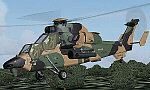
The Tiger HAP/HCP (Helicoptere d'Appui Protection / Helicopter for Close Protection) is a medium-weight air-to-air combat and fire support helicopter built for the French Army. The Tiger HAP is an air-to-air combat and fire support medium-weight (6 tonnes) helicopter fitted with 2 MTR 390 engines. It is daytime and night combat capable and is operable in NBC environments. Three basic parameters were taken into account right from the start of the development phase: low (visual, radar and infrared) detectability, which provides excellent survivability on the battlefield, maximum efficiency of the weapons and the associated fire control systems without heavier workload for the crew, and an optimized logistic concept offering minimum possession costs. The Tiger HAP is fitted with a 30-mm gun turret; 68-mm submunition rockets, and air-to-air Mistral missiles. It also features a firing sight with 3 sensors: infrared, TV camera and direct optical channel. The complete avionics suite includes multi-purpose colour displays and radar/laser warning receivers.
The Tiger UHT (from Unterstuetzungshubschrauber Tiger; Ger. supporting helicopter Tiger) is a medium-weight multi-role fire support helicopter built for the Bundeswehr (German Army).The Tiger UHT is a multi-role fire support helicopter. The Trigat Fire and Forget missiles and/or the Hot missiles it carries offer anti-tank capability, while 68-mm rockets ensure air-to-ground fire support. A 12.7 mm air-to-air gun pod and air-to-air Stinger missiles can also be installed. The helicopter also features a mast-mounted sight with a second-generation IRCCD infrared channel and a TV channel, as well as a nose-mounted IRCCD control FLIR for the pilot. Countermeasures include radar/laser/missiles launch/missile approach warning receivers and decoy launchers.
The Tiger ARH (Armed Reconnaissance Helicopter) is the version ordered by the Australian Army to replace its OH-58 Kiowas and UH-1 Iroquois-based Bushranger gunships. The Tiger ARH is a modified and upgraded version of the Tiger HAP with upgraded MTR390 engines as well as a laser designator incorporated in the Strix sight for the firing of Hellfire II air-to-ground missiles. Instead of SNEB unguided rockets, the ARH will operate 70 mm (2.75 in.) rockets from Belgian developer, Forges de Zeebruges (FZ).
Model, textures by www.afs-design.de - Author: A.Meyer. (Ex-payware package, now released as freeware).
| Filename: | Eurocopter_Tiger_EC_665__HAPHCP_UHT_and_ARH_varian.zip |
| License: | Freeware, limited distribution |
| Added: | 12th January 2013, 19:07:14 |
| Downloads: | 923 |
| Author: | Andreas Meyer |
| Size: | 11.72 MB |
| Category: Prepar3D V1-4 - Flight Plans | |
| CargoJet Flight Plans |
|
File Description:
Attached is an Excel Flight Planner including recent (Jan/Feb 2019) scheduled flight plans for CargoJet for use with the CaptainSim 757-III Freighter expansion.
A couple of weeks ago, I made two CargoJet liveries for the CS 757-III Freighter, available at Avsim:
https://library.avsim.net/esearch.php?DLID=&Name=&FileName=&Author=meier&CatID=p3dacrp
To use these files, copy the attached .rt files to your Captain Sim route directory:
*\Lockheed Martin\Prepar3D v4\Captain_Sim\757-III\Routes\
These accompanying route files (60+) DO NOT include any SID or STAR data, nor do they include any performance information (cargo/fuel weights)...I've intentionally tried to keep these files customizable with any ATC program you may be using.
The Excel spreadsheet use should be pretty straight forward (it was designed using MS Excel 2019...you'll need MS Excel 2013 or newer for the macros to work correctly).
The spreadsheet will open to a worksheet containing CargoJet's current, scheduled route network. From this worksheet, simply select a departure location from the buttons on the world map.
Once a departure location is selected, a second "Flight Planning" worksheet will open with a UserForm Box directing you to select an airport destination based upon your selected departure location.
The UserForm box is pre-populated only with current destinations from that departure airport (based upon current CargoJet Jan/Feb 2019 schedules obtained from online flight tracking data).
I've included a weather snapshot download from each of the departure and destination airports into the flight planning worksheet.
I have not yet included enroute weather information...that may come in a "V2" of this flight planner.
As I have not yet included enroute weather information, flight fuel calculations/fuel burn are only approximate for now. Down the road, I may also include calculations for derate temperatures...that will take considerable more work.
I think this Flight Planner is a pretty good version 1 for sharing. In the absence of a website dedicated to a "CargoJet Virtual Airline", I thought this Excel spreadsheet and accompanying flight plans may be of benefit to anyone who might enjoy flying the CS757-III Freighter expansion with CargoJet livery.
Personally, I was fortunate to already have the full compliment of SimAddon airports (Canada wide) which makes for enhanced enjoyment of the CaptainSim 757-III add-on and this flight planning spreadsheet. (That statement wasn't intended as a promotion for people to go out and buy the SimAddons software!!!)
I haven't had a chance to test all the flight plans yet...I'm hoping I haven't made any errors!
Anyhow, I hope this spreadsheet and flight plans can be of benefit to others.
Feedback always appreciated!
Rob
February 15, 2019
| Filename: | CargoJet_Flight_Plans.zip |
| License: | Freeware |
| Added: | 16th February 2019, 22:00:12 |
| Downloads: | 169 |
| Author: | Rob Meier |
| Size: | 1.93 MB |
| Category: Microsoft Flight Simulator (2020) - Utilities | |
| Flightplan Visualizer 1.21.1 |
|
Images related to this file:
File Description:
Flightplan Visualizer (FV) version 1.21.1. Copyright 2018-2021 by Pelle F. S. Liljendal ([email protected]), all rights reserved.
FV comes with 1482 pre-imported AI flightplans (of which +690 are BizJet flightplans, the rest are commercial). However you are able to import additional (AI) flightplans yourself. Once imported these (AI) flightplans can be visualized on a map-view, and the user will be able to search accross all these. Hence you can use the program as inspiration as to which routes to fly. E.g. you can search across all imported flightplans to find all flights in an A321 flying into/out from LDDU, or simply to look for all flights in a Boeing 747-8F.
Simply run the included installer to install the software. The program will be installed into "C:\Program Files (x86)\Flightplan Visualizer" and all datafiles will be installed into: "C:\Users\[UserName]\AppData\Roaming\FlightplanVisualizer". The program comes with a full manual explaining everything, and a 3 page quick manual to get you started. The first 3 times you run the program the quick manual will automatically open. The forum is hosted here: https://forum.aerosoft.com/index.php?/forum/919-flightplan-visualizer/
Version 1.21.1 Contains the following changes:
- Due to a bug introduced in version 1.19 regrading the (automatic/manual) version-check, version 1.20 was skipped and this version was released as 1.21.1 (in stead of 1.21.0).
- Beside the season based commercial flightplans, the "Download AIG flightplans" menu-item (found in the "Flightplan" menu) is now able to download (AIG) GA- and Military-flightplans. A big thank you to AIG for granting access to these.
- Reorded the download-folders (in the combo-box), so the season-based AIG commercial folders are displayed in chronological order (e.g. "SUMMER_2020" is before "WINTER_2020-2021").
- When scanning for/loading flightplans the program will now automatic look for flightplans marked as defunct or obsolete, and if found these will be move to the "Disabled" sub-folder. Two new settings have been added, so you can disable this feature if you want to.
- Aircraft-types can now be grouped in families of similar aircraft (e.g. a group containing all the Airbus A318, A319, A320 and A321). These families can be managed via the "User Aircraft" menu-item.
- Removed menu-item "Index of AIG flightplans" in the "Flightplan" menu, as its not needed since the "Download AIG flightplans" was added in version 1.16 (May 2020).
- Minor changes to the flightplan-name grooming algoritm (e.g. spaces are inserted before/after ampersand, if not already present) and prefix can be added to indicate the type of flightplan (e.g. for biz-jet, government or military flights). Detection of this prefix can be disable in settings.
- Dropped support for the old ".FPL" flightplan file-format. Since version 1.11 (july 2019) FV have been using the binary ".BFP" file-format in stead.
- Based on active flightplans, the program will try to detect primary- and secondary-hubs for each airline. An airport must have flights to atleast 10 different airports for that airline, in order to be considdered being either a primary/secondary hub for that airline. This information is displayed both in the airline edit-form and the airline usage-report.
- The airline usage-report will also list all destinations served by the airline (ordered by which airports are flying to most different airports).
- The airline usage-report will now also contain a list of the routes served by that airline (as carrier or operator). This list is sorted so the routes that are most flown (per week) comes first.
- Added an extra tab-page to the Airport-info form that shows which airlines have routes to/from the airport, and which airlines are using the airport as a primary or secondary hub.
- Added (right-click) context-menu to many aircraft/airline list-views, that lets you lookup aircraft-/airline -information.
- Added power-conversion to the unit-conversion form, to convert between HP (Horse-Power) and kW (kilo watt).
- Also added context-menu to the carrier/operator labels in the Leg-info form to show more details for the airline. Likewise the aircraft-labels have a context-menu for showing aircraft-details
- Removed a few columns from the form choosing favorite aircraft-types, as this info can now be obtained via the new context-menu.
- Added a column with engine-type/count in the aircraft browser.
- Minor changes to the airport redirection report (to align some values in columns, making it more easy to read the report).
- Added a few hard-coded names to the author-name grooming-method, to unify differnt spellings of the "same names". Also added flightplan/author-count to the "Flightplan per author" report.
- Swapped the operator/carrier-count showed next to size-category in the user-airline edit form (now first value is operator and 2nd is carrier).
- Minor change to the airline-criteria in the leg-search to simplify selection (removed options: "Carrier only" and "Operator only").
- Fixed: The "Download AIG flightplans" form was not able to download flightplans with an ampersand ("&") in the name.
- Fixed: Once again improved importing of AIGFP flightplans where airport data is using different ICAO-codes (observed with 15 or so of the new BizJet flightplans, e.g. "ESAI_Aero-TechServices(GA-C)_Winter_2020-2021").
- Fixed: Issued with the program version-check (both automatic and manual) introduced in version 1.19. Resulting in this version being released as 1.21.1.
- Fixed: Sometimes closing (without saving) the form for editing user-aircraft it would sometime report there were unsaved changes, even though it was not the case.
- Fixed: Only the active sub fp-folders were scanned for backup files. Now the main fp-folder is scanned for backups as well.
- Data: Some of the aircraft-types sharing the same IATA/ICAO-codes have been split into multiple new types (e.g. the Beechcrafts, Cessnas, Pipers and Learjets). This was done to better detect the specific aircraft-types in use (all bundled flightplans have been reprocessed to re-detect the specific types).
- Data: A few aircraft can now be detected (during flightplan import) using their millitary designation (e.g. Boeing C-22, C-32, C-40, and Gulfstream C-20 and C-37).
- Data: Improved detection of a few "De Havilland" aircraft.
- Data: Added a couple of new aircraft-types (Lockheed C-141 Starlifter, Transall C-160 and a few aircraft without official IATA/ICAO-codes, hence using "---" as the IATA-code for these).
- Flightplans: Thanks to the new feature to download (AIG) GA/Military-flightplans a LOT of new flightplans have been bundled with the installer (a few government and military flightplans, but mostly BizJet). The previous installer came bunled with 385 Bizjet flightplans, however in this version many of these have been updated and a lot more have been added, bringing the total count of BizJet flightplans to +690. All BizJet are prefixed by "Bz_", all Government are prefixed by "Gv_" and all military are prefixed by "Ml_", in case you want to move these to differnt sub-folders using the "enable/disable flightplans" menu-item.
- Flightplans: All new/updated flightplans have been added to the installer, and all obsolete/defunct have been marked/removed. A total of 1481 active flightplans are bundled with the installer (incl. all of the previous mentioned BizJet's).
Pelle
| Filename: | Flightplan_Visualizer_1211.zip |
| License: | Freeware, limited distribution |
| Added: | 20th June 2021, 19:45:19 |
| Downloads: | 791 |
| Author: | Pelle Liljendal |
| Size: | 36.74 MB |
| Category: Flight Simulator X - Aircraft Repaints, Textures and Modifications | |
| Qantas Consolidated PBY-5 5 paints |
|
Images related to this file:
File Description:

Five repaints for the Aerosoft PBY-5 Catalina in the colors of PBY-5's operated by Qantas on the 'Double Sunrise Service' between Western Australia and Ceylon between 1943 and 1945.
In 1943, Royal Australian Air Force personnel were seconded to operate Catalinas under the banner of Qantas. The plan called for flights between Perth, Western Australia, and RAF Base Koggala in southern Ceylon (now Sri Lanka). The flights were the longest non-stop air route of any airline, over 3,500 nautical miles (6,480 km) across the Indian Ocean. Navigating without the aid of radio, the crews relied solely on rudimentary navigation by compass and stars during the trip.
Only Catalinas had that kind of range, so five PBY-5 flying boats were converted to make them suitable for the trip.
They received camouflage paint, with a RAAF roundel on the fuselage, but also a civilian registration, since they were officialy operated by Qantas, and they were named after the stars they would be using for navigation:
Vega Star (G-AGFL/FP221 - tail code 1)
Altair Star (G-AGFM/FP244 - tail code 2)
Rigel Star (G-AGID/JX575 - tail code 3)
Antares Star (G-AGIE/JX577 - tail code 4)
Spica Star (G-AGKS/JX287 - tail code 5)
Taking between 27 and 33 hours, with departure timed so that the flight crossed Japanese occupied territory during darkness, the crews would observe the sunrise twice, which led to the service being known as "The Double Sunrise". The flight route flown was along the coast from Perth to Exmouth then setting out towards Cocos (Keeling) Island or Christmas Island (though neither was actually sighted during the flight) and onto Kogalla, a journey of approximately 3,580 nautical miles (6,630 km). After the success of the initial flights, it was decided to run a weekly service, with some services flying over Rottnest Island and then taking a direct line to Kogalla. As part of the Australia-England air route there was a surface component from Kogalla to Karachi that added considerable time to the service. This was later replaced by the Double Sunrise service, with Karachi to England flown by BOAC. Air crews would change in Kogalla taking the next plane in either direction minimising the time taken to complete the journey.
Though stripped of all non-essential equipment, including de-icing equipment and insulation, the average takeoff weight was 15,900 to 16,000 kg; this included 9,040 liters of fuel, which gave the Catalina a range of 3,600 nautical miles (6,700 km). The service made 271 crossings, delivered over 4,500 kg of mail and carried 860 passengers, including among them British MP Edith Summerskill and the journalist Keith Murdoch. 'The Secret Order of The Double Sunrise' was an illustrated certificate given to passengers aboard the flying boats of the Australia-England air link, to attest they had been airborne for more than 24 hours.
After the war the five modified Catalinas that had flown The Double Sunrise service were scuttled.
Repaints by Jan Kees Blom, based on the paintkit by Aerosoft
| Filename: | Qantas_Consolidated_PBY5_5_paints.zip |
| License: | Freeware |
| Added: | 13th July 2018, 20:38:43 |
| Downloads: | 176 |
| Author: | Jan Kees Blom |
| Size: | 49.87 MB |
| Category: Flight Simulator X - Aircraft Repaints, Textures and Modifications | |
| Supermarine Spitfire Mk.IX EN186 Bluebird |
|
Images related to this file:
File Description:
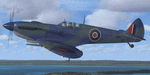
Spitfire IXc EN186 was the personal aircraft of S/L L.C. Wade, an American flying with the RAF. Wade was born in the small farming community of Broaddus, Texas in 1915. He was the second son of Bill and Susan Wade, who named him L.C. (only after the RAF demanded a forename did he call himself Lance Cleo Wade). After the family moved to a farm near Reklaw, Texas in 1922 he worked on the family farm and attended the local school. He was unable to join the US Army Aviation Cadet Program due to a lack of a college education. He began flying at age 17, at Tucson, Arizona. In 1934 at age 19, Wade joined the Civilian Conservation Corps (CCC) in Arizona. He joined the RAF in Canada in December 1940 and trained with No. 52 Operational Training Unit (OTU). Wade was then sent to the British aircraft carrier Ark Royal and flew off her deck in Hawker Hurricane to reinforce the depleted ranks of aircraft on the island of Malta. He was then sent to Egypt as a Hawker Hurricane Mk I pilot in September 1941, and was posted to 33 Squadron. The squadron's mission was to provide close air support for Operation Crusader, the British assault launched on November 18, 1941, against the German Afrika Korps. His first kills were two Fiat CR.42s on 18 November. He attained the rank of "ace" on 24 November 1941. He began flying Hurricane Mk IIs in April 1942, and was awarded the Distinguished Flying Cross (DFC). He had 13 victories as of September 1942. He spent the next several months back in the US on various RAF projects including evaluating some American fighters at Wright Field. He returned to combat as a Flight Commander in 145 Squadron with a Bar to his DFC, flying Supermarine Spitfire Mk Vs. Promoted to squadron leader, he had a busy 60 days, as by the end of April his score was 21, by then flying Spitfire Mk IXs. His squadron moved to Italy, and as a Spitfire VIII pilot he claimed two Focke-Wulf Fw 190s of Schlachtgeschwader 4 on 2 October 1943. His last claims were three FW 190s (again of SG 4) damaged on 3 November. Wade became a wing commander and joined the staff of the Desert Air Force but was there only briefly, as he was killed in a flying accident on 12 January 1944 at Foggia, Italy. In 30 fights for which he made claims he was credited with 23 victories including two shared), one probable, and 13 damaged. He is also credited with one destroyed and five damaged on the ground.
Wing Commander Wade is usually listed with 25 victories but official RAF records show that he had 22 solo victories and half each of two more for a total of 23, not counting one probable. Regardless of whether his score is 25, or 23 victories, he is still the leading American fighter ace to serve exclusively in any foreign air force.
Since he never transferred to the USAAF, or any other American Air service, Wade never got the publicity that other American aces received and thus is more obscure than his peers.
The aircraft depicted in this repaint, EN186, started its active career with 249 sqn on Malta, who used it for high flying reconaissance, and who were responsible for replacing the dark green with Mediterranean Blue. The aircraft was then transferred to Tunisia, where it was the personal aircraft of W/C Gleed of the 244 wing. After his death, it went to L.C. Wade, who scored 5 victories with it in april 1943. He did not apply any codes to it, and referred to it in his logbook as BB, for Blue Bird. He flew it till august 1943, when he changed to flying Spitfire MK VIII JF472
Repaint by Jan Kees Blom, based on the paintkit by RealAir.
| Filename: | Supermarine_Spitfire_MkIX_EN186_Bluebird.zip |
| License: | Freeware |
| Added: | 11th July 2018, 16:54:01 |
| Downloads: | 103 |
| Author: | Jan Kees Blom |
| Size: | 3.59 MB |
| Category: Flight Simulator X - Aircraft Repaints, Textures and Modifications | |
| Virgin Galactic Boeing 747-8i |
|
Images related to this file:
File Description:
FSX Boeing 747-8i Virgin Galactic with advanced VC by Alejandro Rojas Lucena and VC Textures Upgrade by Enrique Cornejo, founder of the Flightsim Workshop Project. This gives the b747 a payware Virtual Cockpit look and now with green leather tapestry on the sides of the seats. It even has a pilot jacket hanged in the rear of the cockpit (besides the right jumpseat). The panel.cfg and the aircraft.cfg have been assembled and edited by the Flightsim Workshop Team. Now you can pop up "My icons" window in the Virtual Cockpit to easily reach the following windows: GPS, avionics, map, ATC, Climb/Radio Altimeter/Spoiler switch, auto-break switch, throttle quadrant, clock, descent meter, kneeboard and overhead panel. A new feature in My Icons Window I added is a new Pitot Heat switch with ON and Off features, (XML gauge by Enrique Cornejo). cold weather, the Pitot Heat switch works just like in real life, so if its turned off the air speed indicator will stop working, so make sure you turn the Pitot Heat switch on before taking off!
The autopilot ON switches have green lights which make them look more realistic. Center ATC identification in this aircraft is "Boeing 747". We have also fixed the position of the strobe lights so when the aircraft is flying they are in the right place, so turn on the strobe lights switch after take off. The cockpit view from the pilots seat is now more comfortable because the distance between the cockpit and the seat is longer.
The aircraft has new engine views (from both wings) and new Virtual Cockpit interior views from the left, right and central jump seats. The brakes has a differential brake system to make smoother turns in ground. The Virgin Galactic Spaceship texture is wonderful and it has a unique paint scheme by Enrique Cornejo which also includes details such as some stains caused by humidity in the fuselage and the wing flaps and other details just like a real aircraft. Real smoke in the four engines, just select key, more cabin views, realistic cockpit and engines sound & more realistic night VC lights and fuselage night textures, in the VC just select key and reset the overhead Instrument panel light dim switch in the overhead panel. The aileron parameters have also improved, so now the right and left turns are smoother. This aircraft uses the Project Opensky FSX Boeing B747-800 Model OSX748V4_GENX(MDL), and includes the gauge window Posky Utility to view the main stairs, ground cargo servicing, etc. The engine sounds are edited like the real ones with cockpit ambient, so you can enjoy a pleasant flight. The Flight Management Computer (FMC) is fixed and looks like a payware instrument. The VC includes FMC, Primary Flight Display (PFD) and Multi-Function Display (MDF) displayed in the correct size. The virtual cockpit also has an Engine-Indicating and Crew-Alerting System also known as EICAS, Ground Proximity Warning System (GPWS), working wipers, cabin lights, fire suppression, avionics switch, fuel cross feed, and you can identify those instruments in the overhead panel because they are bordered with color lines. You can also find landing lights switches, taxi light switch, engine generators, APU generator, battery switch, starter switches, de-ice switch, general lights switches which are a great work of Alejandro. So now the whole cockpit and texture upgrade with all these improvements looks better than a payware version. The clock numbers are now in orange which makes them look better and easily recognizable. Assembled and edited for FSX by Flightsim Workshop Founder Enrique Cornejo. 78 MB
| Filename: | Virgin_Galactic_Boeing_7478i.zip |
| License: | Freeware |
| Added: | 21st February 2013, 18:56:28 |
| Downloads: | 1,940 |
| Author: | Enrique Cornejo |
| Size: | 77.73 MB |
| Category: Prepar3D V1-4 - Utilities | |
| Flightplan Visualizer 1.16 |
|
Images related to this file:
File Description:
Flightplan Visualizer (FV) version 1.16.0. Copyright 2018-2020 by Pelle F. S. Liljendal ([email protected]), all rights reserved.
FV comes with 765 pre-imported Commercial AI flightplans (+380 BizJet flightplans are available as a separate download). However you are able to import additional (AI) flightplans yourself. Once imported these (AI) flightplans can be visualized on a map-view, and the user will be able to search accross all these. Hence you can use the program as inspiration as to which routes to fly. E.g. you can search across all imported flightplans to find all flights in an A321 flying into/out from LDDU, or simply to look for all flights in a Boeing 747-8F.
Simply run the included installer to install the software. The program will be installed into "C:\Program Files (x86)\Flightplan Visualizer" and all datafiles will be installed into: "C:\Users\[UserName]\AppData\Roaming\FlightplanVisualizer". The program comes with a full manual explaining everything, and a 3 page quick manual to get you started. The first 3 times you run the program the quick manual will automatically open. The forum is hosted here: https://forum.aerosoft.com/index.php?/forum/919-flightplan-visualizer/
Version 1.16 Contains the following changes:
- First of all a big THANK YOU to AIG (Alpha India Group) for allowing me to add features to both download their flight-plans (actually a feature suggested by Kai Kamjunke who is one of the developers of AIG AIM and other AIG tools) and access their list of defunct/renamed flightplans. While giving thanks, I also want to thank all (AI) aircraft-model creators, repainters and those who create all the flightplans ... our virtual sky would not be the same without your hard and dedicated work.
- Added new form to download or install AIG flightplans (downloaded directly from the AIG-servers). The form will identify all flightplans that are newer than those already installed or flightplans that are not currently installed. You can simply double-click a flightplan and it will be directly installed without the need to first download the file, and then choose to import this file.
- Both the new flightplan download- and the enable/disable flightplan- form contains a button which download- and show a list of defunct/renamed flightplans (obtained directly from the AIG forum).
- If you create a user-Airline while importing a flight-plan, when you return to the import-form you will be asked if you want to use that newly created flightplan (saves you from having to open the airline-browser and search-for/select that user-airline).
- Added Flightplan-, Airline- and Aircraft-filter to the top of the leg-search form to filter the items shown in the listviews.
- The "Select All" and "Select None" buttons now only (de)select visible items (if a filter is active there might be more items not displayed). However holding SHIFT while pressing these buttons, ALL items will be (de)selected no matter if they are shown or not.
- Replaced the two airport entry fields (in the leg-search form) with filter combo-boxes (MRU) so you can now enter a filter-text to filter which airports to include (the default filter is usign ICAO-codes so the old functionallity is preserved).
- Added filters to search for legs with specific flight-numbers and/or served by aircraft with specific registrations.
- When setting up a filter, sub-elements of the same type can now be separated by "/" so you only have to enter the type-name once (e.g. "country=dnk/nor/swe"). The pipe-char ("|") can be uses in stead if you prefer (e.g. "country=dnk|nor|swe").
- Now both "?" and "%" can be used as a single char wildcard in the filters ("?" is a DOS wildcard, whereas "%" is a SQL-wildcard).
- Added "#" as a wildcard for a single numeric value (0-9) in filters.
- Added "@" as a wildcard for a single alpha value (A-Z) in filters.
- Improved detection of invalid filter-text, which changes the text-color into red, to indicatet that the filter is invalid.
- The ISO3 country-code is now visible in the country combo-boxes in the leg-search form (these codes can be used in the airline- and airport- filters).
- Likewise 3-char Region- and Sub-region -codes have been added to their respective combo-boxes (these codes can also be used in the airline- and airport- filters).
- Saving the leg-search criteria will no longer require the input to be validated. E.g. you can now save the criteria where no aircraft have been selected. If you want to make sure that the criteria is valid for a search, please perform a search before you save the criteria.
- Flightplan-filter added to the "Re-process flightplans" form.
- Aircraft-filter added to the "Choose favorite aircraft-types" form. Also a few extra columns were added to the aicraft list-view.
- The Decode-METAR/TAF form now allows the user to manually enter METAR/TAF messages, and the form can now be opened directly from the main-menu (in case you optain METAR/TAF from other sources and need to decode it).
- Added a new button to the Randomizer form which lets you pick a random route (there is already a button to pick a random flight). The difference is the statistical chance of the chosen route.
- Added 2 columns to the runways listview in the Airport-info form showing head/cross-wind based on selected wind-direction/speed (automatically updated from the obtained METAR report).
- When accepting the result of a leg-search the previous used criteria (if different) are now archived. So you are able to load the 5 last used search criteria.
- The Result-viewer form now have a "Top-most" check-box. When checked that form will be shown on top of all other windows. This allows you to have this form shown on top of other forms (e.g. if you need to enter data from a metar-message into the FMC in the simulator).
- Many of the result-viewer forms now opens non-modal, meaning it can be displayed next to the window form where it was opened and you can switch between the two (you might need to use the new "Top-most" check-box for the best result). When closing the form from where the result-viewer was opened, the result-viewer will be closed as well.
- Likewise the Unit Conversion form also got the "Top-most" check-box in case you want to display this window on top of another program (e.g. if you have paper-work with weight based on kg and you need to enter the weights into a FMC/MCDU that only accepts lbs (or vice versa).
- The "Copy to clipboard" buttons on the METAR/TAF-decode form, and the Leg-Info form have been replaced by a "Show Report" button in stead. This new button will in stead show the text in the Result-viewer form (if you need to, it can be clipped to the clipboard from there).
- Below the (left/right) list-views in the "Enable/disable flightplans" form you now find a label showing two numbers. The 1st number shows the number of items (flightplans) shown in the list-view, and the 2nd number (in the parentheses) shows the number of selected items.
- When importing a flightplan where the aircraft-type can not be detected, the "lines" assigned to the "DUMMY AIRCRAFT" are now all automatically selected. So it is easy to just hit the "Change Aircraft type" button in case there is just a single, or multiple that should have the same type assigned.
- Hoovering the mouse over the gate-markers in the Airport-info form, the tool-tip now contains the GPS-position of the gate. Likewise editing the gate the caption of the edit window contains the GPS-position.
- Added airport size to "FS Comment" column in the "Nearby Airports" form.
- Added line-breaks to the METAR/TAF tool-tips displayed in the Leg-info form (line-breaks also included in the report).
- Fixed: There was a nasty bug in the "Legs" tab-page of the Airport-Info form where the same time-zone was used for both departure- and destination-airport when showing the departure-/destination-times as local times, even if departure- and destination-airports were in different time-zones.
- Fixed: The value of the "Calculated flighttime" check-box in the leg-search form was not set to the loaded value.
- Fixed: If one of your user-airlines had a blank callsign, it would list all airlines with a blank callsign as alternatives. Now it will only try to match non-blank callsigns.
- Fixed: The METAR/TAF decoder was not able to correctly detect a fraction visibility if following variable wind (e.g. "210V290 3/8SM").
- Fixed: Some of the combo-boxes in the leg-search form were enabled for text-entry, where the user should only be able to pick a value.
- Fixed: If "[None]" was selected and you executed a leg-search the "Edit" button remained disabled when you returned to the main form.
- Data: While testing some of the new filters I saw a few erros in the aircraft data (e.g. a few freight aircraft had a non-zero passenger count and other minor issues like that), which were fixed.
- Data: Thanks to Bruce Nicholson for bringing it to my attention that DC-9-15F was not being detected in version 1.15. Now all the DC-9 sub-variants should be detected correctly (e.g. 9-11/12/13/14...51 both pax and freight). The same better sub-variant detection was added to the DC-8's and DC-10's as well.
- Data: Thanks to Aucery for bringing it to my attension that some of the (BizJet) aircraft were not being detected, or not being detected correctly. The King Air 250/300 should now be detected correctly as are Hawker-700/1000, Mitsubishi MU-300, IAI Astra Jet 1125, Cessna T210/T303, and Dornier 328JET/PROP.
- Flightplans: All new/updated flightplans have been added to the installer, and all obsolete have been removed. A total of 765 active flightplans are bundled with the installer.
Pelle
| Filename: | Flightplan_Visualizer_116.zip |
| License: | Freeware, limited distribution |
| Added: | 2nd May 2020, 23:15:38 |
| Downloads: | 318 |
| Author: | Pelle Liljendal |
| Size: | 29.27 MB |


© 2001-2026 AVSIM Online
All Rights Reserved
Privacy Policy |