
Where Flight Simulation Enthusiasts Gather from Around the World!
AVSIM Library - Search Results

| Category: Flight Simulator 2004 - Miscellaneous Files | |
| Active ILS - Niagara International Airport KBUF |

|
File Description:
As most know initiating the ILS at certain airports for AI Aircraft or User Planes is not a function at this time when using AFCAD2 if visibilty falls below 3 miles. This is do to the somewhat complex XML code that has to be written for NAVAIDS and then the compiling into a bgl file. If you add a new ILS runway to an airport such as KBUF (rwy 32) only the user aircraft can use this runway when visibility falls below 3 miles if a GPS/LDA is unavailable. ATC will no longer use 32 ILS runway for AI Traffic or User Aircraft (by default) because FS9 sees it as a visual runway and will now vector your Planes back to 5/23 ILS which is also being used as a Terminal Departure Runway. The KBUF_ILS_jv.bgl file adds all NAVAIDS for making 32 a Precision Instrument Runway by adding all the radar fixes for both the ILS/DME approach portion and the proper missed approach procedures as per current published plates for runway 32. See the readme for what's new at the KBUF airport. **** AFCAD2 included for FS9 default scenery. ****
| Filename: | Active_ILS__Niagara_International_Airport__KBUF.zip |
| License: | Freeware, limited distribution |
| Added: | 30th January 2005, 17:21:34 |
| Downloads: | 1,306 |
| Author: | Jim Vile |
| Size: | 117.25 KB |
| Category: Flight Simulator X - Scenery Design | |
| Animated Flags |
|
Images related to this file:
File Description:
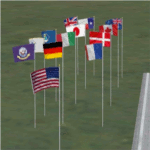
This scenery addon has been developed on Win 7 for FSX Flight Simulator SP1 or SP2. It has also been tested with Microsoft Acceleration, but compatibility is not guaranteed by the author.
The package provides a little collection of animated flags for scenery designers and FS users who do understand the handling of folders and files for FSX. The animated flag models have been developed with GMAX. Along with the textures the package includes the model (mdl) and bgl files. The XML files for the individual placement of a flag into a FSX scenery are included as well.
The documentation contains a step by step description on how to place the flag into the FSX scenery, on a position of your choice. In order to paint your own individual animated flag, the Appendix B of the documentation describes in detail on how to do it. However, a basic experience on how to work with graphical tools like Photoshop, GIMP, Paint Shop Pro etc. is required to paint the extures/colors for a new flag. For credits look at the pdf documentation inside the zip file. By Dietmar Loleit
| Filename: | Animated_Flags.zip |
| License: | Freeware |
| Added: | 17th October 2014, 22:59:25 |
| Downloads: | 662 |
| Author: | Dietmar Loleit |
| Size: | 5.98 MB |
| Category: Flight Simulator 2004 - Scenery | |
| Tehran area SRTM mesh |
|
File Description:
This terrain mesh scenery is centered on Tehran city. Ranging from 34.1°N to 37.5°N and 49.2°E to 54.8°E, it includes Elbourz moutain range as well as Caspian sea shores (28 meters below sea lavel).
Based on SRTM Data (3 arcsec, 90m) and sampled to LOD9 resolution (76m) using Matthew Styles's program "SRTM To BGL v1.04". While only tested with Fs2004, this mesh should also run with FS2002.
SRTM 3 arcsec dataset has numerous and sometimes huge void areas. But thanks to John Child's beautiful and powerful "Blackart" utility it's now easy to patch these areas with lower resolution dataset: I took the coupled interpolation method to merge SRTM 3-arcsec with SRTM 30-arcsec dataset when needed. This gives the best results, as patched areas with 30-arcsec data are blending naturally with surrounding 3-arcsec mesh. Of course the resolution of patched areas is quite poor, but still a bit better than the default LOD5 mesh. However, in exception of Demavend Peak, the SRTM data was quite good for this area and didn't need much patching so that the rendering is allways excellent.
| Filename: | Tehran_area_SRTM_mesh.zip |
| License: | Freeware, limited distribution |
| Added: | 20th June 2004, 14:14:31 |
| Downloads: | 5,584 |
| Author: | Yohann Baptiste |
| Size: | 18.1 MB |
| Category: Flight Simulator 2004 - Scenery | |
| ISD Milan (Bergamo) Orio al Serio - Update 2013 |
|
Images related to this file:
File Description:

Cari Amici Simmer Dear friends and lovers of the eternal FS2004, thanks to the work carried out by the Bgl Mr. Gianluca Giovannini, the tower by luca Manineti, airport objects of Mr. Andrei Visan, the upgrades from the ISD project, and the new frequency vor Fabio Iaria and the grass in 3d by MrKobbe Farwick. I tried an update of the Milan-Bergamo "Orio al Serio", the undisputed leader of the panorama Low fare in Italy. The scenery is not a new job, but an adaptation and updating of files scanrio isd 2002. In the new work will, therefore, the new tower of the city near the airport, the outline of trees along the surface of the airport, new airport objects, 3D grass, industrial buildings on the highway, night lights and a new reconstruction of the new terminal. I also realizizzato an urban area to recreate the city of Bergamo Orio al Serio and Bergmao and Alta. Compatible with AES latest version.
not assume responsibility for any errors that may occur, for information [email protected] "Fafo's air production."
A greeting and good flights - Fabio Ferrari, Castione della Presolana (BG) Italy.
Long life fs 2004! And Best regards from Italy
| Filename: | ISD_Milan_Bergamo_Orio_al_Serio__Update_2013.zip |
| License: | Freeware, limited distribution |
| Added: | 24th January 2013, 03:06:34 |
| Downloads: | 4,965 |
| Author: | Fabio Ferrari, Gianluca Giovannini, Luca Mainenti |
| Size: | 103.44 MB |
| Category: Flight Simulator 2004 - Scenery Design | |
| Library Object Manager |
|
File Description:
Library Object Manager is a utility designed to manage your collection of FS9 library objects. It does not work with API Macros (API Manager from ScruffyDuck Software can do that). Functions include importing object information from FS9 library bgl files; from SBuilder, RWY12 and EZ-Scenery. Categorizing objects by user defined category, by library name and by author. Exporting object information so that it can be used by SBuilder, RWY12, Object Placer XML, EZ-Scenery, and SceneGenX. Creating library files from your collection of .mdl objects. A quick placement function to allow you to place objects into your scenery for testing, creating thumbnails etc. A more extensive object placement program (Scenery Maker) which is similar in concept to RWY12 and Object Placer XML. This program is currently in Beta and further developments are planned. It may therefore not work entirely as expected although it has been tested by a number of kind and helpful users. LOM Requires Mirosoft dotNET Framework 2.0; bglxml.exe from Alessandro G. Antonini; FSUIPC from Pete Dowson for the scenery creation function to work; and bglcomp from Microsoft (included in this package). PLEASE read the included manuals before using the program. Support is available from my website www.scruffyduck.plus.com.
| Filename: | Library_Object_Manager.zip |
| License: | Freeware, limited distribution |
| Added: | 12th February 2006, 00:06:55 |
| Downloads: | 6,250 |
| Author: | Jon Masterson |
| Size: | 2.65 MB |
| Category: Flight Simulator 2004 - Scenery | |
| Aklavik CYKD in the Northwest Territories, Canada Revised |
|
Images related to this file:
File Description:
This version of Aklavik replaces the previous version so delete all previous installation elements. There is also for Inuvik replacement AI, additional texture, and replacement scenery bgl; this presumes you have already installed my revised post of Inuvik. There is also for Tuktoyuktak additional textures, and replacement scenery bgl's; this presumes you have already installed my 2012 post of Tuktoyakyuk.
Aklavik is a town of 650 or so inhabitants 120 miles inside the Arctic Circle and on the West Channel of the Mackenzie River delta. It is 40 miles west of Inuvik. There are two airlines serving the town on a regular basis and one is Aklak Air, operated by Kenn Borek. Aklavik village has not been changed since my previous post, but the airfield now has the correct terminal building.
The Inuvik replacement AI involves flights to Aklavik and Tuktoyaktuk and the texture and replacement bgl's are for gates that I forgot to include before.
The Tuktoyaktuk scenery now has a barge carrying the prefabricated new terminal for Grise Fiord, plus other items for the installation work. Northern terminals are prefabricated and delivered either complete or in flat-pack form to reduce construction time on site to a minimum. There is a note explaining why the terminal building is on a barge instead of being installed at its destination!
| Filename: | Aklavik_CYKD_in_the_Northwest_Territories_Canada_R.zip |
| License: | Freeware |
| Added: | 14th May 2012, 17:20:39 |
| Downloads: | 539 |
| Author: | Roger Wensley |
| Size: | 8.6 MB |
| Category: Flight Simulator 2004 - Miscellaneous Files | |
| Active ILS - KMIA (Miami International Airport) |
|
File Description:
By design KMIA is now the most advanced ATC controlled airport in the FS9 database. This is the 4th Airport and the most complex in a series of new ILS runways. As most know initiating the ILS at certain airports for AI Traffic is not a function at this time when using AFCAD2. If you add a new ILS runway to an airport such as KMIA (Miami International Airport 8L/26R) only the user aircraft can use this runway when visibility falls below 3 miles. ATC will no longer use this runway for AI Traffic because FS9 sees it as a visual runway. This will cause ATC to vector your AI Traffic back to 9L/27R (old numbers) 8R/26L (new numbers) which is also a Terminal departure runway. All 4 runways for KMIA are now simultaneously active for both departure and arrival. In the past only the runways closest to the Terminal were for departure, and arrivals used the outer parallel runways. This no longer applies with KMIA. The many options written in the XML are to numerous to list for KMIA so follow the instructions in the README and just sit back (or fly) and plane spot either VMC or IMC for a very active airport.
*** FlyTampa-Miami Scenery AFCAD2 and special ILS bgl also included ***
| Filename: | Active_ILS__KMIA_Miami_International_Airport.zip |
| License: | Freeware, limited distribution |
| Added: | 4th July 2004, 03:33:01 |
| Downloads: | 2,217 |
| Author: | Jim Vile |
| Size: | 128.67 KB |
| Category: Flight Simulator 2004 - Miscellaneous Files | |
| Active ILS - LEBL (El Prat - Barcelona Airport) |
|
File Description:
As most know initiating the ILS at certain airports for AI Traffic or the User Aircraft is not a function at this time when using AFCAD2. If you add a new ILS runway to an airport such as LEBL (El Prat/Barcelona 7R/25L) only the user aircraft can use this runway (without ATC commands) when visibility falls below 3 miles. ATC will no longer use this runway for AI Traffic because FS9 sees it as a visual runway. This will cause ATC to vector all your AI Traffic back to runway 7/25 old numbers, 7L/25R new numbers which is also a Terminal departure runway. This ILS bgl file adds all NAVAIDS for making 7R/25L a Precision Instrument Runway by adding all the radar fixes for both the ILS approach portion and the missed approach procedures, altitudes and intersections as per current published plates. All AI Aircraft/User Planes will now continue to use the new 7R/25L runway when Airport weather conditions are less than 3 miles. ATC will also use the right naming/numbers of the runways. The DME/VOR approaches have also been written using the new BCN/PRA VOR's for runways 7L/25R and 02. Many different default FS9 scenery GUID's added including Taxiway Signs *** FS2004 Default Scenery AFCAD2 included with the new 7R/25L runway ***
| Filename: | Active_ILS__LEBL_El_Prat__Barcelona_Airport.zip |
| License: | Freeware, limited distribution |
| Added: | 30th December 2004, 17:53:42 |
| Downloads: | 2,842 |
| Author: | Jim Vile |
| Size: | 31.51 KB |
| Category: Prepar3D V1-4 - Utilities | |
| AICull In-Sim Traffic Density Setting Tool |
|
Images related to this file:
File Description:

AICull v1.0.1 is a simconnect utility designed to provide AI traffic limiter options from within the P3D simulation via a menu system located under the “Add-ons†menu. AICull uses a “Smart Retain X Current ICAO†mode (accessible via the AICull in-sim menu under add-ons) that automatically maximizes arrival and departure activity at the user’s current ICAO while still retaining “X†number of AI. Alternately,the user can chose to simply retain “X†number of AI closest to the user’s aircraft. AICull also provides the options to limit AI traffic to the user’s departure and destination airports (if a P3D flight plan loaded). In all of the above cases, exceptions can be made for enroute AI (e.g., higher than 10,000 ft AGL or 18,000 ft AGL). The user can also customize preset values for the “X†retention number. AICull works best for .bgl file based traffic solutions (e.g., AIG). Although AICull will also work with simconnect-based traffic injectors (e.g., UTL), they typically perform their own AI traffic limiting and may also re-inject traffic that AICull deletes. AICull require the installation of FSUIPC v5 or later, registered (preferred) or unregistered. AICull is fully compatible with AIFlow and AIGround. Ver 1.0.1 FIX: changes to AICull.ini file not being read.
| Filename: | AICull_InSim_Traffic_Density_Setting_Tool.zip |
| License: | Freeware |
| Added: | 10th July 2020, 18:21:59 |
| Downloads: | 704 |
| Author: | Roland Foster |
| Size: | 946.98 KB |
| Category: Flight Simulator 2004 - Scenery | |
| CD KnettishallFS9 |
|
Images related to this file:
File Description:
Description:
From June 1943 to August 1945, the 560th, 561st, 562nd and 563rd Bombardment Squadrons of the 388th Bombardment Group with B-17's, flew 331 missions (including 19 Aphrodite missions from Fersfeld) losing 179 B-17s. On 6 September 1943, the 388th lost 11 B-17's on a mission to Stuttgart including all the aircraft of the 563rd BS. The airfield was not used again and sold off in 1957.
This add-on is not compatible with VFR scenery. Sorry for that.
Included in the download is an AI traffic BGL file that makes this base come to life. To get this file working, you must have the Wings of Power Heavy Bombers and Jets add on installed. You must also have downloaded the two repaint set for the B-17 done by my friend Chuck Lawsen. This last file can be found here at Avsim, it�s called: wop_388_b17.zip This project is as always dedicated to all the brave young men that contributed to the effort of getting Europe out of the claws of a dark, perhaps the darkest period in modern history, but this time it is especially dedicated to 1st Lt. Ralph M. Reese, co-pilot 562nd Sqd., and of course all the brave men of the 388th.
Enjoy!
Cees Donker
| Filename: | CD_KnettishallFS9.zip |
| License: | Freeware |
| Added: | 10th May 2010, 05:26:25 |
| Downloads: | 426 |
| Author: | Cees Donker |
| Size: | 1.12 MB |


© 2001-2026 AVSIM Online
All Rights Reserved
Privacy Policy |