
Where Flight Simulation Enthusiasts Gather from Around the World!
AVSIM Library - Search Results

| Category: Flight Simulator 2004 - Scenery | |
| Cottonwood, AZ Photoreal |

|
File Description:
Photo scenery of Cottonwood, AZ based on 1992 USGS black & white aerial photos that have been colorized. The file includes full autogen, custom AFCAD and new generic buildings. Cottonwood is located in northern Arizona, just west of Sedona.
| Filename: | Cottonwood_AZ_Photoreal.zip |
| License: | Freeware |
| Added: | 22nd December 2006, 12:31:44 |
| Downloads: | 1,461 |
| Author: | Kevin Burns |
| Size: | 6.36 MB |
| Category: Flight Simulator 2002 - Scenery | |
| Porrentruy (LSZY) for Suisse 2002 |
|
File Description:
Porrentruy (LSZY) is a small airfield with a grass runway North of Switzerland. Needs CH03-tx1.zip and CH03-tx2.zip. The scenery includes FS2002's road, smoke effects, animated water surface, photorealistic hangars, seasonal change.
| Filename: | Porrentruy_LSZY_for_Suisse_2002.zip |
| License: | Freeware |
| Added: | 3rd January 2003, 18:20:29 |
| Downloads: | 2,045 |
| Author: | Daniel Gauthier |
| Size: | 2.08 MB |
| Category: Flight Simulator 2002 - Scenery | |
| Bad Ragaz For Suisse 2002 |
|
File Description:
3rd Swiss Airport - Bad Ragaz (LSZE) is a small airfield with concrete runway East of Switzerland. The scenery includes photorealistic hangars, seasonal change, smoke effect, AFCAD file. Run with CH03-tx1.zip and CH03-tx2.zip.
| Filename: | Bad_Ragaz_For_Suisse_2002.zip |
| License: | Freeware |
| Added: | 4th January 2003, 13:51:48 |
| Downloads: | 3,176 |
| Author: | Daniel Gauthier |
| Size: | 1.72 MB |
| Category: Flight Simulator 2004 - AFCAD Files | |
| UK2000 Heathrow Pro |
|
File Description:
A high quality AFCAD2 file for the UK2000 Heathrow Pro Airport. Built from scratch, using the latest CAA charts, this AFCAD2 compliments the addon scenery perfectly. This file gives you the current real life taxiway names and gate numbers at this airport. Aircraft will take-off from and land directly onto the runway centerlines. Current setup is Runway 9L/27R for landing, runway 9R/27L for take-offs, although you can change this if you wish. Runway 05/23 is utilised as 'Taxiway Alpha' as per real life. Airlines are allocated to the correct terminals and all gates are used. This file gives you 200 usable parking positions at this airport, including those in the maintenance, hangar and Cargo areas and the current T5 parking stands. This file has been fully tested with no problems found. Requires the payware 'UK2000 Heathrow Pro' package by G. Summons available at http://www.uk2000scenery.com - this file is not compatible with the default FS2004 Heathrow airport, or the normal version of UK2000 Heathrow.
| Filename: | UK2000_Heathrow_Pro.zip |
| License: | Freeware, limited distribution |
| Added: | 11th September 2005, 23:08:34 |
| Downloads: | 2,397 |
| Author: | Lee Brompton |
| Size: | 150.06 KB |
| Category: Flight Simulator 2004 - Utilities | |
| GENav pro Navigation |
|
Images related to this file:
File Description:

Previous payware product at SimMarket, now 100% free.
With GENav pro you will view all AIRAC navigation data and terminal procedures inside Google Earth. GENav pro run under Windows and require only Google Earth for displaying. You can also edit your own routes or just copy routes into GENav to view in Google Earth. You can search for example an airport or a fix by short or long name, Google Earth will take you there.
You can connect to Microsoft Flight Simulator to view your aircraft. Moving map and heading is available.
GENav pro is highly optimized for best performance and clear views without clutter. There are smart filters to select relevant data to display, all AIRAC items are available. You will find all data such as nav-aid frequencies, airport runways with ILS frequencies by click the displayed icons in Google Earth.
You can edit routes visual direct inside Google Earth by click. The database can always be updated with Navigraph's latest AIRAC data.
With GENav you can easy build valid routes. Unlike other common autorouting program, GENav is the tool for you to build routes with correct airway direction and correct connected to SID/STAR's. You will easy draw your routes most stright and correct to destination. It is also excellent for visual and instrument navigation flights.
FEATURES:
*** Display airports, nav aids, waypoints
*** Display High/Low airways and airways direction
*** Display SID/STAR, Approaches and Transitions
*** Display ARTCC/FIR border
*** AIRAC data available by click
*** Search airport and fixes
*** AIRAC data compatible Navigraph data
*** Visual editable routes
*** VOR to VOR route navigation data
*** Display your aircraft
BASIC SYSTEM REQUIREMENTS:
*** Windows with Google Earth installed
( Notice, no flightsim program required )
OPTIONALLY REQUIREMENTS:
*** SID/STAR require the Navigraph purchase or an alternative free source
*** Airways direction & high/low info require the Navigraph purchase
*** To display aircraft, Microsoft Flight Simulator or Prepare3D v1/v2, with free FSUIPC is required.
*** To display aircraft at a separate computer, also the payware WideFS is required.
| Filename: | GENav_pro_Navigation.zip |
| License: | Freeware |
| Added: | 25th May 2016, 11:24:32 |
| Downloads: | 531 |
| Author: | Lennart Vedin |
| Size: | 4.5 MB |
| Category: Prepar3D V1-4 - Utilities | |
| GENav pro Navigation |
|
Images related to this file:
File Description:

Previous payware product at SimMarket, now 100% free.
With GENav pro you will view all AIRAC navigation data and terminal procedures inside Google Earth. GENav pro run under Windows and require only Google Earth for displaying. You can also edit your own routes or just copy routes into GENav to view in Google Earth. You can search for example an airport or a fix by short or long name, Google Earth will take you there.
You can connect to Microsoft Flight Simulator to view your aircraft. Moving map and heading is available.
GENav pro is highly optimized for best performance and clear views without clutter. There are smart filters to select relevant data to display, all AIRAC items are available. You will find all data such as nav-aid frequencies, airport runways with ILS frequencies by click the displayed icons in Google Earth.
You can edit routes visual direct inside Google Earth by click. The database can always be updated with Navigraph's latest AIRAC data.
With GENav you can easy build valid routes. Unlike other common autorouting program, GENav is the tool for you to build routes with correct airway direction and correct connected to SID/STAR's. You will easy draw your routes most stright and correct to destination. It is also excellent for visual and instrument navigation flights.
FEATURES:
*** Display airports, nav aids, waypoints
*** Display High/Low airways and airways direction
*** Display SID/STAR, Approaches and Transitions
*** Display ARTCC/FIR border
*** AIRAC data available by click
*** Search airport and fixes
*** AIRAC data compatible Navigraph data
*** Visual editable routes
*** VOR to VOR route navigation data
*** Display your aircraft
BASIC SYSTEM REQUIREMENTS:
*** Windows with Google Earth installed
( Notice, no flightsim program required )
OPTIONALLY REQUIREMENTS:
*** SID/STAR require the Navigraph purchase or an alternative free source
*** Airways direction & high/low info require the Navigraph purchase
*** To display aircraft, Microsoft Flight Simulator or Prepare3D v1/v2, with free FSUIPC is required.
*** To display aircraft at a separate computer, also the payware WideFS is required.
| Filename: | GENav_pro_Navigation.zip |
| License: | Freeware |
| Added: | 25th May 2016, 11:24:52 |
| Downloads: | 654 |
| Author: | Lennart Vedin |
| Size: | 4.5 MB |
| Category: Flight Simulator 2002 - AFCAD Files | |
| Heathrow Pro (EGLL) |
|
File Description:
RAFCAD file for Heathrow Pro's superb London Heathrow International Airport (EGLL) scenery. A highly modified version of Norman Dean' max gates AFCAD, this file has 195 gates mapped out to RAFCAD standards to ensure your AI traffic parks at the correct terminal and provides correct taxiway designations around the field.
| Filename: | Heathrow_Pro_EGLL.zip |
| License: | Freeware |
| Added: | 17th April 2004, 07:29:25 |
| Downloads: | 722 |
| Author: | David R. Klain |
| Size: | 20.34 KB |
| Category: Flight Simulator 2002 - Panels | |
| Pro L1011 Panel |
|
File Description:
This updated Lockheed L1011 panel was created from the scans out of the POH for Eastern Airlines. The new gauges and other programming for the panel was done by me using the Easygauge program. The panel features many new things including updated bitmap, overhead panel, engine gauges, autopilot area, radio stack and many more samll things.
| Filename: | Pro_L1011_Panel.zip |
| License: | Freeware, limited distribution |
| Added: | 7th January 2003, 02:35:39 |
| Downloads: | 5,884 |
| Author: | David Durst |
| Size: | 1.36 MB |
| Category: Flight Simulator X - Utilities | |
| GENav pro Navigation |
|
Images related to this file:
File Description:

Previous payware product at SimMarket, now 100% free.
With GENav pro you will view all AIRAC navigation data and terminal procedures inside Google Earth. GENav pro run under Windows and require only Google Earth for displaying. You can also edit your own routes or just copy routes into GENav to view in Google Earth. You can search for example an airport or a fix by short or long name, Google Earth will take you there.
You can connect to Microsoft Flight Simulator to view your aircraft. Moving map and heading is available.
GENav pro is highly optimized for best performance and clear views without clutter. There are smart filters to select relevant data to display, all AIRAC items are available. You will find all data such as nav-aid frequencies, airport runways with ILS frequencies by click the displayed icons in Google Earth.
You can edit routes visual direct inside Google Earth by click. The database can always be updated with Navigraph's latest AIRAC data.
With GENav you can easy build valid routes. Unlike other common autorouting program, GENav is the tool for you to build routes with correct airway direction and correct connected to SID/STAR's. You will easy draw your routes most straight and correct to destination. It is also excellent for visual and instrument navigation flights.
FEATURES:
*** Display airports, nav aids, waypoints
*** Display High/Low airways and airways direction
*** Display SID/STAR, Approaches and Transitions
*** Display ARTCC/FIR border
*** AIRAC data available by click
*** Search airport and fixes
*** AIRAC data compatible Navigraph data
*** Visual editable routes
*** VOR to VOR route navigation data
*** Display your aircraft
BASIC SYSTEM REQUIREMENTS:
*** Windows with Google Earth installed
( Notice, no flightsim program required )
OPTIONALLY REQUIREMENTS:
*** SID/STAR require the Navigraph purchase or an alternative free source
*** Airways direction & high/low info require the Navigraph purchase
*** To display aircraft, Microsoft Flight Simulator or Prepare3D v1/v2, with free FSUIPC is required
*** To display aircraft at a separate computer, also the payware WideFS is required
| Filename: | GENav_pro_Navigation.zip |
| License: | Freeware |
| Added: | 23rd May 2016, 19:57:35 |
| Downloads: | 1,579 |
| Author: | Lennart Vedin |
| Size: | 4.5 MB |
| Category: Flight Simulator X - Aircraft Repaints, Textures and Modifications | |
| SIAI Marchetti SF260 (HB-EWQ) |
|
Images related to this file:
File Description:
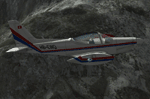
Textures only for RealAir's SF260. Real world aircraft from Switzerland.
| Filename: | SIAI_Marchetti_SF260_HBEWQ.zip |
| License: | Freeware |
| Added: | 7th October 2014, 23:10:51 |
| Downloads: | 325 |
| Author: | Ron Attwood |
| Size: | 1.37 MB |


© 2001-2026 AVSIM Online
All Rights Reserved
Privacy Policy |