
Where Flight Simulation Enthusiasts Gather from Around the World!
AVSIM Library - Search Results

| Category: Flight Simulator X - Aircraft Repaints, Textures and Modifications | |
| De Havilland Canada DHC-6 Twin Otter CIRPAS #236 |

|
Images related to this file:
File Description:

This folder contains a repaint for the Aerosoft Twin Otter Extended, in the colors of 762256 (c/n 496). Formerly N83NX, this aircraft is registered with the US Navy, but flying for the Center for Interdiciplinary Remotely-Piloted Aircraft Studies (CIRPAS), a research center at the Naval Postgraduate School in Monterey, California. The CIRPAS Twin Otter is an instrumented twin-engine turboprop aircraft. It supports individual scientists as well as teams of scientists from various Universities and Laboratories who are interested in lower-tropospheric phenomena and air/sea interaction. Payload may be selected from a large suite of state of the art meteorological, aerosol, and cloud particle sensors, while additional equipment collaborating scientists may wish to include can be integrated as well. Twin Otter mission have been sponsored by ONR, NSF, DOE, NOAA, NASA, CARB, and NRL.
Instruments may be installed in racks inside the cabin where a well characterized community inlet delivers ambient air samples, or in pods either suspended by wing-mounted pylons or mounted on a hard point on the cabin roof. Optical ports and windows are on the airplane’s belly and in the cabin roof.
CIRPAS staff calibrates and maintains the facility payload and provides fully reduced, synchronized, and coherent data sets to the collaborating scientists.
The Twin Otter is based at the CIRPAS Marina Facility, but has been deployed to various locations in North, South, and Central America and Asia. Repaint by Jan Kees Blom, based on the paintkit by Aerosoft.
| Filename: | De_Havilland_Canada_DHC6_Twin_Otter_CIRPAS_236.zip |
| License: | Freeware |
| Added: | 14th July 2018, 16:51:20 |
| Downloads: | 218 |
| Author: | Jan Kees Blom |
| Size: | 16.23 MB |
| Category: Flight Simulator 2004 - Scenery Design | |
| FSDEM 1.1 |
|
File Description:
FSDEM is a graphical tool designed to help on the editing and correction of NASA SRTM (Shuttle Radar Topography Mission) terrain elevation meshes, and to create terrain mesh scenery to be used in Microsoft Flight Simulator 2002/2004.
Program main features:
This version fixes some bugs and adds minor improvements. See the included file history.htm for details.
| Filename: | FSDEM_11.zip |
| License: | Freeware, limited distribution |
| Added: | 4th August 2004, 20:51:02 |
| Downloads: | 5,125 |
| Author: | Emerson de Oliveira |
| Size: | 377.03 KB |
| Category: Flight Simulator 2004 - Original Aircraft | |
| Dinfia I.A.35-II "Huanquero" |
|
Images related to this file:
File Description:
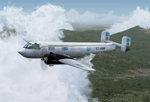
The IA-35 "El Justicialista del Aire" (renamed "Huanquero" in 1955) was the first design from the Dinfia Organisation of Argentina to enter production and the head of a family of succesful planes that later included the Ia-35 X "Pandora", the "Guarani I" and the turbopowered Ia-50 "Guarani".
A twin-engined all metal (except for fabric covered ailerons) low-wing cantilever monoplane with a high-mounted tailplane with two fins and rudders; and a retractable tricycle landing gear. Powered by two IA 19R "El Indio" radial engines of 750 HP each that allowed a maximum cruise speed of 370 km\h and a maximum range of 1250 KM with a full load of 2300 kg.
The major design was done by Paul Klages under the direct supervision of Prof. Kurt Tank, former Focke Wulf designer who also built the I.Ae 33 "Pulqui II" jet fighter in 1950.
The first series prototype of the Ia-35 made its maiden flight the 21st September of 1953 flown by First Lt. Pilot Connan Doyle, and was followed by a planned production batch of 100 aircraft but in the end less than half of the aircraft were built when production ceased in the mid-1960s.
Most of the Ia-35 Type II were assigned to the "II Brigada Aerea" of Parana to the "II Grupo de Exploracion y Ataque" where remained in service until 1974, when the lasts "Huanqueros" were replaced with the newest Ia-58 "Pucara".
Original 3D modeling (external and internal), flight dynamics, and "A-316" textures by Victor Astiz; sound set by Gary Jones; additional textures and general modding by Damian Radice.
| Filename: | Dinfia_IA35II_Huanquero.zip |
| License: | Freeware |
| Added: | 4th June 2010, 18:39:07 |
| Downloads: | 1,237 |
| Author: | Victor Astiz, Gary Jones, Damian Radice |
| Size: | 50.66 MB |
| Category: Flight Simulator X - AFCAD Files | |
| KEGE - Eagle County Regional - Eagle, Colorado USA * FIX * |
|
File Description: KEGE - Eagle County Rgnl - Eagle, CO, USA version 1.1 by Jason Boche
This is an update of the default FSX KEGE airport.
Enhancements include:
-Runway 7/25 lengthened to current, displaced threshold and markings added
-Blast pads added
-Updated taxiways to current
-PAPI lights moved to right/north side of runway 25
-Updated LOC frequency for runway 25 to 109.75
-Moved and added additional LOC antennea to the west end of runway 7
-Tower moved and model replaced
-Realistic terminal parking spots 1-10
-Asphalt and concrete aprons added/updated, ground lighting updated
-Asphalt, concrete, and gravel roads added
-Many bulidings updated
-All applicable runway signs updated
-Added airport, civilian, and construction vehicles
-Airport perimeter fencing updated
-Runway demolition fencing added
-National Guard helipads added
-GA refueling moved to the north end of the field
Please provide any feedback and suggestions to me at the email address listed
in the readme.txt. Thank you.
Acknowledgements:
Airport Design Editor (ADE -Freeware) - Jon Masterson.........http://www.scruffyduck.org.uk/
This also has a download centre for many other ADE files.
Please visit here for more information...........http://www.airportdesigneditor.co.uk
Any questions relating to ADE can be answered at www.fsdeveloper.com/forum......look
for Airport Design Editor author
Ray Smith for providing so many freeware airports and airport updates which
inspired me to give ADE a try.
Jason Boche
| Filename: | KEGE__Eagle_County_Regional__Eagle_Colorado_USA__F.zip |
| License: | Freeware |
| Added: | 30th November 2013, 10:42:48 |
| Downloads: | 1,477 |
| Author: | Jason Boche |
| Size: | 373.01 KB |
| Category: Flight Simulator X - Aircraft Repaints, Textures and Modifications | |
| RAF Supermarine Spitfire Mk IX, French 340 & 345 Squadron |
|
Images related to this file:
File Description:
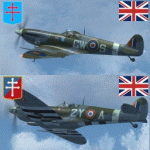
This packet includes two repaints of the Supermarine Spitfire IX, of Royal Air
Force, which were flown by French airman in the following 2 squadrons:
No. 340 Squadron was formed on 7 November 1941 at Turnhouse as a Free French fighter
squadron equipped with Spitfires. In April 1944 it joined No.145 Wing, Second
Tactical Air Force, a wing made up of French fighter squadrons. The squadron
served with the occupation forces in Germany, before on 25 November 1945 being
transferred to the Armee de l'Air.
The aircraft: serial BS392, code GW-S, was flown by S/Ldr Bernard Duperier,
Duperier flew this Spitfire only rarely in the period from October 25 to November
7 1942.
No.345 (French) Squadron (GC II/2 'Berry') was formed on 12 February 1944 at Ayr,
from French personnel transferred from North Africa. It served with 2nd Tactical
Air Force, taking part in the liberation of Europe in 1944-45. After the war the
squadron remained on the continent, and on 21 November 1945 it was transferred
to the Armee de l'Air. Even in RAF service, French roundels were used.
The aircraft: serial PT766, code, 2Y-A, was flown by Jean-Marie Accart, known under
Nom-de-Guerre 'Bernard', became famous during the campaign in France in 1940.
He commanded GC 1/5 and is credited with 12 German aircraft destroyed.
To be used with the payware Spitfire 2008 from RealAir Simulation. Buy it here
http://realairsimulations.com/spitfire/buynow.php?page=spitfire_buynow
The Realair repaintkit was used for making this repaint. The following items
were done extra:
- Redone all stencils and added lots more, so far i could find information and pictures on the internet;
- Pilot is repainted completely;
- Redone some bump-maps for some more detail (with RealAir approval);
- Several textures are now HD, 2048x2048 pixel for more detail;
- Improvement of the some details.
| Filename: | RAF_Supermarine_Spitfire_Mk_IX_French_340__345_Squ.zip |
| License: | Freeware, limited distribution |
| Added: | 14th May 2015, 17:39:49 |
| Downloads: | 225 |
| Author: | Marcel Ritzema |
| Size: | 17.43 MB |
| Category: Flight Simulator 2004 - Scenery | |
| Bethel area airfields in southwest Alaska close to the Yukon River |
|
Images related to this file:
File Description:
This presumes you have already installed my post of Bethel PABE. In the Yukon River area of Alaska there are a lot of small villages close together, which is unusual for Alaska. Almost all of them are on the coast or a river bank, and the local economies depend on fishing. Some are larger than others and have a fish processing plant, such as in Emmonak. This is the largest such plant and it exports prepared fish by cargo planes which fly in on a daily basis, using an extended runway. This post includes airfields to the south and west of PABE, 17 of them; some of them already included and now modified. There will be more airfields to the north and northwest of Bethel in a future post. There are revisions to Bethel to include parking spaces for Yute Air (newly included here) and extra spaces for Ryan Air. Both of these flew Cessna 205 planes into the smaller village strips from Bethel (past tense as Yute Air recently went bankrupt). The northwest area is served both from Bethel and also from St Mary's PASM, which is in the northwest and at a more economical range to the local airfields (100 miles closer than Bethel). These smaller airfields have few airfield buildings or any other creature comforts; featuring heavily are a new standard blue garage building (sometimes not yet installed) and a small and old terminal shed (that has sometimes collapsed and been removed). Go to "http://vfrmap.com/" for free vfr maps of the area, There is a pic of the local chart area included here. The screenshots are a random sample. Kipnuk PAKI is the one that appears to have a second and long grass runway; what it actually has is the ground prepared for a new and long gravel runway but which hasn't been started yet as it has taken 10 years just to prepare the ground. I have no idea why.
| Filename: | Bethel_area_airfields_in_southwest_Alaska_close_to.zip |
| License: | Freeware, limited distribution |
| Added: | 16th April 2019, 22:47:47 |
| Downloads: | 155 |
| Author: | Roger Wensley |
| Size: | 5.93 MB |
| Category: Flight Simulator X - Original Aircraft | |
| B-2A Spirit Stealth Bomber |
|
Images related to this file:
File Description:
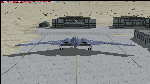
The B-2A Stealth Bomber is the most sophisticated aircraft on the planet. She is essentially a “Flying Wing†platform with no V-Tail, and is controlled by pre-programed flight computers stationed in various positions within the crew cabin and wings. There is one main computer that controls the aircraft, with two redundant back-up computers assigned to it in case of failure. All additional computers are assigned to functions involving flight control, system monitoring, data communications, and radar. Engine and Aerodynamic effects are controlled by these computers which serve several actuators and ailerons, including the spoilerons, which further compensate for the lack of a V-Tail. In theory, and because of these computers, the aircraft is “Stall-Proofâ€. The only way it can stall is if the computers fail. There is no way she can be flown without the computers active. The REAL aircraft does almost everything based on pre-programed data, other than taxi to the runway (although this is also possible to program). Before each flight, the Mission is designed and then assigned to the Mission Flight Box (Portable Computer) which is then carried by the Commander to the aircraft, and the data from the box is “transferred†to the main on-board computers. Because of this, the B-2 cannot be flown until the box is ready for the mission, and pilots cannot simply jump in and fly her, with the exception that the data is transferred via satellite. Everything is pre-planned, and this takes several hours. Once the data is on-board, the taxi can begin. When lined-up on the runway, all the pilot needs to do is push a button or three. Everything else is computer controlled until landing. The aircraft CAN be flown manually with basic data inputs into the main computer systems, but even in that case it is not conventional. If a pilot wants to turn right, he sets the data to turn to a certain degrees of heading. The same with climb and descent, speed increase or decrease. A pilot cannot over-ride the computers in any case, so steep banks, climbs, or descents cannot be forced. There is a lot of space for the two member crew within the cockpit, but there is also a space reserved for one observer. This additional seat is known as “Suicide Position†because there is no ejection seat for that observer. In the event of a mishap, the observer can try to bail-out through the ejection hatches after the pilots, or can try the exit ramp door, or the bomb bay as an exit route. The odds of escape for the observer are very small, but he has a parachute as reassurance. Otherwise, what the crew does during missions is only a guess, since they really don't have to do anything unless an alarm goes off. Since the plane flies so smooth, we can only imagine what sort of things they may dream-up to entertain themselves during a long flight. High altitude flights are conducted at night mainly due to the obvious contrail such a flight will exhibit during the day with such hot engines. The engines are encased in a heat absorbing shield material (still exhaust exists), and the rest of the plane is coated with Radar absorbant material, with the additional low profile effect of the aircraft design itself. If it can be seen by the ground or a fighter, it can be attacked by fighters or the ground. During daytime flight they will stay below the contrail level, and monitor the radar systems in preparations for counter-measures. If a fighter can visually observe them, the fighter may be able to shoot them down with bullets from behind, but not likely with missiles because of the sophisticated counter-measures available. On Radar the aircraft appears the size of a pigeon, until about 8 to 10 miles away, which would be too late to counter from the ground, so most attacks are either done at night or during the day at very low altitude. Upon landing the aircraft is automated down to about 200 feet AGL, when the pilot takes command. All she/he does at this point is allow her to glide down and contact the runway, and retard the engines. Brakes are used to slow, then the computers are turned off, and the pilot can control the throttles, nose gear, and brakes. The Commander watches for obstructions, mainly, and communicates with the tower and ground crew. Everything in this model has been reconfigured to meet realistic standards, without any tricks or flight tuning, and following real world aerodynamic principals and available data, including MOI. The panel requires study before use, but very realistic. The sounds are very authentic. There is no other model offered anywhere that compares to what you have now available in front of you. Please read and study the Readme.txt file within the main folder before attempting to fly this 2.2 Billion Dollar aircraft. Yes, that's correct ... $2,200,000,000 each! The use of this model, and the configuration of such, is designed for educational purposes, and protected by the Free Use Act: (https://www.law.cornell.edu/uscode/text/17/107). The Authors will not approve redistribution for monetary purposes. Original aircraft design by Alphasim; VC Adaptation, panels and gauges by Philippe Wallaert; Sound by Ruggero Osto; REAL WORLD Engine/Aerodynamics, data and effects by Douglas E. Trapp ([email protected]) June 2018
| Filename: | B2A_Spirit_Stealth_Bomber.zip |
| License: | Freeware |
| Added: | 2nd June 2018, 17:16:30 |
| Downloads: | 1,038 |
| Author: | Douglas E. Trapp |
| Size: | 14.81 MB |
| Category: Flight Simulator 2004 - AI Flight Plans | |
| Philippine Airlines Full Version 1.0 |
|
File Description:
This file is the most complete PHILIPPINE AIRLINES Artificial Intelligence (AI)Aircrafts Package to be released as Freeware.All models and repaints included in this file are the fleet of aircrafts currently used by Philippine Airlines.A total of 26 repaints are included.
Airbus A320-200,Boeing B737-300 and Boeing B737-400 models are by Jon Murchison and ARNZ-AIS and repaints by Ver Walter Gulfan.Jon Murchison's models feature pushback vehicles for FS2004 and his excellent Animation-Integrated Scenery.Airbus A330-300 and Airbus A340-300 models are by FSPainters and repaints by John Makani and Ver Walter Gulfan.Boeing 747-400 models are by FSPainters and repaints by Ver Walter Gulfan.All 26 aircrafts included in this file have no duplicate registration numbers.They have a specific rego each just like the real counterpart.
The registration numbers of all the repaints included in this file are the following:EI-BZE,EI-BZF,EI-BZJ,EI-BZL,EI-CUL,RP-C4007,RP-C3221,RP-C3223,RP-C3224,EI-CVN,EI-CVO,EI-CVP,F-OHZM,F-OHZN,F-OHZQ,F-OHZR,F-OHZS,F-OHZT,N751PR,N752PR,N753PR,N754PR,F-OHPJ,F-OHPK,F-OHPL and F-OHPM.
No additional download file is required in this package.Models,aircraft.cfg,original airfiles,repaint textures and Traffic Tools v.201 Aircrafts and Flightplans files are all included here.Truly the most complete Philippine Airlines AI file you could ever get!
Note:Original models,airfiles aircraft configs are all originally downloaded from www.avsim.com. I am uploading this addon file only to AVSIM and i'm not to any other website.Uploading to any website other than AVSIM is prohibited.All aircrafts included here have no panel and sound folders as this performs best for AI aircraft only and not for flying.Works best for FS2004 but this should also work with FS2002 but without the pushback vehicle feature.
| Filename: | Philippine_Airlines_Full_Version_10.zip |
| License: | Freeware |
| Added: | 14th November 2003, 00:06:55 |
| Downloads: | 5,201 |
| Author: | Ver Walter Gulfan,Jon Murchison,ARNZ,John Makani and FSPainters |
| Size: | 8.98 MB |
| Category: Flight Simulator 2004 - Utilities | |
| FlightSim Manager 2.7.2 |
|
File Description:
Compatible with both FS2002 and FS2004
FlightSim Manager is a great tool for managing add-ons to Microsoft Flight Simulator. Using easy to Wizard - FSM can install various addins from distribution ZIP files that you may have downloaded, with easy uninstaller. FSM has lots of feature to offer, from an easy to use Aircraft editor to add/edit aircraft variants, to an comprehensive Hangar management that allows you to manage and configure your add-ons off your live FS installation. You can create Virtual Fleets, and enable/disable the complete fleet with ease. For serious pilots, there is also a complete Logbook.
If you have access to networked PCs, you can use FSM Lan View feature to create virtual cockpits with as many different views as you like. FSM also make it very easy to control Flight Simulator with speech commands, with additional support for auto-saving flight, warning system, and your own custom event sounds.
Using a powerful Editor, you can now edit your AI Flight Plans - plans can be saved as sets, which then in turn can be enabled in Flight Simulator. With FSM, you can create Texture Sets ( your own custom texture installer ) - capture screenshots, complete Benchmark with log, launching Flight Simulator with Random Screens, and fly from anywhere in the world using an map view.
Finally with a comprehensive Diagnostic Tools and Repository feature, FSM keeps your FS installation clean. Apart from the usual Missing and unused gauges, FSM can also locate Aircraft problems, Missing and unused effects, and Scenery Problems with a LandClass File relocate feature - say bye-bye to all the memory leaks.
There are still a lot more features that you will need to discover by yourself.
You can find the latest version from: http://www.ranainside.com/
| Filename: | FlightSim_Manager_272.zip |
| License: | Freeware |
| Added: | 18th December 2004, 21:56:49 |
| Downloads: | 20,538 |
| Author: | Rana Hossain |
| Size: | 5.45 MB |
| Category: Flight Simulator 2004 - Utilities | |
| FlightSim Manager 2.8.5 |
|
File Description:
Compatible with both FS2002 and FS2004. FlightSim Manager is a great tool for managing add-ons to Microsoft Flight
Simulator. Using easy to Wizard - FSM can install various addins from
distribution ZIP files that you may have downloaded, with easy uninstaller. FSM
has lots of feature to offer, from an easy to use Aircraft editor to add/edit
aircraft variants, to an comprehensive Hangar management that allows you to
manage and configure your add-ons off your live FS installation. You can create
Virtual Fleets, and enable/disable the complete fleet with ease. For serious
pilots, there is also a complete Logbook. If you have access to networked PCs, you can use FSM Lan View feature to create
virtual cockpits with as many different views as you like. FSM also make it very
easy to control Flight Simulator with speech commands, with additional support
for auto-saving flight, warning system, and your own custom event sounds. Also
FSM introduces a new ViewMode that replaces the existing boring tower view into
exciting camera view. Using a powerful Editor, you can now edit your AI Flight Plans - plans can be
saved as sets, which then in turn can be enabled in Flight Simulator. With FSM,
you can create Texture Sets ( your own custom texture installer ) - capture
screenshots, complete Benchmark with log, launching Flight Simulator with Random
Screens, and fly from anywhere in the world using an map view.
Finally with a comprehensive Diagnostic Tools and Repository feature, FSM keeps
your FS installation clean. Apart from the usual Missing and unused gauges, FSM
can also locate Aircraft problems, Missing and unused effects, and Scenery
Problems with an unique LandClass File relocate feature - say bye-bye to all
those memory leaks. There are still a lot more features that you will need to discover by yourself. You can find the latest version from: http://www.ranainside.com/
| Filename: | FlightSim_Manager_285.zip |
| License: | Freeware |
| Added: | 20th November 2005, 03:15:59 |
| Downloads: | 48,579 |
| Author: | Rana Hossain |
| Size: | 5.48 MB |


© 2001-2026 AVSIM Online
All Rights Reserved
Privacy Policy |