
Where Flight Simulation Enthusiasts Gather from Around the World!
AVSIM Library - Search Results

| Category: Flight Simulator X - Utilities | |
| PJEZFSX |

|
File Description:
PETER JAMES' EZCAM .CAM FILES AS OF 3-25-10. I have made some great cams to share based on the new
Flight1 EZDOK software. Installation is a snap. Just copy these into your EZDOK root directory and you're
ready to go! As a real commercial pilot with over 7500 hours flying time, I can assure you these cams
give you the most realistic virtual cockpit views possible. I base this on proper seat position, as
well as a zoom level I have been fiddling with since the beginning of FSX.
I have here cams for the A319 by Project Airbus, the Default A321, default Beaver, the 739 by Ariane, the LDS 767-300ER,
and the great free biplane (Tigermoth) by ORBIX ...Whether you own the two payware products or not
does not matter. These cams will work well on any similar aircraft. Just use the EZDOK interface to import these cams,
and then you can edit them for any plane you want. The real thing I did was take the default cams that came with EZDOK and dampen
out the touchdown head wobble...but that's about it. I am still learning all the tweaks available
with vibrational effects, but have gotten good at setting up 9 viewpoints for each virtual cockpit
included... when you run the EZDOK interface you'll see the titles and number key for each position.
Enjoy!
Peter James / [email protected]
| Filename: | PJEZFSX.zip |
| License: | Freeware |
| Added: | 25th March 2010, 06:23:33 |
| Downloads: | 2,533 |
| Author: | Peter James |
| Size: | 16.85 KB |
| Category: Prepar3D V1-4 - Aircraft Repaints, Textures and Modifications | |
| Continental Micronesia 1998 AI Package |
|
File Description:
Continental Mircronesia was Continental's Guam-based Pacific operation. In 1998, CMI had 3 747-200s and 16 727s (10 pax+ 6 flying DHL cargo), and was also using 4 Continental 757s to cover routes from GUM. The 747s mostly fly between NRT/GUM/HNL and spend their down time at the HNL maintenance base, but they also flew charters to OKJ and SDJ which are represented in these plans. The 727s fly all over the Pacific, serving most every large city in Japan as well as TPE, CNS, and the 7-stop GUM-HNL "milk run", flown twice weekly. The cargo plans for the 727s are representitive and also serve much the the Pacific reaching as far as Australia. I created arrival and departure banks most days so the planes often arrive back to GUM in the middle of the night around the same time. The "Micronesia" titles were removed from the last DC-10-30 in March 1998, after which time all DC-10s wore the standard Continental livery as did the 757-200s while using the CMI codes and callsigns. Currently, there is no Continental Micronesia DC-10 AI paint, but links to all relevant paints are included as well as Ranmori Scythe's FAIB 747-200 PW texture. Flightplans by Chasen Richardson. Part of the 1998 Flight Simulator Project. Follow us on Facebook at facebook.com/flightsim98 and on instagram as @bayviationsim. For more Retro AI, check out the forums at: http://retroai.proboards.com/
| Filename: | Continental_Micronesia_1998_AI_Package.zip |
| License: | Freeware, limited distribution |
| Added: | 1st December 2019, 20:55:52 |
| Downloads: | 167 |
| Author: | Ranmori Scythe, Chasen Richardson/Bayviation |
| Size: | 1.51 MB |
| Category: Flight Simulator 2004 - Scenery | |
| Anaktuvuk PAKP Runway and Taxiway Lighting in Alaska |
|
Images related to this file:
File Description:
Anaktuvuk is in Alaska, and this posting adds proper runway and taxiway lighting to the scenery, as shown in the screenshots. There will be runway and taxiway lights visible during the day and at night there will be lit lights that properly illuminate the runway for landing, and at a lower level of brightness the taxiways. Put the bgl's into the existing scenery folder of your previous Anaktuvuk PAKP installation and say yes to replace the existing bgl's that have the same names. Instal the Library objects once and for all by placing the CONTENTS of the Lighting Library scenery folder in your static objects scenery folder and the CONTENTS of the texture folder in the static objects texture folder (which is how I install scenery objects libraries). Alternatively, put them in the scenery and texture folders of your Add on scenery folder, or even in the main scenery and texture folders. They just have to be in related scenery and texture folders that are always active when FS9 is running. If you do all this and there are no textures to the lights then put the library textures into the Anaktuvuk texture folder too; FS9 has done some strange things while I was making scenery so I would never rule out a possibility.
There will be further retro upgrades to other recent scenery that was posted with temporary lighting. Say thank you to Greg Putz for making the lighting.
| Filename: | Anaktuvuk_PAKP_Runway_and_Taxiway_Lighting_in_Alas.zip |
| License: | Freeware, limited distribution |
| Added: | 25th November 2019, 17:52:18 |
| Downloads: | 136 |
| Author: | Roger Wensley |
| Size: | 699.17 KB |
| Category: Flight Simulator X - Scenery | |
| FSX-DTTJ-Djerba |
|
File Description:
Well it starts like always, I can't find a usable freeware airport in this
case for the DTTJ Djerba-Zarzis so I'll build it myself again.........
well what can I say here it is built as real as possible with many details
with the standard scenery after a lot of work ..........
So fly to Tunisia to the island of Djerba, of course with an Airbus A321 or
a Boeing 737. There you change to a helicopter or a smaller plane and
look around the area...Tip: Zarzis is near the port a helipad......
Installation:
copy the folder DTTJ Djerba Scenery into the addon folder of the FSX,
start the FSX go to settings, scenery library, add area, press OK, then
you can already start.............
Extras: to be able to see people, I deliver the file 3DPeoble_Lib, copy it
into the Addon Scenery folder and activate it in FSX as described during
the installation and you can already see people......
the same applies to all files that are supplied to see more details in the
FSX folder Addon Scenery copy individually and activate in FSX you
should have already activated one of these files! You don't need to install
it again! EZ-Scenery-Object Files ( for extra buildings and accessories )
...... RCJ-Neoplan............( Buses ). airport_restaurants_ss_fsx..........
( extra building ) Parking lots_large_ss_Fsx.Bgl........( vehicles and
parking lots) Lightobj.bgl......lights and light poles......... more about it on
my youtube channel https://www.youtube.com
/channel/UC7vHXQMa3hhU2iGtODXlkHw/videos
Support:Questions and help on my YouTube channel or by email to
[email protected] And now have fun In Djerba Jamaica
| Filename: | FSXDTTJDjerba.zip |
| License: | Freeware |
| Added: | 18th September 2023, 14:53:38 |
| Downloads: | 396 |
| Author: | Wagner Ewald alias Jamaika |
| Size: | 84.97 MB |
| Category: Flight Simulator X - Scenery | |
| FSX-LPMA-Funchal-Madeira |
|
File Description:
FSX-LPMA-Funchal-Madeira
well it starts as always, i can't find any usable freeware airport in this case for
the LPMA Madeira Funchal so I'll build it myself again...............well what can i
say here it is after a lot of work as real as possible with a lot of details with the
Default scenery built ..........So fly to Madeira with an Airbus A321 or a Boeing
737, of course There youchange to a heli or a smaller plane and see each other on
the premises at......
Installation:copy the folder LPMA-Madeira Scenery into the addon folder of the
FSX, start the FSX go to settings, scenery library , add area, press ok , after that
you can already start............
Extras:
to be able to see people I deliver the file 3DPeoble_Lib with you can also put it in
the Copy the addon folder and activate it in FSX as described during installation
and you'll see you people..............
the same applies to extra vehicles and extra buildings with the supplied files
ObjLib-Large-Car-Parking-FSX and you'll see more vehicles...........
Airport_Restaurants_ss_fsx.BGL + RCS_Cobus3000.BGL
! You don't need these extras if you already have them!
Extra bonus:
especially for the LPMA-Madeira, I'm adding the Airport AI Enhancer program so
that you can create your own AI traffic.........
more about it on my Youtube channel
https://www.youtube.com/channel/UC7vHXQMa3hhU2iGtODXlkHw/videos
Support:
Questions and help on my Youtube channel or by email to [email protected]
now have fun in Madeira Funschal
Jamaika
| Filename: | FSXLPMAFunchalMadeira.zip |
| License: | Freeware |
| Added: | 18th September 2022, 21:19:38 |
| Downloads: | 1,856 |
| Author: | Ewald Wagner |
| Size: | 71.29 MB |
| Category: Flight Simulator 2004 - Scenery | |
| Allakaket 6A8 Runway and Taxiway Lighting in Alaska |
|
Images related to this file:
File Description:
Allakaket is on the Koyukuk River in Alaska, 40 miles southwest of Bettles. This posting adds proper runway and taxiway lighting to the scenery, as shown in the screenshots. There will be lights on top of traffic cones visible during the day, just as there are at Allakaket in real life so that pilots can still see them after a snowfall. At night there will be lit lights that properly illuminate the runway for landing, and at a lower level of brightness the taxiway. Put the bgl's into the existing scenery folder of your Allakaket 6A8 installation and say yes to replace the existing bgl's that have the same names. Add the texture bmp's to the texture folder. That's all, and in fact you could try it without the textures in the Allakaket 6A8 texture folder, but read on. Instal the Library objects once and for all by placing the CONTENTS of the Lighting Library scenery folder in your static objects scenery folder and the CONTENTS of the texture folder in the static objects texture folder (which is how I install scenery objects libraries). Alternatively, put them in the scenery and texture folders of your Add on scenery folder, or even in the main scenery and texture folders. They just have to be in related scenery and texture folders that are always active when FS9 is running. There will be further retro upgrades to other recent scenery that was posted with temporary lighting. Say thank you to Greg Putz for making the lighting.
| Filename: | Allakaket_6A8_Runway_and_Taxiway_Lighting_in_Alask.zip |
| License: | Freeware, limited distribution |
| Added: | 23rd November 2019, 20:30:02 |
| Downloads: | 116 |
| Author: | Roger Wensley |
| Size: | 711.35 KB |
| Category: Flight Simulator X - Aircraft Repaints, Textures and Modifications | |
| FSX/P3D Aloha Airlines DC-3 circa 1958 |
|
Images related to this file:
File Description:
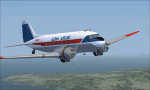
This is a repaint of the DC-3 in Aloha Airlines colors. The freeware DC-3/C-47 v3 by Manfred Jahn is needed for this repaint. Aloha was founded in 1946 under the name of Trans Pacific Airways. With a single DC-3, they offered passenger charter and cargo services between the islands of Oahu, Maui and Hawaii. On February 11 1949 they officially became a scheduled service airline. Their main rival was Hawaiian Airlines, and in 1957 they changed their name to Aloha Airline to better compete against Hawaiian. In 1959 a modern F-27 joined the fleet, which forced the retirement of Aloha's aging DC-3 fleet by the mid 1960s. They also introduced the Viscount 745D in June 1961. BAC-111s were acquired in 1966. However, the British made airliners had limitations in the very humid environment of Hawaii, and in 1967 Aloha ordered 2 Boeing 737-200s with a further 6 in 1968 to replace the BAC-111s. The 737s were destined to become the workhorse of the airline, with over 60 being used by Aloha over the years. Their iconic "Flower Power" livery was unveiled in 1969, and was reintroduced in 2006 on one of their 737 as a retro livery. Due to heavy financial problems caused by various factors, Aloha unfortunately ceased operations on March 31 2008. This DC-3, N2804D, was leased by Aloha in the late 1950s. Textures are DDS DXT5. This repaint was tested on FSX-SE and should work on FSX & P3D v1-3.
| Filename: | FSXP3D_Aloha_Airlines_DC3_circa_1958.zip |
| License: | Freeware |
| Added: | 19th December 2018, 22:31:48 |
| Downloads: | 214 |
| Author: | Ted Giana |
| Size: | 7.43 MB |
| Category: Prepar3D V1-4 - Aircraft Repaints, Textures and Modifications | |
| Hawaiian Air 1998 AI Package |
|
File Description:
Hawaiian Air was a shell of itself in the Transpacific market in 1998 compared to today, while it was fiercely competing with Aloha Airlines in the intra-Hawaii market. DC-10-10s preformed all Long Haul flights as well as those to the USA, while a fleet of DC-9-50s competed with Aloha between the islands. At the time, all flights from OGG to the mainland actually originated in Honolulu and made a stop in Maui in each direction on which no tickets were sold between HNL\OGG. LAX was used as a stop over point as well for flights between HNL\OGG and LAS. All mainland flights from HNL were daily while flights to other destinations in the Pacific and between the mainland and OGG were operated only a few days per week. HNL-LAX was the busiest route for the DC-10, with 3 daily flights. The MD-80s, other DC-9 variants, and the DHC-7s were gone by 1998, but the DC-9-50s still served the smaller airports of LNY and MKK(even with some very short flights between the two) at the time which were soon after abandoned until Ohana by Hawaiian was launched in recent years with ATR-42s. AIG DC-9-50 repaint by Christian Gold and Antoine Calleja of APG included. AIM DC-10-10 by Jason King on Avsim as "aim_dc1010_hawaiian_n160aa.zip". Flightplans by Chasen Richardson as part of the 1998 Flight Simulator Project. Follow us on Facebook at facebook.com/flightsim98 and on instagram as @bayviationsim. For more Retro AI, check out the forums at: http://retroai.proboards.com/
| Filename: | Hawaiian_Air_1998_AI_Package.zip |
| License: | Freeware |
| Added: | 21st November 2019, 19:14:09 |
| Downloads: | 170 |
| Author: | Christian Gold, Antoine Calleja, Chasen Richardson\Bayviation |
| Size: | 657.46 KB |
| Category: Prepar3D V1-4 - Utilities | |
| Flightplan Visualizer 1.8 |
|
Images related to this file:
File Description:
Flightplan Visualizer (FV) version 1.8.0. Copyright 2018 by Pelle F. S. Liljendal ([email protected]), all rights reserved.
FV comes with 300 Commercial-, and +380 BizJet AI pre-imported flightplans which the creators of those flightplans have gracefully allowed me to include with the installer, however you are able to import additional (AI) flightplans if you want to. Once imported these (AI) flightplans can be visualized on a map-view, and the user will be able to search accross all these. Hence you can use the program as inspiration as to which routes to fly. E.g. you can search across all imported flightplans to find all flights in an A321 flying into/out from LDDU, or simply to look for all flights in a Boeing 747-8F.
Simply run the included installer to install the software. The program will be installed into "C:\Program Files (x86)\Flightplan Visualizer" and all datafiles will be installed into: "C:\Users\[UserName]\AppData\Roaming\FlightplanVisualizer". The program comes with a full manual explaining everything, and a 2 page quick manual to get you started. The first 3 times you run the program the quick manual will automatically open. Lacking a “proper forum†I have - for now - setup a Facebook group for support. This group is called “Flightplan Visualizerâ€, and you can seek membership via this link: https://www.facebook.com/groups/FlightplanVisualizer/
If you are installing this version on top of a version prior to 1.7 the program will start slower than ususal and display a lot of warnings. This is because it fileformat of the pre-imported flightplans was changed between version 1.6 and 1.7, so starting version 1.8 it will update all flightplans (and in the progress it will display all those warnings). The next time you start FV you will no longer see this warnings as all flightplans will have become updated.
Pelle
| Filename: | Flightplan_Visualizer_18.zip |
| License: | Freeware, limited distribution |
| Added: | 16th December 2018, 01:30:27 |
| Downloads: | 330 |
| Author: | Pelle Liljendal |
| Size: | 24.48 MB |
| Category: Prepar3D V1-4 - Utilities | |
| Flightplan Visualizer 1.7 |
|
File Description:
Flightplan Visualizer (FV) version 1.7.1. Copyright 2018 by Pelle F. S. Liljendal ([email protected]), all rights reserved.
FV comes with 300 Commercial-, and +380 BizJet AI pre-imported flightplans which the creators of those flightplans have gracefully allowed me to include with the installer, however you are able to import additional (AI) flightplans if you want to. Once imported these (AI) flightplans can be visualized on a map-view, and the user will be able to search accross all these. Hence you can use the program as inspiration as to which routes to fly. E.g. you can search across all imported flightplans to find all flights in an A321 flying into/out from LDDU, or simply to look for all flights in a Boeing 747-8F.
Simply run the included installer to install the software. The program will be installed into "C:\Program Files (x86)\Flightplan Visualizer" and all datafiles will be installed into: "C:\Users\[UserName]\AppData\Roaming\FlightplanVisualizer". The program comes with a full manual explaining everything, and a 2 page quick manual to get you started. The first 3 times you run the program the quick manual will automatically open. Lacking a “proper forum†I have - for now - setup a Facebook group for support. This group is called “Flightplan Visualizerâ€, and you can seek membership via this link: https://www.facebook.com/groups/FlightplanVisualizer/
If you are installing this version on top of a version prior to 1.7 the program will start slower than ususal and display a lot of warnings. This is because it fileformat of the pre-imported flightplans was changed between version 1.6 and 1.7, so starting version 1.7 it will update all flightplans (and in the progress it will display all those warnings). The next time you start FV you will no longer see this warnings as all flightplans will have become updated.
Pelle
| Filename: | Flightplan_Visualizer_17.zip |
| License: | Freeware, limited distribution |
| Added: | 27th November 2018, 17:23:12 |
| Downloads: | 463 |
| Author: | Pelle Liljendal |
| Size: | 23.28 MB |


© 2001-2026 AVSIM Online
All Rights Reserved
Privacy Policy |