
Where Flight Simulation Enthusiasts Gather from Around the World!
AVSIM Library - Search Results

| Category: Flight Simulator 2004 - Sounds | |
| General Electric CF6-80C2 Complete Sound Suite |

|
Images related to this file:
File Description:

After a long hiatus due to payware obligations and a lack of spare time, I'm back with a bang. Over the course of the last few years or so I have slowly worked on CF6 sounds mainly for personal use. Over time I ended up with something that I knew I just had to share with the Flight Sim community. This is a complete all in one download for all CF6-80C2 powered aircraft. Having spent countless amounts of flights on CF6-80C2 powered A300-600s and 767s I can swear by the authenticity of this work. Additionally I have spent hours on end listening to sound clips and watching videos of CF6 powered aircraft. The quality and accuracy of these sounds will absolutely blow you away! I have included 2 specific soundsets for a wide variety of CF6-80 powered aircraft. One for the CF6-80C2A series that covers the A300-600 and A310 and another for the CF6-80C2B & D series for 767-200ER/300/400, 747-400, MD-11, Air Force 1 & C5 Galaxy M aircraft. All sounds are in full uncompressed Stereo and Mono PCM quality and have been expertly edited, mixed and compiled by myself. You will not encounter distortion or phasing issues, and because of this, these sounds are fully compatible with FSX even without soundcones. Remember, payware doesn't automatically mean better! So turn up the volume and bass and let these sounds immerse you to an all new level!!
| Filename: | General_Electric_CF680C2_Complete_Sound_Suite.zip |
| License: | Freeware, limited distribution |
| Added: | 29th April 2012, 14:14:41 |
| Downloads: | 10,820 |
| Author: | Emil Serafino |
| Size: | 176.22 MB |
| Category: Flight Simulator 2004 - Scenery | |
| VAGO Goa/Dabolim Navy, India |
|
File Description:
Googly scenery for Dabolim Navy Airport, Goa - a busy Indian military airport also used for
civilian flights which is poorly provided for in Flight Simulator 2004. These scenery
files add taxiways, aprons, buildings and other airport features, so that you and
your "AI" traffic can land, taxi, park and take off in a realistic manner.
Today Goa is a popular tourist destination, but it does not have its own civilian
airport. Instead the ever-increasing number of charter flights use the Indian
Navy's airport. But they may only land when the Navy's novice pilots are not
pretending the runway is a 11,000 foot aircraft carrier deck so civilian flights
have to be packed into short periods (before 9 am and 1 pm to 6 pm) and this leads
to the small terminal ramp being literally packed with aircraft at times. All kinds
of jets from around the world up to Boeing 747s call here, flown by European and
Asian operators like Air Deccan, Air India, Air Sahara, Arkefly, Condor Thomas Cook,
Go Air, Indian Airlines, Jet Airways, Kingfisher Airlines, Monarch Airlines,
Spicejet, SriLankan Airlines, Thomsonfly, Tiger Airways, Transaero and XL Airways
along with ATR turboprops on shorter flights with Air Deccan. The
Indian Coast Guard has a base here for its aircraft, and the Indian Air Force
carry out exercises from time to time with their fighter bombers. The Navy's
three-aircraft aerobatic team is also based here.
To cope with the increasing traffic, the airport is currently under development
and enlargement but details of this are not currently available so this scenery has
been created showing the existing arrangements. This, combined with the limitations
of Flight Simulator and its parking and taxying arrangements, means that it isn't
possible to realistically pack the aircraft all in at busy times. Any overflow of traffic will
find itself diverted to the Navy's parking area or even the aircraft museum.
However, my observations are that many of the schedules prepared for Flight
Simulator do not recognise the limited landing times and the traffic is spread
fairly evenly throughout the day, so such overflows should be infrequent.
The scenery does not purport to be ultra-accurate. Based on high-detail satellite
imagery from Google Earth, the layout is proportionally correct but the added
airport features, such as buildings, are built from default Microsoft objects
and add-on libraries so will not look like the real thing.
You are not obliged to download and install any additional scenery libraries,
but to enjoy this scenery in its entirety, you may wish to. It will work fine,
with or without.
| Filename: | VAGO_GoaDabolim_Navy_India.zip |
| License: | Freeware |
| Added: | 8th August 2007, 23:14:21 |
| Downloads: | 3,959 |
| Author: | John Hinson |
| Size: | 78.48 KB |
| Category: Flight Simulator X - Scenery | |
| KAFW Fort Worth Alliance Airport - Texas, US |
|
Images related to this file:
File Description:
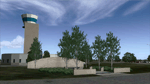
Ft. Worth Alliance Airport opened in 1989 and was billed as the world's first purely industrial airport. It is located around 14 miles North of the central business district of Ft. Worth and is also nearby the Dallas/Ft. Worth International Airport (KDFW). The airport serves general aviation, corporate jet, cargo, and military air traffic on a daily basis and it's proximity to the Texas Motor Speedway (only a few miles) brings extra dense traffic on race weekends. The airport is home to the American Airlines 777 and 767 maintenance base, FedEx Southwest Regional Sort Hub, Bell-Helicopter Training Center, DEA Air Operations Center and DynCorp International. Sadly the American Airlines maintenance base is set to close at the end of 2012 but is being kept alive in FSX!
This scenery features custom 3d buildings and objects bringing you a very accurate rendition of Ft. Worth Alliance Airport. Requires FSX Acceleration for the all scenery objects to display correctly.
Note: These files MUST be installed for the scenery to work correctly (otherwise there will be missing scenery objects at the airport):
-Filename: fsx_lts.zip - Ramp Lighting for FSX by Jim Dhaenens
-Filename: dlfcorelibraries2fsx.zip - Dan French Core Library Vol. 2
-Filename: lightstoo.zip - Jim Dhaenens Airfield Lighting
-Filename: objlib-jgse-fsx.zip - John Stinstrom JGSE Yellow Objects - this newer file replaces the older FS9 libraries with FSX versions
-Filename: objlib-ggse-fsx.zip - John Stinstrom GGSE Green Objects - this file also replaces FS9 libraries with FSX versions
| Filename: | KAFW_Fort_Worth_Alliance_Airport__Texas_US.zip |
| License: | Freeware, limited distribution |
| Added: | 12th December 2012, 16:56:36 |
| Downloads: | 2,933 |
| Author: | Brandon Thetford |
| Size: | 439.24 MB |
| Category: Flight Simulator 2004 - AI Flight Plans | |
| TUI Airlines Belgium - Summer 05 (corrected 2nd version) |
|
File Description:
::: Corrected version ::: Representative and accurate charter flight plans for the summer 2005 period, which have been compiled according to the company information for the week of 4th July, 2005.
TUI Airlines Belgium (TUB) is the most important charter airline based in Belgium, flying with its own fleet which includes: 1 Fokker 100 (OO-TUF), 3 Boeing 737-400 (OO-TUA, OO-TUB, OO-TUI), 2 Boeing 737-800W (OO-VAC, OO-VAS), and 1 Boeing 767-300ER (OO-TUC).
In addition for the summer, TUB is wet leasing two 737's from Futura International Airways, also operating under the "Beauty" callsign.
As for all charter company, flights differs from one week to one another but this file comprises its main destinations regularly visited throughout the summer period.
They are currently flying from its main base Brussels-National (as well as from the belgian regional airports of Liège and Oostende) to many various medium- and long-haul destinations:
Agadir, Alicante, Almeria, Araxos, Athens, Burgas, Cagliari, Cairo, Cancun, Catania, Chania, Chios, Djerba, Dubrovnik, Faro, Fuerteventura, Funchal, Girona, Gran Canaria, Hurghada, Ibiza, Iraklion, Jerez, Kerkira, Kos, Lanzarote, La Palma, Luxor, Mahon, Malagà, Malta, Marrakech, Marsa Alam, Mitilini, Monastir, Montego Bay, Murcia, Mykonos, Napoli, Pafos, Palermo, Palma de Mallorca, Puerto Plata, Punta Cana, Rhodos, Samos, Santorini, Sharm-el-Sheikh, Tabarka, Tanger, Tarbes, Tenerife-Sur, Toulon, Tunis, Varadero, Varna, and Zakinthos.
Other destinations such as Corsica, Tunisia and Turkey are jointly operated with partner airlines such as SN Brussels Airlines, MNG, Thomas Cook, Karthago and Tunis Air, but not included here.
Schedule files fully compatible with Traffic Tools by Lee Swordy (available on this site). Enjoy...
| Filename: | TUI_Airlines_Belgium__Summer_05_corrected_2nd_vers.zip |
| License: | Freeware |
| Added: | 3rd June 2005, 17:58:36 |
| Downloads: | 2,249 |
| Author: | Jean-Philippe DELWICHE |
| Size: | 10.03 KB |
| Category: Flight Simulator 2004 - Aircraft Repaints, Textures and Modifications | |
| Pacific Western AI Aardvark Boeing 737-200 |
|
File Description:
Pacific Western, repaint for the AI_Aardvark 737-200. By RotorRick Deckard. Freeware, textures only, requires AI_Aardvark 737-200 basepack.
Pacific Western was a Canadian airline based in the western provinces, back when I was growing up, and I saw their planes all the time. They merged into CP Air, which turned into Canadian Airlines when they also took Wardair. And Canadian Airlines exists no longer either, having been absorbed by Air Canada, many of their staff were let go, and less desirable planes sold off to discount airlines.
Pacific Western, in parnership with Boeing, pionered a modification to the 737-200 that enabled it to land on gravel runways! Yes, no joke, with several of the destination runways up near the arctic circle, these runways wouldn't survive the ground temperature changes if they were more common paved or concrete runways. Anyway, I don't know many details, but I do know it involved a large beaver board attached to the rear of the nosegear wheels (which looks very much like that on the Antarctic mission C-130's the US uses to support missions down under), and vortex generators to blow in front of the engines on landing. This is all done to keep the low slung engines from ingesting any FOD. Since that time, such strips are more commonly visited by the Boeing 727, which has it's engines better protected and is generally more suited to such special purposes.
See here for more info:
http://airlines.afriqonline.com/airlines/205.htm
http://www.airtimes.com/cgat/ca/pwa.htm
This airline has operated the 707, Lockheed C-130 Hercules (actually L-100 variant), 767-200 and many other planes, but they were always primarily a 737-200 based airline.
| Filename: | Pacific_Western_AI_Aardvark_Boeing_737200.zip |
| License: | Freeware |
| Added: | 21st May 2005, 00:41:43 |
| Downloads: | 732 |
| Author: | Rick Deckard |
| Size: | 596.88 KB |
| Category: Prepar3D V1-4 - Utilities | |
| Flightplan Visualizer 1.13 |
|
Images related to this file:
File Description:
Flightplan Visualizer (FV) version 1.13.0. Copyright 2018-2019 by Pelle F. S. Liljendal ([email protected]), all rights reserved.
FV comes with 586 pre-imported Commercial AI flightplans (+380 BizJet flightplans are available as a separate download). However you are able to import additional (AI) flightplans yourself. Once imported these (AI) flightplans can be visualized on a map-view, and the user will be able to search accross all these. Hence you can use the program as inspiration as to which routes to fly. E.g. you can search across all imported flightplans to find all flights in an A321 flying into/out from LDDU, or simply to look for all flights in a Boeing 747-8F.
Simply run the included installer to install the software. The program will be installed into "C:\Program Files (x86)\Flightplan Visualizer" and all datafiles will be installed into: "C:\Users\[UserName]\AppData\Roaming\FlightplanVisualizer". The program comes with a full manual explaining everything, and a 3 page quick manual to get you started. The first 3 times you run the program the quick manual will automatically open. The forum is hosted here: https://forum.aerosoft.com/index.php?/forum/919-flightplan-visualizer/
Version 1.13 Contains the following changes: Flightplans can now be exported in AIFP/TrafficTool-format (the same format that FV is able to import). It means if you have made any changes to a flightplan (e.g. redirected some airports) the flightplan can be exported from FV, and imported into AIFP (AI Flight Planner, by Don Grovestine) where it can be compiled into an AI-traffic bgl-file (traffic "scenery"). A new setting called "Adjust flight-time on airport-redirect" have been added. This setting defaults to "false" (un-checked), however if changed to "true" (checked) the flight-time will be changed if/when departure/destination-airports are changed due to airport-redirections (both automatic and manually). The flight-time is the result of the difference between departure-/destination-time, hence if the flight-time is changed either- or both departure-/destination-time will change as well. The original flight-time is scaled based on the original- and the redirected distance between the departure/destination-airports. When importing/editing flightplans you can now select one or multiple aircraft and delete them. When deleting an aircraft all schedules attached to that aircraft will be deleted as well. One use of this feature could be to remove aircraft you don't have a AI aircraft, prior to exporting the flightplan in AIFP/TT-format, and loading it into AIFP. When importing/editing flightplans a "Similar" button will appear next to the flightplan name if a similar named flightplan exists (e.g. "same name", but different season), or other flighplans exists for the same airline (ICAO). Hoovering the mouse over this button will show the names of these flightplans as a tool-tip, and if you click the button the list will be shown in a window (with some additional information), from where it can be copied to the clipboard if you need to. On the Edit/Import-flightplan form, the Aircraft- and Airport tab-sheets have been swapped, and a new tab-sheet was added to list all routes of the flightplan. For each route the distance is listed along will all aircraft types of the flightplan servicing that route. The "Aircraft" tabsheet of the form to import/edit flightplans now contains a button called: "Fleet report". Pressing this button will generate a report showing the fleet of an airline (based on the flightplan), that is sorted by Aircraft type and registration. For each aircraft it will show a list of all the airports served by that particular aircraft. A "Word-wrap" check-box have been added to the Result-viewer to toggle word-wrap on/off (word-wrap defaults to "on"). In previous versions any changes made in the settings form resulted in all flightplans having to reload (while showing the splash-screen). Changing the path for MakeRunway-files still results in an automatic "reboot" of the program. The combo-box for choosing default direction (outbound/inbound/both) for the leg-search (on reset) have been removed from settings, and it now defaults to "Outbound or Inbound". However in the search legs form you can now save your own preferred "Reset" criteria. When you press the reset-button, it will load this Reset-file (with your preferred reset criteria). If you hold SHIFT while pressing the reset-button (or you have not saved a personal reset-file), it will reset to the default factory-criteria. In the traffic tabsheet of the airport info form there is a combo-box letting you switch between "Selected flightplan" or last-search on main-form" and "All flights to/from this airport". In previous versions it did not perform the search of flights to-/from- the viewed airport until you selected the 2nd item from the combo-box. Now this search is performed in the background as soon as the form is opened, hence choosing the 2nd item in the combo-box is now instantaneous. The "Nearby Airports" tab-sheet in the "Airport Info" form, now have a column listing direction (from the airport to the nearby airports). When listing number of runways and gates (e.g. in the form showing nearby airports, or in the redirection-report), the radius of the largest gate is now included, as there is no need to redirect any 747 traffic to an airport where the largest gate is 23m (a 747 requires a gate with a radius of at least 36m). The frequency-count was removed from the before mentioned listing of runways and gates, to make more room for listing the aircraft serving each airport. The search for airport browse now have a new optional column listing comments (e.g. length of longest rwy and largest gate). The "show" combo-box lets you choose to show comments in stead of "Size/Rank/Traffic" or "Hint-text". Opening the search airport browser from the import/edit flightplan form, will automatically choose to show the comments column, as information regarding rwy length/gate radius can be relevant when redirecting airports. Form "Nearby Airports" now show the GPS-position in the caption of the form. Added runway/gate summary to caption-bar of airport info form, so you no longer need to look at both the runway- and gate- tab-sheet in order to see: number of runways, longest runway, number of gates and largest rate (radius). New check-box added to settings allowing you to include the before mentioned runway/gate info in the airport marker tool-tip on the main map. Region/sub-region added to "Airport Info" form (top/left corner). A new setting (default to disabled) lets you add region/sub-region to the airport marker-hint on the map as well. Added a button to the "airport info" to show the airport at flightradar24 (opens the default browser), and the button on the leg info form to show route the route at flightaware (also using the browser) have been replicated on the route info form. The METAR-/TAF-buttons on the leg info form now shows the raw METAR/TAF-message - as a tool tip - when you hoover the mouse over the buttons. As before, when you press these buttons it will open a window showing the decoded messages. Various minor changes to the leg info form: added info regarding longest runway and largest gate for each airport, and re-positioned some of the fields. Likewise the info copied to the clipboard when you click the appropriate button have been re-ordered as well. Changed flightplan format to accommodate additional information, but the format remains backward compatible. Button added to about-box allowing the user to copy version-info to the clipboard. Managed to "shave off" approx ½ a second during start-up (on my pc). Not a lot but still an improvement :-) Fixed: In the form for importing/editing flightplans the leg-page showed the original distance even if the airports were redirected. Fixed: On leg info form "Dest.Country" and "Dest.Apt" column-order were swapped. Fixed: Tweaked aircraft type detecting to better detect 740-400 and 767-200/300 freighters. In previous versions a few aircrafts were wrongly detected as pax, when they should have been detected as freighter. Data: Airbus 330-800/900 Neo, Boeing 747-400LCF (Dreamlifter), and Embraer 175/190/195-E2 have been added as supported aircraft, and a few additional airlines and airports were added as well. Flightplans: Installer comes with +70 new pre-imported (Summer 2019) flightplans of which some are replacements of obsolete flightplans (from previous installers), and 2 of the "old" flightplans have been marked as defunct, as "Adria Airways" and "Aigle Azur" have filed for bankruptcy and ceased their operations. Flightplans: Among the added flightplans you will find the first flightplan I have made myself, a flightplan for Airbus Transport International covering their 5 Beluga's an 2 Beluga XL's (the latter 2 are stil performing test-flights and have yet to be implemented into their "normal schedule").
| Filename: | Flightplan_Visualizer_113.zip |
| License: | Freeware, limited distribution |
| Added: | 13th October 2019, 17:50:53 |
| Downloads: | 355 |
| Author: | Pelle Liljendal |
| Size: | 30.45 MB |


© 2001-2026 AVSIM Online
All Rights Reserved
Privacy Policy |