
Where Flight Simulation Enthusiasts Gather from Around the World!
AVSIM Library - Search Results

| Category: Flight Simulator X - Utilities | |
| NumberPad Control for FSX and P3D |

|
Images related to this file:
File Description:
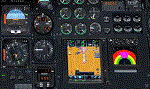
NpC4FSX&P3D (NumberPadControl for FSX and P3D) is a more efficient (and more convenient to set up)
version of a similar NpC program that I wrote a few years ago and which to
my surprise PC Pilot magazine included on their 100th Anniversary edition Freeware CD. With
NpC4FSX&P3D you assign keys to functions like Com, Nav, Heading, Course, Altitude, VS,
Autopilot functions, etc., and then can enter the associated values (like frequencies or headings) just by typing on the
keyboard’s numberpad instead of fiddling with elusive mouse click spots. NpC4FSX&P3D is
programmed primarily for aircraft with avionics that were developed within standard FSX
programming guidelines but also supports third party add-
on aircraft such as the Flysimware L35A and MU2, PMDG 737NGX / B777, Flight1 King Air
B200, A2A Cherokee 180, and also works with GPS units like the GTN750. Setup manual included.
A registered (payware) copy of FSUIPC is required.
| Filename: | NumberPad_Control_for_FSX_and_P3D.zip |
| License: | Freeware |
| Added: | 19th February 2018, 21:21:16 |
| Downloads: | 481 |
| Author: | Al Klayton |
| Size: | 683.59 KB |
| Category: Flight Simulator 2004 - Gauges | |
| TerraVue: Moving Map, Ground Proximity, Information pages |
|
File Description:
FS2004 Gauge: TerraVue. This gauge contains a moving map display with a terrain elevation legend color-keyed to the FS9 map. The legend allows the elevation of terrain lying ahead of the aircraft to be taken into account. TerraVue can display the FS map in seven ranges from 4 NM to 160 NM. The Map mode also employs animation to show the proximity between the aircraft and ground in a graphical and digital display with indicators showing whether the distance is increasing or decreasing. The gauge can be switched to the Information mode which will display up to four individual pages of data that is created by you. These scrollable pages may contain checklists, airport diagrams, approach plates, strip charts, etc. Fully functional, free software to help quickly construct these pages is included along with an illustrated tutorial that demonstrates the simple copy/paste process that tailors these pages to include whatever data you wish. For panel or separate window installation with TerraVue Icon gauge. By Glenn Copeland
| Filename: | TerraVue_Moving_Map_Ground_Proximity_Information_p.zip |
| License: | Freeware |
| Added: | 24th June 2006, 15:13:12 |
| Downloads: | 5,073 |
| Author: | Glenn Copeland |
| Size: | 1.92 MB |
| Category: Microsoft Flight Simulator (2020) - Utilities | |
| FBWA320_LINDA_Module_ByJujunet_v0.2 |
|
File Description:
This module allow to control hidden controls of the FBW A320, using LINDA software and FSUIPC
Require : FSUIPC ver 7 full licence, Microsoft Flight Simulator
Installation :
Uncompress archive in any place.
Move A32nx.evt file to your FSUIPC root folder.
Move A320.hvar on \Community\fsuipc-lvar-module\modules
On LINDA software :
Click on "Maintenance", on top, select "--aircrafts--".
Click on "Select Source Folder", below "Import Aircraft Module", browse to the folder FBWA320, click on "Import", or "Overwrite" if updating
This module for Linda freeware allows to bind :
-Landing and Nose light independently
-Seat-belt
-No Smoking
-Mode and zoom on ND
-Display function ARPT, VOR, WPT, NDB... on ND
-Terrain on ND
-Eicam pages, with an encoder
-ILS
-Barometer increment and decrement with automatic detection of position (HPA or inHg)
-Toggle between HPA and inHg
-Toggle between QNH setting and STD
-Autobrake Cycle
-Full compatibility for Managed/Selected on SPD, HDG, ALT and Selected mode on VS
To create your own module, or customize this one, go to my Youtube Tutorial :
My channel : https://www.youtube.com/channel/UCVgdlnaAk2Q4EOSCICW_0iA
Changelog :
Version 0.1 : Initial Release
Version 0.2 : Update to working with FBWA320 v0.8.0
| Filename: | FBWA320_LINDA_Module_ByJujunet_v02.zip |
| License: | Freeware |
| Added: | 12th July 2022, 18:21:02 |
| Downloads: | 47 |
| Author: | Julien GICQUIAUD |
| Size: | 17.55 KB |
| Category: Flight Simulator 2004 - Panels | |
| F16 |
|
File Description:
FS2004 Panel, F16 Air Show Tour. The panel of this jet fighter has been designed for cross country flying to events worldwide. The 2D cockpit is packed with new gauges that complement this high performance, yet docile aircraft. All gauges, lights, etc. are functional, easy to read, and are panel installed except GPS 500. For long distance flights, the panel contains on-demand refueling capabilities for both ground and air operations. A few of the new gauges are; 180-degree scan navigational radar, triple mode interceptor-refueling-terrain radar, refueling gauge with command screen, fuel center with time/distance remaining computer, new Descentometer for Mach-plus aircraft, analog engine gauges including thrust and fuel efficiency, plus a hangar full of warning and indicator lights. The intercept mode of the ai-radar feeds info to the autopilot to assist in the rendezvous with tanker to allow all-weather, day or night air refueling. Digital data for AP, radio, altimeter, timer, and Descentometer is input via a central keypad. Acknowledge ATC instructions using joystick. Designed for use with Kirk Olsson's F16 Viper. Includes 15 page illustrated instructions plus Intercept and Refueling tutorial. By Glenn Copeland
| Filename: | F16.zip |
| License: | Freeware |
| Added: | 12th January 2007, 03:00:43 |
| Downloads: | 5,780 |
| Author: | Glenn Copeland |
| Size: | 1.83 MB |
| Category: Microsoft Flight Simulator (2020) - Utilities | |
| WorkingTitleCJ4_LINDA_Module_ByJujunet_v0.2 |
|
File Description:
This module allows to use hidden controls of the default MSFS CJ4, using FSUIPC and LINDA software. Require : FSUIPC ver 7 full licence, Microsoft Flight Simulator and LINDA software. Installation : Uncompress archive in any place. Move CJ4.hvar on \Community\fsuipc-lvar-module\modules On LINDA software : Click on "Maintenance", on top, select "--aircrafts--". Click on "Select Source Folder", below "Import Aircraft Module", browse to the folder CJ4, click on "Import", or "Overwrite" if updating. This module for Linda freeware allows to bind : - Menu choice, menu inc/dec and puch : bind a key to browse to all screen menus, and scroll with an encoder to move up and down inside the menus. Push a key to validate. - Map zoom in/out - Terrain/WX - PFD functions (FRMT/TFC/NAV) - Seatbelt light - Safety light - Baro inc/dec - Baro std - AP modes : FLC, HDG, ALT, VS, APPR and Toga button. To create your own module, or customize this one, go to my Youtube Tutorial : My channel : https://www.youtube.com/channel/UCVgdlnaAk2Q4EOSCICW_0iA Changelog : Version 0.2 : Correction to working with the default CJ4 since AAU1 update, the Working title mod no longer exist.
| Filename: | WorkingTitleCJ4_LINDA_Module_ByJujunet_v02.zip |
| License: | Freeware |
| Added: | 16th January 2024, 14:29:33 |
| Downloads: | 37 |
| Author: | Julien GICQUIAUD |
| Size: | 6.35 KB |
| Category: X-Plane - Utilities | |
| X-Camera 2.2.1 |
|
Images related to this file:
File Description:
The X-Camera 2.1.1 plugin for X-Plane 9 and 10 is a replacement camera system that lets you define multiple view categories and multiple views within those categories that are associated with specific aircraft. X-Camera is similar to EzDok for FSX only for X-Plane. Watch this short X-Camera demo on YouTube: https://www.youtube.com/watch?v=PgOxG8ejq9A
Each view can have options:
- TrackIR:
Each view can enable or disable the TrackIR input. If the view is out the cockpit window having TrackIR enabled is desirable. However, if the view is a close-up of an instrument panel then having TrackIR disabled is probably the better choice since the view will be stable making it easy to click on cockpit controls with the mouse. We also support LinuxTrack on Linux and Mac systems.
- HeadShake:
If the HeadShake plugin from SimCoders is installed then the view can accept input from HeadShake. Similar to the TrackIR feature you will likely want this enabled for certain views but disabled for views on instrument panel close-ups where a stable camera makes it easier to use a mouse to control cockpit knobs and switches. The HeadShake plugin must be at version 1.3 or higher for the integration to work.
- Scenic Flyer:
If the Scenic Flyer plugin from Digital Avionics is installed then the view can choose to display either the Scenic Flyer Glass panel or GA panel.
- Smooth Transition:
When this option is enabled the camera with smoothly transition from one view to another over approximately half a second. When the option is off the view will transition immediately.
- Views can be controlled in a number of ways:
> Each view can be positioned by using keyboard keys or a control panel
> The camera'™s X, Y, Z, Heading, and Pitch can all be adjusted for each view
> Views can be assigned to a HotKey or JoyStick button for easy selection
> HotKey or JoyStick button can be used to navigate to next or previous views
> The views for a specific aircraft can be saved to a CSV file for easy editing
- Walk Mode:
Any view'™s camera can be placed in Walk Mode. While in this mode the camera can be walked or floated around using keyboard input. If you ever played the video game asteroid that is what walk mode is like. The mode is particularly useful for pre-flight inspections of your aircraft. You can create a external view and after selecting that view you can "Walk" the camera around checking out your landing gear, props, etc.
- Linear Transitions and Auto Advance:
Linear transitions allows you to define a transition between two adjacent cameras in category. This capability, in conjunction with the auto advance feature, allows you define fairly sophisticated animations that can be used for automated Pre-flight inspections, scenery viewing, and cool transitions affects that can be used when creating flight videos. All the transitions in our YouTube video were done with X-Camera.
- Bezier Curve Transitions:
Bezier curve transitions allows you to define a transition between three or more adjacent cameras in a category. This capability, in conjunction with the auto advance feature, allows you define fairly sophisticated animations that have an ultra smooth movement between the curve control points.
- Many Unique Camera Attributes:
Tracking Cameras - Camera Leveling - Smooth Camera Joining - Auto Advance to the Next Camera - Individual Zoom and Field of View Setting - External Cameras - Free Cameras - Target Following Cameras - Cineflex Cameras - Automatically Generate Unique Orbit and Fly-By Animations
X-Camera can create unique orbit and fly-by camera sequences by providing a few key parameters
- Airport Cameras:
You can define a set of free cameras associated with an airport. You can create up to 2,000 cameras per airport. X-Camera can also automatically populate airport cameras by reading the airport scenery files and creating cameras at runways, starting locations, taxiway signs, and airport viewpoints. You can map a joystick button to quickly switch between your aircraft camera set and the nearest camera at the nearest airport.
- Target Following Cameras:
Targets are locations defined by a latitude, longitude, and elevation in meters. Target following cameras are a special type of external camera that is attached to your plane and it has the ability to track a selected target. You can also view the target reciprocal which as a view from the target back to you plane.
X-Camera Tutorial Videos: There is also a four part series of tutorial videos that will help you get started with X-Camera. You can access them from the X-Camera Tutorial Page: https://www.stickandrudderstudios.com/x-camera-tutorial-videos/
The full manual is included in the zip file you can also view it here: https://www.stickandrudderstudios.com/downloads/User_Guide.pdf
| Filename: | XCamera_221.zip |
| License: | Shareware, limited functionality |
| Added: | 27th January 2017, 15:14:21 |
| Downloads: | 478 |
| Author: | Mark Ellis |
| Size: | 4.61 MB |
| Category: Flight Simulator X - Aircraft Repaints, Textures and Modifications | |
| GMG Airlines Boeing 737-800 |
|
Images related to this file:
File Description:

GMG Airline was established in 1997 and started domestic operations on 6 April 1998. International services were launched six years later on 8 September 2004, with a service from Chittagong to Kolkata.
GMG began regular flights to Bangkok, Delhi and Kathmandu on 20 October 2006. It started services to Kuala Lumpur on 24 January 2007. The airline started its operation to the Middle East with daily flights to Dubai on 1 February 2008. In July 2010, GMG initiated flights to Jeddah and Riyadh.
The airline also served Abu Dhabi and Karachi as well as domestic stations Jessore and Sylhet
A GMG Airlines Bombardier Dash 8 In February 2008 the airline added a leased Boeing 747-300 to the fleet starting wide-body operations, this proved to be a White Elephant in an era which saw Global economic problems and an unprecedented peak in oil prices, thus causing a substantial loss to the carrier, the 747 was eventually phased out after just five months of service.On 17 June 2009, the largest conglomerate of Bangladesh, BEXIMCO took a 50% stake in the airline, re-branding it and raising service standards to a higher level. For the PMDG 737NGX-800
| Filename: | GMG_Airlines_Boeing_737800.zip |
| License: | Freeware |
| Added: | 27th November 2016, 22:04:14 |
| Downloads: | 136 |
| Author: | MacHelix1, PMDG |
| Size: | 19.32 MB |
| Category: Flight Simulator X - Aircraft Repaints, Textures and Modifications | |
| Boeing 737-600 NGX Janet "Enthusiasts Edition" |
|
Images related to this file:
File Description:

I've been intrigued by the mysterious "Janet" flights out of Las Vegas for many years. Needless to say, I couldn't wait for PMDG to get the -600 released so I could simulate those flights.
This new repaint for the AWESOME PMDG NGX 737-600 expansion differs from the PMDG house version in a few minor ways:
A new, very clean wing texture with a painted upper surface and completely new wing spec file, reducing reflection in the flat painted areas while maintaining a nice shine and fixing some bleed in the chrome on the house version. And a slightly different color mix for the engine cowlings and fuse stripe. And the last paint difference, I cleaned up the fuse dirt leaving just a small amount on the belly and giving it a fresh-from-the-paint-shop look.
Finally, I've made a new preference file (.ini) based on cockpit photos of the plane taken shortly before leaving Air China for service in the U.S. This file was created post-SP1 and should meet those standards.
The PMDG 737NGX base pack and 600/700 expansion are required. PTP file only. Install with livery manager provided with your NGX.
| Filename: | Boeing_737600_NGX_Janet_Enthusiasts_Edition.zip |
| License: | Freeware |
| Added: | 6th November 2011, 00:28:15 |
| Downloads: | 1,490 |
| Author: | Chris Hicks |
| Size: | 11.78 MB |
| Category: Flight Simulator X - Utilities | |
| NpC - Numpad Control for FSX v2.2.1 |
|
File Description:
NpC v2.21 - some small changes from v2.2 including a script you can use to switch autopilot input from Nav to GPS and instructions on moving and re-sizing and re-positioning the NpC message window.
NumPad Control (NpC) is a program for entering Com, Nav and ADF radio frequencies, Transponder codes, VOR OBS/CRS settings, Auto-throttle airspeed, and Autopilot altitude, vertical speed, and heading values in FSX using the keyboard number-pad instead of mouse click spots. NpC is programmed primarily for aircraft with default FSX avionics (radios, transponders, and autopilots that were developed within standard FSX programming guidelines). However, this updated version of NpC also supports a number of third party add-on aircraft such as the PMDG 737NGX / B777, Flight1 King Air B200 and the A2A Cherokee 180. NpC is a set of Lua scripts and thus requires a registered copy of FSUIPC4 to work.
An installation and configuration manual is also included in the file set.
For a video that gives an overview of NpC function see: https://www.youtube.com/watch?v=P2p6CHxMOl8&list=PL_NnG_PN8zwnEI59uGxlhgp11rJQbQ_gJ&index=2
| Filename: | NpC__Numpad_Control_for_FSX_v221.zip |
| License: | Freeware |
| Added: | 4th December 2015, 20:03:34 |
| Downloads: | 698 |
| Author: | Al Klayton, Dan Sullivan |
| Size: | 801.63 KB |
| Category: Flight Simulator 2004 - Panels | |
| DC3 Photo-real Modern, Re-built Panel |
|
File Description:
This panel is made from a photograph of a modern day DC3. It features a unique 1950's-1960's style radio array mounted on top of the panel. The default King Air Radio gauge has been modified to work with it. The full version includes all working gauges, including VOR, ILS, the compact King Air autopilot, a repostioned GPS, and the default DC3 pop up windows for electrical, engine, and other controls. This shareware version, for evaluation purposes, is limited in gauge functions, color blending, and visibilty. It also includes the Right and Forward-Right cockpit views for evaluation of the full set of 7 inside views. The full set includes cargo and passenger options, from two different DC3 aircraft in use today (see screen shots). Also included as freeware, is the modified DC3 MDL file by Clive Ryan (dc3_mdl.zip), with permission. This will switch off the default virtual cockpit, so it does not conflict with the internal views. Or, if you know how to hex-edit, you can modify your own default MDL file, by following Clive's tutorial, which is included (only recommended for advanced users). You can also install only the panel, without using the modified mdl file. Includes choice of 1024x768 or 800x600 image resolution sets. By Will Fisher
| Filename: | DC3_Photoreal_Modern_Rebuilt_Panel.zip |
| License: | Shareware, limited functionality |
| Added: | 3rd December 2004, 22:21:38 |
| Downloads: | 2,522 |
| Author: | Will Fisher |
| Size: | 3.36 MB |


© 2001-2026 AVSIM Online
All Rights Reserved
Privacy Policy |