
Where Flight Simulation Enthusiasts Gather from Around the World!
AVSIM Library - Search Results

| Category: Flight Simulator X - AI Aircraft | |
| AI Lineas Aereas Azteca Faib Boeing 737-300 Fleet Pack |

|
Images related to this file:
File Description:

Those are the aircrafts of the extinct mexican airline "Lineas Aereas Azteca", the Boeing 737-300 fleet pack contain the next aircrafts with the registrations: XA-AAU (With New Colors, Old Colors, Small Livery and Website included), XA-AAV (With New Colors, Old Colors, Small Livery and Website included),
XA-CAS (With No Website and Website included), XA-TWG (With GE Logo Engines and Website included), XA-UCL (With Website and White Colors included), XA-UCP (With Website and White Colors included). LÃneas Aéreas Azteca was an airline based in Mexico City, Mexico. It operated domestic scheduled services and international services to the USA. Its main base was Mexico City International Airport, with a hub at General Abelardo L. RodrÃguez International Airport, Tijuana.
The airline was established on 9 May 2000 and started operations on 1 June 2000, operating domestic services with Boeing 737 aircraft. It started up after TAESA closed down and some of the staff and assets were taken over.
The airline's operations were suspended by the government in March 2007 due to safety problems, and in October 2007 the Mexican government permanently revoked its air operator's certificate because the company hadn't solved those problems.
On 10 October 2007, the General Civil Aeronautics Directorship (DGAC) of Mexico's Communications and Transport Secretariat permanently revoked LÃneas Aéreas Azteca's air operator's certificate, because the airline did not have a sound financial statement after the previous suspension.
The fleet consisted in 6 Boeing 737-300 (XA-AAU, XA-AAV, XA-CAS, XA-TWG, XA-UCL, XA-UCP), 3 Boeing 737-700 (XA-AEP, XA-AEQ, XA-TWF), and 1 Bombardier Learjet 31 (XA-OLE).
The models of this traffic are FSX AI BUREAU (FAIB) Boeing 737-300. This is my website: https://el-mundo-de-los-aviones-ai-traffic.jimdosite.com I hope you enjoy it!
| Filename: | AI_Lineas_Aereas_Azteca_Faib_Boeing_737300_Fleet_P.zip |
| License: | Freeware |
| Added: | 18th May 2023, 06:43:41 |
| Downloads: | 63 |
| Author: | Jesus Gibran Soriano Solleiro |
| Size: | 102.96 MB |
| Category: Flight Simulator X - Utilities | |
| Graphic Realism and FSX Optimization |
|
File Description:
The add-ons configuration step by step
Not configured FSX is a pain in the neck for many people. A small number of fps and frequent CTD (crash to desktop) can be extremely annoying or even depressing to some users. A lot of you probably came to a conclusion that it was going to be a losing battle and you gave up after a few fruitless days or you spent money on the FSPS-XTREME FSX PC V2 program, which can automatically do practically everything for us. But what's the point of spending money on something that we can do by ourselves with the help of this handbook?
I myself was dealing with the FSX platform three times before I gave up FS9. Microsoft gave out the engine to us, but in order to make sense, our passion involves radical tuning of the device. On the ground of one's own experience and thousands of hours devoted by people to diving into the core of the platform, I'll present a way of installation, add-ons selection and their configuration starting from the installation of the system. Having done the procedures described below, FSX will look beautiful and it'll work smoothly even with challenging sceneries. The entirety is based on quite a popular hardware configuration, which will let us use 85% of the graphic potential of Microsoft Flight Simulator X. We want t to achieve the goal of minimum 25 fps in VC B738 PMDG NGX, with challenging sceneries, flying in the window mode. For the mode the full screen efficiency should reach 33 fps.
In this handbook, I'm neither going to describe each and every change made in cfg nor explain what the alterations are to conduce. You will be given a simple and ready recipe which I use myself. I can't guarantee a 100% satisfaction for the poorer equipment computers. I can assure you, however, that FSX will definitely work so much better and playing with FSX sliders or with the size of textures in REX you will be able to obtain the desired effect.
| Filename: | Graphic_Realism_and_FSX_Optimization.zip |
| License: | Freeware, limited distribution |
| Added: | 15th November 2013, 20:33:26 |
| Downloads: | 5,744 |
| Author: | Grzegorz Trzoch |
| Size: | 3.96 MB |
| Category: Flight Simulator X - Miscellaneous Files | |
| 737NG Normal Procedures Non-APU version |
|
Images related to this file:
File Description:
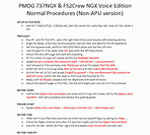
After some input and ideas from a fellow FS2Crew pilot here is a non-APU version of my flow and checklist to even closer mimic real world OPs the way many big airlines operate in real life every day at big airports around the world where the use of APU is limited to only a short period of time a couple of minutes before engine start. I also (don't I always ;-)) did some other changes and what I think improvements since my last version so give it a try and see what you think! About fitting the list on 2 A4 pages when printing it from WordPad please set all your margins to 25 mm in WordPad and uncheck the option to print the page numbers. This time I will not ask the AVSIM Library Managers to replace my old version with this one since some of you might still want the version where the APU is used depending on what kind of flights you do and to what kind of airports. Instead this will be uploaded as a new and separate version.
A flow/checklist for flying PMDG's 737NGX with FS2Crew Voice Edition. Did this mainly for my own use meaning the flow/checklist is adjusted for how I do my flying and with the addons I use like Aerosoft AES for example. Please also be aware this is not the kind of flow/checklist that includes all things you need to perform during a normal flight but instead you are expected to already have a general knowledge of both the NGX and FS2Crew. However I thought others might be helped by this too both newbies to get you going with the "flow" using FS2Crew but also for the more experienced users as a simple to print out and use memory note. It's also easy for you to change whatever you like to suit your own needs better since I created it in common rtf format using the standard Wordpad Windows application. I deliberately made it as compressed as possible leaving out stuff like all the answers to the checklists etc so it would fit on a single A4 sheet being easy to print and maybe also laminate if you like. Hope you'll enjoy it!
| Filename: | 737NG_Normal_Procedures_NonAPU_version.zip |
| License: | Freeware |
| Added: | 22nd June 2012, 03:34:37 |
| Downloads: | 1,085 |
| Author: | Richard Asberg (with input from Peter Wolf) |
| Size: | 6.36 KB |
| Category: Flight Simulator 2004 - Scenery | |
| St Lawrence Island AK: Gambell PAGM, Savoonga PASA, and Northeast Cape |
|
Images related to this file:
File Description:
St Lawrence Island is in Alaska, but "in" is slightly misleading as it is in fact in the Barents Sea and 120 miles from the Alaska mainland, and only 40 miles offshore of Russia. The island is around 100 miles long, with two villages and at the eastern end an old air force radar base that was cleared away some 25 years ago. Gambell is one of the two villages and is at the far western end of the island, with a population of around 700 living mainly from the sea. This northern airfield is unusual in that it has an asphalt runway and apron, the lit runway being aligned 16-34 and just over 4,500 feet long. The reason for the asphalt becomes apparent if you try walking in the vicinity, as underfoot there are rounded pebbles down to varying depths, and they are quite small and eventually slippery enough to trip you up. To base a flexible gravel runway on top of this would have been difficult, and when it was originally built it was for an air force base (closed long ago). The village is also fairly unique among northern settlements in that it has wind turbines and also solar panels. The second village is Savoonga and is around 40 miles east of Gambell with a similar population. The runway here is lit gravel aligned 5-23 and 4,900 feet long. This village also has wind turbines and solar panels. There are no vehicles (cars, pickups, trucks etc) on the island, mainly because there is nowhere far to go to and in the case of Gambell because roads as such would be difficult to create. ATV's are the standard way to go, along with small boats for fishing and whaling. At the eastern and of the island the remaining traces of the air force radar base are just the gravel runway and aprons, included with the Savoonga scenery. The AI included here is for daily flights from Nome by ERA and Bering Air, along with some GA. Also included here is the EZ library that includes the wind turbines, to save you looking for it. Installing this will also mean that a wind farm in my Cyprus scenery wii now be visible to the north of Larnaca, and there are other libraries in the series that include useful objects. The Lens_EZ_Animated library could go into your static objects folders, which is where I have it; up to you.
| Filename: | St_Lawrence_Island_AK_Gambell_PAGM_Savoonga_PASA_a.zip |
| License: | Freeware, limited distribution |
| Added: | 29th February 2020, 00:09:36 |
| Downloads: | 221 |
| Author: | Roger Wensley |
| Size: | 11.59 MB |
| Category: Prepar3D V1-4 - Utilities | |
| Flightplan Visualizer 1.16 |
|
Images related to this file:
File Description:
Flightplan Visualizer (FV) version 1.16.0. Copyright 2018-2020 by Pelle F. S. Liljendal ([email protected]), all rights reserved.
FV comes with 765 pre-imported Commercial AI flightplans (+380 BizJet flightplans are available as a separate download). However you are able to import additional (AI) flightplans yourself. Once imported these (AI) flightplans can be visualized on a map-view, and the user will be able to search accross all these. Hence you can use the program as inspiration as to which routes to fly. E.g. you can search across all imported flightplans to find all flights in an A321 flying into/out from LDDU, or simply to look for all flights in a Boeing 747-8F.
Simply run the included installer to install the software. The program will be installed into "C:\Program Files (x86)\Flightplan Visualizer" and all datafiles will be installed into: "C:\Users\[UserName]\AppData\Roaming\FlightplanVisualizer". The program comes with a full manual explaining everything, and a 3 page quick manual to get you started. The first 3 times you run the program the quick manual will automatically open. The forum is hosted here: https://forum.aerosoft.com/index.php?/forum/919-flightplan-visualizer/
Version 1.16 Contains the following changes:
- First of all a big THANK YOU to AIG (Alpha India Group) for allowing me to add features to both download their flight-plans (actually a feature suggested by Kai Kamjunke who is one of the developers of AIG AIM and other AIG tools) and access their list of defunct/renamed flightplans. While giving thanks, I also want to thank all (AI) aircraft-model creators, repainters and those who create all the flightplans ... our virtual sky would not be the same without your hard and dedicated work.
- Added new form to download or install AIG flightplans (downloaded directly from the AIG-servers). The form will identify all flightplans that are newer than those already installed or flightplans that are not currently installed. You can simply double-click a flightplan and it will be directly installed without the need to first download the file, and then choose to import this file.
- Both the new flightplan download- and the enable/disable flightplan- form contains a button which download- and show a list of defunct/renamed flightplans (obtained directly from the AIG forum).
- If you create a user-Airline while importing a flight-plan, when you return to the import-form you will be asked if you want to use that newly created flightplan (saves you from having to open the airline-browser and search-for/select that user-airline).
- Added Flightplan-, Airline- and Aircraft-filter to the top of the leg-search form to filter the items shown in the listviews.
- The "Select All" and "Select None" buttons now only (de)select visible items (if a filter is active there might be more items not displayed). However holding SHIFT while pressing these buttons, ALL items will be (de)selected no matter if they are shown or not.
- Replaced the two airport entry fields (in the leg-search form) with filter combo-boxes (MRU) so you can now enter a filter-text to filter which airports to include (the default filter is usign ICAO-codes so the old functionallity is preserved).
- Added filters to search for legs with specific flight-numbers and/or served by aircraft with specific registrations.
- When setting up a filter, sub-elements of the same type can now be separated by "/" so you only have to enter the type-name once (e.g. "country=dnk/nor/swe"). The pipe-char ("|") can be uses in stead if you prefer (e.g. "country=dnk|nor|swe").
- Now both "?" and "%" can be used as a single char wildcard in the filters ("?" is a DOS wildcard, whereas "%" is a SQL-wildcard).
- Added "#" as a wildcard for a single numeric value (0-9) in filters.
- Added "@" as a wildcard for a single alpha value (A-Z) in filters.
- Improved detection of invalid filter-text, which changes the text-color into red, to indicatet that the filter is invalid.
- The ISO3 country-code is now visible in the country combo-boxes in the leg-search form (these codes can be used in the airline- and airport- filters).
- Likewise 3-char Region- and Sub-region -codes have been added to their respective combo-boxes (these codes can also be used in the airline- and airport- filters).
- Saving the leg-search criteria will no longer require the input to be validated. E.g. you can now save the criteria where no aircraft have been selected. If you want to make sure that the criteria is valid for a search, please perform a search before you save the criteria.
- Flightplan-filter added to the "Re-process flightplans" form.
- Aircraft-filter added to the "Choose favorite aircraft-types" form. Also a few extra columns were added to the aicraft list-view.
- The Decode-METAR/TAF form now allows the user to manually enter METAR/TAF messages, and the form can now be opened directly from the main-menu (in case you optain METAR/TAF from other sources and need to decode it).
- Added a new button to the Randomizer form which lets you pick a random route (there is already a button to pick a random flight). The difference is the statistical chance of the chosen route.
- Added 2 columns to the runways listview in the Airport-info form showing head/cross-wind based on selected wind-direction/speed (automatically updated from the obtained METAR report).
- When accepting the result of a leg-search the previous used criteria (if different) are now archived. So you are able to load the 5 last used search criteria.
- The Result-viewer form now have a "Top-most" check-box. When checked that form will be shown on top of all other windows. This allows you to have this form shown on top of other forms (e.g. if you need to enter data from a metar-message into the FMC in the simulator).
- Many of the result-viewer forms now opens non-modal, meaning it can be displayed next to the window form where it was opened and you can switch between the two (you might need to use the new "Top-most" check-box for the best result). When closing the form from where the result-viewer was opened, the result-viewer will be closed as well.
- Likewise the Unit Conversion form also got the "Top-most" check-box in case you want to display this window on top of another program (e.g. if you have paper-work with weight based on kg and you need to enter the weights into a FMC/MCDU that only accepts lbs (or vice versa).
- The "Copy to clipboard" buttons on the METAR/TAF-decode form, and the Leg-Info form have been replaced by a "Show Report" button in stead. This new button will in stead show the text in the Result-viewer form (if you need to, it can be clipped to the clipboard from there).
- Below the (left/right) list-views in the "Enable/disable flightplans" form you now find a label showing two numbers. The 1st number shows the number of items (flightplans) shown in the list-view, and the 2nd number (in the parentheses) shows the number of selected items.
- When importing a flightplan where the aircraft-type can not be detected, the "lines" assigned to the "DUMMY AIRCRAFT" are now all automatically selected. So it is easy to just hit the "Change Aircraft type" button in case there is just a single, or multiple that should have the same type assigned.
- Hoovering the mouse over the gate-markers in the Airport-info form, the tool-tip now contains the GPS-position of the gate. Likewise editing the gate the caption of the edit window contains the GPS-position.
- Added airport size to "FS Comment" column in the "Nearby Airports" form.
- Added line-breaks to the METAR/TAF tool-tips displayed in the Leg-info form (line-breaks also included in the report).
- Fixed: There was a nasty bug in the "Legs" tab-page of the Airport-Info form where the same time-zone was used for both departure- and destination-airport when showing the departure-/destination-times as local times, even if departure- and destination-airports were in different time-zones.
- Fixed: The value of the "Calculated flighttime" check-box in the leg-search form was not set to the loaded value.
- Fixed: If one of your user-airlines had a blank callsign, it would list all airlines with a blank callsign as alternatives. Now it will only try to match non-blank callsigns.
- Fixed: The METAR/TAF decoder was not able to correctly detect a fraction visibility if following variable wind (e.g. "210V290 3/8SM").
- Fixed: Some of the combo-boxes in the leg-search form were enabled for text-entry, where the user should only be able to pick a value.
- Fixed: If "[None]" was selected and you executed a leg-search the "Edit" button remained disabled when you returned to the main form.
- Data: While testing some of the new filters I saw a few erros in the aircraft data (e.g. a few freight aircraft had a non-zero passenger count and other minor issues like that), which were fixed.
- Data: Thanks to Bruce Nicholson for bringing it to my attention that DC-9-15F was not being detected in version 1.15. Now all the DC-9 sub-variants should be detected correctly (e.g. 9-11/12/13/14...51 both pax and freight). The same better sub-variant detection was added to the DC-8's and DC-10's as well.
- Data: Thanks to Aucery for bringing it to my attension that some of the (BizJet) aircraft were not being detected, or not being detected correctly. The King Air 250/300 should now be detected correctly as are Hawker-700/1000, Mitsubishi MU-300, IAI Astra Jet 1125, Cessna T210/T303, and Dornier 328JET/PROP.
- Flightplans: All new/updated flightplans have been added to the installer, and all obsolete have been removed. A total of 765 active flightplans are bundled with the installer.
Pelle
| Filename: | Flightplan_Visualizer_116.zip |
| License: | Freeware, limited distribution |
| Added: | 2nd May 2020, 23:15:38 |
| Downloads: | 318 |
| Author: | Pelle Liljendal |
| Size: | 29.27 MB |
| Category: Microsoft Flight Simulator (2020) - Utilities | |
| Flightplan Visualizer 1.22 |
|
Images related to this file:
File Description:
Flightplan Visualizer (FV) version 1.22. Copyright 2018-2022 by Pelle F. S. Liljendal ([email protected]), all rights reserved.
FV comes with 1599 pre-imported AI flightplans (of which +726 are BizJet flightplans, the rest are commercial, government and military). However you are able to import additional (AI) flightplans yourself. Once imported these (AI) flightplans can be visualized on a map-view, and the user will be able to search accross all these. Hence you can use the program as inspiration as to which routes to fly. E.g. you can search across all imported flightplans to find all flights in an A321 flying into/out from LDDU, or simply to look for all flights in a Boeing 747-8F.
Simply run the included installer to install the software. The program will be installed into "C:\Program Files (x86)\Flightplan Visualizer" and all datafiles will be installed into: "C:\Users\[UserName]\AppData\Roaming\FlightplanVisualizer". The program comes with a full manual explaining everything, and a 3 page quick manual to get you started. The first 3 times you run the program the quick manual will automatically open. The forum is hosted here: https://forum.aerosoft.com/index.php?/forum/919-flightplan-visualizer/
Version 1.22 Contains the following changes:
- I had initially added a feature to download AIG airline-logos, however a later change in AIG's server setup rendered this feature useless. In stead you can now specify the local folder holding AIG's airline logo's (if/when you are using AIG AIM on your computer for AI-traffic). If specified, airline-logo's will be obtained from this folder.
- On the same note, I had to remove the menu-item to download AIG flightplans, as this program no longer have directly access to the AIG servers. For the same reason the menu-item to access the index with flightplans (up to summer 2021) was re-enabled.
- In the past when opening the Airport-Info form it defaulted to show in-/out-going traffic for the selected flightplan or active leg-search only. Now there is a new setting where you can set it up to in stead default to showing all traffic in/out of the airport (the Airport-info form still contains a combobox where you maually can choose what to see).
- "Owned aircraft" was renamed into "Simulator-aircraft", as these are the (flyable) aircraft you have available within your simulator of choise.
- When choosing to use calculated flight-times in a leg-search, you can now specify a percentage-difference (between leg-time and calculated-time). Only when the difference between leg-time and calculated-time exceeds this specified value will the calculated time be used during leg-search (e.g. "only use calc-times if diff. exceeds 50%, otherwise use leg-times").
- Began using (aircraft) short-names many places where the program in the past used IATA/ICAO-code (e.g. when hovering the mouse over a route, or list of aircraft servicing specific airports when editing flightplans). Also added short-name columns to aircraft browser and when choosing favorites (these stil contains columns for IATA/ICAO-codes).
- Pressing the "Usage" button when editing/viewing an aircraft-type or right-clicking an aircraft-type in the browser and choosing "View usage-report..." from the context menu, you will be shown a report that inform you how that aircraft-type is used: which simulator-aircraft are based on that type, which owned aircraft that have been marked as substitute for that type, which airlines are using that type (as carrier/operator), and finally in which (active) flightplans that type is used.
- Items in airline-browser are now by default sorted by (airline) name, and the usage-column shows the size of the airline if its in use. If available a logo for the selected airline is displayed in the upper/right corner.
- Improved performance when searching for ICAO-codes in the airport-browser. Also improved priority of the default selected item, in cases when an airport had a 3 letter ICAO-code, and another was using the same 3 leters for its IATA code.
- When searching for ICAO/IATA-codes in the airline-browser, it will now prioritize non-defunct airlines, if multiple airlines share the same ICAO/IATA-code.
- When enabling/disabling flightplans, you can now select all BizJet flightplans (those prefixed with "Bz_"), all Military (prefixed with "Ml_") or all Goverment (prefixed with "Gv_").
- Individual FP sub-folders can now be setup to leave (not move) defunct- and/or obsolete FP, even if the settings to automatic move these to the disabled folder is set.
- Performing "Search legs" you can now filter on aircrafts you are allowed to fly via type-ratings ("Must be type-rated").
- Performing a substitute of a user-airline, that airline will remain selected (previously the list scrolled to the top, and selected the 1st item).
- Added new check-box to "Search legs" that can exclude round-trips (legs taking-off and landing at same airport).
- Airline/Aircraft-repaint -filter can now filter on size of airline (e.g. "size=major"). Size is determined from usage as carrier/operator in active flightplans. Airlines not in use by active flightplans are listed with a size of "unknown").
- Added GPS-conversion (deg deg,min,sec) to the conversion-form, as requested by a colleague. You can either manually enter lat/lon or look-up an airport to get it. There is both a primary lat/lon and a secondary, and the form will show the (GC)distance between these and the initial/final course.
- Added new "Max airport-distance" for airport-redirections. At the same time added new feature when importing/editing airports to permanent change an airport. If used, it is not saved/handled as a redirection (can't be restored) but rather as a perpament change.
- Reordered- and renamed some of the tab-pages in the Airport-info form.
- Reordered the length/distance-fields in the unit-conversion form.
- The Wind-calculator have been removed from the main-menu, in stead wind-calcuations can now be performed using the unit-conversion form. Also now the speed of the wind is always displayed as a positive value, and in stead the label will either say "Head-wind" or "Tail-wind".
- Added new "Country list" menu-item in the misc-menu. Will list all countries twice (sorted by names, and sorted by ISO3-codes).
- Showing airport-marker tool-tips on the main-map is now prioritized over showing route tool-tips.
- Added "Min take-off fuel ("MTFL") field to user-aircraft weight-fields. As of now its not set for any aircraft in the database, however it can be estimated as 60 minutes of flight at cruise.
- Moved several group-boxes of the settings-form to the 2nd tab-page, and added new fields for defalt simulator/logging-environment based on the File-prefix used when starting the program.
- Also now the header-names that was previous fixed to "Rank" and "Traffic-density" can be changed, so the selectable 6 values can be used for something entirely different, if anyone have the need for this. If/when changed, these new names are shown when editing an airport, or when performing a leg-search (as the leg-search can filter on these fields).
- MakeRunways (MkRwy) by Pete Dowson is challenged handling unicode in the scenery it scans/writes to XML. E.g. the Icelandic airport (BIFL) "Flúðir Airport" is exported by MkRwy as "Flúðir Airport". In this version FV will try to identify when this happens, and then it will fall back using the airport/city-names from the databases bundled with FV. This is not a perfect solution, but at least it improves the result.
- Various minor changes and tweaks to multiple forms (e.g. Unit conversion form can now be closed with ESC, renamed log-archives and so on).
- Fixed: If the main-form had an active flightplan filter when using the search-legs feature the flightplan combo-box still only contained the filtered context. Pressing the Clear button did not resolve the issue.
- Fixed: Since adding support for the AIGFP file-format, there could be flights departing from- and arriving at the same airport (e.g. helicopter flights). In previous versions the calculated flights-time would only consist of taxi-out/in times. In this version the flightplan leg-time will now also be uses for the calculated time, when the same airport is used both for departure and destination.
- Fixed: In some cases re-processing flightplans (resetting and performing redirection) could corrupt the flightplans and remove airport-data from the flightplans. This version will also try to add any missing airport-data to flightplans when re-processing them.
- Fixed: Selecting "only show favorites" in the Search aircraft-type form would filter out all aircraft (including those marked as favories).
- Fixed: In the leg-info form the fields to show times (Out, Off, On, In) were too narrow for multi-week flights, when showing the week-number (e.g. "TH7/14:37").
- Fixed: Issues when estimating cruise/taxi fuel-burn for user-aircraft, where in some cases some fields were not saved, and wrong calcuation if setup to show weight in Kg.
- Fixed: In some cases wrong TimeZone was used when calculating local time for OUT, OFF, ON, IN-times.
- Data: The airport redirection file ("UserAirportRedirect.xml") in the UserData folder have been updated to match the latest MSFS world update. However this new file is only installed by the installer if it does not already exists (in case you made your own changes), hence you need to delete this file manually prior to running the version 1.22 installer.
- Data: Quite a few airports in the airport-database were updated (had wrong names due to issues with unicode-letters). Also some additional airports were added.
- Data: The installer comes bundled with +300 airline-logos (optional install), and a separat package of +1400 airline-logos are avilable for download from AVSIM (in both cases these are encoded into a propriotary format using the ".CAL" extension).
- Data: Added the P2F (Passenger-to-Freighter) versions of the Airbus A320, A321 and A330. Also added the package freighter versions of CRJ100 and CRJ200.
- Data: Improved detection of Boeing 737-700/800 BCF/BDSF when importing flightplans utilizing these (passenger aircraft converted into freighters). Also improved a few other freighter detections.
- Data: Changed a few (aircraft) short-names to either shorten them a bit, or make them "more readable".
- Flightplans: All new/updated flightplans have been added to the installer, and all obsolete/defunct have been marked/removed. A total of 1599 active flightplans are bundled with the installer.
| Filename: | Flightplan_Visualizer_122.zip |
| License: | Freeware, limited distribution |
| Added: | 18th October 2022, 23:31:28 |
| Downloads: | 391 |
| Author: | Pelle Liljendal |
| Size: | 45.57 MB |


© 2001-2026 AVSIM Online
All Rights Reserved
Privacy Policy |