
Where Flight Simulation Enthusiasts Gather from Around the World!
AVSIM Library - Search Results

| Category: Flight Simulator 2004 - Original Aircraft | |
| Savoia Marchetti SM.79 Sparviero, SERVICE PACK 1 (v.02) |

|
Images related to this file:
File Description:
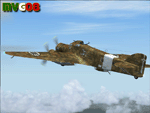
It was the most important Italian bomber of World War II, this tough three-engined aircraft established a reputation that contrasted with most Italian weapons of the day, and it was flown with courage and skill. SM.79s served widely in the normal bombing role, but it is as a land-based torpedo bomber that the type deserves its place in military aviation history, being regarded by many as one of the finest torpedo bombers of the war. In spite of its cumbersome appearance and outdated construction, with an internal provision for 2,750 lb (1,250 kg) of bombs, supplemented by under fuselage rack for a torpedo, the S.M.79 was a rugged, reliable multi-role medium bomber which did quite a bit of damage in the face of heavy opposition. About 1,300 production models were built over a nine year period. The SM.79 had a distinctive 'hump' on the upper forward fuselage, which housed both the fixed forward-firing heavy machine-gun and the dorsal gunner's position. Its appearance earned the aircraft the nickname 'Gobbo Maledetto' ('Damned Hunchback'). During the last phases of the war the surviving SM.79s were converted into various versions of utility transports and used in that role until 1952.
This "Service Pack" contains:
-4 UPGRADED + 1 NEW Hi-Res GMax models (5 different versions) feature the usual moving parts, such as all flight controls, props pitch and leading edge flaps.
-Eleven (11) different liveries (6 R.A., 1 A.N.R., 1 I.C.A.F., 1 Post-war A.M.I., 2 Spanish Nationalist Air Force).
-Revised SM.79M CFG & AIR files, New SM.79Bis CFG & AIR files
-Revised Sounds, Gauges & Effects
VC only. This plane was developed for FS9, but it works (it seems without problems) either in FSX. Created by Manuele Villa & ItalianWings, February 2008. Installation instructions included.
| Filename: | Savoia_Marchetti_SM79_Sparviero_SERVICE_PACK_1_v02.zip |
| License: | Freeware |
| Added: | 31st May 2010, 09:24:20 |
| Downloads: | 3,320 |
| Author: | Manuele Villa, Italianwings |
| Size: | 32.56 MB |
| Category: Flight Simulator 2004 - Aircraft Repaints, Textures and Modifications | |
| W91 Smith Mountain Lake Airport in Virginia |
|
File Description:
W91 Smith Mountain Lake Airport near Lynchburg, Virginia (MY soon to be NEW HOME)
This project is nearly ALL RWY12 ... I did use the Lago Scenery enhancer for the
trees.. so if you have LAgo.. the .SE2 is included, but you really don't need it.
But you will need RWY12 with all the latest additions... all freeware and all
available here at avsim.
Instructions... best to unzip to a temp directory... then do the following..
if you use Lago's Scenery Enhancer... place the .SE2 file in (Your flightsim main
folder)\LAGO\FSE\Data. Unziping will create a folder titled "Smith Mountain Lake" .. in that folder is one titled "scenery" Simply place Smith Mountain Lake in (your flightsim main folder)\Addon scenery\ folder then start the simulator.. go to settings, the library.. and - well most all know the drill .... add the folder Spring Mountain Lake then exit.. and restart.. and blamo... it is there... (Hopefully- LOL) ALSO in the scenery folder are two exclude .bgl.. this got rid of the default buildings and an AFCAD .bgl... this modified the airport properity a bit.. just leave all the .bgls where they are in the scenery folder.. all should work well.
oh.. for those who use RWY12 for scenery making... I have included the .XML file.. so you are welcome to add..subtract or change anything you find at Smith Mountain Lake.
if you have any questions or comments.. PLEASE do drop me a line.
Oh.. since I have your attention... a question for YOU... whether you download this
scenery or not.... How in the world does one get rid of that idiot "Flying Tips"
translucant window that appears.. telling you among other things .. your engines are not started... hit control E ... you ever notice how it ONLY appears when you have set up a screen shot and are ready to shoot?????? Write me and PLEASE tell me how to get rid of it.. I remember reading how somewhere, but for the life of me ..can't remember where.
| Filename: | W91_Smith_Mountain_Lake_Airport_in_Virginia.zip |
| License: | Freeware |
| Added: | 18th March 2005, 22:37:05 |
| Downloads: | 330 |
| Author: | Dale Caruso |
| Size: | 563.31 KB |
| Category: Flight Simulator 2004 - Original Aircraft | |
| Savoia Marchetti SM.79 Sparviero (V.01) |
|
Images related to this file:
File Description:

It was the most important Italian bomber of World War II, this tough three-engined aircraft established a reputation that contrasted with most Italian weapons of the day, and it was flown with courage and skill. SM.79s served widely in the normal bombing role, but it is as a land-based torpedo bomber that the type deserves its place in military aviation history, being regarded by many as one of the finest torpedo bombers of the war.
The basic design continued the company's tradition of mixed construction with steel tubes light alloy wood and fabric (this being the only way to produce in quantity with available skills and tools); in spite of its cumbersome appearance and outdated construction, the S.M.79 was a rugged, reliable multi-role medium bomber which did quite a bit of damage in the face of heavy opposition. About 1,300 production models were built over a nine year period. They had internal provision for 2,750 lb (1,250 kg) of bombs, supplemented by under fuselage rack for a torpedo. The SM.79 had a distinctive 'hump' on the upper forward fuselage, which housed both the fixed forward-firing heavy machine-gun and the dorsal gunner's position. Its appearance earned the aircraft the nickname 'Gobbo Maledetto' ('Damned Hunchback'). Post-war surviving SM.79s were converted into various versions of utility transports during the last phases of the war and survived in that role until 1952.
Complete aircraft. 4 Different Hi-Res GMax models (4 different versions), features the usual moving parts, such as all flight controls, props pitch and leading edge flaps. Six different liveries (2 Regia Aeronautica, 1 A.N.R./R.S.I. , 2 Spanish Nationalist Air Force, 1 Italian Co-Belligerant Air Force); VC only. Tested in FSX. Original CFS3 Model by Italianwings, converted and modified for FS2004 by Manuele Villa, January 2008. Installation instructions and paint-kit included.
| Filename: | Savoia_Marchetti_SM79_Sparviero_V01.zip |
| License: | Freeware |
| Added: | 26th May 2010, 10:19:15 |
| Downloads: | 5,015 |
| Author: | Manuele Villa, Italianwings |
| Size: | 27.75 MB |
| Category: Flight Simulator 2004 - Scenery | |
| Airstrips of the Falkland Islands |
|
Images related to this file:
File Description:
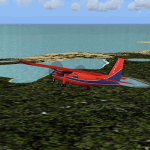
Inspired by Jim Keir's Falkland Islands mesh, coastlines and landclass, herewith a couple of dozen little strips from around the area, to give the opportunity to generate a bit of GA AI (and possibly a few scheduled flights) in an otherwise relatively ignored area in the South Atlantic. Please do note, other than Stanley, most of these airstrips are just that, a cleared strip of land in an otherwise empty landscape, (just as they are in real life), simply to provide a variety of destinations for the occasional aircraft to or from Stanley.
Most of the airfield locations are listed on WikiPedia and the layout confirmed using on-line satellite imagery. Other than the two main airports, none of these airstrips seem to have "official" ICAO codes, so I've generated a selection of alpha-numeric codes in the SF0* configuration, (as Stanley Airport has the ICAO code of SFAL), so the FS9 AI engine has some codes to work with and the airfields can be found on the map. Hopefully these pseudo-codes won't clash with anything else.
As with my other sceneries, the files for each airstrip can be easily identified by the ICAO code, even if the airfield names vary slightly, so you can pick and choose and mix and match to suit any sceneries you already have, should you so wish. There is no requirement for any other download. Each airstrip will exist as a stand-alone entity should you only want a few of them.
Having said that, Paul Denton's AFCAD and scenery for EGYP Mount Pleasant (available on AVSIM and possibly elsewhere) might be considered a worthwhile addition, especially if you want to see the twice-weekly scheduled RAF flights from Brize Norton (via Ascension Island), and the Saturday LATAM flight from Chile. Suitable AFCADs for EGVN Brize Norton and SCCI Punta Arenas may also be required. Appropriate traffic files and aircraft/texture suggestions are provided.
Please read the remainder of this "blurb" in the included text file, there may be a couple of details of interest.
| Filename: | Airstrips_of_the_Falkland_Islands.zip |
| License: | Freeware |
| Added: | 30th March 2025, 18:55:33 |
| Downloads: | 89 |
| Author: | Chris Eve |
| Size: | 295.87 KB |
| Category: Flight Simulator 2004 - Scenery | |
| 8AK7 - Bullen Point - Alaska North Slope 7 |
|
Images related to this file:
File Description:
The town of Barrow is in the far north of Alaska, and these are coastal villages or radar installations to the west, south, and now east of Barrow. There will be further additions. Bullen Point is a DEW station Air Force base 240 miles east of Barrow and 75 miles east of Oliktok. The runway is just under 4,000 feet of gravel and aligned 05-23; this is approximately at right angles to the default FS9 alignment and how that came about is something I doubt Bill Gates could explain. Most of the DEW buildings have now been removed (including the large hangar, which is unusual) but as I had a layout I made the whole site as it was originally, way back in the days when the north slope was still a wilderness. The AI is one day a C-130, on another a Cessna, and on a third a DC3. When I started this North Slope series it was my intention to create the full monty and make all the oil and gas installations and Deadhorse airport etc. I have come to realise that the oil side is impossible to make. There is so much of it and each bit is as time consuming as Heathrow while the actual airfields are more like Rockcliffe CYRO, so a lot of effort for what is just background to an adjoining airfield. But at the same time, if I make the new airstrips it is impossible NOT to make the oil installations as they are the dominating feature. So no new airstrips, and this is going to be just the 1960's or 1970's, when the oil business was only exploratory and the airfields were for villages or DEW stations, and Harmon Helmerick had his dirt strip on the Colville River estuary and was guiding hunters and fishermen and had just started to help out Sinclair Oil with oil exploration in 1966. Read his book. Download my previous post of his field.
| Filename: | 8AK7__Bullen_Point__Alaska_North_Slope_7.zip |
| License: | Freeware, limited distribution |
| Added: | 15th July 2016, 17:46:54 |
| Downloads: | 278 |
| Author: | Roger Wensley |
| Size: | 2.5 MB |
| Category: Flight Simulator X - Original Aircraft | |
| VC-25A (Air Force One) |
|
Images related to this file:
File Description:

The VC-25A is a modified Boeing 747-200F used as a dignitary transport by the Air Mobility Command's 89th Airlift Wing, Andrews Air Force Base (KADF), Maryland. There are two twin sister aircraft with tail numbers 28000 and 29000. Both are used by the President of the United States (POTUS) and the First Lady of the United States (FLOTUS) and as a dignitary transport for high level personnel for special missions. When carrying the President, the call-sign is “Air Force Oneâ€, but otherwise uses a variety of call-signs when the President is not on-board. Each sister aircraft is nearly identical to the other, with all of the same accommodations. One can fly as a “Mask†when the President is on-board the other.
The aircraft is modified with many secret aspects, and is heavier at Empty Weight than a normal 747-200F because of this. However, she normally only carries 102 souls on board with enough supplies to last for any long range flight, so she operates at a lower weight than the normal 747-200F. Due to the fortifications employed within the design, her MTOW is lower, as well. The engines are a bit more powerful than normal, and have better fuel efficiency. She has specialized equipment on-board for communications, a weather/recon radar dome (not shown in this paint scheme), and missile/aircraft countermeasures if needed. The interior is almost silent due to the high pressure cabin structure and fortified frame, including bullet-proof windows.
With all of the above, she is still the most powerful, efficient, and the fastest 747 ever built.
Original Model Designers (FS2004):
C. Vincent Cho, Yosuke Ube, Nick Peterson, Warren C. Daniel, Simon Ng, Hin Tat, BIll Kovatchev.
Sound: Emil Serafino.
Panel: Philippe Wallaert.
Real World Aero/Engine Dynamics and Modifications by Douglas E. Trapp ([email protected]), June 2018.
| Filename: | VC25A_Air_Force_One.zip |
| License: | Freeware |
| Added: | 24th June 2018, 00:38:28 |
| Downloads: | 984 |
| Author: | Douglas E. Trapp |
| Size: | 118.85 MB |
| Category: Flight Simulator 2004 - Utilities | |
| F1 View Module |
|
File Description:
The F1_View module is a very basic tool that implements mouse-based zooming, panning, and eyepoint adjustments, including the ability to move your eyepoint beyond the limits imposed by Flight Simulator (this feature is good to stroll about virtual cabins of larger aircraft).
This module requires a wheel-mouse (a center wheel that also acts as a center mouse button).
/QUOTE
This application is provided for free by Flight1 and can even be placed on your own website for download providing you follow the guide lines set down in the agreement.
For those who are interested, you can find it HERE http://atr.flight1.net/ , look under:
Quick Links to our ATR Project Areas...
• Accessory Downloads
which can be found about half way down the page you are initially viewing.
and a bit more info from the readme:
Modes of Operation:
Rolling the mouse wheel forward means rolling the wheel away from the user.
Rolling the mouse wheel backward means rolling the wheel towards the user.
Virtual-cockpit:
Wheel forward moves you forward and wheel backward moves you back.
CTRL+forward moves right and CTRL+backward moves left.
SHIFT+forward moves up and SHIFT+backward moves down.
CTRL+SHIFT+forward zooms out and CTRL+SHIFT+backward zooms in.
While in Pan Mode (when mouse wheel is pressed and held down) inside the Virtual Cockpit:
Moving the mouse to the left rotates the view to the left.
Moving the mouse to the right rotates the view to the right.
Moving the mouse forward, away from the user, rotates the view up.
Moving the mouse backward, towards the user, rotates the view down.
Cockpit view:
CTRL+SHIFT+forward zooms the exterior view out and CTRL+SHIFT+backward zooms it in.
Tower view:
CTRL+SHIFT+forward zooms the view out and CTRL+SHIFT+backward zooms it in.
Spot view:
Wheel forward moves the view distance forward, and wheel backward moves the distance back.
CTRL+forward rotates the eyepoint right, and CTRL+backward rotates the eyepoint left.
SHIFT+forward moves the eyepoint down, and SHIFT+backward moves the eyepoint up.
CTRL+SHIFT+forward zooms out and CTRL+SHIFT+backward zooms in.
Note: View distance is different from view zoom.
While in Pan Mode (when mouse wheel is pressed and held down) in spot view:
Mouse left/right rotates the eyepoint right/left.
Mouse up/down moves the eyepoint up/down.
Top-down view:
CTRL+SHIFT+forward moves the view distance out and CTRL+SHIFT+backward moves it in.
Note: In this mode you can move your view all the way to outer space and back in.
| Filename: | F1_View_Module.zip |
| License: | Freeware |
| Added: | 8th May 2005, 04:27:45 |
| Downloads: | 15,464 |
| Author: | Flight1 |
| Size: | 725.3 KB |
| Category: Flight Simulator 2004 - Scenery | |
| Schefferville CYKL & Squaw Lake CSZ9 in Quebec Canada |
|
Images related to this file:
File Description:
Schefferville is a town in an area of Quebec that is surrounded by Labrador, the border taking an unusual wriggly course instead of the normal Canadian straight line. One has to presume that there was a lot of political negotiation involved. Take a look at Google Earth to see what I mean. The town was established in 1954 (initially at a site a bit north of the present location, and with a different name) to support newly established iron ore mining. To assist with the exploration for further iron ore and the construction of the railway it seems that there was a forced relocation of native population. Although iron ore mining around Schefferville in its current location flourished through the late 1960's these relocated folk were neglected and suffered "destitute poverty". Through the 1970's iron ore mining declined and ceased in Schefferville in 1982, when most of the 4,000 or so non-native residents left. Since the year 2000 there have been moves to reopen mining in the area and production restarted in 2011, the approximate date of this scenery. The main reason why iron ore mining started again in Schefferville as opposed to any other area in Quebec or Labrador is the existing railway, used for ore transportation. There is no road connection and the airport is the only other means of access for the 250(?) town inhabitants. This population figure is somewhat of a guess, and the town inhabitants are largely company officers who change and move in and out as required by their work. Schefferville airport is to the east of the town. It has a single lit asphalt runway that is aligned 18-36 and is 4,975 feet long and 150 feet wide, with PAPI at both ends. Air Inuit flights connect with Kuujjuaq to the north and Sept-Isles to the south with onward connections to all parts of Canada. There are other charter flights for company personnel. The terminal building has been renovated and the photos show just how dilapidated it had become before this was done. I like it. This scenery also includes Squaw Lake, a float base that is used by Air Saguenay. Or was, as the company was closed in 2019 after an accident involving several deaths. The reason for Air Saguenay establishing a float base here was, once again, the railway, which allowed people to reach Schefferville for a reasonable cost. They could then use the float planes for a shorter distance and reasonable price to reach fishing lodges on the lakes to the north. If you find an error email me please, and note that my email address has been changed to rogwens at Gmail dot com.
| Filename: | Schefferville_CYKL__Squaw_Lake_CSZ9_in_Quebec_Cana.zip |
| License: | Freeware, limited distribution |
| Added: | 1st August 2021, 16:10:32 |
| Downloads: | 126 |
| Author: | Roger Wensley |
| Size: | 16.63 MB |
| Category: Flight Simulator X - Original Aircraft | |
| TU-95MS Bear H |
|
Images related to this file:
File Description:
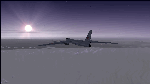
The Russian Air Force 37th Air Army operates the TU-95MS (TU-95M 55 Bear H) from the 182th TBAP unit based in Zavitinsk and 6213 BKHUAT based at Engels Air Base in the Moscow Region. It's use is primarily in maritime operations. She carries cruise missiles even if only used for submarine comms. Her initial design is a competitor with the B-52, but uses 4 Turboprop engines with 8 contra-rotating props. She can fly about as far as, but not as high as the B-52, nor can she fly as fast. She is often monitored off the coast of Alaska and easily met with F-22 Raptors every time. She is also often met by NATO fighters near European borders. Since 45,000 feet is about the highest she can cruise, most fighters can meet her. Her real danger is the cruise missiles which, if launched, have a range more than 1,500 nm and can pinpoint any directed target using GPS ground control. She is normally flown in formations of 3 or more, but sometimes only 2 are observed. She is not designed to fly fast over low terrain, like the B-52, but can do-so if necessary, and dangerously. The aircraft has not seen any major improvements or modifications since the cold war era, and several have crashed due to lack of maintenance. It is currently unknown how many are in service condition. Since much is unknown about this aircraft, yet enough is known to re-create an authentically working model, I have done-so here. Every bit of the aircraft.cfg file and associated .air file has been re-worked to match what known data can offer, and known aerodynamic formulas can equate. The most difficult aspect is the Turboprop aspect, since Turboprop engines do not work like jet engines in any way. Luckily for the simmer, there is no need to adjust feathering or anything like that would be necessary in a normal Turboprop because these engines are self-adjusting. Even though they meet the full known specs of the real engines, I have actually worked all the math to make them actual Turboprop engines (not pseudo-jet engines). That may sound exciting, but you must remember that she is a prop-driven aircraft, and not a jet. Even though you can fly her like a jet, the engines do not adjust like a jet. All aspects have been configured to meet realistic standards, including the MOI factors, weight/balance (including payload positions), gear locations, aircraft dimensions, light positions, engine smoke locations and operations, and weight. I did not simply throw this together, but have been perfecting her for many years. Original Modeler/Sounds: Vladimir Zhyhulskiy (2006); Panel: Marco Spada; Auto Smoke Effects: Richard Wisman; Aero/Engine Dynamics, effects, and details: Douglas E. Trapp, FS Flight Dynamics Engineer, [email protected], November 2018. The use of this model, and the configuration of such, is designed for free educational purposes, and protected by the Free Use Act: (https://www.law.cornell.edu/uscode/text/17/107). This model and/or aspects of such cannot be used for monetary purposes!
| Filename: | TU95MS_Bear_H.zip |
| License: | Freeware |
| Added: | 3rd November 2018, 23:28:41 |
| Downloads: | 743 |
| Author: | Douglas E. Trapp |
| Size: | 42.71 MB |
| Category: Prepar3D V1-4 - Utilities | |
| Flightplan Visualizer 1.14 |
|
Images related to this file:
File Description:
Flightplan Visualizer (FV) version 1.14.0. Copyright 2018-2019 by Pelle F. S. Liljendal ([email protected]), all rights reserved.
FV comes with 629 pre-imported Commercial AI flightplans (+380 BizJet flightplans are available as a separate download). However you are able to import additional (AI) flightplans yourself. Once imported these (AI) flightplans can be visualized on a map-view, and the user will be able to search accross all these. Hence you can use the program as inspiration as to which routes to fly. E.g. you can search across all imported flightplans to find all flights in an A321 flying into/out from LDDU, or simply to look for all flights in a Boeing 747-8F.
Simply run the included installer to install the software. The program will be installed into "C:\Program Files (x86)\Flightplan Visualizer" and all datafiles will be installed into: "C:\Users\[UserName]\AppData\Roaming\FlightplanVisualizer". The program comes with a full manual explaining everything, and a 3 page quick manual to get you started. The first 3 times you run the program the quick manual will automatically open. The forum is hosted here: https://forum.aerosoft.com/index.php?/forum/919-flightplan-visualizer/
Version 1.14 Contains the following changes:
- Flightplan file-format was changed, to accommodate changes to the airline-data. In previous versions the airline ICAO-code had to be unique, hence not allowing old defunct airlines still remaining in the data-file when a new airline would be issued the same ICAO-code (now they can both exists, and many of the defunct have been marked as defunct).
- On start-up old flightplans in enabled folders will automatically be updated to the new format. If you have sub-folders containing additional flightplans, you should make sure these are enabled, in order to have these updated as well. Once they have been updated you can go ahead and disable these sub-folders again as you please.
- Its now possible to add user defined airlines, in case you want to add you own fictitious airlines (e.g. VA's) or you want to add airlines missing in the official data-files that I supply with the program (if this is the case, please notify me, so I can add these in the next release of the program).
- "Favorite aircraft" have been renamed into "Favorite aircraft-types", as it is the "types" of aircraft you mark. You don't mark a particular aircraft/cofiguration (like the PMDG B737-800 NGXu) as your favorite, but rather the "type" (B737-800). The file containing the (active) favorite aircraft-type selection was renamed as well (you don't have to do anything, the file is automatically renamed on start-up).
- Added a new Unit-Conversion form, letting the user convert units of: Speed, Lenght/Distance, Weight/Volume, Pressure and Temperature. The Weight/Volumne conversions is a bit special as it lets the user convert between weight (kg/lbs) and volume (liter/gal), thanks to a Fuel Density that defaults to 0.785, but can be changed by the user.
- All search-forms (seaching for airport, aircraft and airline) was changed to ignore whitespeaces (e.g. "airBaltic" vs. "air Baltic"), and ignore diacritics (e.g. "AerolÃnea" vs. "Aerolinea"), making it more easy to find what you are searching for in one go.
- The airline search-form will by default exclude airlines that have been marked as defunct. However a new "Include defunct" check-box have been added to the form, allowing you to include these (who am I to say you can not still use "Air Berlin", "Monarch" or "Thomas Cook" flightplans if you want to).
- Added 3 new columns to the airline search form showing commence/cease-date, and wheter or not the airline is "in use" (as carrier/operator by any of the active fligthplans).
- State is now by default excluded when using the airport search form, which make it a lot more convenient to find airports in the city of "New York". State can still be included in the search by choosing a different search-type using the combo-box in the upper/right corner.
- When Flightplan Visualizer needs for perform potentially lengthy operations it will spread the workload over the available cores of the CPU. However if you want to limit which cores it uses you can now set the affinity-mask in the settings form.
- The splash-screen shown when the program starts, and when reloading active flightplans was prevoiusly always shown on top (top-most), but if you find this anoying it can now be disabled in settings.
- Fixed: Warnings/errors regarding loading flightplans were only displayed at start-up. Now they are shown whenever all active flightplans are loaded (e.g. after having enabled a sub-folder).
- Data: The airline-data got a major update, and a bunch of new airlines were added, and the data for MANY others were updated. It is a manual process to update these, almost as funny to do as to watch paint dry ;-)
- Data: A few countries had a wrong- or no sub-region code, so these were fixed/updated. As usual, if any of you spot any erros, or missing data, please use the forum to notify me.
- Data: Additional info added to the aircraft-data (in preparation for some future plans).
- Flightplans: All flightplans bundled with the installer have been updated to the new file-format.
- Flightplans: Thanks to Ryan Carson (RCAI) for allowing me to bundle the installer with a few of his flightplans, so the installer comes with the very first winter 2019-2020 flightplan.
- Flightplans: The good people over at AIG (Alpha India Group) have been VERY busy since the last release, hence the installer comes with +130 new pre-imported flightplans, bringing the total to 629. This update concludes Summer 2019, and AIG already have the first Winter 2019/2020 flight-plans in beta-test.
Pelle
| Filename: | Flightplan_Visualizer_114.zip |
| License: | Freeware, limited distribution |
| Added: | 10th December 2019, 06:59:46 |
| Downloads: | 370 |
| Author: | Pelle Liljendal |
| Size: | 31.01 MB |


© 2001-2026 AVSIM Online
All Rights Reserved
Privacy Policy |