
Where Flight Simulation Enthusiasts Gather from Around the World!
AVSIM Library - Search Results

| Category: Flight Simulator 2004 - Aircraft Repaints, Textures and Modifications | |
| NHL "Chicago Blackhawks" Beechcraft Twin Bonanza" |

|
File Description:
Simmers,and Hockey fans,
This aircraft includes my Twin Bonanza Panel_ V3, and for you FSX users it also includes "Camera Definitions" so ***BE SURE YOU COPY aircraft.cfg file to your main Twinstar_ Twin_ Bonanza folder.NOTE!(Camera Definitions will have no effect in FS9)***These 1951 D Model Beechcraft Twin Bonanzas are pristine,no dirt,grease or oil leaks on these babies!Just fresh out of the paint booth, these are the 27th repaint of my in progress NHL collection.All repaints are of "Eric Dantes" Beechcraft Twin Bonanza. All NHL teams will be represented.These repaints are not layered so each one has to be redrawn in its offical colors.All repaints will have two liveries,one with team logos and one without logos.All NHL team names were put in two hats, Eastern Conference and Western Conference, they are drawn one from each hat at random.The next repaint will be the Washington Capitals .(Look for it soon. :)I hope you have as much fun collecting all 30 liveries as I will have painting them!
This file includes the texture.Blackhawks"(The Chicago Blackhawks Edition)",texture.NHL Chicago,
"(The NHL Chicago Edition....NOLOGOS)",panel.Blackhawks and the panel.NHL Chicago folders and the aircraft.cfg file.It also includes two files to correct the kneeboard,they are the beech_baron_58_check.htm and the beech_baron_58_ref.htm,just copy these two files to your main Twinstar_ Twin_ Bonanza folder.
The following additional file is required.--------------twinstar__twin__bonanza.zip--------------
This file can be downloaded @ http://www.avsim.com/
Go to the file library and just use the Quick Search: type: Chris Tuinstra and you should see the twinstar__twin__bonanza.zip,along with my other NHL and NFL repaints.Again I thank each of you for your downloads.
This file includes a complete matching interior for both liveries".
| Filename: | NHL_Chicago_Blackhawks_Beechcraft_Twin_Bonanza.zip |
| License: | Freeware |
| Added: | 15th June 2008, 14:52:59 |
| Downloads: | 246 |
| Author: | Chris Tuinstra |
| Size: | 6.75 MB |
| Category: Flight Simulator X - AFCAD Files | |
| MHRO - Juan Manuel Galvez International Airport / Roatan, Honduras (version 1.1) |
|
Images related to this file:
File Description:

MHRO - Juan Manuel Galvez International Airport / Roatan, Honduras (version 1.1)
This airport update was made with the latest version of ADE (Airport Design Editor) and made for FSX as a replacement for the stock (default) airport. I found that most stock airports in FSX lack a decent amount of character and realism and this area in particular was dreadful! The stock airport file for Roatan was completely devoid of any life. There were absolutely no parking spots for commercial aircraft and no terminal buildings; the nearby areas of Colonia/Loma Linda were completely barren. I've done major reworking to this airport and added the small terminal building as well as renumbered the runway to the correct designation and length. The nearby town has been rendered complete with a variety of vessels small and large in the ocean. I hope you enjoy. Below is a list of changes/additions. All these enchancements are as close to the real airport as I can get with stock library objects. I've used satellite images, terminal photos and maps throughout the whole process so building locations are as accurate as possible. Happy landings in Honduras!
Features:
*Expanded parking apron
*Terminal building with parking for commercial traffic (Delta and United fly to Roatan from the US with regular service)
*Renumbered runways to correct designations and modified runway length and lighting accurately
*Nearby neighborhoods modeled complete with marinas and cruise ship port (cruise ship parked at the pier visible on approach)
*Diving, fishing, cargo and recreational vessels visible in the ocean surrounding the airport v1.1
*Several hotels dotting the area near the airport as well as West End/Gibson Bight
*Roads with static vehicles near the airport
*Corrected taxiway signs v1.1
| Filename: | MHRO__Juan_Manuel_Galvez_International_Airport__Ro.zip |
| License: | Freeware |
| Added: | 15th July 2012, 06:47:04 |
| Downloads: | 686 |
| Author: | Jaison Diaz |
| Size: | 6.85 KB |
| Category: Flight Simulator 2004 - Scenery | |
| Abruzzo-Molise L'Aquila, Italy |
|
Images related to this file:
File Description:
Abruzzo & Molise, Italy, Photoreal Scenery (26 june 2007).
Freeware scenery for FS2004.
All files of my scenery ABRUZZO & MOLISE: Abruzzo & Molise 1 - Campobasso.zip
Abruzzo & Molise 2 - Pescara.zip
Abruzzo & Molise 3 - Gran Sasso.zip
Abruzzo & Molise 4 - L'Aquila.zip
Author: Angelo Lanzillotta
e-mail: [email protected]
This photoreal scenery is based on aerial photos grabbed at the resolution of 5 meters per pixel (the same used in FS2004- works in FS 2002 too). I worked hard on these photos to obtain a final product with the real colours and the real positions for all parts of the landscape: if you have any comments or suggests, feel free to email me.
Every single part of this scenery can be used also as a standalone product, so it's not necessary to download all 4 parts of my big scenery.
However i strongly suggest to use all parts in order to obtain a complete photoreal look of this beautiful italian landscape, with famous mountains like Gran Sasso and Maiella.
INSTALLATION: 1) extract the files in a directory of your choice using the option: Use folder names.
2) Open FS and add the scenery to the scenery library (order isn't important).
For best results, use this scenery in association with Pietro Mauri Italymesh2004.
DISCLAIMER
This scenery is released as freeware, so nobody can make money with it.
You cannot include this scenery in any software collection or web site without written permission of author.
You can add objects and autogen (i had no time to work on them).
This software can be used only as FSX/FS2004/FS2002 scenery: no other use is allowed.
I accept absolutely no responsibility for your use of this software.
Re Uploaded in Oct. 2012 by Roberto (Tenex) Italy Terni(TR)
| Filename: | AbruzzoMolise_LAquila_Italy.zip |
| License: | Freeware, limited distribution |
| Added: | 10th October 2012, 22:37:18 |
| Downloads: | 1,095 |
| Author: | Enzo Lanzillotta |
| Size: | 87.93 MB |
| Category: Flight Simulator 2004 - Scenery | |
| Airstrips of Austria |
|
Images related to this file:
File Description:

Probably the last of my Airstrips of Western Europe project, herewith 30+ sceneries for smaller airfields in Austria, a particularly scenic area of Europe, many of which are not included in FS2004, each enhanced with taxiways, parking spaces, buildings etc. and aprons as appropriate, to further facilitate the generation of lightweight AI traffic in the area, without overloading the more major airfields.
Again, there's no photo-realism here, just a selection of basic 'generic' buildings, more or less accurately sized and placed to reflect the airfield layout as seen on on-line satellite imagery and aerial photography. These buildings have minimal effect on frame-rates, so are ideal for this kind of job. The airfields are aligned as well as possible with the roads etc. in UT Europe and the Genesis Europe mesh, but should mostly be fine in a default installation or other configuration.
As before, the files for each airfield can be easily identified by the ICAO code, even if the airfield names vary slightly, so you can pick and choose and mix and match to suit any sceneries you already have, should you so wish. There is no requirement for any other download. Each airfield will exist as a stand-alone entity should you only want a few of them.
Very few basic library objects are used ... you can add "eye-candy" to suit your own taste should you wish, or just leave them as vague shapes in the scenery that can put a few more small aircraft into the air. As with other airfields in this series, now these are "ai-activated" you might expect to see the occasional little aircraft turn up at some of them if you've got any third-party traffic installed.
| Filename: | Airstrips_of_Austria.zip |
| License: | Freeware |
| Added: | 26th April 2025, 13:59:32 |
| Downloads: | 83 |
| Author: | Chris Eve |
| Size: | 1.04 MB |
| Category: Prepar3D V1-4 - Scenery | |
| KLVN - Airlake Airport - Lakeville, MN, USA |
|
File Description:
KLVN - Airlake Airport beta version .4 - by Jason Boche
This is an update of the default P3Dv4.5 KLVN airport. Aside from the original 12/30 runway, everything else at this airport has been completely ripped and replaced.
Enhancements include:
-Extended runway on each end to depict current configuration
-Accurate taxiways including Hamburg Ave. and buildings representing the current general aviation hangars
-Added navigational equipment on the field
-Added a few asphault and dirt service roads
-Added FBO and other buildings as close as I could match them
-Added some general aviation aircraft, civilians, vehicles at the FBO and hangars, and two fuel trucks
-Moved fuel station to where I believe it is currently according to Google maps with 100LL fuel trigger functional
-Moved the windsock to accurate location
-Moved the beacon to accurate location
-Moved GA parking spots
-Added trees around FBO and beacon
-Added utility poles
-Added a few square miles of Lakeville city, farm, and residential land class and autogen according to Google maps. This is probably the biggest improvement. It now looks like people live, work, and shop north/northwest of KLVN.
-Reworked the runway 12/30 blast pads to what I believe is the "proper" method. Instead of freehand polygon asphault, they are now actual runway extensions on both ends with yellow chevron markings
-Reworked the land class on the southwest end of the airport where I believe hangar expansion is intended. Prior to this, there was a sharp contrast between where the KLVN airport boundary ended and where generic farm landclass began which was right in the middle of the southwest taxiways and it looked bad. Now that whole region is grass and looks to be part of the airport parcel.
-Minor building adjustments west of the FBO to better match actual placement.
-Fixed a gap on the southeast end of Hamburg ave taxiway where it rounds the corner for the rwy 30 hold short line
-Randomized the directional facing of some of the cars parked at GA hangars
-Renumbered the parking spots 1-4 with #5 being the refueling spot
-Reversed the start direction of parking spots 1-3.
-Pulled the refueling parking "start" spot back because on start the engine cowling & prop were too far forward inside the fuel pump equipment
-Added an autogen exclusion to the rwy 12 short final due to trees popping up on short final path.
-KLVN tower viewpoint 25 meters above FBO.
-Removed the perimeter fence around the entire field
| Filename: | KLVN__Airlake_Airport__Lakeville_MN_USA.zip |
| License: | Freeware |
| Added: | 13th May 2020, 17:18:40 |
| Downloads: | 84 |
| Author: | Jason Boche |
| Size: | 14.81 KB |
| Category: Flight Simulator X - AFCAD Files | |
| KLVN - Airlake Airport - Lakeville, MN, USA |
|
File Description:
KLVN - Airlake Airport beta version .3 - by Jason Boche
This is an update of the default FSX KLVN airport. Aside from the original 12/30 runway, everything else at this airport has been completely ripped and replaced.
Enhancements include:
-Extended runway on each end to depict current configuration
-Accurate taxiways including Hamburg Ave. and buildings representing the current general aviation hangars
-Added navigational equipment on the field
-Added a few asphault and dirt service roads
-Added FBO and other buildings as close as I could match them
-Added some general aviation aircraft, civilians, vehicles at the FBO and hangars, and two fuel trucks
-Moved fuel station to where I believe it is currently according to Google maps with 100LL fuel trigger functional
-Moved the windsock to accurate location
-Moved the beacon to accurate location
-Moved GA parking spots
-Added trees around FBO and beacon
-Added utility poles
-Added a few square miles of Lakeville city, farm, and residential land class and autogen according to Google maps. This is probably the biggest improvement. It now looks like people live, work, and shop north/northwest of KLVN.
-Reworked the runway 12/30 blast pads to what I believe is the "proper" method. Instead of freehand polygon asphault, they are now actual runway extensions on both ends with yellow chevron markings
-Reworked the land class on the southwest end of the airport where I believe hangar expansion is intended. Prior to this, there was a sharp contrast between where the KLVN airport boundary ended and where generic farm landclass began which was right in the middle of the southwest taxiways and it looked bad. Now that whole region is grass and looks to be part of the airport parcel.
-Minor building adjustments west of the FBO to better match actual placement. Will only be shown on high scenery detail.
-Fixed a gap on the southeast end of Hamburg ave taxiway where it rounds the corner for the rwy 30 hold short line
-Randomized the directional facing of some of the cars parked at GA hangars
-Renumbered the parking spots 1-4 with #5 being the refueling spot
-Reversed the start direction of parking spots 1-3.
-Pulled the refueling parking "start" spot back because on start the engine cowling & prop were too far forward inside the fuel pump equipment
-Added an autogen exclusion to the rwy 12 short final due to trees popping up on short final path.
-KLVN tower viewpoint 25 meters above FBO.
-Removed the perimeter fence around the entire field
| Filename: | KLVN__Airlake_Airport__Lakeville_MN_USA.zip |
| License: | Freeware |
| Added: | 22nd November 2013, 23:26:10 |
| Downloads: | 225 |
| Author: | Jason Boche |
| Size: | 446.33 KB |
| Category: Flight Simulator X - Original Aircraft | |
| JELAIR - Maersk Air, Boeing 737-2L9 (OY-MBZ) - version 3 |
|
Images related to this file:
File Description:

This aircraft (for FSX, with update-patch #2) is a simulated replica of Maersk Air's 'Pocket Rocket' OY-MBZ (a Boeing 737-2L9 a.k.a. 737-200/Advanced) anno 1989. It is designed for a screen-resolution of 1280x1024. Other resolutions have not been tested. It will NOT work correctly in FS2004 (FS9). It has been tested on Windows XP (32bit) and Windows 7 (64bit) only. It is designed to be as realistic as possible, and flight-experience from the real aircraft, as well as large amounts of documentation, have been used to get it as accurate as possible. It has a fairly advanced panel with many systems simulated, such as a passenger oxygen system, a cabin pressure system, anti-skid brakes, EPR control of each engine (with the possibility of asymmetric thrust), IVSI with TCAS, Sperry SP177 autopilot with working CWS and level-change button, active yaw-damper, Quality-of-flight index (so you can see how well you operate the aircraft), windshield wiper, custom flight-computer, automatic Vspeeds for takeoff and landing, takeoff trim calculator, master caution system, PAX simulator (if you make a mistake they may die), a JT8D-17 engine with slow spin-up time (do not idle it on approach). It features a relatively realistic random-failures/error simulation which will trigger, or de-trigger, any of a variety of possible failures/errors (from small gauge-errors to large engine-failures or cabin de-compression). The chance of a failure/error is very low (you may never even get one, but they can happen, so stay alert), maybe less than 1 percent chance per 24 hours of flight-time. It features engine-management simulation, so overheating an engine will cause it to fail (now you actually need to pay attention to the EGT during engine-startup, and have your finger ready at the fuel-cutoff switch just in case you need to save the engine from heat-damage). It features sounds recorded from the actual aircraft (OY-MBZ).
This is the third release of this JELAIR addon. A very big thank you to all the following very talented people that participated directly or in-directly in the production of this add-on: Original Model by Erick Cantu, Original Panel by Pablo Contouris, Original Panel BMP by Bob Scott, Original Panel Gauges by Ken Mitchell, Doug Dawson, Pierre Fasseaux, SPanel, www.FS2X.com, Original Sound by Christoffer Petersen, Original Textures by Henry William, FDE, various modifications and adjustments for aircraft type, as well as additional gauges and sounds by JELAIR
| Filename: | JELAIR__Maersk_Air_Boeing_7372L9_OYMBZ__version_3.zip |
| License: | Freeware |
| Added: | 16th April 2011, 13:52:24 |
| Downloads: | 7,032 |
| Author: | Erick Cantu, Pablo Contouris, Bob Scott, Ken Mitchell, Doug Dawson, Pierre Fasseaux, Christoffer Petersen, Henry William, Jacob Larsen |
| Size: | 80.51 MB |
| Category: Flight Simulator X - Scenery | |
| St. Helena, Ascension, and Tristan da Cunha Islands |
|
Images related to this file:
File Description:
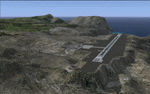
This project was begun to add the new airport (FHSH) to St. Helena Island and eventually was expanded to include a complete remake of Ascension Island (FHAW) and Tristan da Cunha (with an optional airport FHTC) and Gough Island with the actual weather station heliport (FHGH). Tested in both the default FSX/Acceleration and with FTX Global/Vector, accurate coastlines, lakes, road data, and SRTMGL1 (30m) mesh, as well as corrected landclass are provided based on the latest available satellite imagery. Flight plans are provided for the proposed commercial service to St. Helena, and some additional GA and military flights to the island are added as well.
The FSX St. Helena (FHSH) airport was created by aligning master plans for the airport with current satellite data and by studying many of the pictures that have been posted as the airport has taken shape. The official opening of the real airport on May 21, 2016, has been pushed back for more field tests due to challenging crosswinds. The Ascension Island (FHAW) airport was updated after I realized that Ascension could receive commercial service as a result of the new St. Helena airport. The entire airfield is redesigned to allow the volcanic terrain to display properly. The airbase, towns, BBC Atlantic relay station, and numerous satellite dishes, radomes, and wind turbines now appear in their real-world locations. Since I was already in the region, I added the Tristan da Cunha Islands (including Inaccessible, Nightingale and Gough Islands) and the Gough Island weather station maintained by the South African National Antarctic Programme. I also added an optional airport (and flight plans) to Tristan da Cunha (FHTC), which can be easily enabled/disabled. The FHTC airport is placed on the only part of the island that appears to be free of people or farmland, and the area is just long enough to accommodate a pared-down version of the St. Helena airport.
Updates were created or rebuilt in a manner which carefully aligns airport data with current satellite imagery. Scenery was created using Airport Design Editor X v1.67.5684, SBuilderX 3.13, and the FSX Object Placement Tool. Scenery objects were added and modified from stock FSX scenery to resemble as closely as possible the actual airports. The animated flag model is by Dietmar Loleit, the FSX apron lights included are from the set created by Jim Dhaenens, and the animated wind turbines and radomes are from the freeware package by Ray Porter.
| Filename: | St_Helena_Ascension_and_Tristan_da_Cunha_Islands.zip |
| License: | Freeware |
| Added: | 1st May 2016, 11:23:05 |
| Downloads: | 6,075 |
| Author: | Carlyle Sharpe |
| Size: | 10.52 MB |
| Category: Flight Simulator 2004 - Aircraft Repaints, Textures and Modifications | |
| W91 Smith Mountain Lake Airport in Virginia |
|
File Description:
W91 Smith Mountain Lake Airport near Lynchburg, Virginia (MY soon to be NEW HOME)
This project is nearly ALL RWY12 ... I did use the Lago Scenery enhancer for the
trees.. so if you have LAgo.. the .SE2 is included, but you really don't need it.
But you will need RWY12 with all the latest additions... all freeware and all
available here at avsim.
Instructions... best to unzip to a temp directory... then do the following..
if you use Lago's Scenery Enhancer... place the .SE2 file in (Your flightsim main
folder)\LAGO\FSE\Data. Unziping will create a folder titled "Smith Mountain Lake" .. in that folder is one titled "scenery" Simply place Smith Mountain Lake in (your flightsim main folder)\Addon scenery\ folder then start the simulator.. go to settings, the library.. and - well most all know the drill .... add the folder Spring Mountain Lake then exit.. and restart.. and blamo... it is there... (Hopefully- LOL) ALSO in the scenery folder are two exclude .bgl.. this got rid of the default buildings and an AFCAD .bgl... this modified the airport properity a bit.. just leave all the .bgls where they are in the scenery folder.. all should work well.
oh.. for those who use RWY12 for scenery making... I have included the .XML file.. so you are welcome to add..subtract or change anything you find at Smith Mountain Lake.
if you have any questions or comments.. PLEASE do drop me a line.
Oh.. since I have your attention... a question for YOU... whether you download this
scenery or not.... How in the world does one get rid of that idiot "Flying Tips"
translucant window that appears.. telling you among other things .. your engines are not started... hit control E ... you ever notice how it ONLY appears when you have set up a screen shot and are ready to shoot?????? Write me and PLEASE tell me how to get rid of it.. I remember reading how somewhere, but for the life of me ..can't remember where.
| Filename: | W91_Smith_Mountain_Lake_Airport_in_Virginia.zip |
| License: | Freeware |
| Added: | 18th March 2005, 22:37:05 |
| Downloads: | 330 |
| Author: | Dale Caruso |
| Size: | 563.31 KB |
| Category: Flight Simulator X - Scenery | |
| Kiwi360 (KiwiFruit Country)- Custom buildings, helipad, Hi Res photoreal, Aerius R22 Repaint. Te Puke, New Zealand |
|
File Description:
Kiwi360 (formally know as Kiwifruit Country) is a theme park based around the Kiwifruit (AK.A Chinese Gooseberry or Zespri- The trade name) which is a major export of New Zealand grown predominately in the Bay of Plenty Region. The park is situated about midway between Tauranga and Whakatane, about 5km east of the township of Te Puke.
The Bay of Plentys sunny climate ensures good growing conditions for the delicious fruit and has also spawned a mini tourist industry of tours of the orchards and sorting/packing/coolstores. These include tourist flights by Aerius (http://www.aerius.co.nz ) using a Robinson R44 helicopter.
This scenery was made after a visit when carrying out a GPS survey: I took a few photos and whacked it up. It isn't perfect but will be useful for flights in small helos (I.e. Robinson R22, R44 or Hughes 300/269).
It includes the famous giant Kiwifruit slice, the helipad next to it; the main Kiwi 360 building; a large coolstore/packhouse and the backpackers next to the park. It also includes a lot of library objects (especially trees- If these are adversely affecting performance, you can disable this bgl)
This is placed on a high resolution aerial photo provided by Environment Bay of Plenty.
The scenery also has reflection maps and night maps for those who like getting up at the crack of dawn or simulating frost protection work (although I don't believe the pad is certified for night operations in real life).
The download also includes a repaint of the default Robinson R22 in the colours of ZK-HJZ (in actual fact an R44) kindly provided by James Eden from the ARNZ Forums (see the readme for the .cfg entry to add this repaint)
This helipad isn't in controlled airspace but Tauranga Tower is nearby and will need to be called before entering their airspace (above 2500ft LL for the CTA or within about 10nm of Tauranga for the CTZ) Radio procedures are carried out on Christchurch Information 125.5 for flight following/planning.
| Filename: | Kiwi360_KiwiFruit_Country_Custom_buildings_helipad.zip |
| License: | Freeware, limited distribution |
| Added: | 29th June 2008, 06:05:29 |
| Downloads: | 2,455 |
| Author: | Tim Barnes, James Eden |
| Size: | 11.63 MB |


© 2001-2026 AVSIM Online
All Rights Reserved
Privacy Policy |