
Where Flight Simulation Enthusiasts Gather from Around the World!
AVSIM Library - Search Results

| Category: Flight Simulator 2004 - Scenery | |
| PANC / ANC Ted Stevens Anchorage International Airport, Alaska - Version 6.0 |

|
Images related to this file:
File Description:

This is a major rebuild of Ted Stevens International airport. All terminals have been heavily upgraded from the default form. Terminals A & B have been resized and relocated to be more accurately placed. Terminal C, the newest terminal, has been rebuilt from scratch, and the cargo ramps received special treatment as well. As usual, there is plenty of eye candy placed around the airport including plenty of static general aviation aircraft. The included AFCAD has been extensively reworked, and all gates are laid out per the ANC website and sat photos.
Update: Version 6 contains various changes to the scenery which make it more accurate. There are jetway updates, afcad changes, and various structure changes. Airline parking assignments have also been updated as well as a missing taxiway. The connecting walkway between the international terminal and terminal C has been added. The cargo ramps near terminal C have been expanded and made more accurate to real life. The jetways on terminal A have been removed, and the jetways on Terminal C have also been modified for accuracy.
| Filename: | PANC__ANC_Ted_Stevens_Anchorage_International_Airp.zip |
| License: | Freeware |
| Added: | 29th December 2012, 20:34:30 |
| Downloads: | 18,408 |
| Author: | FRFStudio.net, William Morgan |
| Size: | 6.13 MB |
| Category: Flight Simulator 2004 - Scenery | |
| Ontario Small Fields in Canada: #7 Lucan CPS4 |
|
Images related to this file:
File Description:
This is the seventh in a series of small airfields in southern Ontario Canada, Lucan CPS4; plus revised AI and parking for #6 Nixon CNX8 to include a crop spray plane (the Grumman 164) which I have just identified from a photograph; plus a note re an addition required to the different crop spray aircraft (the AT802) config file so that it parks correctly at St Thomas CYQS.
Lucan is 15 miles north of London Ontario, and 20 miles southeast of Lake Huron. The airfield is the base for a small crop spraying business and has a grass runway of 3,100 feet aligned 09/27, and with lighting. The overhead cables that previously imposed a 550 feet threshold displacement on the runway 09 approach (up to and including 2010) have now been buried. The lighting is owner-controlled and cannot be turned on from the air. Fuel and oil is available. The crop spray plane is a Grumman G164A Ag-Cat, which was manufactured in the 1970's and remains in use with a lot of owner-operators.
| Filename: | Ontario_Small_Fields_in_Canada_7_Lucan_CPS4.zip |
| License: | Freeware, limited distribution |
| Added: | 27th October 2015, 15:16:58 |
| Downloads: | 168 |
| Author: | Roger Wensley |
| Size: | 4.59 MB |
| Category: Flight Simulator X - Scenery | |
| California Central Coast with Megascenery Earth and FSGenesis Mesh |
|
Images related to this file:
File Description:
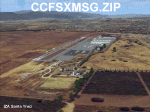
California Central Coast Scenery for FSX with Megascenery Earth and FSGenesis mesh. CCFSXMSG.ZIP covers the California coastal region from N36° 10' (Coalinga) to N34° 25' (Santa Barbara) and from the coast East to W119° 40'. It is a version of my previously created California Central Coast scenery redesigned and expanded to work with FSX MegaScenery Earth and FSGenesis USA Terrain Mesh for FSX V2 by Justin Tyme. Airstrips in the area covered by this scenery have been added for a total of 27 airports and airstrips. 6 imaginary water runways are also added for AI float plane traffic. Several other areas of interest such as the Santa Barbara marina, Morro Bay, etc. are included for a total of 41 points of interest. All airports, airstrips and related structures have been adjusted and realigned to conform to actual positions and dimensions as indicated by the MegaScenery Earth satellite textures. Megascenery Earth California-13, -14 and -15 are required and -12, -28 and -29 are recommended. By Al Wheeler 9/25/09.
| Filename: | California_Central_Coast_with_Megascenery_Earth_an.zip |
| License: | Freeware |
| Added: | 7th January 2010, 19:54:57 |
| Downloads: | 871 |
| Author: | Al Wheeler |
| Size: | 8.13 MB |
| Category: Flight Simulator X - Miscellaneous Files | |
| DX10 Shader Fixers V3.2.3 |
|
File Description:
DX10 Shader Fixes V3.2.3. These are a set of shader fixes for DX10 Preview mode in FSX. The patch should not effect DX9 in any way. It addresses the following bugs in the DX10 preview:
1) Flashing runways/taxiways
2) Yellow/white runway markings transparency
3) Opaque chain fences
4) Progressive Taxi markings missing
5) Missing night scenery/semi-transparent dusk scenery (often misdescribed as missing night textures)
6) Some addon cars with black headlights
7) Softer VC shadow
8) Eliminates false sun on VC roof and side wall
9) ORBX FTX Global lights with black background rectangles fixed
Also included are an optional replacement water shade, aircraft lights package and an optional replacement background texture. This can replace the light blue DX10 uses and is close to what DX9 uses in the same circumstances.
With Steve Parson's permission I have updated the shader_release_v3.2.2 patch to shader_release_v3.2.3 to now include a fix for DX10 ORBX FTX Global Lights.
| Filename: | DX10_Shader_Fixers_V323.zip |
| License: | Freeware, limited distribution |
| Added: | 11th July 2014, 13:56:13 |
| Downloads: | 35,574 |
| Author: | Steve Parsons / Steve Waite |
| Size: | 429.52 KB |
| Category: Prepar3D V1-4 - Scenery | |
| YMML - Melbourne (Tullamarine) Intl Airport, Victoria, Australia |
|
File Description:
This is Ray Smith's scenery file "fsx_ymml_rs.zip". Ray has given me permission to make his file available for Prepar3D v3. This airport is made with two versions: one version with the Crosswind runway 9/27 activated where both runways will be used for takeoff/landing and one version as the default runway operation: The new Terminal 4 concourse G added, assigned parking as per the their website including 6 gates for the A380, all International flights depart and arrive at the Terminal 2 (T2 - International) Qantas flights depart and arrive from Terminal 1 (T1 - Domestic) Virgin Australia flights depart and arrive from Terminal 3 (T3 - Domestic) and Regional Express (REX) arrives at Terminal 3 (T3 - Domestic). Tigerair and Jetstar flights depart and arrive from Terminal 4 (T4 - Domestic) and Regional Express (REX) departs at Terminal 4 (T4 - Domestic) taxiways and taxi signs updated to the latest charts, extra fuel trucks, support vehicle roads rebuilt and many other scenery improvements, airport views are from inside the control tower (when in tower view) please view the readme before installation.
| Filename: | YMML__Melbourne_Tullamarine_Intl_Airport_Victoria_.zip |
| License: | Freeware |
| Added: | 24th February 2017, 19:48:04 |
| Downloads: | 22,196 |
| Author: | Robert Catherall |
| Size: | 1.47 MB |
| Category: Prepar3D V1-4 - Utilities | |
| Flightplan Visualizer 1.15 |
|
Images related to this file:
File Description:
Flightplan Visualizer (FV) version 1.15.0. Copyright 2018-2020 by Pelle F. S. Liljendal ([email protected]), all rights reserved.
FV comes with 738 pre-imported Commercial AI flightplans (+380 BizJet flightplans are available as a separate download). However you are able to import additional (AI) flightplans yourself. Once imported these (AI) flightplans can be visualized on a map-view, and the user will be able to search accross all these. Hence you can use the program as inspiration as to which routes to fly. E.g. you can search across all imported flightplans to find all flights in an A321 flying into/out from LDDU, or simply to look for all flights in a Boeing 747-8F.
Simply run the included installer to install the software. The program will be installed into "C:\Program Files (x86)\Flightplan Visualizer" and all datafiles will be installed into: "C:\Users\[UserName]\AppData\Roaming\FlightplanVisualizer". The program comes with a full manual explaining everything, and a 3 page quick manual to get you started. The first 3 times you run the program the quick manual will automatically open. The forum is hosted here: https://forum.aerosoft.com/index.php?/forum/919-flightplan-visualizer/
Version 1.15 Contains the following changes:
- As a first, you can now import flightplans even if one or more aircraft-types cannot be automatically detected during import. These will instead be assigned to a dummy-type during import, however you need to manually assign substitute aircraft-type(s) before being able to save the imported flightplan. If/when the program gets support for the aircraft-type(s) that were missing during import, the substitute aircraft-types can either be re-detected manually or by using the "Re-process aircraft/airport-redirects" menu-item.
- Added a combo-box that can be used to filter the flightplans that are shown in the flightplan combo-box on the main-form (e.g. enter "west" to see only flightplans containing "west" in the name). Hovering the mouse over this new filter combo-box will show examples of the more complex filters (e.g. filter by provider, author, season, year, and so on).
- In version 1.14 user-airlines were added, and these could be accessed via a menu-item on the main-form. However in version 1.15 you can now also add user-airlines from the import-flightplan form, so you don't have to abort a pending import, and go to the main form in case you find you are missing a user-airline.
- Added MRU-lists (Most Recent Used) to the browser-forms used to search for: Airport, Aircraft and Airline. The text-edit in the top of these forms have been replaced by a combo-box holding up to 20 items (in chronological order, with the most recent at the top).
- Added a new chart to the Airport Info form showing: "Daily flights per international/domestic/same state".
- Added Utilization-pct to the fleet report (both total for the entire fleet, and per aircraft). The Utilization-pct is also visible for the displayed schedule (for a single aircraft) in the Leg-Info form. This value tells the pct of time the aircraft spends servicing the schedule (the remaining time the aircraft "sits at the gate", including the time spend loading/unloading passenger and cargo, loading fuel, being serviced by ground-crew and what not).
- On the main-form, renamed menu-item "Re-process airport-redirects" into "Re-process flightplans".
- Distance from selected airport to mouse-position on main-map moved from the bottom of the form to the upper/right-corner of the form (where info of selected airport is listed).
- Using the (right-click) context-menu on the main-form airports can now be toggled (on/off) as being favorites.
- A few minor changes were made to the default leg search criteria. If you have saved your own default, you should go to the leg search form, press-and-hold SHIFT while clicking the "Reset" button (to reset to "factory default"), then set the criteria to your perferences, and finally press the "Save Reset" button to re-save your preferences.
- Added MRU-list (Most Recent Used) to fuel-density combo-box on Unit Conversion form. If empty, the list will be preloaded with the values 0.7850 (old default), 0.8040 (often used as a standard for Jet-A), 0.8200 (often used as a standard for Jet-A1). The user is still able to enter another value.
- The values used in the unit-conversion form are saved with the settings file, so each time you open the form will contain the values entered last time you used the form.
- Tweaked the method for calculated flight-time. In previous version the same parameters were used for calculating flight-time for all flights. Now these parameters are dependant on distance, resulting in calculated flight times that are closer to those used in the flight-plans (based on statistic-data from +700.000 AI flights).
- Some of the aircraft have been marked as "Retro", and in settings you can choose to exclude the "Retro" (they are enabled by default).
- Improved (Boeing) aircraft-type detection when importing flightplans using non-standard naming, such as "B744F" in stead of "747-400F" or "B736" in stead of "737-600".
- Updated all libraries in use to the latest versions, and addressed some minor issues with the map.
- Fixed: Newer versions of MyRwy are outputting airport elevation as a floating point value (e.g. "629.92") whereas older versions were outputting it as an integer value (e.g. "630"). In previous versions of FV the floating point value "629.92" was wrongly read as an elevation of 62992 ft. The program can now both handle floating point and integer values, hence can be used with both old- and new versions of MkRwy.
- Fixed: When adding new user-airlines in version 1.14, callsign was being set to the name of the airline, in stead of the entered callsign. If you added any user-airlines in version 1.14, you should edit these with version 1.15, and set the callsigns again.
- Fixed: If a Leg search was active (combo-box in bottom of main-form showing "[Last Search]") and all flightplans were disabled in "Enable/Disable -flightplans" the program would shut-down with an exception.
- Fixed: The list of the airline-codes (gate-tab on Airline-Info form) started with a comma, however comma should only be used to separate the items when multiple airline-codes were associated with the same gate (3rd party scenery only).
- Fixed: In some cases the cruise-speed was not shown correctly in the Aircraft search form.
- Fixed: Some of the menu-items for launching the (YouTube) tutorial-videos were missing the tool-tip text ("Hold SHIFT to copy url to clipboard").
- Fixed: About-box can now be closed with ESC, like most other forms.
- Fixed: potential issue reading xml-data, perhaps with a the benefit of a slightly better performance.
- Data: Added support for flightplans using "retro" aircraft types such as: Aerospatiale SE-210 Caravelle, British Aerosapce ATP/BAC One Eleven, Concorde, DC-3, DC-4, DC-6, DC-8, De Havilland Comet, Fokker F28, Hawker Siddeley HS 121 Trident, Ilyushin Il-18/20/22/24/86, Lockheed Constellation/L-188 Electra, Shorts SC-5, Tupolev TU-134, Vickers VC10/Viscount, and thanks to user Aucery Lockheed 1011.
- Data: Support for additional aircraft-types added as well: BN-2A Trislander, CASA C-212/C-235, CubCrafters XCub, DHC-2 Beaver/Turbo-Beaver, DHC-3 Otter, DHC-5 Buffalo, Diamond DA-42/62, Extra EA-300, Honda HA-420, ICON A5, NAMC YS-11, Mooney, Mudry CAP 10, Pilatus PC-6/PC-24, Piper Cub/Super Cub, Robin DR-300/400, Shorts SC-7, Tecnam P2012/P2006T
- Data: Some of the aircraft-types, for which multiple ICAO/IATA-codes exists, were split into two (one for Pax and one for Freight), e.g. Convair 580, DC-9-10/30/40, and Il-96. As a result you should execute "Re-process flightplans" (found in the "Flightplan" menu), and "Re-detect all" aircraft.
- Data: A few missing aircraft IATA/ICAO codes were added, and some "behind the screen" data for multiple aircraft were updated as well.
- Data: A few Airlines were added/updated (a big THANK YOU to Bruce Nicholson for the assistance keeping these data up-to-date).
- Flightplans: The good people over at AIG (Alpha India Group) have once again been VERY busy since the last release, hence the installer comes with 298 new/updated pre-imported flightplans, bringing the total of flightplans bundled with the installer to 738.
- Flightplans: A few flightplans were bundled with the program in duplicates (2 slightly different names, or 2 different seasons). These duplicates have been marked as obsolete, and have been removed from the installer. Using the "Select all obsolete flightplans" menu-item in "Enable/disable-flightplans" you can mark these flightplans and move them to the "Disabled" folder, from where they can be deleted.
Pelle
| Filename: | Flightplan_Visualizer_115.zip |
| License: | Freeware, limited distribution |
| Added: | 20th March 2020, 17:08:52 |
| Downloads: | 378 |
| Author: | Pelle Liljendal |
| Size: | 28.9 MB |
| Category: Prepar3D V1-4 - Utilities | |
| Random Flight Database |
|
Images related to this file:
File Description:
Random Flight Database is a program that will allow you, depending on one or more criteria, to choose a flight corresponding to existing flights.
These flights are extracted from a database of 1,262,465 lines, available in the program. This database is updated in summer 2019.
You also have a user base that will allow you to share your data files (.XLS) between users to add even more choices.
Part of it is also dedicated to importing data from the website: https://developer.flightstats.com/
You must create an account on this site in order to extract (limited to about 6 airports in total for 1 account)
This import is made 7 days from the moment you make this import.
Once this import is done, you can import it directly into your user database and / or export it in XLS format for sharing with other users.
Files are available for free on the org.
The criteria for choosing your flights are:
- Airlines
- Departure airport
- Arrival Airport
- Type of plane
- Day of the week
- Multiple generation (generates a number of flights determined by the user)
- flight time (choice of a flight time interval, minimum flight time
| Filename: | Random_Flight_Database.zip |
| License: | Freeware |
| Added: | 29th August 2019, 16:11:49 |
| Downloads: | 129 |
| Author: | mikoulprostgrandprix |
| Size: | 79.9 MB |
| Category: Prepar3D V1-4 - Utilities | |
| Random Flight Database 2.1.9 |
|
File Description:
Random Flight Database is a program that will allow you, depending on one or more criteria, to choose a flight corresponding to existing flights.
These flights are extracted from a database of 1,262,465 lines, available in the program. This database is updated in summer 2019.
You also have a user base that will allow you to share your data files (.XLS) between users to add even more choices.
Part of it is also dedicated to importing data from the website: https://developer.flightstats.com/
You must create an account on this site in order to extract (limited to about 6 airports in total for 1 account)
This import is made 7 days from the moment you make this import.
Once this import is done, you can import it directly into your user database and / or export it in XLS format for sharing with other users.
Files are available for free on the org.
The criteria for choosing your flights are:
- Airlines
- Departure airport
- Arrival Airport
- Type of plane
- Day of the week
- Multiple generation (generates a number of flights determined by the user)
- flight time (choice of a flight time interval, minimum flight time
| Filename: | Random_Flight_Database_219.zip |
| License: | Freeware |
| Added: | 2nd September 2019, 22:25:07 |
| Downloads: | 86 |
| Author: | mikoulprostgrandprix |
| Size: | 80.46 MB |
| Category: Flight Simulator X - Aircraft Repaints, Textures and Modifications | |
| Guyana Airways 707-323 Adv 1992 |
|
Images related to this file:
File Description:

This is a repaint of the 707-323 Adv. in Guyana Airways colors. The payware 707-300 by Captain Sim is needed for this repaint. Guyana Airways was formed in 1963 in Georgetown Guyana, and a network of scheduled services was developed through the 1960s and 1970s linking Georgetown with 24 domestic destinations, as well as Miami, Boa Vista (Brazil), and such Caribbean spots as Barbados and Port of Spain. Guyana Airways virtually leased all its aircraft, which is why many different aircraft types were used during the airline's operations. In 1978 its fleet consisted of a DC-6A, 2 Hawker Siddeley HS 748s, 2 DHC-4A Caribou, 2 DHC-6 Twin Otters, and 1 Cessna 310. Later on Tu-154s, L-188 Freighters, 2 707-300s, a 737-200, and a 757-200 were added to the fleet. The 707s were used for the direct service between Paramaribo and New York. In 1999 the airline ceased operations due to financial problems. Textures are HiDef 32bit dds. DXT5 dds textures are also included as well. This repaint was tested FSX-SE. It should work on FSX & P3D v1-3.
| Filename: | Guyana_Airways_707323_Adv_1992.zip |
| License: | Freeware |
| Added: | 6th September 2019, 14:59:31 |
| Downloads: | 106 |
| Author: | Ted Giana |
| Size: | 15.18 MB |
| Category: Prepar3D V1-4 - Aircraft Repaints, Textures and Modifications | |
| North American P-51D 359th FG (IV-B) 'Princess Pat' |
|
Images related to this file:
File Description:

This folder contains a second repaint for the A2A WoP3 P-51D Mustang, in the colors of P-51D 44-14534 IV-B "Princess Pat". The original Princess Pat was a P-51C (42-103339) flown by Lt. Edward J. Thorne with the 369th FS/359th FG out of East Wretham. This aircraft was lost 4 NOV 44 to enemy AAA. Lt. Thorne survived and became a POW. This paint imagines he was able to limp back across the lines in his damaged craft and return to duty. 44-14534 did fly with the 369th FS as IV-B, but no assigned pilot is known.
Lt. Thorne was unusual in that he flew from March until November 1944 but never took credit for his victories (by his count, 4-6 in the air and 1 or 2 on the ground), in fact he refused to arm his gun camera. "I do it because it's my job" he said, "...but I don't want credit for it." He is credited with the first reported sighting of an Me-163 Komet rocket plane.
Repaint by Jan Kees Blom, based on the A2A paintkit.
| Filename: | North_American_P51D_359th_FG_IVB_Princess_Pat.zip |
| License: | Freeware |
| Added: | 10th November 2018, 16:47:42 |
| Downloads: | 66 |
| Author: | Jan Kees Blom |
| Size: | 13.28 MB |


© 2001-2026 AVSIM Online
All Rights Reserved
Privacy Policy |