
Where Flight Simulation Enthusiasts Gather from Around the World!
AVSIM Library - Search Results

| Category: Flight Simulator 2004 - Original Aircraft | |
| Airbus A320-111 *4-Livery Pack* |

|
File Description:
The A320 was launched on March 2, 1984. It is the first subsonic commercial aircraft with fly-by-wire controls. First flight took place on February 22, 1987. The A320-100 was the initial version and was superseded by the A320-200 from the third quarter of 1988. The A320-200 differs from the A320-100 in having wingtip fences, a wing center-section fuel tank, and a higher MTOW.
Included in this pack are four liveries of the iFDG Airbus A320-111 (the original A320 from 1987), a great panel from talented freeware panel creator Ken Mitchell, a truly authentic CFM56-5 soundpack from Condor Soundworks, and a real GPWS recorded in HD from FPDA.
| Filename: | Airbus_A320111_4Livery_Pack.zip |
| License: | Freeware |
| Added: | 3rd June 2017, 02:32:22 |
| Downloads: | 1,104 |
| Author: | Hector Zambrano, iFDG, Ken Mitchell, Condor Soundworks, FPDA |
| Size: | 67.08 MB |
| Category: Flight Simulator 2004 - Aircraft Repaints, Textures and Modifications | |
| jetBlue Airways Airbus A320-232 Pack |
|
Images related to this file:
File Description:

jetBlue "Tartan Tailfin" (N565JB) - jetBlue "Vets in Blue" (N775JB) - jetBlue "Blue Bravest" (N615JB)
JetBlue Airways Corporation, often stylized as "jetBlue", is an American low-cost airline. The company is headquartered in the Long Island City neighborhood of the New York City borough of Queens. Its main base is John F. Kennedy International Airport, also in Queens.
The airline mainly serves destinations in the United States, along with flights to the Caribbean, The Bahamas, Bermuda, Barbados, Colombia, Costa Rica, Dominican Republic, Jamaica, Mexico and Puerto Rico. As of May 23, 2013 JetBlue serves 78 destinations in 22 states, and twelve countries in the Caribbean, South America and Latin America. jetBlue maintains a corporate office in Cottonwood Heights, Utah. JetBlue is a non-union airline.
Jetblue liveries are painted on Project Airbus A320-232 model (not included). The textures are saved in 32bit format for quality graphics. Textures are also characterized by HD (High Definition). Its features are idle-reverser animation, animated pack vents and pressurisation outflow valve, detailed textures, accurate paint, dynamic shine & effects, dynamic flexing wings that respond to turbulence, fully independent suspension, trim animation, gear steering, accurate flight dynamics, spoiler animation, reflective cockpit windows, improved wingflex code with input from several new parameters including ground spoilers, fuel load, and angle of attack, transparent navigation light lenses and many more.
Visit our Facebook page "Sky Level Textures" for news, updates and previews on our future repaint projects. Thanks for downloading & Happy flying. HD GAMING EXPERIENCE inside. https://www.facebook.com/SkyLevelTextures
| Filename: | jetBlue_Airways_Airbus_A320232_Pack.zip |
| License: | Freeware |
| Added: | 26th November 2014, 22:44:49 |
| Downloads: | 2,224 |
| Author: | Giacomo Tomasini | Sky Level Textures | Project Airbus |
| Size: | 36.66 MB |
| Category: Orbiter - Spaceships | |
| Lunar Mission Using Nuclear Power |
|
File Description:
This is a Lunar mission using a Shuttle-C unmanned cargo shuttle to deliver a nuclear powered rocket into orbit. A second mission by the Space Shuttle Atlantis delivers the moon lander and one crewman into orbit to dock to the nuclear N.E.R.V.A.-2 booster, which is capable of taking the single man lander to the moon and back to redock to the Atlantis, and land home safe and sound using the Atlantis.
Although the mission is totally my own creation, the machinery was researched and fairly accurate for weights and fuel efficiency. Using nuclear power a lot of payload can be pushed to the moon because it is over twice as strong as conventional rockets. Also, the Shuttle-C was actually in the process of being built by N.A.S.A during the 1990s (I've seen a photo of a partially built vehicle).
The Shuttle-C uses Vinka's multistage, but I have included the minimum files neccessary to make the Shuttle-C fly. You don't need to download anything other than this add-on. If you don't have Vinka's mulitstage, you won't see boosters or tanks after they've been jettisoned, so it would help to have it anyways.
This add-on is compatible with Build 021217 of Orbiter.
| Filename: | Lunar_Mission_Using_Nuclear_Power.zip |
| License: | Freeware |
| Added: | 11th February 2003, 05:48:15 |
| Downloads: | 2,566 |
| Author: | Kyle |
| Size: | 162.26 KB |
| Category: Flight Simulator 2004 - Scenery Design | |
| Library Object Manager |
|
File Description:
Library Object Manager is a utility designed to manage your collection of FS9 library objects. It does not work with API Macros (API Manager from ScruffyDuck Software can do that). Functions include importing object information from FS9 library bgl files; from SBuilder, RWY12 and EZ-Scenery. Categorizing objects by user defined category, by library name and by author. Exporting object information so that it can be used by SBuilder, RWY12, Object Placer XML, EZ-Scenery, and SceneGenX. Creating library files from your collection of .mdl objects. A quick placement function to allow you to place objects into your scenery for testing, creating thumbnails etc. A more extensive object placement program (Scenery Maker) which is similar in concept to RWY12 and Object Placer XML. This program is currently in Beta and further developments are planned. It may therefore not work entirely as expected although it has been tested by a number of kind and helpful users. LOM Requires Mirosoft dotNET Framework 2.0; bglxml.exe from Alessandro G. Antonini; FSUIPC from Pete Dowson for the scenery creation function to work; and bglcomp from Microsoft (included in this package). PLEASE read the included manuals before using the program. Support is available from my website www.scruffyduck.plus.com.
| Filename: | Library_Object_Manager.zip |
| License: | Freeware, limited distribution |
| Added: | 12th February 2006, 00:06:55 |
| Downloads: | 6,250 |
| Author: | Jon Masterson |
| Size: | 2.65 MB |
| Category: Flight Simulator 2004 - Scenery | |
| KCMH - Port Columbus International - Columbus, Ohio, USA |
|
Images related to this file:
File Description:
Port Columbus International Airport in Columbus, Ohio, is a gem of an airport for aviation buffs. It first opened in 1929 at a site chosen by Chales Lindbergh, as part of an air-rail route from New York to Los Angeles. The original terminal building has been restored and is now used for office space. Two of the original three hangers are still in use (I included the third hanger in the scenery). The six hanger Lane Aviation FBO was added in 1935 and has been in operation these 78 years. In 1959 the modern terminal was first built, with additions and renovations to follow. Netjets opened their facilities in 2001. With the exception of the runways, this version of KCMH was built entirely from scratch. This is the first large airport I've done in which all buildings on the field (except for the control tower) are custom made and partly or fully photo textured. I've also made more use of ground photo textures. Many hours went into the creation of Port Columbus International Airport for FS9. I hope you enjoy it. My thanks to Wil Morgan of FRAME-RATE-FRIENDLY Studio (WWW.FRFSTUDIO.NET) for the AI aircraft parking assignments and general testing. The vintage TWA textures for the DC3's are by Dale De Luca.
| Filename: | KCMH__Port_Columbus_International__Columbus_Ohio_U.zip |
| License: | Freeware |
| Added: | 11th June 2013, 22:51:45 |
| Downloads: | 2,813 |
| Author: | Sidney Schwartz |
| Size: | 17.74 MB |
| Category: Prepar3D V1-4 - AI Aircraft | |
| AI MCS Aerocarga AI Malcontent Bombardier CRJ-200PF Fleet Pack |
|
Images related to this file:
File Description:
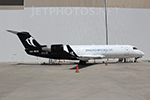
The pack of AI Traffic of the mexican cargo MCS Aerocarga AI Malcontent Bombardier CRJ-200ERPF, with the registrations: C-FVKN, C-FWRT, XA-MCD Redpack livery, XA-MCB, XA-MCD, XA-MCE, XA-MCS. These are the updated textures of the former Mexican cargo airline "MCS Aerocarga", now called "TUM Aerocarga", soon I will update the Bombardier CRJ-100LRPF and Bombardier CRJ-200ERPF textures of TUM Aerocarga in HD resolution.
I had to reupload this fleet pack, because previusly textures missing fixing painting corrections and this are the Definitive Textures for MCS Aerocarga, it contain DXT5 and Targa.
This is my website: https://el-mundo-de-los-aviones-ai-traffic.jimdosite.com The model is AI Malcontent (AIM) Bombardier CRJ-200 Basepack. I hope enjoy it!.
| Filename: | AI_MCS_Aerocarga_AI_Malcontent_Bombardier_CRJ200PF.zip |
| License: | Freeware |
| Added: | 5th August 2022, 02:59:29 |
| Downloads: | 25 |
| Author: | Jesus Gibran Soriano Solleiro |
| Size: | 75.62 MB |
| Category: Flight Simulator 2004 - AI Aircraft | |
| AI MCS Aerocarga AI Malcontent Bombardier CRJ-200PF Fleet Pack |
|
Images related to this file:
File Description:
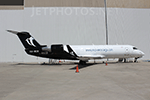
The pack of AI Traffic of the mexican cargo MCS Aerocarga AI Malcontent Bombardier CRJ-200ERPF, with the registrations: C-FVKN, C-FWRT, XA-MCD Redpack livery, XA-MCB, XA-MCD, XA-MCE, XA-MCS. These are the updated textures of the former Mexican cargo airline "MCS Aerocarga", now called "TUM Aerocarga", soon I will update the Bombardier CRJ-100LRPF and Bombardier CRJ-200ERPF textures of TUM Aerocarga in HD resolution.
I had to reupload this fleet pack, because previusly textures missing fixing painting corrections and this are the Definitive Textures for MCS Aerocarga, it contain DXT5 and Targa.
This is my website: https://el-mundo-de-los-aviones-ai-traffic.jimdosite.com The model is AI Malcontent (AIM) Bombardier CRJ-200 Basepack. I hope enjoy it!.
| Filename: | AI_MCS_Aerocarga_AI_Malcontent_Bombardier_CRJ200PF.zip |
| License: | Freeware |
| Added: | 5th August 2022, 02:59:38 |
| Downloads: | 29 |
| Author: | Jesus Gibran Soriano Solleiro |
| Size: | 75.62 MB |
| Category: Flight Simulator X - AI Aircraft | |
| AI MCS Aerocarga AI Malcontent Bombardier CRJ-200PF Fleet Pack |
|
Images related to this file:
File Description:
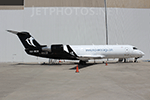
The pack of AI Traffic of the mexican cargo MCS Aerocarga AI Malcontent Bombardier CRJ-200ERPF, with the registrations: C-FVKN, C-FWRT, XA-MCD Redpack livery, XA-MCB, XA-MCD, XA-MCE, XA-MCS. These are the updated textures of the former Mexican cargo airline "MCS Aerocarga", now called "TUM Aerocarga", soon I will update the Bombardier CRJ-100LRPF and Bombardier CRJ-200ERPF textures of TUM Aerocarga in HD resolution.
I had to reupload this fleet pack, because previusly textures missing fixing painting corrections and this are the Definitive Textures for MCS Aerocarga, it contain DXT5 and Targa.
This is my website: https://el-mundo-de-los-aviones-ai-traffic.jimdosite.com The model is AI Malcontent (AIM) Bombardier CRJ-200 Basepack. I hope enjoy it!.
| Filename: | AI_MCS_Aerocarga_AI_Malcontent_Bombardier_CRJ200PF.zip |
| License: | Freeware |
| Added: | 5th August 2022, 02:59:55 |
| Downloads: | 34 |
| Author: | Jesus Gibran Soriano Solleiro |
| Size: | 75.62 MB |
| Category: Flight Simulator X - Scenery | |
| WMKC - Sultan Ismail Petra Airport - Chepa, Kelantan, Malaysia |
|
Images related to this file:
File Description:

Sultan Ismail Petra Airport is located in north Malaysia and is our first HD release of a Malaysian airport.
This has been a bit of a challenge due to the poor imagery of the area but we have certianly pushed the limits to bring you the best possible rendition of the airfield.
Features include:
- Realistic ground image.
- High definition ground detailing.
- Illuminated taxiway centre light effect.
- Illuminated Apron effects from Airport Wizard (Rights obtained).
- Precision placed trees and vehicles.
- New taxiway lighting from SFAE2.
- 3D approach lights.
- Low poly 3D grass.
- Hold short guards and wigwag.
- Reflective windows on main terminal.
- Customised AFCAD for improved AI.
- Realistic airport terminal building.
| Filename: | WMKC__Sultan_Ismail_Petra_Airport__Chepa_Kelantan_.zip |
| License: | Freeware, limited distribution |
| Added: | 15th November 2015, 14:13:46 |
| Downloads: | 4,286 |
| Author: | Mark Piccolo - Soarfly Concepts |
| Size: | 45.34 MB |
| Category: Microsoft Flight Simulator (2020) - Utilities | |
| FBWA320_LINDA_Module_ByJujunet_v0.2 |
|
File Description:
This module allow to control hidden controls of the FBW A320, using LINDA software and FSUIPC
Require : FSUIPC ver 7 full licence, Microsoft Flight Simulator
Installation :
Uncompress archive in any place.
Move A32nx.evt file to your FSUIPC root folder.
Move A320.hvar on \Community\fsuipc-lvar-module\modules
On LINDA software :
Click on "Maintenance", on top, select "--aircrafts--".
Click on "Select Source Folder", below "Import Aircraft Module", browse to the folder FBWA320, click on "Import", or "Overwrite" if updating
This module for Linda freeware allows to bind :
-Landing and Nose light independently
-Seat-belt
-No Smoking
-Mode and zoom on ND
-Display function ARPT, VOR, WPT, NDB... on ND
-Terrain on ND
-Eicam pages, with an encoder
-ILS
-Barometer increment and decrement with automatic detection of position (HPA or inHg)
-Toggle between HPA and inHg
-Toggle between QNH setting and STD
-Autobrake Cycle
-Full compatibility for Managed/Selected on SPD, HDG, ALT and Selected mode on VS
To create your own module, or customize this one, go to my Youtube Tutorial :
My channel : https://www.youtube.com/channel/UCVgdlnaAk2Q4EOSCICW_0iA
Changelog :
Version 0.1 : Initial Release
Version 0.2 : Update to working with FBWA320 v0.8.0
| Filename: | FBWA320_LINDA_Module_ByJujunet_v02.zip |
| License: | Freeware |
| Added: | 12th July 2022, 18:21:02 |
| Downloads: | 47 |
| Author: | Julien GICQUIAUD |
| Size: | 17.55 KB |


© 2001-2026 AVSIM Online
All Rights Reserved
Privacy Policy |