
Where Flight Simulation Enthusiasts Gather from Around the World!
AVSIM Library - Search Results

| Category: Flight Simulator X - Gauges | |
| TextInfo Gauge 3.0 and XML Tutorial |

|
Images related to this file:
File Description:
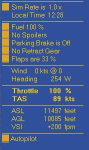
Display flight data as screen text. Use mouse clicks to toggle equipment and change settings within the text gauge. Single, small XML file with no framerate impact. Has manual with more than 30 pages of info about text gauges, XML examples, tips, and how to make text gauges clickable. Has full details about the FSX Shift-Z feature, including changing Shift-Z colors.
| Filename: | TextInfo_Gauge_30_and_XML_Tutorial.zip |
| License: | Freeware |
| Added: | 30th March 2014, 14:38:57 |
| Downloads: | 589 |
| Author: | Rick Federmann |
| Size: | 730.81 KB |
| Category: Flight Simulator X - Gauges | |
| Flypad Gauge |
|
Images related to this file:
File Description:
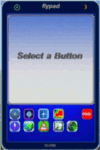
This gauge has been developed on Win7 for FSX Flight Simulator SP2 or SP1.It should also work with Acceleration, but this is not guaranteed by the author. The gauge is a little extra addon based on the design of a smart phone and provides 9 different displays which are different from all of the standard gauge displays on a regular aircraft panel. It is mainly helpful for the user flying small propeller aircraft, and old timer aircraft. However, the displays are as well attractive for sim pilots flying modern jet aircraft. Use it as if you just grabbed to your smart phone during a flight and check on the status of your aircraft,
or how the terrain awareness situation looks like, how the AI traffic on the radar is, while you proceed with your flight plan. Enjoy the new design of a simple aircraft attitude display during an ILS approach. For credits look at the pdf documentation inside the zip file. By Dietmar Loleit
| Filename: | Flypad_Gauge.zip |
| License: | Freeware |
| Added: | 6th June 2014, 20:59:12 |
| Downloads: | 396 |
| Author: | Dietmar Loleit |
| Size: | 3.82 MB |
| Category: Flight Simulator X - Gauges | |
| Beachcraft Baron 58 AP-Alt-VS-Fuel Gauge v1 |
|
Images related to this file:
File Description:
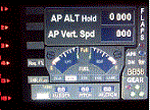
This gauge is for use in the Saitek FIP and has been developed specifically for the Baron 58 (FSX default) but also works fully with the E55. The gauge looks nothing like what you will find in the BB58 but I have incorporated the components that are found at the lower right side of the control yoke. It has been designed to complement the Saitek AP / Multi panel and to fit between the yoke and the multi panel.
The gauge is primarily to show the selected AP Altitude and Vert Spd whilst the AP / multi panel is displaying HDG. Placing it to the left of the AP / multi panel and at lower right side of the yoke puts all the elements of this gauge in roughly the position they would be found in a BB58. The 5 light indicators are just an addition I thought would be handy to have. The landing light indicator is right next to the
landing gear warning lights and acts as a reminder to have them on by the time the gear goes down.
| Filename: | Beachcraft_Baron_58_APAltVSFuel_Gauge_v1.zip |
| License: | Freeware |
| Added: | 6th July 2014, 14:12:53 |
| Downloads: | 191 |
| Author: | Robert Budd |
| Size: | 283.4 KB |
| Category: Flight Simulator X - Gauges | |
| V-One Gauge for Captain Sim L-1011/F |
|
Images related to this file:
File Description:
List of features: Approximately 40 sounds integrated into gauge.
Take-off V-Speeds calculated for Flaps 10, 18 or 22.
Take-off command speed automatically set for V2 + 15.
Maneuvering speed for each flap selected.
Optimum altitude and optimum EPR (EPR calc for M.84) continually calculated.
Take-off trim calculated for current gross weight.
Current Altitude, EPR, Speed (knts), Flaps and Trim displays via toggle.
Display units can be toggled between LB and KG (default LB).
Re-settable flight timer. Re-settable fuel use.
Selectable Vref landing configurations, Vref33 (default) or Vref42.
ZFW, Fuel, CG, Gross Weight and Barometric Pressure MSL (QNH) displayed.
| Filename: | VOne_Gauge_for_Captain_Sim_L1011F.zip |
| License: | Freeware, limited distribution |
| Added: | 20th July 2014, 21:01:19 |
| Downloads: | 1,194 |
| Author: | Paul Tally, Stefan Liebe, Jimmy Foong |
| Size: | 5.28 MB |
| Category: Flight Simulator X - Gauges | |
| Modern Autopilot & Radio DC-3 and C-47 Skytrain |
|
File Description:
The DC-3 Dakotas and the C-47 Skytrains are/were equipped with the Sperry gyropilot, an early version autopilot. For those pilots who want to use a more modern AP/Radio device, I have replaced the Sperry and build in modern AP/Radio gauges, fully integrated into the VC panel.
| Filename: | Modern_Autopilot__Radio_DC3_and_C47_Skytrain.zip |
| License: | Freeware |
| Added: | 14th August 2014, 10:53:50 |
| Downloads: | 709 |
| Author: | Tim van Ringen |
| Size: | 95.21 KB |
| Category: Flight Simulator X - Gauges | |
| FIP - 5 Gauge Display - 2 Engine |
|
Images related to this file:
File Description:

This set of gauges is for use in the Saitek FIP and has been developed specifically for the Baron 58 and variants but should work with other twin prop aircraft. There are 3 options-
option 1. a pair of gauges for displaying on 2 FIPs (layout is similar to the fsx BB58 layout)
option 2. One gauge for displaying only on 1 FIP (left and right eng needle on each of the 5 main instruments )
option 3. a pair of gauges for displaying on 2 FIPs with larger diameter gauges and more user interaction than in 1. above.
1,2, & 3 all have the 5 main engine instrumentation ( RPM, Manifild Pressure, Fuel Flow rate, Oil Temp and Pressure, CHT/EGT Temp.) Additional features are added .e.g Marker Beacon indicators plus indicator of left / right fuel tank selected for each engine, NAV 1 & NAV 2 with DME data.
Option 1 & 3 also has fuel pump switches, alternator switches, starter buttons, cowl flaps and Amps (total load) gauge, and Battery volts gauge.
Option 3 also has additional avionics data and avionics and battery switch buttons. All this enables the aircraft to be started from cold and shut down to cold. The avionics data is useful if you only have one Saitek radio panel. i.e. dont have to keep clicking / rotating switches all the time. This option also gives user ability to alter NAV 1 standby frequency and swap to active.
With the 2 gauges in option 3 above plus my earlier FIP gauge containing a working Auto pilot and fuel levels / flaps and landing gear indicators (refer "FIP-AP Multi Fuel Gauges") there is everything required (not the primary flight display instruments) for flying a single or twin prop aircraft displayed across either 2 or 3 FIPs.
| Filename: | FIP__5_Gauge_Display__2_Engine.zip |
| License: | Freeware |
| Added: | 30th October 2014, 06:24:58 |
| Downloads: | 250 |
| Author: | Robert Budd |
| Size: | 2.4 MB |
| Category: Flight Simulator X - Gauges | |
| DA Fokker 70 Panel Controller V2 |
|
Images related to this file:
File Description:
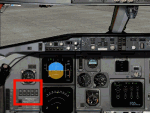
This release covers the changes to the panel.cfg file after updating the DA Fokker to the latest release.
After flying the DA Fokker 70 and 100 for a while, I realised that not all FS pilots would have access to a programmable joystick that would enable them to assign a button to operate the various pop-up panels in the Fokker, so I thought that a gauge mounted on the flight panel that centralised the controls for the pop-up windows may be a handy addition. After adding the gauge you will be able to access the following pop-up panels using the mouse from one centralised position on both the Pilot Flying and First Officer the panels. From left to right the pop-up panels are as follows.. The Upper Row Includes the Overhead Upper, Overhead Lower, Pedestal Forward. Pedestal Middle and Pedestal Rear... The Lower Row Includes the Radio Stack, CDU, Doors and Ground Power, Secondary Annunciator Panel, Enlarged Left Hand MFDU Also included are instructions on how to add the Groundhandling gauge by Rob Barendregt to the Doors and Ground Power panel of the Fokker.
| Filename: | DA_Fokker_70_Panel_Controller_V2.zip |
| License: | Freeware |
| Added: | 2nd April 2010, 19:35:25 |
| Downloads: | 1,801 |
| Author: | Jim Hodkinson |
| Size: | 365.81 KB |
| Category: Flight Simulator X - Gauges | |
| In-Flight Refueling |
|
Images related to this file:
File Description:
The package contains an in-flight refueling gauge that can be installed on any aircraft and allows refueling in the air from any aircraft - in free flight or multiplayer. By Andy Niko and Jivko Rusev.
| Filename: | InFlight_Refueling.zip |
| License: | Freeware, limited distribution |
| Added: | 18th April 2010, 09:54:41 |
| Downloads: | 1,148 |
| Author: | Andy Niko, Jivko Rusev |
| Size: | 938.26 KB |
| Category: Flight Simulator X - Gauges | |
| JELAIR - HUD2010 for jets |
|
Images related to this file:
File Description:
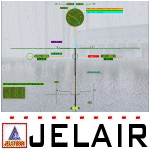
HUD - Full-screen heads-up-display for jets (suitable for all types of jets). It is an XML gauge for FSX only (it will NOT work with older flightsims). The gauge is designed for any screen-resolution, but is only tested at 1280x1024. Wide-screen resolutions have NOT been tested, and might therefore NOT work correctly (especially the attitude-ladder MAY behave incorrectly on wide-screens). The gauge is only tested on Windows XP pro/SP3, using FSX/SP2. It may or may not work on other systems.
| Filename: | JELAIR__HUD2010_for_jets.zip |
| License: | Freeware |
| Added: | 21st March 2010, 12:00:31 |
| Downloads: | 1,408 |
| Author: | Jacob Larsen |
| Size: | 5.6 MB |
| Category: Flight Simulator X - Gauges | |
| Reworked ECAMS for default Airbus A321 |
|
Images related to this file:
File Description:
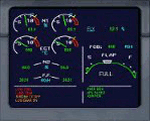
This is the complete gauge. This is a reworked ecams for the default A321, however it can be used on any Airbus aircraft especially on the Project Airbus planes. Read the readme inside the folder.
| Filename: | Reworked_ECAMS_for_default_Airbus_A321.zip |
| License: | Freeware |
| Added: | 8th March 2010, 11:39:40 |
| Downloads: | 2,308 |
| Author: | Gary Galea |
| Size: | 30.64 KB |


© 2001-2026 AVSIM Online
All Rights Reserved
Privacy Policy |