
Where Flight Simulation Enthusiasts Gather from Around the World!
AVSIM Library - Search Results

| Category: Flight Simulator X - Gauges | |
| Cessna 172 - analogical engine panel for FIP |

|
Images related to this file:
File Description:

For Saitek Pro Flight Instrument Panel. This is folder contains 2 analogical engine panels for Cessna 172. The two panels are identical except for the upper middle gauge, left side is EGT for Cessna_172_engine_1.xml file and it is manifold pressure instead for Cessna_172_engine_2.xml file. The package includes a serie of colored needles that can be change easily, just replace the default needles by the one of your choice. Default needles are yellow and provide more visibility in small gauges.
The panel provides Fuel quantity for left and right tanks, Exhaust Gas Temperature or Manifold pressure, Fuel flow, Suction, Alternator charge, Rotation Per Minutes, Oil temperature and pressure, Flaps handle and bug, trim bug and numbers for pitch, rudder and aileron.
| Filename: | Cessna_172__analogical_engine_panel_for_FIP.zip |
| License: | Freeware |
| Added: | 28th February 2012, 18:29:10 |
| Downloads: | 498 |
| Author: | Philippe Verhaege |
| Size: | 228.12 KB |
| Category: Flight Simulator X - Gauges | |
| Cessna 172 - digital engine panel for FIP |
|
Images related to this file:
File Description:
For Saitek Pro Flight Instrument Panel. This is folder contains a digital like engine panel for Cessna 172. The package includes a serie of colored needles that can be changed easily, just replace the default needles by the one of your choice. Default needles are yellow and provide more visibility in small gauges.
The panel provides Manifold pressure, Fuel quantity for left and right tanks, Exhaust Gas Temperature, Fuel flow, Suction, Alternator charge, Engine rotation Per Minutes, Oil temperature, Oil pressure, Flaps handle and bug, trim bug and numbers for pitch, rudder and aileron.
| Filename: | Cessna_172__digital_engine_panel_for_FIP.zip |
| License: | Freeware |
| Added: | 28th February 2012, 18:29:50 |
| Downloads: | 511 |
| Author: | Philippe Verhaege |
| Size: | 103.79 KB |
| Category: Flight Simulator X - Gauges | |
| CS737-200 ISG FMS Control Gauge |
|
Images related to this file:
File Description:
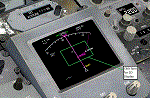
You must own Integrated Simavionics Group 1 (ISG1) ver 1.8.0 Update/Patch for this gauge to function properly.
This gauge allows the ISG Smiths FMS to function with Captain Sim's 737-200.
Additionally, the heading bug will automatically adjust while in 'LNAV' mode.
A Navigation Display can optionally be integrated in the virtual cockpit placed in the radar display location.
| Filename: | CS737200_ISG_FMS_Control_Gauge.zip |
| License: | Freeware, limited distribution |
| Added: | 13th March 2017, 00:01:24 |
| Downloads: | 980 |
| Author: | Paul Tally |
| Size: | 234.42 KB |
| Category: Flight Simulator X - Gauges | |
| Checklist display gauge with Lockheed C-130 checklists and reference |
|
Images related to this file:
File Description:
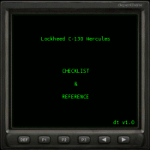
Checklist display gauge with checklists and reference for Captain Sim C-130 X-perience (Payware). By editing checklist images (.bmp) this gauge can be used with any aircraft. Total of 29 pages available (each 285x255px), including three (3) quick select pages for reference and essential display information.
| Filename: | Checklist_display_gauge_with_Lockheed_C130_checkli.zip |
| License: | Freeware |
| Added: | 19th June 2012, 18:00:56 |
| Downloads: | 1,131 |
| Author: | Esko Halli |
| Size: | 447.92 KB |
| Category: Flight Simulator X - Gauges | |
| Default Boeing 737-800 Center Tank Feed Logic |
|
Images related to this file:
File Description:
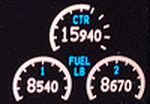
This simple XML gauge will allow the center tank to feed both engines first and then wing tanks will feed engines after the center tank is empty (or fuel pressure is insufficient.) Some knowledge of Panel editing (adding a gauge to the panel.cfg) is required. Created for the FSX default 737-800 but this gauge should work for any aircraft with "Center1" fuel tank modeled in the aircraft.cfg file.
| Filename: | Default_Boeing_737800_Center_Tank_Feed_Logic.zip |
| License: | Freeware |
| Added: | 23rd April 2014, 06:55:39 |
| Downloads: | 656 |
| Author: | Aaron Cook |
| Size: | 113.11 KB |
| Category: Flight Simulator X - Gauges | |
| Advanced Radar System 2 (ARS2) |
|
Images related to this file:
File Description:
This Advanced Radar System (ARS2) is a enhanced version of the ARS system Version 1.0.
I includes all the displays function from the ARS version 1.0.
New features for ARS2:
ARS2 includes an enhanced tracking function which allows to track an
AI aircraft now regarding heading, speed and altitude. It includes two
simple XML elements which allows the user to change the tracking parameter
for the auto speed control and to set parameter for the re-fuel function as required.
The airfuel panel includes now two pointers in order to watch the distance and the altitude
relative to the AI.
For more information and installation see the documentation in the zip file.
COPYRIGHTS:
This gauge is freeware. All rights are reserved and no part of the package may
be duplicated or distributed without the expressed, written permission of the
author.
| Filename: | Advanced_Radar_System_2_ARS2.zip |
| License: | Freeware |
| Added: | 24th March 2011, 19:47:51 |
| Downloads: | 1,887 |
| Author: | Dietmar Loleit |
| Size: | 1.61 MB |
| Category: Flight Simulator X - Gauges | |
| Advanced Radar System 4 (ARS4) |
|
Images related to this file:
File Description:
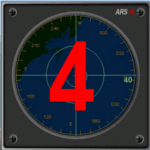
This gauge has been developed for FSX Flight Simulator SP1 or SP2. It
has also been tested with Microsoft Acceleration also, but compatibility is not guaranteed by the author.
This new Advanced Radar System (ARS 4) includes significant new features,
functions and displays for FSX AI traffic. The new key features are:
1)AI traffic display for air targets and boat/ship targets.
2)Auto landing on carrier if the carrier is part of the scenery MECOPS.
3)Allows switching between air target display and boat target display.
4) Provides for air and boat display to optionally insert airport and/or basic terrain display on the screen.
5)Different screen presentations for air and boat targets.
6)Simplified installation procedure.
7)The A2A re-fuel function remains the same as in the ARS2 version.
8)The auto tracking function remains the same as well as in the ARS2 version.
All displays for air, or boat/ship traffic, can be selected in a range of 5, 10, 20, and 40 miles.
For installation and additional information look at the ARS4 documentation inside the zip file. For copyrights and credits please look at the documentation for this gauge.
| Filename: | Advanced_Radar_System_4__ARS4.zip |
| License: | Freeware |
| Added: | 5th March 2013, 15:53:52 |
| Downloads: | 3,814 |
| Author: | Dietmar Loleit |
| Size: | 1.18 MB |
| Category: Flight Simulator X - Gauges | |
| CB 5000 NAVRAD Navigational RADAR and Multi-Function Display ver 1.5 |
|
Images related to this file:
File Description:
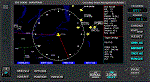
Some of the features included in this gauge are customizable Traffic RADAR, Map Panning, TAWS map, and Nearest Airport Search with a 375 nm range listing up to 500 airports. Instrumentation Manual Included. Come Check Us Out - www.coosbayhops.com
| Filename: | CB_5000_NAVRAD_Navigational_RADAR_and_MultiFunctio.zip |
| License: | Freeware, limited distribution |
| Added: | 20th March 2013, 08:19:09 |
| Downloads: | 2,413 |
| Author: | Greg Swift (CoosBay Hops) |
| Size: | 2.89 MB |
| Category: Flight Simulator X - Gauges | |
| XML Sound Gauge |
|
File Description:
A gauge which plays sounds based on commands received from XML gauges. This gauge will allow XML gauge programmers to add sounds to their FS9 and FSX projects. It does presume a fair degree of XML knowledge, and is not for beginners. This version adds the ability to control volume and pan settings for multiple sounds on each gauge update. Version 5.2.0
| Filename: | XML_Sound_Gauge.zip |
| License: | Freeware |
| Added: | 27th August 2014, 14:03:19 |
| Downloads: | 1,565 |
| Author: | Doug Dawson |
| Size: | 98.16 KB |
| Category: Flight Simulator X - Gauges | |
| Airport Chart Gauge V2 |
|
File Description:
The first version was a disaster, due to a heavy error I made during packing the zip archive. This one will work.
The Airport Chart Gauge shows you the layout of an arbitrary airport, no matter, whether the airport is shipped with Flight Simulator or included in an Add-On. It doesn’t use any scanned charts, instead it takes its data directly from the Flight Simulator. The chart contains all taxiways, runways, heliports and parking places, including their identifiers, of course. With the Airport Chart Gauge you can easily find your way from your current parking place to the runway (or vice versa).
| Filename: | Airport_Chart_Gauge_V2.zip |
| License: | Freeware, limited distribution |
| Added: | 31st March 2008, 19:10:41 |
| Downloads: | 23,235 |
| Author: | Holger Maass |
| Size: | 5.59 MB |


© 2001-2026 AVSIM Online
All Rights Reserved
Privacy Policy |