
Where Flight Simulation Enthusiasts Gather from Around the World!
AVSIM Library - Search Results

| Category: Flight Simulator X - Original Aircraft | |
| Piaggio P-149D FS-X DX9 Edition |

|
File Description:
This is a re-edition of the Piaggio P-149D with FS-X retail\SP1\2\Accel DX9 compatibility (DX10 users need to convert textures). The original model for FS-2004 is MN_P149D.zip + P149_FIX.zip available on AVSIM & www.mariopilot.6x.to. P_149_fix.zip is already included in this FS-X update.
The Piaggio P-149 is a trainer-laison aircraft. It first flew in June 19th, 1953. I'ts a development of the P-148 model, with increased seat cpacity, tricycle retractable landing gear and a more powerful engine, featuring a three-bladed constant speed propeller. It was mainly used by German Luftwaffe as a training aircraft, that oredred 75 examples in 1955. Later in 1957 another 190 were manufactured under licence by Focke-Wulf. The D version is the one employed by Luftwaffe, while later some few P-149CH variants were used by Swissair as flying schools, and a few P-149U variants, with a new tailplane section to allow more rotation clearance on takeoff were used by Ouganda's Air Force. The P-149 Has a seating capacity of 4 with some examples being certified for 5 (both cases including pilot) and it's fully aerobatic, having G-limits set at +7\-4.5. After training activities ceased with Luftwaffe, several are still flying under civilian operators. This gMAX model features completely 3-D virtual cocpkit and cabin with advanced night lighting and custom special effects, plus a sound package recorded from the real thing. Simulates all systems onboard the real aircraft, coming with panel instructions. Flight Dynamics are built using only real data based on the 1% spreadsheet plus lots of manual tweaking for fine tuning. Read Notes before flying please... Enjoy!
Notes and documentation are the htm files in the P-149D aircraft folder.
| Filename: | Piaggio_P149D_FSX_DX9_Edition.zip |
| License: | Freeware |
| Added: | 11th October 2008, 13:10:16 |
| Downloads: | 7,239 |
| Author: | Mario Noriega |
| Size: | 16.61 MB |
| Category: Flight Simulator X - Gauges | |
| TCAS and Traffic Display Gauge V2.0 |
|
Images related to this file:
File Description:
This TCAS and Traffic Display Gauge Version 2.0 includes significant improvements from V1.0. It has been developed for the FSX Flight Simulator SP1/2 also. It should also work with Acceleration.The functionality for the TCAS part is based on general specs for commercial aircrafts. It does not provide in detail the function for a specific aircraft model. It is a generic gauge, and can be simple added to any aircraft as a standalone popup window.
In addition the gauge provides a AI traffic display in the ranges of 10,20, and 40 miles.Within this display mode, no TCAS rules are valid, which means all AI aircraft are displayed independent of any altitude or distance.
Improvements in V2.0 are: 1: Full TCAS and traffic display capability is provided even though your aircraft is on the ground. Only the trigger of the alarm/warn sound and the blinking lamp display willbe blocked. 2: An AI HDG pointer will be displayed. It shows in which direction the AI is moving. 3: A bearing pointer has been introduced. It allows the pilot to point to a specific AI.4: The AI additional text info display follows the structure of an ATC text.5:The AI additional text can be selected individually per AI with a mouse click.
6: Each AI display contains a ID index number (0 � 20).7: The design of the TCAS and Traffic Display Box has been updated.8: Increased the number of AIs displayed on the screen in display mode.
For installation and functional description look at the doc inside the ZIp.
CREDIT goes to :
Stefan Schneider for his support on special XML issues and TCAS functionality.
Bob Familton for his review of the documentation and testing for SP1 FSX.
Doug Dawson for his dsd-XML-sound interface in order to generate the sounds.
| Filename: | TCAS_and_Traffic_Display_Gauge_V20.zip |
| License: | Freeware |
| Added: | 25th October 2010, 13:37:36 |
| Downloads: | 3,759 |
| Author: | Dietmar Loleit |
| Size: | 981.32 KB |
| Category: Flight Simulator X - Scenery | |
| VOHS-VOBL package for FSX and FSX-SE |
|
Images related to this file:
File Description: Rajiv Gandhi International Airport (IATA: HYD, ICAO: VOHS) is an international airport that serves Hyderabad,
the largest city in the Indian state of Telangana. It is located in Shamshabad, about 24 kilometres (15 mi) south of Hyderabad.
The airport is operated by GMR Hyderabad International Airport Ltd, a public–private venture.
It was opened in March 2008 to replace Begumpet Airport as the primary commercial airport for Hyderabad.
It is named after Rajiv Gandhi, former Prime Minister of India. _______________________________________________________________________________________ Kempegowda International Airport (IATA: BLR, ICAO: VOBL) is an international airport serving Bangalore, the capital of the Indian state of Karnataka.
Spread over 4,000 acres (1,600 ha), it is located about 40 kilometres (25 mi) north of the city near the village of Devanahalli.
It is owned and operated by Bangalore International Airport Limited (BIAL), a public–private consortium.
The airport opened in May 2008 as an alternative to increased congestion at HAL Airport,
the original primary commercial airport serving the city. It is named after Kempe Gowda I, the founder of Bangalore.
Kempegowda International Airport became Karnataka's first fully solar powered airport developed by CleanMax Solar.[2][3] As of 2016, Kempegowda Airport is the third-busiest airport by passenger traffic in the country,
behind the airports in Delhi, Mumbai and is the 35th-busiest airport in Asia. It handled over 22.2 million passengers in 2016 with little less than 500 aircraft movements a day.
The airport also handled about 314,060 tonnes (346,190 short tons) of cargo. By 2020, it is expected to handle at least 40 million passengers per year,
with 45 international airlines and more than 1000 aircraft movements per day.
| Filename: | VOHSVOBL_package_for_FSX_and_FSXSE.zip |
| License: | Freeware |
| Added: | 28th January 2018, 17:03:17 |
| Downloads: | 4,480 |
| Author: | morten thomas van der linden |
| Size: | 171.62 MB |
| Category: Flight Simulator X - Scenery | |
| hythevillage_pier.zip |
|
File Description:
Hythe Village and Pier
Hythe Village [Town] nestles between the edge of Southampton Water and the New Forest, some 500 yards west of the ‘American Base – RAF Hythe’; the surrounding area is known as ‘The Waterside’. Hythe, with its waterfront, boasts incredible views across Southampton Water, while the village [town] centre, with its Georgian High Street, offers a range of shops, services, traffic-free precincts and parking facilities. Nearby is ‘Hythe Marina’, to be found on Southampton Water's southern shore; it’s a unique development of a 206 berth marina, together with waterside homes, shops, restaurants, bars and a boutique hotel.There is also a passenger ferry which sails back-and-forth from Hythe Pier to the City of Southampton every 30 minutes. Before Hythe Pier was built, ferry and other boats arriving at Hythe had to use a gravel hard ramp which ran from the land out to the low tide point in Southampton Water. Walking along the hard gravel was not easy and travellers often got very wet. Various ideas to improve the situation were suggested at the time and construction of Hythe Pier was eventually started in October 1879 and officially opened on the 1st January 1881. Many World War II heroes departed from this pier on D-Day in June 1944.The pier itself stretches some 640 meters into Southampton Water and is one of the ten longest piers in the British Isles. In 1922, a narrow gauge electric railway opened in order to take passengers the full length of the Pier. This railway, with its original engine and rolling stock, is the oldest operating electric pier train in the world and is still operational to this day – playing an important part in the local transportation system between Hythe and Southampton.
Scenery Features
* Bus Shelter
* Ferry Ticket Collectors (On pier landing platform)
* Ferry Ticket Office
* High Street Shops
* Hotspur House
* Hythe Library & Car Park
* Hythe Pier
* Hythe Pier Landing Platform
* Hythe Promenade
* Library Road & Shops
* Lidl Superstore & Car Park
* People (Static & animated)
* Pier Railway & Safety Railings
* Pier Train (Parked at village end of pier)
* Lord Nelson Public House
* Prospect Place Park
* Public Toilets
* Seashells Lounge Bar & Restaurant
* St. John's Church & Cemetery
* Street Lighting
* Streets & Roadways
* ‘The Marsh’ & New Road
* Vegetation (Trees, bushes)
* Vehicles (Buses & cars)
* Waitrose Supermarket & Car Park
* WWII Remembrance Plaque (Prospect Place)
Special Effects
* Animated Birds (seagulls-close to village & pier)
* Chimney Smoke
* Night, Dusk & Dawn Lighting Effects
* Seagull Cry Sounds
| Filename: | hythevillage_pierzip.zip |
| License: | Freeware |
| Added: | 21st November 2025, 12:42:28 |
| Downloads: | 77 |
| Author: | Barrie Semmens |
| Size: | 16.37 MB |
| Category: Flight Simulator X - Aircraft Repaints, Textures and Modifications | |
| FSX/P3D ANA - All Nippon Airways 747SR-81 1980 |
|
Images related to this file:
File Description:

This is a repaint of the 747SR-81 (Short Range) in ANA - All Nippon Airways classic 1980 "Mohican" colors. The freeware 747-200 by Project Open Sky - POSKY is needed for this repaint. All Nippon Airways Company, Ltd.
(ANA) was formed on March 1, 1958 through the merger of two small companies. The Japanese government granted the carrier full certification to operate over domestic trunk routes on April 1, 1959, and by the mid 60s it was Japan's biggest domestic airline with a comprehensive network. During this time through to the 1970s, ANA expanded its fleet size greatly. ANA ordered its first jetliner, the 727-181, in 1964 and by 1978 they had a vast fleet of jetliners at their disposal, including the queen of the skies, the 747. ANA operated its first international flight, a charter flight, on July 15 and 31 1970, with YS-11s to Pusan, South Korea. However, a fully scheduled international flight was still in the distant future. In 1978 ANA held the position as the world’s sixth largest airline. Not bad for a domestic carrier. The carrier’s longest domestic route, the 2,051-km Sendai–Okinawa segment was opened in 1980. Interestingly, First-Class service was introduced on Japanese domestic flights as late as July 1985. In December 1985, the Japanese government opened international operations to all of the country’s airlines by revising its air transport policy and deregulating the industry. This included domestic carriers. ANA's desire for international routes became a reality and joined the fray It flew its first fully international scheduled route with a four times a week service to Guam, on March 3 1986. Today it has a vast network of international flights, and they are easily Japan's biggest carrier with 233 aircraft. They were also the launch customer of the 787. ANA has been going from strength to strength ever since its inception. For them, the sky's the limit. It might work on FS2004 as well. Textures are 32bit bmp.
| Filename: | FSXP3D_ANA__All_Nippon_Airways_747SR81_1980.zip |
| License: | Freeware |
| Added: | 12th May 2019, 18:39:42 |
| Downloads: | 162 |
| Author: | Ted Giana |
| Size: | 9.14 MB |
| Category: Flight Simulator X - Flight Plans | |
| Chas mod of Stearmandriver RNP RNAV Approach into PAJN Rwy 26 for 737NGX |
|
Images related to this file:
File Description:
Modded StearmanDriver(SD) RNP RNAV Rwy 26 into PAJN, Juneau, Alaska. SD gave us a cool little route that while not LATLONG nor Fixname accurate, it couldn't be without legal and occupational liabilities...and it worked, but if you look at his FixNames and the LATLONG from the PAJN.txt file for the 737 NGX...it did work pretty nicely...at least as nicely as the charted RNAV course into Rwy 8. So I created my own procedure LATLONG rightly or wrongly in a multi-step procedure as follows:
1. I took the raw info provided by SD and flew to each of his waypoints,(if you look, almost all of his FIXs were rounded off...to avoid company or legal problems) noting safe altitude, starting out at 7000ft, creating user waypoints in my GTN750, looking around for first, vertical, then horizontal safety...keeping in mind that Ultimately...I would not be using this data for my Duke, but for the Procedure page of my PMDG 737 NGX..which you already saw me fly with SD's fixes.
2. I took my Turbine Duke up and noted the REAL LATLONG as reported by slewing and world map...transposed those numbers into the format that PMDG's procedures needed DDD.mm fractional minutes. I converted using http://www.directionsmag.com/site/latlong-converter/
3.I created my own mid-point user waypoints from the west CHRTRN,and the NNE CHRTS so we could have approaches from those directions.
4. I put my Duke into autopilot, knowing the lateral info...my flightplan was correct, but I would have to handle the Vnav manually. Turns out its rather manageable with the following info: CHRTRN 5000FT - MARMN 3500FT - TRDWL 2500FT - SALMN 1500 - LEMNN 500 - PAJN5 50
My MOD OF SDs RNP RNAV PAJNRwy 26, will be up on Avsim as ChasModRNP RNAV PAJN Rwy 26.zip
Contact:[email protected] - Support: http://forum.avsim.net/topic/466094-any-interest-in-updated-se-alaska-rnav-rnp-approach-procedures-including-juneau/
| Filename: | Chas_mod_of_Stearmandriver_RNP_RNAV_Approach_into_.zip |
| License: | Freeware |
| Added: | 8th May 2015, 11:35:16 |
| Downloads: | 340 |
| Author: | Chas Reed |
| Size: | 144.78 KB |
| Category: Flight Simulator X - Scenery | |
| RAF Tholthorpe |
|
File Description:
RAF Tholthorpe opened in the late 1930s as a grass airfield, and operated as a sub-station of RAF Linton-on-Ouse.
From August 1940 to December 1940, Tholthorpe was a landing field for Whitley bombers of No. 58 Squadron RAF and No. 51 Squadron RAF based at Linton. From January 1941 to June 1943, Tholthorpe underwent maintenance to upgrade to Class A standards, with three intersecting concrete runways.
RAF Tholthorpe was assigned to No. 6 Group RCAF in June 1943. RCAF squadrons stationed here included No. 434 Squadron "Bluenose", 431 Squadron "Iroquois", 420 Squadron "Snowy Owl", and 425 Squadron "Alouette".
No. 434 Squadron, flying Halifax bombers, was formed and headquartered at Tholthorpe airfield from June 1943 until the squadron was moved to Croft. In July 1943, 431 Squadron moved to Tholthorpe airfield from Burn. It was later moved to Croft airfield as well. Not only were the operational squadrons quartered here, also their service echelons, - respectively Nos. 9431 and 9434 Service Echelon - which were formed from the ground crew of nos. 431 and 434 Squadron on 3 November 1943 and who moved with their squadrons on to Croft in December 1943.
In December 1943 No. 420 and No. 425 Squadrons (together with their service echelons, nos. 9420 and 9425 Service Echelon were moved to Tholthorpe airfield from Dalton and Dishforth respectively. These squadrons had returned from service with Wellingtons in North Africa, and it took them several weeks to work up on the newly acquired Halifax bombers. They were therefore unable to fly their first raids from Tholthorpe until mid-February 1944.
No. 420 Squadron flew 160 operations from Tholthorpe airfield and lost 25 Halifax’s. No. 425 squadron flew 162 operations from Tholthorpe airfield and lost 28 Halifax’s. In all, 119 Halifax bombers were lost from Tholthorpe. In April and May 1945 nos. 420 and 425 Squadron converted to Avro Lancaster’s, which they took with them when they left for RCAF Debert, Nova Scotia, Canada in June 1945.
The station closed in June 1945.
| Filename: | RAF_Tholthorpe.zip |
| License: | Freeware |
| Added: | 9th May 2017, 20:41:48 |
| Downloads: | 138 |
| Author: | Terry Boissel |
| Size: | 4.63 MB |
| Category: Flight Simulator X - Aircraft Repaints, Textures and Modifications | |
| Southwest Airlines Boeing 737-700 v2.2 Final Package |
|
File Description:
**** THIS FILE SUPERCEEDS MY ORIGINAL FILE b737_700_southwest_v21.zip **** v2.2 - REPORTED BUGS HAVE BEEN CORRECTED. The 737 was born out of Boeing's need to field a competitor in the short-range, small capacity jetliner market which had been opened up by the BAC 1-11 and the Douglas DC-9. Boeing was badly behind however when the 737 program was initiated in 1964, as both of these rivals were already into their flight certification programmes. The 737 was cheaper and quicker to design, featuring six-abreast seating compared to the 1-11 and DC-9's five-abreast layout.By the 1990s, the 737 had lost ground technologically to the newer Airbus A320. In 1993, Boeing initiated the 737-X or Next Generation (NG) program. The Next-Generation 737 encompasses the -600, -700, -800 and -900, and amounted to a complete redesign of the 30-year old airliner. The 737NG is an entirely new aircraft, sharing very little with previous 737s, other than fuselage frames. New wings, new avionics and revised engines were the biggest engineering changes. The 737 was given a glass cockpit with CRT screens (except the -900, which had newer and higher tech LCD screens) and digital systems inspired by the ones that were used on the 777. The parts count is down by about 33%, reducing weight and simplifying maintenance. Additional changes since its introduction include a new interior and performance enhancing winglets which reduce fuel consumption and improve take-off and climb performance. All textures have been modified in DXT-3 format for crisp visuals without comprimising frame rates. Includes the default FS-X Boeing 737 panel. Sounds have been defaulted to the FS-X 737-800, however I recommend the excellent 737 CFM56 "the real deal" version 2 soundpack (file name:737_cfm56__the_real_deal_version_2.zip located at AVSIM.com) for this aircraft series. Additionally, this aircraft series has no Virtual Cockpit (VC), therefore you must fly them using the 2-D default panel view only! This package includes Southwest Airlines liveries (Canyon Blue, Maryland One, Nevada One, Old Color & Shamu).
| Filename: | Southwest_Airlines_Boeing_737700__v22_Final_Packag.zip |
| License: | Freeware |
| Added: | 9th December 2006, 20:24:49 |
| Downloads: | 11,832 |
| Author: | Brian C. Selb |
| Size: | 13.59 MB |
| Category: Flight Simulator X - Original Aircraft | |
| Antonov AN225-210 "Colossus" |
|
Images related to this file:
File Description:
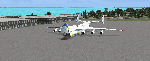
The AN225-210 is the result of a proposed 1 to 2-year projected modernization program which will
convert the current AN225 into a much more useful and capable aircraft than the already infamous
ÐœÑ€Ñ–Ñ (Mriya) . The latter First flew on December 21, 1988, and is currently 33 years old. There have
been a few maintenance periods and 1 major avionics modification, but otherwise is too old for reliable
future use. The 2 year process involves reconstructing the landing gear system to support much more weight. The
new engines are much more powerful, but lighter in weight, and much more fuel efficient. The wings
are replaced with similar wings with more wing-area built of modern light-weight material which gives
her higher lift capacity. The cargo hold area is reinforced for heavier weight limits. The crew areas
(upper deck, fore/aft main wing) are modernized for long duration flight, and two galleys are included.
The fuel tanks (9) now also involve 3 tanks in the upper center portion of the fuselage in order to put
less stress on the wings. The pressure system is modernized to achieve 6,000 feet cabin pressure up to
FL470. The internal and external lighting is fully modernized, the former for a pleasing effect and the
latter for distinct recognition during flight. Overall, the aircraft does not appear different to the
common observer.
Originally Created by:
Thomas Ruth & Alexander Kvitta (2009)
RB-211 Sounds by Sanjay Blair
Panel by: Philippe Wallaert
Auto Smoke Effects by: Richard Wisman
Camera Definitions by: Marc Renaud
Real World Aero/Engine Dynamics, EVP Mods, Effects and Data by:
Douglas E. Trapp
[email protected]
April 2021
All modifications herein are authorized by Thomas Ruth as contained within the AN225-210 Document pdf file.
This aircraft is designed for educational use protected by the Fair Use Doctrine:
http://www.expertlaw.com/library/intellectual_property/fair_use.html
| Filename: | Antonov_AN225210_Colossus.zip |
| License: | Freeware |
| Added: | 12th April 2021, 23:47:59 |
| Downloads: | 671 |
| Author: | Douglas Edward Trapp |
| Size: | 49.92 MB |
| Category: Flight Simulator X - AFCAD Files | |
| Murtala Muhammed International Airport, Lagos (DNMM) Version 2 |
|
File Description:
Hi again fellow simmers....
This is an major update to my previous AFCAD on this famous West African airport.
Here are all its features:
- ILS offset fixed as well as some smaller details, like the fact that rwys 1L/1R are
permanently closed to take-off and landings.
- Corrected runway lightings/markings.
- DME on Rwy 19R now working.
- Right Hand Pattern Approach/Take-off only.
- Added correct amount of gates at the International Terminal with parking codes for airlines
that actually fly to DNMM (British Airways, Air France, KLM, Alitalia, Virgin Atlantic,
Virgin Nigeria, Sabena, Swiss, Afriqiya, Emirates, Qatar Airways, South African Airways and
more).
- Domestic Terminal fully laid out and functional with domestic airline parkinting codes
(Albarka, Chanchangi, ADC, Belleview, Kabo Air, etc).
- Cargo parking fully functional.
- Military parking (C130, MiG-21, MiG-29, Alpha Jet, Jaguar, Tornado).
To Install:
1. DELETE THE PREVIOUS 'AF2_DNMM.BGL' file from the 'Flight Simulator X/Addon
Scenery/scenery' folder.
2. Extract all files from the downloaded '.zip' file.
3. Now COPY the NEW 'AF2_DNMM.BGL' file and place it into 'Flight Simulator X/Addon
Scenery/scenery' folder.
4. Start up the Flight sim and the changes will be present.
READ THIS !!!
I've tried to the best of my ability to produce and much detail as possible but i'm sure
something has been left out (there always is).
I've used the latest Jeppesen charts and other materials at my disposal and even my own
eyesight at great risk to myself (yep, even pilots are restricted from certain places at
airports)
Also, lots of airports have changed drasticly on the past couple years like Abuja airport
(DNAA) and I would love to do justice to it as its fast becoming a major hub in the region. I
would be willing to join forces to with anyone that is good with AFCAD on this project.
Enjoy!
[email protected]
13:44 30/07/2007
| Filename: | Murtala_Muhammed_International_Airport_Lagos_DNMM_.zip |
| License: | Freeware |
| Added: | 30th July 2007, 19:44:57 |
| Downloads: | 3,285 |
| Author: | usman saleh |
| Size: | 7.38 MB |


© 2001-2026 AVSIM Online
All Rights Reserved
Privacy Policy |