
Where Flight Simulation Enthusiasts Gather from Around the World!
AVSIM Library - Search Results

| Category: Flight Simulator 2004 - Scenery | |
| Bethel: St Mary's area airfields in southwest Alaska close to the Yukon River |

|
Images related to this file:
File Description:
This presumes you have already installed Bethel PABE and Bethel Local Airfields. In the Yukon River area of Alaska to the north of Bethel there are small villages, served by flights from both Bethel and the nearer St Mary's PASM. St Mary's has a gravel runway like the other villages, but has a larger population and airport services including maintenance and fuel. This, plus the saving of an average one hundred miles of flying by a Cessna 205 when compared with flights from Bethel, means it acts as a distribution centre fed from Bethel by larger aircraft. Go to "http://vfrmap.com/" for free vfr maps of the area (see the attached). The ten village airfields included here are all to the north and west of St Mary's: Hooper Bay PAHP, Chevak VAK, Cape Romanzof PACZ (closed air force field servicing a radar station), Scammon Bay SCM, Sheldon Point SXP, Alakanuk AUK, Emmonak PAEM, Kotlik 2A9, Mountain Village MOU, and of course St Mary's PASM itself. With these airfields not everything is as it appears to be. For instance, Hooper Bay is not a new and modernised airfield, despite the asphalt runway and apron; the current version has dispensed with the aging asphalt and gone back to gravel. I have tended to go for the 2005 or so versions, which sometimes means a small runway amid or close to the housing; Kotlik was an early renewal for reasons of safety as much as anything else and has had (since 2003?) a new and longer runway located outside of the town. The second batch of airfields will be to the east of St Mary's.
| Filename: | Bethel_St_Marys_area_airfields_in_southwest_Alaska.zip |
| License: | Freeware, limited distribution |
| Added: | 29th April 2019, 17:07:24 |
| Downloads: | 229 |
| Author: | Roger Wensley |
| Size: | 11.53 MB |
| Category: Flight Simulator 2004 - Utilities | |
| FlightSim Manager 2.8.5 |
|
File Description:
Compatible with both FS2002 and FS2004. FlightSim Manager is a great tool for managing add-ons to Microsoft Flight
Simulator. Using easy to Wizard - FSM can install various addins from
distribution ZIP files that you may have downloaded, with easy uninstaller. FSM
has lots of feature to offer, from an easy to use Aircraft editor to add/edit
aircraft variants, to an comprehensive Hangar management that allows you to
manage and configure your add-ons off your live FS installation. You can create
Virtual Fleets, and enable/disable the complete fleet with ease. For serious
pilots, there is also a complete Logbook. If you have access to networked PCs, you can use FSM Lan View feature to create
virtual cockpits with as many different views as you like. FSM also make it very
easy to control Flight Simulator with speech commands, with additional support
for auto-saving flight, warning system, and your own custom event sounds. Also
FSM introduces a new ViewMode that replaces the existing boring tower view into
exciting camera view. Using a powerful Editor, you can now edit your AI Flight Plans - plans can be
saved as sets, which then in turn can be enabled in Flight Simulator. With FSM,
you can create Texture Sets ( your own custom texture installer ) - capture
screenshots, complete Benchmark with log, launching Flight Simulator with Random
Screens, and fly from anywhere in the world using an map view.
Finally with a comprehensive Diagnostic Tools and Repository feature, FSM keeps
your FS installation clean. Apart from the usual Missing and unused gauges, FSM
can also locate Aircraft problems, Missing and unused effects, and Scenery
Problems with an unique LandClass File relocate feature - say bye-bye to all
those memory leaks. There are still a lot more features that you will need to discover by yourself. You can find the latest version from: http://www.ranainside.com/
| Filename: | FlightSim_Manager_285.zip |
| License: | Freeware |
| Added: | 20th November 2005, 03:15:59 |
| Downloads: | 48,580 |
| Author: | Rana Hossain |
| Size: | 5.48 MB |
| Category: Flight Simulator 2004 - Aircraft Repaints, Textures and Modifications | |
| KNILM Douglas DC-3 |
|
Images related to this file:
File Description:
Re-upload. FS2004 KNILM Douglas DC-3. Before and after World War II KLM was a major European operator of the Douglas DC-3. The first DC-3 entered service with KLM in October 1936. This made KLM the first operator of the DC-3 in Europe. 22 others would join before Nazi-Germany invaded the Netherlands on 10 May 1940 and occupied the country for five dark years. The KLM DC-3's served destinations in Europe as well as the famous 'Indies-route' from Amsterdam to Batavia (Dutch East Indies; nowadays Jakarta, Indonesia). Those DC-3's present at Amsterdam-Schiphol, if not destroyed by bombs, were impounded by the Germans. Other DC-3's that happened to be
elsewhere out of reach of the enemy found their way either to the Dutch East Indies where they served on the KNILM routes to various destinations in Far East Asia and Australia until the Japanese invasion in February 1942, or to England where they were leased by BOAC for the London (later Bristol) to Lisbon service. PH-ALP 'Pelikaan' ('Pelican') ended up in the Dutch East Indies, was bought by KNILM (Royal Netherlands Indies Airways) as PK-AFV. On her last flight on 3 March 1942 from Batavia to Broome, Australia, Japanese Zero fighters shot at PK-AFV and set her alight. The aircraft succesfully crash-landed on the beach at Carnon Bay, Australia. The repaint of PK-AFV is based on the templates Mark Beaumont created for the MAAM-SIM Douglas DC-3 (passenger version), which were based on Jan Visser's original textures. These are textures only. You will require MAAM-SIM's great donationware Douglas R4D/DC-3 package. Repaints by Maarten Brouwer.
| Filename: | KNILM_Douglas_DC3.zip |
| License: | Freeware, limited distribution |
| Added: | 12th June 2010, 01:18:01 |
| Downloads: | 400 |
| Author: | Maarten Brouwer |
| Size: | 7.68 MB |
| Category: Flight Simulator 2004 - Scenery | |
| Grande Prairie CYQU in Alberta, Canada, Updated |
|
Images related to this file:
File Description:
This is a new version of the original post from March 2014, made in 2018. It was made mainly to provide some missing textures, but has been modified to also add parked trucks and floodlights to the de-icing area (the floodlights are inoperative as they will not be on when there is no de-icing in progress) and also street and car parking lighting, a few more parked planes, and some further objects on the terminal apron area. The runway approach lighting was also corrected; moving the airport so that the ILS on 29 did not coincide with the roads would have been nice, but meant too many complications at this stage. The scenery is complete in itself and can be installed as-is if you do not have the original post. Grande Prairie is at 2,195 feet asl, 65 miles southeast of Dawsons Creek, 90 miles southwest of Peace River and around 60 miles east of the Rockies. The town has a population of around 55,000 and growing. The name comes from the wide expanse of prairies all around the town, and there is also a large forested area to the southwest leading up to the Rockies which supplies raw material for industries in the town. The airport is just to the west of the town. It was originally a military base, built during WW2. The two runways are 07-25 and 11-29 and 6,200 and 6,500 feet respectively, both 200 feet wide; runway headings had changed by 2010 in real life but take this as it was in 2008. When one is the active runway then the other is used as a taxiway. Taxiway A is very wide with in real life a repaired central section marked out for use.
| Filename: | Grande_Prairie_CYQU_in_Alberta_Canada_Updated.zip |
| License: | Freeware, limited distribution |
| Added: | 13th December 2018, 04:12:11 |
| Downloads: | 210 |
| Author: | Roger Wensley |
| Size: | 34.97 MB |
| Category: Flight Simulator 2004 - Scenery | |
| Stewart CZST and CAC9 in British Columbia Canada, plus Hyder 4Z7 in AK |
|
Images related to this file:
File Description:
Stewart is in northern British Columbia, around 115 miles north of Terrace, 70 miles northeast of the open sea, and 2 miles from the Canada/US border at the head of a fjord named the Portland Canal. Both Stewart and the nearby Hyder in AK thrived along with silver and gold mining in the early 1900's in the AK and BC interiors and in 1914 Stewart's population was over 10,000, but the current population is now less than 500. This scenery includes Stewart airport (CZST) and also Stewart floats (CAC9) plus Hyder floats 4Z7 which is within sight of Stewart but in Alaska. 4Z7 is based upon the three FSAddon freeware and payware Alaska sceneries, and without whichever one covers Hyder (I forget which) the float base will be isolated way offshore. The Stewart airport is adjacent to the town. There is a single runway that is unlit and just under 4,000 feet of asphalt aligned 18-36, with right hand circuits on 18; a brief view of the surrounding terrain makes it quite clear why. This version is for a period around 2010 to 2012 or so, before a second fuel tank was installed. There are no regularly scheduled flights to Stewart, only GA and charters, but the airport survives with the tourist trips. I have not forgotten the signage for CZST; there isn't any. There is also no clearly defined and fenced boundary to the airport, with a gravel apron beyond the asphalt that then fades to dirt and grass and a road. Hyder has no land connection to the rest of Alaska except through Stewart and a long road trip; the only direct link is by float plane to Ketchikan, 75 miles in a straight line. The AI includes this.
| Filename: | Stewart_CZST_and_CAC9_in_British_Columbia_Canada_p.zip |
| License: | Freeware, limited distribution |
| Added: | 18th January 2019, 18:08:29 |
| Downloads: | 175 |
| Author: | Roger Wensley |
| Size: | 8.9 MB |
| Category: Flight Simulator 2004 - Scenery | |
| Puntzi Mountain CYPU in British Columbia Canada |
|
Images related to this file:
File Description:
Puntzi Mountain is near a village called Chilanko Forks, approximately midway between Bella Coola and Williams Lake and just north of the Chilcotin to Bella Coola Highway. It is what remains of a military base and which currently shows in FS9 as a town, reduced in my scenery version to what remains after the base was closed and cleared. All that remains of the base is now the runway, over 6,000 feet of asphalt aligned 04-22, unlit, at 2,985 feet above sea level, and with centre line markings that are almost invisible. The runway is used in the summer for whatever local fire-fighting operations are needed by ConAir and there are some buildings and fuel tanks for this. It is also used for local flights such as those for a lodge on Puntzi Lake to the north. I have added three AT-802 textures with additional tail numbers for use in the AI. These are to be added to an aircraft that you very likely already have and which was included in Don Grovestine's posting of Abbotsford CYXX. I have also included the revised config file that adds the planes to Don's original; save the original config under another name and replace it with mine. Put the three new texture folders in with the original, which is called "CYXX-AI_Air Tractor AT-802 (Wheels)". If you do not have Don's scenery I suggest you get it, as his work is worth having and like Greg Putz he puts in a lot more effort than I do. The L188 Electra should already be with you if you downloaded my Smithers CYYD scenery. If you find a defect, email me.
| Filename: | Puntzi_Mountain_CYPU_in_British_Columbia_Canada.zip |
| License: | Freeware, limited distribution |
| Added: | 20th November 2020, 05:33:01 |
| Downloads: | 174 |
| Author: | Roger Wensley |
| Size: | 10.33 MB |
| Category: Flight Simulator 2004 - Utilities | |
| FlightSim Manager 2.5.1 |
|
File Description:
Compatible with both FS2002 and FS2004
FlightSim Manager is a great tool for managing add-ons to Microsoft Flight Simulator. Using easy to Wizard - FSM can install aircraft, panels, textures and scenery directly from distribution ZIP files you may have downloaded, with proper uninstallation of add-ons. From an easy to use Aircraft editor to add or remove aircraft variants, to an comprehensive Hangar management allows you to manage and configure your add-ons off your live FS installation.
You can now create Virtual Fleets, and enable/disable the complete fleet with ease. For serious pilots, FSM also offers a complete Logbook.
Using FSM, you can create Texture Sets - i.e.. different Tree Sets, and you can install any set with a single click, capture screenshots from Flight Simulator, Benchmark with log, launch it with Random Splash Screens, and fly from anywhere in the world using an map view.
You can also control Flight Simulator with speech commands using FSM. It also supports auto-saving flight, warning sytem, and custom event sounds.
Finally with a comprehensive Diagnostic Tools and Repository feature, FSM keeps your FS installation clean. Apart from the usual Missing and unused gauges, FSM can also locate Aircraft problems, Missing and unused effects, Scenery Problems with a LandClass File relocate feature - say bye-bye to all the memory leaks.
To provide you - the user with the best Freeware FS-Addon, I need your help... if you have any suggestions, recommendations or problem using this software, please contact me through our Forum at:
http://softwares.ranainside.com/forum/
You can find the latest version from -
http://www.ranainside.com/
| Filename: | FlightSim_Manager_251.zip |
| License: | Freeware |
| Added: | 27th August 2004, 17:26:52 |
| Downloads: | 4,307 |
| Author: | Rana Hossain |
| Size: | 4.3 MB |
| Category: Flight Simulator 2004 - Utilities | |
| FlightSim Manager 2.7.2 |
|
File Description:
Compatible with both FS2002 and FS2004
FlightSim Manager is a great tool for managing add-ons to Microsoft Flight Simulator. Using easy to Wizard - FSM can install various addins from distribution ZIP files that you may have downloaded, with easy uninstaller. FSM has lots of feature to offer, from an easy to use Aircraft editor to add/edit aircraft variants, to an comprehensive Hangar management that allows you to manage and configure your add-ons off your live FS installation. You can create Virtual Fleets, and enable/disable the complete fleet with ease. For serious pilots, there is also a complete Logbook.
If you have access to networked PCs, you can use FSM Lan View feature to create virtual cockpits with as many different views as you like. FSM also make it very easy to control Flight Simulator with speech commands, with additional support for auto-saving flight, warning system, and your own custom event sounds.
Using a powerful Editor, you can now edit your AI Flight Plans - plans can be saved as sets, which then in turn can be enabled in Flight Simulator. With FSM, you can create Texture Sets ( your own custom texture installer ) - capture screenshots, complete Benchmark with log, launching Flight Simulator with Random Screens, and fly from anywhere in the world using an map view.
Finally with a comprehensive Diagnostic Tools and Repository feature, FSM keeps your FS installation clean. Apart from the usual Missing and unused gauges, FSM can also locate Aircraft problems, Missing and unused effects, and Scenery Problems with a LandClass File relocate feature - say bye-bye to all the memory leaks.
There are still a lot more features that you will need to discover by yourself.
You can find the latest version from: http://www.ranainside.com/
| Filename: | FlightSim_Manager_272.zip |
| License: | Freeware |
| Added: | 18th December 2004, 21:56:49 |
| Downloads: | 20,539 |
| Author: | Rana Hossain |
| Size: | 5.45 MB |
| Category: Flight Simulator 2004 - Scenery | |
| Bryce Canyon National Park (KBCE), Utah, Photo-Scenery |
|
Images related to this file:
File Description:
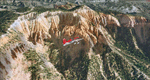
Bryce Canyon National Park (KBCE), Utah, Photo-Scenery (FS9 & FSX)
Despite its name, Bryce Canyon is not actually a canyon that was formed by a river, but rather a giant natural cliff shaped through erosion by wind, water, and ice. Bryce is distinctive due to its geological formations, delicate and colorful pinnacles called hoodoos that are up to 200ft high. The bizarre forms and red, orange and white colors of the rocks provide spectacular views. Unfortunately the hoodoos are too small for the elevation mesh in flight simulator. But you can enjoy the colors and shape of the cliffs. The cliffs in main region of the park, just south of the airport are partly covered
by snow. But on the southern and western part of the plateau you can enjoy them free of snow. Bryce Canyon is named after the Mormon pioneer Ebenezer Bryce who settled in this area in the 1850s. It was designated as a national park in 1928.
Bryce Canyon Airport (KBCE) just handles small aircraft on a daily basis. But is was actually built to handle larger aircraft in case of emergency. And so on Oct.6th 2000 an American Airlines MD-82 from Denver to Los Angeles made a successful emergency landing after reporting smoke in the cockpit and a loss of cabin pressure.
High resolution versions of this scenery for FS9 and FSX (much sharper, but larger and multiple downloads)are available at www.blueskyscenery.com/CNY_South2West4.html . The screenies are taken from the high-res versions, so expect this version to be slightly more blurry. Thanks to Joop Mak for providing a custom AFCADs that correct airport layouts so that they align with the photo-textures! They are available here: www.blueskyscenery.com/AFCADs.html . YourDonation@Work: Dedicated to Michael, Pat and Keith.
| Filename: | Bryce_Canyon_National_Park_KBCE_Utah_PhotoScenery.zip |
| License: | Freeware, limited distribution |
| Added: | 7th March 2010, 11:17:56 |
| Downloads: | 2,212 |
| Author: | Gottfried Razek, blueskyscenery.com |
| Size: | 96.35 MB |
| Category: Flight Simulator 2004 - Scenery | |
| Toronto Downtown Airport CYTZ Ontario, Canada |
|
Images related to this file:
File Description:
CYTZ is on an island in Lake Ontario and immediately adjacent to downtown Toronto. This updates the version made by Flight Ontario as there have been major changes since Porter Airlines purchased the airport. The obvious and main new item is the terminal, made with photo textures and with ten gates sized to accomodate the Dash 8-400 they currently use. The terminal has a passenger entrance and a vehicle setdown point as part of the link to the ferry terminal that wraps around the west side of the original and preserved terminal building. The ferry terminal is included here, along with a ferry. Also new are the car parking, road routing, gate and taxi markings, taxiways, taxiway signage, taxiway lighting, runway lighting, aprons, apron lighting (from Sid Schwartz and you will need to install his "lights_ss_v2"), fences, fuel tanks, tanker trucks, access roads to navigation equipment, ai parking, static parked planes, parked cars, apron equipment, and the useable floatplane ramp. The AI includes Porter, Jazz, several GA aircraft, and a helicopter. Only 3 of these require downloads. The Lake Ontario AI includes three large ships, typical of the traffic to be seen on all the Great Lakes. CYTZ has three runways and there is an airport diagram included. 08-26 has ILS and is the only runway actually long enough to be used by Porter; FS9 atc will ignore this. There is fuel available and it is dispensed from a truck. The longer projection from the front of the terminal building is a covered ramp that leads up from the terminal basement level, used by towed luggage trolleys. The gates are not powered in any way except for the weather cover that protects passengers as they cross the small area of asphalt between plane and gate. I did not try to reproduce this in FS9.
| Filename: | Toronto_Downtown_Airport_CYTZ_Ontario_Canada.zip |
| License: | Freeware, limited distribution |
| Added: | 23rd October 2012, 12:52:14 |
| Downloads: | 1,816 |
| Author: | Roger Wensley + Flight Ontario |
| Size: | 12.43 MB |


© 2001-2026 AVSIM Online
All Rights Reserved
Privacy Policy |