
Where Flight Simulation Enthusiasts Gather from Around the World!
AVSIM Library - Search Results

| Category: Flight Simulator 2002 - AFCAD Files | |
| Canadian Airfields Around CYWG (Winnipeg Intl) |

|
File Description:
AFCAD files for Canadian airfields around CYWG (Winnipeg Intl)
Nice to populate your AI traffic with Beavers and Otters.
Requires AFCAD by Lee Swordy. If you have AFCAD's newer versions you can just drop in the AFCAD installer screen and you are done. Enjoy!
CYWG (Winnipeg Intl)
CJV7 (Summer Beaver)
CNE4 (Iroquois Falls)
CPV7 (Poplar Hill)
CYBR (Brandon Muni)
CYER (Ft Severn)
CYPG (Southport)
CYPM (Pikangikum)
CYPO (Peawanuck)
CYRL (Red Lake).
| Filename: | Canadian_Airfields_Around_CYWG_Winnipeg_Intl.zip |
| License: | Freeware |
| Added: | 24th December 2002, 21:26:46 |
| Downloads: | 879 |
| Author: | Alex Feldstein |
| Size: | 14.43 KB |
| Category: Flight Simulator 2002 - Scenery Design | |
| Scenery Design Macro Quality Mart |
|
File Description:
FS2002 Scenery Design Macro Quality Mart
Exact replica of Quality Mart in Kernersville, NC owned
by a friend of mine. You can read the gas and diesel
prices on the pumps plus cigarette prices in the windows!
Screen shots included, resource, and api. Night lighted.
For Airport for Windows 2.60. (Roof texture is in your default
FS directory). This is for SCENERY DESIGNERS ONLY and is
FREEWARE ONLY!!! Large texture size for detail. Photos &
Design by: jimmy R martin [email protected] Feb 8, 2003
| Filename: | Scenery_Design_Macro_Quality_Mart.zip |
| License: | Freeware |
| Added: | 9th February 2003, 01:32:15 |
| Downloads: | 384 |
| Author: | Jimmy Martin |
| Size: | 1.29 MB |
| Category: Flight Simulator 2002 - Panels | |
| Boeing 737-400 |
|
File Description:
Photorealistic panel of a Boeing 737.400, using default gauges and some others from different smart authors. All gauges on the same screen, to use with default fs2002 B737, so that virtual cockpit works. When used with a FS 2000 aircraft, no view available. Request Concorde Gauges available at AVSIM.COM or to be pasted from your past century old fs2000. Tested with fs2002 pro, 1024 res., should be framerate friendly. New throttle, flaps, spoilers and trim handles.Included tutorial for radio-nav management on this panel (FAQ).
| Filename: | Boeing_737400.zip |
| License: | Freeware |
| Added: | 26th June 2002, 05:26:06 |
| Downloads: | 2,571 |
| Author: | Christophe Jeanne |
| Size: | 1.11 MB |
| Category: Strike Fighters: Project 1 - Repaints | |
| Don Bellows P-38H P-Pot Pete |
|
File Description:
This skin is the Lockheed P-38H Lightning "42-56764" "Piss Pot Pete" of Captain Don Bellows, of the 431st Fighter Squadron of the 475th Fighter Group, based at Dobodura, New Guinea, August 1943.
Thanks to WOLF257 for creating the P-38, and for enhancing our SF WW2 experience. And much thanks go to AVSIM for hosting.
I have included a new prop sound file for the loading screen, use it if you want. IMHO it adds to the immersion for your SF ww2 experience.
| Filename: | Don_Bellows_P38H_PPot_Pete.zip |
| License: | Freeware |
| Added: | 23rd July 2004, 23:08:07 |
| Downloads: | 215 |
| Author: | J.P.O'Neill |
| Size: | 1.42 MB |
| Category: Flight Simulator 2004 - Gauges | |
| Kill Drift Gauge |
|
File Description:
FS2004 KillDrift Gauge v1. The video screen on this gauge graphically displays the effect of wind on the track of an aircraft. This allows the pilot to eliminate drift error. Wind speed and wind direction are also shown. Two separate course headings can be stored into this gauge. Included is an icon gauge for installing KillDrift into separate window. It can also be installed on a panel. The gauge can be helpful for hovering/landing helicopters because of its 360-degree display capability. By Glenn Copeland
| Filename: | Kill_Drift_Gauge.zip |
| License: | Freeware |
| Added: | 2nd November 2005, 14:07:34 |
| Downloads: | 1,593 |
| Author: | Glenn Copeland |
| Size: | 826.54 KB |
| Category: Flight Simulator X - Aircraft Repaints, Textures and Modifications | |
| United Airlines McDonnell-Douglas/Boeing MD-83 Old Colors |
|
File Description:
This is another United Airlines repaint for the FSX AI Default MD-83. If you have the original United Airlines texture for the MD-83, keep the original if you want to use them for your collection of United Airlines repaints from me. Although the old colors were debuted in the 1980s and the MD-80 family entered service in October 1980, the MD-83 never went into UAL service. Splash screen included. This repaint requires the MD-83 Flyable pack by Braden Peters.
| Filename: | United_Airlines_McDonnellDouglasBoeing_MD83_Old_Co.zip |
| License: | Freeware, limited distribution |
| Added: | 12th December 2008, 17:42:49 |
| Downloads: | 220 |
| Author: | Victor Vu |
| Size: | 841.69 KB |
| Category: Flight Simulator 2004 - Scenery | |
| Aurangabad Domestic Airport [VAAU] |
|
Images related to this file:
File Description:
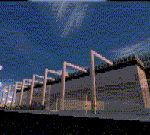
Aurangabad Airport is about 135nm East of Mumbai. Recently a New Apron has been added to the airport which has also been amended in the scenery. One of the runways i.e. Rwy 27 has ILS CAT II, Vor, Ndb - every basic requirement is available.Quick Short Flights to Mumbai is what one might enjoy . The other reason to fly in-out of this airport. ...well ... these screen shots might ....just...help you decide. 2 tiny mini terminal buildings and landscape gives a good frame rate.
| Filename: | Aurangabad_Domestic_Airport_VAAU.zip |
| License: | Freeware |
| Added: | 12th August 2010, 00:38:05 |
| Downloads: | 1,050 |
| Author: | Ashish Singh |
| Size: | 19.88 MB |
| Category: Flight Simulator X - Aircraft Repaints, Textures and Modifications | |
| Boeing 737-200ADV, V1.32 Update |
|
Images related to this file:
File Description:
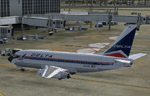
V1.32 (bugfix) update to the TinMouse II Boeing 737-200 add-on. Universal update for both FS9 and FSX versions.
Update only, requires install of full version V1.30 and the V1.31 update prior to installing this update. Fixes FSX bug that caused loss of communications with FSUIPC when panel resize or switch between windowed/full-screen mode occurred. Other minor bug fixes and improvements. Visit the TinMouse forum here on AVSIM for support and information.
| Filename: | Boeing_737200ADV_V132_Update.zip |
| License: | Freeware, limited distribution |
| Added: | 7th January 2011, 21:32:22 |
| Downloads: | 14,945 |
| Author: | Bob Scott, Richard Probst |
| Size: | 3.56 MB |
| Category: Flight Simulator X - Utilities | |
| Intelligence Cabin Announcements (ICA) V 1.0 |
|
File Description:
ICA is a bilingual tool (German-English) for FSX with intelligent cabin announcements, depending on the flight situation. It works internally FSX in window mode or full screen mode and can always be turned on or off without restarting the simulator. In addition to the cabin crew announcements, it includes an automatic turbulence detection and adds a sound to the FSX during the turbulence.
Sounds are included: Welcome, Pushback Delay, Climb, Cruise, Descent, Final, Turbulence.
No gauges needed, mo external program.
Only FSX with FSUIPC (registered)
| Filename: | Intelligence_Cabin_Announcements_ICA_V_10.zip |
| License: | Freeware |
| Added: | 29th June 2011, 00:44:07 |
| Downloads: | 5,674 |
| Author: | Rainer Kunst |
| Size: | 5.69 MB |
| Category: Civil Flight Simulators - Looking Glass Flight Unlimited 3 | |
| Outer Terrain GTL Grid Structure Map v2.0 |
|
Images related to this file:
File Description:
This version of my GTL grid structure map includes Andre's new outer terrain area north of Seattle and adds a search facility, which enables you to search for a tile using FU3 world co-ordinates. To find out the world co-ordinates of any OT area simply open Fled, set the top-down view to the latitude/longitude of the area you're interested in and click the latitude/longitude figures that appear in the bottom left hand corner of the screen. The latitude/longitude figures will disappear and be replaced by FU3 world co-ordinates as easting and northing values. Enter these values into my FU3 GTL Map, click the button and the spreadsheet will map these co-ordinates to the correct tile and return the tile name. If you don't know the latitude/longitude of the area you're interested in then you can always obtain this from within the game itself. Just start a flight in the area you're interested in and press Ctrl-z at any time to enter Zoar mode. This will pause the game and display the current latitude/longitude in the top left hand corner of the screen.
| Filename: | Outer_Terrain_GTL_Grid_Structure_Map_v20.zip |
| License: | Freeware |
| Added: | 29th December 2009, 23:16:52 |
| Downloads: | 35 |
| Author: | Jonathan Stonehouse |
| Size: | 198.97 KB |


© 2001-2026 AVSIM Online
All Rights Reserved
Privacy Policy |