
Where Flight Simulation Enthusiasts Gather from Around the World!
AVSIM Library - Search Results

| Category: Flight Simulator 2004 - Scenery | |
| Wilmington International Airport - Update |

|
File Description:
WILMINGTON INTERNATIONAL AIRPORT KILM, WILMINGTON, NORTH CAROLINA.
For FS9.
BY JOHN B. LONEY, JR, RAY LUNNING, and MICHAEL VERLIN
UPDATE
In this package you will find an updated copy of KILM_ADE9_MV.BGL.
The original release did not have taxiway signs, and the ATIS frequency was incorrect. These errors have been corrected.
INSTRUCTIONS -
Simply unzip this file to a temporary folder. Move the updated file to where you have your KILM files installed, overwriting the original file. This will update your installation
Legal stuff. Copyright and Distribution
The Copyrights of the items used in this scenery are property of the respective authors and are in full force on behalf of those authors. If I have infringed on any of the copyrights by including the items viewed in this scenery in the upload file, it was purely unintentional and I do sincerely apologize. I have acknowledged and given credit to all the persons associated with each aircraft in the scenery to the best of my knowledge. Also, I do appreciate the permissions I did receive from some of the authors. I felt is helps the end user when certain items in a scenery can be uploaded with the scenery. An honest attempt has been made to acknowledge and give credit to those whose works contributes to this scenery.
This scenery is freeware. Copyright John B. Loney, Jr. You do not have my permission to make any monetary gain from this scenery. It started out as freeware and it shall remain freeware.
This scenery should only be distributed from/to one of the following three websites: Flightsim.com, AVSIM.com or lfssd.net.
Written request to distribute this scenery and/or its components to any other website will be considered on an individual basis.
This scenery can be bundled with any modification to the scenery as long as the proper credit is given to the authors of the scenery and components of the scenery and the original readme file is included with the modification.
-The author's rights and wishes concerning this archive must be respected.
Copyright (c) 2013 by John B. Loney, Jr. All Rights Reserved.
-Disclaimer: I do not accept any responsibility for any damage to any system as a result of running this software.
-Contact: As usual, I welcome any comments. I will try to answer as many as I can. Website: www.lfssd.net Have fun and enjoy.
| Filename: | Wilmington_International_Airport__Update.zip |
| License: | Freeware, limited distribution |
| Added: | 24th August 2013, 10:28:35 |
| Downloads: | 602 |
| Author: | John B. Loney, Ray Lunning and Michael Verlin |
| Size: | 12.33 KB |
| Category: Flight Simulator X - Aircraft Repaints, Textures and Modifications | |
| Virgin Galactic Boeing 747-8i |
|
Images related to this file:
File Description:
FSX Boeing 747-8i Virgin Galactic with advanced VC by Alejandro Rojas Lucena and VC Textures Upgrade by Enrique Cornejo, founder of the Flightsim Workshop Project. This gives the b747 a payware Virtual Cockpit look and now with green leather tapestry on the sides of the seats. It even has a pilot jacket hanged in the rear of the cockpit (besides the right jumpseat). The panel.cfg and the aircraft.cfg have been assembled and edited by the Flightsim Workshop Team. Now you can pop up "My icons" window in the Virtual Cockpit to easily reach the following windows: GPS, avionics, map, ATC, Climb/Radio Altimeter/Spoiler switch, auto-break switch, throttle quadrant, clock, descent meter, kneeboard and overhead panel. A new feature in My Icons Window I added is a new Pitot Heat switch with ON and Off features, (XML gauge by Enrique Cornejo). cold weather, the Pitot Heat switch works just like in real life, so if its turned off the air speed indicator will stop working, so make sure you turn the Pitot Heat switch on before taking off!
The autopilot ON switches have green lights which make them look more realistic. Center ATC identification in this aircraft is "Boeing 747". We have also fixed the position of the strobe lights so when the aircraft is flying they are in the right place, so turn on the strobe lights switch after take off. The cockpit view from the pilots seat is now more comfortable because the distance between the cockpit and the seat is longer.
The aircraft has new engine views (from both wings) and new Virtual Cockpit interior views from the left, right and central jump seats. The brakes has a differential brake system to make smoother turns in ground. The Virgin Galactic Spaceship texture is wonderful and it has a unique paint scheme by Enrique Cornejo which also includes details such as some stains caused by humidity in the fuselage and the wing flaps and other details just like a real aircraft. Real smoke in the four engines, just select key, more cabin views, realistic cockpit and engines sound & more realistic night VC lights and fuselage night textures, in the VC just select key and reset the overhead Instrument panel light dim switch in the overhead panel. The aileron parameters have also improved, so now the right and left turns are smoother. This aircraft uses the Project Opensky FSX Boeing B747-800 Model OSX748V4_GENX(MDL), and includes the gauge window Posky Utility to view the main stairs, ground cargo servicing, etc. The engine sounds are edited like the real ones with cockpit ambient, so you can enjoy a pleasant flight. The Flight Management Computer (FMC) is fixed and looks like a payware instrument. The VC includes FMC, Primary Flight Display (PFD) and Multi-Function Display (MDF) displayed in the correct size. The virtual cockpit also has an Engine-Indicating and Crew-Alerting System also known as EICAS, Ground Proximity Warning System (GPWS), working wipers, cabin lights, fire suppression, avionics switch, fuel cross feed, and you can identify those instruments in the overhead panel because they are bordered with color lines. You can also find landing lights switches, taxi light switch, engine generators, APU generator, battery switch, starter switches, de-ice switch, general lights switches which are a great work of Alejandro. So now the whole cockpit and texture upgrade with all these improvements looks better than a payware version. The clock numbers are now in orange which makes them look better and easily recognizable. Assembled and edited for FSX by Flightsim Workshop Founder Enrique Cornejo. 78 MB
| Filename: | Virgin_Galactic_Boeing_7478i.zip |
| License: | Freeware |
| Added: | 21st February 2013, 18:56:28 |
| Downloads: | 1,940 |
| Author: | Enrique Cornejo |
| Size: | 77.73 MB |
| Category: Prepar3D V1-4 - Utilities | |
| Flightplan Visualizer 1.11 |
|
Images related to this file:
File Description:
Flightplan Visualizer (FV) version 1.11.0. Copyright 2018-2019 by Pelle F. S. Liljendal ([email protected]), all rights reserved.
FV comes with 540 pre-imported Commercial AI flightplans (+380 BizJet flightplans are available as a separate download). However you are able to import additional (AI) flightplans yourself. Once imported these (AI) flightplans can be visualized on a map-view, and the user will be able to search accross all these. Hence you can use the program as inspiration as to which routes to fly. E.g. you can search across all imported flightplans to find all flights in an A321 flying into/out from LDDU, or simply to look for all flights in a Boeing 747-8F.
Simply run the included installer to install the software. The program will be installed into "C:\Program Files (x86)\Flightplan Visualizer" and all datafiles will be installed into: "C:\Users\[UserName]\AppData\Roaming\FlightplanVisualizer". The program comes with a full manual explaining everything, and a 3 page quick manual to get you started. The first 3 times you run the program the quick manual will automatically open. The forum is hosted here: https://forum.aerosoft.com/index.php?/forum/919-flightplan-visualizer/
Version 1.11 Contains the following changes: The file-format of the Flightplan-files was changed to accommodate some planed changes. The program remains backward compatible, so "old" flightplans can still be loaded. I wanted to implement these changes BEFORE I began importing new flightplans, to ensure these new/updated flightplans are all utilizing the new format. On startup the old flightplans will automatically be converted to the new format. The new installer now comes bundled with 540 commercial flightplans (schedules:22291, legs:699158) whereas the old one "only" contained 300 commercial flighplans (schedules:16786, legs:536198). All BizJet flightplans were removed from the installer and are now available as a separate download. A new settings-form have been added to eliminate the need to manually edit the settings-file using a text-editor. A new menu-item have been added which opens an explore window browsing the content of the UserData folder. Individual (disabled) flightplan-files can now be permanently deleted via the "Enable/disable flightplans" form. Flightplan sub-folders (with exception of "Disabled") can now be marked as "enabled" (using a check-box). Meaning that the flightplans in these will be also loaded on startup (along with the files in the root-folder). Using the "Enable/disable flightplans" form you can now both move and copy flightplans (based on the value of the radio-buttons). A creator-field have been added to flightplans, which can be entered when you import/edit a flightplan. The name of the creator is displayed as a tool tip when hoovering the mouse over the combo-box in the bottom of the main-form. When importing new Flightplans the program will try to grab creator and provider from the files bundled with the flightplan. Likewise a button is added to the import-form which list the content of the text-files (e.g. "ReadMe.txt"), in case you need to manually grab the creators name from this file. Both when importing- and editing flightplans a new column have been added to the airport list-view containing comments regarding airports that have been redirected (from one ICAO to another), or airports classified as pseudo-airports (in case the airport does not exists in the flightsim). The elevation-column from previous versions was removed to make more room for the comment-column. Added a new form to edit airport-redirections (redirect from one ICAO to another on import). In the airport-info form you can now switch between showing flights for the selected flightplan/last search and all flights to/from the airport being displayed. Added a new "Nearby Airports" tab-sheet to the Airport-info form, which shows a distance-sorted list of nearby airports. In the previous versions all new aircraft were automatically added to the selection of favorite aircraft. From version 1.11 you must manually choose which are your favorites (upgrading from a previous version, your current selection of favorites will NOT be changed). First letter of decoded-metar is now changed to uppercase, and a checkbox lets you decide if you want to perserve line-breaks in the decoded text copied to the clipboard. Switched position of "Save" and "Cancel" buttons in airport-info form, to match layout of other forms. Like elsewhere in the program, the airport search-browser now lists the icao-codes with an asterisk (*) for each airport that is a pseudo airport. Greatly improved the responsiveness/performance of the browser-forms, when searching for : Airports, Airlines and Aircraft. Managed to shave off a few 10th of a second loading/processing data at startup. Added support for additional Aircraft. Many of the Airports in the supplied data-files were updated likewise some new Airlines were added as well. Made the importer stronger to import flightplans where aircraft names are not in quotes, and multiweek days are written as "1/3" in stead of "10". Fixed: When manually redirecting an airport during import, the flightplan was not visualized corretly until re-loading the flightplan (e.g. restarting the program). Fixed: Closing the Enable/Disable-flightplan using other means than the close-button would not make the program re-load active flightplans afterwards. Fixed: Several of the combo-boxes on the airport-info form allowed text being entered into them. Fixed: Corrected an issue with map-caching.
Pelle
| Filename: | Flightplan_Visualizer_111.zip |
| License: | Freeware, limited distribution |
| Added: | 7th July 2019, 18:15:30 |
| Downloads: | 227 |
| Author: | Pelle Liljendal |
| Size: | 29.95 MB |
| Category: X-Plane - Original Aircraft | |
| Spruce Goose for X-Plane 6.4/6.51 (hk-1/H-4 Hercules) |
|
File Description:
Spruce Goose v1.0 for X-Plane copyright (c) by Robert App, January 2003. History of the "Goose" - Officially designated the HK-1 (this project started out as a join venture between Hughes Aircraft and Kaiser) and later designated the H-4 Hercules after Kaiser was unable to work with Howard. It was and still remains the largest (physical dimensions wingspan and length) aircraft ever built, with the largest radial engines ever built by the West (28 cylinder, 3000 HP). The plane had to be constructed mainly of wood due to the shortage of strategic metals caused by WWII. The plane became known as the "Spruce Goose" or "Flying Lumberyard" despite the fact that the wood frame and skin were constructed mainly of laminated poplar; it also involved "sandwich" construction. The plane was flown briefly on a trial taxiing run but Hughes never allowed the plane to be flown again. Speculation has always been rampant that the design was flawed and the plane could not have met the original specification requirements. The X-Plane model is as accurate as is possible with limited plans available to me. The main wing is an X-Plane standard symmetrical high lift airfoil as opposed to the high lift asymmetrical foil section used in the actual plane. The main wing angle of attack has been adjusted to emulate the asymmetrical foil as closely as possible.
Flight Testing the Goose - I have spent many hours testing the plane on X-Plane which with few exceptions provides a very accurate flight model. The published landing speed (79 mph) pretty well verifies the takeoff speed of 52 to 55 knots (k/hr x 1.15 (approx.) = mph). In straight flight the plane is difficult to stall since the nose quickly drops and increases speed if a stall develops with a significant loss of altitude. The plane has a range on 14000 gallons of fuel and takeoff weight of 350,000 Lbs of well over 3000 nautical miles. San Diego to Wake Island via Midway Attol is a piece of cake with lots of fuel to spare at 350,000 lb GW. The plane is flyable at a GW of over 410,000 lb but climb rate is very sluggish (max 400-600 fpm) and loss of speed due to excessive side slip can cause a fatal stall, in straight flight the plane is difficult to stall. So far my conclusion is that with todays materials and jet engines (which may be a future project) this aircraft could probably be competitive in performance with todays planes. With aluminum alloys that were available during its construction its performance would probably have exceeded the initial requirements.
| Filename: | Spruce_Goose_for_XPlane_64651_hk1H4_Hercules.zip |
| License: | Freeware, limited distribution |
| Added: | 31st January 2003, 05:19:19 |
| Downloads: | 1,739 |
| Author: | Robert App |
| Size: | 1.69 MB |
| Category: Prepar3D V1-4 - Utilities | |
| Flightplan Visualizer 1.14 |
|
Images related to this file:
File Description:
Flightplan Visualizer (FV) version 1.14.0. Copyright 2018-2019 by Pelle F. S. Liljendal ([email protected]), all rights reserved.
FV comes with 629 pre-imported Commercial AI flightplans (+380 BizJet flightplans are available as a separate download). However you are able to import additional (AI) flightplans yourself. Once imported these (AI) flightplans can be visualized on a map-view, and the user will be able to search accross all these. Hence you can use the program as inspiration as to which routes to fly. E.g. you can search across all imported flightplans to find all flights in an A321 flying into/out from LDDU, or simply to look for all flights in a Boeing 747-8F.
Simply run the included installer to install the software. The program will be installed into "C:\Program Files (x86)\Flightplan Visualizer" and all datafiles will be installed into: "C:\Users\[UserName]\AppData\Roaming\FlightplanVisualizer". The program comes with a full manual explaining everything, and a 3 page quick manual to get you started. The first 3 times you run the program the quick manual will automatically open. The forum is hosted here: https://forum.aerosoft.com/index.php?/forum/919-flightplan-visualizer/
Version 1.14 Contains the following changes:
- Flightplan file-format was changed, to accommodate changes to the airline-data. In previous versions the airline ICAO-code had to be unique, hence not allowing old defunct airlines still remaining in the data-file when a new airline would be issued the same ICAO-code (now they can both exists, and many of the defunct have been marked as defunct).
- On start-up old flightplans in enabled folders will automatically be updated to the new format. If you have sub-folders containing additional flightplans, you should make sure these are enabled, in order to have these updated as well. Once they have been updated you can go ahead and disable these sub-folders again as you please.
- Its now possible to add user defined airlines, in case you want to add you own fictitious airlines (e.g. VA's) or you want to add airlines missing in the official data-files that I supply with the program (if this is the case, please notify me, so I can add these in the next release of the program).
- "Favorite aircraft" have been renamed into "Favorite aircraft-types", as it is the "types" of aircraft you mark. You don't mark a particular aircraft/cofiguration (like the PMDG B737-800 NGXu) as your favorite, but rather the "type" (B737-800). The file containing the (active) favorite aircraft-type selection was renamed as well (you don't have to do anything, the file is automatically renamed on start-up).
- Added a new Unit-Conversion form, letting the user convert units of: Speed, Lenght/Distance, Weight/Volume, Pressure and Temperature. The Weight/Volumne conversions is a bit special as it lets the user convert between weight (kg/lbs) and volume (liter/gal), thanks to a Fuel Density that defaults to 0.785, but can be changed by the user.
- All search-forms (seaching for airport, aircraft and airline) was changed to ignore whitespeaces (e.g. "airBaltic" vs. "air Baltic"), and ignore diacritics (e.g. "AerolÃnea" vs. "Aerolinea"), making it more easy to find what you are searching for in one go.
- The airline search-form will by default exclude airlines that have been marked as defunct. However a new "Include defunct" check-box have been added to the form, allowing you to include these (who am I to say you can not still use "Air Berlin", "Monarch" or "Thomas Cook" flightplans if you want to).
- Added 3 new columns to the airline search form showing commence/cease-date, and wheter or not the airline is "in use" (as carrier/operator by any of the active fligthplans).
- State is now by default excluded when using the airport search form, which make it a lot more convenient to find airports in the city of "New York". State can still be included in the search by choosing a different search-type using the combo-box in the upper/right corner.
- When Flightplan Visualizer needs for perform potentially lengthy operations it will spread the workload over the available cores of the CPU. However if you want to limit which cores it uses you can now set the affinity-mask in the settings form.
- The splash-screen shown when the program starts, and when reloading active flightplans was prevoiusly always shown on top (top-most), but if you find this anoying it can now be disabled in settings.
- Fixed: Warnings/errors regarding loading flightplans were only displayed at start-up. Now they are shown whenever all active flightplans are loaded (e.g. after having enabled a sub-folder).
- Data: The airline-data got a major update, and a bunch of new airlines were added, and the data for MANY others were updated. It is a manual process to update these, almost as funny to do as to watch paint dry ;-)
- Data: A few countries had a wrong- or no sub-region code, so these were fixed/updated. As usual, if any of you spot any erros, or missing data, please use the forum to notify me.
- Data: Additional info added to the aircraft-data (in preparation for some future plans).
- Flightplans: All flightplans bundled with the installer have been updated to the new file-format.
- Flightplans: Thanks to Ryan Carson (RCAI) for allowing me to bundle the installer with a few of his flightplans, so the installer comes with the very first winter 2019-2020 flightplan.
- Flightplans: The good people over at AIG (Alpha India Group) have been VERY busy since the last release, hence the installer comes with +130 new pre-imported flightplans, bringing the total to 629. This update concludes Summer 2019, and AIG already have the first Winter 2019/2020 flight-plans in beta-test.
Pelle
| Filename: | Flightplan_Visualizer_114.zip |
| License: | Freeware, limited distribution |
| Added: | 10th December 2019, 06:59:46 |
| Downloads: | 370 |
| Author: | Pelle Liljendal |
| Size: | 31.01 MB |
| Category: Microsoft Flight Simulator (2020) - Utilities | |
| Flightplan Visualizer 1.18 |
|
Images related to this file:
File Description:
Flightplan Visualizer (FV) version 1.18.0. Copyright 2018-2020 by Pelle F. S. Liljendal ([email protected]), all rights reserved.
FV comes with 787 pre-imported Commercial AI flightplans (+380 BizJet flightplans are available as a separate download). However you are able to import additional (AI) flightplans yourself. Once imported these (AI) flightplans can be visualized on a map-view, and the user will be able to search accross all these. Hence you can use the program as inspiration as to which routes to fly. E.g. you can search across all imported flightplans to find all flights in an A321 flying into/out from LDDU, or simply to look for all flights in a Boeing 747-8F.
Simply run the included installer to install the software. The program will be installed into "C:\Program Files (x86)\Flightplan Visualizer" and all datafiles will be installed into: "C:\Users\[UserName]\AppData\Roaming\FlightplanVisualizer". The program comes with a full manual explaining everything, and a 3 page quick manual to get you started. The first 3 times you run the program the quick manual will automatically open. The forum is hosted here: https://forum.aerosoft.com/index.php?/forum/919-flightplan-visualizer/
Version 1.18 Contains the following changes:
- GREATLY improved the search-legs feature (by a factor of +50).
- In the past the application was forced to 32 bit. This is no longer the case, hence if needed its able to allocate more memory than before. I have never heard of anyone getting an "out of memory" exception, buy anyway.
- In the settings form, the field for entering the path to where to look for the Make Runways -files, have been replaced with a (MRU) combo-box, remembering the last 5 paths entered. So now you don't need to remember these paths each time you want to change it (e.g. if you switch between a set of files generated for P3D and another generated for MSFS). Remark that when this path is changed, FV will automatically restart when saving the settings, as the MkRwy-data are only loaded at startup.
- Added new command-line argument /MkRwy="G:\FS\MakeRunways". If this argument is set, FV will try to locate the files generated by Pete Dowson's MakeRunway in the specified folder, no matter the value of the MkRwy-path set in the settings-form.
- Added new command-line argument /FilePrefix=XXX. If this prefix is set (in the short-cut starting FV) it will look for files in the UserData-folder using this prefix and an underscore (e.g. open "XXX_UserAirportInfo.xml" in stead of "UserAirportInfo.xml"). If FV is started with this argument it will be displayed in the caption of the main-form to notify the user "which prefix is in use".
- Added new command-line argument /ForceReprocessFlightplans which forces all flightplans to be reprocessed on startup (e.g. process all airport redirections according to loaded redirection file).
- Added new command-line argument /? or /help. Using either of these, or having specified a wrong command-line argument will show a small example of the correct way to use these arguments.
- Added a new "Auto-activation prefixes" entry field to the "Edit owned aircraft" form where you can now enter a comma separated list of prefixes for which each aircraft should set to active. If entered, the aircraft will automatically be set active when FV have been started with the /FilePrefix argument set to the entered value (e.g. P3D). If one or more prefixes have been entered into this field, and FV have been started with another prefix, those aircraft will be set to not-active.
- Added new setting to reprocess all loaded flightplans on startup if FV was started with another /FilePrefix argument than used the previous time FV was started (e.g. if you switch between two different simulators).
- Improved how pseudo-airports tries to look-up airport data from the bundled airport-database. So there is now a higher chance that: name, country/state, and time-zone will be populated with useful data for the pseudo airports.
- In previous versions when opening the airport-info form, the checkbox "Exclude small/grass/dirt" (runways) was always checked, meaning you had to uncheck this checkbox before being able to see any runway-information for small airports. In this version a new setting have been added where you can chose if this checkbox should default to being: Checked, Unchecked or (default) Automatic. if choosing "Automatic", this checkbox will default to un-checked for airports only having few/small runways.
- Redesigned the settings-form so things are less "cluttered", and it will be more easy for me to add additional items in the future.
- The Search Airport form now contains fields that lets you specify min/max criteria for rwy-length and airport elevation, and min/max distance to a specified airport (e.g. find all airports within 20-50 Nm of XXXX). Also you can specify required rwy-type (e.g. "All Hard", "Have Soft" ...).
- Added an "Edit" menu-item to the context menu in the Search Airport form, which opens the Airport Info form, and returns back to the Search Airport form (e.g. see details for a few found airports before chooing one of them).
- If Transition Altitude (TA) is not known for a particular airport, the program will now try to estimate TA based on nearby airports in the same country, where those nearby are weighted more than those further away (its not perfect, but "better" than 0). An estimated TA will be postfixed by a asterisk to mark that it is estimated.
- Minor (internal) changes to the automatic version-check.
- Fixed: Issue importing some AigFP flightplans where airports were being redirected (e.g. "AIG_AviaTrafficCompany_Winter_2019-2020v2").
- Fixed: Using the context menu in the list-view showing all owned aircraft, the changes were sometimes not saved.
- Fixed: In the conversion-form when converting weight/volume into US-Gal, the calcuation was wrong (converting from US-Gal was not an issue).
- Fixed: In the leg-info report the value of Transition Altitude was in some cases used in stead of the length of the longest runway.
- Fixed: Leg-info report only contained taxi-out time for all airports. Now it only contains the taxi-out time for the departure airport, but both departure- and destination airports contains a taxi-in time.
- Fixed: In some cases an airport that was currently being edited, could be edited in another window at the same time (opening multiple Airport Info forms).
- Data: The bundled airport-database had a MAJOR face-lift. Various data were corrected, and it have more than doubled in number of airports/helipads contained within the database.
- Data: Improved detection of aircraft-type "IAI 1126 Galaxy" (as "Gulfstream G200"). Thanks to Bruce Nicholson for notifying me of the issue when importing a particular AIG flight-plan.
- Flightplans: All new/updated flightplans have been added to the installer, and all obsolete/defunct have been marked/removed. A total of 787 active flightplans are bundled with the installer.
Pelle
| Filename: | Flightplan_Visualizer_118.zip |
| License: | Freeware, limited distribution |
| Added: | 9th November 2020, 20:09:24 |
| Downloads: | 479 |
| Author: | Pelle Liljendal |
| Size: | 34.48 MB |
| Category: Flight Simulator X - Original Aircraft | |
| B-2A Spirit Stealth Bomber |
|
Images related to this file:
File Description:
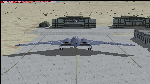
The B-2A Stealth Bomber is the most sophisticated aircraft on the planet. She is essentially a “Flying Wing†platform with no V-Tail, and is controlled by pre-programed flight computers stationed in various positions within the crew cabin and wings. There is one main computer that controls the aircraft, with two redundant back-up computers assigned to it in case of failure. All additional computers are assigned to functions involving flight control, system monitoring, data communications, and radar. Engine and Aerodynamic effects are controlled by these computers which serve several actuators and ailerons, including the spoilerons, which further compensate for the lack of a V-Tail. In theory, and because of these computers, the aircraft is “Stall-Proofâ€. The only way it can stall is if the computers fail. There is no way she can be flown without the computers active. The REAL aircraft does almost everything based on pre-programed data, other than taxi to the runway (although this is also possible to program). Before each flight, the Mission is designed and then assigned to the Mission Flight Box (Portable Computer) which is then carried by the Commander to the aircraft, and the data from the box is “transferred†to the main on-board computers. Because of this, the B-2 cannot be flown until the box is ready for the mission, and pilots cannot simply jump in and fly her, with the exception that the data is transferred via satellite. Everything is pre-planned, and this takes several hours. Once the data is on-board, the taxi can begin. When lined-up on the runway, all the pilot needs to do is push a button or three. Everything else is computer controlled until landing. The aircraft CAN be flown manually with basic data inputs into the main computer systems, but even in that case it is not conventional. If a pilot wants to turn right, he sets the data to turn to a certain degrees of heading. The same with climb and descent, speed increase or decrease. A pilot cannot over-ride the computers in any case, so steep banks, climbs, or descents cannot be forced. There is a lot of space for the two member crew within the cockpit, but there is also a space reserved for one observer. This additional seat is known as “Suicide Position†because there is no ejection seat for that observer. In the event of a mishap, the observer can try to bail-out through the ejection hatches after the pilots, or can try the exit ramp door, or the bomb bay as an exit route. The odds of escape for the observer are very small, but he has a parachute as reassurance. Otherwise, what the crew does during missions is only a guess, since they really don't have to do anything unless an alarm goes off. Since the plane flies so smooth, we can only imagine what sort of things they may dream-up to entertain themselves during a long flight. High altitude flights are conducted at night mainly due to the obvious contrail such a flight will exhibit during the day with such hot engines. The engines are encased in a heat absorbing shield material (still exhaust exists), and the rest of the plane is coated with Radar absorbant material, with the additional low profile effect of the aircraft design itself. If it can be seen by the ground or a fighter, it can be attacked by fighters or the ground. During daytime flight they will stay below the contrail level, and monitor the radar systems in preparations for counter-measures. If a fighter can visually observe them, the fighter may be able to shoot them down with bullets from behind, but not likely with missiles because of the sophisticated counter-measures available. On Radar the aircraft appears the size of a pigeon, until about 8 to 10 miles away, which would be too late to counter from the ground, so most attacks are either done at night or during the day at very low altitude. Upon landing the aircraft is automated down to about 200 feet AGL, when the pilot takes command. All she/he does at this point is allow her to glide down and contact the runway, and retard the engines. Brakes are used to slow, then the computers are turned off, and the pilot can control the throttles, nose gear, and brakes. The Commander watches for obstructions, mainly, and communicates with the tower and ground crew. Everything in this model has been reconfigured to meet realistic standards, without any tricks or flight tuning, and following real world aerodynamic principals and available data, including MOI. The panel requires study before use, but very realistic. The sounds are very authentic. There is no other model offered anywhere that compares to what you have now available in front of you. Please read and study the Readme.txt file within the main folder before attempting to fly this 2.2 Billion Dollar aircraft. Yes, that's correct ... $2,200,000,000 each! The use of this model, and the configuration of such, is designed for educational purposes, and protected by the Free Use Act: (https://www.law.cornell.edu/uscode/text/17/107). The Authors will not approve redistribution for monetary purposes. Original aircraft design by Alphasim; VC Adaptation, panels and gauges by Philippe Wallaert; Sound by Ruggero Osto; REAL WORLD Engine/Aerodynamics, data and effects by Douglas E. Trapp ([email protected]) June 2018
| Filename: | B2A_Spirit_Stealth_Bomber.zip |
| License: | Freeware |
| Added: | 2nd June 2018, 17:16:30 |
| Downloads: | 1,038 |
| Author: | Douglas E. Trapp |
| Size: | 14.81 MB |
| Category: Prepar3D V1-4 - Aircraft Repaints, Textures and Modifications | |
| Cessna 421 advanced physics |
|
File Description:
C421C advanced physics
Modification for the Alabeo C421 C Golden Eagle
Version: tested for P3DV4; should work also with P3DV5 (and probably FSX)
1. Why I developed the advanced physics version
I was asked via this forum, via PMs and also by e-mails to provide a modified version of the Alabeo C421C which can be used for serious multi-engine training. It should have accurate type specific performance for both AEO (all engine operative) and OEI (one engine inoperative), the latter for either a windmilling prop at various speeds and for a feathered engine. Feathering should work as realistic as possible.
Thus, I developed an advanced physics version of the Alabeo C421C. It shows realistic physics for negative thrust (prop drives engine). This is necessary for OEI training and more realistic idle power simulation.
2. Modified files
Modification includes “c421.air†and “aircraft.cfg†files. Data is based on real world Cessna 421C, N100L, 421C-0313.
Aircraft data, equipment list, checklist and other documents for N100L,
as well as some images of C421C, registration N100L, can be found here, too.
Unfortunately, due to copyrights, I can’t upload the full files and can’t provide the AFM and other copyright protected documents.
3. How to install
To update “c421.airâ€:
- Copy the original Alabeo C421 to another aircraft folder, e.g. “C421C advanced physicsâ€.
- Use AirEd (freeware) and open the original “c421.airâ€.
Open AirEd a second time and open “modifications advanced physics c421.airâ€.
Copy the modified tables 511 and 512 to the original .air file
(right click in modification file -> copy -> right click on original file -> replace from clipboard)
To update “aircraft.cfgâ€:
Just copy the modifications to the corresponding position in the original file.
4. Legend of modifications
Modifications in aircraft.cfg:
- Basic Empty Mass (actual mass for N100L 5,154 lbs inserted; most C421C are more heavy, ours is on diet)
- correct basic data for engines + props
- engine friction included (necessary for all negative thrust scenarios)
- flaps lift + drag scalar adjusted (split flaps)
- 2 vacuum pumps
- VMO = 151 KIAS; VNE= 240 KIAS
- cabin: max. differential pressure: 5.0 psi
Modifications in c421.air:
- implemented negative thrust scenarios in prop thrust and efficiency curves (tables 511 + 512); adjusted thrust curves for high TAS at high ALT
5. Side effects of modifications:
- more realistic engine starting:
starting the engine needs the throttle to be 2 cm above idle (see checklist) for the first 15 seconds
- if you start the engine and don’t retard the prop to medium RPMs immediately, you will overstress engine and prop. So be careful when doing an air start, you might lose the prop and the aircraft. (In the real aircraft, these effects are less severe, but you have to avoid high RPMs until the engine is warmed up and have to avoid rapid change of RPM.)
6. Additional Notes:
- Basic aircraft data as published by the manufacturer, like range and service ceilings, especially OEI, are based on MTOM.
- The use of high payloads close to MTOM and higher ambient temperatures are making for a more challenging OEI training.
- In the sim, climb power is too low compared to full power (about 65 % instead of 75 %). I have to find a way to adjust that.
- I have buttons for engine failure under the mixture (see images)
- Seat Position is, like in many Aircraft, higher than as per Default by the sim. For the C421C and me being 5 ft 7 in, that's about 7 clicks arrow up.
| Filename: | Cessna_421_advanced_physics.zip |
| License: | Freeware |
| Added: | 20th March 2021, 01:09:34 |
| Downloads: | 191 |
| Author: | Andreas Kunzi |
| Size: | 18.06 KB |
| Category: Flight Simulator X - Scenery | |
| Carnes Farm |
|
Images related to this file:
File Description:
These are the files that I talked about in the Prepar3d forums. I created these objects for Fs9, then upgraded them to the scenery SDK for FSX. They were created 10 years ago in GMAX, and I have used them successfully ever since in Prepared 1.4 as well.
For some reason the individual farmhouse and other objects that I created are not showing up in Prepar3d version 2.0.
That's where you guys come in! These files are free to use in anyway you want as long as proper attribution is given, but, I would like you guys who have both Prepar3d 1.4 and 2.0 to try them out in both and report back to me as to whether you have the same problems that I do. That's your only fee. And I'd like you guys to give it a shot in both, or all four( I am not sure that they will work in FS9 anymore, but try it out. Unfortunately I can't recompile my FSX SDK Files back to FS9 if it doesn't work).
What's included:
1. Photo real scenery of Barbourville, 10 miles to the north west of stinking Creek where we live, and;
2. Photo real scenery of the farm area and stinking Creek, upon which I have placed my GMAX objects;
A. The farm house.Carnes Farm From the Bridge at 500 AGL.jpg
B. The barn, shed and the RV in back of the farmhouse.
C. A two-story long structure the top of which is an apartment but the bottom of which is a re-creation of Mama Carne's store, along with all the real wood floors shelves and original contents.. It is also o n Google earth in 3-D as it is here with further description .
... A little note on Gmax.. Mama Carne's store was one the first structures that I built in Gmax. It was just a box. Later, I added the true architectural features that you see including the steps and rails which took about as long to create as it would have to Saw and fit and hammer the real rails, risers and steps.
D. K-6, my little 2300 foot strip for runways 03 and 21. It has VOR - (117.55), ILS(110.1), and NDB(222).
E. Gerald Bingham's house, 1/4 mile up Warriors Path North from us.( mostly dirt road with gravel topping).
F. Dewitt Baptist Church.
Off property Knox county
G.Escoe's Store and Post Office complete with great prices for gas at the included pumps.
Escoes.jpg
H. Rex allen's killer corner...sheds and farm equipment on the sharpest bend on Stinking Creek...my son went off it with a flat tire, unscathed, but more than several have lost their lives on that curve... there may be several iterations of the sheds...just delete or rename the wrong ones...I was experimenting with ModelConverterX, Arno Gerretsen's wonderful model and object scenery tool.
I. sitting on top of the Barbourville Photo real scenery Barbourville PhotoReal over the shopping center.jpg is the Barbourville P3D Shopping Center2.jpg shopping center all the stores and all the storefronts ... it's on 25 E. as you head into Barbourville.
Recreated, is the entire shopping center with the now outmoded Wal-Mart sign. Probably my magnum opus.
note on the Gmax scenes.
All of the scenery was either directly measured and if not practical for a such a long measuring device, walked off, as in the Stinking Creek Bridge and shopping center. All of the objects were then photographed, in 360° where possible and saved as texture for inclusion in the Gmax model.
Enjoy!
...oh... how do you get there? Wellllll.... situate yourself at Middlesboro (1a6), and tune your Nav radio to K-69's VOR, 117.55, take off and climb to 3500 feet...grinnnnn
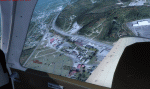
Welcome to Knox County Kentucky!
| Filename: | Carnes_Farm.zip |
| License: | Freeware |
| Added: | 2nd December 2013, 05:34:20 |
| Downloads: | 453 |
| Author: | Chas Honce |
| Size: | 91.13 MB |
| Category: Prepar3D V1-4 - Utilities | |
| Flightplan Visualizer 1.13 |
|
Images related to this file:
File Description:
Flightplan Visualizer (FV) version 1.13.0. Copyright 2018-2019 by Pelle F. S. Liljendal ([email protected]), all rights reserved.
FV comes with 586 pre-imported Commercial AI flightplans (+380 BizJet flightplans are available as a separate download). However you are able to import additional (AI) flightplans yourself. Once imported these (AI) flightplans can be visualized on a map-view, and the user will be able to search accross all these. Hence you can use the program as inspiration as to which routes to fly. E.g. you can search across all imported flightplans to find all flights in an A321 flying into/out from LDDU, or simply to look for all flights in a Boeing 747-8F.
Simply run the included installer to install the software. The program will be installed into "C:\Program Files (x86)\Flightplan Visualizer" and all datafiles will be installed into: "C:\Users\[UserName]\AppData\Roaming\FlightplanVisualizer". The program comes with a full manual explaining everything, and a 3 page quick manual to get you started. The first 3 times you run the program the quick manual will automatically open. The forum is hosted here: https://forum.aerosoft.com/index.php?/forum/919-flightplan-visualizer/
Version 1.13 Contains the following changes: Flightplans can now be exported in AIFP/TrafficTool-format (the same format that FV is able to import). It means if you have made any changes to a flightplan (e.g. redirected some airports) the flightplan can be exported from FV, and imported into AIFP (AI Flight Planner, by Don Grovestine) where it can be compiled into an AI-traffic bgl-file (traffic "scenery"). A new setting called "Adjust flight-time on airport-redirect" have been added. This setting defaults to "false" (un-checked), however if changed to "true" (checked) the flight-time will be changed if/when departure/destination-airports are changed due to airport-redirections (both automatic and manually). The flight-time is the result of the difference between departure-/destination-time, hence if the flight-time is changed either- or both departure-/destination-time will change as well. The original flight-time is scaled based on the original- and the redirected distance between the departure/destination-airports. When importing/editing flightplans you can now select one or multiple aircraft and delete them. When deleting an aircraft all schedules attached to that aircraft will be deleted as well. One use of this feature could be to remove aircraft you don't have a AI aircraft, prior to exporting the flightplan in AIFP/TT-format, and loading it into AIFP. When importing/editing flightplans a "Similar" button will appear next to the flightplan name if a similar named flightplan exists (e.g. "same name", but different season), or other flighplans exists for the same airline (ICAO). Hoovering the mouse over this button will show the names of these flightplans as a tool-tip, and if you click the button the list will be shown in a window (with some additional information), from where it can be copied to the clipboard if you need to. On the Edit/Import-flightplan form, the Aircraft- and Airport tab-sheets have been swapped, and a new tab-sheet was added to list all routes of the flightplan. For each route the distance is listed along will all aircraft types of the flightplan servicing that route. The "Aircraft" tabsheet of the form to import/edit flightplans now contains a button called: "Fleet report". Pressing this button will generate a report showing the fleet of an airline (based on the flightplan), that is sorted by Aircraft type and registration. For each aircraft it will show a list of all the airports served by that particular aircraft. A "Word-wrap" check-box have been added to the Result-viewer to toggle word-wrap on/off (word-wrap defaults to "on"). In previous versions any changes made in the settings form resulted in all flightplans having to reload (while showing the splash-screen). Changing the path for MakeRunway-files still results in an automatic "reboot" of the program. The combo-box for choosing default direction (outbound/inbound/both) for the leg-search (on reset) have been removed from settings, and it now defaults to "Outbound or Inbound". However in the search legs form you can now save your own preferred "Reset" criteria. When you press the reset-button, it will load this Reset-file (with your preferred reset criteria). If you hold SHIFT while pressing the reset-button (or you have not saved a personal reset-file), it will reset to the default factory-criteria. In the traffic tabsheet of the airport info form there is a combo-box letting you switch between "Selected flightplan" or last-search on main-form" and "All flights to/from this airport". In previous versions it did not perform the search of flights to-/from- the viewed airport until you selected the 2nd item from the combo-box. Now this search is performed in the background as soon as the form is opened, hence choosing the 2nd item in the combo-box is now instantaneous. The "Nearby Airports" tab-sheet in the "Airport Info" form, now have a column listing direction (from the airport to the nearby airports). When listing number of runways and gates (e.g. in the form showing nearby airports, or in the redirection-report), the radius of the largest gate is now included, as there is no need to redirect any 747 traffic to an airport where the largest gate is 23m (a 747 requires a gate with a radius of at least 36m). The frequency-count was removed from the before mentioned listing of runways and gates, to make more room for listing the aircraft serving each airport. The search for airport browse now have a new optional column listing comments (e.g. length of longest rwy and largest gate). The "show" combo-box lets you choose to show comments in stead of "Size/Rank/Traffic" or "Hint-text". Opening the search airport browser from the import/edit flightplan form, will automatically choose to show the comments column, as information regarding rwy length/gate radius can be relevant when redirecting airports. Form "Nearby Airports" now show the GPS-position in the caption of the form. Added runway/gate summary to caption-bar of airport info form, so you no longer need to look at both the runway- and gate- tab-sheet in order to see: number of runways, longest runway, number of gates and largest rate (radius). New check-box added to settings allowing you to include the before mentioned runway/gate info in the airport marker tool-tip on the main map. Region/sub-region added to "Airport Info" form (top/left corner). A new setting (default to disabled) lets you add region/sub-region to the airport marker-hint on the map as well. Added a button to the "airport info" to show the airport at flightradar24 (opens the default browser), and the button on the leg info form to show route the route at flightaware (also using the browser) have been replicated on the route info form. The METAR-/TAF-buttons on the leg info form now shows the raw METAR/TAF-message - as a tool tip - when you hoover the mouse over the buttons. As before, when you press these buttons it will open a window showing the decoded messages. Various minor changes to the leg info form: added info regarding longest runway and largest gate for each airport, and re-positioned some of the fields. Likewise the info copied to the clipboard when you click the appropriate button have been re-ordered as well. Changed flightplan format to accommodate additional information, but the format remains backward compatible. Button added to about-box allowing the user to copy version-info to the clipboard. Managed to "shave off" approx ½ a second during start-up (on my pc). Not a lot but still an improvement :-) Fixed: In the form for importing/editing flightplans the leg-page showed the original distance even if the airports were redirected. Fixed: On leg info form "Dest.Country" and "Dest.Apt" column-order were swapped. Fixed: Tweaked aircraft type detecting to better detect 740-400 and 767-200/300 freighters. In previous versions a few aircrafts were wrongly detected as pax, when they should have been detected as freighter. Data: Airbus 330-800/900 Neo, Boeing 747-400LCF (Dreamlifter), and Embraer 175/190/195-E2 have been added as supported aircraft, and a few additional airlines and airports were added as well. Flightplans: Installer comes with +70 new pre-imported (Summer 2019) flightplans of which some are replacements of obsolete flightplans (from previous installers), and 2 of the "old" flightplans have been marked as defunct, as "Adria Airways" and "Aigle Azur" have filed for bankruptcy and ceased their operations. Flightplans: Among the added flightplans you will find the first flightplan I have made myself, a flightplan for Airbus Transport International covering their 5 Beluga's an 2 Beluga XL's (the latter 2 are stil performing test-flights and have yet to be implemented into their "normal schedule").
| Filename: | Flightplan_Visualizer_113.zip |
| License: | Freeware, limited distribution |
| Added: | 13th October 2019, 17:50:53 |
| Downloads: | 355 |
| Author: | Pelle Liljendal |
| Size: | 30.45 MB |


© 2001-2026 AVSIM Online
All Rights Reserved
Privacy Policy |