
Where Flight Simulation Enthusiasts Gather from Around the World!
AVSIM Library - Search Results

| Category: Flight Simulator X - Utilities | |
| Boeing 737-800 NGX fuel planner |

|
File Description:
This fuel planner was created from data collected by kACARS_free during flights test, and from the PMDG's tutorial, the result is approximate but corresponds to consumption relative with the consumption of the NGX.
| Filename: | Boeing_737800_NGX_fuel_planner.zip |
| License: | Freeware |
| Added: | 3rd February 2013, 00:14:44 |
| Downloads: | 1,573 |
| Author: | Frederic FURST |
| Size: | 57.25 KB |
| Category: Flight Simulator X - Utilities | |
| Boeing 737 NG Fuel Planner |
|
File Description:
Fuel planner for all the 737 NG series (600-700-800-900), easy to use and pretty accurate calculations. Includes many features.
| Filename: | Boeing_737_NG_Fuel_Planner.zip |
| License: | Freeware |
| Added: | 19th October 2013, 10:48:30 |
| Downloads: | 1,353 |
| Author: | Larry Bueno |
| Size: | 181.54 KB |
| Category: Flight Simulator X - Utilities | |
| AI Contrails |
|
File Description:
This utility adds contrails too the AI and flyable planes.
Contrails will show up if the plane fly at a altitude where the temperature is low so the water condensing and forming long contrails.
Utility tested with FSX ans SP2/Acceleratio only.
Contrails may not shown without SP2/Acceleration.
| Filename: | AI_Contrails.zip |
| License: | Freeware |
| Added: | 28th December 2007, 19:38:16 |
| Downloads: | 9,464 |
| Author: | Markus Brunner |
| Size: | 646.42 KB |
| Category: Flight Simulator X - Utilities | |
| FSX Aircraft.Cfg Editor |
|
File Description:
The FSX Aircraft.CFG Editor is a simple, no-frills editor for direct editing of Aircraft.CFG files. It is handy when you want to make quick changes to a particular Aircraft.CFG file. Features: 1) Loads Cessna 172 Aircraft.CFG by default, 2) Automatically finds the FSX SimObjects\Airplanes folder, 3) Loads and displays all Aircraft.CFG items, 4) FSX-style GUI skin
| Filename: | FSX_AircraftCfg_Editor.zip |
| License: | Freeware |
| Added: | 14th December 2007, 02:06:34 |
| Downloads: | 4,798 |
| Author: | TweakFS (Fermin Fernandez) |
| Size: | 670.84 KB |
| Category: Flight Simulator X - Utilities | |
| FlyChrono |
|
Images related to this file:
File Description:
FlyChrono is a time management application for FSX, Prepar3D, and X-Plane. It syncs your simulator time to the real world zulu time.
Once FlyChrono is fully released, you will be able to:
-Sync the real-world zulu time with your simulator
-Manually set the time
-Set an alarm that goes off when you reach a certain distance before an airport or x minutes before your ETA to an airport.
FlyChrono also automatically updates, so there will be no need to re-download anything manually!
PREQUISITES:
If you use FSX/P3D, you will need FSUIPC.
If you use X-Plane, you will need XPUIPC.
TWO PROGRAMS WILL BE INSTALLED:
FlyCentral - This is where all FlyApps (my company's) applications are managed. It is required for FlyChrono's functionality.
FlyChrono - Time management tool for flight simulator.
| Filename: | FlyChrono.zip |
| License: | Freeware, limited distribution |
| Added: | 30th December 2017, 19:18:31 |
| Downloads: | 1,057 |
| Author: | Mark Ng |
| Size: | 291.67 KB |
| Category: Flight Simulator X - Utilities | |
| Lear 35a GTN Checklist |
|
File Description:
Flight1 GTN750 checklist to be used with with Flysimware's Learjet 35a.
| Filename: | Lear_35a_GTN_Checklist.zip |
| License: | Freeware |
| Added: | 6th July 2016, 09:08:56 |
| Downloads: | 845 |
| Author: | Cas Greuter |
| Size: | 4.7 KB |
| Category: Flight Simulator X - Utilities | |
| MH's FS Library Scan V1.1 |
|
File Description:
This utility will scan FS scenery folders for BGL library files. Unlike BGLScan in the FS SDK, it can cope with both FS9 and FSX library files. Information on library objects like GUIDs, multiple occurences, required and missing textures is written to csv files.
This new version corrects bugs with incorrect missing texture reports. Texture files with alternative ending (e.g. DDS instead of BMP) or existing daylight textures will be found and reported. Certain scenery folders may now be excluded from the search - useful if additional "light" versions would lead to redundant results.
| Filename: | MHs_FS_Library_Scan_V11.zip |
| License: | Freeware, limited distribution |
| Added: | 8th May 2007, 23:32:30 |
| Downloads: | 2,315 |
| Author: | Michael Heise |
| Size: | 228.36 KB |
| Category: Flight Simulator X - Utilities | |
| FS2004/FSX Flight Analyzer, Logbook Utility V4.09 |
|
Images related to this file:
File Description:
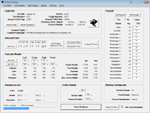
FS2004/FSX Flight Analyzer Utility V4.09
Flight Data Recorder - Logbook.
NOW WITH STATISTICS TOP 5 AIRPORTS, CITIES AND COUNTRIES.
Very easy to use, just make a flight plan in the simulator or in this utility.
What this program do:
- quickly change the settings of FSX/Fs2004, such as time, date, fuel, weight, traffic etc.
- start a failure sytem, such as gear, flaps, engine, etc.
- freeze the time, so you can fly in a for everlasting sunset.
- runway detecting system to see wich runways are in use.
- flight analyzing/data recording from departure to parking at the gate.
- When flight analysis is finished you can print a report, the report is automaticly saved as pdf File.
- graphical landingchart.
- record all your flights
- quickly look to your FSX display settings (only FSX) and change them even before the flight simulator is running.
- After a flight is finished FsQC saves your flight automaticly as 'FsQC last Flight', so you can continue the next day or hour.
Flight analysis start recording at the moment when you begin taxiing.
It gives you huge information such as:
- takeoff- and landing-weight.
- takeoff- and landing-roll in m. and ft.
- separate fuel consumption in taxi, climb, cruise and descent.
- maximum banking in flight.
- which speed you using the flaps and gear.
- when autopilot on or off.
- vertical speed on touchdown.
- reverser set after landing.
- wich speed you cancel reverser.
- bouncing at landing.
- graphical landingchart.
- and lots of more.
You can better look the example of the pdf document located in the 'Flight Reports' folder.
Logbook records:
- fuel consumption.
- payload.
- distance.
- number of different airports.
- flight hours.
- landings.
- flaps.
- speed.
- and lots of more.
- quickly show touchdown wind information in a picture.
- quickly show the graphical landing chart.
- Now with statistics: top 5 Countries, Cities and Airports
Requirements:
Computer with vista or higher and internet access.
Microsoft .net framework 4.6 or higher.(free download on microsft.com)
Flightsimulator FSX or 2004 and FSUIPC installed.
Note: requires paid activation for full use.
Register and you have 1 month free.
Program fully works without registration at airport Athens and Iraklion (Greece)
| Filename: | FS2004FSX_Flight_Analyzer_Logbook_Utility_V409.zip |
| License: | Shareware, time limited |
| Added: | 3rd March 2019, 00:20:37 |
| Downloads: | 251 |
| Author: | Evander Tholen |
| Size: | 3.35 MB |
| Category: Flight Simulator X - Utilities | |
| Lord of the Landing V1.8 : Landing Training Environment |
|
Images related to this file:
File Description:
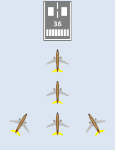
Lord of the Landing V1.8 : Landing Training Environment for FSX. A SimConnect application to help repeated landing training, and analyze and evaluate your landing data. 3 main functions are :
(1) Position Set. You can move instantly to final approach course of ANY runway of ANY airport in the world(e.g. KLAX 25L 4NM 1200ft).
(2) Landing Report. It analyzes, evaluates and displays your landing data(V/S, Flare Distance, Centerline Deviation, Pitch, Bank, Sideslip angle, Max V/S).
(3) Analysis plot. It displays approach and landing trajectory (lateral deviation, altitude, airspeed) as plot. It is recommended to use FsTakeoffTrainer with LoLa to practice landing in adverse weather.
| Filename: | Lord_of_the_Landing_V18__Landing_Training_Environm.zip |
| License: | Freeware |
| Added: | 28th February 2014, 23:56:02 |
| Downloads: | 6,723 |
| Author: | Dongjin Shin |
| Size: | 2.34 MB |
| Category: Flight Simulator X - Utilities | |
| Gauges Effects Recover v2.0 |
|
File Description:
Gauges Effects Recover 2.0 (formerly Gauges Recovery v1.2)
- Microsoft Flight Simulator X (any version)
- Microsoft Flight Simulator X Steam Edition
- Lockheed Martin Prepar3D v 1.4
- Lockheed Martin Prepar3D v 2.5
Gauges Effects Recover is very useful in case of instability of your simulator and allows you to avoid having to reinstall the game if you are missing some files.
| Filename: | Gauges_Effects_Recover_v20.zip |
| License: | Freeware |
| Added: | 7th September 2015, 13:26:52 |
| Downloads: | 743 |
| Author: | Rikoooo.com - Erik Bender |
| Size: | 40.42 MB |


© 2001-2026 AVSIM Online
All Rights Reserved
Privacy Policy |