
Where Flight Simulation Enthusiasts Gather from Around the World!
AVSIM Library - Search Results

| Category: Flight Simulator X - Utilities | |
| Flight Simulator First Officer (FSFO) |

|
Images related to this file:
File Description:
Flight Simulator First Officer is a generic virtual copilot that can be used with any aircraft. The primary function of FSFO is to assist the Pilot In Command (PIC) to fly the aircraft safely while adhering to Standard Operating Procedures (SOPs). This is accomplished via virtual checklist and sharing of cockpit duties/responsibilities. Specifically, the First Officer reads the following configurable checklist:
Before Start,
After Start,
Before Takeoff,
In-Range,
After Landing and
Shutdown.
After reading the checklist items, the Copilot will wait to ensure you (i.e. the pilot) have configured the aircraft correctly before proceeding to the next item. Also, the Virtual copilot is capable of performing the following actions:
Call Vspeeds based on your input,
Raise the Landing Gear on Takeoff,
Retract the Flaps,
Manage the taxi/landing lights,
Land the Aircraft,
Tune the ILS frequencies,
Call Climb Power based on your input,
Reset Vertical Speed when the Aircraft is within 1000 ft of the programmed altitude,
IAS warning (e.g. Aircraft is above 250 IAS while below 10000 ft),
GS Warnings (e.g. Aircraft is above 25 knots while taxing),
Resets the altimeter to standards when passing TA,
Engage Heading Hold on Takeoff,
Engage Altitude Hold on Takeoff,
Reset Speed on Takeoff,
Engage Speed Hold on Takeoff,
Engages Rev Thrust on Landing,
Ground Proximity Warning System (GPWS) and
much more...
visit us at http://www.flightsimfirstofficer.com/
| Filename: | Flight_Simulator_First_Officer_FSFO.zip |
| License: | Freeware, limited distribution |
| Added: | 15th September 2012, 16:58:12 |
| Downloads: | 5,185 |
| Author: | Matthew King |
| Size: | 49.1 MB |
| Category: Flight Simulator X - Utilities | |
| ReduceAI |
|
File Description:
ReduceAI is a simple tool that helps you in reconfiguring the flightplans of AI traffic packages to better respect the user's traffic density settings. Many add-on AI traffic developers do not include the granularity options provided by the flight simulator's settings dialog, but compile their packages as "all or nothing", displaying either the full traffic load or no traffic at all. ReduceAI provides a command line tool to adjust AI traffic packages to better respect the traffic density settings by distributing the number of active flights in proportion to the different traffic density settings.
Package also includes "AnalyzeAI" to analyze the density distribution of flight plan files.
| Filename: | ReduceAI.zip |
| License: | Freeware |
| Added: | 15th November 2006, 21:40:30 |
| Downloads: | 3,664 |
| Author: | Henning Schaefer |
| Size: | 110.53 KB |
| Category: Flight Simulator X - Utilities | |
| Intelligence Cabin Announcements (ICA) V 1.1 Update |
|
File Description:
This File is an update for ica_v_1.0.zip.(download avsim) Previous installation is required!!
Unzip in your Flight Simulator X modules directory and overwrite previous version (announcement.lua).
What does it do?
Fix for double sounds in turbulence situations e.g turbulence announcement and climb announcement at the same time.
Fix for turbulence minimum length to 90 seconds.
While turbulence no other announcement will play now.
| Filename: | Intelligence_Cabin_Announcements_ICA_V_11_Update.zip |
| License: | Freeware |
| Added: | 1st July 2011, 22:09:23 |
| Downloads: | 2,196 |
| Author: | Rainer Kunst |
| Size: | 3.95 KB |
| Category: Flight Simulator X - Utilities | |
| Universal Take Off Performance Information Application (UTOPIA) 1.3 |
|
File Description:
This is the Universal Take Off Performance Calculator (UTOPIA) Version 1.3. UTOPIA suggests a derate for a number of aircraft at a given runway, weight and weather conditions. New version brings Engine Derate and calculation method options, auto airport, improved TOPL calcs and other minor tweaks. New take off data files for : QW788, QW789, QW BAe146 and RJ and Wilco A340-600 TOD.
| Filename: | Universal_Take_Off_Performance_Information_Applica.zip |
| License: | Freeware |
| Added: | 1st October 2018, 18:31:03 |
| Downloads: | 28,764 |
| Author: | Ian Webber |
| Size: | 961.84 KB |
| Category: Flight Simulator X - Utilities | |
| Super Flight Planner 4 |
|
File Description:
FS2004/FSX Super Flight Planner 4.0.4 by Alessandro G. Antonini. This is a very advanced Flight Planner featuring a state of the art Moving Map (drawn using either vector layers or a bitmapped texture, zoom-in, zoom-out, zoom-window, pan, rotation and globe projections), DP-STAR and Airways support plus a lot of import/export options (can import and export from a lot of 3rd party tools such as Radar Contact, MS-GPS and supports data formats such as XML and CSV). May create simple Flight Plans using a Wizard or more advanced manual Plans with or without autorouting. Awesome GPS display through FSUIPC. Freeware.
| Filename: | Super_Flight_Planner_4.zip |
| License: | Freeware |
| Added: | 8th June 2008, 21:53:44 |
| Downloads: | 8,930 |
| Author: | Alessandro Antonini |
| Size: | 25.83 MB |
| Category: Flight Simulator X - Utilities | |
| Flight Simulator First Officer V2 |
|
Images related to this file:
File Description:
Flight Simulator First Officer is a generic virtual copilot that can be used with any aircraft. The primary
function of FSFO is to assist the Pilot In Command (PIC) to fly the aircraft safely while adhering to
Standard Operating Procedures (SOPs). This is accomplished via virtual checklist and sharing of cockpit
duties/responsibilities. Specifically, the First Officer reads the following configurable checklist:
- Pre-Flight
- Before Start
- After Start
- Before Takeoff
- In-Range
- After Landing
- Shutdown
After reading the checklist item, the Copilot will wait to ensure you (i.e. the pilot) have configured the
aircraft correctly before proceeding to the next item. Also, the Virtual copilot is capable of performing
the following actions:
1. Call Vspeeds based on your input
2. Raise/Lower the Landing Gear on Takeoff/Landing
3. Retract the Flaps
4. Extend the Flaps
5. Manage the taxi/landing/strobe lights
6. Tune the ILS frequencies
7. Call Climb Power based on your input
8. Reset Vertical Speed when the Aircraft is within 1000 ft of the programmed altitude
9. IAS warning (e.g. Aircraft is above 250 IAS while below 10000 ft)
10. GS Warnings (e.g. Aircraft is above 25 knots while taxing)
11. Resets the altimeter to standards when passing TA
12. Engage Heading Hold on Takeoff
13. Engage Altitude Hold on Takeoff
14. Reset Speed on Takeoff
15. Engage Speed Hold on Takeoff
16. Engages Rev Thrust on Landing
17. Ground Proximity Warning System (GPWS)
18. Over Speed Warning
19. Stall Warning
20. Bank Angle Warning
21. Vref monitoring
22. Set AutoBrakes
23. Loads Fuel/Payload
24. Random Payload/Pax generator
25. Plus much more!
Share checklist and report bugs here: http://flightsimaddons.proboards.com/index.cgi#general
| Filename: | Flight_Simulator_First_Officer_V2.zip |
| License: | Freeware, limited distribution |
| Added: | 21st December 2013, 21:58:46 |
| Downloads: | 3,240 |
| Author: | Matthew King |
| Size: | 60.63 MB |
| Category: Flight Simulator X - Utilities | |
| Super Flight Planner 4.0.5 |
|
File Description:
FS2004/FSX Super Flight Planner 4.0.5 by Alessandro G. Antonini. This is a very advanced Flight Planner featuring a state of the art Moving Map (drawn using either vector layers or a bitmapped texture, zoom-in, zoom-out, zoom-window, pan, rotation and globe projections), DP-STAR and Airways support plus a lot of import/export options (can import and export from a lot of 3rd party tools such as Radar Contact, MS-GPS and supports data formats such as XML and CSV). May create simple Flight Plans using a Wizard or more advanced manual Plans with or without autorouting. Awesome GPS display through FSUIPC. Freeware.
| Filename: | Super_Flight_Planner_405.zip |
| License: | Freeware |
| Added: | 13th November 2008, 15:01:31 |
| Downloads: | 15,259 |
| Author: | Alessandro Antonini |
| Size: | 26.29 MB |
| Category: Flight Simulator X - Utilities | |
| LACTO - Landing Performance Calculation Tool |
|
File Description:
LACTO is a tool for calculating landing length and autobrake required for the PMDG 737-800 and -900. All airports are covered. It is contained in an excel sheet. All you have to do is input the airport name and it will calculate the lowest autobrake level required for a safe landing.
| Filename: | LACTO__Landing_Performance_Calculation_Tool.zip |
| License: | Freeware, limited distribution |
| Added: | 28th October 2015, 15:04:18 |
| Downloads: | 447 |
| Author: | Oliver Mitchell |
| Size: | 47.58 KB |
| Category: Flight Simulator X - Utilities | |
| SceneryConfigEditor v1.1.0 |
|
Images related to this file:
File Description:
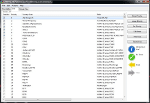
FSX/FS9 Scenery .cfg editor. Allows the user to check/alter their scenery .cfg for FS. Inbuilt error checking and status indication. Ability to add new scenery/delete scenery, form scenery into useful groups and enable/disable same.Gives three different views, editable cfg text editor,list view of installed scenery and group view. Drag and drop is enabled and a descriptive manual included. Users of previous versions are advised to upgrade to this version, as a number of bugs have been fixed and further features have been added
| Filename: | SceneryConfigEditor_v110.zip |
| License: | Freeware |
| Added: | 19th December 2011, 17:23:15 |
| Downloads: | 3,896 |
| Author: | Andrew Thornton |
| Size: | 3.74 MB |
| Category: Flight Simulator X - Utilities | |
| FSX Settings Editor Version 1.1 |
|
Images related to this file:
File Description:

Update! New version fixes WideViewAspect setting not working in the earlier version. It also lets you see the last profile that was applied. Please uninstall the earlier version, and then install this.
FSX Settings Editor lets you create fsx.cfg profiles for different scenarios which you can quickly apply to your fsx.cfg file. Create different settings profiles and switch between them quicker than ever before. Some of the scenarios for which profiles can be created:
- Flying Rural Areas with Light GA Aircraft (Graphics can be set High)
- Flying Dense Urban Areas (Graphics can be lowered to improve FPS)
- Different profiles for flying VFR, IFR, max weather, min weather max terrain etc
- Testing out different settings to achieve max FPS with acceptable eye-candy
I created this tool to help me quickly change my FSX settings to the type of flight I intend to perform. Manually editing the fsx.cfg file, keeping separate copies of fsx.cfg file for different scenarios, or using the limited FSX save config functionality proved cumbersome and time-consuming.
Please backup your fsx.cfg before using this tool. Comments, issues, questions or suggestions are welcome.
Requires Microsoft .Net 4.0 Client Profile Installed. To Install: Run the setup and launch the program from your desktop. Email: [email protected]
| Filename: | FSX_Settings_Editor_Version_11.zip |
| License: | Freeware |
| Added: | 27th September 2015, 20:26:01 |
| Downloads: | 1,370 |
| Author: | Vishal Agarwal |
| Size: | 268.17 KB |


© 2001-2026 AVSIM Online
All Rights Reserved
Privacy Policy |