
Where Flight Simulation Enthusiasts Gather from Around the World!
AVSIM Library - Search Results

| Category: Flight Simulator 2004 - AI Aircraft | |
| Cape Air 'The Green Machine' Cessna 402C (N290CA) |

|
Images related to this file:
File Description:

Cape Air has the largest fleet of Cessna 402's in the world. This is an AI rendition using Henry Tomkiewicz's model of Cape Air's "Green Machine" livery with the green tail bearing a sunburst with the text 'Solar Powered Headquarters'. The fuselage bears text which reads 'Committed to environmental sustainability'. I was inspired to do this repaint by Mr. Travis Vanterpool, who works for Cape Air and has seen this aircraft in real life on the ramp. He also was kind enough to check the repaint over before releasing it to the public. Thank you Travis. Hopefully this continues to improve the quality of your Cape Air AI fleet. This is a "textures only" package; you must have the HTAI / Henry Tomkiewicz Cessna 402C Utiliner installed. It is available from the HTAI models site (http://www.htaimodels.com).
| Filename: | Cape_Air_The_Green_Machine_Cessna_402C_N290CA.zip |
| License: | Freeware, limited distribution |
| Added: | 9th July 2012, 08:31:55 |
| Downloads: | 1,367 |
| Author: | Jeffrey S. Bryner, Henry Tomkiewicz (HTAI) |
| Size: | 179.17 KB |
| Category: Flight Simulator 2004 - Miscellaneous Files | |
| High Quality Snow and Grass Textures ** UPDATED VERSION ** |
|
Images related to this file:
File Description:
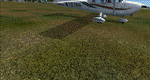
Drzewiecki Design Grass is a freeware, fully automated package of ultra high quality, 4096x4096 pix grass and snow textures for Microsoft Flight Simulator 2004, Microsoft Flight Simulator X, FSX:SE and Lockheed Martin Prepar3D (all currently available versions). It will enhance ground textures in the whole FS.
Microsoft Flight Simulator X and Lockheed Martin Prepar3D have texture resolution limit, which is 1024x1024 pixels. It is possible to select higher resolution by manually editing configuration files but Drzewiecki Design Grass will do that for you automatically!
Default FS9's grass is 128x128pix and with Drzewiecki Design Grass you can admire the 1024x1024 ground texture resolution.
Extra features: Drzewiecki Design Grass will automatically add a HIGHMEMFIX=1 tweak to your FS, which will prevent texture disappearing from aircraft and buildings + snow texture for winter flying.
Enjoy your virtual flying with Drzewiecki Design!
| Filename: | High_Quality_Snow_and_Grass_Textures__UPDATED_VERS.zip |
| License: | Freeware, limited distribution |
| Added: | 25th May 2016, 11:08:44 |
| Downloads: | 1,283 |
| Author: | Drzewiecki Design |
| Size: | 9.21 MB |
| Category: Flight Simulator 2004 - AI Aircraft | |
| Wilderness Air Botswana (Livery Pack) |
|
Images related to this file:
File Description:
This pack contains a repaint sampling of four Cessna 208B's and five Cessna 206's operated by Wilderness Air (ex Sefofane) out of Maun, Botswana.
Included are flightplans depicting Wilderness Air Botswana's Okavango Delta/Kalahari inter-camp schedule, intermixed with some representative charters within Botswana.
Requires the freeware HTAI Cessna 208B model (http://htai-models.com/downloads/models/ai_cessna_c208b_grand_caravan.zip).
To get the HTAI Cessna 206 model, if you don't already own a copy, you'll need to purchase the HTAI Cessna Single-Engine Props package (http://htai-models.com/projects.html). The real ones flown by WA have cargo pods; the HTAI C206 doesn't.
You might want to use this pack with my Botswana scenery (botswana_airports.zip) and the three updates that go with it (botswana_airports_update_1.zip, botswana_airports_update_2.zip, and botswana_airports_update_3.zip). The scenery contains all the airports and parking spaces required to make these plans work.
| Filename: | Wilderness_Air_Botswana_Livery_Pack.zip |
| License: | Freeware |
| Added: | 30th July 2014, 15:26:51 |
| Downloads: | 428 |
| Author: | David Atkinson |
| Size: | 2.45 MB |
| Category: Flight Simulator 2004 - Flight Plans | |
| Hopping Round The World Adventure - Pack 21 |
|
File Description:
Taking off from Martha's Vineyard you head to Boston. Once you prepare to leave Boston for Manchester, NH you see the downtown silhouette in the night sky. Soon you discover its lights out while preparing to land. Can you land in zero visibility? We run into another winter storm bringing heavy snow and rain. You can expect to see another winner of a sunset and sunrise. We are making good progress but your IFR skills will be put to good use for sure. The Learjet versatility for short and long runways keeps it as a favorite up to this point.
| Filename: | Hopping_Round_The_World_Adventure__Pack_21.zip |
| License: | Freeware |
| Added: | 21st December 2003, 03:09:02 |
| Downloads: | 2,983 |
| Author: | David Dossiere |
| Size: | 2.06 MB |
| Category: Flight Simulator 2004 - Aircraft Repaints, Textures and Modifications | |
| Propeler Texture for Piper Chrokee and DH Dash8-100 |
|
File Description:
This is a new texture for original airplane of FS2004/FS2002, if you needed another texture to any number of blades send me a mail to [email protected] or [email protected] which you spesification who do you like your texture
| Filename: | Propeler_Texture_for_Piper_Chrokee_and_DH_Dash8100.zip |
| License: | Freeware |
| Added: | 1st March 2005, 20:53:41 |
| Downloads: | 247 |
| Author: | Rafael Ledezma |
| Size: | 333.77 KB |
| Category: Microsoft Flight Simulator (2020) - Utilities | |
| Flightplan Visualizer 1.19 |
|
Images related to this file:
File Description:
Flightplan Visualizer (FV) version 1.19.0. Copyright 2018-2021 by Pelle F. S. Liljendal ([email protected]), all rights reserved.
FV comes with 1164 pre-imported AI flightplans (of which +380 are BizJet flightplans, the rest are commercial). However you are able to import additional (AI) flightplans yourself. Once imported these (AI) flightplans can be visualized on a map-view, and the user will be able to search accross all these. Hence you can use the program as inspiration as to which routes to fly. E.g. you can search across all imported flightplans to find all flights in an A321 flying into/out from LDDU, or simply to look for all flights in a Boeing 747-8F.
Simply run the included installer to install the software. The program will be installed into "C:\Program Files (x86)\Flightplan Visualizer" and all datafiles will be installed into: "C:\Users\[UserName]\AppData\Roaming\FlightplanVisualizer". The program comes with a full manual explaining everything, and a 3 page quick manual to get you started. The first 3 times you run the program the quick manual will automatically open. The forum is hosted here: https://forum.aerosoft.com/index.php?/forum/919-flightplan-visualizer/
Version 1.19 Contains the following changes:
- The release-version of the application is now aimed at 64-bit (granting access to more memory if needed). Enabling 64-bit adds a memory overhead of approx 50% compared to 32-bit, but its the "price to pay" to have access to more memory (for those of you with many active flightplans loaded into memory at the same time).
- FV can now connect to your simulator using FSUIPC (tested both with P3D and MSFS). By default you will have to manually connect/disconnect (using new menu-items in the File-menu). However in settings you can choose to do it automatic. When automatic-connection is selected the connect/disconnect menu-items becomes inactive.
- When connected to a sim, the location/heading of your aircraft can be displayed on the map, using an orange aircraft-marker, and hoovering the mouse over this marker will display some key data (GPS-location, altitude, heading, speed and so on).
- Added abillity to playback audio-files. In settings you can choose which audio-device to use, and set the volume at which these files are played (defaults to 50%). If volume>0 these files will automatically be played back whenever FV connects to/disconnects from the Sim.
- Added additional icons that are automatically selected to indicate when the program is connected to the simulator. Hence the icon in the main-form will indicate if FV is connected to a simulator or not.
- In the form for editing (user)-airlines and in the form for searching airlines the context menu now have a menu-item called "Show usage". When selected, it will generate a report showing all the (active) flightplans in which the airline is used.
- Added a new "Manual" check-box next to the load-factor when editing user-airlines. This check-box needs to be checked if you want to manually enter a load-factor. When not checked (default) the load-factor will automatically be set to the default value of the selected country.
- When editing user-airlines, the airline just added/edited will be visible and selected in the list-view. Likewise when deleting an airline, the previous item will be be visible/selected (in stead of always scrolling to the top afterwards, as in previous versions).
- The Insert/Delete keyboard-keys can now be used as shortcuts adding/deleting user-airlines and user-aircraft (both owned and types).
- The gate-map context-menu (Airport Info), now allows you to re-center the map (in case your have been panning the map, and can't locate the airport again).
- Added a new menu-item/form to calculate head/cross-wind from manually entered flight/runway-heading and wind-direction/speed. Don't forget the runways tab-page in the Airport-info form already calculates this for each runway (and wind-direction/speed is automatically obtained from METAR).
- Added a new menu-item/form to convert plain-text into morse-code. There is also a button that lets you listen to the generated morse-code, so you can practice your morse-code listening skills (e.g. entering an ILS/VOR-ident, to know which morse-code to listen for in the aircraft, to verify the correct ident is reqeived).
- The "Cruise speed" column have been removed from the aircraft tab-page of the Edit Flightplan form to make more room for the Carrier/Operator-columns. In the past these simply contained the ICAO for the airlines. Now it both contains: ICAO, IATA (if not blank) and Name.
- The criteria in the leg-search window now allows you to filter on departure/arrival week-days (e.g. only include flights departing a particular airport on a Saturday or Sunday).
- When using the flightplan-filter on the main-form, it will favour the current active flightplan (as in previous versions), however if not able to, it will select the first flightplan included in the filtered list (in stead of choosing "[None]").
- Improved import of AIGFP-flightplans where the airport is not contained within the embedded airport.txt file and is using a different ICAO-code in route-files (observed for "AIG_UTair_Summer2018v6" and "AIG_S7Airlines_Winter2019-2020v3").
- Added runway-info (for both Departure/Destination-airports) to the flightplan leg-report. For ILS-eqiupped runways its lists the ID (both as text, as morse-code), frequency and ils-slope.
- Morse-code also added to ILS-ID column on the "Runways" tab-page of the airport-info form. Above the list-view there is also a label showing the morse-code (using a larger font), and next to it there is a button that lets you listen to the morse-code.
- Traffic-pattern direction (for take-off and landing) are now displayed for each runway. These data are extracted from the scenery by MakeRunways, hence the info can't be "better" than the info in the scenery (hence most default airports simly shows 'Left').
- Current/peak- memory usage is now logged at various stages while running, and when closing the program. These values can also be observed opening the about-box, which will also forcefully append these values to the log.
- When using MkRwy with MSFS it can't obtain the country-name, hence these are taken from the airport-database embedded with FV. However the name for USA ("United States of America") is too long to be shown together with state-name, hence code have beed added it to shorten it to "United States" (which was the default country-name used in FSX/P3D).
- Changed font in Comments-box for user-aircraft to a fixed font, in case some users what to enter text "in columns" (e.g. if you make "tables" with speed-restrictions).
- Changed the color of the splitter-bars in the Airport-info and leg-search forms to a draker color, to better indicate where it is.
- The build-part of the version-number can now be ignored when performing the automatic version-check at start-up. This new setting is by default disabled. If enabled it will ignore changes from version 1.x.0 to 1.x.1 (e.g. an update from 1.19.0 to 1.19.1). However major/minor versions-updates (e.g. from 1.19.x to 1.20.x) will not be ignored.
- Fixed: Excessive logging while importing AIGFP flightplans removed (leftover from fixing a bug before the release of version 1.18).
- Fixed: When using kg in the leg-info report, the weight of Luggage incl. pax weight (shown in parentees) was wrong.
- Fixed: Button to open filter-manual on Gate-page of the Airport-info form was not visible/position was not fixed.
- Fixed: The wind-speed obtained from the METAR and used to calc head/tail-wind on the Runway tab-page of the Airport-info form, did not considder the unit (e.g. Khp or meters-per-second).
- Data: A VERY BIG THANK YOU to Bruce Nicholson for assistance updating the Airline-database, both with new/missing entries and marking defunct airlines as such.
- Data: A lot of "fictios airlines" was added as well. These are used for companies without official ICAO/IATA codes. To indicate they are fictios the ICAO-code is set to "---" and the IATA-code is used to indicate the kind of traffic (e.g. the combination "---/BZ" is used for biz-jet flights).
- Data: Also thanks to Bruce for pointing out that a few aircraft were not being detected as they should. So this version should do a better job with Cessna T206H, Cessna Citation SII/S550 and Global 7500.
- Flightplans: The bundled AIG flightplans have been updated to the latests versions/revisions available from AIG (there were a few defunct that was removed, a few new versions that was added, and a lot of new revisions being updated).
- Flightplans: Eric Steinmetz's Bizjet (AI) flightplans that have previously been available as a separate download are once again bundled with the installer (they are only installed if you choose the option during installation). These have all been updated to use the new "---/BZ" airlines (for companies without official ICAO/IATA-codes), and the Author/Provider have been set to "Eric Steinmetz"/"ESAI" (the previous/separate download was created before adding author/provider to the software).
Pelle
| Filename: | Flightplan_Visualizer_119.zip |
| License: | Freeware, limited distribution |
| Added: | 2nd May 2021, 00:02:01 |
| Downloads: | 280 |
| Author: | Pelle Liljendal |
| Size: | 35.71 MB |
| Category: Flight Simulator 2004 - Flight Plans | |
| Hopping Round the World Adventure - Pack 12 |
|
File Description:
Truth or Consequences? Yes! There is such a place in the USA. I know that FS2004 has grass runways but it was interesting to see KTCS with a paved runway and multiple grass runways as well. Get you mower humming. Don't let the sun in your eyes affect your dusk landing in the mountains. This pack should separate the men from the boys. How does the saying go? Be careful what you wish for because you might get it. Finally the equipment failures creep up and bite you if you don't pay attention. Decision, decision. What will you do? Do you know how to hand crank your landing gears. No belly flopping allowed. Luck may be on your side this day as every pilot will attest. Remember, you must make it to your assigned destination. No excuses!
| Filename: | Hopping_Round_the_World_Adventure__Pack_12.zip |
| License: | Freeware |
| Added: | 11th October 2003, 05:01:28 |
| Downloads: | 3,809 |
| Author: | David Dossiere |
| Size: | 2.39 MB |
| Category: Flight Simulator 2002 - Scenery | |
| Lake Hood, Alaska |
|
File Description:
This is a simple bgl that adds a series of red and green navigation buoys to Lake Hood at Anchorage. It is for use with the Nightwolf Air Services scenery for Alaska. Once you land, you cannot see the channels and slips leading to the NAS dock, so these will help you find your way and keep you in the water.
| Filename: | Lake_Hood_Alaska.zip |
| License: | Freeware |
| Added: | 30th September 2002, 16:25:47 |
| Downloads: | 1,154 |
| Author: | John L. Woodward |
| Size: | 2.61 KB |
| Category: Miscellaneous Files - Demos from Commercial Vendors | |
| Space Station Manager |
|
File Description:
Realize your dream of building a space station with this relaxing game. Enabled with an intuitive interface you will be building your dream station withing minutes. Let your creativity flow and apply you problem solving skills to master higher levels of station building lore. If you feel like taking a break you can just sit back and watch the earth flow slowly below.
| Filename: | Space_Station_Manager.zip |
| License: | Commercial demo |
| Added: | 14th November 2003, 00:02:09 |
| Downloads: | 261 |
| Author: | Mistaril |
| Size: | 4.3 MB |
| Category: Flight Simulator 2004 - Scenery | |
| GARversion Tropical Island |
|
File Description:
This is a made-up island in the middle of the
Carribean. This will be your own island. So
you own it as a government or president. You
can also drive around the island using the airport
bus (included). Also you name it (and the airport)
and you claim it. Merry Christmas Enjoy!!! Vitsit our website, www.freewebs.com/gar11/ for more information
| Filename: | GARversion_Tropical_Island.zip |
| License: | Freeware |
| Added: | 14th December 2005, 22:24:14 |
| Downloads: | 575 |
| Author: | Gareth Scott or GARversion |
| Size: | 1.97 MB |


© 2001-2026 AVSIM Online
All Rights Reserved
Privacy Policy |