
Where Flight Simulation Enthusiasts Gather from Around the World!
AVSIM Library - Search Results

| Category: Flight Simulator 2004 - Gauges | |
| Landing Speed Gauge |

|
File Description:
This XML gauge installs as a pull-down, activated by shift+num where num depends on how many such pull-downs you have in the aircraft. You activate it during the flight before landing. You can move it or make it dissappear after activation. During flight it shows these speeds continuously in digital form. When you land the aircraft, it will show the indicated airspeed at landing and the vertical speed (when you make it appear). The values are frozen so you can jot them down. Pause the aircraft during roll-out and jot down the values. They may go to zero if the aircraft stops. It resets automatically when you take off. It also has been used by people with FSX with no problems.
| Filename: | Landing_Speed_Gauge.zip |
| License: | Freeware |
| Added: | 11th March 2007, 11:37:53 |
| Downloads: | 1,617 |
| Author: | Tom Goodrick |
| Size: | 3.57 KB |
| Category: Flight Simulator 2004 - AI Flight Plans | |
| ATLAS Air Cargo |
|
Images related to this file:
File Description:

These are Atlas Air Cargo fictional flight plans that were lost in the AVSIM hack. I found them on an old CD of files and these are old flight plans.
The original author can not be reached, so I am re-uploading on his behalf.
This is for any of you newer guys that have never seen Atlas Cargo in your virtual skies.
I will also be uploading other old files I have found that were lost in the AVSIM hack. I have a bunch of them.
The correct call sign for ATLAS is : Giant
It should be in your voice pack.
If it isnt, send me an email. (see the read me included for my contact information, and I will email the voice mod to you or upload it to AVSIM).
| Filename: | ATLAS_Air_Cargo.zip |
| License: | Freeware |
| Added: | 25th December 2010, 11:33:13 |
| Downloads: | 344 |
| Author: | Raymond Karsten reuploaded by: Roger Martin |
| Size: | 16.06 KB |
| Category: Flight Simulator 2004 - Utilities | |
| FS Launcher |
|
File Description:
Yes I know there are more programs like this, but this one includes some features I have missed:
You can optionally select the start flight from your saved flights and you can also set another time or weather for it.
And there is something else, which may sound familiar to you:
You had a nice flight yesterday with VATSIM or IVAO with your FS configured to keep running during temporary application changes.
Today you are flying on your own and are on short final for landing when you get interrupted by another application (like an incoming email).
When you came back to FS you may find your aircraft with it's nose in the ground because it did not wait for you.
Besides the usual preparations, FSLaunch lets you set the pause configuration before starting FS.
The program is in English and German and provides a short help file.
| Filename: | FS_Launcher.zip |
| License: | Freeware, limited distribution |
| Added: | 11th May 2005, 15:21:48 |
| Downloads: | 1,276 |
| Author: | Wolfgang Meininghaus |
| Size: | 590.67 KB |
| Category: Prepar3D V1-4 - Utilities | |
| Flightplan Visualizer 1.8 |
|
Images related to this file:
File Description:
Flightplan Visualizer (FV) version 1.8.0. Copyright 2018 by Pelle F. S. Liljendal ([email protected]), all rights reserved.
FV comes with 300 Commercial-, and +380 BizJet AI pre-imported flightplans which the creators of those flightplans have gracefully allowed me to include with the installer, however you are able to import additional (AI) flightplans if you want to. Once imported these (AI) flightplans can be visualized on a map-view, and the user will be able to search accross all these. Hence you can use the program as inspiration as to which routes to fly. E.g. you can search across all imported flightplans to find all flights in an A321 flying into/out from LDDU, or simply to look for all flights in a Boeing 747-8F.
Simply run the included installer to install the software. The program will be installed into "C:\Program Files (x86)\Flightplan Visualizer" and all datafiles will be installed into: "C:\Users\[UserName]\AppData\Roaming\FlightplanVisualizer". The program comes with a full manual explaining everything, and a 2 page quick manual to get you started. The first 3 times you run the program the quick manual will automatically open. Lacking a “proper forum†I have - for now - setup a Facebook group for support. This group is called “Flightplan Visualizerâ€, and you can seek membership via this link: https://www.facebook.com/groups/FlightplanVisualizer/
If you are installing this version on top of a version prior to 1.7 the program will start slower than ususal and display a lot of warnings. This is because it fileformat of the pre-imported flightplans was changed between version 1.6 and 1.7, so starting version 1.8 it will update all flightplans (and in the progress it will display all those warnings). The next time you start FV you will no longer see this warnings as all flightplans will have become updated.
Pelle
| Filename: | Flightplan_Visualizer_18.zip |
| License: | Freeware, limited distribution |
| Added: | 16th December 2018, 01:30:27 |
| Downloads: | 330 |
| Author: | Pelle Liljendal |
| Size: | 24.48 MB |
| Category: Prepar3D V1-4 - Utilities | |
| Flightplan Visualizer 1.7 |
|
File Description:
Flightplan Visualizer (FV) version 1.7.1. Copyright 2018 by Pelle F. S. Liljendal ([email protected]), all rights reserved.
FV comes with 300 Commercial-, and +380 BizJet AI pre-imported flightplans which the creators of those flightplans have gracefully allowed me to include with the installer, however you are able to import additional (AI) flightplans if you want to. Once imported these (AI) flightplans can be visualized on a map-view, and the user will be able to search accross all these. Hence you can use the program as inspiration as to which routes to fly. E.g. you can search across all imported flightplans to find all flights in an A321 flying into/out from LDDU, or simply to look for all flights in a Boeing 747-8F.
Simply run the included installer to install the software. The program will be installed into "C:\Program Files (x86)\Flightplan Visualizer" and all datafiles will be installed into: "C:\Users\[UserName]\AppData\Roaming\FlightplanVisualizer". The program comes with a full manual explaining everything, and a 2 page quick manual to get you started. The first 3 times you run the program the quick manual will automatically open. Lacking a “proper forum†I have - for now - setup a Facebook group for support. This group is called “Flightplan Visualizerâ€, and you can seek membership via this link: https://www.facebook.com/groups/FlightplanVisualizer/
If you are installing this version on top of a version prior to 1.7 the program will start slower than ususal and display a lot of warnings. This is because it fileformat of the pre-imported flightplans was changed between version 1.6 and 1.7, so starting version 1.7 it will update all flightplans (and in the progress it will display all those warnings). The next time you start FV you will no longer see this warnings as all flightplans will have become updated.
Pelle
| Filename: | Flightplan_Visualizer_17.zip |
| License: | Freeware, limited distribution |
| Added: | 27th November 2018, 17:23:12 |
| Downloads: | 463 |
| Author: | Pelle Liljendal |
| Size: | 23.28 MB |
| Category: Flight Simulator 2002 - Panels | |
| Purple Panel Package v3 |
|
File Description:
This is the final update for the purple panel series, it includes panels for Single Piston Engine, Twin Piston Engine, Single Jet, Twin Jet, Twin TurboProp, along with 3 and 4 Jet aircraft. These are 'all-in-one' panels that include everything needed to fly in one window/panel. Features include pushback, switches for lights and power, radio altimeter, OAT, Clock, Taxi & Door control, APU (where applicable), GPS, Smoke, AutoBrake, Spoiler Arming, full fuel control, Dual Needle RMI, a custom radio plus all the bells and whistles I could fit in the panel like warning lights, pressure and windspeed indicators ect... This update adds a ADF Radio to all panels to go with the Dual Needle RMI, also prop controls have been added to the Single and Dual Piston Engine Panels along with the Twin TurboProp Panel. This is version 3 which is a major upgrade from the original panels, previous versions are not required.
| Filename: | Purple_Panel_Package_v3.zip |
| License: | Freeware, limited distribution |
| Added: | 21st April 2003, 04:04:56 |
| Downloads: | 725 |
| Author: | Don Janusz |
| Size: | 11.02 MB |
| Category: Flight Simulator X - Scenery | |
| Kloten/Zurich Airport - LSZH - Zurich,Switzerland |
|
Images related to this file:
File Description:
This is an accurate and up-to-date version of Zurich Airport with two optional files and made only for FSX, do not use in P3D: There is one version with the Crosswind runways activated and in full operation where all 3 runways will be used for takeoff/landing and one version as the default airport runway operation: A few changes have been made to improve the terminals appearance, assigned parking now updated as per their website including a gate (E67) and a parking spot at the maintenance apron for the A380, ILS added to runway 28 with all approaches and frequencies updated to the latest charts, new control tower, taxiways and taxi signs also updated to the latest charts, support vehicle roads rebuilt and many other scenery improvements and objects added, airport views are from the roof of the new control tower (when in tower view) please view the readme before installation.
| Filename: | KlotenZurich_Airport__LSZH__ZurichSwitzerland.zip |
| License: | Freeware, limited distribution |
| Added: | 15th May 2018, 15:53:03 |
| Downloads: | 44,586 |
| Author: | Ray Smith |
| Size: | 3.65 MB |
| Category: Flight Simulator X - Aircraft Repaints, Textures and Modifications | |
| Piper PA-28 Cherokee (N385BN) |
|
Images related to this file:
File Description:
These are textures only for the A2A Piper Cherokee. This is a fictional paint featuring a custom interior by Tim Scharnop (Tim-HH).
You Must have a paid for copy of A2A Piper Cherokee in order for these textures to work.
| Filename: | Piper_PA28_Cherokee_N385BN.zip |
| License: | Freeware |
| Added: | 18th August 2014, 19:42:08 |
| Downloads: | 456 |
| Author: | Kenneth S Headley |
| Size: | 29.55 MB |
| Category: Flight Simulator X - Aircraft Repaints, Textures and Modifications | |
| Continental McDonnell Douglas MD-80 |
|
Images related to this file:
File Description:
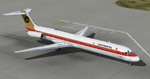
This is a repaint of the MD-80 by CLS/JustFlight in 's old Black Meatball livery. I have also repainted the flightdeck to the blue scheme. You need the original package by CLS/JustFlight to use the textures. Enjoy! -Textures Only-
| Filename: | Continental_McDonnell_Douglas_MD80.zip |
| License: | Freeware |
| Added: | 9th September 2014, 09:13:43 |
| Downloads: | 159 |
| Author: | Joshua Pemberton |
| Size: | 6.86 MB |
| Category: Flight Simulator X - Aircraft Repaints, Textures and Modifications | |
| Cessna C172 (4X-CHQ) |
|
Images related to this file:
File Description:
4X-CHQ for A2A C172. The Plane is operated by F.N.A Aviation (Pilot School LLHZ based). You need the original A2A C172 model. The original plane is C172P, but I prefer the A2A model on every other model. HAVE FUN FLYING IN ISRAEL!!
| Filename: | Cessna_C172_4XCHQ.zip |
| License: | Freeware |
| Added: | 2nd December 2016, 07:22:02 |
| Downloads: | 168 |
| Author: | Ariel Bider |
| Size: | 23.05 MB |


© 2001-2026 AVSIM Online
All Rights Reserved
Privacy Policy |