
Where Flight Simulation Enthusiasts Gather from Around the World!
AVSIM Library - Search Results

| Category: Flight Simulator 2004 - Aircraft Repaints, Textures and Modifications | |
| Payette Air Cargo of Canada D18S |

|
File Description:
Here you will find textures for both the D18S passenger and cargo versions in the colours of Payette Air Charters VA for the Canadian Base at Pitt Meadows, BC. You can find us at http://www.payetteair.com/ You must have the D18S original plane by Milton Shupe, Scott Thomas, André Folkers found at www.avsim.com or www.flightsimonline.com
To see pics click on ZIP DRIVE! next to download.
Payette Air "We Speek Bush Here" a member of the 'Inuksuk Aviation Group'
| Filename: | Payette_Air_Cargo_of_Canada_D18S.zip |
| License: | Freeware |
| Added: | 28th April 2006, 16:44:50 |
| Downloads: | 646 |
| Author: | Nathan Tyson |
| Size: | 9.86 MB |
| Category: Microsoft Flight Simulator (2020) - Utilities | |
| Additional Flightplan Visualizer Airline logos |
|
File Description:
This package contains +1400 addition airline logo's to use with the program Flightplan Visualizer (from version 1.22).
All the logo's are in a special ".CAL" format and can only be used with Flightplan Visualizer. To use these logos you must first download, install and run Flightplan Visualizer (at least version 1.22). You then need to copy all of the ".CAL" files to the folder below, where "[UserName]" have to be replaced by your actual windows username:
C:\Users\[UserName]\AppData\Roaming\FlightplanVisualizer\LogoCache
In stead of manually navigating to this folder, you can also run Flightplan Visualizer and use the menus "File" -> "UserData" which will open an explorer window with the "UserData" folder opened. You then just need to step back to the parent folder, and then open the "LogoCache" folder.
If you have AIG AIM installed on your computer you can in stead of this file, also use a new setting in version 1.22 of Flightplan Visualizer, and set a path to where AIG AIM stores its airline-logo graphic files
| Filename: | Additional_Flightplan_Visualizer_Airline_logos.zip |
| License: | Freeware, limited distribution |
| Added: | 18th October 2022, 23:32:02 |
| Downloads: | 146 |
| Author: | Pelle Liljendal |
| Size: | 60.77 MB |
| Category: Flight Simulator 2004 - Original Aircraft | |
| Armstrong Whitworth AW52 |
|
Images related to this file:
File Description:

A prototype Flying Wing mailplane with Laminar flow wings and blown control surfaces - First flight was on the 13/11/1947. Ver.0.1, By Edward Cook [04/11/08]
| Filename: | Armstrong_Whitworth_AW52.zip |
| License: | Freeware |
| Added: | 30th December 2009, 21:47:27 |
| Downloads: | 1,265 |
| Author: | Edward Cook |
| Size: | 7.42 MB |
| Category: Flight Simulator X - Scenery | |
| Albany International Airport (KALB) Albany, New York |
|
Images related to this file:
File Description:
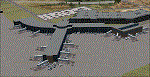
This airport was made using Airport Design Editor, Google Sketchup, and Instant Scenery 2. Albany International Airport, Is an airport located near Albany, New York. The airport has scheduled airline flights. Almost all of the buildings are custom made with photo textures to make it closer to real life. At the main terminal, I added more gates and put moving jetways. The gates have assigned parking codes. There is a parking lot next to the terminal full of cars. I put the airport access road in between the parking lot and the terminal. At the southwest ramp, I put hangars and some you can taxi inside of. If you choose to start off from the southwest DOCK gate, You will start off inside the Million Air Aviation FBO. I also put static aircraft on the ramp too. To the northwest, I put the New York Police hangar. You can start off inside this hangar by choosing the Northwest DOCK gate. Taxiing into or starting off inside a hangar will not cause a crash unless you touch the sides. To the Northeast, I put the cargo terminal with trucks. At the cargo section, I put three FedEx Cessna Caravans. I also put the control tower and the buildings. Tower views are from the roof of the control tower. To the southeast, I put small hangars and the Air National Guard Section with UH-60 helicopters. I extended runway 1/19 to the correct length of 8,500 feet. I also put red, blue, green, and purple Cessna 172s in different places around the airport. There will be more objects if your scenery complexity is set to normal (such as jetways, aircraft, and vehicles). This was all made based on Google Earth Imagery and Bing Maps. There are no night textures for the buildings. This will be added in a future version. An installer program is included to install the airport for you. There will be more versions of this that include night textures and static business jets. This is for Flight Simulator X only. By Tyler Lawrence.
| Filename: | Albany_International_Airport_KALB_Albany_New_York.zip |
| License: | Freeware |
| Added: | 2nd June 2012, 08:14:12 |
| Downloads: | 4,345 |
| Author: | Tyler Lawrence |
| Size: | 47.69 MB |
| Category: Prepar3D V1-4 - Aircraft Repaints, Textures and Modifications | |
| FSX/P3D IRIS Raptor Driver fictional YF-22 Two-Tone maiden flight scheme (N22YF) |
|
Images related to this file:
File Description:

Repaint for the Iris Raptor Driver in the YF-22 Lightning II Two-Tone paint scheme (N22YF). This repaint also works for the FSX Version of the Iris Raptor Driver (but you must have a legal copy of that product). But for P3D users, this plane already comes in the sim as a default aircraft for P3D. So you can install this livery for this plane on the fly. Included are .dds files for a repaint of the Iris Raptor Driver in the YF-22 Lightning II Two-Tone paint scheme (N22YF). Repaint made by Carl Lyndon F. Nepomuceno. If you have any questions/comments or any problems while installing these livery, feel free to contact me on [email protected]
| Filename: | FSXP3D_IRIS_Raptor_Driver_fictional_YF22_TwoTone_m.zip |
| License: | Freeware |
| Added: | 11th January 2020, 19:20:22 |
| Downloads: | 109 |
| Author: | Carl Lyndon F. Nepomuceno |
| Size: | 5.93 MB |
| Category: Orbiter - Miscellaneous Files | |
| Scheduled Moon Flights (AP) |
|
File Description:
Flightplans for AutopilotMFD ver. 1.7 (copyright R. Bumm), for all the bases on the Moon. The moon routes are set up as shown in the attached time table (see image link). However, for this to work -to the full - you should have installed AutopilotMFD, the moon bases: Moonbase Alpha, Brighton Beach, Lunox, Shado Base, Clavius Base and the new lunar spaceport Heinlein. Also, you should
have the new Eagle freighter, and the new Deltaglider EX (spacecraft3.dll)
heavy transporter.
The bases can only be downloaded at www.orbithangar.com/www.spacesimmods.com.
Every route will be automatically executed according to the flightplan (Autopilot controlled).
In this updated version you can fly to/from Heinlein and also commute between Moon (Brighton Beach) and Earth (Cape Canaveral)!
| Filename: | Scheduled_Moon_Flights_AP.zip |
| License: | Freeware |
| Added: | 9th April 2006, 04:18:03 |
| Downloads: | 297 |
| Author: | Ulf Norlinger |
| Size: | 336.28 KB |
| Category: Flight Simulator 2004 - Utilities | |
| Transfer Undo |
|
File Description:
Have you installed a scenery or texture upgrade that replaces a lot of FS9\texture or FS9\Scenery files? Have you installed a scenery and had to remove a bunch of files with names like "ST952410.bgl" out of a much larger collection of files with similar names? Transfer_Undo is a power tool that helps you do both of these automatically and accurately, with "undo" function. Transfers files and sub-directories for installation, with options for preserving newer files. Creates a list of files for removal automatically by reading scenery authors' installation directions and then can remove those files automatically. Provides undo function for both file transfer and removal. Can be linked to Scenery_Align for a complete installation power tool.
| Filename: | Transfer_Undo.zip |
| License: | Freeware, limited distribution |
| Added: | 10th March 2005, 05:37:51 |
| Downloads: | 1,440 |
| Author: | Richard Bixler |
| Size: | 360.41 KB |
| Category: Flight Simulator X - Missions | |
| USA Point of Interest Postcards |
|
File Description:
256 Postcards can be earned for flying to nearly 250 different airports from around the USA and it's territories! Been there and seen that? Now you can have more proof than just whats in your logbook. Install the .rwd file in your rewards folder, and at the next FSX startup your logbook will be scrubbed against the reward file and the appropriate postcards given automatically. Then it's up to you to explore the USA and find the rest of the ones you don't have! Most of the postcards are about aviation and space history; others are national monuments, and still more are popular tourist attractions or the extreme points of the USA. Fully functional and freeware. Fire up your favorite aircraft and go exploring!
| Filename: | USA_Point_of_Interest_Postcards.zip |
| License: | Freeware |
| Added: | 10th May 2008, 23:16:19 |
| Downloads: | 2,524 |
| Author: | Brian Boyce |
| Size: | 2.91 MB |
| Category: Flight Simulator 2004 - Scenery | |
| Sproat Lake CAA9 V2 on Vancouver Island in British Columbia, Canada |
|
Images related to this file:
File Description:
This presumes you have already installed Sproat Lake CAA9; it is not a stand-alone scenery. In the original post I omitted the traffic bgl. This is now included, as are the two AI Beavers that FSAddon gave permission for inclusion and use as AI with Sproat Lake. So if you already have installed the pay scenery they came with they will show up anyway, but if you don't then install these two and they will; just drop the Sproat Lake AI Beavers folder into your aircraft folder, and the traffic bgl into the FS9'Scenery/World/Scenery folder as usual. I have now also included a Grumman Goose amphibian as this was the plane that the Fire Boss would be operating in while fire fighting. The textures are what were available and that I could (limited skills here) revise to at least have a Canadian registration. If I find a more accurate version I will include it at a later date. Drop the bgl's and textures into the already installed Sproat Lake scenery and texture folders and say yes to overwrite or replace.
| Filename: | Sproat_Lake_CAA9_V2_on_Vancouver_Island_in_British.zip |
| License: | Freeware, limited distribution |
| Added: | 11th December 2016, 06:45:32 |
| Downloads: | 222 |
| Author: | Roger Wensley |
| Size: | 3.89 MB |
| Category: Flight Simulator 2004 - Aircraft Repaints, Textures and Modifications | |
| Embraer EMB-120 Brasilia Private/Business Version |
|
File Description:
Flyable...
A repaint of a great flight model, the AI-AARDVARK EMB-120 as a private or
Businessaircraft. There are an increasing number of these around... thisis just one
idea for a color scheme for one. I have not included a registration number.. that is
left up to you as to what number (based on where it is you want to fly it) and where
you want to place it.
Also.. in the complete model you will find a panel file ... the only item in that
file is a rear view in case you are like me and like panels that offer cockpit views..
I use a slightly modified panel that comes with the Project Fokker F100/70 series.
This rear view is of an executive interior, sadly I could not find an exact one for
the 120, however after comparing many interior shots, I have really found little
difference between the interiors of the EMB120 and the ERJ135...although I am sure
there are, at least visually they seem close. Close enough that I included a rear
view of an exec 135 i case you choose to "Gussy up" a 120 panel with a luxury
interior shot. To me, at least... the interior dimensions are close enough for
government work... hope you enjoy. ANy questions or comments.. please, would love to
hear from you as I am still new at this and am using only the standard Microsoft
paint program that comes with Windows... have never mastered the paint pro
programs... no matter how hard I tried.
| Filename: | Embraer_EMB120_Brasilia__PrivateBusiness_Version.zip |
| License: | Freeware |
| Added: | 29th December 2004, 18:54:13 |
| Downloads: | 982 |
| Author: | AI-AARDVARK, Dale Caruso |
| Size: | 2.6 MB |


© 2001-2026 AVSIM Online
All Rights Reserved
Privacy Policy |