
Where Flight Simulation Enthusiasts Gather from Around the World!
AVSIM Library - Search Results

| Category: Flight Simulator 2004 - Utilities | |
| FlightSim Manager 2.8.5 |

|
File Description:
Compatible with both FS2002 and FS2004. FlightSim Manager is a great tool for managing add-ons to Microsoft Flight
Simulator. Using easy to Wizard - FSM can install various addins from
distribution ZIP files that you may have downloaded, with easy uninstaller. FSM
has lots of feature to offer, from an easy to use Aircraft editor to add/edit
aircraft variants, to an comprehensive Hangar management that allows you to
manage and configure your add-ons off your live FS installation. You can create
Virtual Fleets, and enable/disable the complete fleet with ease. For serious
pilots, there is also a complete Logbook. If you have access to networked PCs, you can use FSM Lan View feature to create
virtual cockpits with as many different views as you like. FSM also make it very
easy to control Flight Simulator with speech commands, with additional support
for auto-saving flight, warning system, and your own custom event sounds. Also
FSM introduces a new ViewMode that replaces the existing boring tower view into
exciting camera view. Using a powerful Editor, you can now edit your AI Flight Plans - plans can be
saved as sets, which then in turn can be enabled in Flight Simulator. With FSM,
you can create Texture Sets ( your own custom texture installer ) - capture
screenshots, complete Benchmark with log, launching Flight Simulator with Random
Screens, and fly from anywhere in the world using an map view.
Finally with a comprehensive Diagnostic Tools and Repository feature, FSM keeps
your FS installation clean. Apart from the usual Missing and unused gauges, FSM
can also locate Aircraft problems, Missing and unused effects, and Scenery
Problems with an unique LandClass File relocate feature - say bye-bye to all
those memory leaks. There are still a lot more features that you will need to discover by yourself. You can find the latest version from: http://www.ranainside.com/
| Filename: | FlightSim_Manager_285.zip |
| License: | Freeware |
| Added: | 20th November 2005, 03:15:59 |
| Downloads: | 48,579 |
| Author: | Rana Hossain |
| Size: | 5.48 MB |
| Category: Flight Simulator X - Scenery | |
| KLGB Long Beach Modernized Terminal |
|
File Description:
DOWNLOAD THIS VERSION AND NOT ANY OTHER ONES BY ROHAN PATEL
THIS IS THE AIRPORT AFTER ALL MODERNIZATION PROJECTS HAVE BEEN COMPLETED
DOWNLOAD THIS VERSION AND NOT ANY OTHER ONES BY ROHAN PATEL
The airport I chose is Long Beach Airport. This airport has been around for many years and has had everything from the Air Force One to the 787 Dreamliner land here! The airport is located between downtown Los Angeles and Orange County and offers a great landing for tourists that do not want to land in the fifth busiest airport in the world, Los Angeles International.
The reason why I decided to create this airport was because it is my home airport and I am located only about five miles from it. Also, there is no good freeware FSX scenery for this airport.
Features included!:
- Modern Terminal with correct gate placements
- changed and edited roads and other buildings around airport
- added the jetBlue offices on the airport
- Cars added (all over the place!!!)
- trees added near drop off (California Palm trees)!
- baggage cars and other airport cars added.
- buses and car parking lots added
- "spring street" flight schools and private terminal added.
- Vehicles, AI aircraft, grave yard aircraft, and many other static joys throughout the airport!
- "Runup" aircraft near runway 34R.
- Boeing C-17 facility (no aircraft C17 there)
- updated taxi ways and heliports
- Airport Service vehicle roads updates and made with help from Google Earth.
- Accurate fence, jetblast fence, and boarders of airport.
- Cargo terminals added for ups and dhl
- Private (gulfstream and other private) jet spots added.
- Flight Schools such as Long Beach Flight Academy (one I go to!!!) accurately made.
- New taxi ways and terrain
- Aflite fuel truck spaces added
- Correct runway lengths of 25L
- More items you just need to see to believe!!!
Distribution limits (MUST CONTACT ME FOR REDISTRIBUTION).
| Filename: | KLGB_Long_Beach_Modernized_Terminal.zip |
| License: | Freeware, limited distribution |
| Added: | 14th December 2012, 01:37:48 |
| Downloads: | 2,589 |
| Author: | Rohan Patel |
| Size: | 3.98 MB |
| Category: Flight Simulator 2004 - Utilities | |
| FlightSim Manager 2.7.2 |
|
File Description:
Compatible with both FS2002 and FS2004
FlightSim Manager is a great tool for managing add-ons to Microsoft Flight Simulator. Using easy to Wizard - FSM can install various addins from distribution ZIP files that you may have downloaded, with easy uninstaller. FSM has lots of feature to offer, from an easy to use Aircraft editor to add/edit aircraft variants, to an comprehensive Hangar management that allows you to manage and configure your add-ons off your live FS installation. You can create Virtual Fleets, and enable/disable the complete fleet with ease. For serious pilots, there is also a complete Logbook.
If you have access to networked PCs, you can use FSM Lan View feature to create virtual cockpits with as many different views as you like. FSM also make it very easy to control Flight Simulator with speech commands, with additional support for auto-saving flight, warning system, and your own custom event sounds.
Using a powerful Editor, you can now edit your AI Flight Plans - plans can be saved as sets, which then in turn can be enabled in Flight Simulator. With FSM, you can create Texture Sets ( your own custom texture installer ) - capture screenshots, complete Benchmark with log, launching Flight Simulator with Random Screens, and fly from anywhere in the world using an map view.
Finally with a comprehensive Diagnostic Tools and Repository feature, FSM keeps your FS installation clean. Apart from the usual Missing and unused gauges, FSM can also locate Aircraft problems, Missing and unused effects, and Scenery Problems with a LandClass File relocate feature - say bye-bye to all the memory leaks.
There are still a lot more features that you will need to discover by yourself.
You can find the latest version from: http://www.ranainside.com/
| Filename: | FlightSim_Manager_272.zip |
| License: | Freeware |
| Added: | 18th December 2004, 21:56:49 |
| Downloads: | 20,538 |
| Author: | Rana Hossain |
| Size: | 5.45 MB |
| Category: Microsoft Flight Simulator (2020) - Utilities | |
| Random Flight Database 3.5.2 |
|
File Description:
Random Flight Database is a simple and easy to use application.
​
It will allow you to randomly choose one or more VFR, IFR flights according to your criteria (type of plane, flight time, company, distance, departure airport, .....).
​
These flights are chosen at random from a default database, a user base created by yourself or according to the world aviation POIs.
​
A default database is already included, but also the possibility for each user to create his own database.
​
But that's not all, you can also extract the flights of the day for an airport, or extract the flights for a whole week.
Why Use RFD ?
The advantage of RANDOM FLIGHT DATABASE:
Extracted from FlightRadar but also from other databases, it chooses randomly among those where these databases according to your choices.
You can also make many other possible combinations, such as leaving each time from the arrival airport for each flight generated, but also selecting your favorite planes and airports.
Simply choose the departure airport, he chooses the arrival airport for you, choose the arrival airport, he chooses the departure airport for you and all this according to the real data of the airlines.
A tab for generating non-real flights is available, it will allow you to generate random flights from over 58,000 global aviation POIs.
​
Full of possibilities, including the possibility to choose the flight time but also to generate several flights while leaving the arrival airport.
You also have the option of creating your own data for inclusion in this software.
And one of the most important is that once the flight (s) are generated, you can send them to SIMBRIEF or PFPX to schedule this.
https://www.youtube.com/channel/UC8y3mSeP-gj-h2MbMT59AOw
| Filename: | Random_Flight_Database_352.zip |
| License: | Freeware |
| Added: | 28th December 2020, 18:47:26 |
| Downloads: | 151 |
| Author: | mikoulprostgrandprix |
| Size: | 181.97 MB |
| Category: Flight Simulator X - Original Aircraft | |
| "Janet Airways" Boeing 737-600 BBJ-ER |
|
Images related to this file:
File Description:
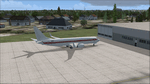
A highly classified small fleet of passenger aircraft known as "Janet" is operated for the United States Air Force to transport military and contractor employees. It mainly serves the Nevada National Security Site (most notably Area 51 (AR51) and Tonopah Test Range (TNX), from their terminal at Las Vegas' McCarran International Airport (KLAS). The planes are also used to fly to/from Air Force Plant 42 (KPMD), Naval Air Weapons Station China Lake (KNID), Hill Air Force Base (KHIF), and Edwards Air Force Base (KEDW). I encourage you to locate, download, and install the AFCAD files or scenery add-ons associated to these airports from any source you desire, but make sure they are designed for FSX. The fleet's "Janet" call sign, from which its de facto name comes, is said to stand for "Just Another Non-Existent Terminal", or more likely "Joint Air Network". Everything is realistic in this model, now, and most simmers know how inaccurate the original FSX 737-800 was. However, this aircraft simulates the accuracy of a 737-600 BBJ-ER, if there ever was one built. I modified everything to fit that aspect, except for the visual model. The engine characteristics are correct as well as all weight/balance and MOI. I even fixed the wheels to be accurate in base, track and pressure size. Everything I've done here is for educational purposes without any expectation of any monetary gain, and offered publicly for free. Read the Readme.txt file for installation and details. All persons involved with this and the original design are credited, unless they are unknown and have offered no credit details. Sounds by: Christoffer Petersen, Panel by: Pasquale Rinaldi, Redirected Texture by: Microsoft (Unknown Staff Member Names), Real World Engine/Aerodynamics by: Douglas E. Trapp, FS Flight Dynamics Engineer [email protected] July 2017
| Filename: | Janet_Airways_Boeing_737600_BBJER.zip |
| License: | Freeware |
| Added: | 8th July 2017, 20:04:30 |
| Downloads: | 1,919 |
| Author: | Douglas E. Trapp |
| Size: | 39.16 MB |
| Category: Flight Simulator 2004 - Scenery | |
| Glacier Bay - Alaska/Canada, Version 2, Part 1 of 2 |
|
Images related to this file:
File Description:
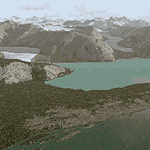
Glacier Bay v2 is a complete replacement of the default FS2004 landscape and scenery of more than 90,000 square kilometers (36,000 sq miles) of Southeast Alaska and adjacent areas of Yukon and British Columbia. File 1 of 2 (also requires glbayv2b.zip)
Landscape enhancements include high-resolution terrain mesh, detailed shorelines, rivers, lakes, and glaciers, and accurate land cover data with custom seasonal ground textures. Inland water bodies can be made to "freeze over" via an on/off switch. Other landmarks include the settlements of Juneau, Haines, Skagway, Yakutat, Atlin, and Carcross as well as road and railroad networks, cabins, lodges, and lighthouses. We modeled or enhanced 16 main airfields (plus one fictitious airstrip), 20 unlisted airstrips, 16 seaplane bases, and seven heliports. We've also included AI ship traffic in various locations as well as optional flightplans for GA and floatplane AI traffic.
Glacier Bay v2 is fully compatible with other third-party add-ons, including terrain mesh (FSGlobal, FS Genesis, etc.), ground textures (Ground Environment, BEV, FScene, etc.), and landscape enhancements (Ultimate Terrain Canada/Alaska, Misty Fjords, Tongass Fjords, Freight Dogs). A configurator panel (requires .Net Framework!) allows users to set compatibility options and to choose levels of scenery detail. We provide an autoinstaller and detailed documentation with a sectional map of the coverage area and a list of weblinks to real-world information.
For feedback and questions, please visit the Glacier Bay v2 support forum at http://forums.fsaddon.eu/viewforum.php?f=10. This project is a collaboration of nine FS developers from Germany, Austria, USA, and Canada, logging more than 1000 hours of work over the past 14 months. We acknowledge the kind support of FSAddon.com. However, this project is independent of any commercial company or product. Enjoy!
| Filename: | Glacier_Bay__AlaskaCanada_Version_2_Part_1_of_2.zip |
| License: | Freeware, limited distribution |
| Added: | 28th May 2010, 19:34:54 |
| Downloads: | 41,283 |
| Author: | Holger Sandmann, Rainer Duda, Michael Eder, Scot Fraser, Manfred Herz, Jay Langham, Jon Patch, Larry Silsbee, and Jim Vile |
| Size: | 56.46 MB |
| Category: Flight Simulator 2004 - Scenery | |
| Glacier Bay - Alaska/Canada, Version 2, Part 2 of 2 |
|
Images related to this file:
File Description:

Glacier Bay v2 is a complete replacement of the default FS2004 landscape and scenery of more than 90,000 square kilometers (36,000 sq miles) of Southeast Alaska and adjacent areas of Yukon and British Columbia. File 2 of 2 (also requires glbayv2a.zip)
Landscape enhancements include high-resolution terrain mesh, detailed shorelines, rivers, lakes, and glaciers, and accurate land cover data with custom seasonal ground textures. Inland water bodies can be made to "freeze over" via an on/off switch. Other landmarks include the settlements of Juneau, Haines, Skagway, Yakutat, Atlin, and Carcross as well as road and railroad networks, cabins, lodges, and lighthouses. We modeled or enhanced 16 main airfields (plus one fictitious airstrip), 20 unlisted airstrips, 16 seaplane bases, and seven heliports. We've also included AI ship traffic in various locations as well as optional flightplans for GA and floatplane AI traffic.
Glacier Bay v2 is fully compatible with other third-party add-ons, including terrain mesh (FSGlobal, FS Genesis, etc.), ground textures (Ground Environment, BEV, FScene, etc.), and landscape enhancements (Ultimate Terrain Canada/Alaska, Misty Fjords, Tongass Fjords, Freight Dogs). A configurator panel (requires .Net Framework!) allows users to set compatibility options and to choose levels of scenery detail. We provide an autoinstaller and detailed documentation with a sectional map of the coverage area and a list of weblinks to real-world information.
For feedback and questions, please visit the Glacier Bay v2 support forum at http://forums.fsaddon.eu/viewforum.php?f=10. This project is a collaboration of nine FS developers from Germany, Austria, USA, and Canada, logging more than 1000 hours of work over the past 14 months. We acknowledge the kind support of FSAddon.com. However, this project is independent of any commercial company or product. Enjoy!
| Filename: | Glacier_Bay__AlaskaCanada_Version_2_Part_2_of_2.zip |
| License: | Freeware, limited distribution |
| Added: | 28th May 2010, 19:36:31 |
| Downloads: | 40,555 |
| Author: | Holger Sandmann, Rainer Duda, Michael Eder, Scot Fraser, Manfred Herz, Jay Langham, Jon Patch, Larry Silsbee, and Jim Vile |
| Size: | 85.99 MB |
| Category: Flight Simulator 2004 - Scenery | |
| Silver City CFQ5 in Yukon Territory Canada |
|
Images related to this file:
File Description:
Silver City is a ghost town in the Yukon Territory, Canada, amid the Rocky Mountains and around 35 miles northwest of Haines Junction. It is on the southern end of Kluane Lake and in the Kluane National Park and this probably explains it's (minimal) survival after what appears to have been the shutdown of mining for silver. There is little information readily available. The date of this scenery is, as usual, around 2010. There was no recent regular service by Yukon Air North or any other airline, and the primary user of the airfield adjacent to the lake is a company called Icefield Discovery Tours. Their activity is probably very similar to the company at Haines Junction and involves trips to the National Park amid mountains and glaciers. There is also another organisation at the airfield, the Kluane Lake Research Station of the Arctic Institute. They have four buildings there but it is unclear how much aerial activity they generate, or if in fact they fly at all for their work. The runway is 3,000 feet of unlit gravel, aligned north-south. This post will be followed by Burwash, which is at the far northwestern end of the lake. There is no video of the Silver City airfield on Youtube, and it is not the most exciting airfield in the world, but the location is enough in real life for a visit to be made. On YouTube there is a series of posts by Angle of Attack showing the preparation and then the flight of an old Cessna 172 from Homer to Oshkosh for the installation of modern instruments. Interesting for me as they visit or fly over airfields I have made: Homer, Merrill, Tok Junction, Burwash, Silver City, Haines Junction, Watson Lake, Fort Nelson, and Grande Prairie. But they fly in the winter so it all looks very different.
| Filename: | Silver_City_CFQ5_in_Yukon_Territory_Canada.zip |
| License: | Freeware, limited distribution |
| Added: | 22nd January 2022, 21:57:41 |
| Downloads: | 97 |
| Author: | Roger Wensley |
| Size: | 9.86 MB |
| Category: Flight Simulator X - Aircraft Repaints, Textures and Modifications | |
| Boeing B-17G 91st BG (OR-R) 'Nine O Nine' |
|
Images related to this file:
File Description:
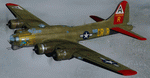
This folder contains a repaint for the A2A WoP2 B-17G in the colors of B-17G-30-BO 'Nine o nine". Nine-O-Nine was a Boeing B-17G-30-BO Flying Fortress heavy bomber, of the 323rd Bomb Squadron, 91st Bomb Group, that completed 140 combat missions during World War II, believed to be the Eighth Air Force record for most missions, without loss to the crews that flew it. The original aircraft, a block 30 B-17G manufactured by Boeing, was nicknamed after the last three digits of her serial number: 42-31909. Nine-0-Nine was added to the USAAF inventory on December 15, 1943, and flown overseas on February 5, 1944. After depot modifications, she was delivered to the 91st BG at RAF Bassingbourn, England, on February 24, 1944, as a replacement aircraft, one of the last B-17s received in factory-applied camouflage paint.
A former navigator of the 91st BG, Marion Havelaar, reported in his history of the group that Nine-O-Nine completed either 126 or 132 consecutive missions without aborting for mechanical reasons, also believed to be a record. M/Sgt. Rollin L. Davis, maintenance line chief of the bomber, received the Bronze Star for his role in achieving the record.
Her first bombing raid was on Augsburg, Germany, on February 25, 1944. She made 18 bombing raids on Berlin. In all she flew 1,129 hours and dropped 562,000 pounds of bombs. She had 21 engine changes, four wing panel changes, 15 main gas tank changes, and 18 changes of Tokyo tanks (long-range fuel tanks).
After the hostilities ceased in Europe, Nine-O-Nine was returned to the United States on June 8, 1945, and was consigned to the RFC facility at Kingman, Arizona on December 7, 1945, and eventually scrapped.
B-17G-85-DL, 44-83575, civil registration N93012, owned and flown by The Collings Foundation, Stow, Massachusetts, flew marked as the historic Nine-O-Nine until its crash on the 2nd of October 2019. Repaint by Jan Kees Blom.
| Filename: | Boeing_B17G_91st_BG_ORR_Nine_O_Nine.zip |
| License: | Freeware |
| Added: | 6th October 2019, 20:39:06 |
| Downloads: | 234 |
| Author: | Jan Kees Blom |
| Size: | 18.73 MB |
| Category: Flight Simulator 2004 - Aircraft Repaints, Textures and Modifications | |
| W91 Smith Mountain Lake Airport in Virginia |
|
File Description:
W91 Smith Mountain Lake Airport near Lynchburg, Virginia (MY soon to be NEW HOME)
This project is nearly ALL RWY12 ... I did use the Lago Scenery enhancer for the
trees.. so if you have LAgo.. the .SE2 is included, but you really don't need it.
But you will need RWY12 with all the latest additions... all freeware and all
available here at avsim.
Instructions... best to unzip to a temp directory... then do the following..
if you use Lago's Scenery Enhancer... place the .SE2 file in (Your flightsim main
folder)\LAGO\FSE\Data. Unziping will create a folder titled "Smith Mountain Lake" .. in that folder is one titled "scenery" Simply place Smith Mountain Lake in (your flightsim main folder)\Addon scenery\ folder then start the simulator.. go to settings, the library.. and - well most all know the drill .... add the folder Spring Mountain Lake then exit.. and restart.. and blamo... it is there... (Hopefully- LOL) ALSO in the scenery folder are two exclude .bgl.. this got rid of the default buildings and an AFCAD .bgl... this modified the airport properity a bit.. just leave all the .bgls where they are in the scenery folder.. all should work well.
oh.. for those who use RWY12 for scenery making... I have included the .XML file.. so you are welcome to add..subtract or change anything you find at Smith Mountain Lake.
if you have any questions or comments.. PLEASE do drop me a line.
Oh.. since I have your attention... a question for YOU... whether you download this
scenery or not.... How in the world does one get rid of that idiot "Flying Tips"
translucant window that appears.. telling you among other things .. your engines are not started... hit control E ... you ever notice how it ONLY appears when you have set up a screen shot and are ready to shoot?????? Write me and PLEASE tell me how to get rid of it.. I remember reading how somewhere, but for the life of me ..can't remember where.
| Filename: | W91_Smith_Mountain_Lake_Airport_in_Virginia.zip |
| License: | Freeware |
| Added: | 18th March 2005, 22:37:05 |
| Downloads: | 330 |
| Author: | Dale Caruso |
| Size: | 563.31 KB |


© 2001-2026 AVSIM Online
All Rights Reserved
Privacy Policy |