
Where Flight Simulation Enthusiasts Gather from Around the World!
AVSIM Library - Search Results

| Category: Flight Simulator X - Aircraft Repaints, Textures and Modifications | |
| United Airlines Boeing 737 MEGA Pack (700-800-900) |

|
Images related to this file:
File Description:

United Airlines, is an American major airline headquartered in Chicago, Illinois. United is a wholly owned subsidiary of United Continental Holdings following a $3 billion merger in 2010. The airline was previously owned, at one point in its history, by The Boeing Company, one of the world's largest aircraft manufacturers. Since its merger with Continental Airlines, the company boasts more revenue passenger miles than any airline in the world.
United Airlines's livery painted on PMDG Boeing 737 NGX WL model. The textures are saved in DDS format for quality graphics. Textures are also characterized by HD (High Definition). Its features are idle-reverser animation, animated pack vents and pressurisation outflow valve, detailed textures, accurate paint, dynamic shine & effects, dynamic flexing wings that respond to turbulence, fully independent suspension, trim animation, gear steering, accurate flight dynamics, spoiler animation, reflective cockpit windows, improved wingflex code with input from several new parameters including ground spoilers, fuel load, and angle of attack, transparent navigation light lenses and many more. "HD EXPERIENCE" INSIDE.
Visit our Facebook page "Sky Level Textures" for news, updates and previews on my future repaint projects. Thanks for downloading & Happy flying.
| Filename: | United_Airlines_Boeing_737_MEGA_Pack_700800900.zip |
| License: | Freeware |
| Added: | 30th March 2014, 14:12:29 |
| Downloads: | 6,372 |
| Author: | Giacomo Tomasini | Sky Level Textures |
| Size: | 127.45 MB |
| Category: Flight Simulator X - Aircraft Repaints, Textures and Modifications | |
| American Airlines Boeing 737-800 (N809NN / N838NN) Mega Pack |
|
Images related to this file:
File Description:

American Airlines is a major U.S. airline headquartered in Fort Worth, Texas. It operates an extensive international and domestic network, with scheduled flights throughout North America, the Caribbean, South America, Europe, and Asia. Its route network centers around five "cornerstone" hubs in Dallas/Fort Worth, New York, Los Angeles, Miami, and Chicago. Its primary maintenance base is located at Tulsa International Airport (TUL). American Airlines is part of the Oneworld airline alliance
American Airlines livery painted on PMDG Boeing 737 NGX WL model. The textures are saved in DDS format for quality graphics. Textures are also characterized by HD (High Definition). Its features are idle-reverser animation, animated pack vents and pressurisation outflow valve, detailed textures, accurate paint, dynamic shine & effects, dynamic flexing wings that respond to turbulence, fully independent suspension, trim animation, gear steering, accurate flight dynamics, spoiler animation, reflective cockpit windows, improved wingflex code with input from several new parameters including ground spoilers, fuel load, and angle of attack, transparent navigation light lenses and many more. "HD EXPERIENCE" INSIDE. Credits to PMDG Simulations.
Visit our Facebook page "Sky Level Textures" for news, updates and previews on my future repaint projects. Thanks for downloading & Happy flying.
| Filename: | American_Airlines_Boeing_737800_N809NN__N838NN_Meg.zip |
| License: | Freeware |
| Added: | 22nd May 2014, 14:07:02 |
| Downloads: | 7,626 |
| Author: | Giacomo Tomasini | Sky Level Textures | PMDG Simulations |
| Size: | 79.64 MB |
| Category: Flight Simulator X - Aircraft Repaints, Textures and Modifications | |
| Air Berlin Boeing 737 (Variety Package) |
|
Images related to this file:
File Description: The ZIP-file contains different
repaints of Air Berlin for the PMDG 737 NGX, including the Santa Claus Tour (Weihnachtsflieger)
and 35 years logojets. Installation instructions are included in the readme.
PMDG 737-800/900 Base Pack and 600/00 Expansion Pack are required. Accurate
airline options configuration and yoke checklist texture is included. UPDATE
INFO: aircraft configurations files have been updated to match its real world
counterparts. This file contains updated
a/c configs and replaces the following files: pmdg_737ngx_800wl_ber.zip
pmdg_737ngx_800wl_ber1.zip
pmdg_737ngx_800wl_ber2.zip
pmdg_737ngx_800wl_ber3.zip
pmdg_737ngx_800wl_ber4.zip
pmdg_737ngx_800wl_ber5.zip
pmdg_737ngx_800wl_ber6.zip

| Filename: | Air_Berlin_Boeing_737_Variety_Package.zip |
| License: | Freeware, limited distribution |
| Added: | 12th July 2014, 07:58:05 |
| Downloads: | 3,054 |
| Author: | Christian Mohr |
| Size: | 103.02 MB |
| Category: Flight Simulator 2004 - Scenery | |
| CYKF - Kitchener, Regional Muni of Waterloo - Ontario Canada |
|
Images related to this file:
File Description:
The town of Kitchener is in southern Ontario, 40 miles southwest of Toronto. The population is just over half a million, including the adjoining Cambridge and Waterloo which are known locally as the Tri Cities. The Kitchener name was adopted in 1916, replacing the former "City of Berlin".
The airport is on the northeastern side of the town, with the main runway aligned 08-26 and just over 7,000 feet of asphalt 150 feet wide, lit, with PAPI at both ends and approach lighting and ILS on 26. The second runway is aligned 14-32 and is 4,100 feet long, lit and with PAPI at both ends; right hand circuits for 32. The airport is being steadily enlarged and improved, with new hangars for rental, operators, and maintenance companies. The largest and most visible presence is the training operation located just off the southwest end of taxiway A, where there are 14 Cessna 172, 2 Cessna 152, 2 Piper Seminole, and others. These are represented in the AI. There are morning and evening scheduled flights by Westjet to Calgary and American Eagle to Chicago, also in the AI. To the southwest, past taxiway C, there is GA parking; request taxi to what is named here "southwest parking" where there are spaces on both grass and asphalt. To the southeast, along a taxiway off the southeast corner of the main apron, are mainly operators and maintenance facilities. This version of CYKF includes the new(ish) terminal, the first of the new central rental hangars alongside the new taxiway and access road, and the very new large hangar off taxiway C, but not the new airport services building (fire and snow clearance) that is off to the southeast of taxiway A, and not the new car park to the south of the airport access road. So an uncertain and possibly historically innacurate date, but with the correct taxiway lighting and signage, and building textures from photographs.
| Filename: | CYKF__Kitchener_Regional_Muni_of_Waterloo__Ontario.zip |
| License: | Freeware, limited distribution |
| Added: | 7th May 2016, 21:13:28 |
| Downloads: | 547 |
| Author: | Roger Wensley |
| Size: | 28.69 MB |
| Category: Flight Simulator 2004 - Scenery | |
| Prince George CYXS in British Columbia, Canada |
|
File Description:
Prince George is centrally located in British Columbia, mid way between the border with the USA in the south and the northern border with the Northern Territories, and around 100 miles west of the eastern border with Alberta. The town now has a population of around 74,000 and is regarded as the province's northern capital. It is at the meeting point of the Fraser and Nechako rivers and the crossroads of highways 16 and 97. It started out as Fort George in the early 1800's when a trading post was established by the Northwest Company,serviced by paddle boats on the rivers. The railway arrived in the area in 1914 and growth continued, albeit slowly due to wars and the financial collapse of the 1930's. Timber and timber products were and still are the mainstay of the area, along with a military and governmental presence.
The date for this scenery is around 2010. I have made some new buildings from memory and the available information online. They are not totally accurate reproductions; for instance I know that the terminal building is brick faced and also has parts that are stone (or metal?) faced, but where? So I used brick everywhere. The control tower is also brick faced, but is not exactly the right shape. The airport management team have continued to grow the activity and services provided with the result that flights and passenger numbers continue to increase. The 15-33 runway was lengthened to the south, (in the period 2003 to 2005) from the original FS9 scenery 7,400 feet to my updated 11,450 feet with central lighting and ILS at the northern end. This made it the third longest runway in Canada. At the same time a loading/unloading cargo area was created with professionally run storage and also a large scale refueling storage. If DHL want to refuel their 737 then they can do so without making prior arrangements.
The AI included here is for Air Canada Jazz and an Air Canada 737, Westjet 737 and Dash8, a helicopter company that is based there, Pacific Coastal, Central Mountain Air, and GA. The range of airlines and planes reflects the "northern capital" status of the town.
| Filename: | Prince_George_CYXS_in_British_Columbia_Canada.zip |
| License: | Freeware, limited distribution |
| Added: | 11th November 2022, 23:10:19 |
| Downloads: | 157 |
| Author: | Roger Wensley |
| Size: | 28.04 MB |
| Category: Miscellaneous Files - General Utilities | |
| Flight plan management table |
|
File Description:
THe Flight management table is an excel file which will help you to monitor weights and time of your flight plan.
You can insert the following info:
-Departure
-Arrival
-Callsign
-Flight number
-Route distance
-Number of pax
-Cost index
-Cruise altitude
-Block fuel, taxi fuel, trip fuel, extra fuel, reserve fuel
You can also manage time by inserting simulation date, start time, cockpit preparation time and many more.
The file also gives you an advice if you make a mistake and will calculate the fuel you have to burn if you have to perform an emergency landing but you are above the max landing weight.
The excel file will then calculate zero fuel weight, gross weight, takeoff and landing weights based on the "active aircraft management table".
It will also calculate off and on block time as well as takeoff and landing time.
You can use this file with any aircraft by adding tamplates to it or using one that is already in the file. At present the tamplates available are:
X plane
-Flight Factor A320 Ultimate
-Zibo mod B738
-IXEG B733
-Aerobask Eclipse 550NG
Prepar3d/Flight sim X
-PMDG B738 NGX
-Majestic Dash 8 Q400
Creating a new tamplate is easy. All you need to do is having weights info about the aircraft you wish to add in hand.
The file is under development which means that I am going to add new feature to it.
A good breefing is the first step for a good flight.
| Filename: | Flight_plan_management_table.zip |
| License: | Freeware |
| Added: | 9th August 2018, 14:21:41 |
| Downloads: | 336 |
| Author: | Luca Tessieri |
| Size: | 17.92 KB |
| Category: Flight Simulator X - Miscellaneous Files | |
| 737NG Normal Procedures |
|
Images related to this file:
File Description:
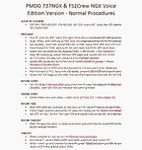
Sorry folks but yet another update since I found some additional small issues I wanted to correct. I hope with this version I caught them all so this will be the FINAL version...at least for today ;-) If you have problem fitting the list on 2 A4 pages when printing it from WordPad make sure you have unchecked the option in WordPad to print page numbers.
A flow/checklist for flying PMDG's 737NGX with FS2Crew Voice Edition. Did this mainly for my own use meaning the flow/checklist is adjusted for how I do my flying and with the addons I use like Aerosoft AES for example. Please also be aware this is not the kind of flow/checklist that includes all things you need to perform during a normal flight but instead you are expected to already have a general knowledge of both the NGX and FS2Crew. However I thought others might be helped by this too both newbies to get you going with the "flow" using FS2Crew but also for the more experienced users as a simple to print out and use memory note. It's also easy for you to change whatever you like to suit your own needs better since I created it in common rtf format using the standard Wordpad Windows application. I deliberately made it as compressed as possible leaving out stuff like all the answers to the checklists etc so it would fit on a single A4 sheet being easy to print and maybe also laminate if you like. Hope you'll enjoy it!
| Filename: | 737NG_Normal_Procedures.zip |
| License: | Freeware |
| Added: | 18th June 2012, 19:58:29 |
| Downloads: | 4,154 |
| Author: | Richard Asberg |
| Size: | 6.17 KB |
| Category: Flight Simulator 2004 - Scenery | |
| Sydney CYQY in Nova Scotia Canada |
|
Images related to this file:
File Description:
Sydney is a maritime port on the east coast of Canada, on the eastern corner of Cape Breton Island. It was founded in 1785 and grew in size emormously from 1900 as a steel mill was founded that prospered along with local coal mines until 1950 or so. After that date and following the final closure of the mill in 2001 the population declined to the current 29,000 or so. The airport is 3 or 4 miles southwest and inland of a coastal urban area which stretches from New Waterford in the north through Lingan, Dominion, Reserve Mines, and Glace Bay, to Port Caledonia, and 5 miles east of the town of Sydney which is beside a sheltered deep water harbour area. This version is not from a fixed date as although I had video of some of the buildings from 2010 I inadvertently constructed part of the apron layout from 2018 information, and then decided to keep it like that either because I liked it or perhaps was too lazy to redo it. The terminal building and the garages to the east of the terminal are original and old, though renovated and maintained to a fairly good standard. The other buildings on the airport are "hangars" in the expected form, with steel frames, insulated cladding, and pitched roofs. The airport publicises it's ability to cater for all the needs of visiting aircraft, with a large FBO hanger just beside the terminal. There are (or were, before the virus came along) scheduled flights by Westjet, Air Canada Jazz, and Air North, which are included in the AI along with GA flights. The runways are 07-25 at 7,000 feet and with PAPI on 25 and ILS on 07, and 01-19 at 6,000 feet with PAPI on 01 and ILS on 19. You will see once the scenery is installed that there are two folders in Sydney CYQY called "Scenery summer" and "scenery winter". Editing the folder name down from "scenery summer" to just "scenery" results in FS9 loading the summer ground textures and parked planes etc. In February you would edit down the "scenery winter" folder to just "scenery" and the unused and unswept taxiways, runway, and aprons will be invisible under the snow, the open-topped cars will not be parked in the open, and privately-owned planes will be in the hangars. If FS9 decides that there is snow on the ground then you need the winter textures, if not then the summer textures. The winter textures are not the full-snowdrift-middle-of-Winter-gale type and are more like early or late winter. One thing you must NOT DO is to edit both folders down at the same time.
| Filename: | Sydney_CYQY_in_Nova_Scotia_Canada.zip |
| License: | Freeware, limited distribution |
| Added: | 22nd August 2020, 00:07:58 |
| Downloads: | 274 |
| Author: | Roger Wensley |
| Size: | 29.42 MB |
| Category: Flight Simulator X - Utilities | |
| Graphic Realism and FSX Optimization |
|
File Description:
The add-ons configuration step by step
Not configured FSX is a pain in the neck for many people. A small number of fps and frequent CTD (crash to desktop) can be extremely annoying or even depressing to some users. A lot of you probably came to a conclusion that it was going to be a losing battle and you gave up after a few fruitless days or you spent money on the FSPS-XTREME FSX PC V2 program, which can automatically do practically everything for us. But what's the point of spending money on something that we can do by ourselves with the help of this handbook?
I myself was dealing with the FSX platform three times before I gave up FS9. Microsoft gave out the engine to us, but in order to make sense, our passion involves radical tuning of the device. On the ground of one's own experience and thousands of hours devoted by people to diving into the core of the platform, I'll present a way of installation, add-ons selection and their configuration starting from the installation of the system. Having done the procedures described below, FSX will look beautiful and it'll work smoothly even with challenging sceneries. The entirety is based on quite a popular hardware configuration, which will let us use 85% of the graphic potential of Microsoft Flight Simulator X. We want t to achieve the goal of minimum 25 fps in VC B738 PMDG NGX, with challenging sceneries, flying in the window mode. For the mode the full screen efficiency should reach 33 fps.
In this handbook, I'm neither going to describe each and every change made in cfg nor explain what the alterations are to conduce. You will be given a simple and ready recipe which I use myself. I can't guarantee a 100% satisfaction for the poorer equipment computers. I can assure you, however, that FSX will definitely work so much better and playing with FSX sliders or with the size of textures in REX you will be able to obtain the desired effect.
| Filename: | Graphic_Realism_and_FSX_Optimization.zip |
| License: | Freeware, limited distribution |
| Added: | 15th November 2013, 20:33:26 |
| Downloads: | 5,744 |
| Author: | Grzegorz Trzoch |
| Size: | 3.96 MB |
| Category: Flight Simulator X - Miscellaneous Files | |
| 737NG Normal Procedures Non-APU version |
|
Images related to this file:
File Description:
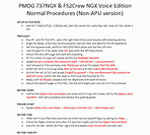
After some input and ideas from a fellow FS2Crew pilot here is a non-APU version of my flow and checklist to even closer mimic real world OPs the way many big airlines operate in real life every day at big airports around the world where the use of APU is limited to only a short period of time a couple of minutes before engine start. I also (don't I always ;-)) did some other changes and what I think improvements since my last version so give it a try and see what you think! About fitting the list on 2 A4 pages when printing it from WordPad please set all your margins to 25 mm in WordPad and uncheck the option to print the page numbers. This time I will not ask the AVSIM Library Managers to replace my old version with this one since some of you might still want the version where the APU is used depending on what kind of flights you do and to what kind of airports. Instead this will be uploaded as a new and separate version.
A flow/checklist for flying PMDG's 737NGX with FS2Crew Voice Edition. Did this mainly for my own use meaning the flow/checklist is adjusted for how I do my flying and with the addons I use like Aerosoft AES for example. Please also be aware this is not the kind of flow/checklist that includes all things you need to perform during a normal flight but instead you are expected to already have a general knowledge of both the NGX and FS2Crew. However I thought others might be helped by this too both newbies to get you going with the "flow" using FS2Crew but also for the more experienced users as a simple to print out and use memory note. It's also easy for you to change whatever you like to suit your own needs better since I created it in common rtf format using the standard Wordpad Windows application. I deliberately made it as compressed as possible leaving out stuff like all the answers to the checklists etc so it would fit on a single A4 sheet being easy to print and maybe also laminate if you like. Hope you'll enjoy it!
| Filename: | 737NG_Normal_Procedures_NonAPU_version.zip |
| License: | Freeware |
| Added: | 22nd June 2012, 03:34:37 |
| Downloads: | 1,085 |
| Author: | Richard Asberg (with input from Peter Wolf) |
| Size: | 6.36 KB |


© 2001-2026 AVSIM Online
All Rights Reserved
Privacy Policy |