
Where Flight Simulation Enthusiasts Gather from Around the World!
AVSIM Library - Search Results

| Category: Flight Simulator 2004 - Flight Plans | |
| Crossing North America Flight Adventures-Package 2 |

|
File Description:
Inspired by Michael Doherty (Difficult & Dangerous Approaches) and David Dossiere (Hopping Round the World) and their flight adventures, I have put together a series of flight plan-adventures where the aircraft used are all available as freeware. A file locator is included with each package so that you can easily find and download the aircraft used. These packages each contain 10 flight adventures and each package begins at the location the previous package ended. All flightplans are VFR only and are designed so that you can enjoy the outstanding scenery of Alaska, Western Canada, Western and Mountain States of the lower 48, and Mexico.
The adventure, Crossing North America, begins at Pt Hope, Alaska and will conclude in the following months at Cancun, Mexico. The aircraft used are: General Aviation, Vintage, Warbirds, Bush Aircraft, and Propliners. No IFR flightplans or jets!
The flightplans are NOT designed to get you from Alaska to Mexico by the shortest route possible, but are in the spirit of David Dossiere's "Hopping Round the World" adventure flights, in that they take you into as many areas or airports as possible. Looking for some fun, flying low, and enjoying the scenery, then these flight adventures are for you.
| Filename: | Crossing_North_America_Flight_AdventuresPackage_2.zip |
| License: | Freeware |
| Added: | 4th July 2004, 23:01:15 |
| Downloads: | 5,324 |
| Author: | Steve (Bear) Cartwright |
| Size: | 1.2 MB |
| Category: Flight Simulator X - AFCAD Files | |
| Thomas Browne Airpark Airport (61NJ), NJ |
|
File Description:
Located 02 miles W of Glassboro, New Jersey, Thomas Browne Airpark Airport is a private turf strip 2000��80 feet. There is no hard-surfaced runway, which means you will be landing on terrain so it is recommended you set your mesh resolution as high as possible. Watch out for trees and buildings alongside and at opposite ends of the runway. Crop fields are planted to the south of the runway and border the runway. You won't crash if you run into them but it certainly won't put you in good favor with the field owners! Take caution to avoid the transmission line towers as they are not lit at night! Neither is the runway, for that matter, so daytime VFR operations only are recommended for this airfield.
Scenery constructed with use of satellite images/streetview/aerial photos - the author has not been there in person.
This scenery is meant to be used in conjunction with MegaScenery Earth New Jersey/Delaware 004. It is not required, but apron use is minimized to allow satellite scenery to show through as much as possible, and objects are placed based on the MSE textures - lack of it may make scenery look out of place.
| Filename: | Thomas_Browne_Airpark_Airport_61NJ_NJ.zip |
| License: | Freeware |
| Added: | 4th February 2011, 02:47:24 |
| Downloads: | 166 |
| Author: | Drew Sikora |
| Size: | 1.41 MB |
| Category: Civil Flight Simulators - Looking Glass Flight Unlimited 3 | |
| New Outer Terrain Textures (Beta version) |
|
File Description:
New outer terrain textures for FU3. Zip contents are as follows:
GENTILES.TAG: 19 new textures, a total of 754 individual .tga files containing the base texture tiles, variation tiles and transition tiles. This is a BETA version and does not contain any water transitions. Copy and paste this file into your Flight3\gentiles folder. This file also includes 7 extra base textures: the intention is to expand the set at some point so that we have a full set of 26, the maximum number permitted by FU3. At the moment, no variation or transition tiles are provided for these 7 additional textures, and as no rules are provided for them they do not yet appear in the OT.
RULES.TXT: a rules file for the 19 new textures. Even if you use the GTL tiles provided you MUST copy and paste this file into your \Flight3\gentiles folder as it also defines the texture types, rotation and mapping.
GTLs.ZIP: 2460 GTL tiles as created by the new RULES.TXT file. Generating your own GTL tiles using the RULES.TXT file is likely to take an hour. You might prefer to copy and paste the GTL tiles provided into your \Flight3\outterr folder instead.
| Filename: | New_Outer_Terrain_Textures_Beta_version.zip |
| License: | Freeware |
| Added: | 7th February 2010, 07:58:26 |
| Downloads: | 54 |
| Author: | Jonathan Stonehouse |
| Size: | 10.85 MB |
| Category: Flight Simulator X - AFCAD Files | |
| Halka Nurseries Airport (9NJ6), NJ |
|
File Description:
Located 02 miles W of Fairton, New Jersey on 150 acres of land, Halka Nurseries Airport is a private turf strip 2400' in length. The airspace has been analyzed and deemed suitable for aircraft up to a light twin. Take caution on the Runway 18 approach as power lines are strung up along the street opposite the runway. There is no hard surfaced runway so have your terrain mesh set as high as possible to experience bumpy terrain. There is no windsock, so be sure to know your weather before arriving or departing - the winds in this area are predominantly out of the west and this runway is north/south. Trees and bushes are close to some areas of the runway and can pose a danger in high crosswinds. There are no services for transient aircraft.
Scenery constructed with use of satellite images/streetview/aerial photos - the author has not been there in person.
This scenery is meant to be used in conjunction with MegaScenery Earth New Jersey/Delaware 005. It is not required, but apron use is minimized to allow satellite scenery to show through as much as possible, and objects are placed based on the MSE textures - lack of it may make scenery look out of place.
| Filename: | Halka_Nurseries_Airport_9NJ6_NJ.zip |
| License: | Freeware |
| Added: | 6th April 2011, 03:27:56 |
| Downloads: | 207 |
| Author: | Drew Sikora |
| Size: | 829.12 KB |
| Category: Flight Simulator X - Flight Plans | |
| A Normal Day Over Nepal...or " Hope the God Buzzard don´t get you" !!!!!! |
|
File Description:
Captain Jackson Kungfu-Larz has been flying the Lukla route for around
21 years. Flying tourists and mountain climbers to this little mountain town is just
one of those things. Today he and his co-pilot, you, will abbandon the regular route
and take a "supply" plane from Lukla to Tumlingtar where you´ll will pick up
spare parts for a Polish Motorcicle group out in a mountain road, then you fly to Gutaba where
you will transfer to a Helicopter to carry these, food and purified
water to some arqueologists out in some old Temples and other stuffs for a group of tourists
out in a very old Buddist Monastery spending the weekend. You will return after delivery of all this
to Gutaba and fly two Engineers to Ku-Kle where the trip ends, either in the tarmac or against the mountain
....So get to speed with the old Twin Otter or similiar aircraft and be prepared to pray several times to
the Lord Budda for this "trip" is a "rock breaker". (Shalam sum quan Pin, lip sum turog) Translation:
When the buzzard squaks so loud is because his feathers feel the moon......PD. Nepalese old saying
which no one knows what it means.
| Filename: | A_Normal_Day_Over_Nepalor__Hope_the_God_Buzzard_do.zip |
| License: | Freeware, limited distribution |
| Added: | 3rd June 2008, 19:59:40 |
| Downloads: | 1,679 |
| Author: | Gera Godoy Canova |
| Size: | 838.12 KB |
| Category: Flight Simulator 2004 - Scenery | |
| Zaragoza AB Retro 1958-1962 |
|
File Description:
This scenery and its traffic represents Zaragoza AB (LEZG) in the Cold War era of the late 50s to early 60s. Zaragoza was one of three major Cold War US air bases in Spain, the others being Torrejon (also available here and at other sites) and Moron. Zaragoza served as a Reflex base for Strategic Air Command, hosting various B-47 units doing rotational duty at the base along with permanently assigned fighters for air defense purposes. It was shared with the Spanish Air Force which flew the F-86F. All of this is represented in this retro version of Zaragoza AFB including Traffic for 1958 and 1962.
This scenery requires the installation of Zaragoza-1 by By Pablo Fernandez de Bobadilla, Jose Ramon Rodriguez and Diego Novillo. Information provided in the installation instructions. Full credit goes to them for the original modeling of the base. We have simply modified the ADE/AFCAD file and flightline elements to take it back to the time of the B-47 bombers and fighters of the late 50s and early 60s. Installation is simple and if you have installed our Torrejon and Wheelus retro sceneries most of the aircraft needed will already be present. By Al Von Pingel, Ken Lawson.
| Filename: | Zaragoza_AB_Retro_19581962.zip |
| License: | Freeware |
| Added: | 2nd September 2023, 18:03:46 |
| Downloads: | 79 |
| Author: | Al Von Pingel |
| Size: | 27.81 MB |
| Category: Flight Simulator X - Aircraft Repaints, Textures and Modifications | |
| FSX FA-18 2024 Aerodynamic Performance Upgrade |
|
Images related to this file:
File Description:

This is a performance mod/upgrade for the FSX Acceleration/Steam FA-18 Hornet. This will also work with both the "Sludge Hornet" and with the "Combat" add-ons. The inspiration for this "Upgrade" came from the YouTube vids of the AWESOME Swiss and Finnish F-18C Hornet Demos at RIAT RAF Fairford! After seeing those, I went to work modifying the "aircraft.cfg" and "FA-18.air" files and got the "old" FSX Hornet to fly like a NEW jet! Think of it like fixing up an old sports car, putting in a new engine, suspension, and when you're done it drives better than when it was new! I've made the upgrade instructions easy and it should only take just a couple minutes to complete. THEN your FSX FA-18 Hornet will look and fly like the ones in those videos!! And it won't just be great at airshow flying, it will also fly smooth and stable around the carrier, and will be LOTS of fun "free flying" through the mountains at 500ft and 500kts! I've also included new/upgraded afterburner textures, and a Shockwave exterior light upgrade. And as a BONUS, I've included BOTH the Swiss J-5011 and Finland HN-411 RIAT Airshow repaint textures.
| Filename: | FSX_FA18_2024_Aerodynamic_Performance_Upgrade.zip |
| License: | Freeware |
| Added: | 16th January 2024, 14:26:37 |
| Downloads: | 131 |
| Author: | Daniel Gregory |
| Size: | 7.29 MB |
| Category: Microsoft Flight Simulator (2020) - Utilities | |
| Flightplan Visualizer 1.22 |
|
Images related to this file:
File Description:
Flightplan Visualizer (FV) version 1.22. Copyright 2018-2022 by Pelle F. S. Liljendal ([email protected]), all rights reserved.
FV comes with 1599 pre-imported AI flightplans (of which +726 are BizJet flightplans, the rest are commercial, government and military). However you are able to import additional (AI) flightplans yourself. Once imported these (AI) flightplans can be visualized on a map-view, and the user will be able to search accross all these. Hence you can use the program as inspiration as to which routes to fly. E.g. you can search across all imported flightplans to find all flights in an A321 flying into/out from LDDU, or simply to look for all flights in a Boeing 747-8F.
Simply run the included installer to install the software. The program will be installed into "C:\Program Files (x86)\Flightplan Visualizer" and all datafiles will be installed into: "C:\Users\[UserName]\AppData\Roaming\FlightplanVisualizer". The program comes with a full manual explaining everything, and a 3 page quick manual to get you started. The first 3 times you run the program the quick manual will automatically open. The forum is hosted here: https://forum.aerosoft.com/index.php?/forum/919-flightplan-visualizer/
Version 1.22 Contains the following changes:
- I had initially added a feature to download AIG airline-logos, however a later change in AIG's server setup rendered this feature useless. In stead you can now specify the local folder holding AIG's airline logo's (if/when you are using AIG AIM on your computer for AI-traffic). If specified, airline-logo's will be obtained from this folder.
- On the same note, I had to remove the menu-item to download AIG flightplans, as this program no longer have directly access to the AIG servers. For the same reason the menu-item to access the index with flightplans (up to summer 2021) was re-enabled.
- In the past when opening the Airport-Info form it defaulted to show in-/out-going traffic for the selected flightplan or active leg-search only. Now there is a new setting where you can set it up to in stead default to showing all traffic in/out of the airport (the Airport-info form still contains a combobox where you maually can choose what to see).
- "Owned aircraft" was renamed into "Simulator-aircraft", as these are the (flyable) aircraft you have available within your simulator of choise.
- When choosing to use calculated flight-times in a leg-search, you can now specify a percentage-difference (between leg-time and calculated-time). Only when the difference between leg-time and calculated-time exceeds this specified value will the calculated time be used during leg-search (e.g. "only use calc-times if diff. exceeds 50%, otherwise use leg-times").
- Began using (aircraft) short-names many places where the program in the past used IATA/ICAO-code (e.g. when hovering the mouse over a route, or list of aircraft servicing specific airports when editing flightplans). Also added short-name columns to aircraft browser and when choosing favorites (these stil contains columns for IATA/ICAO-codes).
- Pressing the "Usage" button when editing/viewing an aircraft-type or right-clicking an aircraft-type in the browser and choosing "View usage-report..." from the context menu, you will be shown a report that inform you how that aircraft-type is used: which simulator-aircraft are based on that type, which owned aircraft that have been marked as substitute for that type, which airlines are using that type (as carrier/operator), and finally in which (active) flightplans that type is used.
- Items in airline-browser are now by default sorted by (airline) name, and the usage-column shows the size of the airline if its in use. If available a logo for the selected airline is displayed in the upper/right corner.
- Improved performance when searching for ICAO-codes in the airport-browser. Also improved priority of the default selected item, in cases when an airport had a 3 letter ICAO-code, and another was using the same 3 leters for its IATA code.
- When searching for ICAO/IATA-codes in the airline-browser, it will now prioritize non-defunct airlines, if multiple airlines share the same ICAO/IATA-code.
- When enabling/disabling flightplans, you can now select all BizJet flightplans (those prefixed with "Bz_"), all Military (prefixed with "Ml_") or all Goverment (prefixed with "Gv_").
- Individual FP sub-folders can now be setup to leave (not move) defunct- and/or obsolete FP, even if the settings to automatic move these to the disabled folder is set.
- Performing "Search legs" you can now filter on aircrafts you are allowed to fly via type-ratings ("Must be type-rated").
- Performing a substitute of a user-airline, that airline will remain selected (previously the list scrolled to the top, and selected the 1st item).
- Added new check-box to "Search legs" that can exclude round-trips (legs taking-off and landing at same airport).
- Airline/Aircraft-repaint -filter can now filter on size of airline (e.g. "size=major"). Size is determined from usage as carrier/operator in active flightplans. Airlines not in use by active flightplans are listed with a size of "unknown").
- Added GPS-conversion (deg deg,min,sec) to the conversion-form, as requested by a colleague. You can either manually enter lat/lon or look-up an airport to get it. There is both a primary lat/lon and a secondary, and the form will show the (GC)distance between these and the initial/final course.
- Added new "Max airport-distance" for airport-redirections. At the same time added new feature when importing/editing airports to permanent change an airport. If used, it is not saved/handled as a redirection (can't be restored) but rather as a perpament change.
- Reordered- and renamed some of the tab-pages in the Airport-info form.
- Reordered the length/distance-fields in the unit-conversion form.
- The Wind-calculator have been removed from the main-menu, in stead wind-calcuations can now be performed using the unit-conversion form. Also now the speed of the wind is always displayed as a positive value, and in stead the label will either say "Head-wind" or "Tail-wind".
- Added new "Country list" menu-item in the misc-menu. Will list all countries twice (sorted by names, and sorted by ISO3-codes).
- Showing airport-marker tool-tips on the main-map is now prioritized over showing route tool-tips.
- Added "Min take-off fuel ("MTFL") field to user-aircraft weight-fields. As of now its not set for any aircraft in the database, however it can be estimated as 60 minutes of flight at cruise.
- Moved several group-boxes of the settings-form to the 2nd tab-page, and added new fields for defalt simulator/logging-environment based on the File-prefix used when starting the program.
- Also now the header-names that was previous fixed to "Rank" and "Traffic-density" can be changed, so the selectable 6 values can be used for something entirely different, if anyone have the need for this. If/when changed, these new names are shown when editing an airport, or when performing a leg-search (as the leg-search can filter on these fields).
- MakeRunways (MkRwy) by Pete Dowson is challenged handling unicode in the scenery it scans/writes to XML. E.g. the Icelandic airport (BIFL) "Flúðir Airport" is exported by MkRwy as "Flúðir Airport". In this version FV will try to identify when this happens, and then it will fall back using the airport/city-names from the databases bundled with FV. This is not a perfect solution, but at least it improves the result.
- Various minor changes and tweaks to multiple forms (e.g. Unit conversion form can now be closed with ESC, renamed log-archives and so on).
- Fixed: If the main-form had an active flightplan filter when using the search-legs feature the flightplan combo-box still only contained the filtered context. Pressing the Clear button did not resolve the issue.
- Fixed: Since adding support for the AIGFP file-format, there could be flights departing from- and arriving at the same airport (e.g. helicopter flights). In previous versions the calculated flights-time would only consist of taxi-out/in times. In this version the flightplan leg-time will now also be uses for the calculated time, when the same airport is used both for departure and destination.
- Fixed: In some cases re-processing flightplans (resetting and performing redirection) could corrupt the flightplans and remove airport-data from the flightplans. This version will also try to add any missing airport-data to flightplans when re-processing them.
- Fixed: Selecting "only show favorites" in the Search aircraft-type form would filter out all aircraft (including those marked as favories).
- Fixed: In the leg-info form the fields to show times (Out, Off, On, In) were too narrow for multi-week flights, when showing the week-number (e.g. "TH7/14:37").
- Fixed: Issues when estimating cruise/taxi fuel-burn for user-aircraft, where in some cases some fields were not saved, and wrong calcuation if setup to show weight in Kg.
- Fixed: In some cases wrong TimeZone was used when calculating local time for OUT, OFF, ON, IN-times.
- Data: The airport redirection file ("UserAirportRedirect.xml") in the UserData folder have been updated to match the latest MSFS world update. However this new file is only installed by the installer if it does not already exists (in case you made your own changes), hence you need to delete this file manually prior to running the version 1.22 installer.
- Data: Quite a few airports in the airport-database were updated (had wrong names due to issues with unicode-letters). Also some additional airports were added.
- Data: The installer comes bundled with +300 airline-logos (optional install), and a separat package of +1400 airline-logos are avilable for download from AVSIM (in both cases these are encoded into a propriotary format using the ".CAL" extension).
- Data: Added the P2F (Passenger-to-Freighter) versions of the Airbus A320, A321 and A330. Also added the package freighter versions of CRJ100 and CRJ200.
- Data: Improved detection of Boeing 737-700/800 BCF/BDSF when importing flightplans utilizing these (passenger aircraft converted into freighters). Also improved a few other freighter detections.
- Data: Changed a few (aircraft) short-names to either shorten them a bit, or make them "more readable".
- Flightplans: All new/updated flightplans have been added to the installer, and all obsolete/defunct have been marked/removed. A total of 1599 active flightplans are bundled with the installer.
| Filename: | Flightplan_Visualizer_122.zip |
| License: | Freeware, limited distribution |
| Added: | 18th October 2022, 23:31:28 |
| Downloads: | 390 |
| Author: | Pelle Liljendal |
| Size: | 45.57 MB |
| Category: X-Plane - Scenery | |
| BR RJ SBME - Macae Airport v1.0.0 |
|
Images related to this file:
File Description:
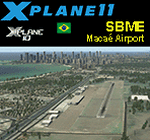
This is an X-Plane 11 and X-Plane 10 scenery package for Benedito Lacerda Airport (IATA: MEA, ICAO: SBME) is the airport serving Macaé, RJ, in Brazil. It includes corrected aprons, ramps, gates, taxiways, lighting system, city buildings, ortho-photoscenery for the airfield area, and (XP11 only) airport ground services (like push back). The airport was established in the 1960s as an airfield for general aviation and a Flying club. In the 1980s the runway was paved and an apron and a terminal with 941 m² were constructed, enabling Macaé Airport to fully support the operations related to the Campos basin (off shore oil platform in the costal area of the state of Rio de Janeiro). In fact, most of its movement (98%) is related to helicopter flights to/from offshore oil platforms of the Campos basin. It features a lot of apron positions for rotorcrafts. This scenery was tested and is operational (as of March 26, 2017) in "X-Plane 11 Public Beta #17 64 bit", Windows 10 Home. It was also tested and is also operational (as of March 26, 2017) in "X-Plane 10.51 64 bit", Windows 10 Home. Only the default X-Plane 11 libraries, by Laminar Research, are needed. No third party libraries are used.
| Filename: | BR_RJ_SBME__Macae_Airport_v100.zip |
| License: | Freeware |
| Added: | 29th March 2017, 03:50:00 |
| Downloads: | 80 |
| Author: | Rui Mesquita |
| Size: | 14.62 MB |
| Category: Flight Simulator X - Aircraft Repaints, Textures and Modifications | |
| Fairchild 24 (2/96) Swedish Air Force |
|
Images related to this file:
File Description:

This folder contains a repaint for the Lionheart Fairchild 24, in the colors of 2/96, a civilian Fairchild 24 that was impressed into the Swedish Air Force. At the outbreak of war, many civilian aircraft were mobilized. Most of them was larger aircraft, but lighter aircraft for liaison work were also used. The Naval Aviation Wing of F 2 at Hägernäs needed smaller aircraft for transport of personnel and liaison in their co-operation with the Navy.
For this reason, one Fairchild 24-C8CS-De Luxe was mobilized between May of 1940 and February of 1943. Its earlier civil registration was SE-AIR (in the USA ex NC15926). It was powered with a Warner Super Scarab S50 air-cooled radial engine delivering 145 hk. The aircraft was designated Tp 6 and got the Air Force number 912. At the delivery of the Tp 6 in May of 1940 to the Air Force, it crashed. But it was repaired and in service again in October the same year. After its time in the Air Force, the Fairchild went back to the civil register, where it was written off in 1951 after another crash.
Repaint by Jan Kees Blom, based on the paintkit by Lionheart Creations.
| Filename: | Fairchild_24_296_Swedish_Air_Force.zip |
| License: | Freeware |
| Added: | 21st July 2018, 14:10:02 |
| Downloads: | 55 |
| Author: | Jan Kees Blom |
| Size: | 17.6 MB |


© 2001-2026 AVSIM Online
All Rights Reserved
Privacy Policy |