
Where Flight Simulation Enthusiasts Gather from Around the World!
AVSIM Library - Search Results

| Category: Flight Simulator X - Aircraft Repaints, Textures and Modifications | |
| AeroMexico Boeing 777-200ER GE (N776AM) |

|
Images related to this file:
File Description:

This is a repaint of a Boeing 777-200ER, registration code N776AM, operated by AeroMexico, the flag carrier airline of Mexico, based in Mexico City and operating from Mexico City International Airport. The airline's logo shows the head of an Aztec Eagle Knight (Caballeros Aguilas), warriors who wore feathered helmets including an open beak. The Aztecs organized spectacular ceremonies that included military parades featuring the dance of the Eagle Knights, who leapt as if they were birds ready to take flight. AeroMexico operates flights to 78 destinations across the Americas, Europe and East Asia and currently operates 10 Boeing 777-200ERs.
This repaint has plenty of clear markings so if you enjoy exterior detail, then you will love this repaint. You can see (and read): Door opening instructions; Static port directions; Air vent warnings; Engine hazard area; No Step warnings; RAT caution; APU intake warning; Stabilizer compartment access; Ground power supply; Forward and aft access door instructions; Pitot, ADA probe, Ice detector and TAT probe markings; Visible rivets; Enhanced window frames; Authentic AeroMexico logo; Bold, colorful AeroMexico livery and authentic flags; Lovely AeroMexico flight attendant; No frame rate hit.
| Filename: | AeroMexico_Boeing_777200ER_GE_N776AM.zip |
| License: | Freeware |
| Added: | 24th February 2013, 20:36:36 |
| Downloads: | 1,524 |
| Author: | Garrett Rowley, Captain Sim |
| Size: | 28.36 MB |
| Category: Flight Simulator 2004 - Miscellaneous Files | |
| ActiveSky Weather Adventures Vol. 2 - Fly the AT! (Manual install) |
|
File Description:
ActiveSky Weather Adventures Vol. 2 - Fly the AT! (Includes updated Vol. 1 - Winter's End) ***In addition to archives for AS2k4 users, saved flights with AS2k4 processed weather are included so people who don't own ActiveSky can fully enjoy these adventures and get a taste of what ActiveSky 2k4 has to offer! * Includes TWO Volumes of Weather Adventures * Volume 2 - Fly the AT! - Ten flights take you from Maine to Georgia along route of the Appalachian Trail - features three days of real-weather as a slow front approaches from the west - can YOU make it to Georgia before the thunder rolls in? * Volume 1 includes 10 flights highlighting weather phenomena such as a tornado outbreak in Texas and Oklahoma, a New England "nor'easter", and a massive upper-level low occupying the plains states! ***The ASWxAd-Kneeboard!*** A modification to FS9's kneeboard which allows viewing of original material describing these flights, radar and satellite loops, and annotated sectionals depicting flight plans and the AT! * Two versions available: This is the Manual Install. An automatic installer is also available - ASAD2INS.zip * Previous version had nearly 2000 downloads!
| Filename: | ActiveSky_Weather_Adventures_Vol_2__Fly_the_AT_Man.zip |
| License: | Freeware, limited distribution |
| Added: | 4th June 2004, 14:18:50 |
| Downloads: | 1,503 |
| Author: | Scott Gridley |
| Size: | 23.88 MB |
| Category: Flight Simulator 2004 - AFCAD Files | |
| EHAM for NL2000, Multiple Runways, First Attempt |
|
File Description:
AFCAD2 File for :
Amsterdam, Schiphol Intl Airport, the Netherlands ( EHAM )
for NL2000 Scenery .
with Runways 06 and 36R for landings and 36L and 36C for take-offs .
NL2000 scenery can be found on Avsim as nl2kv291.zip .
All credits to NL2000 team for the NL2000 scenery, many many thanks .
( Not to bo used with the default scenery )
This Afcad file was originally made by Victor Nauta as af2nl2k29v2_eham.zip .
But now with breakthrough NON parallel runway assignment by Project AI, Jim Vile and
Reggie Fields, non-parallel runways can be used simultaniously .
Thanks to Jim .
Although created to use all runways, something I can't do about it is to make FS9
use South or West bound traffic .
Now only North bound traffic is possible as Victor Nauta also complained about and didn't see a solution as well .
Even with maximum wind from South-West ( a common thing in the Netherlands ) AI is still assigned to North or East bound .
I have closed Runway 9 as it is rarely used, and also Runway 4 ( Gen. Aviation ) closed to avoid smaller turboporops landing there .
Have fun, Silvester
| Filename: | EHAM_for_NL2000_Multiple_Runways_First_Attempt.zip |
| License: | Freeware |
| Added: | 8th October 2004, 20:18:30 |
| Downloads: | 1,728 |
| Author: | Silvester van Wijk / Victor Nauta / Project AI |
| Size: | 17.39 KB |
| Category: Flight Simulator X - Missions | |
| Mountain Flying in Switzerland (Part 1 of 3) |
|
Images related to this file:
File Description:
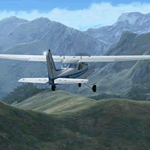
Mountain Flying in Switzerland (Part 1 of 3)
Welcome to beautiful Geneva, Switzerland. Today is a gorgeous day to be taking your first mountain flight in the Swiss Alps. Your round trip will take you over two mountain passes, an airport in the middle of a steep sided canyon and another airport in the heart of the Alps Part 1 of 3: Col de Coux - This first leg takes you from the grass runway in Geneva up and over a mountain pass named Col de Coux and down to an airport in a canyon. Along the way you will be able to enjoy all the beautiful scenery, including incredible views of the snow covered Alps and Lake Geneva, with its world famous jet d'eau. The chief flight instructor from the Aeroclub de Geneve will help you navigate and also handle all the radio communications, but it will be up to you to safely arrive at your destination. You are the Pilot in Command! Includes: - Detailed aeronautical charts of your departure, route, and arrival - FSX Nav Log, Flightplan and GPS with programmed waypoints - Real world voice actors with written text of entire dialog.
| Filename: | Mountain_Flying_in_Switzerland_Part_1_of_3.zip |
| License: | Freeware |
| Added: | 24th June 2010, 01:33:36 |
| Downloads: | 2,696 |
| Author: | Chris Klein |
| Size: | 33.32 MB |
| Category: Flight Simulator X - AFCAD Files | |
| Winchelsea Airport (8NJ0), NJ |
|
File Description:
Located 01 miles W of Port Republic, New Jersey, Winchelsea Airport is a private turf strip. Pay very, very close attention to the published length of this grass runway: 980'. This is in addition to 50ft tree obstacles at either end of the runway. Double-check your aircraft's takeoff and landing distances before visiting this airfield!! A strong headwind is suggested for operations out of this location. Also take note the traffic patterns vary for each runway. There are no transient services offered and the airport is not lit at night so daytime VFR use only is suggested. There is no hard surface runway so set your terrain mesh slider as high as you can for the best effect of landing on terrain.
Scenery constructed with use of satellite images/streetview/aerial photos - the author has not been there in person.
This scenery is meant to be used in conjunction with MegaScenery Earth New Jersey/Delaware 003. It is not required, but apron use is minimized to allow satellite scenery to show through as much as possible, and objects are placed based on the MSE textures - lack of it may make scenery look out of place.
| Filename: | Winchelsea_Airport_8NJ0_NJ.zip |
| License: | Freeware |
| Added: | 24th March 2011, 19:28:46 |
| Downloads: | 162 |
| Author: | Drew Sikora |
| Size: | 396.23 KB |
| Category: Flight Simulator 2004 - Scenery | |
| Los Angeles VTerminal (KLAX) 2009 V2 |
|
File Description:
UPDATE: After reports of people not getting the complete file, I have re-uploaded it. The problem was my program that I was using to zip the file. I have since changed programs and fixed the problem. Sorry for the inconvenience.
The LAX Vterminal was originally released to a select few virtual airlines and can now be yours. These were West Express, Atlantic Sun, Empora Virtual, City Bird, Arizona Pacific, and Family Virtual Airlines. The terminal contains three concourses, forty-three (43) gates, and eight overflow parking spots. Parking assignments have not been assigned to any of the gates, so you will need to go through and do so. The terminal was created by Michael Wood and Nick O'Dell. It was designed to fit the needs of virtual airlines, in order to return parking spots in the main terminal to their real world owners. This scenery is frame rate friendly, and will not take up a lot of space on your hard drive. Included in this file are AFCAD's for the default and OceanFlight scenery. Enjoy our scenery, and look for more scenery projects coming in the near future.
| Filename: | Los_Angeles_VTerminal_KLAX_2009_V2.zip |
| License: | Freeware, limited distribution |
| Added: | 16th March 2009, 11:13:46 |
| Downloads: | 1,805 |
| Author: | Nick O'Dell, Michael Wood |
| Size: | 231.75 KB |
| Category: Flight Simulator 2004 - Scenery | |
| Kogd-Ogden,Utah |
|
Images related to this file:
File Description:
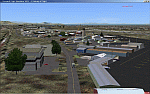
KOGD-Ogden,Ut Take your sailboat to the Great Salt Lake inland sea or hike the many mountains and enjoy the vistas offered atop the lofty peaks. Visit the quiet mountain valley town of Eden to the east of KOGD with its annual balloon festival and summer fun on Pineview dam or spend the day shopping the shops of Brigham City to the north or Salt Lake City to the south. Fly over the Great Salt Lake to the west. See the Ogden airport come alive with this must have add-on. With the help of Google Earth and FS Earth I have recreated the Ogden airport, with its new taxiway A (from a site visit), and the surrounding cities and towns to look as real as possible. Made with Ultimate Terrain, but the airport should be ok with default FS9. (No guarantee though ;-) The scenery enhancements were made with Ultimate Terrain in place. I modified the landclass to look more like the real thing. The airport is very close to a exact replica of KOGD! The crane by the tower was there when I took the pictures so I included it.
| Filename: | KogdOgdenUtah.zip |
| License: | Freeware |
| Added: | 15th December 2009, 00:45:07 |
| Downloads: | 725 |
| Author: | Alan C. Heiner |
| Size: | 15.59 MB |
| Category: Flight Simulator X - AFCAD Files | |
| High Meadow Farms Airport (9NJ8), NJ |
|
File Description:
Located 02 miles SW of Hope, New Jersey on 88 acres of land, High Meadow Farms Airport is a private turf strip 1850' in length. Take notice that the traffic pattern for Runway 13 is Right while the pattern for Runway 31 is Left. There is no hard surface runway so have your terrain mesh set as high as possible. There is tie down space available next to the paved area by the other parked aircraft however there are no official services offered for transient aircraft. This is a great airport to depart from to see some nice hilly terrain in northern NJ, it is just a few miles from the Delaware River Water Gap.
Scenery constructed with use of satellite images/streetview/aerial photos - the author has not been there in person.
This scenery is meant to be used in conjunction with MegaScenery Earth New York 007. It is not required, but apron use is minimized to allow satellite scenery to show through as much as possible, and objects are placed based on the MSE textures - lack of it may make scenery look out of place.
| Filename: | High_Meadow_Farms_Airport_9NJ8_NJ.zip |
| License: | Freeware |
| Added: | 7th April 2011, 00:16:49 |
| Downloads: | 200 |
| Author: | Drew Sikora |
| Size: | 641 KB |
| Category: Flight Simulator X - Scenery | |
| Trois-Rivieres CYRQ |
|
Images related to this file:
File Description:
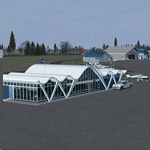
Trois-Rivieres Airport (CYRQ) is located near the city of Trois-Rivieres, Quebec, Canada, midway between Quebec and Montreal on the north shore of the St-Lawrence river. It has a large maintenance and painting shop to service aircrafts the class of B737, A320 or equivalent size. This GA airport had its runway (05-23) extended to 9000' so that is can now receive and accomodate the B767.
This scenery developed in GMax, is an exact and realistic representation of the airport. It features 28 detailed buildings including its unique terminal, custom vehicles and much more. From the airport, you can see the flashing strobe lights of the 1200 feet tower located 8 miles NE of the airport; cleary visible night and day which is a very good landmark coming in to land. Another nice landmark is the nearby beautiful Laviolette bridge (if installed from the same author). Take your favorite GA aircraft there for a sightseeing tour or a fishing trip a short distance north of Trois-Rivieres, your executive jet for a business meeting or service your airline jet in the maintenance bays. It is a nice airport to see.
| Filename: | TroisRivieres_CYRQ.zip |
| License: | Freeware |
| Added: | 26th November 2009, 02:43:30 |
| Downloads: | 7,252 |
| Author: | Gilles Boily |
| Size: | 6.9 MB |
| Category: Flight Simulator 2004 - Aircraft Repaints, Textures and Modifications | |
| NAC de Havilland DH-114 Heron 1B |
|
Images related to this file:
File Description: In 1957 they were written from use. One Heron was sold to the UK but sadly suffered a fatal crash on delivery. The other three, including ZK-BBM, were stored and in 1960 sold to Fiji Airways (later Air Pacific). In November 1975 Rotorua-based Air North bought ZK-BBM from Air Pacific. Already in 1978 she made her final landing and was stored for years at Ardmore Airfield. Classic Flyers NZ, based at Tauranga Airport acquired the Heron in March 1989. Since then she has been restored for static display at the Classic Flyers Museum.
You will need the DH-114 package available at Classic British Flightsim.
New Zealand National Airways Corporation (NAC) was the first operator to receive the DH-114. From 1952 till 1957 NAC flew with four Herons 1B's, which were acquired to serve those airfields which could not take NAC's standard airliner of those days, the Douglas DC-3. The Herons primarily flew across Cook Strait (Rongotai-Blenheim-Nelson) and later also to Hamilton and Rotorua. Since many modifications were required for this new airliner, the Herons proved too costly.
| Filename: | NAC_de_Havilland_DH114_Heron_1B.zip |
| License: | Freeware, limited distribution |
| Added: | 14th March 2014, 05:31:12 |
| Downloads: | 180 |
| Author: | Maarten Brouwer |
| Size: | 1.85 MB |


© 2001-2026 AVSIM Online
All Rights Reserved
Privacy Policy |