
Where Flight Simulation Enthusiasts Gather from Around the World!
AVSIM Library - Search Results

| Category: Flight Simulator 2004 - Scenery | |
| Ubatuba (SDUB) Afcad |

|
Images related to this file:
File Description:
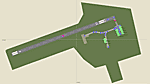
This is the afcad file for Ubatuba (SDUB) airport, located in Brazil's southwest area in a very beautiful place with pretty beaches. As a suggestion, take a short flight in a slow airplane from Ubatuba (SDUB) to Angra dos Reis (SBAG).
| Filename: | Ubatuba_SDUB_Afcad.zip |
| License: | Freeware |
| Added: | 21st May 2010, 03:27:18 |
| Downloads: | 1,225 |
| Author: | Felipe Bachian |
| Size: | 2.84 KB |
| Category: Flight Simulator X - Missions | |
| AntennaMaintenanceScottsHead.zip |
|
File Description:
Helicopter mission. A helicopter at TDCF airport provides services. Take a maintenance crew out to Scott's Head peninsula to check the antenna equipment. This mission will ONLY work with FSX Acc or FSX steam. No Orbx or P3D. (Older programming files.)
| Filename: | AntennaMaintenanceScottsHeadzip.zip |
| License: | Freeware |
| Added: | 21st May 2024, 00:29:36 |
| Downloads: | 26 |
| Author: | helomissionman |
| Size: | 5.17 MB |
| Category: Flight Simulator 2002 - Flight Plans | |
| Val-U-Prop VA Inaugaural Flight: KBMG TO MEIGS |
|
File Description:
Now you, too, can enjoy the splendors of flying for Val-U-Prop - the Virtual Airline where WE Val-U-YOU! Download this VOR to VOR IFR, ATC controlled 145 NM trip, and take the celebrities in the back for a reprise of their glorious trip. Any airplane will do!
The route will take you through the heart of The Great Hoosier Nation, and you will receive visual approach instructions 15 NM from Meigs. Everyone had a great time on this trip - and you can, too. Will work as a VOR to VOR flight in FS98 and FS2000.
| Filename: | ValUProp_VA_Inaugaural_Flight_KBMG_TO_MEIGS.zip |
| License: | Freeware |
| Added: | 8th March 2003, 00:41:08 |
| Downloads: | 351 |
| Author: | James Underwood |
| Size: | 276.14 KB |
| Category: Orbiter - Miscellaneous Files | |
| 3D-Screens for red/cyan eye glases |
|
File Description:
Some 3D Screens from Orbiter
for red / cyan eye glasses
FILES:
*K.jpg - Lines, best 3D-view
*M.jpg - Monocrome, verry good 3D-view
*C.jpg - Couloured, nice 3D-view
How to:
1.
download stereo photo maker ( http://stereo.jpn.org/eng/stphmkr/ )
2.
Take 2 screenshoots from orbiter:
- go to youre screen shoot position
- select "camera ground view"
- unselect "targed track mode"
- take the first shoot for the left eye, copy it to any picture
editor (for example use MS Paint), paste the shoot and save the file
- go back to orbiter, move the camera a little bit right (linear, down'T rotate !)
- take a second screenshoot and
- paste it again in youre picture editor,
- save the file againt (with a new name)
- open spm
- select: File > open Left Right picture, select the 2 pictures u have saved
- select the 3d mode you want (color, b/w, red cyan,...)
- and: there is youre picture !
- save it and enjoye
rg
Topper
| Filename: | 3DScreens_for_redcyan_eye_glases.zip |
| License: | Freeware |
| Added: | 7th August 2006, 00:34:59 |
| Downloads: | 292 |
| Author: | Topper |
| Size: | 4.08 MB |
| Category: Flight Simulator 2004 - AFCAD Files | |
| Saint John New-Brunswick Ver.1 |
|
File Description:
This is the AFCAD for Saint John New-Brunswick Canada. I had to add a taxiway because planes waiting to get off and on runway 5 and 23 were using the same taxiway. Works great with AI.
| Filename: | Saint_John_NewBrunswick_Ver1.zip |
| License: | Freeware |
| Added: | 4th January 2004, 05:22:06 |
| Downloads: | 533 |
| Author: | John McNair |
| Size: | 3.32 KB |
| Category: Flight Simulator 2004 - Aircraft Repaints, Textures and Modifications | |
| Intercargo Services Vanguard 953F |
|
File Description:
InterCargo Services operated two Vanguard Freighters a 952F and a 953C. They were both written off in crashes. This one was originally G-APEL with BEA.Requires the FSDS Vanguard model by Rick Piper http://www.btinternet.com/~rick.piper/index.htm
| Filename: | Intercargo_Services_Vanguard_953F.zip |
| License: | Freeware |
| Added: | 18th December 2004, 02:53:07 |
| Downloads: | 255 |
| Author: | Garry Russell |
| Size: | 660.03 KB |
| Category: Flight Simulator X - Miscellaneous Files | |
| Cold and Dark Cockpit |
|
File Description:
This file is a replacement for FS X's default situation file, giving you a cold and dark cockpit, everything switched off and fuel tanks empty, on each single flight created by the "free flight" screen on startup.
| Filename: | Cold_and_Dark_Cockpit.zip |
| License: | Freeware |
| Added: | 14th October 2006, 00:26:18 |
| Downloads: | 13,835 |
| Author: | Henning Schaefer |
| Size: | 4.6 KB |
| Category: Flight Simulator 2004 - Scenery | |
| Port Hardy CAW5 in British Columbia, Canada |
|
Images related to this file:
File Description:
This is the sixth in a series of new and renovated float bases in BC. Port Hardy CAW5 is in a sheltered inlet on the northeast coast of Vancouver Island, close to the town and just 6 miles northwest of the Port Hardy airport. There is fuel (both JetA and 100LL) and also oil available, and the base acts as a refuelling centre for the other float bases in the neighbourhood. The dock is one-sided as the northern side borders a shallow area that is in fact exposed at low tide, as is most of the inlet to the south of BC Packers (adjacent to the float base, to the south). The parking along the dock is maximised by backing up each plane by hand so that it is close to the one behind it; this is not possible to replicate with AI in FS9 (watch the video). Watch out for the log boom on the other side of the inlet, it is there to protect fish farm "pools". The AI involves several Beavers and Otters, as listed in the AI folder. At Port Hardy all the AI works for both landing and takeoff for all of the planes, no matter what is the wind direction. There is a pic of the Supplement Port Hardy page, showing the two take-off and landing areas plus the third area that is to be used for take-off before 7am. All of these float bases can be installed together in the same folders, with a saving in duplicate textures. So a series called BC Floats (or whatever you want to call it) or individually installed float bases; your choice. The next in the series was suposed to be Sullivan Bay, another floating marina, but I digressed to Port Hardy and Port McNeill (next to be posted). The two hotels by the nearby marina are included. One of them gave me weird problems and I gave up on achieving the correct shape.
| Filename: | Port_Hardy_CAW5_in_British_Columbia_Canada.zip |
| License: | Freeware, limited distribution |
| Added: | 19th January 2017, 15:01:45 |
| Downloads: | 200 |
| Author: | Roger Wensley |
| Size: | 8.27 MB |
| Category: Flight Simulator 2004 - Scenery | |
| Monument Valley UT25 and Oljato 05UT in Utah USA |
|
Images related to this file:
File Description:
Monument Valley is an impressive sight in south Utah but not, unfortunately, in FS9. Unless you invest in a detailed terrain mesh there are no stacks of rocks reaching for the sky and the lasting overall impression is just of a desert. But I had already downloaded the land textures so I ended up making the Monument Valley UT25 airfield and the nearby Oljato 05UT, which has no buildings of any sort. Maybe I was bored. There is a lodge close to the field with dozens of cabins, but I had insufficient information so this is for the airfield only. The 4,000 feet of new tarmac is aligned 16-34 and is single ended with a large chunk of rock at the southern end; 16 is only used for landing and 34 is only for take off. The runway is not lit. Do not be surprised when you ask to select a runway for take off and FS9 only gives you 16 as a choice, even though you know this is the wrong one. When you accept it FS9 will quickly switch it to 34; apart from a possible sense of humour I have no idea why it does this. Nothing much to say about Oljato. What do you need? You actually don't need Ultimate Terrain as there are other land textures used here, so you will definitely need to have downloaded and installed the land textures "cny_south3west_2010 lr" and "cny_south3west2_2010 lr" by Gottfried Razek, as these land textures showed the runways in the correct positions. Look in the scenery library here or at the other place. A note here about my scenery making. There will not be many more to follow this (unless you count 4 as many) as I am almost at the end of the photos I either took or found for scenery purposes, plus I expect to move on from FS9 at some point during next year.
| Filename: | Monument_Valley_UT25_and_Oljato_05UT_in_Utah_USA.zip |
| License: | Freeware, limited distribution |
| Added: | 22nd January 2020, 20:13:54 |
| Downloads: | 217 |
| Author: | Roger Wensley |
| Size: | 2.91 MB |
| Category: Flight Simulator X - AFCAD Files | |
| Murtala Muhammed International Airport, Lagos (DNMM) Version 2 |
|
File Description:
Hi again fellow simmers....
This is an major update to my previous AFCAD on this famous West African airport.
Here are all its features:
- ILS offset fixed as well as some smaller details, like the fact that rwys 1L/1R are
permanently closed to take-off and landings.
- Corrected runway lightings/markings.
- DME on Rwy 19R now working.
- Right Hand Pattern Approach/Take-off only.
- Added correct amount of gates at the International Terminal with parking codes for airlines
that actually fly to DNMM (British Airways, Air France, KLM, Alitalia, Virgin Atlantic,
Virgin Nigeria, Sabena, Swiss, Afriqiya, Emirates, Qatar Airways, South African Airways and
more).
- Domestic Terminal fully laid out and functional with domestic airline parkinting codes
(Albarka, Chanchangi, ADC, Belleview, Kabo Air, etc).
- Cargo parking fully functional.
- Military parking (C130, MiG-21, MiG-29, Alpha Jet, Jaguar, Tornado).
To Install:
1. DELETE THE PREVIOUS 'AF2_DNMM.BGL' file from the 'Flight Simulator X/Addon
Scenery/scenery' folder.
2. Extract all files from the downloaded '.zip' file.
3. Now COPY the NEW 'AF2_DNMM.BGL' file and place it into 'Flight Simulator X/Addon
Scenery/scenery' folder.
4. Start up the Flight sim and the changes will be present.
READ THIS !!!
I've tried to the best of my ability to produce and much detail as possible but i'm sure
something has been left out (there always is).
I've used the latest Jeppesen charts and other materials at my disposal and even my own
eyesight at great risk to myself (yep, even pilots are restricted from certain places at
airports)
Also, lots of airports have changed drasticly on the past couple years like Abuja airport
(DNAA) and I would love to do justice to it as its fast becoming a major hub in the region. I
would be willing to join forces to with anyone that is good with AFCAD on this project.
Enjoy!
[email protected]
13:44 30/07/2007
| Filename: | Murtala_Muhammed_International_Airport_Lagos_DNMM_.zip |
| License: | Freeware |
| Added: | 30th July 2007, 19:44:57 |
| Downloads: | 3,277 |
| Author: | usman saleh |
| Size: | 7.38 MB |


© 2001-2026 AVSIM Online
All Rights Reserved
Privacy Policy |