
Where Flight Simulation Enthusiasts Gather from Around the World!
AVSIM Library - Search Results

| Category: Flight Simulator X - Aircraft Repaints, Textures and Modifications | |
| KLM "Skyteam" Boeing 737-900 (PH-BXO) ** UPDATE ** |

|
Images related to this file:
File Description:
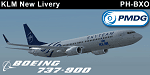
Update for the KLM 737-900 Skyteam Livery (PH-BXO) for the PMDG 737 NGX. Changelog is included in the readme. This livery is fully hand painted and should work in P3D to. Easy to install by using the Operations Center or Livery Manager. No need to download the previous version of the livery.
| Filename: | KLM_Skyteam_Boeing_737900_PHBXO__UPDATE_.zip |
| License: | Freeware, limited distribution |
| Added: | 5th January 2016, 10:39:16 |
| Downloads: | 3,235 |
| Author: | Bart Smith |
| Size: | 21.52 MB |
| Category: Flight Simulator X - Aircraft Repaints, Textures and Modifications | |
| Kuwait Airways Boeing 777-200LR (9K-AOB) |
|
Images related to this file:
File Description:
Kuwait Airways it's the principal airline carrier of that country. Repaint of the old livery, requested by Irving Vargas. In this case making enphasis in the dirt parts of the plane such as engines, fuselage, door markings, etc. Reg. 9K-AOB. TEXTURES ONLY. For PMDG Boeing 777-200LRX. For more repaints visit us: www.cieloazulcr.net
| Filename: | Kuwait_Airways_Boeing_777200LR_9KAOB.zip |
| License: | Freeware |
| Added: | 2nd April 2017, 17:56:47 |
| Downloads: | 391 |
| Author: | Leonardo Corrales |
| Size: | 77.14 MB |
| Category: X-Plane - Utilities | |
| X-Camera 2.2.1 |
|
Images related to this file:
File Description:
The X-Camera 2.1.1 plugin for X-Plane 9 and 10 is a replacement camera system that lets you define multiple view categories and multiple views within those categories that are associated with specific aircraft. X-Camera is similar to EzDok for FSX only for X-Plane. Watch this short X-Camera demo on YouTube: https://www.youtube.com/watch?v=PgOxG8ejq9A
Each view can have options:
- TrackIR:
Each view can enable or disable the TrackIR input. If the view is out the cockpit window having TrackIR enabled is desirable. However, if the view is a close-up of an instrument panel then having TrackIR disabled is probably the better choice since the view will be stable making it easy to click on cockpit controls with the mouse. We also support LinuxTrack on Linux and Mac systems.
- HeadShake:
If the HeadShake plugin from SimCoders is installed then the view can accept input from HeadShake. Similar to the TrackIR feature you will likely want this enabled for certain views but disabled for views on instrument panel close-ups where a stable camera makes it easier to use a mouse to control cockpit knobs and switches. The HeadShake plugin must be at version 1.3 or higher for the integration to work.
- Scenic Flyer:
If the Scenic Flyer plugin from Digital Avionics is installed then the view can choose to display either the Scenic Flyer Glass panel or GA panel.
- Smooth Transition:
When this option is enabled the camera with smoothly transition from one view to another over approximately half a second. When the option is off the view will transition immediately.
- Views can be controlled in a number of ways:
> Each view can be positioned by using keyboard keys or a control panel
> The camera'™s X, Y, Z, Heading, and Pitch can all be adjusted for each view
> Views can be assigned to a HotKey or JoyStick button for easy selection
> HotKey or JoyStick button can be used to navigate to next or previous views
> The views for a specific aircraft can be saved to a CSV file for easy editing
- Walk Mode:
Any view'™s camera can be placed in Walk Mode. While in this mode the camera can be walked or floated around using keyboard input. If you ever played the video game asteroid that is what walk mode is like. The mode is particularly useful for pre-flight inspections of your aircraft. You can create a external view and after selecting that view you can "Walk" the camera around checking out your landing gear, props, etc.
- Linear Transitions and Auto Advance:
Linear transitions allows you to define a transition between two adjacent cameras in category. This capability, in conjunction with the auto advance feature, allows you define fairly sophisticated animations that can be used for automated Pre-flight inspections, scenery viewing, and cool transitions affects that can be used when creating flight videos. All the transitions in our YouTube video were done with X-Camera.
- Bezier Curve Transitions:
Bezier curve transitions allows you to define a transition between three or more adjacent cameras in a category. This capability, in conjunction with the auto advance feature, allows you define fairly sophisticated animations that have an ultra smooth movement between the curve control points.
- Many Unique Camera Attributes:
Tracking Cameras - Camera Leveling - Smooth Camera Joining - Auto Advance to the Next Camera - Individual Zoom and Field of View Setting - External Cameras - Free Cameras - Target Following Cameras - Cineflex Cameras - Automatically Generate Unique Orbit and Fly-By Animations
X-Camera can create unique orbit and fly-by camera sequences by providing a few key parameters
- Airport Cameras:
You can define a set of free cameras associated with an airport. You can create up to 2,000 cameras per airport. X-Camera can also automatically populate airport cameras by reading the airport scenery files and creating cameras at runways, starting locations, taxiway signs, and airport viewpoints. You can map a joystick button to quickly switch between your aircraft camera set and the nearest camera at the nearest airport.
- Target Following Cameras:
Targets are locations defined by a latitude, longitude, and elevation in meters. Target following cameras are a special type of external camera that is attached to your plane and it has the ability to track a selected target. You can also view the target reciprocal which as a view from the target back to you plane.
X-Camera Tutorial Videos: There is also a four part series of tutorial videos that will help you get started with X-Camera. You can access them from the X-Camera Tutorial Page: https://www.stickandrudderstudios.com/x-camera-tutorial-videos/
The full manual is included in the zip file you can also view it here: https://www.stickandrudderstudios.com/downloads/User_Guide.pdf
| Filename: | XCamera_221.zip |
| License: | Shareware, limited functionality |
| Added: | 27th January 2017, 15:14:21 |
| Downloads: | 478 |
| Author: | Mark Ellis |
| Size: | 4.61 MB |
| Category: Fly! II - Aircraft | |
| Imaginary Scandinavian Airlines 757-200 Livery |
|
File Description:
This was produced to fill a special request for a Scandinavian Airlines twin engined commercial transport for Fly! II. This livery is best viewed with environmental mapping enabled for daylight service and mapping turned off after sunset. Ownership of the PMDG 757-200 for Fly! II is required to use this repaint. Will miss you Rich.
| Filename: | Imaginary_Scandinavian_Airlines_757200_Livery.zip |
| License: | Freeware |
| Added: | 15th March 2003, 03:46:32 |
| Downloads: | 149 |
| Author: | Pete Sterling |
| Size: | 3.06 MB |
| Category: Flight Simulator 2004 - Aircraft Repaints, Textures and Modifications | |
| Boeing 737-700 Luxair Winglets |
|
File Description:
This Boeing 737-7C9, registered LX-LGR is Luxair's latest aircraft. Included is the complete aircraft designed by Kittyhawk. This is the same repaint that I did for the PMDG 737 700, this one however, is for those that don't own the payware aircraft. Clean and sharp textures are handrawn in DXT3 to help load time.
| Filename: | Boeing_737700_Luxair_Winglets.zip |
| License: | Freeware |
| Added: | 15th May 2004, 21:23:34 |
| Downloads: | 3,525 |
| Author: | Leigh Green / Kittyhawk Productions |
| Size: | 2.87 MB |
| Category: Flight Simulator 2004 - Aircraft Repaints, Textures and Modifications | |
| Saudi Arabian Ministry of Finance and Economy B737-700 |
|
File Description:
Think this is the first BBJ repaint of the KittyHawk model, presenting HZ-MF1 of the Saudi Arabian Ministry of Finance and Economy. Only uses the default 737-700 flight model as no extended range BBJ file has become available. Aliased with default panel and sounds, recommend SkyDecks or PMDG panels for use with this aircraft.
| Filename: | Saudi_Arabian_Ministry_of_Finance_and_Economy_B737.zip |
| License: | Freeware |
| Added: | 2nd June 2004, 00:37:50 |
| Downloads: | 862 |
| Author: | David Johnson |
| Size: | 2.48 MB |
| Category: Flight Simulator 2004 - Panels | |
| FlightDeck SFX Colored Panel Plates |
|
File Description:
14 additional FDSFX panel plates in an assortment of colors and shades to better match the type of aircraft you are flying and it's corresponding main panel. Created to match popular panels used today for Airbus, Boeing, PMDG, BAe, Jetstream, and the default Microsft commercial aircraft panels. Needs my original FDSFXPNL.zip file installed in order to work properly.
| Filename: | FlightDeck_SFX_Colored_Panel_Plates.zip |
| License: | Freeware, limited distribution |
| Added: | 20th January 2004, 14:39:13 |
| Downloads: | 13,271 |
| Author: | Marcus Thompson |
| Size: | 1.94 MB |
| Category: Flight Simulator 2004 - Aircraft Repaints, Textures and Modifications | |
| Olympic Airlines Boeing 737-884 (SX-BXA) with Winglets |
|
File Description:
Repaint of SX-BXA, A (fictitious) Boeing B737-884 named "Thermopyles", belonging to Olympic Airlines, the Greek Air Carrier. Textures ONLY for PMDG's new "737 The Next Generation". Original package, plus -800/-900 upgrade, are required. Read carefully the readme file inside for complete installation instructions and informations. Thanks to PMDG for the very useful paint kit.
| Filename: | Olympic_Airlines_Boeing_737884_SXBXA_with_Winglets.zip |
| License: | Freeware, limited distribution |
| Added: | 23rd December 2004, 02:49:57 |
| Downloads: | 1,751 |
| Author: | Dimosthenis Chouliaras |
| Size: | 3.75 MB |
| Category: Flight Simulator 2004 - Aircraft Repaints, Textures and Modifications | |
| Euro Link Boeing 744F |
|
File Description:
As the official Vice painter for Euro Link virtual airline. I am proud to present a texture only set for the PMDG Boeing 747-400F in Euro Link VA colours. Thank you for enjoying mine, and other peoples work. This is a freeware package. Keep an eye out as more are yet to come from me :D
| Filename: | Euro_Link_Boeing_744F.zip |
| License: | Freeware |
| Added: | 21st January 2007, 16:57:01 |
| Downloads: | 288 |
| Author: | Philip Taylor |
| Size: | 7.45 MB |
| Category: Flight Simulator 2004 - Aircraft Repaints, Textures and Modifications | |
| Euro Link Colours Boeing 747-400ER |
|
File Description:
As the official Vice painter for Euro Link virtual airline. I am proud to present a texture only set for the PMDG Boeing 747-400ER in Euro Link VA colours. Thank you for enjoying mine, and other peoples work. This is a freeware package. Keep an eye out as more are yet to come from me :D
| Filename: | Euro_Link_Colours_Boeing_747400ER.zip |
| License: | Freeware |
| Added: | 25th January 2007, 06:43:51 |
| Downloads: | 160 |
| Author: | Philip Taylor |
| Size: | 5.21 MB |


© 2001-2026 AVSIM Online
All Rights Reserved
Privacy Policy |