
Where Flight Simulation Enthusiasts Gather from Around the World!
AVSIM Library - Search Results

| Category: Flight Simulator 2004 - AI Aircraft | |
| Jet2 Boeing 737-200 'G-CELR' |

|
Images related to this file:
File Description:

Jet2 Aardvark Boeing 737-300v2 'G-CELR' (flyglobespan hybrid) repaint for AI traffic.
| Filename: | Jet2_Boeing_737200_GCELR.zip |
| License: | Freeware |
| Added: | 17th November 2009, 14:31:16 |
| Downloads: | 438 |
| Author: | Billy Rutherford |
| Size: | 1.03 MB |
| Category: Flight Simulator 2004 - Aircraft Repaints, Textures and Modifications | |
| FS2004 Societa Aerea Mediterranea (SAM) CPAI Caravelle VI-N for AI, ca 1970 |
|
Images related to this file:
File Description:
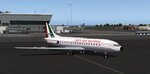
A repaint of Christian Page's Caravelle VI-N for AI traffic
| Filename: | FS2004_Societa_Aerea_Mediterranea_SAM_CPAI_Caravel.zip |
| License: | Freeware, limited distribution |
| Added: | 21st May 2026, 19:48:09 |
| Downloads: | 31 |
| Author: | Christian Page |
| Size: | 276.28 KB |
| Category: Flight Simulator 2004 - Aircraft Repaints, Textures and Modifications | |
| FS2004 BEA Airtours CPAI Comet 4B for AI, ca 1970 |
|
Images related to this file:
File Description:
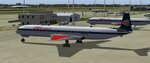
Repaint of Christian Pagé's de Havilland Comet 4B for AI traffic
| Filename: | FS2004_BEA_Airtours_CPAI_Comet_4B_for_AI_ca_1970.zip |
| License: | Freeware, limited distribution |
| Added: | 1st May 2026, 20:52:50 |
| Downloads: | 33 |
| Author: | Christian Page |
| Size: | 309.53 KB |
| Category: Flight Simulator 2004 - AI Aircraft | |
| Aeroclub of Chania Cessna fleet |
|
Images related to this file:
File Description:

Aeroclub of Chania Cessna fleet (x2) repaints for AI traffic including 'representative' FlightPlans.
| Filename: | Aeroclub_of_Chania_Cessna_fleet.zip |
| License: | Freeware |
| Added: | 11th April 2010, 14:37:01 |
| Downloads: | 312 |
| Author: | Billy Rutherford |
| Size: | 1.3 MB |
| Category: Flight Simulator 2002 - AI Flight Plans | |
| Florence Airport (Peretola/Amerigo Vespucci) in Italy. |
|
File Description:
Contains exact and working schedule for LIRQ (Florence Peretola) plus some flightplans I created for executive aircraft. Double overlay for gates (which brings to 24 parkings: 11 gates for main traffic, 12 parkings for GA-Executive traffic and a cargo area). The runway also works as it actually does in real life (departure rwy 23, landing rwy 5). To install everything you need AFCAD and LEE SWORDY'S TRAFFIC TOOLS. What else, have fun!
| Filename: | Florence_Airport_PeretolaAmerigo_Vespucci_in_Italy.zip |
| License: | Freeware |
| Added: | 10th October 2002, 18:10:21 |
| Downloads: | 742 |
| Author: | Arturo Panichi |
| Size: | 12.77 KB |
| Category: Flight Simulator 2004 - AFCAD Files | |
| FS2004 A&F DATA |
|
File Description:
Googlyafcad A&F Data for Angouleme/Brie/Champniers, based on Google Earth satellite
data.
Unfortunately, Microsoft have only limited facilities at this airport in Flight
Simulator 2004 with no provision for commercial traffic and this file will allow
you and your "AI" traffic to land, taxi, park and take off in a realistic manner.
Whilst the airport is primarily used by General Aviation traffic, it now sees regular
flights by Boeing 737 jets of Ryanair.
| Filename: | FS2004_AF_DATA.zip |
| License: | Freeware |
| Added: | 5th August 2008, 13:39:58 |
| Downloads: | 376 |
| Author: | John Hinson |
| Size: | 49.37 KB |
| Category: Flight Simulator 2004 - Scenery | |
| London City Airport (EGLC), UK - "Masterplan Concept" Version 2 |
|
Images related to this file:
File Description:

The masterplan for London City has been around for a while so we have developed a concept to reflect it. This airport is compatible with the default traffic file, and handles added traffic well. This concepts adds a full parallel taxiway, extra parking and more high speed exits to the runway to handle more traffic.
New in V2 extra parking for GA and small jets, "RWY AHEAD" markings on the taxiways and parking area markings.
| Filename: | London_City_Airport_EGLC_UK__Masterplan_Concept_Ve.zip |
| License: | Freeware, limited distribution |
| Added: | 28th September 2013, 12:33:53 |
| Downloads: | 588 |
| Author: | Mark Piccolo - Soarfly Concepts |
| Size: | 894.96 KB |
| Category: Orbiter - Miscellaneous Files | |
| City Builder Tool |
|
File Description:
The tool (a 50 kb Java application) provides a GUI where you just click and place bases, rivers, blocks, churchs, parks, runway, solarplants etc.
Then you click "produce" and the tool writes your My_Cool_Base.cfg file for your
OrbiterConfig folder.
In this way I build my home town, with parks and churchs,
and I take off from there, now ...
Note: this is an alpha version from the "features point of view", but it is almost a beta release from the "testing point of view".
In other words (I know Avsim requires at least beta's) the tool works well, simply it is not completed (some features are missing).
I made this tool just for fun. So, if you really think is worthy going on with it, or that it's a funny/useful tool, please let me know.
If I see that the tool is useful for the Orbiter community, I will complete it more quickly and I will post a real beta release in a couple of weeks.
REMARK: you need Java to run this tool!
| Filename: | City_Builder_Tool.zip |
| License: | Freeware |
| Added: | 20th October 2003, 18:23:03 |
| Downloads: | 1,003 |
| Author: | Stefano Adriani |
| Size: | 46.02 KB |
| Category: Flight Simulator 2004 - Gauges | |
| Display_Smoke_ Cntrl_ Gauge |
|
File Description:
This simple gauge is for the Alphasim T6 Harvard/Texan airplane (airplane package required), design to stop the 3 display smoke effects from coming on when the lights are first turned on from the spot view mode.
Since both the Harvard or Texan are not using the Taxi lights, this gauge works based on the state of the Taxi light bool. When you first turn on all lights via the "L" key from the keyboard, the on state of the Taxi lights in turn, turns off the 3 Display Smoke Switches, then after a 2 second delay the Taxi lights are reset to the off state again, ready for the next cycle of the keyboard "L" key.
Just want to reiterate, this is not a auto display smoke gauge in the sense, this is an invisible gauge (no visual references) that just stops the 3 display smoke switches from being turned on with the lights, so you don't get that big ball of colored smoke around the airplane when in "spot view" mode, and you turn the lights on via the "L" key on the keyboard.
Note: Has not been verified in FSX, but should work though!
| Filename: | Display_Smoke__Cntrl__Gauge.zip |
| License: | Freeware |
| Added: | 15th March 2007, 13:16:45 |
| Downloads: | 537 |
| Author: | Greg Spellmen |
| Size: | 2.33 KB |
| Category: Flight Simulator X - Utilities | |
| AIRound v2.0 |
|
File Description:
FSX AIRound v2.0. This utility enables forward (VC-like), fly by, spot and top-down views of other players’ aircraft and AI-controlled airplanes, ground vehicles and boats. There are three special view modes for AI aircraft landings and take-offs. Continuous AI aircraft following all the way to its destination is available. There are lots of parameters of participating airplanes, assistance in formation flying, etc. For more utility features see its ReadMe.txt file. There are 4 FSX sessions for free. By Valery Stenin.
| Filename: | AIRound_v20.zip |
| License: | Shareware, time limited |
| Added: | 29th June 2008, 23:29:43 |
| Downloads: | 2,422 |
| Author: | Valery Stenin |
| Size: | 922.59 KB |


© 2001-2026 AVSIM Online
All Rights Reserved
Privacy Policy |